

Microsoft’s recent Windows-era headlines form a clear pattern: Microsoft is pushing deeper into automation and cloud-first defaults while enterprise and consumer reactions expose a widening gap between convenience, control, and trust. New moves — from making Power Automate Desktop free on Windows 10 to continued nudges that route user folders into OneDrive — illustrate a company reshaping both how Windows is managed in the enterprise and how ordinary people interact with their files; the fallout ranges from welcome productivity gains to real operational risk and a measurable migration to alternative platforms.
Windows has been a study in incremental platform stewardship for the last decade: Microsoft shifted to a continuous-update model with Windows as a Service, leaned on cross-device integration and cloud services, and steadily added automation and AI-capabilities to Windows and Microsoft 365. Those strategic choices have driven broad enterprise adoption and sustained Windows’ foothold in business environments, but they have also introduced friction points — defaults that change local semantics, higher expectations for telemetry and online services, and the operational complexity of large-scale servicing. For enterprise migrations, security lifecycle events (like the end of mainstream Windows 10 servicing) have amplified these tensions and created real behavior shifts in the market.
Key operational takeaways for IT teams:
Benefits and immediate use cases:
Why this matters:
What this means for IT and vendors:
For IT teams the path is pragmatic: inventory carefully, centralize policy for cloud features, govern automation, and pilot broadly. For users the bottom-line actions are straightforward: back up, pin critical files, and understand the exact behavior of any cloud backup before you enable it. The platform’s direction is promising, but trust — once lost — is expensive to rebuild. If Microsoft wants mass adoption of agentic helpers, automated workflows and cloud-first defaults, it will have to pair those innovations with unambiguous, human-centered safety nets that respect user expectations and enterprise constraints.
Source: BetaNews https://betanews.com/article/window...our-windows-11-files-onedrive-sync-confusion]
 Background
Windows has been a study in incremental platform stewardship for the last decade: Microsoft shifted to a continuous-update model with Windows as a Service, leaned on cross-device integration and cloud services, and steadily added automation and AI-capabilities to Windows and Microsoft 365. Those strategic choices have driven broad enterprise adoption and sustained Windows’ foothold in business environments, but they have also introduced friction points — defaults that change local semantics, higher expectations for telemetry and online services, and the operational complexity of large-scale servicing. For enterprise migrations, security lifecycle events (like the end of mainstream Windows 10 servicing) have amplified these tensions and created real behavior shifts in the market.Where the headlines intersect: product changes and user impact
Microsoft’s enterprise posture and Windows 10’s long tail
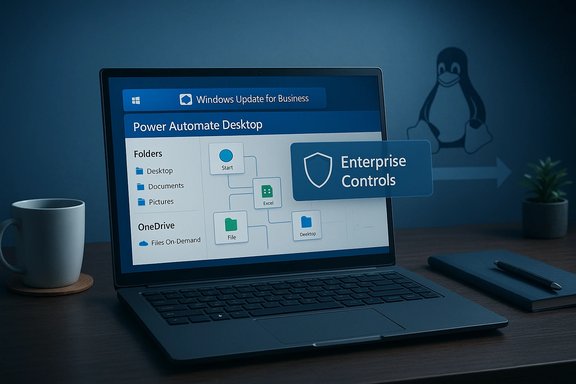
Microsoft’s approach to Windows in business has emphasized manageability, telemetry-driven servicing, and a suite of enterprise controls — from Windows Update for Business to more advanced device and firmware management. Those choices helped organizations scale migrations and justify upgrades, but they also produced a spectrum of practical trade-offs: larger device-count metrics that obscure PC-only market share, telemetry and privacy questions for cautious customers, and patching complexity that can cascade into operational outages when servicing misbehaves. These realities are central to how organizations decide whether to upgrade, enroll in Extended Security Updates (ESU), or take alternative approaches.Key operational takeaways for IT teams:
- Keep multiple update channels (WSUS/ConfigMgr, Windows Update for Business) to avoid single‑point failures.
- Plan firmware/driver pilots separately and use the new deployment controls to stage risky updates.
- Treat Microsoft’s device-count announcements as company-level metrics, not pure PC market share.
Power Automate Desktop: turning RPA into a Windows-native productivity layer
Microsoft’s decision to make Power Automate Desktop available at no extra cost (and included for Windows 10 users in relevant builds) is a structural play: deliver low-code robotic process automation (RPA) to the wide Windows audience and embed automation as a default productivity capability. Power Automate’s drag‑and‑drop flows and built‑in connectors let both novices and experienced admins automate repetitive tasks — from mail-attachment handling to complex Excel manipulations — without needing full-scale development resources. For enterprises this lowers the barrier to automation; for power users it transforms mundane daily tasks into save-and-reuse workflows.Benefits and immediate use cases:
- Eliminate repetitive inbox and file-handling tasks (auto-save attachments, archive receipts).
- Create device-local startup routines (open apps, mount network shares, pin files).
- Integrate Excel, Forms and SharePoint workflows in a single visual editor.
- Governance: uncontrolled Flow proliferation becomes a shadow‑IT risk if connectors touch corporate systems.
- Licensing creep: advanced, multi-machine or cloud-triggered automations often require premium licenses.
- Security posture: automated credentials, connectors and managed identities must be audited and rotated.
OneDrive’s “Where are my files?” problem — UX, defaults, and trust erosion
One of the clearest and most persistent user stories in recent coverage is the OneDrive “files vanished” panic. The technical mechanics are consistent: Known Folder Move (KFM) and Files On‑Demand redirect Desktop, Documents and Pictures into the user’s OneDrive folder and represent many files as online-only placeholders to save local disk space. When users or admins disable backup or unlink OneDrive without following the correct “move back” flows, files can stop appearing at their traditional local paths — creating a credible impression of deletion even when the canonical copies live in the cloud. The root issue is not magic deletion; it’s an ambiguous presentation and an inconsistent reversal path across client builds that leave many users confused and sometimes locked out.Why this matters:
- For nontechnical users, a missing Photos folder or an empty Desktop feels indistinguishable from data loss.
- Free OneDrive quotas (5 GB) can silently break KFM for users with large data sets and cause sync failures.
- AI-driven scans and account lockouts in edge cases compound the perception of product brittleness.
- Before disabling OneDrive backup, move files back to local folders or use the OneDrive client’s “move back” option when available.
- Pin mission-critical files with “Always keep on this device” to avoid online-only surprises.
- For fleets: manage KFM via Group Policy or Intune and document quota expectations during onboarding.
The spike toward Linux: the Zorin effect and the migration calculus
The end of vendor-supplied Windows 10 updates (a hard lifecycle cut-off) created a decision point for many users: upgrade to Windows 11 (often blocked by hardware requirements), pay for ESU, or adopt an alternative OS. In that window, some consumer-focused Linux distributions — notably Zorin OS 18 — reported rapid download growth, with project telemetry indicating a sharp uptick in Windows-origin downloads. The headline here is not inevitability of wholesale platform shifts; it is a measurable increase in trial and migration interest that follows a vendor support deadline and real compatibility fences. A million downloads does not equal a million successful, long-term migrations, but it does signal a nontrivial appetite for a practical, low-cost path off aging Windows installations.What this means for IT and vendors:
- Compatibility: ISV and OEM support for alternative endpoints remains the gating factor for broad migration.
- Support & training: Even consumer migrations to Linux require nontrivial user help for peripherals, printers and niche apps.
- Opportunity: Device refresh cycles and cloud-hosted desktops (VDI / DaaS) are complementary migration paths that may retain Windows workloads while avoiding costly hardware upgrades.
Insider builds and mobile preview delays: update reliability still matters
Persistent bugs and delayed Insider mobile preview builds highlight a recurring truth: accelerated delivery models must still protect basic reliability, especially in managed environments. When preview channels suffer regressions, administrators and power users lose confidence in staged rollouts; that lack of confidence can delay upgrades, prolong unsupported deployments, and raise operational risk. The pattern is familiar — fast feature cadence without commensurate rollout discipline yields update fatigue among IT and end users alike.Critical analysis — strengths, trade-offs and the risk surface
Notable strengths
- Enterprise-focused controls and modern update channels reduce the friction of rolling out security patches and feature updates at scale. These tools give admins granular policy leverage that previously required heavy tooling.
- Embedding automation (Power Automate) directly into Windows democratizes productivity gains and helps smaller teams accomplish what used to require scripting or external automation platforms.
- Files On‑Demand and KFM solve a real problem: they protect users who never configured backups and dramatically reduce local storage pressure on small SSD devices. When used knowingly, these features are practical and beneficial.
Key risks and failure modes
- UX defaults that change the logical location of files create trust failures. Users that expect local-first file semantics are the most vulnerable when Windows shifts the canonical copy to a cloud store with placeholders. This is a classic expectation vs. reality mismatch.
- Automation without governance: Power Automate flows that access corporate data or systems can create stealth data exfiltration vectors or operational fragility if not governed and audited. IT needs flow lifecycle policies, RBAC, and monitoring.
- Migration blips: lifecycle cut-offs (end-of-support) produce short-term behavioral spikes — like Linux download increases — but converting trials into stable, supported deployments requires ISV and OEM ecosystem support that doesn’t flip overnight.
- Servicing fragility: a single cumulative update or out‑of‑band patch can cascade into onboarding and authentication failures across large estates, forcing hard tradeoffs between patching urgency and availability. Robust pilot discipline and rollback planning remain essential.
Where product design falls short
- Insufficiently discoverable rollback flows: stopping OneDrive backup should present an unambiguous, single-click reversal for ordinary users; inconsistent behavior across client builds is unacceptable for a core user data flow.
- Defaults that monetize inertia: cloud‑first defaults (AutoSave to OneDrive, KFM prompts at setup) are powerful retention levers that risk being perceived as upsells rather than protections unless the UX makes trade-offs crystal clear.
Practical, prescriptive guidance (for IT teams and power users)
For IT leaders and admins
- Inventory and prioritize: identify which endpoints are Windows 11 eligible, which require ESU, and which can be rehomed to cloud desktops or alternate OSes.
- Lock down OneDrive behavior: use Group Policy / Intune to control Known Folder Move and Files On‑Demand at scale, and set clear user guidance before any mass activation.
- Governance for automation: require cataloguing of Power Automate flows, RBAC on connectors, and an approval workflow for any flow touching sensitive data.
- Multi-channel updates: keep WSUS/ConfigMgr or a local caching layer to avoid single external dependency during patch windows, and run a hardware-diverse pilot ring for firmware/driver pushes.
For regular users and power users
- Backup first: independent local backups (external drive or image) remain the simplest hedge against confusing cloud-defaults.
- Pin critical files: mark essential documents “Always keep on this device” in OneDrive before going offline.
- Learn the “move back” flow: if OneDrive backup is enabled and you want local copies, follow the client’s documented steps to transfer files back prior to unlinking the account.
- Treat Power Automate like a macro: test flows in a sandbox, and limit their use for business-critical operations until you know the behavior and associated licensing costs.
What vendors and Microsoft should fix (a short checklist)
- Make KFM reversible by default: when a user disables backup, provide a deterministic “Move my files back to local folders” option that works consistently across builds.
- Surface preservation warnings: if moving a multi-GB Documents folder into a 5 GB free OneDrive account will cause quota errors, don’t bury that fact behind small text — stop the flow until the user chooses otherwise.
- Flow governance defaults: include tenant-wide flow logging and a centralized catalog view for all Power Automate Desktop automations created on managed devices.
- Safer rollout playbooks: publish clear, machine-tested rollout guidance for cumulative updates that affect services like Defender onboarding and Kerberos/identity flows.
Conclusion
Microsoft’s recent product posture is coherent: build automation into the OS, make cloud-first protections easy to adopt, and accelerate feature delivery across consumer and enterprise channels. Those moves bring real productivity wins — Power Automate Desktop democratizes automation and OneDrive’s KFM plus Files On‑Demand meaningfully reduce local storage pain — but the critical problem is execution at scale and communication at the point of choice. Defaults matter; discoverability and consistent reversal flows matter more; and governance must catch up to automation.For IT teams the path is pragmatic: inventory carefully, centralize policy for cloud features, govern automation, and pilot broadly. For users the bottom-line actions are straightforward: back up, pin critical files, and understand the exact behavior of any cloud backup before you enable it. The platform’s direction is promising, but trust — once lost — is expensive to rebuild. If Microsoft wants mass adoption of agentic helpers, automated workflows and cloud-first defaults, it will have to pair those innovations with unambiguous, human-centered safety nets that respect user expectations and enterprise constraints.
Source: BetaNews https://betanews.com/article/window...our-windows-11-files-onedrive-sync-confusion]
