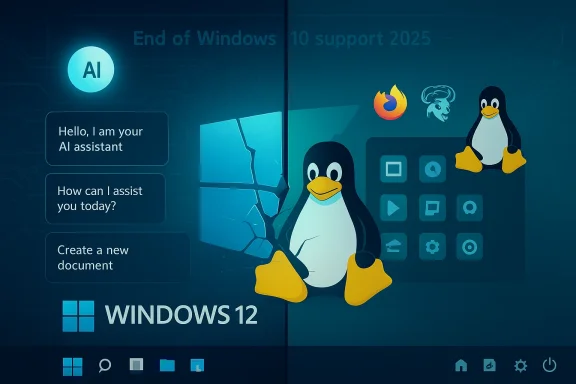
Microsoft’s recent repositioning of Windows around Copilot, Copilot+ PCs, and increasingly aggressive telemetry has moved a conversation that used to live in enthusiast forums into the broader mainstream: could Windows 12 — or at least the next major step in Microsoft’s client roadmap — be the moment a measurable number of everyday PC users decide they’re better served by Linux? The question is not purely hypothetical: a widely circulated feature arguing precisely that trajectory lays out the same pressures most readers are already seeing — deeper AI hooks, more visible monetization, and hardware gating that could strand older machines — and suggests that Linux’s desktop story has reached a point of real practicality. view
Windows’ product strategy over the last three years has been unmistakable: fold AI into the fabric of the OS, define a new class of AI-capable devices, and tie headline experiences to a growing Copilot ecosystem. The Copilot+ PC program and related branding explicitly identify device requirements and class distinctions for “AI PCs,” while Microsoft’s lifecycle calendar and support choices for Windows 10 have put timing pressure on remaining holdouts. Those forces — product engineering, lifecycle nudges, and marketing — create a practical set of choices for users: accept the AI-first path (and its telemetry/monetization implications), pay to keep older Windows installs supported, or evaluate alternatives.
What’s different in 2026 versus previous waves of “Is this the year of Linux?” talk is that several long-standing technical gaps have been meaningfully narrowed. App distribution systems (Flatpak, Snap), compatibility bridges (Proton and VKD3D for gaming), and polished desktop environments (KDE Plasma, GNOME improvements, Pop!_OS focus) now create a far less jagged migration path than a decade ago. Meanwhile, Microsoft’s own strategic choices — charging for Extended Security Updates, locking premium experiences to new device classes, and embedding more services into the OS — have sharpened the trade-offs for conservative users.
At the same time, Microsoft’s Recall experiment — an always-on screenshotting and indexing capability designed to “remember” a user’s past activity — ignited a fierce privacy backlash and was delayed and redesigned as opt‑in with additional safeguards. That episode crystallized a broader anxiety: when AI is deeply integrated, how much of the system becomes a telemetry and indexing surface, and who controls those signals? Microsoft’s subsequent public messaging about opt‑in design and secure defaults is part of the story, but the initial reaction revealed how fragile user trust can be when powerful features touch sensitive data.
For many users, the calculus is straightforward: if the OS increasingly sells services inside the UI and ties its most compelling features to subscription or hardware gates, a free, quieter alternative that doesn’t surface upsells has obvious appeal.
For readers watching their upgrade budgets and privacy preferences closely, the prudent move right now is not panic but preparation: audit your workflows, trial Linux in low-risk ways, and watch closely how Microsoft frames the next Windows chapter. If Microsoft treats AI features as opt‑in enhancements while keeping the core system neutral and respectful of user choice, the desktop ecosystem will remain broadly intact. If, instead, the company doubles down on mandatory-feeling AI hooks, subscription nudges, and hardware gates, then the migration this article describes will accelerate — and Linux will look far less like a side project and much more like a practical alternative.
Source: findarticles.com Windows 12 Rumors Spark Shift Toward Linux
Windows’ product strategy over the last three years has been unmistakable: fold AI into the fabric of the OS, define a new class of AI-capable devices, and tie headline experiences to a growing Copilot ecosystem. The Copilot+ PC program and related branding explicitly identify device requirements and class distinctions for “AI PCs,” while Microsoft’s lifecycle calendar and support choices for Windows 10 have put timing pressure on remaining holdouts. Those forces — product engineering, lifecycle nudges, and marketing — create a practical set of choices for users: accept the AI-first path (and its telemetry/monetization implications), pay to keep older Windows installs supported, or evaluate alternatives.
What’s different in 2026 versus previous waves of “Is this the year of Linux?” talk is that several long-standing technical gaps have been meaningfully narrowed. App distribution systems (Flatpak, Snap), compatibility bridges (Proton and VKD3D for gaming), and polished desktop environments (KDE Plasma, GNOME improvements, Pop!_OS focus) now create a far less jagged migration path than a decade ago. Meanwhile, Microsoft’s own strategic choices — charging for Extended Security Updates, locking premium experiences to new device classes, and embedding more services into the OS — have sharpened the trade-offs for conservative users.
 Why Windows’ current direction is provoking re-evaluation
AI-first design is compelling — and polarizing
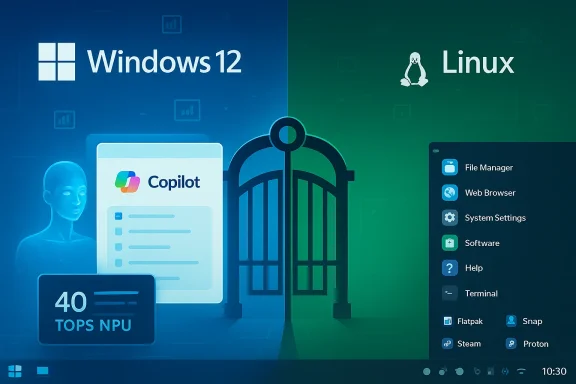
Microsoft’s integration of Copilot across the OS stack is compelling from a product perspective: it promises productivity boosts, instant summarization, and contextual helpers that reduce friction for many routine tasks. But the same integration also pushes Windows toward tighter coupling with cloud services, telemetry flows, and hardware that can accelerate AI locally. The Copilot+ program, for instance, names concrete hardware expectations for “full” Copilot experiences: NPUs rated at roughly 40 TOPS, minimum memory and storage thresholds, and Windows 11/24H2 baselines. That hardware-first framing makes AI features feel like a device licensing program more than a neutral OS upgrade.At the same time, Microsoft’s Recall experiment — an always-on screenshotting and indexing capability designed to “remember” a user’s past activity — ignited a fierce privacy backlash and was delayed and redesigned as opt‑in with additional safeguards. That episode crystallized a broader anxiety: when AI is deeply integrated, how much of the system becomes a telemetry and indexing surface, and who controls those signals? Microsoft’s subsequent public messaging about opt‑in design and secure defaults is part of the story, but the initial reaction revealed how fragile user trust can be when powerful features touch sensitive data.
Monetization and the marketing surface of the desktop
Windows 11 Insider builds have experimented repeatedly with “recommendations” and promotional placements in Start and other system surfaces. The practical effect is that the desktop becomes a marketing surface: prompts to try services, sign into a Microsoft account, or subscribe for premium features appear interleaved with day-to-day flows. Add in account and telemetry nudges tied to Extended Security Updates or consumer ESU options, and the perceived “cost” of staying on Windows — not just money, but recurring prompts and data collection — rises. Microsoft’s decision architecture for support beyond Windows 10’s end of free updates has made those trade-offs concrete for many households and small organizations.For many users, the calculus is straightforward: if the OS increasingly sells services inside the UI and ties its most compelling features to subscription or hardware gates, a free, quieter alternative that doesn’t surface upsells has obvious appeal.
Hardware gates, e-waste, and budget reality
Windows 11’s stricter baseline (TPM 2.0, UEFI Secure Boot, and a narrower CPU compatibility list) already forced many organizations and home users to rethink refresh cycles. Data-rich audits conducted as Windows 11 rolled out found that a significant share of enterprise endpoints failed CPU checks or required firmware changes — an audit reality that complicated mass migration planning. If Microsoft preserves the Copilot+ approach — where the “best” AI experiences require NPUs and other modern silicon — then many perfectly serviceable machines could be implicitly downgraded. The choice becomes: spend on new hardware, pay for extended updates, or migrate to a platform that runs well on the fleet you already own.How Linux’s desktop story changed: the practical pillars
Linux’s desktop progress in the 2020s is best understood not as a single monoculture gaining market share, but as a series of pragmatic improvements that reduce friction for mainstream users.- App distribution has matured: Flatpak and Snap substantially lower the friction of getting consistent desktop apps across distros, easing one of the classic pain points for new users.
- Gaming parity improved dramatically: Valve’s Proton and the Steam Deck’s pressure on developer toolchains made scores of Windows titles playable on Linux with competitive performance. ProtonDB and daily driver reports show thousands of titles working well, and the Steam Deck’s influence — including SteamOS 3’s Arch base — changed how developers prioritize Linux testing.
- Long-term support and vendor options: Canonical’s LTS cadence still provides five years of free updates, with optional extended support for organizations that need it; commercial and community support ecosystems have expanded. That means Linux isn’t just a “hobbyist” option — it’s a realistic maintenance choice for schools, nonprofits, and many SMBs.
The migration math: practical, incremental paths
Switching an entire household, classroom, or office to Linux overnight is rarely the right decision. The pragmatic approaches that reduce risk and preserve user productivity are well-worn and effective:- Trial in place
- Boot a live USB for a weekend. Test Wi‑Fi, printers, and common sites.
- Dual‑boot or repurpose a spare machine
- Keep Windows on a familiar machine and put Linux on a secondary device to build confidence.
- Use cross-platform standards
- Favor open document formats, IMAP email, and browser-based calendars to avoid lock‑in.
- Virtualize Windows where necessary
- For small app gaps (a niche VPN, legacy tool), local virtualization or a lightweight remote Windows image preserves continuity.
- Gaming considerations
- Check ProtonDB and Steam/SteamOS compatibility before relying on Linux for gaming.
Strengths Linux brings to the table — and where it still stumbles
Strengths
- Control and opt‑in integrations. Major distros and desktops treat telemetry and integration as explicit, optional choices. That baseline of opt-in is a cultural and technical difference from Microsoft’s increasingly service-centric defaults.
- Lifecycle stretching for older hardware. Lightweight desktops (Xfce, MATE) or tuned mainstream environments (KDE Plasma, GNOME) can give multiple extra years of useful life to older laptops and desktops.
- Cost choices. Many distros are free, and optional paid support is available from commercial vendors. For cash‑constrained buyers and institutions, that’s a compelling total‑cost‑of‑ownership story.
- Growing gaming compatibility. Proton’s improvements plus Valve’s ecosystem mean gaming on Linux is no longer a fringe experiment for many users.
Remaining gaps and mitigations
- Specialized creative workflows. Adobe Creative Cloud still dominates professional creative tooling. For creators who rely on it day-to-day, Linux is not yet a full replacement; practical mitigations include cloud‑hosted creative suites, containerized Windows apps, or dual-system workflows.
- Some device support quirks. Printers, scanners, and specialized peripherals occasionally need vendor drivers not packaged for Linux; community drivers and vendor improvements have reduced this pain but haven’t eliminated it.
- Enterprise software compatibility. Some line‑of‑business apps depend on Windows-native stacks and complicated authentication flows; virtualization and WSL/Win‑based remoting remain practical bridges.
The tipping point to watch as the next Windows chapter lands
A realistic tipping point will not be a single event but a pattern of experiences:- Microsoft ties more headline features to Copilot/Copilot+ and device certification (40 TOPS NPUs, specific memory/storage baselines), while
- The OS surface continues to show promotional placements and pushes toward accounts/subscriptions, and
- Windows 10’s formal support end and ESU choices leave more users with a binary economic decision.
Risks, user trade-offs, and long-term systemic effects
For users considering a move
- Compatibility headaches: Expect a handful of blockers at first; some will have tidy workarounds, others may require keeping a Windows machine available.
- Support expectations: Commercial support is available but costs vary; community help is excellent but uneven in SLAs.
- Training: Users accustomed to Windows paradigms may need time to adapt common gestures and workflows.
For Microsoft and the PC ecosystem
- Two‑tier Windows risk: If Microsoft positions Copilot+ features behind device certification that many users cannot reach, it creates a two‑tier desktop that both manufactures demand and consumers resent. That increases churn risk and can accelerate e‑waste as users feel compelled to upgrade.
- OEM and silicon winners/losers: Vendors that embrace on‑device NPUs and meet Copilot+ thresholds could gain a premium market; others may lose relevance in consumer marketing.
- Regulatory and privacy scrutiny: High‑profile features that index personal content (even when opt‑in) invite regulatory questions and public trust issues. The Recall episode demonstrates how sensitive these launches can be.
Practical guide for cautious switchers (step-by-step)
- Pause and plan
- Audit which apps are critical and whether they have Linux equivalents or web/app alternatives.
- Test with a live USB
- Confirm hardware (Wi‑Fi, video, printers) and your most important workflows.
- Create a fallback
- Keep a Windows VM or secondary device ready for the small set of apps that won’t transition immediately.
- Choose the right distro for your use case
- Beginners: Linux Mint, Ubuntu LTS, Zorin OS
- Creators: Pop!_OS, Fedora (tiling and workflow options)
- Schools/low-resource hardware: lightweight spins using MATE or Xfce
- Harden and document
- If you’re deploying at scale, automate provisioning, identity integration, and backups before cutting over.
- Stagger and train
- Migrate by user group to reduce helpdesk load and capture real-world issues gradually.
What to watch next (short checklist for readers)
- Microsoft messaging around Copilot+ and whether device certification becomes de facto feature gating.
- Follow‑up announcements about Windows 12 / Hudson Valley Next codenames and whether Microsoft frames the next release as mandatory or evolutionary; treat early rumor waves with skepticism until official documentation appears.
- Enterprise and public sector procurement guidance on Windows 10 ESU and migration subsidies — these will influence whether many organizations upgrade hardware or pivot to alternatives.
- Continued improvemOS** and app packaging (Flatpak/Snap) that make Linux a less risky user experience, especially for gamers and creative users.
Conclusion
The argument that “Windows 12” — or more broadly, an AI‑driven next chapter for Windows — could drive a visible migration to Linux is not hyperbole but a plausible scenario built on concrete levers: tighter AI integration, hardware certification that privileges new silicon, and an increasingly commercialized desktop surface. Linux’s desktop has matured in ways that remove many of the old excuses against switching, and the cost calculus for households, schools, and cash‑squeezed small businesses has changed accordingly. The result will not be a sudden collapse of Windows, but it could be the first time that mainstream users view Linux not as an alternative for tinkerers but as a modern, quieter, and cost-effective day‑to‑day platform.For readers watching their upgrade budgets and privacy preferences closely, the prudent move right now is not panic but preparation: audit your workflows, trial Linux in low-risk ways, and watch closely how Microsoft frames the next Windows chapter. If Microsoft treats AI features as opt‑in enhancements while keeping the core system neutral and respectful of user choice, the desktop ecosystem will remain broadly intact. If, instead, the company doubles down on mandatory-feeling AI hooks, subscription nudges, and hardware gates, then the migration this article describes will accelerate — and Linux will look far less like a side project and much more like a practical alternative.
Source: findarticles.com Windows 12 Rumors Spark Shift Toward Linux