

At 8:12 a.m. on an ordinary weekday, an office PC hums the way it always has—until the conversation turns to one question: is the next Windows a simple refresh, or a structural pivot that quietly reshuffles capability, cost, and who gets the best version of the OS? Recent reporting, community threads, and leak-driven analysis point to precisely that pivot: a modular, AI‑first platform being worked on under internal names like Hudson Valley Next and CorePC, with advanced capabilities gated to systems that include a high‑performance neural processing unit (NPU). If those signals hold, the coming upgrade cycle will be less about a clickable installer and more about a market‑level decision: buy new hardware, accept a reduced feature set, or delay and pay for extended security. This article synthesizes the available evidence, verifies the key technical claims against public documentation, and explains what IT teams, businesses, and consumers should prepare for next.
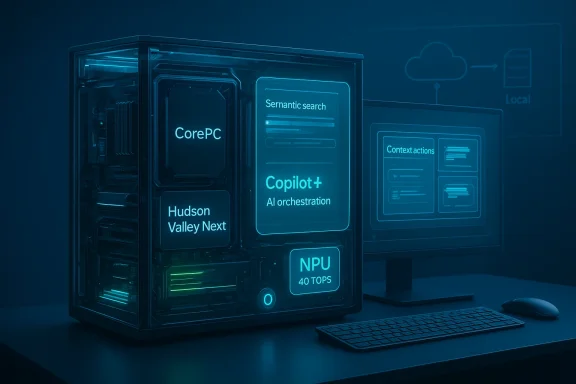
The converging threads that have produced the current narrative are straightforward: Microsoft’s public push for on‑device AI, industry reporting citing internal codenames and modular architecture work, and vendor messaging about AI‑ready PCs. Reporting from industry outlets and community analysis consistently name two concepts: an internal platform workstream often called CorePC that fragments the OS into isolated, updateable pieces, and a feature/experience layer tied to project names like Hudson Valley that pushes Copilot from an assistant app toward a system‑wide orchestration layer. These threads are not coming from a single rumor mill—Windows Central, PCWorld and other outlets have repeatedly covered the same signals, and Microsoft’s own Copilot+ materials clarify that certain advanced AI experiences are already being tied to a class of devices with NPUs rated at 40+ TOPS (trillions of operations per second).
A practical deadline shades these rumors into urgency: Windows 10’s mainstream support ended in October 2025, and Microsoft’s Extended Security Updates program provides a bridge only through October 13, 2026. That expiration creates a natural refresh window for many organizations, and a potential point at which Microsoft or its partners could steer customers toward upgraded silicon if the next client really does depend on on‑device neural acceleration for its flagship features. The official support timeline and ESU window are explicitly documented by Microsoft, which makes the calendar an objective fact in planning—even if the exact product name or schedule for the new client remains unannounced.
Practical examples being discussed in the reporting include:
What this means in practice:
If Microsoft pairs hardware gating with a subscription tier, the resulting model could look like:
If realized, expect:
It’s reasonable to prepare now—inventory devices, pilot targeted users, and negotiate with OEMs about driver and firmware support—without committing to an immediate, company‑wide refresh. That calibrated approach manages risk while preserving optionality should Microsoft’s public roadmap and productization confirm the leak narrative.
For IT leaders and users the practical rule is simple: verify, inventory, pilot, and model. Verify vendor claims against Microsoft’s Copilot+ guidance and device certification. Inventory hardware capability now. Pilot with representative workloads before committing to large refreshes. And model the total cost of ownership that includes both device refresh and potential subscription costs for cloud‑backed AI capabilities.
The hum of the office PC may not change, but the choices about which machines get the most powerful experiences will. That quiet pressure—a combination of architecture, calendar, and silicon—deserves a measured response rather than a surprised one. The signals are strong enough to plan around; strong enough to change procurement and lifecycle policies; and important enough that teams should not treat this as rumor fodder alone but as a practical roadmap to prepare for.
Source: El-Balad.com Windows 12 and the Quiet Pressure of a New Upgrade Cycle
 Background / Overview
The converging threads that have produced the current narrative are straightforward: Microsoft’s public push for on‑device AI, industry reporting citing internal codenames and modular architecture work, and vendor messaging about AI‑ready PCs. Reporting from industry outlets and community analysis consistently name two concepts: an internal platform workstream often called CorePC that fragments the OS into isolated, updateable pieces, and a feature/experience layer tied to project names like Hudson Valley that pushes Copilot from an assistant app toward a system‑wide orchestration layer. These threads are not coming from a single rumor mill—Windows Central, PCWorld and other outlets have repeatedly covered the same signals, and Microsoft’s own Copilot+ materials clarify that certain advanced AI experiences are already being tied to a class of devices with NPUs rated at 40+ TOPS (trillions of operations per second).A practical deadline shades these rumors into urgency: Windows 10’s mainstream support ended in October 2025, and Microsoft’s Extended Security Updates program provides a bridge only through October 13, 2026. That expiration creates a natural refresh window for many organizations, and a potential point at which Microsoft or its partners could steer customers toward upgraded silicon if the next client really does depend on on‑device neural acceleration for its flagship features. The official support timeline and ESU window are explicitly documented by Microsoft, which makes the calendar an objective fact in planning—even if the exact product name or schedule for the new client remains unannounced.
The technical thesis: CorePC, modularity, and a split platform
What is CorePC?
CorePC (sometimes written Core PC in reporting) is the shorthand for a platform redesign that seeks to make Windows more modular and state separated. The core idea: move away from a single monolithic writable system image, and instead isolate system components into read‑only or tightly controlled partitions while delivering functionality as composable modules. The motivating benefits are practical and familiar to anybody who has watched mobile platforms evolve:- Smaller update payloads and fewer full‑system reboots.
- Narrower attack surface by isolating the most sensitive system areas.
- Edition tailoring: ability to ship lighter images for education and thin clients while retaining a full, feature‑rich edition for workstations and gaming rigs.
- Faster recovery because partitions and fallback images can be swapped more safely than rewriting a monolithic image.
Why modularity matters (and why it’s hard)
The technical benefits are real: componentized systems enable targeted security patches and smaller, faster updates; read‑only partitions reduce persistent‑malware risks; and composable editions make lightweight images feasible. But the engineering lift is enormous given Windows’ decades of legacy drivers, kernel extensions, and enterprise deployment practices. Two areas deserve attention:- Driver and compatibility risk: preserving device driver semantics across partitioned components and guaranteeing Win32 behavior in every corner of the OS will be a long, delicate process. Enterprises depend on driver stability and imaging procedures; anything that breaks them will create operational cost.
- Management complexity: IT tooling for deployment, imaging, MDM, and recovery will need revision. Systemcenter, Intune, and third‑party endpoint tooling will have to support new update semantics and rollback behaviors.
AI becoming foundation, not feature: Copilot as the OS fabric
From sidebar assistant to system orchestrator
The narrative that separates speculation from practical planning is the shift in role envisioned for Copilot. Rather than a contextual helper, leaks and reporting indicate Microsoft is exploring an OS model where Copilot becomes an integrated orchestration layer: indexing user activity, offering real‑time task recommendations, generating content, and enabling semantic search across local and cloud messages, files, and apps.Practical examples being discussed in the reporting include:
- System‑wide summarization and semantic search that finds a document by description rather than exact filename.
- Automatic context action suggestions—for example, the OS offering to create a calendar event or a draft email from a meeting transcript.
- Local inference for latency‑sensitive tasks (e.g., live captioning and translation, instant document summarization) with cloud fallbacks for heavier model runs.
Hybrid model: local NPUs plus cloud bursts
The pragmatic engineering pattern described across reporting is hybrid: NPUs handle inference that benefits from low latency or data locality, while cloud services provide heavier model execution and long‑tail capabilities. That hybrid model preserves privacy for some uses and gives Microsoft a path to deliver features beyond what any single device can compute locally—but it also opens the door to mixed commercial models and potential subscription layers for cloud‑backed capabilities.The hardware bar: NPUs, 40 TOPS, and Copilot+ PCs
Perhaps the most consequential concrete technical clue is the repeated mention of a 40 TOPS threshold for NPUs. Microsoft’s Copilot+ messaging and developer guidance publicly define Copilot+ PCs as systems equipped with an NPU capable of greater than 40 TOPS, and Microsoft lists specific Copilot+ experiences and device prerequisites that align with that requirement. That makes the 40 TOPS figure not merely a rumor but a definitional threshold for a marketed device class.What this means in practice:
- Devices meeting or exceeding the 40+ TOPS baseline are marketed as Copilot+ and can run the fastest, most privacy‑sensitive, and lowest‑latency on‑device AI experiences.
- Devices without that hardware may still run Windows and benefit from cloud‑based AI functions, but the full local‑first Copilot experience—instant recall, low‑latency summarization, and some image or audio inference tasks—could be limited or absent.
- OEMs and silicon vendors are positioning new processors (Qualcomm Snapdragon X Elite/X Plus, Intel Core Ultra lines, AMD Ryzen AI tiers) as target platforms; we’re already seeing Copilot+ certified machines from multiple vendors.
Practical consequences: segmentation and the implied upgrade cycle
The hardware gate could create a two‑speed Windows world: premium “AI PCs” with full Copilot features, and a larger installed base that receives a “basic” experience. That segmentation has three visible consequences:- Consumer choice: buyers will weigh whether Copilot features are worth a hardware upgrade.
- Enterprise procurement: organizations will have to audit fleets, decide who deserves Copilot+ machines, and define migration timelines aligned with budgeting and sustainability policies.
- Market timing: combination of the Windows 10 ESU horizon and new AI‑capable silicon could catalyze a PC renewal cycle that benefits OEMs and silicon vendors—but raises costs and e‑waste concerns for customers. Multiple outlets report OEMs labeling systems as “Windows 12 Ready” or Copilot+ compatible as part of channel messaging, but the exact certification semantics may vary and are not a single truth. Treat those labels as early marketing signals rather than a universal certification.
The upgrade calculus: options for users and IT teams
For many organizations and households the choice will narrow to three options:- Buy new hardware now to secure full Copilot+ experiences (the “upgrade” path).
- Stay on existing hardware and accept a reduced feature set while running Windows 11 (or Windows 10 with ESU) for the short term.
- Adopt cloud PCs or virtualized Windows to access advanced features without wholesale device refresh—at a recurring cost.
- Inventory devices and classify them against the Copilot+ baselines (NPU TOPS, RAM, SSD).
- Pilot the new platform on representative users before wide rollout.
- Revisit imaging, driver, and firmware lifecycles; test vendor driver maturity for NPUs and shared memory scheduling.
- Model costs across CapEx (device refresh) and OpEx (cloud PC or subscription services) to select the least risky path.
Business model experimentation: subscriptions, editions, and the gating effect
Another thread in leak reporting is the possibility that Microsoft will adopt a mixed monetization approach: a core OS with classic one‑time purchase semantics, plus premium AI features or services available via subscription. Evidence is circumstantial—code fragments and strings in leaked builds suggest “subscription status” flags—but the notion aligns with broader industry moves to monetize cloud‑augmented features and provide continuity revenue for ongoing model hosting and telemetry costs.If Microsoft pairs hardware gating with a subscription tier, the resulting model could look like:
- Basic local OS and essential updates remain with a conventional licensing model.
- Advanced Copilot experiences (or high‑quality cloud generation) are offered as a subscription add‑on.
- Some features may require both Copilot+ hardware and an active subscription to access the cloud‑enhanced variants.
Design and UX: what the leaks say (and what to expect)
Leaked visuals and mockups circulated by reporters and design blogs suggest a shell that leans heavily into search and assistant‑first interactions: a prominent search bar, tighter Copilot integration, flexible window management, and interface touches like a floating taskbar and repositioned system indicators. These are consistent with the broader goal of making search and natural language a primary interface vector.If realized, expect:
- Search and natural language queries to be more central to day‑to‑day actions.
- Adaptive settings that learn from usage patterns.
- Window and workspace intelligence—snap layouts and virtual desktops that adapt based on task intent.
Strengths: what this strategy offers
- Performance and privacy: local NPUs can deliver low‑latency experiences while keeping sensitive data on device when desired.
- Faster updates and security: a modular CorePC could reduce update friction and security exposure, if correctly implemented.
- New productivity models: semantic search and proactive assistance could meaningfully reduce friction in knowledge work.
- Market alignment: hardware vendors and OEMs have the incentive to produce optimized devices, which can accelerate innovation across silicon, firmware, and OS layers.
Risks, unknowns, and the things that need watching
No platform transition of this magnitude is risk‑free. The principal concerns:- Upgrade coercion and confusion: hardware gating creates a risk that consumers and organizations feel forced to upgrade devices to keep parity of features—especially if Microsoft or partners position the new client as the default choice after Windows 10/ESU windows close. Documented ESU timelines make that calendar pressure real.
- Fragmentation and compatibility volatility: partitioned OS images plus compatibility shims increase the burden on ISVs and driver vendors; legacy apps might run but with unpredictable behaviors in corner cases.
- Privacy and trust: an OS designed to index activity across apps and files raises valid questions about what is stored, how long metadata is kept, and how Opt‑out controls are enforced—especially in regulated environments.
- Vendor variance and driver maturity: NPUs differ dramatically across vendors in architecture and programming model; inconsistent drivers and APIs can lead to degraded experiences or security issues.
- Sustainability and e‑waste: accelerated refresh cycles driven by hardware gates could create environmental and budgetary costs that organizations must quantify and mitigate.
Practical checklist for IT leaders (what to do this quarter)
- Inventory and classify
- Identify devices with NPUs and record TOPS if available.
- Flag devices lacking Copilot+ capability and map them to users/workloads.
- Pilot and test
- Plan a pilot for knowledge‑worker personas who would benefit most from Copilot features.
- Validate driver readiness (NPU, GPU, power management) and ensure vendor firmware updates are in place.
- Update procurement and lifecycle policies
- Add Copilot+ thresholds to procurement templates if justified by productivity ROI.
- Plan for trade‑in and sustainability controls to mitigate e‑waste.
- Revisit policies and governance
- Draft privacy, indexing, and data‑retention policies for local AI features.
- Engage legal and compliance to prepare for data residency and audit needs.
- Model costs and options
- Compare CapEx refresh scenarios with cloud PC or subscription models.
- Consider ESU as a stopgap where refresh costs are prohibitive; Microsoft’s ESU program extends critical security updates to October 13, 2026 for enrolled consumer devices.
How to read these signals: measured skepticism and decisive planning
The leaks and naming conventions—Hudson Valley Next, CorePC, and the repeated 40 TOPS figure—form a coherent picture but not an absolute blueprint. Multiple reputable outlets and Microsoft’s own Copilot+ materials align on several load‑bearing claims: modular platform work, a Copilot‑heavy user experience, and a defined Copilot+ hardware class. Those are the elements that make the story actionable for planners. At the same time, many specifics remain fluid: product name, exact gating policy, and final subscription packaging are all subject to change.It’s reasonable to prepare now—inventory devices, pilot targeted users, and negotiate with OEMs about driver and firmware support—without committing to an immediate, company‑wide refresh. That calibrated approach manages risk while preserving optionality should Microsoft’s public roadmap and productization confirm the leak narrative.
Closing assessment
The coming Windows era being sketched in leaks is not merely an aesthetic update: it describes a purposeful re‑architecting of the platform to place AI at the center and to make local neural acceleration a first‑class resource. If Microsoft follows the Copilot+ model into a generational release, the result will be clear winners (users on AI‑capable devices) and a long tail of devices that are asked to “make do.” The transition will reward those who plan and pilot, and penalize those who treat the upgrade as optional until vendor driver support and enterprise procurement windows narrow.For IT leaders and users the practical rule is simple: verify, inventory, pilot, and model. Verify vendor claims against Microsoft’s Copilot+ guidance and device certification. Inventory hardware capability now. Pilot with representative workloads before committing to large refreshes. And model the total cost of ownership that includes both device refresh and potential subscription costs for cloud‑backed AI capabilities.
The hum of the office PC may not change, but the choices about which machines get the most powerful experiences will. That quiet pressure—a combination of architecture, calendar, and silicon—deserves a measured response rather than a surprised one. The signals are strong enough to plan around; strong enough to change procurement and lifecycle policies; and important enough that teams should not treat this as rumor fodder alone but as a practical roadmap to prepare for.
Source: El-Balad.com Windows 12 and the Quiet Pressure of a New Upgrade Cycle
