

Apple’s clever “ring light” trick for video calls has already been adapted and shipped for Windows — not by a third‑party hobbyist, but by Microsoft VP Scott Hanselman — and the result is a tiny, open‑source utility that turns your primary display into a soft, adjustable edge light for Zoom, Teams, Discord and any other webcam app that benefits from better front fill. This piece examines what the feature does, how the Windows port works and why this moment matters for practical video‑call hygiene, security, and the broader race to turn software into hardware substitutes.
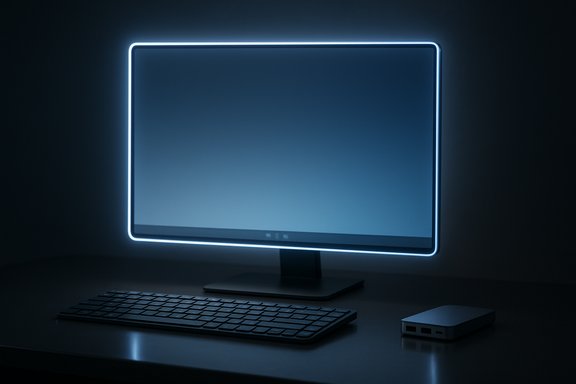
Apple introduced Edge Light in macOS Tahoe 26.2 beta as a software‑driven, screen‑based substitute for a physical ring light. The concept is deliberately simple: draw a soft, bright border around the display so the screen itself provides front lighting for the face, reducing shadows and improving perceived webcam quality. On Apple’s implementation the effect is deeper than a static glow — it uses the Neural Engine and the Image Signal Processor on Apple Silicon to detect faces, position the light intelligently in the frame, and adjust brightness and color temperature to match ambient conditions. The feature is accessible from video‑effects menus alongside Portrait mode, Studio Light and backgrounds, and Apple says models from 2024 onward can even enable Edge Light automatically when ambient light is low. That Apple build is notable for two reasons: (1) it ties the effect to image‑processing hardware (Neural Engine / ISP) for smarter automation, and (2) it treats the display as a large, near‑field diffuse light source — a pragmatic shortcut for better video without extra gear. Coverage of the macOS beta quickly called out the practical value: most webcams are limited by lighting, and a screen that doubles as a soft fill delivers outsized gains compared with buying an external light.
At the same time, the limitations are real: display brightness, reflections, and the absence (so far) of camera ISP‑style automation mean the utility is a pragmatic compromise, not a magical replacement for professional lighting. For most users who spend long days on video calls in less‑than‑ideal lighting, though, the Windows Edge Light trick is a fast, free upgrade — and one worth trying before unboxing any new hardware.
(Verified details about the macOS Edge Light beta and Apple’s hardware‑assisted behavior are documented in Apple coverage and testing writeups; the Windows Edge Light implementation, architecture, and release details are published on the project’s GitHub repository and reported by mainstream Windows outlets. For the repository and releases, see the project README and Releases page on GitHub.
Source: Digital Trends Apple’s new ring light trick is already on Windows 11, thanks to Microsoft VP
 Background: Edge Light on macOS — the idea and the hardware boost
Apple introduced Edge Light in macOS Tahoe 26.2 beta as a software‑driven, screen‑based substitute for a physical ring light. The concept is deliberately simple: draw a soft, bright border around the display so the screen itself provides front lighting for the face, reducing shadows and improving perceived webcam quality. On Apple’s implementation the effect is deeper than a static glow — it uses the Neural Engine and the Image Signal Processor on Apple Silicon to detect faces, position the light intelligently in the frame, and adjust brightness and color temperature to match ambient conditions. The feature is accessible from video‑effects menus alongside Portrait mode, Studio Light and backgrounds, and Apple says models from 2024 onward can even enable Edge Light automatically when ambient light is low. That Apple build is notable for two reasons: (1) it ties the effect to image‑processing hardware (Neural Engine / ISP) for smarter automation, and (2) it treats the display as a large, near‑field diffuse light source — a pragmatic shortcut for better video without extra gear. Coverage of the macOS beta quickly called out the practical value: most webcams are limited by lighting, and a screen that doubles as a soft fill delivers outsized gains compared with buying an external light. What Scott Hanselman built for Windows — the facts, verified
Within days of the macOS Edge Light news, Scott Hanselman posted a Windows implementation named Windows Edge Light on GitHub. The repository and releases make the technical picture clear:- The app is a lightweight WPF (Windows Presentation Foundation) application written in C# and built for .NET 10.
- It is distributed as a single‑file executable for convenience (pre‑built WindowsEdgeLight.exe), and builds for both x64 and arm64 are available.
- Key runtime behaviors: an always‑on‑top, DPI‑aware transparent overlay around the primary monitor; click‑through transparency so you can interact with windows beneath the glow; simple hover controls that reveal brightness and toggle buttons; and global keyboard shortcuts (Ctrl+Shift+L to toggle, Ctrl+Shift+Up/Down to change brightness).
- The project includes an integrated automatic update mechanism that checks GitHub Releases and can download new builds.
These technical details and usage notes are documented in the project README and release notes on the GitHub repo.
Why this matters practically for Windows users
Lighting is the single most important variable for webcam image quality. A small improvement in fill light reduces sensor noise, reveals facial detail, and helps webcam auto‑exposure perform better. Windows Edge Light offers a no‑hardware, immediate improvement that’s attractive for a few clear reasons:- Zero extra equipment — no ring light, desk clamps, or additional power outlets. The screen you already own becomes the light source.
- App‑agnostic results — because the overlay increases actual light on your face (not just post‑processing of the video feed), it improves the way any conferencing app sees you: Teams, Zoom, Meet, Discord, etc.
- Low friction — the utility is a single executable with tray controls and keyboard shortcuts; you toggle it on before a call and toggle it off afterward. This reduces cognitive load relative to setting up physical lights.
- Openness and auditability — the source code is public on GitHub, so developers and security‑minded users can inspect the code, build it locally, or propose changes. That matters when a tool runs on top of the desktop and checks for updates.
How it works technically (short, practical breakdown)
The overlay model
- The app creates a transparent WPF window using layered window styles (Win32 WS_EX_LAYERED and WS_EX_TRANSPARENT) that renders a gradient border and remains topmost while allowing mouse clicks to pass through. This is the same pattern used by many desktop overlays and HUDs.
DPI and multi‑monitor
- The app targets the primary monitor (it does not span monitors) and converts device pixels to WPF device‑independent units so the glow scales correctly on 4K and high‑DPI displays. If you use a multi‑monitor setup, the glow sits where your primary screen is configured.
Controls and usability
- Hover the top‑right to reveal controls, or use global hotkeys. Brightness is implemented as overlay opacity/alpha. The app includes an integrated update check that reaches GitHub Releases to surface new builds.
Strengths and engineering merits
- Speed to ship: Hanselman’s build demonstrates how quickly an elegant UX idea can be implemented and shared. For users who don’t want to wait for platform vendors to ship features, this is a practical boon.
- Simplicity reduces attack surface: Because Windows Edge Light modifies screen output and doesn’t intercept camera streams or install kernel drivers, it avoids the complex permission model and higher‑privilege security risks that come with camera filter drivers or virtual camera software. This simpler model is easier to audit and reason about.
- Open source and community potential: The GitHub repo invites contributions, and the project’s structure (README, update flow, build instructions) follows standard open‑source norms — which increases trust and facilitates forks or PowerToys integration.
Limitations and legitimate concerns
No overlay is a perfect substitute for purpose‑built lighting. Windows Edge Light is useful, but its effectiveness depends on predictable hardware and UX tradeoffs.- Display brightness caps the benefit. A bright OLED or high‑peak‑brightness Mini‑LED monitor will produce far better fill than a dim, older IPS panel. If your display simply cannot reach high luminance, the rim will help but won’t match a dedicated LED ring light aimed near your camera. Multiple outlets and hands‑on reports point this out: the effect is situational — dramatic in very dim rooms with bright panels, modest on low‑brightness displays.
- Potential for glare and reflections. Glossy monitors reflect the rim; you can trade off rim intensity for increased reflections or hotspot artifacts in the camera. Testing is required, and matte displays generally fare better.
- No camera ISP / Neural Engine automation (yet). Apple’s Edge Light benefits from on‑device ISP and Neural Engine telemetry that can detect faces and adjust automatically. The initial Windows port is manual and lacks that hardware‑level automation — although future builds could add face detection with on‑device ML (DirectML or Windows ML) if contributors implement it. Until then, Windows Edge Light is intentionally simple: manual brightness and toggle controls.
- Trust and supply chain concerns. Even though the author is a high‑profile Microsoft VP, downloading and running any executable from the internet should be treated carefully. The public GitHub source allows verification, but users must decide whether to run prebuilt binaries or build from source. Verify signatures, check release notes and hashes, and run on a non‑critical device if unsure.
Security and privacy checklist before you run it
- Confirm the author and repo: the project is published under shanselman on GitHub and the README clearly documents behavior and build steps.
- Prefer building from source if you have doubts: the repo includes build instructions and a publish target that creates a single self‑contained exe. Building locally guarantees the binary matches the source.
- Scan the binary with your AV / enterprise tools and, if you work from a corporate machine, check with IT policy before installing community utilities that run background update checks.
- If you accept the prebuilt release, run under a least‑privilege user account and verify the app’s permissions and network activity — the app’s updater checks GitHub Releases and downloads new executable artifacts; understand that behavior before enabling automatic updates.
How to try Windows Edge Light now — hands‑on steps
- Visit the repository Releases page (shanselman/WindowsEdgeLight) and download the prebuilt single‑file executable appropriate for your architecture (x64 or arm64).
- Unzip and run WindowsEdgeLight.exe. A tray icon will appear and a soft glowing border will show around the primary monitor.
- Use the hover controls (top‑right) or keyboard shortcuts:
- Ctrl+Shift+L — Toggle on/off.
- Ctrl+Shift+Up — Increase brightness.
- Ctrl+Shift+Down — Decrease brightness.
- Test a video call (Zoom, Teams, etc. and compare the webcam feed with Edge Light on/off. If the display is dim, move a bit closer to the screen and adjust brightness. Combine the rim with a small ambient backlight to reduce the floating‑head look if necessary.
Design and UX notes worth praising
- The app uses click‑through transparency, a small but essential detail that keeps the overlay from interfering with daily work. It’s a sign the author thought about practical usage, not just the novelty.
- The single‑file, self‑contained distribution model is convenient — it reduces install friction and improves portability (especially on locked down or shared machines). The README notes the file is compressed and contains the bundled runtime (~72MB when published), a reasonable tradeoff for a no‑install utility.
- The inclusion of an automatic updater is a convenience many small tools omit; it also introduces the need for transparency around update sources and signing, which the project addresses via its Updatum integration notes. Users and admins should still evaluate whether to accept auto‑updates in their environment.
Ecosystem implications — PowerToys and the “feature spreads” effect
This is one of those rare cases where a macOS UI idea hits the press and a Windows implementation arrives first in usable form — and from inside Microsoft’s own developer community. Early discussion and coverage have speculated about whether Windows Edge Light could be folded into PowerToys, Microsoft’s open‑source toolkit for power users. That would be a natural fit: PowerToys often absorbs small, single‑purpose utilities that broaden usability without heavy system changes. The Windows community and PowerToys maintainers are already talking about it, and the repo’s permissive, modular structure makes it an easy candidate for migration or refactoring into a PowerToys module if maintainers and contributors agree. If that happens, the feature benefits from more formal release pipelines, testing, and corporate packaging — but it will also attract higher scrutiny (enterprise compatibility, accessibility, and telemetry policies). For now, the open prototype approach accelerates iteration and experimentation.A cautionary technical aside: when software lighting is not enough
For clarity and to set realistic expectations: using a screen as a light source is an engineering compromise, not a universal replacement for physical lighting.- Physical lights remain superior for critical production workflows (streaming, professional interviews) because they permit directional control, punching, and diffusion that a screen cannot match.
- The approach can create odd catchlights (reflections of the screen) in glasses and glossy displays in ways that are harder to control than a ring light with a diffuser placed slightly off‑axis.
- High dynamic range differences between screen luminance and ambient light can sometimes confuse camera auto‑exposure and white balance — test before important calls. These are not shortcomings of the code; they’re optics and sensor limitations.
What to watch next
- Feature convergence: will PowerToys or other Microsoft teams adopt Edge Light as an official module? Early signs — community chatter and internal interest — suggest it’s possible, but there’s no formal confirmation yet.
- Automation enhancements: expect future contributions to add face detection and automatic dimming via local ML on Windows (DirectML/WinML), closing the functional gap with Apple’s hardware‑assisted implementation.
- UX tuning and accessibility: overlays must play nicely with screen readers, edge gestures and taskbar interactions; future releases should document these considerations and add settings for assistive technologies.
Conclusion
Windows Edge Light is a tidy, practical example of how a small, well‑scoped idea can improve everyday user experience without heavy infrastructure or additional hardware. The implementation is thoughtful — a WPF single‑file executable with DPI awareness, click‑through transparency, global shortcuts and integrated updates — and it is available now on GitHub for inspection, build‑from‑source, or immediate testing. That quick turn from press coverage of Apple’s macOS beta to a community‑ready Windows utility underscores the strength of open source and the speed of developer iteration.At the same time, the limitations are real: display brightness, reflections, and the absence (so far) of camera ISP‑style automation mean the utility is a pragmatic compromise, not a magical replacement for professional lighting. For most users who spend long days on video calls in less‑than‑ideal lighting, though, the Windows Edge Light trick is a fast, free upgrade — and one worth trying before unboxing any new hardware.
(Verified details about the macOS Edge Light beta and Apple’s hardware‑assisted behavior are documented in Apple coverage and testing writeups; the Windows Edge Light implementation, architecture, and release details are published on the project’s GitHub repository and reported by mainstream Windows outlets. For the repository and releases, see the project README and Releases page on GitHub.
Source: Digital Trends Apple’s new ring light trick is already on Windows 11, thanks to Microsoft VP
