

By 2026 the question is no longer whether generative AI will change work — it’s how teams rearrange their days around the outputs these systems produce and the new expectations they create.
The quiet revolution of 2024–2026 wasn’t a single breakthrough model or a flashy consumer launch. It was steady integration: large language models and multimodal systems were embedded into calendars, mail clients, office suites, design apps, and developer tools so that millions of professionals now treat AI as an ordinary piece of infrastructure rather than an experiment. These assistants are used to triage email, draft first passes of documents, speed up design iterations, transcribe and edit audio/video, and remove mechanical roadblocks so humans can focus on decisions and craft.
That shift is behavioural as much as technical: people open an AI tool the same way they open Outlook or a browser tab — not for novelty, but to get the boring parts done faster and to move into the parts of work that require judgment and taste. The most impactful copilots are those that remember context, operate across apps, and deliver outputs that are easy to verify and iterate on.
Strengths:
Strengths:
Why it matters for Windows administrators:
Best practice:
Notes of caution:
Specific version claims — for example “Midjourney v7” or “Adobe Firefly 3” as production-ready labels — appear in press roundups and vendor marketing inside the dataset, but organisations should verify exact version numbers, licensing terms, and production guarantees directly with vendor release notes or enterprise agreements before committing those tools to commercial workflows. Vendor feature sets and contractual protections change quickly; any decision that depends on a particular model version should be verified. If a claim cannot be traced to vendor documentation or contractual language, treat it as provisional until confirmed.
For Windows-focused teams and enterprise IT, the practical path is clear: pilot with clearly measured outcomes, enforce human review on anything external-facing, contract for enterprise protections, and maintain a multi-vendor posture to reduce lock‑in and service risk. Those steps preserve the upside — time saved, faster iteration, broader capabilities across small teams — while addressing the legal, ethical, and operational hazards that still attend this technology.
The tools named in recent industry roundups are not experiments anymore; they are part of the toolkit professionals use to get work done faster. That is the headline that matters: generative AI today is less a novelty and more a productivity platform that demands the same discipline we bring to other enterprise infrastructure — measurement, governance, and continuous human oversight.
Source: The Daily Jagran Here Are 15+ AI Tools Professionals Are Quietly Using To Work Faster In 2026
 Background / Overview
The quiet revolution of 2024–2026 wasn’t a single breakthrough model or a flashy consumer launch. It was steady integration: large language models and multimodal systems were embedded into calendars, mail clients, office suites, design apps, and developer tools so that millions of professionals now treat AI as an ordinary piece of infrastructure rather than an experiment. These assistants are used to triage email, draft first passes of documents, speed up design iterations, transcribe and edit audio/video, and remove mechanical roadblocks so humans can focus on decisions and craft.That shift is behavioural as much as technical: people open an AI tool the same way they open Outlook or a browser tab — not for novelty, but to get the boring parts done faster and to move into the parts of work that require judgment and taste. The most impactful copilots are those that remember context, operate across apps, and deliver outputs that are easy to verify and iterate on.
What professionals actually use in 2026 — quick summary
The landscape matured into recognizable categories: general-purpose chat copilots, research-focused assistants, embedded workplace copilots, creative/media generators, developer helpers, and no-code automation tools. A representative set of tools widely cited by professionals in recent reporting includes:- ChatGPT (general drafting, code help, flexible workflows).
- Google Gemini / Gemini Advanced (research, multimodal analytics).
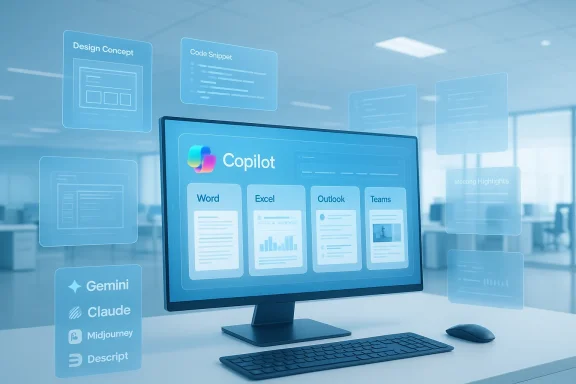
- Microsoft Copilot (deeply embedded in Word, Excel, Outlook, Teams, Windows).
- Claude (long-form structure and careful prose).
- Perplexity AI Pro (citation-aware research outputs).
- Midjourney v7, Adobe Firefly 3, Canva AI Suite (visual generation and design).
- Runway Gen‑3, Sora, Pika, Synthesia, ElevenLabs, Descript (video/audio creation and editing).
- Notion AI, Replit AI, Jasper, Tome, Durable, Leonardo (knowledge management, development, marketing, slides, small-business automation, visual consistency).
Deep dive: productivity and knowledge assistants
ChatGPT — the flexible workhorse
ChatGPT remains the “start here” assistant for many knowledge workers because of its adaptability. It excels across a wide set of tasks: drafting documents, summarising threads, debugging code, and generating templates. Professionals value it because it doesn’t force a rigid workflow; it adapts to how users work and plugs into existing toolchains. That flexibility explains why it’s repeatedly cited as the most-used tool by practitioners in recent surveys and reporting.Strengths:
- Versatility across tasks and formats.
- Wide ecosystem: plugin integrations, IDE extensions, and enterprise offerings.
- Output hallucinations still require human verification, especially for factual work.
- Organisations should implement usage rules and data-handling policies when staff use general-purpose chat tools with business data.
Google Gemini Advanced — research and multimodal analysis
For research-heavy, data-driven queries, teams often prefer Google’s Gemini offerings because they couple large-model reasoning with Google’s data stack and multimodal inputs. Gemini Advanced is commonly chosen for tasks where analytic depth and context retrieval from documents or drive assets matter.Strengths:
- Strong multimodal capabilities (text + image + voice).
- Tight workspace integration that helps teams use corporate data securely when configured for enterprise use.
- Enterprise adoption requires careful configuration of data residency and governance settings to avoid inadvertent exposure of sensitive corpora.
Microsoft Copilot — invisible, integrated assistance
Microsoft’s strategy is distinct: Copilot is designed to be not a separate app. It appears inside Word, Excel, Outlook, PowerPoint, Teams, and Windows itself, summarising meetings, generating drafts, and automating repetitive document tasks without pulling users out of their workflows. That tight integration is exactly why many organisations have adopted Copilot features for routine knowledge work.Why it matters for Windows administrators:
- Copilot’s deep hooks into Office mean that enterprise governance and DLP tools must be coordinated with Microsoft’s controls to enforce least-privilege and audit logging.
Research and verification tools
Claude and Perplexity — cautious, citation-aware workflows
Some professionals (legal, policy, research) prefer assistants that slow down and emphasize structure and provenance. Claude has a reputation for steady, carefully structured outputs, which makes it popular for longer, policy-style documents. Perplexity Pro is often used when source citation and verifiability are critical: it surfaces answer snippets alongside citations so researchers can check original sources quickly.Best practice:
- Use citation-aware engines as a first pass, but confirm primary sources directly where stakes are high. Flag any model-provided citation that cannot be traced to a verifiable primary source.
Creative and media generation — from moodboards to final renders
Midjourney v7 and Adobe Firefly 3 — production-ready visual tools
Visual tools moved from ideation to production in the past two years. Platforms like Midjourney have enhanced controls over lighting, texture, and stylistic fidelity, making them useful for client work when legal review and IP clearance are handled. Adobe Firefly’s advantage is its integration with Photoshop and Illustrator and its focus on commercial-safe training data, which design teams value for work that will be published.Notes of caution:
- Where outputs are used commercially, teams should require provenance checks and licensing confirmation before publishing. If a vendor promises "commercial-safe" data, verify the contractual guarantees in enterprise agreements.
Video & audio: Runway, Sora, Pika, Synthesia, ElevenLabs, Descript
Video and audio workflows were transformed by tools that trade timeline complexity for higher-level controls:- Runway Gen‑3 lets creators quickly explore motion and effects without getting lost in traditional non-linear editors.
- Sora (an experimental longer-form video generator) is used for concept prototyping of scenes and pacing, though most professionals still treat Sora outputs as drafts rather than final cuts.
- Pika and Synthesia are used for fast social content and corporate training videos respectively — the latter is especially useful for distributed teams that need multilingual narrated instruction without studio production.
- ElevenLabs’ synthetic voices are widely used for audiobooks, ads, and narration because the voices sound natural and are easy to tune. Descript’s text-first editing model continues to lower the barrier for podcasters and video editors.
- When producing voice or likeness content, secure consent and IP rights for any synthetic voice or face that could resemble a real person. Treat synthetic likeness as you would any third-party IP.
Developer and small-business stacks
Replit AI and developer tooling
Developers use AI to stay in flow: Replit AI and IDE plugins help by suggesting code, explaining errors, and automating repetitive refactors. These tools shorten feedback loops and are especially valuable in education and rapid prototyping contexts. However, engineering teams must evaluate the impact on code provenance, dependency hygiene, and licensing of suggested snippets.No-code / small business: Notion AI, Jasper, Tome, Durable
- Notion AI lives inside workspaces where teams already keep notes, turning messy pages into structured documentation.
- Jasper is targeted at marketing teams needing volume with consistent voice.
- Tome and similar presentation-focused assistants remove the pain of slide design by converting ideas into layouts.
- Durable targets small businesses with rapid website and automation generation. These tools democratize capability but require governance so that brand consistency and legal compliance are maintained.
How these tools actually change day-to-day workflows
- Email triage: copilots can summarise threads, surface action items, and draft reply templates, reducing morning inbox triage from an hour to minutes for many users. Human reviewers still finalize tone and legal framing.
- Meeting prep and summarisation: assistants summarise long meetings into short bullet lists with follow-ups and suggested owners, which speeds handoffs and reduces meeting fatigue.
- Design iteration: designers use image generators to explore dozens of concepts in minutes, then polish selected directions in traditional tools — a workflow that shifts hours of ideation to a few clicks.
- Code flow: developers use AI to resolve bugs or sketch prototypes without context-switching out of the editor, preserving focus and accelerating delivery.
Governance, risks, and the growing scepticism
Hallucinations and factual risk
No matter how sophisticated, generative models still hallucinate. When the output is treated as authoritative, organisations risk factual errors, legal exposure, and reputational damage. Use citation-aware tools for research tasks and mandate human verification for any fact used in decision-making or external publication.Privacy and data exposure
Embedding copilots into enterprise apps increases the attack surface for sensitive data. Firms must adopt least-privilege access, audit logging, DLP integration, and enterprise contracts that limit training on proprietary corpora. Vendors vary in their enterprise guarantees; legal and IT teams must read the terms carefully before broad deployment.Intellectual property and creative provenance
The question of who owns a generated asset — and whether training data included copyrighted works — remains a legal and policy battleground. Creative teams using image or audio generators should require provenance documentation and, where necessary, enterprise indemnities or internal sign-offs before publishing.Workforce sentiment and ethical concerns
Adoption hasn’t been universally welcomed. Recent industry surveys show a rising share of professionals feeling uneasy about AI’s role in their craft: some report productivity gains, while a notable portion — especially in creative industries — worries about job quality, attribution, and craft dilution. For example, a 2026 industry survey of game professionals recorded a marked increase in negative sentiment toward generative AI even as usage rose. That tension matters: if employees distrust tools, adoption stalls or — worse — produces low-quality outputs because of underused capabilities.Practical, Windows‑centric adoption checklist
- Establish a narrow set of high-impact pilot use cases (email triage, meeting summaries, draft generation). Start small.
- Require human-in-the-loop validation for all external-facing or decision‑critical outputs. Treat AI outputs as drafts.
- Contract for enterprise SLAs, data residency, and model usage rights where sensitive corpora are involved. Don’t rely on marketing language alone.
- Integrate with DLP and Purview-like controls; enforce least-privilege on agents that access corporate data.
- Maintain a multi-vendor fallback plan to avoid single-point failure and vendor lock-in on critical workflows.
What’s verifiable — and what still needs confirmation
The broad trend — that AI is embedded into workflows and used daily by professionals across functions — is well supported by recent community reporting and enterprise pilots. Multiple documents in the collection confirm the pattern of integration across calendars, mail, office suites, and creative apps.Specific version claims — for example “Midjourney v7” or “Adobe Firefly 3” as production-ready labels — appear in press roundups and vendor marketing inside the dataset, but organisations should verify exact version numbers, licensing terms, and production guarantees directly with vendor release notes or enterprise agreements before committing those tools to commercial workflows. Vendor feature sets and contractual protections change quickly; any decision that depends on a particular model version should be verified. If a claim cannot be traced to vendor documentation or contractual language, treat it as provisional until confirmed.
Strengths worth leaning into
- Time recapture: routine summarisation, templating, and simple automation free hours each week for higher-value work.
- Lower skill barrier: tools like Canva AI, Descript, and Synthesia let non-specialists produce reasonably polished content quickly. That flattens production costs for common internal and marketing deliverables.
- Faster iteration: designers and developers iterate more ideas before committing to production, shortening feedback loops and improving final quality when humans steer the creative intent.
Risks that deserve real mitigation
- Over-reliance on unverified outputs can scale factual errors. Enforce verification gates.
- Data leakage from casual copying of confidential text into general-purpose assistants. Implement DLP and usage policies.
- Talent morale and craft erosion in creative fields if tooling is deployed without discussion and controls. Engage employees and unions where appropriate.
Final verdict: integration, not replacement
In 2026 generative AI is best described as infrastructure that amplifies human work rather than a replacement for expertise. The value is largest in workflows that tolerate a draft-and-verify model: proposal templates, email triage, design ideation, internal training videos, and developer prototyping. But at the same time, increasing scepticism among professionals and real legal and governance challenges mean adoption must be deliberate.For Windows-focused teams and enterprise IT, the practical path is clear: pilot with clearly measured outcomes, enforce human review on anything external-facing, contract for enterprise protections, and maintain a multi-vendor posture to reduce lock‑in and service risk. Those steps preserve the upside — time saved, faster iteration, broader capabilities across small teams — while addressing the legal, ethical, and operational hazards that still attend this technology.
The tools named in recent industry roundups are not experiments anymore; they are part of the toolkit professionals use to get work done faster. That is the headline that matters: generative AI today is less a novelty and more a productivity platform that demands the same discipline we bring to other enterprise infrastructure — measurement, governance, and continuous human oversight.
Source: The Daily Jagran Here Are 15+ AI Tools Professionals Are Quietly Using To Work Faster In 2026
