

Microsoft’s work with the ROG Xbox Ally has done more than spawn a pair of attention-grabbing Windows handhelds — according to the company, the collaboration has accelerated a string of operating‑system, driver and DirectX improvements that make gaming on Windows faster, more portable and more visually immersive across devices. The Windows Experience Blog rundown released this week lays out three headline advances — Advanced Shader Delivery, system‑level “console‑style” tuning for handhelds, and the roll‑out of DirectX Raytracing 1.2 (DXR 1.2) — and argues that lessons learned on the ROG Xbox Ally and ROG Xbox Ally X now benefit desktops, laptops and Arm PCs as well. This feature examines what Microsoft announced, verifies the technical claims where possible, and weighs the practical upside and the risks for gamers, developers and the wider Windows ecosystem.
The Windows Experience Blog post frames 2025 as a turning point for Windows 11 gaming: Microsoft emphasizes portability (handhelds), expanded ARM compatibility, and DirectX innovations designed to reduce stutter and make advanced rendering techniques practical. Those three threads intersect in concrete features:
Cautionary note: the precise benefit will vary by game, how many shaders the title compiles at first run, the GPU/driver variant, and whether the precompiled bundle precisely matches the local driver. ASD’s most dramatic benefits are expected in shader‑heavy triple‑A titles that previously performed large on‑device shader compiles. For smaller indie titles or engines that already bake most shaders, the user‑facing improvement will be smaller.
This expansion is significant because many game engines and middleware probe for AVX to decide which optimized code path to take; with those checks now satisfied under emulation, a larger set of titles will launch on Arm devices.
Caveats: AVX emulation is inherently slower than native AVX execution on x86 silicon. Emulation expands compatibility but doesn’t match raw throughput. Expect usable performance for many titles on premium Arm SoCs, but not parity with high‑end x86 desktops.
However, anti‑cheat support must be integrated by developers and tested; it’s not an automatic, universal switch. Titles using bespoke kernel‑level hooks or unusual driver interactions may still face compatibility challenges.
However, the real test is broad adoption. ASD, DXR 1.2 and Prism AVX emulation each require coordinated vendor, developer and store support to realize their full promise. Gamers on supported hardware will see immediate improvements, but the average Windows PC user will need time to catch up as drivers, SDKs and storefronts integrate these features.
For PC gamers, the near‑term promise is tangible: fewer long shader compile waits, smoother first runs, and the possibility of richer ray‑traced visuals when hardware and drivers support the new APIs. For developers and platform partners, the work demands new build and validation pipelines and tighter coordination with store and driver ecosystems. The move from feature demos to broad, reliable gains for the entire Windows user base is underway — but it will be measured in months, not days.
The ROG Xbox Ally may have been the catalyst, but the engineering changes Microsoft describes are structured so that — if adopted widely — they can lift the gaming experience across Windows hardware rather than confine the benefits to a single SKU. The practical outcomes will depend on adoption, vendor support and transparent, independent benchmarking. In the meantime, the path forward is clearer: Microsoft has delivered a stack of tools and runtime features that give players and developers the latitude to deliver faster, smoother, and more immersive games on Windows.
Source: XboxEra Microsoft: ROG Xbox Ally "made gaming on Windows better across all devices"
 Background and overview
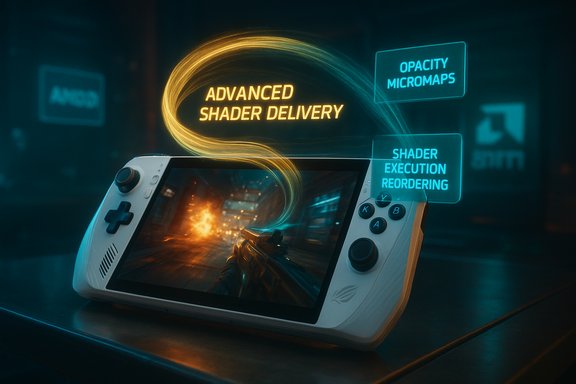
The Windows Experience Blog post frames 2025 as a turning point for Windows 11 gaming: Microsoft emphasizes portability (handhelds), expanded ARM compatibility, and DirectX innovations designed to reduce stutter and make advanced rendering techniques practical. Those three threads intersect in concrete features:- Advanced Shader Delivery (ASD) — precompiled shader bundles distributed at install time to eliminate first‑run shader compilation stutters and drastically reduce first‑launch loading times for shader‑heavy titles.
- System‑level handheld optimizations — tuned power management, CPU frequency profiles, improved unified memory behavior and lower OS/driver overhead aimed at delivering more consistent, console‑like responsiveness on handheld hardware.
- DirectX Raytracing 1.2 (DXR 1.2) — new raytracing features (Opacity Micromaps and Shader Execution Reordering) that promise significant ray‑trace performance gains and help enable neural rendering workflows.
Advanced Shader Delivery: what it is and why it matters
The shader problem in a sentence
Modern DirectX games generate large amounts of compiled shader code tailored to the GPU and driver present on each machine. Traditionally many shaders are compiled on the user’s device either at install time or just‑in‑time, which can cause long first‑run loading times and microstutters while compilation runs in the background.How Advanced Shader Delivery works
ASD moves that compilation off the slow first‑run path. The high‑level flow is:- Game shader pipelines and source are combined with a shader compiler in the cloud to produce precompiled, GPU‑specific shader bundles.
- Those precompiled bundles are packaged in a standardized format and distributed with the game (or downloaded by the storefront client) at install time.
- On the device, the precompiled shaders are used immediately, avoiding on‑device JIT shader compilation and the associated waits and stutters.
Microsoft’s reported gains — numbers and verification
Microsoft’s blog highlights headline reductions: Avowed saw a first‑run load time drop of over 80% (Microsoft cited ~85% in earlier DirectX developer materials), and Call of Duty: Black Ops 7 is quoted as dropping by over 95% for first‑run load time in the Ally tests. Independent coverage and DirectX developer posts corroborate the existence of ASD and the Avowed figure in Microsoft’s internal testing; several trade outlets reported similar numbers when ASD debuted. Those figures come from Microsoft’s engineering tests and early adoption samples; they are compelling but should be read as vendor‑reported benchmark-style results rather than audited, cross‑bench comparisons.Cautionary note: the precise benefit will vary by game, how many shaders the title compiles at first run, the GPU/driver variant, and whether the precompiled bundle precisely matches the local driver. ASD’s most dramatic benefits are expected in shader‑heavy triple‑A titles that previously performed large on‑device shader compiles. For smaller indie titles or engines that already bake most shaders, the user‑facing improvement will be smaller.
Scope and storefront coverage
ASD initially rolled out via the Xbox PC app on supported hardware (ROG Xbox Ally family) with “dozens” of supported titles and an Agility SDK promised to let developers build and validate precompiled shader bundles. Over time Microsoft says it will extend ASD to more hardware and storefronts, but support across Steam, Epic and other ecosystems is not automatic — adoption depends on integration via SDKs and cooperation from each storefront and developer.What the ROG Xbox Ally forced Microsoft to do — system‑level tuning
Console‑style responsiveness on a Windows stack
The blog explicitly credits work done for the ROG Xbox Ally with accelerating system changes. That work includes:- Tuned power management and CPU frequency profiles optimized for handheld thermal and battery envelopes.
- More efficient Unified Memory Architecture (UMA) behavior on Ryzen APUs to reduce frame‑time variance and memory contention.
- Reductions in CPU overhead from background services (input, RGB, telemetry), leading to more headroom for games.
User impact: smoother frame pacing and lower stutter
For players, the immediate wins from system tuning are:- More consistent frame times under constrained thermal/power budgets.
- Reduced microstutter caused by background threads or driver overhead.
- Better battery/performance tradeoffs on portable hardware.
Developer impact: new expectations, but also new tools
For studios, the presence of features such as ASD and DXR 1.2 means:- Developers can choose to rely on precompilation to reduce player friction on first launch.
- New DirectX features (OMMs and SER) provide explicit APIs to reduce raytracing costs.
- Tooling (Agility SDK, updated PIX) is being updated to support validation of these delivery paths and advanced rendering features.
DirectX Raytracing 1.2: faster ray tracing and the path to neural rendering
The technical additions (brief)
DXR 1.2 introduces two major additions aimed at making ray tracing cheaper and more practical:- Opacity Micromaps (OMMs) — hardware‑friendly representations of alpha‑tested geometry that eliminate expensive per‑pixel hit shader invocations for thin or cutout surfaces (foliage, fences, hair).
- Shader Execution Reordering (SER) — a mechanism that allows the GPU/driver to regroup similar ray shader workloads to improve execution coherence and reduce divergence.
Hardware vendor support and practical limits
OMMs and SER require support from both drivers and hardware to deliver the best wins. The rollout picture is mixed:- NVIDIA has committed driver support across a wide family of RTX GPUs, meaning many GeForce cards can benefit early.
- Microsoft and others are working with AMD, Intel and Qualcomm; support timelines and performance characteristics vary by vendor and GPU microarchitecture.
- Some older GPUs won’t reap the full benefit until drivers or firmware expose the required hooks.
Neural rendering groundwork
DXR 1.2 includes early support for cooperative vectors and Shader Model 6.9 features that let developers integrate small machine‑learning inferences directly into the pipeline for denoising, upscaling and material enhancement. This is the technical foundation for neural rendering workflows where lightweight ML models augment or replace expensive traditional passes. The OS and API groundwork means developers can experiment with denoising/upscaling on the GPU without complicated host‑side orchestration.Windows on Arm: Prism, anti‑cheat and local game installs
Prism emulator expands AVX support
Prism — Microsoft’s x86/x64 translation layer for Windows on Arm — now advertises and emulates a broader set of x86 extensions including AVX and AVX2. That change removes a major compatibility cliff that previously caused modern x64 games (and creative apps) to refuse to run on Arm systems.This expansion is significant because many game engines and middleware probe for AVX to decide which optimized code path to take; with those checks now satisfied under emulation, a larger set of titles will launch on Arm devices.
Caveats: AVX emulation is inherently slower than native AVX execution on x86 silicon. Emulation expands compatibility but doesn’t match raw throughput. Expect usable performance for many titles on premium Arm SoCs, but not parity with high‑end x86 desktops.
Anti‑cheat vendors and multiplayer compatibility
Anti‑cheat has been a gating factor for Arm gaming. The blog and industry reporting show that several major anti‑cheat providers — including Easy Anti‑Cheat and others — have added or are adding Windows on Arm support. That unlocks local multiplayer for titles previously limited to cloud streaming on Arm hardware.However, anti‑cheat support must be integrated by developers and tested; it’s not an automatic, universal switch. Titles using bespoke kernel‑level hooks or unusual driver interactions may still face compatibility challenges.
Local Xbox PC app installs for Arm Insiders
Microsoft enabled Windows Insiders on Arm to download and run supported titles locally from the Xbox PC app (initially in the Insider channel). That’s a step away from cloud‑only workflows and toward genuine, local play on Arm laptops and handhelds. The broader rollout depends on store, driver and developer readiness.Practical advice: what gamers and developers should do today
For gamers (a short checklist)
- Update Windows 11 to the latest build and join the Windows or Xbox Insider program if you want early access to features like Xbox Full Screen Experience and ASD.
- Update your GPU drivers (AMD, NVIDIA, Intel, or vendor‑specific builds) and the Xbox PC app to receive ASD and updated DirectX runtimes.
- On handhelds (ROG Xbox Ally family), enable the Xbox Full Screen Experience and experiment with tuned power modes to balance battery and responsiveness.
- For Arm devices, ensure you’re on the latest Prism updates (Insider channel may be required) and confirm anti‑cheat status for multiplayer titles before purchasing.
For developers and studios
- Evaluate the Agility SDK and the DirectX developer toolchain to integrate precompiled shader delivery into your build/infrastructure.
- Profile scenes that contain alpha‑tested geometry or heavy raytracing to identify where OMMs and SER can reduce cost.
- Plan server build pipelines to generate precompiled shader bundles and validation steps to ensure driver/hardware matching is robust.
- Test Arm builds natively where possible and validate anti‑cheat integrations for multiplayer code paths.
Strengths and strategic wins
- User experience: ASD and system tuning directly target the most visible pain point for many PC players — long first‑run shader compiles and stuttering. The reported improvements (Avowed >80% load reduction; other titles showing dramatic drops) are meaningful for player retention and sentiment.
- Platform leverage: Microsoft used co‑engineering with ASUS and AMD to push system changes that ripple across devices, not just the Ally family. That end‑to‑end approach (OS, SDK, drivers, OEM) is the only realistic way to meaningfully reduce system‑level overhead.
- Developer tooling: Updating the Agility SDK, PIX and DirectX to support ASD, OMMs and SER gives studios practical ways to ship better experience without rewiring game engines from scratch.
- Future proofing: DXR 1.2’s cooperative vectors and Shader Model enhancements put Windows in a strong position to embrace efficient neural rendering workflows that will become more common in the next 2–3 years.
Risks, limitations and unanswered questions
- Vendor adoption variance: The performance benefits of DXR 1.2 rely on driver and hardware support. Early wins are likely on NVIDIA hardware with staggered adoption on AMD, Intel and other vendors. That means developers must account for heterogeneous behavior across the installed base.
- Cloud dependency and operational cost for ASD: Precompiling shaders in the cloud and distributing many GPU/driver‑specific bundles implies operational overhead and storage complexity. The model works well for big studios and platform partners but may be harder for smaller developers to adopt without platform support.
- Store fragmentation: ASD’s early rollout via the Xbox PC app is useful, but players who primarily use Steam, Epic or other storefronts will only see universal benefit if those platforms adopt compatible delivery mechanisms or if the Agility SDK is broadly integrated.
- Emulation performance overhead: Prism’s AVX emulation increases compatibility, but it adds CPU and energy cost. For thin handhelds and Arm laptops, sustained heavy emulation can cause thermal throttling and reduced battery life versus native x86 silicon.
- Measuring real‑world gains: Microsoft’s numbers are promising, but many of the most dramatic figures come from lab tests and specific titles. Independent third‑party benchmarks across a wide library of games and hardware will be required to quantify average uplift for consumers.
- Security and telemetry concerns: System‑level optimizations sometimes rely on tighter telemetry or privileged driver hooks. While Microsoft cited hardware security primitives (VBS, Secure Boot, TPM) as strengths, increased integration between OS, store and cloud builds raises questions about shipment validation, update paths and privacy for players who prefer minimal telemetry.
The strategic takeaway
The ROG Xbox Ally partnership gave Microsoft a concrete engineering target: a constrained, battery‑bound Windows form factor where responsiveness and startup friction are painfully visible. That pressure forced cross‑stack work — OS scheduler tweaks, driver updates with AMD, a new DirectX runtime feature set — and produced features that benefit other Windows PCs as a byproduct. The result is a credible short‑term user benefit (faster first boots, reduced stutter) and a longer‑term platform advantage (DXR 1.2 and neural rendering foundations).However, the real test is broad adoption. ASD, DXR 1.2 and Prism AVX emulation each require coordinated vendor, developer and store support to realize their full promise. Gamers on supported hardware will see immediate improvements, but the average Windows PC user will need time to catch up as drivers, SDKs and storefronts integrate these features.
What to watch next
- Wider ASD availability across major storefronts and a public Agility SDK adoption curve among mid‑tier developers.
- Driver rollouts from AMD, Intel and Qualcomm that enable OMMs and SER on more hardware; real‑world DXR 1.2 benchmarks beyond vendor demos.
- Independent benchmarking of ASD’s impact across a broad selection of games and hardware combinations to replace early lab figures with community‑verified data.
- The arrival of Auto Super Resolution previews on handheld NPUs and Copilot+ PCs, which will demonstrate the value proposition of OS‑level ML upscaling.
- Continued evolution of Prism and Arm tooling: whether AVX emulation becomes a routine, low‑overhead capability or remains a compatibility stopgap.
Conclusion
Microsoft’s recent disclosures show a deliberate, multi‑pronged push to make Windows 11 a better gaming platform in the age of handhelds and neural graphics. Advanced Shader Delivery, system‑level handheld tuning, DXR 1.2 and Prism’s AVX expansion are meaningful, concrete steps toward reducing friction and enabling more sophisticated rendering techniques across a wide range of devices. The technical claims are largely consistent with developer blog posts and industry reporting, though many headline numbers originate from vendor‑side tests and will require broader independent verification.For PC gamers, the near‑term promise is tangible: fewer long shader compile waits, smoother first runs, and the possibility of richer ray‑traced visuals when hardware and drivers support the new APIs. For developers and platform partners, the work demands new build and validation pipelines and tighter coordination with store and driver ecosystems. The move from feature demos to broad, reliable gains for the entire Windows user base is underway — but it will be measured in months, not days.
The ROG Xbox Ally may have been the catalyst, but the engineering changes Microsoft describes are structured so that — if adopted widely — they can lift the gaming experience across Windows hardware rather than confine the benefits to a single SKU. The practical outcomes will depend on adoption, vendor support and transparent, independent benchmarking. In the meantime, the path forward is clearer: Microsoft has delivered a stack of tools and runtime features that give players and developers the latitude to deliver faster, smoother, and more immersive games on Windows.
Source: XboxEra Microsoft: ROG Xbox Ally "made gaming on Windows better across all devices"
