

When a short, promotional post from Windows leader Pavan Davuluri described Windows as “evolving into an agentic OS,” the internet did what it always does: it overreacted — loudly, quickly, and with a perfect mix of principled concern and reflexive hyperbole — while the actual Ignite demos and engineering details painted a far more prosaic picture of incremental platform evolution rather than a dystopian, autonomous takeover.
Microsoft used Ignite 2025 to frame a new chapter for Windows: deeper, platform-level support for AI assistants — “agents” that can hold context, invoke tool-like connectors, and, with permission, execute multi-step workflows across local files and cloud services. The public story broke into two parts: (1) a tweet from Pavan Davuluri that used the shorthand “agentic OS” and ignited a wave of backlash, and (2) a set of Ignite announcements and developer docs that describe how Microsoft intends to ship the technical building blocks for that vision. The first was social media theatre; the second is a concrete, multi-layer engineering roadmap. The practical pieces Microsoft unveiled or expanded at Ignite include:
Source: Thurrott.com Much AI About Nothing
 Background / Overview
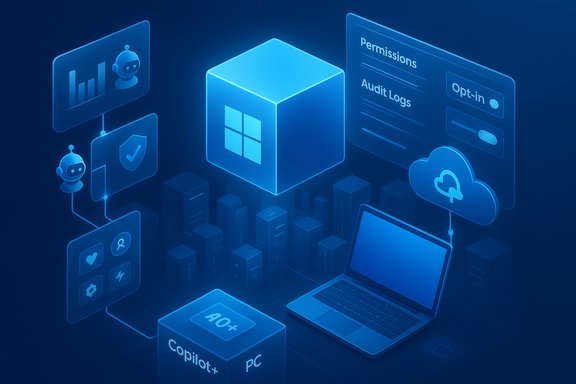
Microsoft used Ignite 2025 to frame a new chapter for Windows: deeper, platform-level support for AI assistants — “agents” that can hold context, invoke tool-like connectors, and, with permission, execute multi-step workflows across local files and cloud services. The public story broke into two parts: (1) a tweet from Pavan Davuluri that used the shorthand “agentic OS” and ignited a wave of backlash, and (2) a set of Ignite announcements and developer docs that describe how Microsoft intends to ship the technical building blocks for that vision. The first was social media theatre; the second is a concrete, multi-layer engineering roadmap. The practical pieces Microsoft unveiled or expanded at Ignite include:- System-level Copilot integrations (voice activation “Hey, Copilot,” Copilot Vision and Copilot Actions).
- Model Context Protocol (MCP) support and an On-device Agent Registry to let agents discover and safely call into app-provided connectors.
- Windows AI Foundry and local/hybrid runtimes for running smaller models on device.
- The Copilot+ PC hardware tier — machines with NPUs capable of 40+ TOPS to accelerate on-device AI.
What the Thurrott piece actually said — and what it got right
The Thurrott column that sparked this follow-up (Much AI About Nothing) argues that the social-media drama over Davuluri’s tweet was disproportionate to the substance of the Ignite session. The piece makes three practical points worth repeating and verifying:- Microsoft is evolving Windows to include platform-level AI capabilities in the same way it added GUI, web, mobility, and cloud primitives in past decades.
- Copilot is primarily a front-end that uses cloud-hosted services and local runtimes; agents are application-layer processes that require app-side support to expose programmatic actions.
- The new agentic capabilities are opt-in — users and IT administrators control whether agents run and what they can access.
The technical reality — building blocks and how they fit together
Windows AI Foundry and local runtimes
Windows AI Foundry (and related runtime components) are Microsoft’s answer to the latency, privacy, and availability constraints of cloud-only agents. Foundry aims to let developers run smaller, optimized models locally on CPU/GPU/NPU or hybridize requests with cloud models. This reduces round-trip latency, enables offline modes on capable hardware, and gives IT better control over sensitive workloads. The Verge and Microsoft’s documentation describe the Foundry concept and vendor plug-ins for NPUs and other accelerators.Model Context Protocol (MCP) and the On-device Agent Registry
MCP is an open protocol — originally introduced by Anthropic — that standardizes how models call tools, query data sources, and interact with external systems. Microsoft is integrating MCP support into Windows via an On-device Agent Registry (ODR) so agents can discover and securely connect to MCP servers exposed by apps (for example, File Explorer or third-party productivity apps). The ODR introduces logging, auditability, and admin controls to limit which agents can access which servers and resources. This technical design shifts the problem from opaque automation to discoverable, consented connectors.Agent Workspace and runtime isolation
Microsoft’s preview materials show an “Agent Workspace” model where agents run with bounded permissions and agent identities, separate from the user’s working session. The goal is to provide containment: agents can operate without hijacking the desktop or acting beyond what the user or IT has authorized. This design is explicitly security-focused — constrained by permissions and logged interactions — not an unbounded autonomous process that can rewrite system settings secretly.Copilot+ PCs and the NPU baseline
Microsoft has defined a Copilot+ PC hardware class whose NPU baseline is described as 40+ TOPS (trillions of operations per second). The NPU allows richer on-device experiences — offline composition, faster media processing, and local model inference for privacy-sensitive tasks. Microsoft’s device pages and Ignite writeups list Wave 1 and Wave 2 features gated to Copilot+ PCs and emphasize that many agent-enhanced experiences will be best on devices meeting the 40+ TOPS guideline. That hardware stratification creates real performance and privacy trade-offs that matter to enterprise purchasers and power users alike.Strengths of Microsoft’s approach
- Platform-level primitives create developer leverage. By standardizing MCP and offering an agent registry, Microsoft gives developers a single integration surface to expose app capabilities to any compliant agent. This reduces bespoke integrations and helps create an ecosystem where agents can perform meaningful multi-app workflows. Standardization lowers friction.
- Security and governance are front-loaded. Microsoft’s documentation explicitly mentions audit logs, admin controls, and a permissions model for MCP servers. The On-device Agent Registry includes discoverability and containment measures that address classic tool-injection and privilege risks. These are non-trivial engineering steps that signal the company is aware of the governance problem.
- Hybrid local/cloud model respects different threat and latency profiles. Running smaller models on-device via Windows AI Foundry while falling back to cloud models when necessary strikes a sensible balance between privacy, latency, and model capability. Enterprises can choose local-first or cloud-hybrid deployments based on policy and risk.
- Opt-in and admin controls are explicit in Microsoft’s message. Microsoft repeatedly frames these features as opt-in for both consumers and enterprises, which directly answers a central user fear: you won’t be forced into agentic automation without consent. Whether the implementation will meet user expectations is an operational question, but the policy surface is present.
Risks, trade-offs, and why users reacted the way they did
1) Messaging vs. product maturity — perception matters
Calling the OS “agentic” is technically accurate in a marketing shorthand, but it implies initiative-taking autonomy in plain English. That semantic choice became the story. Executive tone matters: a short social post without the contextual framing in the Ignite sessions was a poor vector for introducing a large architecture change. When leaders frame the initiative as a fait accompli rather than a preview with opt-ins and guardrails, users assume the worst. The Suleyman remark framing critics as “cynics” further inflamed the reaction and widened the trust gap.2) Feature creep, UI clutter and polish deficits
A recurrent theme in user complaints is not philosophical opposition to AI, but frustration that AI features are layered atop an OS some perceive to be losing day-to-day polish. When a high-profile demo shows a Copilot action get a step wrong, it becomes emblematic: why ship flashy automation if it’s not accurate and if it complicates the UI? Microsoft’s continuous feature cadence exacerbates this, increasing the surface area where rough edges may appear.3) Hardware stratification and a two-tier Windows
The 40+ TOPS Copilot+ PC baseline creates a performance gulf. Organizations and users on older hardware will experience fewer local advantages and potentially heavier cloud dependence. That raises equity and lifecycle concerns — will Windows become more capable only for new, expensive hardware? The practical outcome could be feature fragmentation or pressure to upgrade.4) Privacy and telemetry — real risks remain
Even with agent isolation and logging, MCP servers and local agents will by design access files, calendars, and other personal data when authorized. The scale and variety of potential connectors — cloud storage, chat logs, CRM systems — broaden the attack surface for prompt injection, token theft, and data leaks. Microsoft’s design addresses these issues in principle, but real-world security depends on flawless access controls, transparent defaults, and clear audit tooling for admins and users. That’s an implementation problem, not a theoretical one.5) Oversold expectations and hallucinations
Generative AI can be brittle. If agents produce inaccurate or misleading outputs and then act on them (even with permission), the human cost can be significant. Enterprise auditing, rollback semantics, and human-in-the-loop confirmations for high-risk actions are essential safeguards. Microsoft’s materials mention scoped permissions and logs, but they do not magically eliminate the need for human oversight where consequences are material.Practical recommendations — what Microsoft should do next
- Reframe messaging: use plain-language, non-alarmist phrases and pair any public claim with a concise list of user controls. Avoid marketing shorthand that implies independent initiative without follow-up clarifications.
- Make opt-outs obvious and durable: ensure users and admins can permanently disable agentic features with clear settings and enterprise policies exposed via Intune and Group Policy.
- Publish real-world telemetry and reliability targets: commit to measurable SLAs for Copilot integrations, and publish quarterly quality reports showing progress on reliability and user-reported issues.
- Prioritize audit tooling and human-in-the-loop defaults: require explicit human confirmation for any agent action that modifies files, sends messages on behalf of users, or incurs financial commitments.
- Offer inclusive hardware experience: provide software-tier fallbacks so non-Copilot+ devices get useful, if reduced, agent functionality without being relegated to a useless experience. Consider a transparent feature matrix so buyers understand trade-offs.
What users and IT admins should know and do now
- It’s opt-in. The default posture Microsoft describes is opt-in: users and organizations control agent permissions and MCP server access. Verify these controls in Insider builds and management consoles before deploying widely.
- Treat agents like any other third-party extension. Follow standard security hygiene: least-privilege permissions, dedicated test environments, and logging/alerting for unexpected agent behavior.
- Plan hardware strategically. If your workflows depend on low-latency local inference, consider Copilot+ PCs for targeted roles, but insist on pilot testing for compatibility and lifecycle impacts before a broad rollout.
- Demand auditability. IT should require accessible audit logs and alert thresholds for agent actions that touch sensitive data or systems. If logs are not sufficiently granular in preview builds, defer risky use-cases until they are.
The real lesson: nuance matters more than slogans
The Davuluri “agentic OS” tweet is a classic example of a PR mismatch: a complex, aspirational engineering roadmap walked into the hyperventilating arena of social media and left with a headline that obscured more than it revealed. The technical architecture Microsoft showed at Ignite — MCP support, Windows AI Foundry, on-device NPUs, and an agent registry — is a coherent set of platform moves with sensible security and governance intent. Yet the public war over the word “agentic” exposed a deeper trust problem: many Windows users feel that change is happening too fast, with insufficient attention to polish, opt-outs, and predictable behavior. This is not a binary argument of “AI good vs. AI bad.” It is a practical debate about delivery, transparency, and control. Microsoft’s current materials show that the company understands the engineering boundaries of this problem and is building the pieces (runtime isolation, audit logs, admin controls) that make agentic behaviors manageable. The unanswered question is whether implementation and communication will follow through — whether devices, app ecosystems, and enterprise tools will adopt these standards in ways that preserve user agency rather than erode it.Conclusion
Microsoft’s Ignite preview was not a manifesto for a runaway OS that secretly acts on your behalf; it was a product and platform roadmap for making AI a first-class citizen in Windows — with concrete plumbing (MCP and Windows AI Foundry), a hardware baseline (Copilot+ PCs and 40+ TOPS NPUs), and an emphasis on permissioned, auditable agents. The storm of social-media backlash was driven less by the engineering reality and more by messaging, optics, and a broader trust deficit among users fatigued by frequent UI changes and perceived upsell behaviors. For Windows to succeed as an “agentic” platform — if that term survives the PR dust — Microsoft must earn trust through consistent quality, transparent permissioning, robust auditing, and clear, plain-English messaging. The technology is emerging fast; now comes the harder work of shipping it responsibly.Source: Thurrott.com Much AI About Nothing
