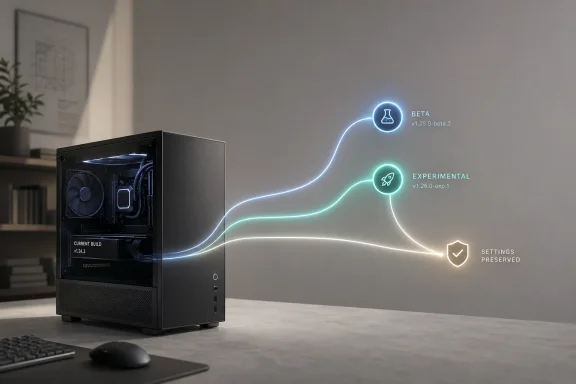
Microsoft’s overhaul of the Windows Insider Program is more than a cosmetic reshuffle. It is a deliberate attempt to fix a problem that has dogged the program for years: too many channels, too much ambiguity, and not enough control for the people volunteering to test Windows before everyone else. The new structure, now rolling out in phases, centers the program around Beta and Experimental, with Microsoft also adding Feature flags so testers can turn specific experiences on or off in the earliest preview path.
What makes this especially notable is that Microsoft is not merely relabeling menus. It is changing how Insider builds move, how features arrive, and how users leave the program, with in-place upgrade paths designed to preserve apps, settings, and data in most cases. For a program that has long been associated with clean installs, channel confusion, and “why did my PC suddenly move?” frustration, that is a significant philosophical shift.
Just as important, Microsoft is pairing the Insider revamp with broader Windows Update changes that give users more timing control, more predictable installation behavior, and clearer visibility into what is being delivered. The result is a preview ecosystem that looks less like a rough experiment and more like an effort to turn user feedback into a more disciplined product pipeline.
The Windows Insider Program has always been one of Microsoft’s most unusual product-development tools. It lets everyday users, enthusiasts, and IT professionals test unfinished Windows features, then feed telemetry and feedback back into Microsoft’s engineering cycle. That model helped the company move faster during the Windows 10 era and later became central to Windows 11’s evolution, but it also created a constant tension between early access and predictability.
For years, the channel structure had become increasingly hard to explain. Insiders were asked to choose among Dev, Canary, Beta, and Release Preview, each with different expectations around stability, feature timing, and build alignment. Microsoft itself acknowledged that the channel structure had become confusing, and that confusion made feedback harder to interpret because users often didn’t fully understand where they were in the pipeline.
That confusion was not just a communications problem. It had operational consequences, because channel migration often required clean installs or other disruptive steps, especially when users wanted to leave the program or move to a more stable branch. Microsoft now says it has re-engineered the program so that, in most cases, users can hop between channels or exit without wiping the device, using IPU flows that preserve apps, data, and settings.
The latest changes also reflect a broader shift inside Microsoft toward control by default. Windows Update already supports pausing updates, scheduling restarts, and setting active hours, but that kind of control has often felt bolted on rather than central to the experience. Now Microsoft is emphasizing user choice more directly, while still insisting on a security-first posture that keeps devices on current patches.
The timing matters too. Microsoft is rolling out these changes in April 2026, after months of Insider complaints about channel fragmentation and feature unpredictability. In other words, this is not a speculative redesign; it is a response to a lived user experience that Microsoft appears to have finally accepted as unsustainable.
The new setup also adds an explicit Feature flags page, which lets Insiders in Experimental enable or disable specific visible features before they roll out broadly. That is a meaningful change because it gives users some agency over the very thing the Insider Program is supposed to provide: access to experiments. In effect, Microsoft is acknowledging that early adopters do not all want the same thing, and that a single build can no longer satisfy every kind of tester.
The rebrand to Experimental is particularly revealing because it says the quiet part out loud: these builds are not merely “dev” builds in the abstract, but the earliest practical place to test ideas. That is a more honest label, and honesty is a form of product design when you are dealing with voluntary testers. It also better aligns expectations with reality, which should reduce some of the friction Microsoft saw when users joined the wrong channel for the wrong reasons.
Microsoft’s new IPU approach changes that calculation by preserving the user’s environment during the transition. The company explicitly says the process migrates apps, settings, and data in place, which makes the experience much closer to a normal Windows update than to a reset-and-rebuild exercise. That kind of continuity should lower the psychological cost of joining Insider channels in the first place.
That distinction also reveals how Microsoft is segmenting risk. The company wants a more accessible Insider Program for mainstream enthusiasts, but it still needs a truly frontier layer for platform-level work. The challenge will be making that boundary clear enough that users do not stumble into a path that is more experimental than they intended. That is where communication will matter as much as engineering.
The company also says users can initiate download, install, and restart earlier if they want to move faster. That creates a more flexible model: Windows can still protect users by default, but it does not have to treat every user as if they want the same pace of change. For power users, that flexibility is a quality-of-life improvement; for enterprise admins, it reinforces the familiar need to coordinate deployment windows more carefully.
This is where the balance gets tricky. More user control can improve trust, but it can also create hesitation if users delay important patches for too long. Microsoft is trying to thread that needle by making restarts more coordinated and by improving automatic recovery for update failures, which should help devices complete installation without human intervention. The tradeoff is a little less spontaneity, but a lot more reliability.
This is also consistent with the way Microsoft now classifies Insider build lines. The company’s Flight Hub shows the current preview streams tied to specific Windows versions, including 24H2, 25H2, and 26H1, which underlines the point that Insider is increasingly a managed release pipeline rather than a free-form sandbox. That structure gives Microsoft a more disciplined way to test what eventually lands in retail builds.
That matters because the public perception of Windows often hinges on a few highly visible pain points: confusing updates, unexpected restarts, and unstable feature rollouts. If Microsoft can reduce those failures in preview, it stands a better chance of reducing them in retail. The company is not promising perfection, but it is clearly trying to make Windows feel less chaotic.
The new Insider structure also lowers the barrier to entry for enthusiasts who have hesitated to participate. The old program often required understanding version alignment, build cadence, and channel stability in a way that felt too technical for casual testers. Simplification will not remove risk, but it should make the risk easier to understand.
Enterprises also tend to prefer clearer lifecycle boundaries. The new channel model, especially with Release Preview continuing as an advanced option for commercial customers, helps define where production-adjacent testing ends and more aggressive experimentation begins. That should reduce accidental exposure to builds that are too volatile for managed environments.
It also matters culturally. Windows has long been criticized for feeling too eager to interrupt users at the wrong time. By emphasizing user control more explicitly, Microsoft is trying to undo one of the operating system’s oldest reputation problems without weakening its security posture. That is a delicate balance, but one that could pay dividends if the rollout behaves as advertised.
The deeper question is whether Microsoft can maintain this new balance between speed, clarity, and control as Windows 11 continues to evolve. That balance will matter not only for Insider users but for anyone who relies on Windows in daily life, because preview processes often predict retail behavior months later. If the new model works, Windows may become less disruptive and more comprehensible in ways users will notice long after the headline fades.
Source: Digital Trends Microsoft revamps Windows Insider Program with simpler structure and more user control
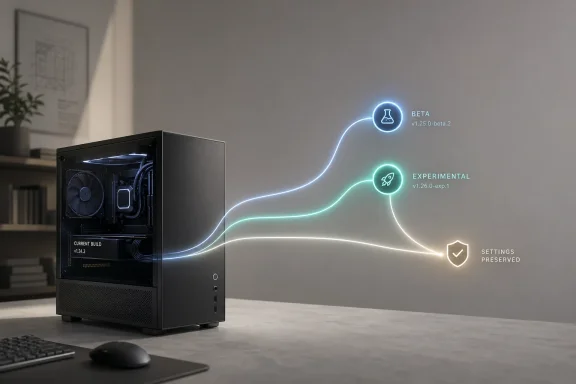
What makes this especially notable is that Microsoft is not merely relabeling menus. It is changing how Insider builds move, how features arrive, and how users leave the program, with in-place upgrade paths designed to preserve apps, settings, and data in most cases. For a program that has long been associated with clean installs, channel confusion, and “why did my PC suddenly move?” frustration, that is a significant philosophical shift.
Just as important, Microsoft is pairing the Insider revamp with broader Windows Update changes that give users more timing control, more predictable installation behavior, and clearer visibility into what is being delivered. The result is a preview ecosystem that looks less like a rough experiment and more like an effort to turn user feedback into a more disciplined product pipeline.
 Background
The Windows Insider Program has always been one of Microsoft’s most unusual product-development tools. It lets everyday users, enthusiasts, and IT professionals test unfinished Windows features, then feed telemetry and feedback back into Microsoft’s engineering cycle. That model helped the company move faster during the Windows 10 era and later became central to Windows 11’s evolution, but it also created a constant tension between early access and predictability.For years, the channel structure had become increasingly hard to explain. Insiders were asked to choose among Dev, Canary, Beta, and Release Preview, each with different expectations around stability, feature timing, and build alignment. Microsoft itself acknowledged that the channel structure had become confusing, and that confusion made feedback harder to interpret because users often didn’t fully understand where they were in the pipeline.
That confusion was not just a communications problem. It had operational consequences, because channel migration often required clean installs or other disruptive steps, especially when users wanted to leave the program or move to a more stable branch. Microsoft now says it has re-engineered the program so that, in most cases, users can hop between channels or exit without wiping the device, using IPU flows that preserve apps, data, and settings.
The latest changes also reflect a broader shift inside Microsoft toward control by default. Windows Update already supports pausing updates, scheduling restarts, and setting active hours, but that kind of control has often felt bolted on rather than central to the experience. Now Microsoft is emphasizing user choice more directly, while still insisting on a security-first posture that keeps devices on current patches.
The timing matters too. Microsoft is rolling out these changes in April 2026, after months of Insider complaints about channel fragmentation and feature unpredictability. In other words, this is not a speculative redesign; it is a response to a lived user experience that Microsoft appears to have finally accepted as unsustainable.
What Microsoft Changed
The headline change is the simplification of the Insider structure into Beta and Experimental as the main public-facing options, with Canary still feeding into specialized Experimental paths. Microsoft says Beta is the better fit for users who want a more stable experience with features closer to shipping, while Experimental is where new features generally show up first and where feedback has the most direct impact. That is a much cleaner explanation than the older, more fragmented model.A clearer map for testers
This matters because channel naming is not just branding; it defines expectations. When a user joins an Insider channel, they are making a tradeoff between novelty and risk, and the old structure made that tradeoff harder to judge. By using Beta and Experimental as the primary concepts, Microsoft is trying to make the decision more intuitive for both newcomers and experienced testers.The new setup also adds an explicit Feature flags page, which lets Insiders in Experimental enable or disable specific visible features before they roll out broadly. That is a meaningful change because it gives users some agency over the very thing the Insider Program is supposed to provide: access to experiments. In effect, Microsoft is acknowledging that early adopters do not all want the same thing, and that a single build can no longer satisfy every kind of tester.
- Beta is the safer, closer-to-release track.
- Experimental is the earliest meaningful feature preview.
- Feature flags give users more direct control over visible experiences.
- Canary continues to serve the earliest platform-level work through specialized Experimental paths.
Why naming matters
Microsoft’s redesign also reveals something about how the company now thinks about Windows development. A channel should not only be a technical fork; it should be understandable to a non-engineer. The old scheme often sounded like internal engineering jargon exposed to consumers, and that made participation feel more complicated than it needed to be.The rebrand to Experimental is particularly revealing because it says the quiet part out loud: these builds are not merely “dev” builds in the abstract, but the earliest practical place to test ideas. That is a more honest label, and honesty is a form of product design when you are dealing with voluntary testers. It also better aligns expectations with reality, which should reduce some of the friction Microsoft saw when users joined the wrong channel for the wrong reasons.
Channel Transitions and In-Place Upgrades
One of the most user-friendly improvements is Microsoft’s move toward in-place upgrades for channel transitions. In most cases, Insiders will be able to move between Experimental, Beta, and Release Preview on the same Windows core version without a clean install, which should make the program far less punishing for people who want to step back from bleeding-edge builds.Why this is a big deal
Historically, moving out of a risky build could be painful. Users sometimes had to wipe their systems, reinstall apps, and restore their settings just to get back to a stable branch. That burden discouraged experimentation and made the Insider Program feel like a one-way door, which is exactly the opposite of what a healthy testing community should be.Microsoft’s new IPU approach changes that calculation by preserving the user’s environment during the transition. The company explicitly says the process migrates apps, settings, and data in place, which makes the experience much closer to a normal Windows update than to a reset-and-rebuild exercise. That kind of continuity should lower the psychological cost of joining Insider channels in the first place.
- Most channel hops will now avoid a clean install.
- Apps, settings, and data are expected to migrate in place.
- Leaving the program becomes less disruptive.
- Experimental Future Platforms remains the exception and still requires a clean install.
The exception that proves the rule
Microsoft is careful to preserve one major exception: Experimental Future Platforms. Because that track is not aligned with a retail build of Windows, moving away from it still requires a clean install. That caveat is important because it shows Microsoft is not pretending every channel can be made frictionless; some work is simply too far ahead of retail to support easy migration.That distinction also reveals how Microsoft is segmenting risk. The company wants a more accessible Insider Program for mainstream enthusiasts, but it still needs a truly frontier layer for platform-level work. The challenge will be making that boundary clear enough that users do not stumble into a path that is more experimental than they intended. That is where communication will matter as much as engineering.
Windows Update Gets More User Control
Microsoft is also reshaping the Windows Update experience itself, and that may turn out to be the most broadly relevant part of this story. The company says updates will now be grouped into a single Available updates section, with downloads occurring in the background and installations coordinated with scheduled quality updates or user-approved actions.Less surprise, more scheduling
This is an important adjustment because one of the biggest Windows complaints has always been interruptions. People do not object to updates in principle; they object to updates arriving at the worst possible moment. Microsoft’s support guidance already lets users pause updates and schedule restarts, but the new design appears to make that control more visible and more central to the workflow.The company also says users can initiate download, install, and restart earlier if they want to move faster. That creates a more flexible model: Windows can still protect users by default, but it does not have to treat every user as if they want the same pace of change. For power users, that flexibility is a quality-of-life improvement; for enterprise admins, it reinforces the familiar need to coordinate deployment windows more carefully.
Security without the same old friction
Microsoft is framing these changes within its Secure Future Initiative, emphasizing that Windows should stay secure by design and secure by default. That means the company still expects devices to move quickly onto the latest security update, even as it tries to reduce the pain associated with doing so. In practice, the goal is not to make updates optional forever, but to make them less disruptive and more resilient.This is where the balance gets tricky. More user control can improve trust, but it can also create hesitation if users delay important patches for too long. Microsoft is trying to thread that needle by making restarts more coordinated and by improving automatic recovery for update failures, which should help devices complete installation without human intervention. The tradeoff is a little less spontaneity, but a lot more reliability.
- Updates are now presented more clearly in one place.
- Downloads happen in the background.
- Installations are coordinated with quality update timing.
- Users can still force earlier action when needed.
- Automatic recovery is being used to improve update success rates.
Why This Matters for Windows 11
The Insider redesign is not just about testers. It is a signal about where Microsoft thinks Windows 11 is headed. By cleaning up the preview funnel and emphasizing clearer update behavior, Microsoft is making the case that platform quality matters as much as feature velocity.A product maturity play
For a mature operating system, the issue is no longer whether it can ship new ideas. The issue is whether those ideas arrive in a way that feels dependable. Microsoft seems to be concluding that Windows needs more refinement, not just more novelty, and that the Insider Program should reflect that reality earlier in the process.This is also consistent with the way Microsoft now classifies Insider build lines. The company’s Flight Hub shows the current preview streams tied to specific Windows versions, including 24H2, 25H2, and 26H1, which underlines the point that Insider is increasingly a managed release pipeline rather than a free-form sandbox. That structure gives Microsoft a more disciplined way to test what eventually lands in retail builds.
- The preview ecosystem is becoming more version-specific.
- Windows 11 development is being managed in clearer lanes.
- Microsoft is prioritizing stability and rollout discipline.
- Feature timing is becoming more predictable for testers.
Retail users will feel this too
Even if you never join the Insider Program, you are still downstream from it. Features that are easier to test, easier to compare, and easier to rollback are more likely to be refined before they reach mainstream users. In that sense, Microsoft’s changes to Insider are really changes to the quality-control machinery behind Windows itself.That matters because the public perception of Windows often hinges on a few highly visible pain points: confusing updates, unexpected restarts, and unstable feature rollouts. If Microsoft can reduce those failures in preview, it stands a better chance of reducing them in retail. The company is not promising perfection, but it is clearly trying to make Windows feel less chaotic.
Enterprise vs Consumer Impact
The divide between consumer and enterprise impact is subtle but real. Consumers are likely to notice the smoother update controls first, especially the ability to pause, schedule, and better understand what Windows is doing in the background. Enterprises, meanwhile, will care more about the predictability of channel definitions, the reduced need for wipes, and the clearer distinction between production-adjacent testing and frontier platform work.Consumers want less disruption
For home users, the main win is psychological. If Windows can make updates feel less arbitrary and the Insider Program less intimidating, users may feel more willing to leave default settings alone rather than fighting the system. That is a subtle but important improvement because a lot of Windows friction comes from the feeling that the OS is acting on the user, not with the user.The new Insider structure also lowers the barrier to entry for enthusiasts who have hesitated to participate. The old program often required understanding version alignment, build cadence, and channel stability in a way that felt too technical for casual testers. Simplification will not remove risk, but it should make the risk easier to understand.
Enterprises care about control and reversibility
For IT departments, reversibility is everything. A testing program that can be exited without a clean install is less likely to disrupt internal evaluation workflows, pilot machines, and staged deployment plans. That makes Microsoft’s IPU strategy especially valuable for organizations that use Insider builds for compatibility testing or validation.Enterprises also tend to prefer clearer lifecycle boundaries. The new channel model, especially with Release Preview continuing as an advanced option for commercial customers, helps define where production-adjacent testing ends and more aggressive experimentation begins. That should reduce accidental exposure to builds that are too volatile for managed environments.
- Consumers gain clearer controls and fewer surprise disruptions.
- Enthusiasts get a more understandable path into early testing.
- Enterprises get better reversibility and more predictable branching.
- Commercial testers retain access to Release Preview as a targeted option.
- IT teams can plan validation around clearer build families.
The Competitive Implications
Microsoft’s changes also have competitive implications, even if they are not the kind that dominate headlines. By making Windows more transparent and less disruptive, the company is defending its position in a market where reliability and manageability matter as much as raw feature count. In practical terms, this is about keeping Windows attractive to both consumers and professional users who compare it with more controlled ecosystems.A message to rivals
There is a quiet strategic message here: Windows is not trying to win by being the wildest platform on the market. It is trying to win by being the most useful platform to live with, especially when it comes to updates, rollouts, and long-term testing. That stance matters in enterprise decision-making, where administrators value predictability more than novelty.It also matters culturally. Windows has long been criticized for feeling too eager to interrupt users at the wrong time. By emphasizing user control more explicitly, Microsoft is trying to undo one of the operating system’s oldest reputation problems without weakening its security posture. That is a delicate balance, but one that could pay dividends if the rollout behaves as advertised.
More disciplined experimentation
The new structure may also improve the quality of feedback Microsoft receives. When users know whether they are in Beta or Experimental, and when they can more easily tell what is supposed to be happening on their device, the feedback loop becomes cleaner. Better feedback is not just a nice-to-have; it can determine whether a feature gets polished quickly or stalls in preview purgatory.- Clearer channels can produce clearer feedback.
- More reversible testing reduces participation friction.
- Better update controls can improve trust in the platform.
- A more polished preview pipeline can strengthen Windows 11’s image.
- Microsoft can learn faster from a less confused user base.
Strengths and Opportunities
Microsoft’s overhaul has real upside because it aligns the Insider Program with how users actually think about risk, control, and stability. It also creates a better foundation for feature testing by reducing the ambiguity that used to blur the meaning of each channel. The opportunity here is not just a better beta program; it is a better operating-system development loop.- Clearer channel definitions should make Insider participation easier to understand.
- In-place upgrades reduce the pain of leaving risky builds.
- Feature flags give early testers more direct influence over visible experiences.
- Improved Windows Update flow should reduce interruptions and frustration.
- Better release-note organization can help users find relevant build information faster.
- Security-first update handling preserves Microsoft’s posture without entirely sacrificing convenience.
- Stronger feedback quality can help Microsoft identify which features actually matter.
Risks and Concerns
The biggest risk is that simplification on paper could still feel confusing in practice, especially during the transition period when old and new channel logic coexist. There is also a danger that more control could create more hesitation, with users pausing updates longer than they should or treating Experimental as less risky than it really is. Microsoft is trying to improve trust, but trust can cut both ways if the messaging is not precise.- Transition confusion could persist while channel migrations roll out in phases.
- Feature flags may overwhelm users who just want a simple preview path.
- Update control could encourage unsafe delay behavior if users misunderstand the tradeoffs.
- Clean-install exceptions for Future Platforms may frustrate power users.
- Expectation mismatch could still occur if Beta and Experimental are not explained consistently.
- Enterprise testing may need additional documentation to avoid accidental exposure.
- User confidence could slip if early rollout bugs undermine the “simpler” promise.
Looking Ahead
The next few weeks will tell us whether Microsoft’s redesign is truly a structural improvement or just a cleaner label set. The phased rollout means users in Dev, Beta, and Canary will not all experience the change at once, which gives Microsoft room to adjust but also extends the period of uncertainty. If the company handles the transition well, it could reset expectations for how preview software should behave.The deeper question is whether Microsoft can maintain this new balance between speed, clarity, and control as Windows 11 continues to evolve. That balance will matter not only for Insider users but for anyone who relies on Windows in daily life, because preview processes often predict retail behavior months later. If the new model works, Windows may become less disruptive and more comprehensible in ways users will notice long after the headline fades.
- Watch how quickly Dev, Beta, and Canary users are moved into the new structure.
- Watch whether the in-place upgrade path works smoothly for real-world devices.
- Watch how many users actually use Feature flags, and for which features.
- Watch whether Windows Update interruptions decline in retail releases.
- Watch whether Microsoft expands the new model to other parts of the Windows servicing story.
Source: Digital Trends Microsoft revamps Windows Insider Program with simpler structure and more user control