

Microsoft is overhauling the Windows Insider Program in a way that could matter far beyond preview builds. The company is moving to a simpler channel structure, giving testers more direct control over feature exposure, and making it much easier to switch tracks or leave the program without a clean install. In practical terms, that means the Insider experience is becoming more predictable, more transparent, and less punishing for people who want to try the latest Windows 11 changes without committing their entire PC to the experiment. The shift also signals a broader reset in how Microsoft wants Windows to evolve: less confusion, fewer lottery-like feature rollouts, and a stronger feedback loop between users and the Windows team.
For years, the Windows Insider Program has been both indispensable and awkward. It gave Microsoft a public testbed for new Windows features, but it also accumulated layers of complexity that made it hard for normal users to understand where they stood, what they were testing, and why some people saw a feature while others on the same build did not. The new restructuring is Microsoft’s clearest attempt in a long time to simplify that reality without abandoning the core value of the program.
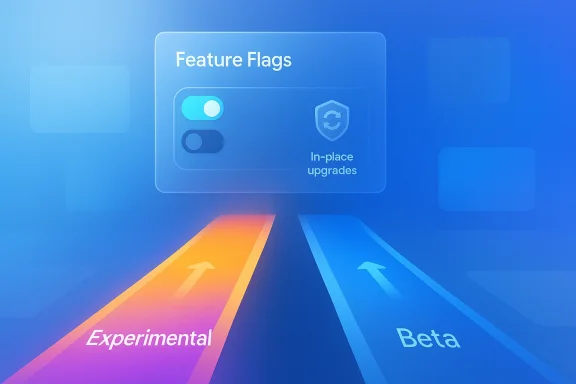
At the heart of the change is a move toward two primary channels: Experimental and Beta. That is more than a branding exercise. Microsoft is effectively trying to restore a cleaner mental model for preview testing, where Experimental means very early and unstable and Beta means much closer to what Microsoft expects to release. In older Insider eras, that distinction was easier to grasp; over time, the channel ladder became more tangled, and the meaning of each rung drifted.
This also comes after months of visible friction around Controlled Feature Rollouts. CFR was useful from Microsoft’s engineering perspective because it allowed the company to stage features gradually and reduce blast radius. But it was frustrating for Insiders, who would install a build expecting a feature and discover that the feature had been withheld on their device. That undercut the basic promise of the program: if you are volunteering to test early software, you expect to see what Microsoft says it shipped.
Microsoft’s answer is to separate the roles more clearly. Experimental is becoming the place for first-look features and more active experimentation. Beta is becoming the steadier preview lane, where announced features should be visible once the update lands. The company is also leaning into in-place upgrades and a more structured Feature Flags model, both of which suggest Microsoft wants preview testing to feel intentional rather than accidental. That is a subtle but important shift in philosophy.
The broader context matters too. Over the last year, Microsoft has repeatedly shown that it wants Windows 11 to feel less chaotic and more coherent: more reliable file handling, more understandable update behavior, more readable feedback channels, and fewer redundant UI surprises. The Insider revamp fits that larger quality push. It is not an isolated administrative change; it is part of a larger effort to make Windows feel more controlled, more legible, and more trustworthy.
This is why the changes are strategically important. A clearer channel system reduces ambiguity. A Feature Flags page makes testing feel more deliberate. In-place upgrades reduce the penalty for experimentation. Together, those changes make the program more usable for enthusiasts and more understandable for Microsoft’s own engineering teams. That is the sort of infrastructure change that does not look dramatic in a screenshot but can reshape how a platform evolves.
That simplification matters because channel names are only useful if they map to real expectations. In the past, many users treated Dev as a near-term preview of the stable release, while Canary often felt like a separate world entirely. Microsoft is now trying to reduce that ambiguity by making the channel purpose easier to understand. This is a product design decision as much as a servicing decision. Clear labels are a form of user guidance.
Beta, by contrast, is being repositioned as the channel for users who want to preview what is actually coming next. Microsoft is promising less feature lottery behavior there, which should make the channel more predictable and much easier to explain. If a feature is announced in a Beta update and you install that update, the feature should be there. That is a major change in user expectation, and it restores one of the basic conveniences of preview software.
The most extreme option is Future Platforms under the Experimental channel. This is the earliest available form of Windows in the Insider ecosystem, and it is not tied to a retail release. In effect, Microsoft is admitting that some testers want to live at the absolute edge, and it is giving them a designated place to do that. The trade-off is severe: if you choose this path, leaving it later may still require a clean install because it does not correspond to a normal production Windows version.
This is actually a smart compromise. Power users get a way to test the very earliest platform work. Everyone else gets a cleaner, more understandable preview ladder. Microsoft has not removed risk; it has labeled it more honestly. That may sound obvious, but in software design, honest labeling is often the difference between a useful tool and a confusing one.
The new Feature Flags page is designed to put control back in the user’s hands, at least within the Experimental channel. Microsoft says these flags will let users manually enable or disable specific features that have been announced in Insider builds. That is a major conceptual change. It moves feature visibility from the backend rollout system into a surface where the tester can actually see what is going on.
It also improves the quality of feedback. When testers know they are evaluating the same feature state, Microsoft gets cleaner reports and can compare reactions more reliably. That is especially useful for visible interface changes, where the difference between a feature being present and absent can dramatically alter the nature of the feedback. A system that makes the UI state clearer is also a system that makes complaints more actionable.
That limitation does not make Feature Flags less useful. It just defines their scope more honestly. For testers, the important part is that the company is finally trying to address the mismatch between what a build promises and what a tester can actually observe. In the past, that mismatch created a lot of needless noise. This new model should reduce some of that noise, even if it does not eliminate it entirely. That is still a big win.
Microsoft’s new approach is much friendlier. If users stay within the same Windows core version, they can now move between Experimental, Beta, and Release Preview without losing apps, settings, or files. That makes experimentation less permanent and less punishing. It also aligns the Insider program more closely with how consumers expect modern software to behave: reversible, recoverable, and less likely to turn into a full-day recovery project.
It also changes the risk calculus for people who use Insider builds on a primary PC. The old system often forced a hard choice between curiosity and stability. In-place upgrades soften that trade-off. You still accept some risk by joining a preview channel, but you are no longer locked into a destructive escape route unless you step into the Future Platforms lane. That is a much healthier balance.
That compromise is probably the right one. Not every path should be made equally easy if the underlying software states are genuinely different. By keeping the most experimental lane separate, Microsoft protects the integrity of the more practical channels while still giving hardcore testers a place to go. That is a good example of product design with discipline.
The mapping is fairly straightforward. Current Beta users stay in Beta. Dev users move into Experimental. Canary users are split based on the build line they are already on, with some moving to Experimental under Future Platforms and others aligning to Windows 11 26H1 under Experimental. That is a fairly careful migration strategy, and it shows Microsoft is trying to preserve build continuity while simplifying the channel taxonomy.
There is also a strategic benefit in reducing churn. If users know they will not be forced into a painful reinstall just because the Insider ladder changed, they are more likely to remain engaged. That helps Microsoft keep a larger and more stable pool of testers. In the long run, the health of the preview ecosystem depends as much on retention as it does on recruitment.
That positioning also helps Microsoft preserve a more familiar route for enterprise-adjacent users. Commercial environments tend to care less about bragging rights and more about predictable deployment planning. A clearly defined Release Preview lane gives them exactly that, while Experimental and Beta can continue doing the rougher work of early validation.
That shift created a perception problem. If even experts could not reliably tell why a build behaved differently from device to device, then Microsoft’s feedback loop was losing clarity. The company’s new restructuring seems designed to restore that clarity. The result should be fewer channel misconceptions, fewer “why don’t I have the feature?” posts, and more productive testing conversations. In theory, at least.
The new Insider model also reflects a broader Windows 11 lesson: users do not want more complexity hidden inside better branding. They want the platform to feel coherent. Clear channels, fewer random rollouts, and fewer reinstall requirements all contribute to that coherence. In that sense, the Insider overhaul is not just about testing Windows better. It is about teaching Microsoft to ship Windows more coherently.
This matters because transparency is not just a public-relations virtue; it is a product feature. If users understand what channel they are in, what features are supposed to be available, and how to report problems, then the whole ecosystem becomes more trustworthy. That trust, in turn, makes users more willing to stay in the program and continue contributing useful feedback.
That larger story matters because Windows users have spent years associating updates with uncertainty. Microsoft’s challenge is not just to ship features; it is to make the OS feel dependable while still moving forward. The Insider changes aim to do exactly that by reducing ambiguity in preview testing and improving the odds that new features arrive in a state users can actually evaluate.
Consumer users also gain from the psychological effect of predictability. Even if they never touch Future Platforms or Feature Flags, the fact that Microsoft is making the program easier to understand may restore some trust in Windows as a platform that can still be configured to suit the user. That is an important shift for an OS that has sometimes felt overly opinionated in recent years.
Release Preview also becomes more clearly useful in enterprise settings. If Microsoft can keep that lane stable and near-production, businesses get a smoother bridge between testing and deployment. That matters in environments where change management is already hard enough without preview channels behaving like a black box. In that sense, the overhaul may be as much an enterprise quality-of-life improvement as it is a consumer convenience.
More broadly, the company is creating a preview model that better matches how modern software is built. Features now ship in waves, platforms evolve continuously, and user feedback is most useful when the testing state is obvious. The new structure acknowledges all of that while making the Insider program easier to live with. That is a meaningful combination.
There is also a risk that Feature Flags create a new kind of confusion if Microsoft exposes only some feature types and not others. If visible UI changes are toggleable but deeper system changes are not, some users may assume the page should control more than it does. Managing expectations will matter just as much as the technical rollout itself. The tool has to match the promise.
The most interesting thing to watch is whether Microsoft follows this simplification pattern in the broader Windows 11 product surface. The company has already been trimming redundant Copilot entry points, improving feedback tools, and making update behavior less intrusive. If that same philosophy spreads further, Windows could become noticeably calmer and more coherent over the next release cycle. That would be a bigger win than any single feature drop.
Source: Windows Latest Microsoft overhauls the Windows Insider Program with new channels, Feature Flags, and in-place upgrades
 Overview
For years, the Windows Insider Program has been both indispensable and awkward. It gave Microsoft a public testbed for new Windows features, but it also accumulated layers of complexity that made it hard for normal users to understand where they stood, what they were testing, and why some people saw a feature while others on the same build did not. The new restructuring is Microsoft’s clearest attempt in a long time to simplify that reality without abandoning the core value of the program.At the heart of the change is a move toward two primary channels: Experimental and Beta. That is more than a branding exercise. Microsoft is effectively trying to restore a cleaner mental model for preview testing, where Experimental means very early and unstable and Beta means much closer to what Microsoft expects to release. In older Insider eras, that distinction was easier to grasp; over time, the channel ladder became more tangled, and the meaning of each rung drifted.
This also comes after months of visible friction around Controlled Feature Rollouts. CFR was useful from Microsoft’s engineering perspective because it allowed the company to stage features gradually and reduce blast radius. But it was frustrating for Insiders, who would install a build expecting a feature and discover that the feature had been withheld on their device. That undercut the basic promise of the program: if you are volunteering to test early software, you expect to see what Microsoft says it shipped.
Microsoft’s answer is to separate the roles more clearly. Experimental is becoming the place for first-look features and more active experimentation. Beta is becoming the steadier preview lane, where announced features should be visible once the update lands. The company is also leaning into in-place upgrades and a more structured Feature Flags model, both of which suggest Microsoft wants preview testing to feel intentional rather than accidental. That is a subtle but important shift in philosophy.
The broader context matters too. Over the last year, Microsoft has repeatedly shown that it wants Windows 11 to feel less chaotic and more coherent: more reliable file handling, more understandable update behavior, more readable feedback channels, and fewer redundant UI surprises. The Insider revamp fits that larger quality push. It is not an isolated administrative change; it is part of a larger effort to make Windows feel more controlled, more legible, and more trustworthy.
Why the Insider Program matters more than it looks
The Insider Program is not just a hobbyist playground. It is where Microsoft rehearses how Windows will be delivered, how features will be staged, and how much disruption users should tolerate. When that system becomes confusing, the confusion radiates outward into the product itself. If Insiders cannot tell whether a feature is missing because it is not ready or because it is hidden behind rollout logic, then feedback quality drops before Microsoft even gets to the bug report.This is why the changes are strategically important. A clearer channel system reduces ambiguity. A Feature Flags page makes testing feel more deliberate. In-place upgrades reduce the penalty for experimentation. Together, those changes make the program more usable for enthusiasts and more understandable for Microsoft’s own engineering teams. That is the sort of infrastructure change that does not look dramatic in a screenshot but can reshape how a platform evolves.
What Microsoft is changing
The most visible change is the simplification of the channel structure. Rather than asking users to navigate a constantly shifting mix of Canary, Dev, Beta, and Release Preview behavior, Microsoft is collapsing the preview experience into a smaller set of clearer choices. Experimental is the aggressive front edge. Beta is the more predictable branch. Release Preview remains in the picture, but it is now positioned more like a specialized advanced option, especially for commercial users and people who want near-production quality.That simplification matters because channel names are only useful if they map to real expectations. In the past, many users treated Dev as a near-term preview of the stable release, while Canary often felt like a separate world entirely. Microsoft is now trying to reduce that ambiguity by making the channel purpose easier to understand. This is a product design decision as much as a servicing decision. Clear labels are a form of user guidance.
Experimental versus Beta
Experimental is the rawest form of public Windows testing. It is where features can appear very early, shift shape, or disappear again before they ever become familiar. The goal is not polish. The goal is to see whether Microsoft’s newest ideas can survive contact with real testers, real hardware, and real-world feedback. That makes Experimental a true frontier channel rather than a stable preview lane.Beta, by contrast, is being repositioned as the channel for users who want to preview what is actually coming next. Microsoft is promising less feature lottery behavior there, which should make the channel more predictable and much easier to explain. If a feature is announced in a Beta update and you install that update, the feature should be there. That is a major change in user expectation, and it restores one of the basic conveniences of preview software.
- Experimental is for early ideas and volatility.
- Beta is for near-term previewing with more consistency.
- Release Preview remains the closest lane to production.
- Canary-style ambiguity is being pushed further away from the mainstream Insider experience.
- The goal is to make the channel choice obvious, not arcane.
Core versions and advanced options
Microsoft is also adding more granular control through Advanced options, where users can pick specific Windows core versions that fit their hardware. That may sound like a niche detail, but it is important for testers who care about branch behavior, servicing paths, and compatibility with particular platforms. It suggests Microsoft is trying to serve both casual Insiders and the more technical subset that likes to track exact build families.The most extreme option is Future Platforms under the Experimental channel. This is the earliest available form of Windows in the Insider ecosystem, and it is not tied to a retail release. In effect, Microsoft is admitting that some testers want to live at the absolute edge, and it is giving them a designated place to do that. The trade-off is severe: if you choose this path, leaving it later may still require a clean install because it does not correspond to a normal production Windows version.
This is actually a smart compromise. Power users get a way to test the very earliest platform work. Everyone else gets a cleaner, more understandable preview ladder. Microsoft has not removed risk; it has labeled it more honestly. That may sound obvious, but in software design, honest labeling is often the difference between a useful tool and a confusing one.
Feature Flags and the end of the feature lottery
One of the most welcome changes is the introduction of Feature Flags inside the Insider settings experience. Microsoft is effectively acknowledging a problem that testers have complained about for years: even when a feature has been shipped in a build, there is no guarantee that the feature is visible on your device. That made the Insider experience feel arbitrary, especially when users were trying to compare notes or validate behavior.The new Feature Flags page is designed to put control back in the user’s hands, at least within the Experimental channel. Microsoft says these flags will let users manually enable or disable specific features that have been announced in Insider builds. That is a major conceptual change. It moves feature visibility from the backend rollout system into a surface where the tester can actually see what is going on.
What Feature Flags solve
The biggest benefit is simple: fewer surprises. If Microsoft says a new visible feature is in the build, a Feature Flag gives testers a way to turn it on without waiting for a server-side rollout decision. That makes the testing experience more deterministic and reduces frustration when people are trying to reproduce a UI or workflow. In a preview program, determinism is a form of respect.It also improves the quality of feedback. When testers know they are evaluating the same feature state, Microsoft gets cleaner reports and can compare reactions more reliably. That is especially useful for visible interface changes, where the difference between a feature being present and absent can dramatically alter the nature of the feedback. A system that makes the UI state clearer is also a system that makes complaints more actionable.
- Less guessing about whether a feature is withheld.
- Easier reproduction of UI issues.
- Better comparisons across testers.
- Cleaner feedback for Microsoft’s engineering teams.
- More confidence that a build means what Microsoft says it means.
The limits of the system
There are still boundaries. Microsoft says Feature Flags will initially cover visible features mentioned in blog posts, not background plumbing, servicing changes, or invisible platform work. That is sensible, because not every feature can be meaningfully exposed through a switch. Bug fixes, system-level refinements, and deeper infrastructure changes still need to be delivered the traditional way.That limitation does not make Feature Flags less useful. It just defines their scope more honestly. For testers, the important part is that the company is finally trying to address the mismatch between what a build promises and what a tester can actually observe. In the past, that mismatch created a lot of needless noise. This new model should reduce some of that noise, even if it does not eliminate it entirely. That is still a big win.
In-place upgrades and the end of the clean-install penalty
One of the most practical improvements in the new Insider structure is Microsoft’s embrace of in-place upgrades for moving between channels or leaving the program. For a long time, the biggest barrier to experimentation was not the build itself but the exit strategy. If a user wanted to leave an Insider channel, the safe path often involved wiping the machine and doing a clean install. That was enough to scare off many otherwise curious testers.Microsoft’s new approach is much friendlier. If users stay within the same Windows core version, they can now move between Experimental, Beta, and Release Preview without losing apps, settings, or files. That makes experimentation less permanent and less punishing. It also aligns the Insider program more closely with how consumers expect modern software to behave: reversible, recoverable, and less likely to turn into a full-day recovery project.
Why this matters to real users
For enthusiasts, the benefit is obvious. You can sample an earlier channel, test a feature, and step back without rebuilding your whole machine. For ordinary users, the message is even more important: Microsoft is signaling that preview participation should not be a catastrophic commitment. That lowers the emotional and technical cost of signing up.It also changes the risk calculus for people who use Insider builds on a primary PC. The old system often forced a hard choice between curiosity and stability. In-place upgrades soften that trade-off. You still accept some risk by joining a preview channel, but you are no longer locked into a destructive escape route unless you step into the Future Platforms lane. That is a much healthier balance.
- Join Experimental or Beta if you want preview access.
- Use in-place upgrades when switching between supported lanes.
- Keep your files and apps when staying within the same core version.
- Expect a clean install only when moving out of Future Platforms.
- Treat the new model as reversible experimentation, not permanent commitment.
The Future Platforms exception
The exception is important. If you choose Future Platforms, you are stepping outside the ordinary servicing promise. That makes sense because those builds are fundamentally earlier than the rest of the Insider stack. Microsoft cannot guarantee a clean handoff from a platform that does not map to a normal Windows release train. So while the company is reducing friction for most testers, it is preserving the old rough edges for the most aggressive edge cases.That compromise is probably the right one. Not every path should be made equally easy if the underlying software states are genuinely different. By keeping the most experimental lane separate, Microsoft protects the integrity of the more practical channels while still giving hardcore testers a place to go. That is a good example of product design with discipline.
What happens to current Insiders
Microsoft is not asking current Insiders to opt in to the new structure manually. The company is automatically moving devices into the new model, with Release Preview remaining outside the main reshuffle. That means the transition is being handled as a platform migration rather than a voluntary account-side change. For most users, that should reduce confusion, even if it slightly changes the label they see in Settings.The mapping is fairly straightforward. Current Beta users stay in Beta. Dev users move into Experimental. Canary users are split based on the build line they are already on, with some moving to Experimental under Future Platforms and others aligning to Windows 11 26H1 under Experimental. That is a fairly careful migration strategy, and it shows Microsoft is trying to preserve build continuity while simplifying the channel taxonomy.
The migration logic
The point here is not just administrative neatness. Microsoft is trying to avoid stranding users on an unsupported path or making them feel like they have been dumped into a random new channel. By mapping existing builds to the nearest equivalent in the new structure, the company can preserve the testing continuity while improving the language around it. That is a subtle but important distinction.There is also a strategic benefit in reducing churn. If users know they will not be forced into a painful reinstall just because the Insider ladder changed, they are more likely to remain engaged. That helps Microsoft keep a larger and more stable pool of testers. In the long run, the health of the preview ecosystem depends as much on retention as it does on recruitment.
- Beta users remain where they are.
- Dev users are being folded into Experimental.
- Some Canary users move to Future Platforms.
- Others are mapped to 26H1 under Experimental.
- Release Preview stays mostly untouched and becomes more clearly specialized.
Why Release Preview still matters
Release Preview is becoming the quiet utility lane of the Insider world. It is less about drama and more about confidence. For commercial users, IT departments, and people who want to validate near-final builds without jumping into instability, that role is still valuable. Microsoft appears to understand that not every tester wants bleeding-edge novelty; some want a controlled look at what is likely to ship next.That positioning also helps Microsoft preserve a more familiar route for enterprise-adjacent users. Commercial environments tend to care less about bragging rights and more about predictable deployment planning. A clearly defined Release Preview lane gives them exactly that, while Experimental and Beta can continue doing the rougher work of early validation.
The return to a simpler Insider philosophy
There is a strong sense that Microsoft is trying to return the Insider Program to its original spirit. In the Windows 10 era, the channels were easier to understand and easier to explain. You knew, at least broadly, what trade-off you were making. Over time, the program became more fragmented, and the growth of controlled rollouts made the experience feel less like a preview and more like a moving target.That shift created a perception problem. If even experts could not reliably tell why a build behaved differently from device to device, then Microsoft’s feedback loop was losing clarity. The company’s new restructuring seems designed to restore that clarity. The result should be fewer channel misconceptions, fewer “why don’t I have the feature?” posts, and more productive testing conversations. In theory, at least.
Simplicity as strategy
Simplicity is not just a user experience luxury. In a preview system, it is part of the engineering architecture. The simpler the channels, the easier it is for Microsoft to reason about feedback, reproduce problems, and decide whether a feature should continue moving forward. That is especially important in a world where Windows itself is now being shipped in smaller, more modular pieces.The new Insider model also reflects a broader Windows 11 lesson: users do not want more complexity hidden inside better branding. They want the platform to feel coherent. Clear channels, fewer random rollouts, and fewer reinstall requirements all contribute to that coherence. In that sense, the Insider overhaul is not just about testing Windows better. It is about teaching Microsoft to ship Windows more coherently.
- Fewer channels means clearer expectations.
- Feature Flags reduce hidden rollout behavior.
- In-place upgrades reduce testing friction.
- Release Preview remains a stable handoff point.
- The program becomes easier to explain to newcomers and veterans alike.
Community feedback still matters
Microsoft is also leaning harder into direct user engagement. The company has been hosting Insider meetups, collecting input through the Feedback Hub, and listening through social channels and one-on-one conversations. That is not cosmetic. It reflects a recognition that preview software only improves if the people testing it feel heard and if Microsoft can turn that input into visible product changes.This matters because transparency is not just a public-relations virtue; it is a product feature. If users understand what channel they are in, what features are supposed to be available, and how to report problems, then the whole ecosystem becomes more trustworthy. That trust, in turn, makes users more willing to stay in the program and continue contributing useful feedback.
Broader implications for Windows 11
The Insider overhaul is not happening in a vacuum. It sits alongside a wider 2026 pattern in which Microsoft is trying to make Windows 11 more polished, less noisy, and more respectful of user control. Recent Insider work has emphasized shell reliability, accessibility improvements, feedback redesigns, and more careful feature staging. The current restructuring reinforces all of that.That larger story matters because Windows users have spent years associating updates with uncertainty. Microsoft’s challenge is not just to ship features; it is to make the OS feel dependable while still moving forward. The Insider changes aim to do exactly that by reducing ambiguity in preview testing and improving the odds that new features arrive in a state users can actually evaluate.
Consumer impact
For consumers, the main benefit is clarity. If you are the kind of user who wants to test a new feature without falling into a maze of hidden rollout rules, the new Insider structure is more approachable. It also lowers the barrier to leaving the program if you decide the experiment is no longer worth it. That alone will probably make more people willing to try preview builds on secondary machines.Consumer users also gain from the psychological effect of predictability. Even if they never touch Future Platforms or Feature Flags, the fact that Microsoft is making the program easier to understand may restore some trust in Windows as a platform that can still be configured to suit the user. That is an important shift for an OS that has sometimes felt overly opinionated in recent years.
Enterprise impact
Enterprises will probably care even more about the migration logic and the clearer channel boundaries. IT teams want predictable servicing paths, reduced reimaging costs, and fewer surprises when validating new builds. The move to in-place upgrades is especially useful here because it lowers the cost of testing without forcing a full reset every time a team wants to step back from a preview build.Release Preview also becomes more clearly useful in enterprise settings. If Microsoft can keep that lane stable and near-production, businesses get a smoother bridge between testing and deployment. That matters in environments where change management is already hard enough without preview channels behaving like a black box. In that sense, the overhaul may be as much an enterprise quality-of-life improvement as it is a consumer convenience.
- Consumers get easier testing and easier exit paths.
- Enterprises get a more understandable preview ladder.
- Feedback quality should improve across the board.
- Preview builds should be less confusing to explain.
- Microsoft gains a cleaner way to separate early experimentation from near-release validation.
Strengths and Opportunities
The new Insider structure has several obvious advantages. Microsoft is responding directly to the two complaints that have dogged the program for years: confusing channel boundaries and inconsistent feature availability. It is also making the act of testing feel less permanent, which should encourage more people to participate without fearing that they will be trapped in a broken build path.More broadly, the company is creating a preview model that better matches how modern software is built. Features now ship in waves, platforms evolve continuously, and user feedback is most useful when the testing state is obvious. The new structure acknowledges all of that while making the Insider program easier to live with. That is a meaningful combination.
- Clearer channel definitions should reduce confusion.
- Feature Flags should make visible features easier to test.
- In-place upgrades should reduce the cost of experimentation.
- Beta predictability should improve feedback quality.
- Release Preview remains a strong bridge for commercial users.
- Future Platforms preserves an outlet for very early testing.
- Direct community engagement can strengthen trust in the program.
Risks and Concerns
The biggest risk is fragmentation. Even a simpler system can become confusing if Microsoft does not clearly communicate which features belong in which channel and how Feature Flags interact with staged rollout behavior. Users can forgive complexity more easily than inconsistency, but they will not forgive a system that feels arbitrary under a different name.There is also a risk that Feature Flags create a new kind of confusion if Microsoft exposes only some feature types and not others. If visible UI changes are toggleable but deeper system changes are not, some users may assume the page should control more than it does. Managing expectations will matter just as much as the technical rollout itself. The tool has to match the promise.
- Some users may still be confused by Experimental versus Future Platforms.
- Feature Flags could create unrealistic expectations if scope is unclear.
- In-place upgrades may still fail in edge cases.
- Auto-migration could annoy users who preferred the old channel identity.
- Microsoft must avoid making Beta feel too much like a filtered rollout maze.
- Power users may resist any perceived loss of control.
- Enterprise admins will need clear documentation to avoid support confusion.
Looking Ahead
The next phase will be about execution, not announcement. If Microsoft really wants the new Insider structure to work, it has to make the channel distinctions obvious, keep Feature Flags understandable, and ensure that in-place upgrades behave consistently. Those three pieces together will determine whether the overhaul feels like a major quality improvement or just another reshuffling of labels.The most interesting thing to watch is whether Microsoft follows this simplification pattern in the broader Windows 11 product surface. The company has already been trimming redundant Copilot entry points, improving feedback tools, and making update behavior less intrusive. If that same philosophy spreads further, Windows could become noticeably calmer and more coherent over the next release cycle. That would be a bigger win than any single feature drop.
What to watch next
- Whether Microsoft expands Feature Flags beyond initially announced visible features.
- How smoothly current Dev and Canary users are mapped into Experimental.
- Whether Beta truly becomes more predictable in day-to-day use.
- How often Microsoft still relies on clean installs for edge-case transitions.
- Whether the new Insider UI reduces support friction and channel confusion.
- Whether enterprise testers embrace Release Preview more heavily.
Source: Windows Latest Microsoft overhauls the Windows Insider Program with new channels, Feature Flags, and in-place upgrades
