

Microsoft’s Windows Insider reboot is shaping up as more than a cosmetic refresh. In a pair of recent official posts, the company laid out a sharper channel strategy, a new feature-flags model, easier channel switching, and a renewed emphasis on performance, reliability, and craft across Windows 11. For longtime enthusiasts, the big question is not whether Microsoft can ship another set of UI tweaks, but whether it can restore the human feel that once made the Insider community feel like a clubhouse rather than a holding pen. The early signs are promising, but the execution will matter far more than the memo.
The Windows Insider Program has always been more than a beta track. For a certain generation of Windows fans, it was a culture, a feedback loop, and a front-row seat to how Microsoft built the desktop operating system that still dominates personal computing. The program’s early years felt unusually open, even playful, with mascots, community jokes, and a sense that enthusiast feedback could shape real product direction.
That feeling eroded over time. As Windows 10 matured and Windows 11 became Microsoft’s centerpiece, Insider builds often began to feel less like a collaborative experiment and more like a staggered rollout machine. Features arrived inconsistently, bug fixes lagged, and the relationship between feedback and shipping decisions became harder for users to perceive. Enthusiasts noticed the gap, and the gap widened.
Microsoft’s new messaging around Windows quality is a response to that frustration. In its March 20, 2026 post, the company said it had spent “a great deal of time analyzing your feedback,” and said the voices it heard came from people who “care deeply about Windows and want it to be better.” That language matters because it signals a change in tone as much as in process. It frames the reboot as a correction, not a rebrand.
The follow-up April 10 post made the structure more concrete. Microsoft said it was ending gradual feature rollouts in Beta, introducing a new Feature flags page for Experimental users, and enabling in-place upgrades so most Insiders can move between channels without wiping their PCs. That is not just convenience plumbing. It is an admission that the old Insider experience had become too opaque, too brittle, and too expensive in terms of user trust.
There is also a broader strategic context. Windows 11 has become the baseline platform for more than a billion users, and Microsoft clearly does not want to chase novelty for novelty’s sake. Instead, the company is trying to improve the OS already in the wild while tightening the feedback machinery that feeds future releases. That is a more conservative plan than launching a dramatic new Windows version, but it may also be the more realistic one.
The March 20 commitment to Windows quality is important because it explicitly names the pillars Microsoft wants to emphasize: performance, reliability, and craft. Those are not flashy words, but they are exactly the words a skeptical Windows community wants to hear after years of UI churn, feature flag confusion, and periodic regressions. The company also singled out taskbar customization, more intentional Copilot integration, update disruption, and File Explorer responsiveness as immediate priorities.
For years, many power users felt the Insider program had become too dependent on staggered enablement and too detached from the people who were actually filing bugs. The new tone suggests Microsoft recognizes that listening and closing the loop are not the same thing. That distinction will define whether this reboot succeeds.
The company now seems to understand that the enthusiast crowd is not merely ornamental. These users are often the earliest detectors of regressions, the loudest advocates for quality, and the fastest to notice when the OS feels off. In that sense, the reboot is an operational necessity as much as a public-relations one.
The company also said Beta would no longer use gradual feature rollouts. In plain English, that means if a feature is announced in Beta and you install the update, the feature will be there. That is a meaningful shift because it removes a frustrating layer of unpredictability that had made the channel feel more like a lottery than a preview program.
It also gives Microsoft something it has often lacked in preview channels: a cleaner distinction between whether a feature is technically available and whether the company wants it broadly exposed. That should make testing more intentional and reduce the awkward “it’s announced, but not on my PC” problem that has irritated Insiders for years.
This matters because the old friction discouraged experimentation. When switching channels meant reinstalling Windows, many users stayed put even if the channel no longer matched their interests or tolerance for bugs. By making the process less destructive, Microsoft is effectively telling users that the program should be flexible, not punitive.
The appeal of this model is obvious. If users complain repeatedly about a specific part of the shell, there should be someone whose job is not merely to note the problem, but to drive a backlog that actually reduces it. Microsoft’s stated goal is to synthesize telemetry, user research, and Feedback Hub reports into prioritized work. That is a much more concrete promise than the old “we’re listening” refrain.
It also gives the community a human face to attach to issues. Enthusiasts do not just want a patch; they want to know that the people building Windows understand the pain points and are committed to resolving them. The DRI model is Microsoft’s attempt to formalize that relationship.
That is why the success criterion is not who owns a feature. It is whether the feature gets better. In other words, the DRI model only matters if it produces measurable movement in the places enthusiasts care about most.
The March 20 post specifically called out a faster and more dependable File Explorer, more control over Windows Updates, reduced disruption, and more intentional Copilot integration. That is a very deliberate list. It suggests Microsoft understands that users are not only annoyed by bugs; they are tired of friction.
If the company can make one of Windows’ most-used surfaces feel obviously better, it sends a broader signal: the team is not only adding features, it is removing rough edges. That is the kind of change enthusiasts can feel almost immediately.
It also reflects a more mature understanding of how people use PCs. Enthusiasts, IT admins, and even casual users all have moments where an unexpected update is not just inconvenient but actively disruptive. Reducing that friction is not about lowering standards; it is about respecting user context.
Microsoft is not promising a total return to the old world of native-only software. But it is clearly signaling that the bar for app quality needs to be higher, regardless of the framework. The company’s emphasis on WinUI 3 as part of the current overhaul suggests it wants a better foundation for first-party experiences, even if the tech stack remains mixed.
That does not mean web tech has no value. It does mean Microsoft cannot assume that convenience for developers automatically translates into delight for users. The company has to earn trust with craft, not just architecture.
The challenge is that platforms are judged by their worst moments, not their talking points. If a new experience looks good but feels slow, users will not care about the stack underneath it. They will just say Windows feels clumsy again.
The old Insider era felt fun in part because it made participation feel visible. Enthusiasts got credit, jokes, and occasional whimsy. That may sound trivial, but it mattered because it transformed users into collaborators. Once that feeling disappears, the program starts to feel transactional.
That is especially important in an era when users often feel as though feedback vanishes into automated systems. Even modest acknowledgment can restore a sense that participation has value beyond data collection.
That is a subtle but important distinction. The goal is not to recreate the past. It is to recover the emotional contract that made the Insider program feel worth joining in the first place.
Microsoft said commercial customers enrolled in Windows Insider for Business will see the same changes and improvements, while Windows Insider for Windows Server remains unchanged. That split is sensible. It suggests Microsoft is trying to modernize the feedback pipeline without destabilizing more controlled environments.
That combination should make the program more accessible to casual tinkerers while also making it more useful to the hardcore crowd. In a healthy Insider ecosystem, those two groups reinforce each other.
But enterprise trust will depend on whether Microsoft’s promise of fewer surprises holds up over time. If the new structure becomes a clean-sounding wrapper around the same old unpredictability, IT organizations will remain cautious.
If Microsoft sustains the effort, it can improve both perception and behavior. Better previews attract better feedback, and better feedback produces better software. That virtuous cycle is the real prize.
That means the next few months matter a lot. The company needs visible wins, not just a better narrative.
Microsoft’s challenge is to convert invisible internal discipline into visible external confidence. That is difficult, but it is also the only way to turn skeptics into believers.
Microsoft also has to keep showing its work. If the company wants enthusiasts to believe in a renewed Insider culture, it needs recurring evidence that feedback is shaping priorities and that the people responsible for specific surfaces are actually moving the needle. That means shipping, explaining, and acknowledging progress in equal measure.
For now, the difference is that the company appears to understand the assignment. The next test is whether Windows users can feel that understanding, not just read about it.
Source: Windows Central How Microsoft hopes to win back enthusiasts: A deep dive into the Windows Insider reboot
 Background
The Windows Insider Program has always been more than a beta track. For a certain generation of Windows fans, it was a culture, a feedback loop, and a front-row seat to how Microsoft built the desktop operating system that still dominates personal computing. The program’s early years felt unusually open, even playful, with mascots, community jokes, and a sense that enthusiast feedback could shape real product direction.That feeling eroded over time. As Windows 10 matured and Windows 11 became Microsoft’s centerpiece, Insider builds often began to feel less like a collaborative experiment and more like a staggered rollout machine. Features arrived inconsistently, bug fixes lagged, and the relationship between feedback and shipping decisions became harder for users to perceive. Enthusiasts noticed the gap, and the gap widened.
Microsoft’s new messaging around Windows quality is a response to that frustration. In its March 20, 2026 post, the company said it had spent “a great deal of time analyzing your feedback,” and said the voices it heard came from people who “care deeply about Windows and want it to be better.” That language matters because it signals a change in tone as much as in process. It frames the reboot as a correction, not a rebrand.
The follow-up April 10 post made the structure more concrete. Microsoft said it was ending gradual feature rollouts in Beta, introducing a new Feature flags page for Experimental users, and enabling in-place upgrades so most Insiders can move between channels without wiping their PCs. That is not just convenience plumbing. It is an admission that the old Insider experience had become too opaque, too brittle, and too expensive in terms of user trust.
There is also a broader strategic context. Windows 11 has become the baseline platform for more than a billion users, and Microsoft clearly does not want to chase novelty for novelty’s sake. Instead, the company is trying to improve the OS already in the wild while tightening the feedback machinery that feeds future releases. That is a more conservative plan than launching a dramatic new Windows version, but it may also be the more realistic one.
Why Microsoft Is Rebuilding Trust
Microsoft’s current effort is best understood as a trust project. The company is not simply trying to ship cleaner builds; it is trying to persuade enthusiasts that feedback again has consequence. That is a harder problem than it sounds, because trust in a platform does not recover when a blog post says it will. It recovers when users see obvious, repeated proof that complaints become fixes.The March 20 commitment to Windows quality is important because it explicitly names the pillars Microsoft wants to emphasize: performance, reliability, and craft. Those are not flashy words, but they are exactly the words a skeptical Windows community wants to hear after years of UI churn, feature flag confusion, and periodic regressions. The company also singled out taskbar customization, more intentional Copilot integration, update disruption, and File Explorer responsiveness as immediate priorities.
Acknowledging the enthusiast problem
Microsoft’s recent messaging is notable because it is unusually self-aware. The company is effectively admitting that the enthusiast audience has felt underserved and, in some cases, ignored. That admission is significant because it creates a basis for accountability rather than vague reassurance.For years, many power users felt the Insider program had become too dependent on staggered enablement and too detached from the people who were actually filing bugs. The new tone suggests Microsoft recognizes that listening and closing the loop are not the same thing. That distinction will define whether this reboot succeeds.
Why the timing matters
The timing is no accident. Microsoft has spent the last few years pouring energy into AI-first experiences and cross-platform services, while Windows enthusiasts often cared more about shell consistency, performance, and workflow polish. That divergence created a perception that Microsoft was optimizing for the market, not for the people who live in Windows all day.The company now seems to understand that the enthusiast crowd is not merely ornamental. These users are often the earliest detectors of regressions, the loudest advocates for quality, and the fastest to notice when the OS feels off. In that sense, the reboot is an operational necessity as much as a public-relations one.
- The old Insider model blurred feature availability and build quality.
- Enthusiasts want predictability, not just early access.
- Microsoft is trying to make feedback visible and actionable again.
- The company needs early warning signals from power users, not just telemetry at scale.
The New Insider Structure
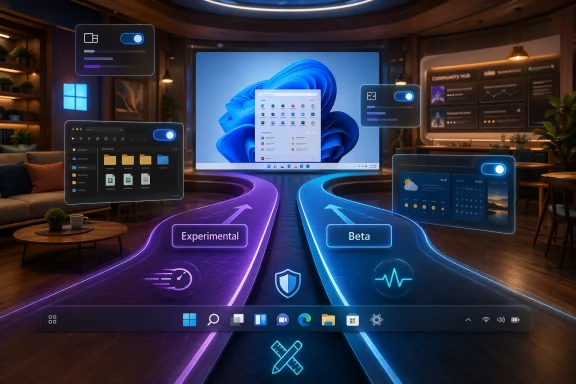
The biggest practical change in Microsoft’s reboot is the simplification of Insider channels. The new model replaces ambiguity with intent: Experimental is for the earliest features and the fastest iteration, while Beta is meant to be stable, predictable, and closer to shipping. That distinction alone addresses one of the most common complaints Insiders have voiced for years.The company also said Beta would no longer use gradual feature rollouts. In plain English, that means if a feature is announced in Beta and you install the update, the feature will be there. That is a meaningful shift because it removes a frustrating layer of unpredictability that had made the channel feel more like a lottery than a preview program.
Feature flags as a power-user tool
The new Feature flags page is one of the smartest moves in the reboot. It gives Experimental users a way to enable or disable visible features directly, instead of waiting for Microsoft to decide when a feature should appear on a given machine. That may sound small, but for enthusiasts it is a major gain in agency.It also gives Microsoft something it has often lacked in preview channels: a cleaner distinction between whether a feature is technically available and whether the company wants it broadly exposed. That should make testing more intentional and reduce the awkward “it’s announced, but not on my PC” problem that has irritated Insiders for years.
Channel movement without the nuclear option
Another important change is easier movement between channels. Microsoft said it is enabling in-place upgrades so most users can move between Experimental, Beta, and Release Preview without a clean install. That is a major quality-of-life improvement, and it lowers the cost of participation.This matters because the old friction discouraged experimentation. When switching channels meant reinstalling Windows, many users stayed put even if the channel no longer matched their interests or tolerance for bugs. By making the process less destructive, Microsoft is effectively telling users that the program should be flexible, not punitive.
- Beta now aims to be the predictable channel.
- Experimental is where new ideas land first.
- Feature flags let enthusiasts opt into visible changes.
- In-place upgrades reduce the barrier to participation.
The DRI Model and Accountability
One of the most interesting ideas in Microsoft’s reboot is the use of Directly Responsible Individuals, or DRIs. Rather than scattering responsibility across multiple teams and hoping that feedback eventually gets picked up, Microsoft is assigning senior owners to specific pain points such as the taskbar, File Explorer, widgets, and reliability. That creates a clearer line between feedback and action.The appeal of this model is obvious. If users complain repeatedly about a specific part of the shell, there should be someone whose job is not merely to note the problem, but to drive a backlog that actually reduces it. Microsoft’s stated goal is to synthesize telemetry, user research, and Feedback Hub reports into prioritized work. That is a much more concrete promise than the old “we’re listening” refrain.
Why ownership changes behavior
Accountability changes incentives. When a senior engineer or designer is clearly responsible for a surface like the Start menu or taskbar, quality stops being someone else’s problem. That can speed up fixes, reduce bureaucratic drift, and make product decisions easier to evaluate.It also gives the community a human face to attach to issues. Enthusiasts do not just want a patch; they want to know that the people building Windows understand the pain points and are committed to resolving them. The DRI model is Microsoft’s attempt to formalize that relationship.
Limits of organizational reform
Still, organizational charts do not ship better software by themselves. The risk is that DRIs become a new layer of abstraction instead of a genuine source of accountability. If the backlog remains opaque, or if bugs linger despite the “ownership” model, users will treat the change as branding.That is why the success criterion is not who owns a feature. It is whether the feature gets better. In other words, the DRI model only matters if it produces measurable movement in the places enthusiasts care about most.
- DRIs create clearer ownership.
- They make user pain points easier to prioritize.
- They can help break down siloed decision-making.
- They will only matter if the backlog visibly shrinks.
Performance, Reliability, and Craft
Microsoft’s new emphasis on performance and reliability may be the most important part of the reboot, even if it is also the least glamorous. For years, Windows enthusiasts have complained that the OS increasingly felt heavy in small but cumulative ways: slower shell interactions, sluggish UI transitions, inconsistent File Explorer behavior, and feature regressions that made new releases feel less dependable than they should.The March 20 post specifically called out a faster and more dependable File Explorer, more control over Windows Updates, reduced disruption, and more intentional Copilot integration. That is a very deliberate list. It suggests Microsoft understands that users are not only annoyed by bugs; they are tired of friction.
File Explorer as a proxy for the whole OS
File Explorer is one of those Windows components that becomes symbolic because it is so central. When it feels slow, flickery, or inconsistent, users infer that the whole OS has lost its polish. Microsoft’s promise of faster launch times, smoother navigation, and more reliable everyday file tasks is therefore larger than it looks on paper.If the company can make one of Windows’ most-used surfaces feel obviously better, it sends a broader signal: the team is not only adding features, it is removing rough edges. That is the kind of change enthusiasts can feel almost immediately.
Updates and disruption
Windows Update is another highly visible pain point. Microsoft said it wants to make updates more predictable, allow users to skip updates during setup, and give people more control over restarts and shutdowns. That is a notable tonal shift from the old “the system knows best” attitude.It also reflects a more mature understanding of how people use PCs. Enthusiasts, IT admins, and even casual users all have moments where an unexpected update is not just inconvenient but actively disruptive. Reducing that friction is not about lowering standards; it is about respecting user context.
- Faster File Explorer should improve perceived responsiveness.
- Better update control reduces daily frustration.
- More intentional Copilot placement may reduce clutter.
- Reliability improvements matter more than cosmetic flourishes.
Native, Web, and the Enthusiast Debate
Microsoft’s broader Windows quality push also touches on a longstanding cultural divide: native applications versus web-based shells. Enthusiasts have often argued that Windows should feel native first, with interfaces that are fast, responsive, and deeply integrated into the platform. The rise of web view–driven experiences has made that debate more intense, not less.Microsoft is not promising a total return to the old world of native-only software. But it is clearly signaling that the bar for app quality needs to be higher, regardless of the framework. The company’s emphasis on WinUI 3 as part of the current overhaul suggests it wants a better foundation for first-party experiences, even if the tech stack remains mixed.
Why enthusiasts care so much
For power users, native is not just a technical preference. It is shorthand for speed, coherence, and predictability. Native apps tend to feel more like they belong on Windows, especially when compared with web wrappers that can feel bloated or visually out of place.That does not mean web tech has no value. It does mean Microsoft cannot assume that convenience for developers automatically translates into delight for users. The company has to earn trust with craft, not just architecture.
WinUI 3 as a compromise and a promise
WinUI 3 sits in an awkward but important position. It is part of Microsoft’s effort to modernize the Windows app model, but it also serves as a kind of proof point. If Microsoft can deliver flagship experiences that are both modern and fast, it can soften the “native versus web” argument.The challenge is that platforms are judged by their worst moments, not their talking points. If a new experience looks good but feels slow, users will not care about the stack underneath it. They will just say Windows feels clumsy again.
- Enthusiasts still equate native with quality.
- Web stacks are useful, but not automatically beloved.
- WinUI 3 has to prove itself in real products.
- Perceived slowness can outweigh architectural arguments.
Community Culture and Recognition
One of the most emotionally resonant parts of the reboot is Microsoft’s apparent desire to bring some of the old community spirit back. That does not mean resurrecting every meme or mascot from the past, but it does mean acknowledging that the Windows fan base is not just a feedback source. It is a community with memory, identity, and a sense of ownership.The old Insider era felt fun in part because it made participation feel visible. Enthusiasts got credit, jokes, and occasional whimsy. That may sound trivial, but it mattered because it transformed users into collaborators. Once that feeling disappears, the program starts to feel transactional.
Recognition is a product feature
Public recognition can be more meaningful than Microsoft may realize. Listing contributors, calling out useful feedback, or highlighting specific Insider input in release notes would not just flatter enthusiasts. It would establish a visible chain from report to improvement.That is especially important in an era when users often feel as though feedback vanishes into automated systems. Even modest acknowledgment can restore a sense that participation has value beyond data collection.
Nostalgia without cosplay
Microsoft also has to avoid turning nostalgia into theater. A return of mascots or memes without substantive changes would likely backfire. Enthusiasts are not asking for a copy of 2015. They are asking for a modern platform culture that feels human again.That is a subtle but important distinction. The goal is not to recreate the past. It is to recover the emotional contract that made the Insider program feel worth joining in the first place.
- Recognition strengthens participation.
- Visibility makes feedback feel real.
- Nostalgia only works if the product improves.
- A human tone has to be backed by real responsiveness.
Consumer and Enterprise Impact
The Windows Insider reboot will not affect all users in the same way. For consumers, the changes mostly translate into better previews, fewer surprises, and a more understandable route into testing. For enterprise customers, the implications are more about confidence, predictability, and the reduced risk of preview programs becoming unmanageable internal distractions.Microsoft said commercial customers enrolled in Windows Insider for Business will see the same changes and improvements, while Windows Insider for Windows Server remains unchanged. That split is sensible. It suggests Microsoft is trying to modernize the feedback pipeline without destabilizing more controlled environments.
Consumer gains
For enthusiasts and individual testers, the biggest benefits are obvious. Clearer channels make it easier to choose the right risk level. Feature flags give users more control. In-place upgrades reduce the pain of switching paths.That combination should make the program more accessible to casual tinkerers while also making it more useful to the hardcore crowd. In a healthy Insider ecosystem, those two groups reinforce each other.
Enterprise realities
For enterprise users, predictability is everything. A Beta track that truly behaves like a closer-to-shipping channel is easier to explain to administrators, test labs, and deployment planners. It also lowers the chance that preview participation becomes a support nightmare.But enterprise trust will depend on whether Microsoft’s promise of fewer surprises holds up over time. If the new structure becomes a clean-sounding wrapper around the same old unpredictability, IT organizations will remain cautious.
Why both sides matter
Microsoft needs the enthusiast community because it surfaces problems early. It needs enterprise customers because they provide scale, discipline, and realism about deployment. The reboot is smart precisely because it tries to serve both without pretending they are identical audiences.- Consumers want fun, transparency, and flexibility.
- Enterprises want predictability and lower operational risk.
- A better Beta channel helps both groups.
- The same change can mean different things depending on the audience.
Strengths and Opportunities
Microsoft’s reboot has genuine upside, and that is worth acknowledging. The company is not merely tweaking language; it is changing structures that have long frustrated the people most invested in Windows. If the execution matches the message, this could become one of the more meaningful Insider course corrections in years.- Clearer channel definitions should reduce confusion and restore trust.
- Feature flags give enthusiasts more agency over what they test.
- In-place upgrades lower the barrier to experimentation.
- DRI ownership can shorten the distance between feedback and fixes.
- Taskbar and File Explorer improvements target high-impact pain points.
- Reduced update disruption helps both consumers and IT admins.
- A stronger community tone could make Insiders feel valued again.
Why the upside is real
The most encouraging part of Microsoft’s plan is that it combines product changes with process changes. That is usually a better sign than a splashy feature announcement because it suggests the company understands the system, not just the symptoms.If Microsoft sustains the effort, it can improve both perception and behavior. Better previews attract better feedback, and better feedback produces better software. That virtuous cycle is the real prize.
Risks and Concerns
Skepticism around this reboot is not pessimism; it is memory. Windows enthusiasts have seen plenty of promises about listening, quality, and transparency that never fully translated into the day-to-day experience of using preview builds. Microsoft therefore has to prove that this time is different.- Beta can’t be noisy or it will immediately undermine the new messaging.
- Feature flags can’t become another confusing layer of hidden enablement.
- DRIs must be visible and effective, not just organizational theater.
- Feedback acknowledgments must be consistent or users will dismiss them as performative.
- Native-versus-web tensions may persist if product quality does not improve.
- Regressions in core surfaces like Start, taskbar, or Explorer would quickly erode goodwill.
- Too much emphasis on process could distract from actually shipping fixes.
The trust gap is still open
The biggest risk is simple: Microsoft could do all the right structural things and still lose the audience if the builds themselves do not improve. Enthusiasts are willing to wait for change, but they are not willing to tolerate the same regressions under a new label.That means the next few months matter a lot. The company needs visible wins, not just a better narrative.
Public proof is essential
The other risk is that feedback remains hard to track from the outside. If users cannot tell which suggestions landed, which bugs were fixed, and which teams are responsible, the reboot will feel incomplete. Transparency has to be more than a slogan.Microsoft’s challenge is to convert invisible internal discipline into visible external confidence. That is difficult, but it is also the only way to turn skeptics into believers.
Looking Ahead
The next phase of this reboot will be judged in the most ordinary places: how fast File Explorer opens, whether the taskbar feels more flexible, whether updates are less annoying, and whether Beta really behaves like a near-shipping channel. Those are not dramatic questions, but they are the ones that determine whether Windows 11 feels better to use every day.Microsoft also has to keep showing its work. If the company wants enthusiasts to believe in a renewed Insider culture, it needs recurring evidence that feedback is shaping priorities and that the people responsible for specific surfaces are actually moving the needle. That means shipping, explaining, and acknowledging progress in equal measure.
What to watch
- Whether Beta consistently includes the features it announces.
- Whether Experimental users get practical control through Feature flags.
- Whether taskbar and File Explorer improvements feel real, not cosmetic.
- Whether Microsoft publicly credits meaningful Insider contributions.
- Whether update controls actually reduce disruption in daily use.
- Whether the DRI model produces measurable backlog burn-down.
- Whether Microsoft keeps the tone human without losing discipline.
For now, the difference is that the company appears to understand the assignment. The next test is whether Windows users can feel that understanding, not just read about it.
Source: Windows Central How Microsoft hopes to win back enthusiasts: A deep dive into the Windows Insider reboot
