

Microsoft’s August 26, 2025 preview entry for KB5064080 (OS Build 22631.5840) documents a deliberate security hardening in Windows Installer that now enforces a User Account Control (UAC) elevation prompt for certain MSI repair and related operations—a change that fixed an elevation‑of‑privilege vector (CVE‑2025‑50173) but produced a widespread compatibility regression for standard (non‑administrator) users and some enterprise deployment workflows.
Microsoft implemented a targeted hardening to Windows Installer in the August 2025 security updates to close a weak‑authentication elevation path tracked as CVE‑2025‑50173. The intent was straightforward: stop scenarios where an authenticated local user or process could coerce Windows Installer repair or advertising flows into executing privileged actions without administrator consent. To enforce that protection, Microsoft tightened the decision logic that decides whether an MSI repair or advertising action may run silently under a standard user context or must instead invoke UAC and request administrator consent.
That security hardening was explicit about its compatibility consequences: on machines with the update applied, several formerly silent per‑user MSI repair and first‑run configuration paths began prompting a UAC credential/consent dialog for standard users, and operations that run without UI can fail outright if credentials are not available. Microsoft marked the behavior as a known issue in its release documentation and furnished short‑term mitigations for administrators while preparing a follow‑on servicing update.
Caution: a claim present in some documentation that “this issue is addressed in KB5065431” appears in a Microsoft support excerpt supplied to the discussion, but that specific KB number is not visible in the community archives parsed here; treat that precise KB reference as unverified until confirmed directly on Microsoft’s Release Health or official KB page for the target OS. Administrators should check the Release Health or the product‑specific KB list for their channel before acting on a particular KB number.
Administrators should act pragmatically: inventory affected applications, pilot Microsoft’s KIR only where necessary, coordinate with ISVs for repackaging, validate Microsoft’s compatibility updates in representative test cohorts, and avoid broad, insecure workarounds. Over the longer term, the ecosystem must modernize installer authoring so future platform hardenings do not produce the same painful balance between security and usability.
Source: Microsoft Support August 26, 2025—KB5064080 (OS Build 22631.5840) Preview - Microsoft Support
 Background / Overview
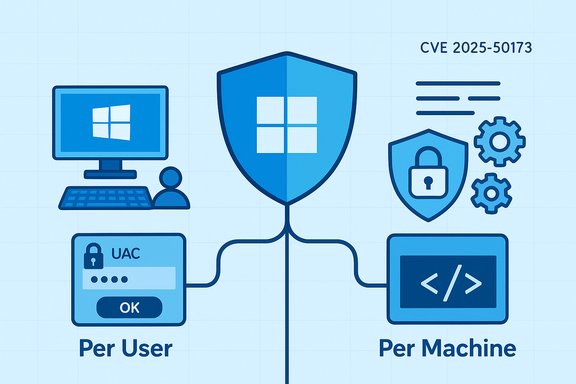
Microsoft implemented a targeted hardening to Windows Installer in the August 2025 security updates to close a weak‑authentication elevation path tracked as CVE‑2025‑50173. The intent was straightforward: stop scenarios where an authenticated local user or process could coerce Windows Installer repair or advertising flows into executing privileged actions without administrator consent. To enforce that protection, Microsoft tightened the decision logic that decides whether an MSI repair or advertising action may run silently under a standard user context or must instead invoke UAC and request administrator consent.That security hardening was explicit about its compatibility consequences: on machines with the update applied, several formerly silent per‑user MSI repair and first‑run configuration paths began prompting a UAC credential/consent dialog for standard users, and operations that run without UI can fail outright if credentials are not available. Microsoft marked the behavior as a known issue in its release documentation and furnished short‑term mitigations for administrators while preparing a follow‑on servicing update.
What changed technically
How Windows Installer previously behaved
For decades Windows Installer (msiexec and the Installer service) has supported a mixed installation model that many enterprise and education deployments rely on: a machine‑wide (per‑machine) installation puts shared binaries and global registrations under Program Files and the machine registry, while a per‑user configuration step—often triggered on first run or via an “advertised” shortcut—populates user‑scoped files, COM registrations, and license tokens under the user profile. Historically, many of those per‑user operations executed without elevation because they touched only user‑scoped locations.What Microsoft hardened
The August change augments the authentication/authorization checks inside Windows Installer’s repair/advertising code paths. The Installer’s decision function now evaluates additional signals and, in some flows, reclassifies previously user‑safe actions as machine‑scope, which triggers UAC elevation. When elevation is required, administrators see the Consent UI; standard users see a credential prompt. If no credentials are provided—common in shared or lab environments—the repair or advertised action aborts and the installer returns failures such as MSI Error 1730 (“User does not have necessary access rights”).Common triggers observed in the field
- Running silent repair commands as a non‑admin (for example,
msiexec /fu) may now prompt or fail. - First‑run sequences in some applications (notably several Autodesk products) can trigger per‑user repairs that prompt UAC for standard users.
- Per‑user installs or Active Setup sequences that invoke Windows Installer during user logon or first run can surface credential prompts and fail when unattended.
Symptoms administrators and end users will see
- Standard users launching certain apps for the first time see a UAC credential prompt; dismissing it prevents the app from completing configuration.
- Silent or unattended MSI repairs invoked without visible UI fail with error codes (commonly Error 1730).
- Deployments via Configuration Manager (ConfigMgr / SCCM) that rely on per‑user “advertising” or user‑scoped configurations experience broken provisioning for non‑admin users.
- Environments that create many ephemeral or new profiles (computer labs, library terminals, training centers) show elevated incident volume because each new profile can trigger per‑user repair.
Who and what is affected
Operating systems
The hardening was shipped across a broad set of client and server rollups in August 2025. Affected SKUs include multiple Windows 11 and Windows 10 channels as well as server releases; the compatibility regression was observed across client and server lines subject to the August security packages.Applications and deployment scenarios
- Autodesk family installers (AutoCAD, Civil 3D, Inventor CAM) were repeatedly reported to prompt UAC on first run in certain versions.
- Older Microsoft Office installer flows (e.g., Office Professional Plus 2010) were reproduced failing to configure under standard user accounts, sometimes returning MSI Error 1730.
- Configuration Manager (ConfigMgr / SCCM) deployments that rely on user advertising or per‑user registration experienced failures for non‑admin users.
- Other MSI‑based installers that rely on silent self‑repair or user‑scoped custom actions were also affected; the behavior is determined by installer authoring patterns and the specific custom actions used.
Short‑term mitigations and Microsoft’s response
Microsoft’s immediate operational guidance emphasized preserving the security hardening while enabling administrators to restore affected workflows in a controlled manner. The company offered the following mitigations:- Known Issue Rollback (KIR) — a scoped rollback artifact and associated Group Policy that can revert the specific behavioral change for targeted device groups while keeping the security update installed. This is the recommended, surgical mitigation when compatibility impact is business‑critical.
- Run as administrator / manual elevation — use for urgent, isolated cases where manual elevation is feasible; not recommended at scale because it undermines principle‑of‑least‑privilege and is operationally cumbersome.
- Vendor updates and installer repackaging — coordinate with ISVs to obtain installers that avoid fragile per‑user repair semantics (for example, fully per‑machine installs or modern installer authorship that defers per‑user configuration offline).
Caution: a claim present in some documentation that “this issue is addressed in KB5065431” appears in a Microsoft support excerpt supplied to the discussion, but that specific KB number is not visible in the community archives parsed here; treat that precise KB reference as unverified until confirmed directly on Microsoft’s Release Health or official KB page for the target OS. Administrators should check the Release Health or the product‑specific KB list for their channel before acting on a particular KB number.
Why this is technically and operationally significant
Security intent vs. compatibility cost
The underlying security fix was defensible: closing a local privilege‑escalation vector in Windows Installer is an important mitigation for attackers who historically abused self‑repair and advertising flows. However, the Windows ecosystem has long relied on the Installer’s permissive assumptions for per‑user configuration, and altering those assumptions produces immediate, visible impact across imaging, lab, and managed‑fleet environments. That makes this incident a textbook example of a platform hardening that carries a high compatibility tax when legacy packaging models remain prevalent.Fragile installer authoring patterns
Many vendors historically included per‑user custom actions, advertising, or repair triggers to simplify packaging and shrink initial image size. Those patterns are now brittle: when the OS decision boundary shifts, the installers fail. The long‑term remedy is clear — modernize installer design so per‑user steps do not depend on silent repair semantics that can be reclassified as machine‑scope in future platform hardenings.Operational scale effects
Environments that create many new user profiles (education, labs, kiosks) see multiplied failures immediately after the update: each new profile can trigger per‑user configuration steps, and each such step that the OS now considers elevation‑required becomes a support ticket. The net operational cost is not just the handful of apps that break; it’s the multiplied burden across thousands of ephemeral profiles reproduced on imaging or multi‑user devices.Risks and potential missteps administrators must avoid
- Do not apply registry or global policy rollbacks that broadly weaken UAC or installer protections (for example, disabling LUA behavior) except as a carefully time‑boxed emergency measure. Such steps reopen the attack surface CVE‑2025‑50173 sought to close.
- Avoid using KIR as a long‑term permanent fix. KIR is intended for targeted, temporary remediation while ISVs or the platform vendor deliver compatibility fixes; relying on KIR indefinitely is a security and compliance risk.
- Resist one‑size‑fits‑all operational workarounds (for example, universally elevating service accounts or making broad membership changes to local Administrators). These are blunt instruments that increase attack surface and administrative overhead.
Practical, prioritized guidance for IT teams (step‑by‑step)
- Inventory and triage
- Identify business‑critical MSI‑deployed applications and flag those that rely on per‑user advertising or self‑repair semantics. Use msiexec verbose logging to capture repair triggers and errors under standard user accounts.
- Pilot KIR where necessary
- If critical workflows break and cannot be fixed by vendor repackaging quickly, apply Microsoft’s Known Issue Rollback to a small pilot collection, measure impact, and document a rollback plan. Keep KIR scoped and time‑boxed.
- Coordinate with ISVs
- Request installers that are explicitly per‑machine or that perform per‑user configuration without invoking elevated self‑repair. Prioritize vendors who provide updated installers or documented compatibility guidance for the August hardening.
- Test the Microsoft compatibility update before wide deployment
- When Microsoft publishes the compatibility‑aware servicing package (or a specific KB fix), validate it in a pilot that reflects your production profiles (ephemeral accounts, lab images, ConfigMgr advertising) before broad rollout.
- Monitor and harden logging and telemetry
- Add MSI repair and UAC prompt events to monitoring so first‑run failures are visible quickly. Collect msiexec logs and UAC events to speed root‑cause analysis.
- Avoid permanent weakening of platform protections
- Use the least permissive mitigations required to restore business continuity and remove them as soon as vendor fixes or Microsoft compatibility updates are validated.
Strengths of Microsoft’s approach — and remaining weaknesses
Notable strengths
- The security rationale is solid: CVE mitigation for Windows Installer repair/advertising flows eliminates a real privilege‑escalation vector and addresses a tangible attack path. Tightening platform trust boundaries is an appropriate defensive posture.
- Microsoft publicly acknowledged the compatibility regression and published release‑health guidance and mitigations (including KIR). The staged response—acknowledge, provide surgical rollback, then ship compatibility controls—follows a sound operational playbook.
Remaining weaknesses and risks
- The hardening exposed a brittle ecosystem dependent on legacy installer patterns; many ISVs still rely on silent per‑user repairs, meaning customers face an exam‑day style scramble when the platform changes. This interoperability debt will persist until installer practices modernize.
- Some short‑term workarounds proposed in community threads (registry hacks, disabling UAC-related behaviors globally) carry security costs that can be severe in the hands of less experienced operators. Microsoft’s own guidance emphasizes avoiding such broad changes.
- The precise KB numbers that fix compatibility can vary by channel and build. Administrators must confirm the applicable KB for their Windows branch and do not assume a one‑size KB reference applies to all SKUs. Where a specific KB is cited in secondary documentation, validate it against Microsoft Release Health.
Long‑term lessons and recommended strategy
- Treat installer design as a first‑class security and compatibility concern. Vendors should migrate away from silent per‑user self‑repair patterns and toward robust per‑machine packaging or explicit, documented per‑user configuration that does not rely on elevated repair semantics.
- Build update test matrices that include first‑run user profiles and ConfigMgr advertising flows. Platform hardenings that look harmless in a single‑admin test can break widely when applied to fleets with ephemeral users.
- Keep an operational channel to Microsoft and ISVs for emergency KIR artifacts and compatibility guidance. When a security hardening is issued, rapid access to a scoped rollback and vendor cooperation will minimize business disruption.
Conclusion
The August 2025 Windows Installer hardening fixed a meaningful security weakness—closing an attacker’s path to escalate via MSI repair/advertising flows. That security gain, however, came with an immediate operational cost: many installers and deployment models that relied on silent per‑user repairs began prompting UAC or failing for standard users. Microsoft’s release‑health guidance, Known Issue Rollback option, and subsequent servicing updates offer a path to restore compatibility while preserving the underlying fix, but the event is a sharp reminder that legacy installer assumptions remain a systemic fragility.Administrators should act pragmatically: inventory affected applications, pilot Microsoft’s KIR only where necessary, coordinate with ISVs for repackaging, validate Microsoft’s compatibility updates in representative test cohorts, and avoid broad, insecure workarounds. Over the longer term, the ecosystem must modernize installer authoring so future platform hardenings do not produce the same painful balance between security and usability.
Source: Microsoft Support August 26, 2025—KB5064080 (OS Build 22631.5840) Preview - Microsoft Support
