

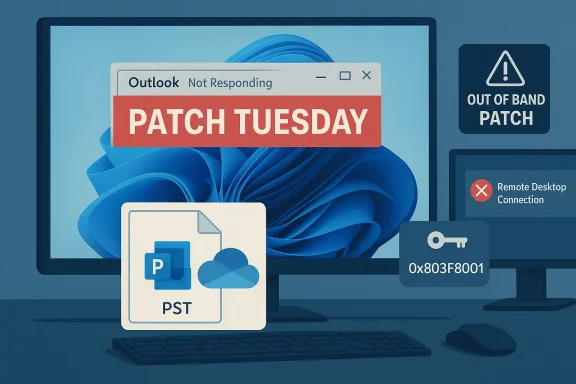
Microsoft’s January cumulative update for Windows — shipped as part of Patch Tuesday — aimed to harden the platform against a broad set of vulnerabilities, but for a non‑trivial subset of users it introduced disruptive regressions that broke critical workflows: classic Outlook (Win32) could hang or refuse to close when PST files lived inside cloud‑synced folders, Remote Desktop and Cloud PC sign‑ins intermittently failed, Secure Launch‑enabled machines could reboot instead of shutting down, and a separate class of Store/license failures produced 0x803F8001 errors that blocked apps from opening. These problems prompted emergency out‑of‑band patches for several issues while Microsoft continued to investigate the Outlook hangs and related cloud I/O failures.
Several outlets and community posts reported the update addressed more than one hundred security items; some third‑party coverage cited a figure of 114 vulnerabilities. While the exact published count can vary by report, the important operational fact is that the January rollup was substantial and widely distributed, making any regression especially consequential for managed fleets. This article treats the public advisories and community reproductions as the primary evidence for the incidents that followed.
Microsoft prioritized this regression and released OOB cumulative packages on January 17 to remediate authentication failures for affected channels. That swift follow‑up indicates the company classified this as a reliability incident with enterprise impact.
Users and IT teams should monitor Microsoft’s support advisories for final remediation of the Outlook desktop hang and for any follow‑up guidance that clarifies root cause and fully restores parity between modern cloud file semantics and legacy Win32 expectations. Until an unequivocal root‑cause statement and permanent fix are published, treat any guidance about rolling back security updates with caution: the security implications may outweigh short‑term convenience gains for many organizations.
In the months ahead, expect continued tension between the need to ship urgent security fixes and the complexity of supporting decades‑old application semantics on a cloud‑first platform. The January incidents are a timely reminder that even routine maintenance can have outsized operational consequences — and that disciplined patch management, good backups, and sensible architecture choices (avoid PSTs in cloud folders) remain the best defenses for both home users and enterprises.
Source: filmogaz.com Windows 2026 Update Bugs: Fix Outlook Freezes and App Errors
 Background
What shipped and when
On January 13, 2026 Microsoft released its monthly cumulative updates for Windows, the package commonly cataloged as the January cumulative for the current servicing branches (often referenced by KB number and build increments). The release included security hardening and quality improvements intended to address numerous vulnerabilities and platform issues, but telemetry and community reports showed multiple regressions appearing shortly after deployment.Several outlets and community posts reported the update addressed more than one hundred security items; some third‑party coverage cited a figure of 114 vulnerabilities. While the exact published count can vary by report, the important operational fact is that the January rollup was substantial and widely distributed, making any regression especially consequential for managed fleets. This article treats the public advisories and community reproductions as the primary evidence for the incidents that followed.
Timeline at a glance
- January 13, 2026 — Microsoft publishes the January cumulative update for Windows.
- January 14–16, 2026 — Community telemetry and helpdesk reports converge on multiple, configuration‑dependent regressions across Windows and apps.
- January 15, 2026 — Microsoft posts a public advisory marking the Outlook POP/PST hangs as “investigating.”
- January 17, 2026 — Microsoft issues out‑of‑band (OOB) fixes targeting the most disruptive regressions (notably Remote Desktop/Cloud PC authentication failures and a Secure Launch shutdown regression). Those packages addressed several, but not all, reported problems.
The key regressions and how they manifested
Classic Outlook (Win32) freezes and PST/OneDrive interaction
The most user‑impacting regression affected the classic Outlook desktop client when running POP3 profiles or using local PST files that were stored inside cloud‑synced folders (OneDrive, Dropbox, etc.). Symptoms reported in reproducible fashion include:- Outlook windows displaying “Not Responding” and UI freezes during normal use.
- Closing Outlook leaving an OUTLOOK.EXE process running in the background, preventing clean restarts.
- Sent messages not appearing in Sent Items despite successful transmission.
- Previously downloaded mail being re‑downloaded on restart, indicating state corruption or sync confusion.
Remote Desktop and Cloud PC authentication failures
Another high‑impact regression prevented secure sign‑ins to Cloud PCs and Azure Virtual Desktop (AVD) flows. Users experienced repeated credential prompts and an inability to connect via Remote Desktop clients, disrupting remote work and managed virtual desktop operations.Microsoft prioritized this regression and released OOB cumulative packages on January 17 to remediate authentication failures for affected channels. That swift follow‑up indicates the company classified this as a reliability incident with enterprise impact.
Secure Launch — unexpected restarts on shutdown/hibernate
Systems configured with System Guard Secure Launch — a virtualization‑enabled boot integrity feature — experienced a surprising power‑state regression: some Windows 11 devices restarted instead of shutting down or hibernating when users chose those options. This behavior mostly surfaced on enterprise or IoT SKUs with Secure Launch enabled, and Microsoft’s OOB packages included fixes to address the issue. The bug points to an intersection between early‑boot virtualization logic and OS power transition paths.App launch errors (0x803F8001) and Microsoft Store license checks
A separate but consequential cluster of reports described apps failing to open with error code 0x803F8001 and messages indicating the app is “currently not available in your account.” Affected titles included Notepad, Snipping Tool, OEM utilities from laptop manufacturers, and other Store‑dependent packages. Community troubleshooting showed common remedies such as resetting the Store cache, signing out and back into the Microsoft account, or reinstalling the affected apps — fixes that worked for many but not all users. This suggests the regression affected Store/entitlement handling rather than outright application binaries.Outlook on iPad — separate freeze triggered by an app update
Concurrent with the Windows issues, Microsoft shipped an Outlook for iOS/iPadOS build that caused freezes on iPad devices. The root cause for that incident was a client‑side change to tab lifecycle handling (refresh vs restart) which produced a UI deadlock on some iPadOS configurations. A patched build was produced and submitted to the App Store; Microsoft recommended temporary mitigations such as launching Outlook in Airplane Mode to allow the UI to settle before re‑enabling connectivity. Although technically distinct from the Windows‑side regressions, the mobile outage added to the overall January support burden for Microsoft and enterprise admins.Technical anatomy — why these failures are plausible
Legacy file semantics vs. cloud sync behavior
Classic Outlook and PST files were designed with deterministic, local file I/O assumptions: immediate writes, exclusive locks during operations, and predictable file state transitions. Cloud sync clients (OneDrive, Dropbox) introduce indirection:- File placeholders that appear locally but may be fetched on demand.
- Background upload/download operations that change lock/timing semantics.
- Scan or virus‑scanning hooks that temporarily lock files.
Licensing and entitlement surface area
As more system features and utilities are delivered through the Microsoft Store or depend on Microsoft account entitlements, the effective surface area of a license validation glitch increases. The 0x803F8001 error signals a failure in entitlement/Store handshake logic — a piece of the stack that previously affected only a subset of apps but now risks preventing fundamentally expected tools from launching. Store cache corruption, account sync failures, or Store registration glitches can all tip the balance from a transient warning to an operational outage for end users.Boot integrity and power transition coupling
Secure Launch and System Guard operate at the earliest stages of the boot process to harden against advanced threats like bootkits. That pre‑OS virtualization surface is tightly coupled to the OS power and lifecycle code paths. A change in the update that touched virtualization or power transition modules can create an unexpected restart path when the OS attempts to move between runtime states (shutdown, hibernate). The Secure Launch‑specific restart bug demonstrates how targeted security improvements can reveal subtle dependencies in the power stack on particular SKUs.What Microsoft has done so far
- Issued public advisories marking the Outlook POP/PST hangs as under investigation and recommending interim mitigations (use Outlook on the web; move PSTs out of OneDrive; consider uninstalling the cumulative where feasible).
- Released out‑of‑band (OOB) cumulative packages (e.g., remedies published around January 17) that fixed Remote Desktop/Cloud PC authentication failures and the Secure Launch restart regression for the affected branches.
- Produced a patched Outlook build for iPad and submitted it to the App Store; recommended short‑term mitigations such as launching in Airplane Mode until the fixed binary rolled out.
Practical mitigations for affected users and administrators
Below are immediate, actionable mitigations that appeared in Microsoft guidance and community playbooks. These are ordered from lowest to highest operational risk.- Use Outlook on the web (OWA) as a primary continuity solution while the desktop client is unstable. This avoids PST file interactions entirely and preserves mail flow.
- Move PST files out of cloud‑synced folders (OneDrive, Dropbox) to a local, deterministic folder. This restores classic file semantics and was repeatedly successful in community reproductions. Ensure PSTs are backed up before moving them.
- For enterprises: deploy Known Issue Rollback (KIR) artifacts or targeted Group Policy mitigations where available rather than uninstalling the entire cumulative update. Using KIR avoids the security exposure of a full rollback while neutralizing a single problematic behavioral change.
- If Remote Desktop/Cloud PC authentication fails, apply Microsoft’s out‑of‑band patch for that specific issue (these OOB KBs were published quickly after the initial rollup). Check your management tools for availability and test in pilot rings first.
- Address 0x803F8001 Store errors with standard Store troubleshooting: reset the Store cache (wsreset), sign out and back into Microsoft account, reinstall affected apps, or repair Store components via Settings → Apps. These measures resolved many but not all cases in community threads.
- For Outlook on iPad users experiencing freezes, use the Airplane Mode launch workaround: enable Airplane Mode, start Outlook, wait until the UI loads, then re‑enable Wi‑Fi/cellular. Enterprise MDM admins can block the faulty app version until the patched App Store binary is available.
- If users choose to uninstall the cumulative update as a last resort, do so only after documenting systems, ensuring compensating controls, and scheduling the rollback during maintenance windows — and be conscious of the security trade‑offs. Enterprises should prioritize KIR and targeted mitigations over broad uninstalls.
Recommended operational steps for IT teams (concise checklist)
- Inventory endpoints for classic Outlook POP profiles and enumerate PST locations. Prioritize devices with PSTs in OneDrive/Dropbox.
- Deploy communications to impacted users: explain Outlook on the web option, procedures for moving PST files, and the expected timeline.
- Apply Microsoft’s OOB patches for Remote Desktop and Secure Launch where applicable, then validate connectivity and power behaviors in a pilot ring.
- For MDM fleets, temporarily block or prevent the problematic Outlook/iPad build from autopushing; use staged App Store deployments for the fixed client.
- Use Known Issue Rollback (KIR) or targeted Group Policy wherever possible instead of full uninstall of the cumulative. Test KIR in a controlled pilot before broad deployment.
Notable strengths in Microsoft’s response — and remaining risks
Strengths
- Rapid triage and OOB fixes for the most severe enterprise‑impact regressions (Remote Desktop and Secure Launch) demonstrated appropriate prioritization for critical workloads.
- Clear interim guidance (OWA, moving PSTs, KIR) gave administrators low‑risk options to maintain security posture while reducing the most disruptive user impacts.
Remaining risks and concerns
- The Outlook desktop hang and cloud‑I/O regressions remained under investigation for a sustained period, leaving users and admins to trade security fixes for productivity. That tradeoff is non‑trivial for regulated environments where unpatched vulnerabilities are unacceptable.
- Legacy app models (PST/POP) continue to be brittle in modern cloud‑centric environments; the long‑term mitigation requires either avoiding PSTs in cloud folders or rearchitecting mail usage toward server‑based stores.
- Store entitlement fragility (0x803F8001) shows how expanding the Store/entitlement model increases the blast radius for license/validation regressions. Users expect fundamental utilities to launch reliably; entitlement failures are a usability and trust problem.
Long‑term lessons for administrators and end users
- Avoid placing legacy, actively used PST files inside cloud‑synced folders. Even when cloud sync appears convenient for backups, it introduces runtime semantics that legacy apps were not built to tolerate. Maintain local copies, use mailbox‑server storage where possible, and keep good backups.
- Maintain a disciplined update cadence with pilot rings. Staging updates in small but representative rings remains the best pragmatic defense against wide‑scale regressions. Known Issue Rollback offers a surgical alternative to full uninstalls for enterprises.
- Strengthen telemetry and rapid‑response playbooks. The January incidents show the value of fast detection, rapid triage, and capability to deploy targeted OOB fixes without forcing wide uninstalls across a fleet.
- Reassess reliance on legacy protocols. Where possible, migrate accounts from POP/PST models to server‑side protocols (IMAP/Exchange/Exchange Online) that avoid local PST dependencies and reduce exposure to local I/O timing issues.
Final assessment and what to watch next
The January update cycle exposed a structural fragility: large, security‑first cumulative updates can mask configuration‑dependent regressions until they reach enough endpoints. Microsoft’s fast response to some regressions (Remote Desktop and Secure Launch) was appropriate, but the classic Outlook hangs — rooted in the uneasy coexistence of legacy file models and modern cloud sync — proved harder to resolve quickly. Administrators should assume that targeted mitigations (KIR, moving PSTs, applying OOB fixes where relevant) are the safest path forward for managed fleets, while end users should favor server‑based mail access or Outlook on the web if they need instant continuity.Users and IT teams should monitor Microsoft’s support advisories for final remediation of the Outlook desktop hang and for any follow‑up guidance that clarifies root cause and fully restores parity between modern cloud file semantics and legacy Win32 expectations. Until an unequivocal root‑cause statement and permanent fix are published, treat any guidance about rolling back security updates with caution: the security implications may outweigh short‑term convenience gains for many organizations.
In the months ahead, expect continued tension between the need to ship urgent security fixes and the complexity of supporting decades‑old application semantics on a cloud‑first platform. The January incidents are a timely reminder that even routine maintenance can have outsized operational consequences — and that disciplined patch management, good backups, and sensible architecture choices (avoid PSTs in cloud folders) remain the best defenses for both home users and enterprises.
Source: filmogaz.com Windows 2026 Update Bugs: Fix Outlook Freezes and App Errors
