

Microsoft has removed the legacy Agere soft‑modem drivers agrsm64.sys and agrsm.sys from current Windows images in the January 13, 2026 cumulative update, citing unresolved elevation‑of‑privilege risk tied to a historically tracked vulnerability (CVE‑2023‑31096); the practical outcome is that any devices explicitly dependent on these in‑box drivers — analog modems, fax modems and certain soft‑modem adapters — will stop working on patched systems, and Microsoft is recommending customers remove continued dependencies on that hardware.
For two decades Windows has shipped many legacy third‑party modem drivers in the default image to preserve compatibility with analog modem and fax hardware. Several of those drivers — Agere/LSI‑origin soft modem drivers among them — have been the subject of security research and CVE assignments because they run at kernel privilege and expose IOCTL interfaces that can be triggered by local processes. One such record, CVE‑2023‑31096, documents a stack‑corruption / privilege‑escalation condition in Broadcom/LSI / Agere soft‑modem driver code (commonly referenced as AGRSM64.sys) that allows a medium‑integrity process to escalate to SYSTEM by abusing an unsafe memory copy in a device IOCTL handler. Microsoft’s security posture toward legacy kernel drivers has evolved: when vendor code is abandoned, fragile, or demonstrably exploitable in the wild, Microsoft has sometimes chosen to remove the binary from the in‑box image rather than ship a brittle in‑place patch. Removing the driver from the Windows image immediately eliminates the shipped attack surface but yields immediate compatibility consequences for customers still relying on the affected hardware. This exact trade‑off was exercised multiple times over the past year as different legacy modem and translation drivers were taken out of the Windows image.
Microsoft’s removal of agrsm64.sys / agrsm.sys is an explicit security‑first decision: it closes a documented kernel attack surface at the cost of compatibility for a specific class of legacy hardware. The safest operational posture for almost every organization is to plan for hardware replacement or vendor driver upgrades and to treat the January 2026 cumulative update as a necessary step in platform hardening — while recognizing that narrow, well‑documented exceptions may need careful, time‑boxed handling where replacing legacy fax/modem functionality is not immediately possible. For immediate next steps: start with an automated inventory sweep for agrsm*.sys and follow the six‑step checklist above; prioritize replacement or procurement conversations with the business units responsible for modem‑dependent workflows and record exception approvals, timelines and compensating controls in your configuration and patch management system.
Source: MSRC Security Update Guide - Microsoft Security Response Center
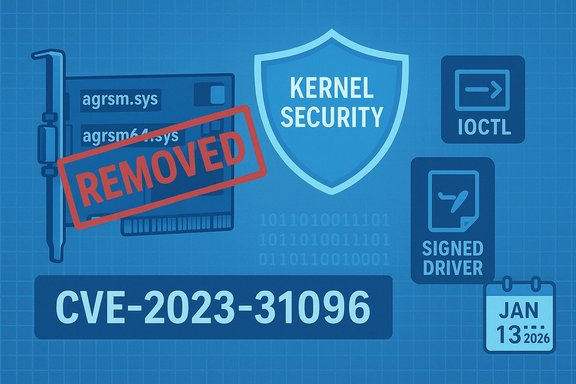 Background / Overview
For two decades Windows has shipped many legacy third‑party modem drivers in the default image to preserve compatibility with analog modem and fax hardware. Several of those drivers — Agere/LSI‑origin soft modem drivers among them — have been the subject of security research and CVE assignments because they run at kernel privilege and expose IOCTL interfaces that can be triggered by local processes. One such record, CVE‑2023‑31096, documents a stack‑corruption / privilege‑escalation condition in Broadcom/LSI / Agere soft‑modem driver code (commonly referenced as AGRSM64.sys) that allows a medium‑integrity process to escalate to SYSTEM by abusing an unsafe memory copy in a device IOCTL handler. Microsoft’s security posture toward legacy kernel drivers has evolved: when vendor code is abandoned, fragile, or demonstrably exploitable in the wild, Microsoft has sometimes chosen to remove the binary from the in‑box image rather than ship a brittle in‑place patch. Removing the driver from the Windows image immediately eliminates the shipped attack surface but yields immediate compatibility consequences for customers still relying on the affected hardware. This exact trade‑off was exercised multiple times over the past year as different legacy modem and translation drivers were taken out of the Windows image. What Microsoft changed in January 2026
The concrete change
Microsoft’s January 13, 2026 cumulative update (KB5074109) explicitly lists the removal of several modem drivers from the shipping Windows image, including:- agrsm64.sys (x64) — Agere SoftModem driver
- agrsm.sys (x86) — Agere SoftModem driver
- smserl64.sys (x64) and smserial.sys (x86) — additional serial/modem‑related drivers
Why this matters now
- Kernel drivers run in ring‑0. A successful exploit in a kernel driver can yield SYSTEM privileges, subverting Windows protections and giving attackers wide control over an endpoint.
- These modem drivers historically shipped in the Windows image even on systems that never attached a modem device; presence alone is enough to provide an attack vector.
- Some of the related modem driver flaws had public proof‑of‑concepts or were observed in the wild, increasing the urgency for Microsoft to remove the attack surface rather than rely on brittle patches.
The technical reality: CVE‑2023‑31096 and related records
What CVE‑2023‑31096 says
Public CVE and vulnerability feeds (NVD and third‑party trackers) describe CVE‑2023‑31096 as a local elevation‑of‑privilege in Broadcom / LSI / Agere PCI‑SV92EX soft‑modem kernel driver up through version 2.2.100.1 (the AGRSM64.sys binary). The underlying bug is reported as a stack overflow / unsafe RTLCopyMemory use in an IOCTL handler (reported IOCTL 0x1b2150 in some vendor analyses). That condition can permit an attacker who can run code at medium integrity (standard user) to escalate to SYSTEM.Observed exploitation and exploit code
Independent trackers and vendor blogs have documented exploitability and public proof‑of‑concepts for similar Agere/LSI driver defects discovered across 2023–2025. While not every CVE in the family had public weaponized exploits at the same time, the availability of PoCs and in‑the‑wild use for related Agere driver flaws made Microsoft and security vendors treat the family as high‑risk. Microsoft’s removal of multiple modem drivers in recent cumulatives (for example the earlier removal of ltmdm64.sys in October 2025 and the January 2026 removal of agrsm binaries) reflects a pattern: when legacy third‑party kernel code is both exploitable and unsupported upstream, removal is a practical remediation.Practical impact: Who will be affected
- Organizations and users that still operate analog fax/modem hardware or specialized serial modem devices tied to Agere/LSI/older PCI‑SV92EX chips will lose functionality on systems updated with January 13, 2026 patches.
- Vertical industries that historically retain fax workflows (healthcare payroll and billing, certain finance and legal workstreams, some industrial control edge systems and legacy PoS backends) are the most likely to have operational exposure.
- Systems that rely on those drivers for automation, telemetry or devices that emulate TAPI/legacy telephony interfaces will need replacements or alternative architectures.
Recommended technical actions (for IT teams)
- Inventory and discovery
- Use configuration management tools to scan for presence of agrsm64.sys / agrsm.sys and related modem drivers in C:\Windows\System32\drivers and present driver stacks. Record which systems advertise modem / TAPI devices.
- Audit where fax/modem functions are used in business workflows and identify owners and SLAs.
- Prioritize systems and apply mitigations
- For general endpoints with no modem dependency: apply the January 13, 2026 cumulative update as scheduled. Removing the driver closes a severe kernel attack surface.
- For verified modem‑dependent systems: evaluate vendor drivers (signed, supported replacements), plan hardware refresh, or isolate the devices to a segmented environment while arranging replacement. Avoid long‑term postponement of OS patching as the risk from unrelated CVEs remains high.
- Detection and hunting
- Hunt for local exploitation indicators (unexpected process creation as SYSTEM from normal user processes, suspicious IOCTL calls to modem drivers, new unsigned driver loads). Use EDR agents’ kernel event logs and DeviceIoControl monitoring to detect anomalous interactions.
- Communication and procurement
- Notify business units that use fax/modem workflows that their hardware may stop working after the January update, and start procurement discussion for replacement or a supported vendor driver. Treat fax‑dependent systems as business‑critical in scheduling.
Why Microsoft removed the drivers (security rationale)
- Legacy kernel drivers are high‑risk targets: they run in privileged mode, expose IOCTLs to user mode, and — in older code — often lack modern memory‑safety practices. Remediation by patching legacy third‑party code may be impractical if the vendor no longer maintains the driver or the code is deeply fragile. Removing the binary from the platform removes the exploitation path entirely.
- Microsoft’s public handling across 2025–2026 shows a pattern: for several modem drivers and other legacy components where exploitation evidence existed and the upstream vendor could not produce a safe, modern driver, Microsoft removed the in‑box component and published guidance for customers to adopt vendor drivers or alternatives. That approach is blunt but reduces the immediate attack surface for every patched endpoint.
Strengths of Microsoft’s approach
- Immediate elimination of a high‑impact attack surface reduces the window of opportunity for local privilege escalation across a very large fleet of Windows systems. Where exploitation evidence exists, removal is an effective mitigation.
- Removing multiple legacy drivers uniformly prevents attackers from relying on differences between builds or localized images; it forces adversaries to seek other, likely less‑effective vectors.
- The update also demonstrates that Microsoft will take operational pain (breaking compatibility) to close severe kernel vulnerabilities — a prioritization that favors overall platform security over legacy compatibility.
Risks, trade‑offs and caveats
- Operational disruption is real: some organizations rely on analog modem-based workflows that are difficult and costly to replace quickly. Instances exist where essential business functions still depend on fax lines embedded in medical devices, payment processing, or remote field equipment. Microsoft’s recommendation to remove dependencies is the secure path, but it is not always immediately practical.
- Vendor driver availability is uncertain: many of these modem drivers are legacy code originally published by Agere, Lucent/Modem vendors, or LSI/Broadcom. In many cases the original vendor either no longer distributes a modern, signed driver for recent Windows versions or is out of business. That leaves customers with three imperfect choices: accept disruption and patch; postpone patching for affected endpoints (leaving them exposed to other CVEs); or rebuild workflows to remove the dependence.
- Compatibility vs. security tradeoff can drive risky choices: organizations that delay patching to keep legacy devices functional are accepting exposure to an increasing set of serious, actively exploited vulnerabilities. Delay can compound risk: as Microsoft removes more legacy components in follow‑on updates, the cost of deferred patching or incompatible images grows.
Practical migration options (ordered by risk reduction)
- Replace legacy hardware with modern, supported alternatives (best long‑term security and reliability).
- Obtain vendor‑supplied, signed drivers compatible with current Windows builds (only if the vendor certifies support for the OS and provides signed packages you can validate).
- Isolate and host legacy devices on a tightly controlled, segmented network segment with strict access controls and logging, while planning replacement. This is a temporary mitigation, not a permanent solution.
- Freeze updates on a narrowly defined, air‑gapped set of devices only when absolutely unavoidable — but accept the security risk and restrict network exposure. Document the mitigation window and migration plan.
Detection, auditing and verification steps administrators should execute this week
- Immediately scan your environment for agrsm64.sys / agrsm.sys presence using standard inventory tooling or simple file checks on representative images. Confirm whether those drivers exist in System32\drivers or are listed in device stacks.
- After patching, verify removal: confirm the drivers are no longer present and that the Device Manager no longer shows the corresponding modem device driver stack. Log the verification and notify device owners.
- Search EDR telemetry for unusual DeviceIoControl patterns directed at modem drivers, and watch for process creation anomalies where non‑privileged processes spawn SYSTEM processes. Tune alerts accordingly.
What we verified and what remains uncertain
- Verified: January 13, 2026 cumulative update (KB5074109) lists agrsm64.sys and agrsm.sys among removed modem drivers and explicitly warns that modem hardware dependent on these drivers will no longer work. This language is present in Microsoft’s published cumulative update changelist as surfaced in update histories and mirrored release notes.
- Verified: CVE‑2023‑31096 is recorded in public vulnerability feeds (NVD and other trackers) as a local privilege‑escalation / stack overflow condition affecting AGRSM64.sys (Agere / Broadcom LSI soft modem driver), and multiple security vendors and advisories have summarized the bug and recommended remediation steps.
- Cautionary note (unverified claim or limitation): direct access to Microsoft’s MSRC entry for CVE‑2023‑31096 or the precise pre‑removal advisory text may be subject to view/performance restrictions in automated crawlers. Where a Microsoft KB or MSRC page cannot be directly fetched in full, the vendor’s own release notes and widely‑trusted third‑party mirrors and reporting were used to corroborate the removal and its rationale. Where Microsoft’s original advisory text is accessible to readers, confirm against that canonical page during remediation planning.
Critical analysis — strengths, gaps and long‑term implications
Strengths
- Platform hygiene: removing unsupported, exploitable kernel components is a sound, durable security move. It eliminates a whole class of local privilege‑escalation attack surfaces that can be used in post‑compromise escalation or BYOVD (bring‑your‑own‑vulnerable‑driver) attacks.
- Consistent prioritization: Microsoft’s pattern of removing legacy kernel drivers when evidence of exploitation exists shows a willingness to accept short‑term compatibility pain in favor of long‑term platform integrity.
Gaps and risks
- Operational friction: organizations dependent on legacy fax/modem hardware face real costs and disruption; the pace of replacements or driver procurement will determine whether the security gain is immediately realizable for those groups.
- Vendor support fragility: many legacy modem drivers stem from vendors that have either been acquired or discontinued, leaving customers without straightforward upgrade paths. The lack of modern, signed replacements is the root cause of much of the user pain here.
Long‑term implications
- The removal trend indicates Microsoft is increasingly willing to harden the platform by excising legacy compatibility code that becomes a recurring security liability. In the medium term this should reduce kernel‑level attack success rates, but in the short term it will force many organizations to accelerate hardware refresh programs or re‑architect legacy workflows.
Final checklist for administrators (concrete, sequential steps)
- Inventory: Locate agrsm64.sys / agrsm.sys on all images and endpoints.
- Communicate: Notify business units that rely on fax/modem workflows and present timelines and options.
- Patch: Deploy the January 13, 2026 cumulative update to endpoints without modem dependencies.
- Verify: Confirm removal of the drivers post‑update and record exceptions or mitigation timelines for devices that cannot be remediated immediately.
- Replace / Rehost: Procure modern hardware or plan migration of fax workflows to secure cloud/e‑fax or trusted vendor solutions.
- Monitor: Tune detection for local escalation patterns and IOCTL abuse; hunt historical telemetry for signs of prior exploitation.
Microsoft’s removal of agrsm64.sys / agrsm.sys is an explicit security‑first decision: it closes a documented kernel attack surface at the cost of compatibility for a specific class of legacy hardware. The safest operational posture for almost every organization is to plan for hardware replacement or vendor driver upgrades and to treat the January 2026 cumulative update as a necessary step in platform hardening — while recognizing that narrow, well‑documented exceptions may need careful, time‑boxed handling where replacing legacy fax/modem functionality is not immediately possible. For immediate next steps: start with an automated inventory sweep for agrsm*.sys and follow the six‑step checklist above; prioritize replacement or procurement conversations with the business units responsible for modem‑dependent workflows and record exception approvals, timelines and compensating controls in your configuration and patch management system.
Source: MSRC Security Update Guide - Microsoft Security Response Center
