

ZDNET’s practical roundup of “Windows-like” Linux distributions landed at a pivotal moment: with Windows 10’s support window closing and many users facing the choice of buying new hardware, upgrading to Windows 11, or migrating to something else. The list — which highlights KDE Neon, Linux Mint, Zorin OS, blendOS, AnduinOS, RefreshOS, Bazzite, and Q4OS — is a useful starting point for readers who want a familiar desktop metaphor without Microsoft’s lock‑in. The roundup’s core claim — that modern Linux desktops can deliver a near‑seamless, secure, and free alternative to Windows for everyday users — is broadly correct, but each distro on the list brings distinct trade‑offs that deserve careful scrutiny.
Windows 10’s official end of standard support on October 14, 2025 is the catalyst pushing many users to evaluate alternatives. After that date Microsoft stopped issuing free security updates and routine support for consumer Windows 10 systems, leaving everyday users with three practical paths: upgrade compatible machines to Windows 11, buy new hardware, or adopt an alternative OS such as Linux (or pay for one‑year Extended Security Updates). This end‑of‑support milestone is confirmed on Microsoft’s lifecycle pages and public guidance. Linux is no longer the command‑line‑first curiosity it once was. For most users, distributions provide a graphical installer, live USB testing, automatic hardware detection, packaged software stores (APT / DNF / Pacman, Snap/Flatpak, GNOME Software/KDE Discover), and compatibility layers like Wine or Proton for many Windows apps and games. The practical result: for routine personal use — browsing, email, media, office work, and even a majority of gaming — Linux is a viable and often lower‑cost alternative.
This article summarizes the ZDNET recommendations, verifies the most important technical claims against independent sources, and provides a measured, actionable migration guide and risk assessment for Windows users considering one of these distributions.
Strengths across the set:
Switching from Windows isn’t a technical leap so much as an operational one: it requires inventorying what you actually need to run day to day, testing alternatives, and choosing the distro whose update model and community support match your risk tolerance. The eight distros ZDNET highlights mirror the real choices users face: from safe and familiar to modern and experimental — and there’s a right option for almost every scenario.
Source: ZDNET 8 most Windows-like Linux distros - if you're ready to ditch Microsoft
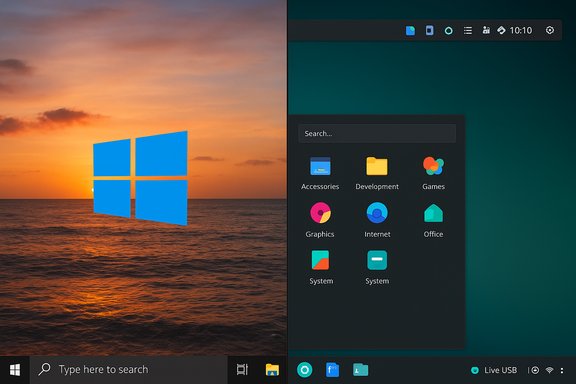 Background / Overview
Windows 10’s official end of standard support on October 14, 2025 is the catalyst pushing many users to evaluate alternatives. After that date Microsoft stopped issuing free security updates and routine support for consumer Windows 10 systems, leaving everyday users with three practical paths: upgrade compatible machines to Windows 11, buy new hardware, or adopt an alternative OS such as Linux (or pay for one‑year Extended Security Updates). This end‑of‑support milestone is confirmed on Microsoft’s lifecycle pages and public guidance. Linux is no longer the command‑line‑first curiosity it once was. For most users, distributions provide a graphical installer, live USB testing, automatic hardware detection, packaged software stores (APT / DNF / Pacman, Snap/Flatpak, GNOME Software/KDE Discover), and compatibility layers like Wine or Proton for many Windows apps and games. The practical result: for routine personal use — browsing, email, media, office work, and even a majority of gaming — Linux is a viable and often lower‑cost alternative.This article summarizes the ZDNET recommendations, verifies the most important technical claims against independent sources, and provides a measured, actionable migration guide and risk assessment for Windows users considering one of these distributions.
Quick summary of the eight distros ZDNET recommends
- KDE Neon — Showcases KDE Plasma with an Ubuntu LTS base; excellent hardware support and extreme desktop configurability.
- Linux Mint (Cinnamon) — Conservative, familiar Windows‑like desktop, Ubuntu base, low friction for newcomers.
- Zorin OS (Core / Pro) — GNOME‑based with multiple polished layouts including Windows‑like themes; Pro edition unlocks Windows 11 look and extra apps.
- blendOS — Immutable, Arch‑influenced distro with multi‑package options and Android (Waydroid) support; designed for robustness and unusual flexibility.
- AnduinOS — Lightweight Ubuntu remix that intentionally mimics Windows 11 with GNOME tweaks; aimed at developers and switchers who want a Windows‑like workflow.
- RefreshOS — Debian/Ubuntu lineage with a minimal KDE Plasma setup preconfigured to look familiar to Windows users; marketed as “ready to use” out of the box.
- Bazzite — Gaming‑focused, Steam‑centric, Fedora‑based immutable distro with Steam preinstalled and tweaks for HDR/VRR and handhelds.
- Q4OS — Lightweight Debian base that can be themed to mimic older Windows UIs (FreeXP/Free10 spins available); good for aging hardware.
Technical verification: what can be confirmed (and where)
Below are the most load‑bearing technical claims from the ZDNET piece and independent verification:- Windows 10 end of standard support: Microsoft’s lifecycle documentation lists October 14, 2025 as the end of support date (no more free security updates). This policy is authoritative and should be treated as the migration deadline for consumer devices that won’t receive ESU.
- KDE Neon: KDE Neon is explicitly an Ubuntu LTS–based distribution that bundles the latest KDE Plasma and KDE apps. The neon site and FAQ confirm the Ubuntu LTS basis and the distribution’s focus on shipping current KDE packages on an LTS base. Plasma’s flexibility is likewise documented by KDE’s own communications.
- Linux Mint: Mint is an Ubuntu‑based project that aims for a Windows‑friendly interface using Cinnamon by default, and recent Mint point releases (22.x series) track Ubuntu 24.04 LTS hardware stacks. Community reporting and release notes confirm Mint’s long‑term support cadence and Cinnamon’s Windows‑like layout.
- Zorin OS (Pro edition): Zorin’s documentation explains Pro as the paid edition that unlocks extra layouts (including a Windows 11‑like layout), additional preinstalled creative suites, and support conveniences. Zorin’s help pages explain how Pro upgrades and purchases work; press coverage and community writeups reflect the typical price point in the $40–$50 USD range for a single lifetime license.
- blendOS immutability and Android support: blendOS lands in the class of immutable distros but with multi‑distro container blending and Android app support through Waydroid in recent releases. Official blendOS release notes and reputable coverage (9to5Linux, project blog) document its overlay/container tooling, the “blend” utilities, and Waydroid integration. This makes blendOS more advanced than a simple desktop spin; it assumes a degree of system knowledge.
- AnduinOS: Independent coverage (The Register, Tom’s Hardware) indicates AnduinOS is an Ubuntu remix that customizes GNOME (GNOME 48 in current builds) to approximate Windows 11 ergonomics. The project is small and actively evolving; AnduinOS’s use of intermediate Ubuntu releases (e.g., 25.04) is consistent with hobby distros that trade long‑term support for fresher packages.
- Bazzite: Community and press coverage describe Bazzite as a Fedora‑based gaming distribution with Steam preinstalled, HDR/VRR support, and an immutable/atomic update model (rpm‑ostree/atomic). The distribution targets desktop and handheld gaming devices and focuses on Proton/Wine and launcher support (Lutris, Heroic). These specifics are reflected in Bazzite’s own site and several tech writeups. Anecdotal performance claims (e.g., dramatic FPS numbers) are user reports and should be treated as anecdotal rather than universal.
- Q4OS / FreeXP / Free10: Q4OS is a Debian‑derived lightweight distribution offering Trinity (TDE) and KDE Plasma spins. The community XPQ4 project packages FreeXP/Free10 themes that aim to reproduce historical Windows UIs. Q4OS utilities like Desktop Profiler and a software center are aimed at easing new user tasks. These claims are borne out in project pages and community reporting.
Strengths: why each pick makes sense for Windows switchers
- Familiar UI lowers cognitive friction. KDE Plasma (KDE Neon), Cinnamon (Linux Mint), Zorin, and Q4OS can be configured to present a very Windows‑like desktop: taskbar, start menu, system tray, and windowed apps. This reduces training time for families, small offices, and less technical users.
- Hardware revival and lower cost. Linux tends to run well on older hardware. Using Mint, Q4OS, or lightweight spins (Xfce / Trinity) can extend an old PC’s life and avoid unnecessary e‑waste. These distributions are free and often can be tested via live USB.
- Robust gaming options. For gamers, modern Linux with Steam + Proton + Valve’s work makes many titles playable. Bazzite packages that experience into one image (Steam, Proton, Lutris, HDR/VRR, scheduler tweaks) and aims to be a one‑stop gaming environment. That can be an easier transition than assembling tools yourself.
- Security and immutability. Immutable distros (blendOS, and Fedora Silverblue‑style projects that Bazzite echoes) reduce accidental breakage and can provide atomic upgrades with rollback. For cautious users or kiosks, immutability is a strong security model.
- Multiple choices for different risk profiles. The list covers a wide spectrum: conservative (Mint, KDE Neon), curated paid polish (Zorin Pro), developer‑focused Ubuntu remixes (AnduinOS), gaming (Bazzite), experimental immutable (blendOS), and retro/low‑resource (Q4OS). Users can match risk tolerance to distro choice.
Risks and caveats — what to watch out for
- Support window variability. Some distros are based on interim upstream releases (Ubuntu 25.04, Fedora) and will need more frequent upgrades. If you want set‑and‑forget stability, prefer LTS‑based options (Linux Mint based on Ubuntu LTS, KDE Neon on an LTS base). AnduinOS and similarly small projects may tie themselves to newer upstreams and thus have shorter internal support cycles.
- Hardware driver edge cases. Printers, scanners, fingerprint readers, and some Wi‑Fi chipsets may have limited vendor support on Linux. Verify critical peripherals before migrating a production machine. Use a Live USB to test printing, Wi‑Fi, webcam, GPU acceleration, and any special utilities. Community docs and vendor pages are essential here.
- Application compatibility gaps. While Wine and Proton cover many Windows applications and games, some legacy business apps, kernel‑level anti‑cheats, and manufacturer utilities may not work. For mission‑critical Windows software, keep a Windows VM or a dual‑boot/secondary machine until you can fully validate replacements. Proton/Wine statuses vary per title; consult ProtonDB/WineHQ for specifics.
- Community size and backing. Projects backed by larger communities and established teams (Linux Mint, KDE Neon, Zorin) offer more predictable maintenance and broader documentation. Smaller or hobby projects (some niche RefreshOS builds, AnduinOS in early stages) can be excellent but may lack the same long‑term guarantees. Assess community activity, GitHub/GitLab issues, and release cadence.
- Payment and licensing surprises. Zorin OS Pro is a paid edition that unlocks premium layouts and support. Pricing is a one‑time purchase for a version series, but details vary; check the vendor’s purchase page during checkout. Don’t assume the Pro edition is necessary — the Core or Core/Lite editions are free and sufficient for most users.
- Anecdotal performance claims. User posts claiming extreme FPS or performance gains on a specific distro are anecdotal and hardware‑dependent. Treat such claims as starting points for your own testing rather than guarantees.
Practical migration playbook (step‑by‑step)
- Inventory critical apps and peripherals.
- Rank by necessity (1 = must work; 5 = optional).
- Note vendor‑supplied utilities, printers, scanners, dongles, fingerprint readers.
- Backup everything.
- Create full disk images and off‑site copies of important files.
- Keep Windows recovery media until migration completes successfully.
- Try before you install.
- Create live USBs for 2–3 candidate distros (e.g., Linux Mint Cinnamon, KDE Neon, Zorin OS Core).
- Boot them in Live mode and test: Wi‑Fi, audio, printing, webcam, GPU acceleration, external storage, and cloud sync (OneDrive/Google Drive via browser).
- Pilot install on a non‑critical machine or dual‑boot.
- Prefer a non‑essential machine for a week‑long trial.
- If you must keep Windows apps, install a Windows VM (VirtualBox, VMware, GNOME Boxes) for edge cases.
- Choose update model & snapshot plan.
- Use LTS‑based distros if you prefer infrequent upgrades (Mint, KDE Neon on LTS).
- For immutable models, learn the update/rollback commands.
- Install a snapshot tool (Timeshift or OS‑level snapshots) to quickly revert if something breaks.
- Prepare for Windows app needs.
- Test Wine/Proton for specific apps via WineHQ / ProtonDB.
- For games, test Steam Proton compatibility and use community tools (Lutris, Heroic).
- Rollout and train.
- Where multiple users are involved, run a quick orientation covering the Start menu analog, software center, and update manager.
- Keep a “how to” cheat sheet with common tasks (installing apps, using document formats, printing).
Which distro for which user — a pragmatic recommendation
- If you want the smallest learning curve and a conservative, stable experience: Linux Mint (Cinnamon). It’s polished, reliable, and maps closely to classic Windows metaphors.
- If you want the most configurable Windows look and the ability to grow into a fully customizable desktop: KDE Neon (KDE Plasma). Plasma lets you replicate Windows closely or transform into an entirely different workflow.
- If you want an immediately polished Windows 11 aesthetic and don’t mind paying for premium layouts and additional apps: Zorin OS Pro (verify current price at checkout; Pro unlocks Windows 11‑like layouts and extra software). For many users, the free Core edition is sufficient.
- If you’re primarily a gamer and want a Steam‑first, handheld‑aware distro: Bazzite is worth testing. Validate game compatibility for your top titles via ProtonDB and run live tests on the target hardware. Treat extraordinary FPS anecdotes as user reports rather than guarantees.
- If you want the security benefits of immutability and multi‑package ecosystem mixing: blendOS delivers an opinionated but powerful model with Android app support and containerized blending. It’s better for users comfortable with Linux tooling.
- If you need the lightest footprint for very old PCs and a near‑Windows visual: Q4OS (or FreeXP/Free10 themed spins) is a pragmatic choice with Debian underpinnings. Test the specific FreeXP/Free10 image before committing.
- If you like AnduinOS’s Windows‑11‑style GNOME tweaks and want an Ubuntu‑backed, developer‑friendly option: AnduinOS is promising, but remember it’s a smaller project with shorter standard support when based on interim Ubuntu releases. Use the LTS‑based AnduinOS if you prioritize longevity.
Final analysis: strengths, hazards, and a way forward
ZDNET’s roundup is useful because it illustrates the diversity and maturity of Linux desktop choices that do feel like Windows. The list balances conservative picks (Linux Mint, KDE Neon) with options for gamers (Bazzite) and experimenters (blendOS), and it highlights newer remixes (AnduinOS, RefreshOS) that intentionally lower the UI learning curve for Windows refugees.Strengths across the set:
- Real alternatives exist that preserve familiar workflows.
- Linux can extend the useful life of older PCs at low or no cost.
- Gaming and application compatibility have improved dramatically thanks to Proton and community tooling.
- Peripheral and niche business app compatibility remain the biggest migration blockers.
- Smaller projects change rapidly — verify upstream base, kernel version, and support windows.
- Paid editions (Zorin Pro) are optional; you don’t need to pay to get a functional Windows‑like Linux desktop.
Short checklist before you click Install
- Have you backed up your full Windows system image? (Yes/No)
- Have you booted at least two candidate distros from a Live USB and tested Wi‑Fi, printing, audio, and major apps? (Yes/No)
- Does your most critical Windows application work under Wine/Proton, inside a VM, or have a native Linux replacement? (Yes/No)
- Do you prefer an LTS‑based distro for long security updates or a fresher release for newer hardware support? (LTS/Fresh)
Switching from Windows isn’t a technical leap so much as an operational one: it requires inventorying what you actually need to run day to day, testing alternatives, and choosing the distro whose update model and community support match your risk tolerance. The eight distros ZDNET highlights mirror the real choices users face: from safe and familiar to modern and experimental — and there’s a right option for almost every scenario.
Source: ZDNET 8 most Windows-like Linux distros - if you're ready to ditch Microsoft
