

Microsoft’s Tech Community returning Windows Office Hours on Thursday, March 19, 2026, reaffirms the program’s role as a practical, engineer-backed runway for IT teams wrestling with Windows 11 adoption, modern device management, Zero Trust enforcement, and cloud-native migrations that still carry hybrid constraints.
This chat-first one‑hour session brings together product engineers and servicing experts from Windows, Microsoft Intune, Configuration Manager, Windows 365, Windows Autopilot, Defender/endpoint security, FastTrack, and public-sector teams to answer real operational questions — and the format, cadence, and topics make the event a timely stop for administrators planning upgrades, troubleshooting deployment failures, or validating Zero Trust designs.
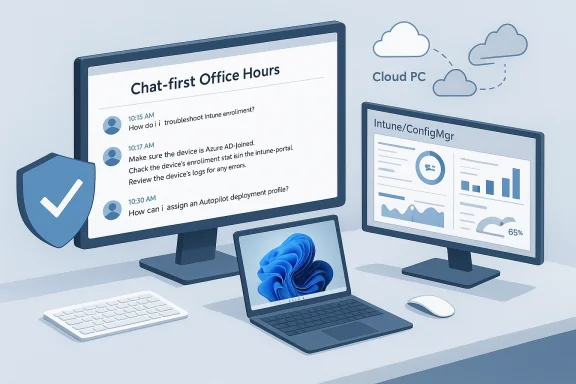
Windows Office Hours is a recurring monthly series that runs on the Tech Community platform. The sessions are intentionally chat-based only: there is no video or live meeting component, and questions and answers appear directly in the event’s Comments thread. Microsoft positions the series as a drop‑in Q&A for IT professionals — a direct line to product teams that engineers the products admins use every day.
The Office Hours cadence is predictable: Microsoft schedules the sessions on the third Thursday of the month at 8:00 AM Pacific Time, and each session lasts approximately one hour. That regular rhythm is important: it gives IT teams a recurring opportunity to ask narrowly scoped operational questions and get guidance that is — in principle — product‑team accurate rather than community speculation.
Why March 2026 matters: the session comes after a period of major servicing and lifecycle transitions for organizations — including the formal end of mainstream support for Windows 10 in October 2025 and the continuing push to modern endpoint management. For many IT leaders, planning the final Windows 10 migration waves, lock‑ing in Zero Trust posture, and stabilizing Autopilot/Intune workflows are immediate priorities. The Office Hours format is designed to help with exactly those operational puzzles.
Key operational points to prepare:
Concrete elements to validate and discuss at Office Hours:
Practical considerations to bring:
Another caution: product teams can give guidance but they will not (and should not) provide changes that require admin consent or tenant‑wide modifications without formal change management and security approvals. Treat Office Hours advice as recommended next steps and test in a non‑production ring before organization‑wide changes.
Use the session for:
Source: Microsoft - Message Center Windows Office Hours: March 2026 - Microsoft Tech Community
This chat-first one‑hour session brings together product engineers and servicing experts from Windows, Microsoft Intune, Configuration Manager, Windows 365, Windows Autopilot, Defender/endpoint security, FastTrack, and public-sector teams to answer real operational questions — and the format, cadence, and topics make the event a timely stop for administrators planning upgrades, troubleshooting deployment failures, or validating Zero Trust designs.
 Background and overview
Windows Office Hours is a recurring monthly series that runs on the Tech Community platform. The sessions are intentionally chat-based only: there is no video or live meeting component, and questions and answers appear directly in the event’s Comments thread. Microsoft positions the series as a drop‑in Q&A for IT professionals — a direct line to product teams that engineers the products admins use every day.The Office Hours cadence is predictable: Microsoft schedules the sessions on the third Thursday of the month at 8:00 AM Pacific Time, and each session lasts approximately one hour. That regular rhythm is important: it gives IT teams a recurring opportunity to ask narrowly scoped operational questions and get guidance that is — in principle — product‑team accurate rather than community speculation.
Why March 2026 matters: the session comes after a period of major servicing and lifecycle transitions for organizations — including the formal end of mainstream support for Windows 10 in October 2025 and the continuing push to modern endpoint management. For many IT leaders, planning the final Windows 10 migration waves, lock‑ing in Zero Trust posture, and stabilizing Autopilot/Intune workflows are immediate priorities. The Office Hours format is designed to help with exactly those operational puzzles.
What Microsoft says will be covered
Microsoft’s Office Hours announcement highlights a concise set of high‑value topics for March 19:- Adopting and managing Windows 11 across an organization.
- Device lifecycle management using Microsoft Intune and Configuration Manager (ConfigMgr).
- Deploying and troubleshooting Windows Autopilot provisioning flows.
- Working with Windows 365 and Cloud PC scenarios.
- Practical steps for implementing and monitoring Zero Trust principles on endpoints.
- Best practices for keeping devices and feature updates current.
- Guidance for moving toward cloud‑native workloads while retaining hybrid or on‑premises dependencies.
Why this session type still matters for enterprise IT
There are three practical benefits that make Office Hours worth the small time investment:- Direct access to product engineers — Unlike forum posts that depend on community volunteers, Office Hours put engineering and servicing experts in the same comment thread, which increases the odds of definitive answers about product behavior and short‑term roadmaps.
- Focused, operational help — The session favors terse, actionable guidance: configuration checks, log file names to collect, policy settings to change, and recommended workarounds. For common problems, that guidance is often faster and more practical than formal documentation.
- Archiveable Q&A — Because the conversation is text‑based and tied to the Tech Community event, the thread becomes an indexed resource teams can return to later. Well‑asked questions and the engineering responses are valuable artifacts for runbooks.
A critical look: strengths and limits of chat‑only Office Hours
Strengths
- Low friction participation: No webcam, no calendar‑hosted meeting link, and a short fixed time window make it easy to drop in between other tasks.
- Broad cross‑product coverage: Because Microsoft staffs Windows, Intune, ConfigMgr, Autopilot, Defender, Windows 365, FastTrack, and public‑sector specialists, end‑to‑end scenarios can be discussed in one place.
- Practical artifacts: Answers are saved in the thread for later reference and for teams who could not attend live.
Limitations and risks
- Shallow troubleshooting window: Complex problems often require back‑and‑forth log collection, tenant access, or multi‑hour analysis — none of which fit an hour‑long chat.
- Public exposure of sensitive details: Posting diagnostic output or tenant identifiers in a public comments field risks leaking sensitive metadata. Use redaction and post anonymized logs; request direct messaging for sensitive follow‑ups.
- Scalability and response quality: If the session attracts many simultaneous questions, not every thread will receive a response from a product engineer. Answers can vary in depth depending on which specialist is available.
- No live demonstration capability: When a problem requires screen sharing, remote inspection, or step‑by‑step walk‑throughs with GUI interaction, chat is a poor substitute.
Deep dives: what to expect on each major topic
Adopting Windows 11 — practical priorities and pitfalls
Windows 11 adoption is now a mainstream operational activity — your focus should be device compatibility, update strategy, and experiential regressions.Key operational points to prepare:
- Confirm hardware compatibility and firmware settings (Secure Boot, TPM 2.0, UEFI modes). Many enrollment and Autopilot failures trace back to firmware mismatches or OEM provisioning.
- Choose an update servicing strategy: feature updates cadence (annual or semi‑annual) versus quality‑only servicing windows. Use Windows Update for Business and Autopatch where appropriate for automation.
- Validate application compatibility early using targeted rings: pilot group, plus phased rollout, with telemetry to detect performance or driver regressions.
- Office and large Win32 installers delaying Autopilot enrollment because of network bandwidth and wrong packaging choices.
- Drivers or OEM UEFI settings causing device provisioning stalls.
- Underestimating user training and experiential changes from Windows 10 to Windows 11.
Managing devices with Microsoft Intune and Configuration Manager
Intune and ConfigMgr coexist in many enterprise estates via co‑management. The practical conversation points that get quick traction in Office Hours include:- Co‑management strategy: Which workloads to move first (Compliance policies, Windows Update for Business, Endpoint Protection) and when to make ConfigMgr a provisioning-only tool.
- App delivery during Autopilot/ESP: Use the Microsoft 365 Apps (Windows 10 and later) app type carefully; for predictable Autopilot outcomes many shops package Office as a Win32 app and deploy outside the ESP if timing is critical.
- IMED (Intune Management Extension) and Win32 app timing: Understand that Win32 apps install via the IME after completion of the core enrollment phases — this affects how soon a device is “ready for use.”
- Diagnostics and logs: Know where to capture Intune diagnostic logs and ConfigMgr logs and which to post (redacted) or summarize for product teams.
Zero Trust — practical enforcement and monitoring
Zero Trust is far more than a checkbox — it’s an operational posture combining identity verification, device posture, application control, and continuous telemetry.Concrete elements to validate and discuss at Office Hours:
- Identity + device signals: Use Microsoft Entra ID (for identity) and Intune (for device compliance), feeding risk signals from Defender for Endpoint.
- Conditional Access policies: Ensure policies require compliant devices for high‑value apps, and use phased enforcement to limit business disruption.
- Least privilege and privilege elevation patterns: Endpoint Privilege Management (EPM) and Multi‑Admin Approval (MAA) are tools to reduce standing admin rights.
- Continuous monitoring: Configure telemetry and automated remediation playbooks for non‑compliant devices (quarantine, limited access, or remediation tasks).
- Overbroad Conditional Access rules that block legitimate workflows (e.g., vendor access).
- Privacy or telemetry concerns when tightening monitoring — ensure legal and HR review any expanded data collection practices.
- Operational overhead: Zero Trust is a journey that requires policies, training, and acceptance testing to avoid productivity loss.
Cloud‑native workloads and hybrid needs: Windows 365 and Windows Autopilot
Windows 365 and Autopilot form complementary parts of a modern endpoint estate. Use Office Hours to validate your Cloud PC sizing choices, provisioning bottlenecks, licensing entanglements, and governance guardrails.Practical considerations to bring:
- Which workloads should be delivered as Cloud PC versus traditional device? Consider user profile size, latency, GPU needs, and cost model.
- Autopilot remains the primary provider for zero‑touch provisioned physical devices but can intersect with Cloud PC provisioning flows for hybrid use cases.
- Networking and identity integration are core: ensure tenant routing rules and conditional access are aligned to protect Cloud PC sessions.
Windows updates and servicing
Keeping feature and quality updates predictable is a perennial pain point. Office Hours panels commonly discuss:- The mechanics of Windows Update for Business, Autopatch, and when to use each.
- The implications of Windows 10 end of support (October 14, 2025) and what that means for remaining legacy devices.
- Best practices for defining rings, setting deferral windows, and using compliance reporting to validate patch status.
How to prepare and what to bring to Office Hours (practical checklist)
To get the most from the one‑hour chat, prepare a compact package of information and artifacts. That speeds engineers to diagnoses and reduces back‑and‑forth.- One‑sentence problem statement and desired outcome.
- Exact product versions and build numbers (Windows build, Intune release, ConfigMgr version).
- Short repro steps and timescales (when did the issue start, how many devices affected, ring membership).
- Key logs or diagnostic artifacts — but redact tenant IDs, usernames, and other sensitive identifiers before posting. Suggested log names:
- Autopilot: Enrollment logs, Autopilot diagnostic output.
- Intune: Diagnostic log package from Settings > Accounts > Access work or school > Get info, and the Intune Management Extension logs.
- Windows: SetupDiag, Windows Update logs, and Event Viewer snippets with timestamps.
- Minimal screenshots that highlight error codes (e.g., 0x8018000A) without exposing PII.
- Your tenant locality (region) and licensing baseline (E3, E5, Windows 11 Enterprise) — engineers sometimes tie behavior to licensing entitlements.
Sample questions that get fast, useful answers
If you want to prime the conversation with sharp questions, use these templates:- “Autopilot ESP: Microsoft 365 Apps as ‘Windows 10 and later’ app times out at 1 hour for 50 devices. We package Office as Win32. Which logs should we collect and where should we expect IME activity to appear in the provisioning timeline?”
- “Conditional Access: Require compliant device for SharePoint but allow vendor IPs for a specific partner. What is the recommended split of named locations vs. policy scoping to avoid broad exposure?”
- “Windows Update for Business vs Autopatch: We have 10k devices and no SCCM on premises. For a predictable monthly quality rollout, what are the tradeoffs we should evaluate?”
- “Zero Trust: We want device posture enforcement for third‑party VPN clients. Which signals should we feed from Defender for Endpoint to Entra Conditional Access to avoid false positives?”
- “Windows 11 adoption: Our imaging still includes legacy custom drivers that break driver signing post‑upgrade. What is the recommended validation checklist for OEM driver packages before mass rollout?”
Security, compliance, and privacy cautions
Office Hours are public. Do not post production credentials, tenant IDs, or system‑of‑record screenshots that contain identifiable user data. If you need to escalate, ask the panelist to continue in a direct message or open a formal Support/Service Request. For high‑risk incidents, use paid support for guaranteed SLAs and direct tenant access.Another caution: product teams can give guidance but they will not (and should not) provide changes that require admin consent or tenant‑wide modifications without formal change management and security approvals. Treat Office Hours advice as recommended next steps and test in a non‑production ring before organization‑wide changes.
What Office Hours will not do (so you can plan alternate routes)
- They will not perform tenant‑level remediation or make privileged changes for you.
- They will not replace Microsoft paid support for incident triage or escalations that require forensic access.
- They will not always resolve timing or content delivery network bottlenecks during mass Autopilot operations — these often require case escalation and telemetry sharing.
After the session: practical follow‑ups and knowledge capture
A one‑hour chat is short. Use these follow‑ups to capitalize on what you learn:- Export the thread: copy the Q&A into a runbook entry and annotate with how the fix was validated.
- Create a remediation ticket or automation to prevent recurrence (example: add a policy to block legacy drivers or enforce IME‑based app sequencing).
- If an engineer recommends a hotfix or upcoming change, track the relevant release and mark a calendar task for the rollout.
- If you received partial guidance, collect the requested logs and open a support case referencing the Office Hours exchange to get dedicated follow‑up.
Final assessment: how to think about Office Hours as part of your operational toolkit
Windows Office Hours is a high‑value, low‑cost touchpoint for IT teams that need rapid, product‑level clarity on operational problems. When used correctly, it shortens investigative cycles, surfaces recommended configuration settings, and helps narrow the scope of support engagements.Use the session for:
- Clarifying product behavior, configuration nuances, and best practices.
- Prioritizing fixes that make the largest reliability impact for provisioning and updates.
- Validating Zero Trust configurations and conditional access design choices before broad enforcement.
- Deep tenant investigations that require secure data sharing or elevated access.
- Long, multi‑step remediation that needs hands‑on support or engineering time.
Action items checklist before March 19, 2026
- Draft up to three concise questions and post them early in the event Comments to give engineers time to triage.
- Collect and pre‑sanitize logs or summaries (build numbers, error codes, counts of affected devices).
- Identify a single owner in your team who will follow up on any recommended next steps and escalate via support if necessary.
- Prepare a short summary of your current update rings, Autopilot flows, and Cloud PC sizing assumptions so you can paste it in the chat if asked.
Source: Microsoft - Message Center Windows Office Hours: March 2026 - Microsoft Tech Community
