

Microsoft’s latest round of security hardening is not subtle: it changes core authentication flows, removes long‑standing legacy protocols, and tightens boot and installer behavior in ways that are already breaking devices, apps, and fleet workflows in the wild. These updates are deliberate and defensible from a security standpoint, but their operational impact is real — domain joins fail, shared drives vanish, Cloud PC sessions drop, and help desks are busier than ever as organizations race to reconcile modern security posture with decades of legacy dependencies.
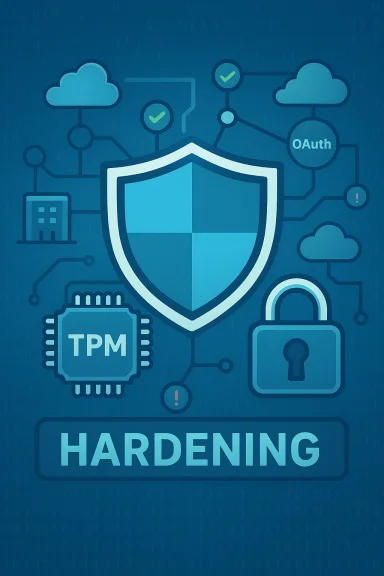
Microsoft has shifted Windows toward a “secure‑by‑default” architecture that favors stronger cryptography, tighter token validation, and hardware‑backed protections such as TPM, Secure Boot, and virtualization‑based security. That evolution started with Windows 11’s stricter hardware baseline and has accelerated into a multi‑year program of protocol hardening and component removal designed to shrink attack surfaces that threat actors continue to exploit.
These changes arrive in stages — audit modes, compatibility modes, then enforcement phases — but many of the audit/compat windows have now closed for critical subsystems. In practical terms, functions that were once permissive now reject ambiguous or legacy authentication tokens outright. The effect is that properly hardened environments are measurably more resilient, while mixed environments that still rely on older behavior can stop working without obvious warning.
Those changes are technically justified: removing fallback behaviors avoids ambiguous identity bindings (for instance, hosts with duplicate SIDs or weak NTLM flows), and enforcing PAC signatures closes privilege‑escalation and ticket‑forgery avenues. But the practical consequence is that messy, real‑world environments — patched at different cadences, using vendor appliances or embedded devices — now hit compatibility cliffs.
Common enterprise responses include:
Source: WinCentral Windows Security Changes Are Breaking Older Systems
 Background and overview
Microsoft has shifted Windows toward a “secure‑by‑default” architecture that favors stronger cryptography, tighter token validation, and hardware‑backed protections such as TPM, Secure Boot, and virtualization‑based security. That evolution started with Windows 11’s stricter hardware baseline and has accelerated into a multi‑year program of protocol hardening and component removal designed to shrink attack surfaces that threat actors continue to exploit.These changes arrive in stages — audit modes, compatibility modes, then enforcement phases — but many of the audit/compat windows have now closed for critical subsystems. In practical terms, functions that were once permissive now reject ambiguous or legacy authentication tokens outright. The effect is that properly hardened environments are measurably more resilient, while mixed environments that still rely on older behavior can stop working without obvious warning.
What Microsoft is changing — the technical rundown
Below are the major areas Microsoft has hardened, and why each one matters.1. Authentication and identity hardening
- Kerberos PAC enforcement and PAC Validation: Microsoft has moved from audit to enforced modes for Privilege Attribute Certificate (PAC) handling and signature requirements; Kerberos tickets without valid PAC signatures are being rejected in enforced deployments. This was rolled out incrementally and reached enforced status for critical modes in late 2023–2025 windows.
- Netlogon and stricter token sealing: Netlogon updates tighten encryption and sealing on DC communications to block lateral movement and NTLM fallback attacks.
- NTLMv1 and legacy NTLM deprecation: Support for NTLMv1 has been removed in newer Windows releases (Windows 11 24H2 and Server 2025 families), and broader NTLM usage is being deprecated in favor of Kerberos and modern identity (Microsoft Entra/Azure AD).
2. Secure boot and firmware protections
- Automated Secure Boot revocations and stricter boot manager checks: Microsoft implemented a sequence of Secure Boot revocation phases that culminate in mandatory enforcement; rollback of certain code integrity policies has been locked down, which reduces the ability to bypass Secure Boot protections.
3. Virtualization‑based security and System Guard
- Greater use of System Guard / Secure Launch / VBS: Windows increasingly relies on virtualization‑based isolation for critical subsystems. While that raises the bar against modern firmware and kernel attacks, it introduces more dependencies on firmware, drivers, and OEM behavior. Some servicing updates interacting with Secure Launch have produced device regressions (unexpected reboots or hibernate failures) when combined with recent LCUs.
4. Removal or deprecation of legacy features and APIs
- WINS, PowerShell v2, SMBv1, Windows Mixed Reality components, WMIC, and others: Microsoft has scheduled and executed removals for a broad set of low‑use or insecure binaries and roles. These removals break appliances, scripts, and workflows that still rely on legacy name resolution, scripting engines, or protocol fallbacks.
5. Installer and per‑user repair hardening
- Windows Installer changes: August 2025 hardening to Windows Installer closed an elevation path (CVE‑2025‑50173), reclassifying some previously non‑elevated repair or advertised actions as machine‑scope and triggering UAC. The result: silent per‑user repair flows can now prompt for credentials or fail, impacting first‑run behavior for many enterprise apps.
Why Microsoft is doing this
Microsoft’s public rationale is straightforward: legacy protocols and permissive behaviors are exploitable. Attack patterns in the wild — from credential theft to lateral movement and bootkits — often rely on older, weaker protocol choices or on components that execute with excessive privilege. By enforcing modern cryptography, validating token bindings strictly, and relying on hardware attestation, Microsoft reduces the paths available to attackers.Those changes are technically justified: removing fallback behaviors avoids ambiguous identity bindings (for instance, hosts with duplicate SIDs or weak NTLM flows), and enforcing PAC signatures closes privilege‑escalation and ticket‑forgery avenues. But the practical consequence is that messy, real‑world environments — patched at different cadences, using vendor appliances or embedded devices — now hit compatibility cliffs.
Real‑world impact: what’s breaking today
The hardening program is no longer theoretical. Multiple classes of failures are being reported by administrators, helpdesks, and users:- Domain join, group policy, and network identification failures: Some devices now fail to locate AD/DC, appear as “Unauthenticated” or “Public” networks, or fail to apply Group Policy consistently. These symptoms undermine firewall rules and domain trust. Administrators have traced many of these problems to DNS misconfiguration interacting with tightened authentication checks.
- SMB and RDP authentication failures: Repeated credential prompts or outright refused connections (events like Event ID 4625 or Kerberos 21/45) show up when endpoints are similarly tightened and token binding detects ambiguous machine identity — notably in fleets imaged without Sysprep or with duplicate SIDs. This affects file shares, printers, and remote‑administration tools.
- Cloud PC / AVD authentication regressions after updates: Cumulative updates have occasionally regressed Remote Desktop/Windows App SSO flows — for example, certain updates produced immediate authentication errors (0x80080005) when launching Cloud PCs, requiring uninstall of LCUs or Microsoft’s KIR (Known Issue Rollback) to restore service. That tradeoff — remove the update and restore connectivity but lose security patches — is a painful operational choice.
- Installer prompts and application breakage: The Windows Installer hardening created UAC prompts or first‑run failures for applications relying on silent per‑user setup sequences. Admins report MSI Error 1730 and similar failures for previously silent flows.
- Imaging and VDI/Provisioning failures: Large catalogs provisioned from a non‑generalized master image (duplicate machine SIDs) can experience mass authentication failures because the updated token validation logic treats such identity collisions as security faults rather than tolerances.
- Power management regressions on Secure Launch systems: Some recent LCUs combined with Secure Launch produce unexpected reboot/hibernate behavior on machines where System Guard is configured — causing battery drain and maintenance window disruptions. Microsoft has acknowledged these issues and provided diagnostic checks and temporary mitigations.
Enterprise trade‑offs and the operational burden
Organizations face a stark choice: invest in remediation to align with Microsoft’s hardened model or accept operational instability by delaying updates — a risky position because delaying security updates leaves known vulnerabilities open.Common enterprise responses include:
- Inventory and segmentation: Identify devices that will fail under enforced modes and isolate them to reduce blast radius. Use event logs and tools to locate duplicate SIDs and legacy SMB/NTLM dependencies.
- Phased rollout and aggressive testing: Move updates through test rings and pilot groups before broad deployment — many admins recommend avoiding specific builds (for example, 24H2) in production until vendor compatibility is confirmed.
- Vendor coordination: Work with hardware and application vendors to obtain updated drivers and builds that support kernel/hypervisor isolation and modern authentication flows.
- Temporary mitigations: Use Known Issue Rollbacks (KIRs) where available, targeted uninstalls of LCUs in emergency cases, or alternative connection methods (AVD web client vs. Windows App) to restore critical services. These mitigations are stopgaps and have security trade‑offs.
Diagnosis and mitigation: a practical checklist for admins
If you manage Windows fleets, the following prioritized steps will reduce surprises and shorten troubleshooting time.- Inventory and triage
- List builds and patches (look for known LCUs like KB5073455 or KB5074109). Confirm which systems have Secure Launch, VBS, or System Guard enabled.
- Detect duplicate machine SIDs using tools such as PsGetSid or AD queries for objectSid. Duplicate SIDs are a common root cause of mass SMB/RDP failures after hardening.
- Validate identity flows
- Check Event Viewer for LSA/LSASRV and Kerberos event IDs (e.g., LsaSrv 6167, Kerberos 21/45). These events often pinpoint token validation errors.
- Verify DNS settings and DC reachability (ping, nslookup) prior to applying enforcement updates; misconfigured DNS can manifest as “cannot locate AD/DC.”
- Test and stage updates
- Use compatibility mode or audit mode where offered to see what will fail before enforcement. Use pilot rings to validate vendor drivers and third‑party agents.
- Apply workarounds carefully
- If Cloud PC/AVD credential prompt regressions occur, follow Microsoft’s KIR guidance or use alternate clients (web client or classic RDP) rather than broad LCU uninstalls where feasible. Uninstalling an LCU removes other security fixes.
- For Secure Launch hibernate/reboot anomalies, Microsoft advised an emergency shutdown command and inventory checks until a servicing fix ships; avoid uninstalling security updates unless absolutely necessary.
- Plan migrations
- Replace SMBv1 devices, retire WINS reliance, move scripts off PowerShell v2, and plan replatforming for apps that depend on deprecated runtimes. These migrations remove future compatibility risk and reduce attack surface.
- Communicate and train
- Tell help desks and user communities what to expect (e.g., UAC prompts on first run after installer hardening) and how to escalate. Preparing users reduces confusion when previously silent installs now require credentials.
Notable strengths of Microsoft’s approach — why this matters
- Improved resilience against real attack patterns: By eliminating tolerant fallbacks and enforcing cryptographic integrity, the attack surface for common enterprise attacks (ticket forging, NTLM relay, bootkits) shrinks substantially.
- Hardware‑backed assurances: TPM, Secure Boot, and System Guard provide attestation and cryptographic anchors that make hardware and firmware attacks far more difficult. When correctly configured, these protections prevent entire classes of persistent threats.
- A clear migration path for modern identity: Pushing organizations toward Kerberos, Microsoft Entra, OAuth/OIDC, and conditional access aligns Windows with cloud identity best practices — a necessary long‑term modernization.
Risks and blind spots — what keeps administrators up at night
- Operational disruption to critical workflows: The same changes that block attackers can block legitimate legacy workflows — imaging, lab provisioning, embedded appliances, and some vendor software. The result can be immediate business impact.
- Cloud dependency and availability concerns: Deeper integration with cloud identity and enforcement increases dependency on online services. Outages, intermittent connectivity, or misconfigurations can have cascading effects for device and identity protection.
- Privacy and telemetry questions: As Windows relies more on cloud telemetry and policy enforcement, organizations must assess data flows and control points to guard privacy and compliance obligations. These architectural shifts require governance updates in addition to technical changes.
- Short windows for remediation: Some enforcement deadlines (for example, PAC Validation final enforcement phases) compress the time available to remediate compatibility issues — meaning organizations that delay preparedness face urgent, painful transitions.
What to expect next
Microsoft’s trajectory is predictable: fewer legacy components, tighter enforcement, and deeper hardware and cloud integration. Expect continued removal of legacy protocols and more servicing updates that enforce stricter validation rules. In practical terms, that means:- More legacy components phased out or removed from Server and client SKUs.
- Enforcement windows closing for PAC and certificate‑based authentication rules, reducing opt‑out options in future updates.
- Continued interaction effects between virtualization‑based security and servicing updates, meaning administrators will need robust testing pipelines to find regressions before broad deployment.
Conclusion
Microsoft’s security hardening is a defensible — and necessary — reaction to evolving threats, but it is also a wake‑up call about accumulated technical debt. The very behaviors and components that made Windows flexible and manageable for decades are the same ones attackers exploit today. The result is a short‑term compatibility storm for a long‑term gain in resilience. Administrators must treat this as a program, not a single update: inventory aggressively, test continuously, coordinate with vendors, and communicate with users. For organizations that make these investments now, the reward is a smaller attack surface and stronger assurance against modern threat techniques; for those that delay, the costs will be measured in downtime, help desk hours, and the hard choices of uninstalling security fixes or accepting new operational limits.Source: WinCentral Windows Security Changes Are Breaking Older Systems
