

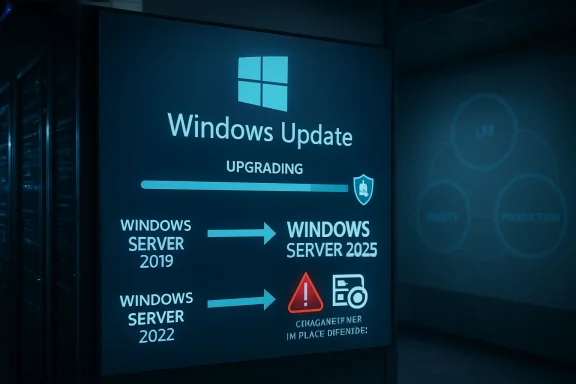
Microsoft has made Windows Server 2025 available as an in-place feature upgrade through Windows Update for eligible Windows Server 2019 and Windows Server 2022 systems, letting administrators move to the new server release from Settings or Server Core without mounting installation media. That sounds like a convenience feature, and it is. But it is also a philosophical shift: Microsoft is pulling the server operating system closer to the Windows client servicing model, one carefully labeled optional upgrade at a time. For IT teams, the headline is not merely that the ISO is no longer mandatory; it is that upgrade intent now lives inside the same machinery that already patches the estate.
For decades, a Windows Server upgrade has felt like an event. Someone fetched media, checked editions, booked a window, captured backups, warned app owners, and treated the whole exercise as a change-management ceremony. The new Windows Update path does not abolish that ceremony, but it moves the starting pistol into a much more familiar place.
That matters because administrators already live inside update workflows. They approve cumulative updates, watch maintenance rings, troubleshoot reboot behavior, and argue with Group Policy. By presenting Windows Server 2025 as a feature update for Windows Server 2019 and 2022, Microsoft is effectively saying that the next version of Server can be acquired through the same interface that delivers the ordinary monthly churn.
The supported Windows Update path is narrower than the media-based path. Microsoft’s own planning guidance says Windows Update upgrades to Windows Server 2025 are supported from Windows Server 2019 and Windows Server 2022, while installation media can cover a broader set of older versions. That distinction is not trivia; it defines the audience for this convenience feature. This is aimed at organizations already running relatively modern Server builds, not at shops trying to drag a fossilized 2012 R2 estate into the present with one magic button.
There are also prerequisites that keep this from being a consumer-style “click and forget” exercise. The source server needs the required cumulative update level, the feature update offer has to be enabled, and the organization’s patching controls must not fight the process. In other words, Microsoft has moved the front door, not removed the locks.
Removing the ISO from the happy path changes the psychology of upgrades. An administrator who can trigger the process through Windows Update no longer needs to coordinate media distribution, remote console access, or a mounted image on every server. That is a genuine improvement for scattered environments, hosted workloads, and smaller teams that do not have a full deployment engineering function.
But the risk is that convenience can make an upgrade look less consequential than it is. An in-place upgrade still replaces the operating system underneath running roles, agents, drivers, backup tools, endpoint protection, monitoring hooks, and line-of-business dependencies. It may preserve settings, roles, and data, but preservation is not the same as proof.
That is why Microsoft’s documentation keeps the old language of preparation even as it introduces the new mechanism. The company still tells administrators to validate applications, verify compatibility, ensure recovery options, check activation, and plan maintenance. The Windows Update path should reduce friction; it should not reduce paranoia.
There is a useful way to think about the change: Microsoft has made the upgrade easier to start, not easier to own. Ownership begins after the first reboot, when the server has to pass its real test in production.
That episode explains why the new path will be greeted with both relief and suspicion. Administrators want easier upgrade mechanics, but they do not want the upgrade to appear as a surprise passenger in the monthly patch train. Server estates are not laptops; an unintended OS version jump can break support matrices, licensing assumptions, compliance evidence, backup compatibility, and application vendor warranties.
Microsoft says the earlier scenarios have been resolved and the upgrade offer has been re-enabled through the Windows Update settings panel. That is the right outcome, but it does not erase the lesson. The more powerful Windows Update becomes, the more carefully every management layer around it must distinguish a cumulative update from a feature update.
This is where the industry’s tooling gap becomes visible. Many organizations have spent years building patch automation around urgency: install security fixes, meet deadlines, satisfy audit controls, reduce exposure. Feature upgrades require a different posture. They are not merely patches with bigger payloads; they are platform migrations with all the political and operational weight that phrase implies.
On paper, the toggle gives organizations a control point. In practice, it becomes a test of whether the organization actually knows where update authority lives. Is it Group Policy? Intune? Configuration Manager? Azure Update Manager? A third-party RMM? A hand-curated set of scripts inherited from the previous infrastructure lead? The upgrade path may be simple, but the control plane around it is often not.
For Server Core, the availability through SConfig is especially notable. Server Core has long been the cleaner, more minimal, more security-conscious deployment option, but day-two operations sometimes lag behind the Desktop Experience in discoverability. Allowing Core systems to search for and install the feature update through familiar servicing tooling makes the new model less GUI-dependent.
Still, no one should mistake visibility for entitlement. If a Windows Server 2025 feature update appears, that does not mean every machine displaying it is a good candidate. It means Microsoft’s servicing stack believes the machine meets the broad offer criteria. Your app owner, storage vendor, backup platform, security baseline, and maintenance calendar may disagree.
That gap between “offered” and “approved” is where good operations live. Microsoft can provide the mechanism. The enterprise has to provide the judgment.
But the world has changed around that doctrine. Virtualization made rollback and cloning more accessible. Configuration management made some server state more reproducible. Cloud and hybrid operations normalized rolling upgrades and maintenance rings. Microsoft has also invested in making in-place upgrades more supportable, especially for newer Server versions.
The Windows Update path pushes that evolution further. It implicitly says that, for many non-domain-controller workloads, an in-place upgrade is not a reckless shortcut but a supported operational tool. That does not mean it is the best choice everywhere. It means the old blanket prohibition is becoming harder to defend.
The practical case is strongest for servers where the OS is important but not sacred: application servers with well-understood dependencies, management boxes, utility servers, remote desktop infrastructure after validation, and non-clustered workloads with clean backups and tested restore plans. In those cases, preserving installed roles and applications can save time and reduce migration complexity.
The case is weakest where the server’s identity is tangled with the fabric of the environment. Domain controllers are the obvious example, but they are not the only one. Certificate authorities, aging vendor appliances, bespoke middleware hosts, and anything whose rebuild procedure lives only in one administrator’s memory deserve special caution.
Active Directory is not just another workload. It is the system that lets the rest of the environment decide who and what to trust. A botched domain controller upgrade can produce symptoms that look like everything else breaking at once: failed logons, group policy trouble, application authentication failures, replication errors, DNS weirdness, and service-account chaos.
The cleaner model is well understood. Introduce new Windows Server 2025 domain controllers into a healthy domain, ensure prerequisites and functional-level requirements are met, validate replication and authentication, transfer or retire roles as appropriate, and demote the old systems. It is slower than clicking a feature update, but it respects the architecture.
This matters even more because Windows Server 2025 raises the strategic conversation around Active Directory modernization. The product introduces new functional-level considerations, and environments that want the full benefit of newer directory capabilities need a deliberate domain-controller plan. An in-place OS upgrade is not a substitute for directory lifecycle management.
If Microsoft’s new upgrade path has a slogan, it should be: use Windows Update for servers that can tolerate being treated like upgradeable hosts; do not use it for the trust anchors of the enterprise.
A lightly loaded VM with modern virtual hardware may sail through. A physical server with older firmware, third-party storage drivers, crowded system volume, and years of agent detritus may not. The upgrade process has to stage files, perform compatibility checks, reboot, migrate the OS, process drivers, complete setup, and then settle into post-upgrade servicing.
The real maintenance window should include more than the installer’s progress bar. Administrators need time for pre-checks, snapshots or backups, application shutdown, the upgrade itself, first boot validation, post-upgrade updates, monitoring confirmation, and rollback decision time. A two-hour average can easily become a four-hour change window once operational reality is included.
Disk space deserves particular attention. The Windows.old folder can be useful immediately after an upgrade, but it also consumes space that many system volumes do not have in abundance. Reclaiming that space should be part of the post-upgrade plan, but not before the team is confident the server is stable and rollback is no longer required.
This is the difference between an upgrade task and an upgrade runbook. The task starts with “Download and install.” The runbook starts days or weeks earlier.
Activation is one of the first checks. Organizations using Key Management Service, Active Directory-based activation, or Multiple Activation Keys need to confirm that Windows Server 2025 activates as expected and that licensing infrastructure is prepared for the new version. It is better to discover activation gaps in a pilot ring than on a business-critical server whose grace period becomes tomorrow’s emergency.
Telemetry and privacy settings also deserve a second look. Feature upgrades can preserve many settings, but server administrators should verify that diagnostic data, update policies, Defender configuration, firewall rules, remote management, and logging behavior remain aligned with organizational baselines. A system that is technically upgraded but no longer compliant is not a successful upgrade.
Security features are another post-upgrade opportunity. Windows Server 2025 continues Microsoft’s push toward secured-core assumptions, virtualization-based security, UEFI Secure Boot, TPM-backed protections, and stronger defaults where hardware and configuration allow them. But those features are not automatically meaningful just because the OS version changed. They have to be evaluated against hardware support, workload compatibility, and policy.
The best organizations will treat the upgrade as a security review trigger. If the server is important enough to carry forward, it is important enough to re-baseline. The worst organizations will treat the version number as the only deliverable and leave old weaknesses neatly preserved under a newer logo.
That direction is not unique to Windows Server. Client Windows has lived with feature updates for years, and Microsoft has been pushing enterprises toward ring-based deployment, cloud policy, and telemetry-informed servicing. The server world has moved more slowly because the blast radius is larger and the culture is more conservative.
But Microsoft has strong incentives to narrow that gap. A server estate stuck across too many old versions is harder to secure, harder to support, and harder to connect to newer management services. Making Windows Server 2025 easier to adopt helps Microsoft reduce fragmentation while encouraging customers toward newer security and hybrid features.
For administrators, this is a bargain with conditions. The easier path can reduce operational toil, but it also increases the importance of update governance. If Windows Update can move a server to a new OS generation, then update policy is now part of platform lifecycle control, not merely patch compliance.
That should change how organizations audit permissions. Who can enable the feature update? Who can approve it in third-party tools? Who can click the banner? Who can override rings? The answers are no longer administrative trivia.
For those teams, not needing to hunt down installation media is meaningful. A Windows Server 2022 file server or application host can be tested, backed up, and upgraded through a familiar interface. The process still requires discipline, but it reduces the number of moving parts.
Managed service providers may also find the feature attractive, provided their RMM and patch-management products correctly classify the feature update as optional. The same centralization that makes MSPs efficient can make mistakes propagate quickly. The lesson from the earlier unintended-upgrade reports is that tooling must be explicit about feature updates.
There is also a training benefit. Junior administrators are more likely to understand Windows Update than a full media-based upgrade procedure. That does not remove the need for senior review, but it makes the mechanics less arcane. In an industry where institutional knowledge is constantly walking out the door, lowering procedural friction has real value.
Still, smaller shops are also where backups are least likely to be tested and rollback plans most likely to be assumed. The new path can help them move forward, but it can also let them get into trouble faster. Convenience is not the same thing as resilience.
The hard part is dependency mapping. A server rarely fails alone. It talks to databases, identity systems, monitoring platforms, backup infrastructure, storage arrays, load balancers, certificate services, and vendor applications that may have their own support statements. The upgrade target may be one VM, but the test surface is a miniature ecosystem.
That is why “start with less critical servers” is good but incomplete advice. A less critical server that runs the same agent stack, security tools, backup client, and application framework as a critical server is an excellent pilot. A random low-value server with none of those dependencies proves much less.
Enterprises should also use the Windows Server 2025 upgrade path to clean up their inventory. If a server cannot be upgraded because nobody knows what it does, that is not an argument against Windows Server 2025. It is evidence of asset-management debt. The upgrade program simply makes the debt visible.
The real win is not the first successful in-place upgrade. It is the creation of a repeatable decision process for which servers are upgraded in place, which are rebuilt, which are migrated, and which are finally retired.
This is not unusual, but it is relevant. A new Server release is never just a box of features. It is a living servicing branch, and its reputation is built over months of cumulative updates, known-issue rollbacks, hotfixes, and administrator war stories. Early adopters pay attention not only to what Microsoft announces, but to how quickly Microsoft acknowledges and resolves failures.
That dynamic will shape adoption. Some organizations will move quickly because Windows Server 2025’s security, performance, and lifecycle benefits align with their plans. Others will wait for more field experience, vendor certifications, and a few more cumulative updates. Both positions can be rational.
The Windows Update upgrade path may accelerate pilots more than production rollouts. It lowers the effort required to create test candidates, repeat trials, and validate runbooks. That alone is valuable. A feature that makes testing easier can improve production outcomes even if production remains conservative.
Microsoft’s challenge is to keep the distinction between optional and automatic absolutely clear. The more administrators trust the servicing channel, the more likely they are to use it for serious lifecycle work.
That is the pattern with modern infrastructure tooling. Automation does not eliminate process; it amplifies whatever process already exists. Good process becomes faster. Bad process becomes faster too.
A disciplined Windows Server 2025 upgrade program should separate eligibility from readiness. Eligibility asks whether Microsoft supports the path from the current OS version and patch level. Readiness asks whether the workload, owner, vendor, recovery plan, security baseline, and business calendar support doing it now.
That distinction is crucial because Windows Update is designed to answer the first question, not the second. It can tell you the feature update is available. It cannot tell you that the payroll vendor has certified Windows Server 2025, that the backup restore was tested last quarter, or that the only person who understands the app is on leave.
The feature is therefore less a replacement for traditional upgrade planning than a new execution engine for it. Organizations that understand that will benefit. Organizations that do not may rediscover why server administrators became suspicious people in the first place.
Source: Windows Report https://windowsreport.com/windows-server-2025-upgrades-now-available-via-windows-update/
 Microsoft Puts the Server Upgrade Where the Patches Already Live
For decades, a Windows Server upgrade has felt like an event. Someone fetched media, checked editions, booked a window, captured backups, warned app owners, and treated the whole exercise as a change-management ceremony. The new Windows Update path does not abolish that ceremony, but it moves the starting pistol into a much more familiar place.That matters because administrators already live inside update workflows. They approve cumulative updates, watch maintenance rings, troubleshoot reboot behavior, and argue with Group Policy. By presenting Windows Server 2025 as a feature update for Windows Server 2019 and 2022, Microsoft is effectively saying that the next version of Server can be acquired through the same interface that delivers the ordinary monthly churn.
The supported Windows Update path is narrower than the media-based path. Microsoft’s own planning guidance says Windows Update upgrades to Windows Server 2025 are supported from Windows Server 2019 and Windows Server 2022, while installation media can cover a broader set of older versions. That distinction is not trivia; it defines the audience for this convenience feature. This is aimed at organizations already running relatively modern Server builds, not at shops trying to drag a fossilized 2012 R2 estate into the present with one magic button.
There are also prerequisites that keep this from being a consumer-style “click and forget” exercise. The source server needs the required cumulative update level, the feature update offer has to be enabled, and the organization’s patching controls must not fight the process. In other words, Microsoft has moved the front door, not removed the locks.
The ISO Is Losing Its Ritual Power
The ISO has always played a curious role in Windows Server administration. Technically, it is just installation media. Culturally, it is a line between routine servicing and infrastructure surgery.Removing the ISO from the happy path changes the psychology of upgrades. An administrator who can trigger the process through Windows Update no longer needs to coordinate media distribution, remote console access, or a mounted image on every server. That is a genuine improvement for scattered environments, hosted workloads, and smaller teams that do not have a full deployment engineering function.
But the risk is that convenience can make an upgrade look less consequential than it is. An in-place upgrade still replaces the operating system underneath running roles, agents, drivers, backup tools, endpoint protection, monitoring hooks, and line-of-business dependencies. It may preserve settings, roles, and data, but preservation is not the same as proof.
That is why Microsoft’s documentation keeps the old language of preparation even as it introduces the new mechanism. The company still tells administrators to validate applications, verify compatibility, ensure recovery options, check activation, and plan maintenance. The Windows Update path should reduce friction; it should not reduce paranoia.
There is a useful way to think about the change: Microsoft has made the upgrade easier to start, not easier to own. Ownership begins after the first reboot, when the server has to pass its real test in production.
The Optional Upgrade That Was Too Easy to Misread
The timing of this wider availability is important because Windows Server 2025 has already had a messy relationship with Windows Update metadata. Microsoft previously acknowledged cases where Windows Server 2019 and 2022 machines unexpectedly moved toward Windows Server 2025, including environments using third-party patch-management products. The company’s position was that the Windows Server 2025 feature update was intended to be optional, and that update tools needed to interpret its metadata accordingly.That episode explains why the new path will be greeted with both relief and suspicion. Administrators want easier upgrade mechanics, but they do not want the upgrade to appear as a surprise passenger in the monthly patch train. Server estates are not laptops; an unintended OS version jump can break support matrices, licensing assumptions, compliance evidence, backup compatibility, and application vendor warranties.
Microsoft says the earlier scenarios have been resolved and the upgrade offer has been re-enabled through the Windows Update settings panel. That is the right outcome, but it does not erase the lesson. The more powerful Windows Update becomes, the more carefully every management layer around it must distinguish a cumulative update from a feature update.
This is where the industry’s tooling gap becomes visible. Many organizations have spent years building patch automation around urgency: install security fixes, meet deadlines, satisfy audit controls, reduce exposure. Feature upgrades require a different posture. They are not merely patches with bigger payloads; they are platform migrations with all the political and operational weight that phrase implies.
The Registry Toggle Is a Governance Test
The Windows Update upgrade path is not just a banner waiting for a bored administrator. Microsoft documents a policy-controlled enablement mechanism, including a registry value under Windows Update policy that allows the Windows Server feature update to appear. That design is telling.On paper, the toggle gives organizations a control point. In practice, it becomes a test of whether the organization actually knows where update authority lives. Is it Group Policy? Intune? Configuration Manager? Azure Update Manager? A third-party RMM? A hand-curated set of scripts inherited from the previous infrastructure lead? The upgrade path may be simple, but the control plane around it is often not.
For Server Core, the availability through SConfig is especially notable. Server Core has long been the cleaner, more minimal, more security-conscious deployment option, but day-two operations sometimes lag behind the Desktop Experience in discoverability. Allowing Core systems to search for and install the feature update through familiar servicing tooling makes the new model less GUI-dependent.
Still, no one should mistake visibility for entitlement. If a Windows Server 2025 feature update appears, that does not mean every machine displaying it is a good candidate. It means Microsoft’s servicing stack believes the machine meets the broad offer criteria. Your app owner, storage vendor, backup platform, security baseline, and maintenance calendar may disagree.
That gap between “offered” and “approved” is where good operations live. Microsoft can provide the mechanism. The enterprise has to provide the judgment.
In-Place Upgrades Are No Longer the Heresy They Once Were
Veteran Windows admins remember when the clean install was treated as the only morally pure server upgrade. Build fresh, migrate roles, swing names or IPs, decommission the old box, and never trust an operating system that had been through too many winters. That instinct was not irrational; old Windows Server upgrades could carry forward years of entropy.But the world has changed around that doctrine. Virtualization made rollback and cloning more accessible. Configuration management made some server state more reproducible. Cloud and hybrid operations normalized rolling upgrades and maintenance rings. Microsoft has also invested in making in-place upgrades more supportable, especially for newer Server versions.
The Windows Update path pushes that evolution further. It implicitly says that, for many non-domain-controller workloads, an in-place upgrade is not a reckless shortcut but a supported operational tool. That does not mean it is the best choice everywhere. It means the old blanket prohibition is becoming harder to defend.
The practical case is strongest for servers where the OS is important but not sacred: application servers with well-understood dependencies, management boxes, utility servers, remote desktop infrastructure after validation, and non-clustered workloads with clean backups and tested restore plans. In those cases, preserving installed roles and applications can save time and reduce migration complexity.
The case is weakest where the server’s identity is tangled with the fabric of the environment. Domain controllers are the obvious example, but they are not the only one. Certificate authorities, aging vendor appliances, bespoke middleware hosts, and anything whose rebuild procedure lives only in one administrator’s memory deserve special caution.
Domain Controllers Remain the Red Line
Microsoft’s warning against using in-place upgrades for servers running Active Directory Domain Services is the most important caveat in the whole story. Even where an in-place upgrade is technically possible, Microsoft advises a clean operating system installation for new domain controllers, followed by promotion, replication validation, and demotion of older controllers. That is not conservatism for its own sake; it reflects the unique role domain controllers play in authentication and directory health.Active Directory is not just another workload. It is the system that lets the rest of the environment decide who and what to trust. A botched domain controller upgrade can produce symptoms that look like everything else breaking at once: failed logons, group policy trouble, application authentication failures, replication errors, DNS weirdness, and service-account chaos.
The cleaner model is well understood. Introduce new Windows Server 2025 domain controllers into a healthy domain, ensure prerequisites and functional-level requirements are met, validate replication and authentication, transfer or retire roles as appropriate, and demote the old systems. It is slower than clicking a feature update, but it respects the architecture.
This matters even more because Windows Server 2025 raises the strategic conversation around Active Directory modernization. The product introduces new functional-level considerations, and environments that want the full benefit of newer directory capabilities need a deliberate domain-controller plan. An in-place OS upgrade is not a substitute for directory lifecycle management.
If Microsoft’s new upgrade path has a slogan, it should be: use Windows Update for servers that can tolerate being treated like upgradeable hosts; do not use it for the trust anchors of the enterprise.
The Two-Hour Window Is a Planning Number, Not a Promise
Reports around the Windows Update path suggest administrators should expect roughly two hours per server, depending on hardware, workload, and configuration. That is a useful planning estimate, but it should not be mistaken for a service-level guarantee. Windows upgrades are notoriously sensitive to disk performance, driver state, installed components, update health, and the amount of cleanup required.A lightly loaded VM with modern virtual hardware may sail through. A physical server with older firmware, third-party storage drivers, crowded system volume, and years of agent detritus may not. The upgrade process has to stage files, perform compatibility checks, reboot, migrate the OS, process drivers, complete setup, and then settle into post-upgrade servicing.
The real maintenance window should include more than the installer’s progress bar. Administrators need time for pre-checks, snapshots or backups, application shutdown, the upgrade itself, first boot validation, post-upgrade updates, monitoring confirmation, and rollback decision time. A two-hour average can easily become a four-hour change window once operational reality is included.
Disk space deserves particular attention. The Windows.old folder can be useful immediately after an upgrade, but it also consumes space that many system volumes do not have in abundance. Reclaiming that space should be part of the post-upgrade plan, but not before the team is confident the server is stable and rollback is no longer required.
This is the difference between an upgrade task and an upgrade runbook. The task starts with “Download and install.” The runbook starts days or weeks earlier.
Activation, Telemetry, and Security Baselines Are the Aftermath
The upgrade does not end when the server returns to the logon screen. That is merely when the second half begins.Activation is one of the first checks. Organizations using Key Management Service, Active Directory-based activation, or Multiple Activation Keys need to confirm that Windows Server 2025 activates as expected and that licensing infrastructure is prepared for the new version. It is better to discover activation gaps in a pilot ring than on a business-critical server whose grace period becomes tomorrow’s emergency.
Telemetry and privacy settings also deserve a second look. Feature upgrades can preserve many settings, but server administrators should verify that diagnostic data, update policies, Defender configuration, firewall rules, remote management, and logging behavior remain aligned with organizational baselines. A system that is technically upgraded but no longer compliant is not a successful upgrade.
Security features are another post-upgrade opportunity. Windows Server 2025 continues Microsoft’s push toward secured-core assumptions, virtualization-based security, UEFI Secure Boot, TPM-backed protections, and stronger defaults where hardware and configuration allow them. But those features are not automatically meaningful just because the OS version changed. They have to be evaluated against hardware support, workload compatibility, and policy.
The best organizations will treat the upgrade as a security review trigger. If the server is important enough to carry forward, it is important enough to re-baseline. The worst organizations will treat the version number as the only deliverable and leave old weaknesses neatly preserved under a newer logo.
The Patch Channel Becomes a Platform Channel
The broader story is Microsoft’s steady consolidation of servicing, deployment, and lifecycle management. Windows Update is no longer just the monthly patch spigot. It is becoming a platform transition mechanism, a policy surface, a compliance input, and a hybrid-management dependency.That direction is not unique to Windows Server. Client Windows has lived with feature updates for years, and Microsoft has been pushing enterprises toward ring-based deployment, cloud policy, and telemetry-informed servicing. The server world has moved more slowly because the blast radius is larger and the culture is more conservative.
But Microsoft has strong incentives to narrow that gap. A server estate stuck across too many old versions is harder to secure, harder to support, and harder to connect to newer management services. Making Windows Server 2025 easier to adopt helps Microsoft reduce fragmentation while encouraging customers toward newer security and hybrid features.
For administrators, this is a bargain with conditions. The easier path can reduce operational toil, but it also increases the importance of update governance. If Windows Update can move a server to a new OS generation, then update policy is now part of platform lifecycle control, not merely patch compliance.
That should change how organizations audit permissions. Who can enable the feature update? Who can approve it in third-party tools? Who can click the banner? Who can override rings? The answers are no longer administrative trivia.
Smaller Shops May Benefit First
Large enterprises will approach this feature with committees, pilots, rings, CAB approvals, vendor matrices, and post-implementation reviews. That is appropriate. But the biggest immediate benefit may land in smaller organizations and midmarket environments where server administration is often part-time, under-documented, and constrained by limited tooling.For those teams, not needing to hunt down installation media is meaningful. A Windows Server 2022 file server or application host can be tested, backed up, and upgraded through a familiar interface. The process still requires discipline, but it reduces the number of moving parts.
Managed service providers may also find the feature attractive, provided their RMM and patch-management products correctly classify the feature update as optional. The same centralization that makes MSPs efficient can make mistakes propagate quickly. The lesson from the earlier unintended-upgrade reports is that tooling must be explicit about feature updates.
There is also a training benefit. Junior administrators are more likely to understand Windows Update than a full media-based upgrade procedure. That does not remove the need for senior review, but it makes the mechanics less arcane. In an industry where institutional knowledge is constantly walking out the door, lowering procedural friction has real value.
Still, smaller shops are also where backups are least likely to be tested and rollback plans most likely to be assumed. The new path can help them move forward, but it can also let them get into trouble faster. Convenience is not the same thing as resilience.
Enterprises Will Treat This as Another Ring to Control
In larger environments, the Windows Update path will probably become one more ring in a broader lifecycle strategy. Lab systems first, then low-criticality utility servers, then representative application hosts, then production waves aligned to business calendars. The organizations that already do client feature updates well have a conceptual template; they just need to adapt it to server risk.The hard part is dependency mapping. A server rarely fails alone. It talks to databases, identity systems, monitoring platforms, backup infrastructure, storage arrays, load balancers, certificate services, and vendor applications that may have their own support statements. The upgrade target may be one VM, but the test surface is a miniature ecosystem.
That is why “start with less critical servers” is good but incomplete advice. A less critical server that runs the same agent stack, security tools, backup client, and application framework as a critical server is an excellent pilot. A random low-value server with none of those dependencies proves much less.
Enterprises should also use the Windows Server 2025 upgrade path to clean up their inventory. If a server cannot be upgraded because nobody knows what it does, that is not an argument against Windows Server 2025. It is evidence of asset-management debt. The upgrade program simply makes the debt visible.
The real win is not the first successful in-place upgrade. It is the creation of a repeatable decision process for which servers are upgraded in place, which are rebuilt, which are migrated, and which are finally retired.
Windows Server 2025 Is Being Stabilized in Public
The upgrade-path news arrives against the ordinary turbulence of a new server generation. Microsoft has been tracking known and resolved issues for Windows Server 2025, including the earlier unexpected-upgrade scenarios. The company has also had to contend with server-side patch problems and emergency fixes in the broader Windows Server ecosystem.This is not unusual, but it is relevant. A new Server release is never just a box of features. It is a living servicing branch, and its reputation is built over months of cumulative updates, known-issue rollbacks, hotfixes, and administrator war stories. Early adopters pay attention not only to what Microsoft announces, but to how quickly Microsoft acknowledges and resolves failures.
That dynamic will shape adoption. Some organizations will move quickly because Windows Server 2025’s security, performance, and lifecycle benefits align with their plans. Others will wait for more field experience, vendor certifications, and a few more cumulative updates. Both positions can be rational.
The Windows Update upgrade path may accelerate pilots more than production rollouts. It lowers the effort required to create test candidates, repeat trials, and validate runbooks. That alone is valuable. A feature that makes testing easier can improve production outcomes even if production remains conservative.
Microsoft’s challenge is to keep the distinction between optional and automatic absolutely clear. The more administrators trust the servicing channel, the more likely they are to use it for serious lifecycle work.
The Real Upgrade Is Operational Maturity
The most interesting thing about this feature is that it rewards mature operations and exposes immature ones. If an organization has inventory, backups, maintenance windows, test rings, app ownership, activation planning, and rollback criteria, the Windows Update path is a welcome simplification. If it lacks those things, the feature becomes a shiny button attached to an unknown machine.That is the pattern with modern infrastructure tooling. Automation does not eliminate process; it amplifies whatever process already exists. Good process becomes faster. Bad process becomes faster too.
A disciplined Windows Server 2025 upgrade program should separate eligibility from readiness. Eligibility asks whether Microsoft supports the path from the current OS version and patch level. Readiness asks whether the workload, owner, vendor, recovery plan, security baseline, and business calendar support doing it now.
That distinction is crucial because Windows Update is designed to answer the first question, not the second. It can tell you the feature update is available. It cannot tell you that the payroll vendor has certified Windows Server 2025, that the backup restore was tested last quarter, or that the only person who understands the app is on leave.
The feature is therefore less a replacement for traditional upgrade planning than a new execution engine for it. Organizations that understand that will benefit. Organizations that do not may rediscover why server administrators became suspicious people in the first place.
The Button Is New, but the Runbook Still Wins
Microsoft’s Windows Update path for Windows Server 2025 is a useful change precisely because it removes avoidable ceremony while leaving the real engineering decisions intact. The following points are the ones administrators should carry into planning meetings.- Windows Update upgrades to Windows Server 2025 are supported for eligible Windows Server 2019 and Windows Server 2022 systems, while older supported paths may still require installation media.
- The feature update should be treated as an optional platform upgrade, not as an ordinary monthly cumulative update.
- Domain controllers should follow the clean-install, promote, validate, and demote model rather than an in-place upgrade.
- Pilot rings should use representative servers with real agents, policies, and application dependencies, not just disposable machines that prove little.
- Post-upgrade validation should include activation, application behavior, additional updates, telemetry settings, security baselines, and disk cleanup.
- Patch-management and RMM tools must be checked carefully so that Windows Server feature updates are not misclassified or deployed unintentionally.
Source: Windows Report https://windowsreport.com/windows-server-2025-upgrades-now-available-via-windows-update/
