

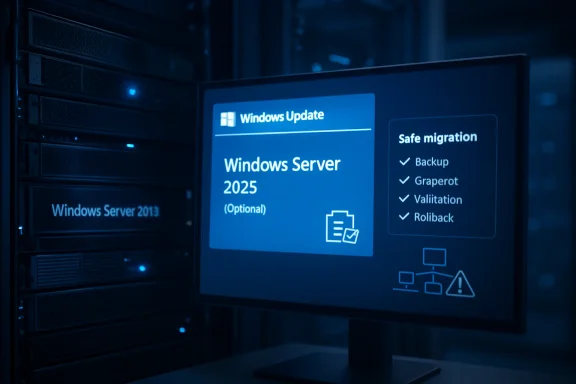
Microsoft is again offering Windows Server 2025 as an optional in-place upgrade through Windows Update for Windows Server 2019 and Windows Server 2022 systems, after resolving an earlier problem in which some environments saw unexpected or unwanted upgrade behavior. That sounds like a convenience feature, and in the narrowest sense it is. But it is also a philosophical shift: Microsoft wants the server operating system to feel less like a once-per-decade migration project and more like a managed servicing event. For IT departments, the real question is not whether Windows Update can move a server to 2025; it is whether the organization around that server is mature enough to let it.
For decades, a Windows Server upgrade has carried the ritual weight of a platform migration. There were ISO files, maintenance windows, licensing checks, application owners, rollback plans, and often a quiet prayer before the first reboot. Microsoft’s latest push tries to collapse some of that ritual into the same channel administrators already use for cumulative updates: Windows Update.
The company is now promoting Windows Server 2025 in-place upgrades through Windows Update for supported Windows Server 2019 and 2022 machines. The offer is optional, and Microsoft’s documentation is explicit that the administrator must enable or accept the feature update rather than treat it as an ordinary monthly patch. In practice, the mechanism lets an admin start the upgrade from Settings on Desktop Experience systems or through Server Core’s update tooling, without attaching installation media.
That is a meaningful operational improvement. Anyone who has managed branch-office servers, remote VMs, or lightly staffed environments understands the appeal of not having to stage media or coordinate console access just to begin an operating-system upgrade. For many organizations, the hardest part of server modernization is not the upgrade engine; it is the friction around getting the process started.
But Microsoft’s framing also deserves scrutiny. When a company says a server OS upgrade can be “as simple” as monthly security updates, administrators should hear the promise and the caveat in the same sentence. The transport may be Windows Update, but the blast radius is still an operating-system replacement.
That distinction may sound bureaucratic, but it is exactly where enterprise patching lives or dies. Update metadata is not just descriptive text; it is the contract between Microsoft, WSUS-like systems, third-party patch tools, automation rules, and the humans who assume those rules mean what they meant last month. If a feature update is misread, misclassified, or mishandled by tooling, “optional” can become “oops” with remarkable speed.
Microsoft says the issue was resolved on April 14, 2026, and that it has re-enabled the Windows Update settings offer. That timing matters because it turns the current promotion into a kind of second launch. Microsoft is not merely introducing a convenience; it is asking admins to trust a mechanism that recently required cleanup.
For many WindowsForum readers, that trust will not be theoretical. Server teams often run layers of tooling: Group Policy, Configuration Manager, Intune, Azure Update Manager, WSUS, third-party scanners, vulnerability management platforms, and homegrown scripts that grew out of one bad Patch Tuesday five years ago. A feature update moving through that ecosystem is only as safe as the least precise interpretation in the chain.
Technically, that is elegant. Operationally, it is dangerous if treated as the whole story. A registry value is an enablement switch, not a readiness assessment, not an application certification, not a backup validation, and not a rollback plan.
Microsoft’s own guidance makes this clear. The company recommends planning the upgrade, testing it in a lab or pilot environment, beginning with the least critical machines, and verifying the system afterward. The upgrade may be initiated from Windows Update, but the work around the upgrade remains recognizably old-school: inventory, dependency mapping, snapshots, backups, maintenance windows, validation, and escalation paths.
That tension is the heart of the story. Microsoft has made the first click easier, but the most important work still happens before the click. The organizations most likely to benefit from this approach are the ones least likely to confuse a simplified trigger with a simplified migration.
The new version also supports more flexible in-place upgrade paths than older releases. For nonclustered systems, Microsoft says Windows Server 2025 can be the target of direct upgrades from as far back as Windows Server 2012 R2 when using installation media, while the Windows Update method is focused on Server 2019 and Server 2022. That split matters: Windows Update is the convenience lane, not the universal migration lane.
For shops still running Server 2019, the Windows Update path is especially tempting. Server 2019 remains widely deployed, but it increasingly looks like the long tail of the previous Windows Server era: stable, familiar, and sometimes quietly overdue for retirement. A supported in-place upgrade path to 2025 lowers one barrier to modernization.
For Server 2022 environments, the calculus is different. The case for urgency is less obvious, but the appeal may be standardization. If an organization is preparing a new baseline for security, automation, Azure Arc integration, or future hardware support, a Windows Update-delivered feature upgrade gives admins one more way to converge the estate without building every move around media-based deployment.
In real environments, two hours can mean very different things. A lightly used VM with clean drivers, boring storage, and a small application footprint may sail through. A physical server with vendor agents, legacy middleware, backup hooks, old monitoring software, and a decade of administrative sediment may turn that estimate into fiction.
The danger is not that Microsoft gives an estimate. The danger is that business stakeholders hear “Windows Update” and assume “monthly patch window.” A feature upgrade may use familiar plumbing, but the downtime profile, testing burden, and rollback consequences are closer to an operating-system migration.
Snapshots help, but snapshots are not magic. They must be application-consistent where necessary, storage-aware where relevant, and tested before they become the emotional support blanket of the maintenance window. Restoring a domain-joined server, database node, or line-of-business application host after a failed upgrade can create its own complications if the environment has moved around it.
That advice is not new in spirit, but it is worth repeating because Windows Update makes bad ideas easier to start. Domain controllers are not ordinary application servers. They carry identity, replication, DNS, time, Group Policy, authentication dependencies, and the sort of organizational memory that only becomes visible when it breaks.
A Windows Update banner on a domain controller should therefore be treated less like an invitation and more like a test of administrative discipline. If your AD upgrade plan is “click the feature update and see what happens,” the problem is not Windows Server 2025. The problem is the plan.
The same caution extends, in different forms, to clustered systems, heavily stateful workloads, and servers with vendor-certified application stacks. Microsoft’s support matrix may allow an operating-system upgrade, but the application vendor’s support matrix may be narrower, slower, or simply silent. In enterprise IT, “supported by Microsoft” is necessary; it is rarely sufficient.
That means checking automatic approval rules, feature-update classifications, third-party patch catalogs, maintenance policies, deployment rings, and any automation that treats available updates as installable updates. It also means confirming that servers are not inheriting client-style Windows Update policies that make sense for laptops but are reckless on infrastructure.
The modern Windows ecosystem is full of abstractions that make routine servicing easier. Those abstractions are valuable, but they can also conceal intent. A dashboard may say compliant, a policy may say recommended, and an agent may say approved; the server only sees an instruction.
The irony is that the safest path to using this new Windows Update upgrade channel may be to disable assumptions first. Admins should know exactly which systems can see the feature update, who can approve it, which management plane has authority, and whether the registry opt-in can be applied only to chosen pilot groups. Without that discipline, convenience becomes another word for ambiguity.
Offering Server 2025 through Windows Update fits that trajectory. It reduces dependence on media, nudges admins toward Microsoft’s servicing model, and makes the server OS lifecycle resemble the client OS lifecycle just enough to streamline the process. Microsoft does not want every upgrade to become a bespoke consulting engagement.
But the server world resists full consumerization for good reasons. Servers are not interchangeable endpoints. Their value is often defined by the workload they host, the identity they hold, the compliance boundary they sit inside, or the fragile integration they maintain with systems nobody has touched since the Obama administration.
That is why the client analogy can only go so far. Windows 11 feature updates may irritate users when they go wrong; Windows Server feature updates can interrupt payroll, authentication, patient intake, manufacturing lines, or overnight batch jobs. Microsoft can improve the mechanism, but it cannot absorb the business context.
That skepticism is healthy. Microsoft’s server business depends on conservative buyers who prize predictability above novelty. If those buyers begin to suspect that feature upgrades can appear too aggressively, or that third-party tools can misread Microsoft’s intent, the damage is not limited to one release.
At the same time, blanket resistance would be a mistake. There are thousands of under-maintained Windows Server systems that remain old not because anyone made a principled architectural decision, but because the upgrade process was painful enough to defer indefinitely. A safer, easier in-place upgrade path could reduce real security and operational debt.
The right posture is therefore neither panic nor cheerleading. It is controlled adoption. Treat the Windows Update upgrade as a useful transport for a planned migration, not as a reason to skip the migration plan.
Microsoft’s Windows Update path is best understood as a bet on process maturity. If an organization has clean inventory, ring-based deployment, tested backups, workload owners, documented validation steps, and clear rollback criteria, then reducing the mechanics of the upgrade is a gift. If it does not, the same mechanism simply makes it easier to make a large mistake quickly.
This is where smaller IT shops face the hardest trade-off. They are most likely to benefit from a media-free upgrade because they have fewer hands and less tooling. They are also more likely to run “special” servers whose exact configuration lives in one admin’s memory rather than in documentation.
The answer is not to avoid the feature. The answer is to make the first upgrade boring on purpose. Pick a low-risk server, clone it if possible, test the path, capture the logs, measure the downtime, and write down what happened. The second upgrade should be less exciting than the first, and the tenth should be procedural.
But security is often invoked too casually in upgrade campaigns. “Upgrade for security” is true at a high level and insufficient at the operational level. A failed upgrade can also create a security problem if it leaves a system unstable, unsupported by an application vendor, or temporarily restored from an old snapshot without proper reconciliation.
Good security teams understand this. They do not merely demand the newest version; they demand a defensible lifecycle. That means knowing which servers cannot move yet, why they cannot move, what compensating controls exist, and when the exception expires.
Windows Update delivery can help security teams by lowering deployment friction and improving visibility. It cannot replace prioritization. The server that should move first is not always the easiest server, and the easiest server is not always the most exposed. The practical migration plan has to reconcile both.
Server Core is the more interesting test. Many serious Windows Server deployments use Core precisely because it reduces footprint and discourages casual administration. Microsoft’s support for initiating the feature update through Server Core servicing tools shows that this is not merely a GUI convenience feature.
Still, Core environments tend to be more automated, more standardized, and more likely to sit inside disciplined management flows. That makes them better candidates for a feature-update channel if the organization has done its homework. The fewer pets in the server estate, the more attractive Windows Update becomes as a cattle-friendly upgrade mechanism.
The opposite is also true. A Desktop Experience server with years of manual tweaks and undocumented local dependencies may present the friendliest upgrade button while being the worst candidate for early adoption. The interface should not be mistaken for readiness.
A Windows Update-delivered upgrade risks making the event look like something the infrastructure team can do alone. That may be efficient for a lab server or stateless utility box. It is reckless for systems whose owners expect to be consulted before the ground shifts underneath them.
This is why Microsoft’s own planning language matters. The company recommends phased rollout, testing, preparatory checks, and post-upgrade validation. Those are not decorative enterprise words. They are the social machinery that turns an OS upgrade from a unilateral action into a controlled change.
Admins should therefore resist the urge to sell this internally as “just Windows Update.” The better message is: Microsoft has given us a simpler delivery method for a real upgrade. That distinction preserves the convenience without trivializing the risk.
The value of the new mechanism is that it fills a gap. It gives administrators a supported, first-party, low-friction way to upgrade eligible Server 2019 and 2022 systems to Server 2025 without staging installation media. That is especially useful for virtualized environments, remote sites, and standardized servers where the workload is well understood.
It also makes pilot programs easier. Instead of building a full media deployment process before anyone has even validated app compatibility, teams can test the Windows Update path on selected systems and learn quickly. That feedback can then shape the broader rollout method.
The mistake would be to confuse a good pilot mechanism with an enterprise-wide green light. Windows Update can start the process, but change management must still decide where it starts, how far it spreads, and when it stops.
Source: heise online Windows Server: Microsoft promotes upgrade to Server 2025 via Windows Update
 Microsoft Is Turning the Server Upgrade Into a Servicing Event
For decades, a Windows Server upgrade has carried the ritual weight of a platform migration. There were ISO files, maintenance windows, licensing checks, application owners, rollback plans, and often a quiet prayer before the first reboot. Microsoft’s latest push tries to collapse some of that ritual into the same channel administrators already use for cumulative updates: Windows Update.The company is now promoting Windows Server 2025 in-place upgrades through Windows Update for supported Windows Server 2019 and 2022 machines. The offer is optional, and Microsoft’s documentation is explicit that the administrator must enable or accept the feature update rather than treat it as an ordinary monthly patch. In practice, the mechanism lets an admin start the upgrade from Settings on Desktop Experience systems or through Server Core’s update tooling, without attaching installation media.
That is a meaningful operational improvement. Anyone who has managed branch-office servers, remote VMs, or lightly staffed environments understands the appeal of not having to stage media or coordinate console access just to begin an operating-system upgrade. For many organizations, the hardest part of server modernization is not the upgrade engine; it is the friction around getting the process started.
But Microsoft’s framing also deserves scrutiny. When a company says a server OS upgrade can be “as simple” as monthly security updates, administrators should hear the promise and the caveat in the same sentence. The transport may be Windows Update, but the blast radius is still an operating-system replacement.
The Ghost of the Unwanted Upgrade Still Haunts the Banner
The reason this story has teeth is that Microsoft has already stumbled on the trust boundary. When Windows Server 2025 first appeared, some Windows Server 2019 and 2022 environments reportedly experienced unexpected upgrades or confusing upgrade offers tied to Windows Update and third-party patch-management interpretation. Microsoft later characterized the feature update as optional and said its metadata had to be interpreted as optional rather than recommended.That distinction may sound bureaucratic, but it is exactly where enterprise patching lives or dies. Update metadata is not just descriptive text; it is the contract between Microsoft, WSUS-like systems, third-party patch tools, automation rules, and the humans who assume those rules mean what they meant last month. If a feature update is misread, misclassified, or mishandled by tooling, “optional” can become “oops” with remarkable speed.
Microsoft says the issue was resolved on April 14, 2026, and that it has re-enabled the Windows Update settings offer. That timing matters because it turns the current promotion into a kind of second launch. Microsoft is not merely introducing a convenience; it is asking admins to trust a mechanism that recently required cleanup.
For many WindowsForum readers, that trust will not be theoretical. Server teams often run layers of tooling: Group Policy, Configuration Manager, Intune, Azure Update Manager, WSUS, third-party scanners, vulnerability management platforms, and homegrown scripts that grew out of one bad Patch Tuesday five years ago. A feature update moving through that ecosystem is only as safe as the least precise interpretation in the chain.
One Registry Value Is Not an Upgrade Strategy
The most striking detail in Microsoft’s current approach is the opt-in mechanism. Administrators can enable the Windows Server 2025 feature update offer by setting a policy-backed registry value under the Windows Update policy path. Once that value is present and prerequisites are met, Windows Update can present the Windows Server 2025 feature update as an installable option.Technically, that is elegant. Operationally, it is dangerous if treated as the whole story. A registry value is an enablement switch, not a readiness assessment, not an application certification, not a backup validation, and not a rollback plan.
Microsoft’s own guidance makes this clear. The company recommends planning the upgrade, testing it in a lab or pilot environment, beginning with the least critical machines, and verifying the system afterward. The upgrade may be initiated from Windows Update, but the work around the upgrade remains recognizably old-school: inventory, dependency mapping, snapshots, backups, maintenance windows, validation, and escalation paths.
That tension is the heart of the story. Microsoft has made the first click easier, but the most important work still happens before the click. The organizations most likely to benefit from this approach are the ones least likely to confuse a simplified trigger with a simplified migration.
Server 2025 Is a Real Upgrade, Not Just a New Label
It would be unfair to treat Microsoft’s push as pure update-channel experimentation. Windows Server 2025 is the current Long-Term Servicing Channel release, and it brings the kind of improvements that matter to security-conscious and hybrid-cloud-heavy shops. Microsoft has been positioning the release around security hardening, better hybrid management, performance work, and closer integration with Azure services.The new version also supports more flexible in-place upgrade paths than older releases. For nonclustered systems, Microsoft says Windows Server 2025 can be the target of direct upgrades from as far back as Windows Server 2012 R2 when using installation media, while the Windows Update method is focused on Server 2019 and Server 2022. That split matters: Windows Update is the convenience lane, not the universal migration lane.
For shops still running Server 2019, the Windows Update path is especially tempting. Server 2019 remains widely deployed, but it increasingly looks like the long tail of the previous Windows Server era: stable, familiar, and sometimes quietly overdue for retirement. A supported in-place upgrade path to 2025 lowers one barrier to modernization.
For Server 2022 environments, the calculus is different. The case for urgency is less obvious, but the appeal may be standardization. If an organization is preparing a new baseline for security, automation, Azure Arc integration, or future hardware support, a Windows Update-delivered feature upgrade gives admins one more way to converge the estate without building every move around media-based deployment.
The Two-Hour Upgrade Window Is a Planning Number, Not a Promise
Microsoft’s server team reportedly tells administrators to expect the combined backup or snapshot and upgrade process to take around two hours, depending on machine performance, running applications, and user load. That estimate is useful in the way all vendor estimates are useful: it gives project managers a starting point and gives engineers something to disprove in the lab.In real environments, two hours can mean very different things. A lightly used VM with clean drivers, boring storage, and a small application footprint may sail through. A physical server with vendor agents, legacy middleware, backup hooks, old monitoring software, and a decade of administrative sediment may turn that estimate into fiction.
The danger is not that Microsoft gives an estimate. The danger is that business stakeholders hear “Windows Update” and assume “monthly patch window.” A feature upgrade may use familiar plumbing, but the downtime profile, testing burden, and rollback consequences are closer to an operating-system migration.
Snapshots help, but snapshots are not magic. They must be application-consistent where necessary, storage-aware where relevant, and tested before they become the emotional support blanket of the maintenance window. Restoring a domain-joined server, database node, or line-of-business application host after a failed upgrade can create its own complications if the environment has moved around it.
The Domain Controller Caveat Is the One Nobody Should Skip
Microsoft’s guidance includes an especially important warning: do not use in-place upgrade as the preferred path for servers running Active Directory Domain Services. The company says an in-place upgrade is technically possible, but it does not deliver the Active Directory performance and feature improvements included in Windows Server 2025 and later. The recommended approach is to deploy new domain controllers on a clean OS, promote them, and demote the old ones.That advice is not new in spirit, but it is worth repeating because Windows Update makes bad ideas easier to start. Domain controllers are not ordinary application servers. They carry identity, replication, DNS, time, Group Policy, authentication dependencies, and the sort of organizational memory that only becomes visible when it breaks.
A Windows Update banner on a domain controller should therefore be treated less like an invitation and more like a test of administrative discipline. If your AD upgrade plan is “click the feature update and see what happens,” the problem is not Windows Server 2025. The problem is the plan.
The same caution extends, in different forms, to clustered systems, heavily stateful workloads, and servers with vendor-certified application stacks. Microsoft’s support matrix may allow an operating-system upgrade, but the application vendor’s support matrix may be narrower, slower, or simply silent. In enterprise IT, “supported by Microsoft” is necessary; it is rarely sufficient.
Optional Means Nothing Until Your Tooling Proves It
Microsoft’s earlier upgrade mishap exposed a chronic weakness in Windows estate management: organizations often assume they know how their patching tools interpret Microsoft metadata until a feature update tests that assumption. The Windows Server 2025 offer is classified as optional, and Microsoft has emphasized that point. Administrators should still verify what “optional” means in every layer of their own deployment chain.That means checking automatic approval rules, feature-update classifications, third-party patch catalogs, maintenance policies, deployment rings, and any automation that treats available updates as installable updates. It also means confirming that servers are not inheriting client-style Windows Update policies that make sense for laptops but are reckless on infrastructure.
The modern Windows ecosystem is full of abstractions that make routine servicing easier. Those abstractions are valuable, but they can also conceal intent. A dashboard may say compliant, a policy may say recommended, and an agent may say approved; the server only sees an instruction.
The irony is that the safest path to using this new Windows Update upgrade channel may be to disable assumptions first. Admins should know exactly which systems can see the feature update, who can approve it, which management plane has authority, and whether the registry opt-in can be applied only to chosen pilot groups. Without that discipline, convenience becomes another word for ambiguity.
Microsoft Wants the Cloud Cadence Without Fully Owning the Customer Estate
There is a broader strategy underneath this move. Microsoft has spent years trying to make Windows Server feel less like an isolated product and more like a managed node in a hybrid control plane. Azure Arc, Azure Update Manager, Defender for Cloud, hotpatching options, policy guest configuration, and cloud-based inventory all point in the same direction: servers should be visible, governable, and serviceable from centralized tooling.Offering Server 2025 through Windows Update fits that trajectory. It reduces dependence on media, nudges admins toward Microsoft’s servicing model, and makes the server OS lifecycle resemble the client OS lifecycle just enough to streamline the process. Microsoft does not want every upgrade to become a bespoke consulting engagement.
But the server world resists full consumerization for good reasons. Servers are not interchangeable endpoints. Their value is often defined by the workload they host, the identity they hold, the compliance boundary they sit inside, or the fragile integration they maintain with systems nobody has touched since the Obama administration.
That is why the client analogy can only go so far. Windows 11 feature updates may irritate users when they go wrong; Windows Server feature updates can interrupt payroll, authentication, patient intake, manufacturing lines, or overnight batch jobs. Microsoft can improve the mechanism, but it cannot absorb the business context.
The Heise Angle Lands Because European Admins Are Allergic to Surprise
The heise report resonated because it framed the story the way many administrators experience Microsoft updates: not as a product announcement, but as a trust negotiation. German and broader European IT audiences tend to be especially sensitive to update autonomy, telemetry, support boundaries, and vendor overreach. The idea of Windows Update promoting a server OS upgrade lands differently when your baseline assumption is that infrastructure should never surprise its operators.That skepticism is healthy. Microsoft’s server business depends on conservative buyers who prize predictability above novelty. If those buyers begin to suspect that feature upgrades can appear too aggressively, or that third-party tools can misread Microsoft’s intent, the damage is not limited to one release.
At the same time, blanket resistance would be a mistake. There are thousands of under-maintained Windows Server systems that remain old not because anyone made a principled architectural decision, but because the upgrade process was painful enough to defer indefinitely. A safer, easier in-place upgrade path could reduce real security and operational debt.
The right posture is therefore neither panic nor cheerleading. It is controlled adoption. Treat the Windows Update upgrade as a useful transport for a planned migration, not as a reason to skip the migration plan.
The Real Upgrade Is From Heroics to Process
Windows administrators have long been rewarded for heroics. The person who can nurse an ancient server through one more year, recover a failed patch at 2 a.m., or remember which vendor agent breaks setup.exe becomes indispensable. But heroics do not scale, and they are a poor foundation for operating-system lifecycle management.Microsoft’s Windows Update path is best understood as a bet on process maturity. If an organization has clean inventory, ring-based deployment, tested backups, workload owners, documented validation steps, and clear rollback criteria, then reducing the mechanics of the upgrade is a gift. If it does not, the same mechanism simply makes it easier to make a large mistake quickly.
This is where smaller IT shops face the hardest trade-off. They are most likely to benefit from a media-free upgrade because they have fewer hands and less tooling. They are also more likely to run “special” servers whose exact configuration lives in one admin’s memory rather than in documentation.
The answer is not to avoid the feature. The answer is to make the first upgrade boring on purpose. Pick a low-risk server, clone it if possible, test the path, capture the logs, measure the downtime, and write down what happened. The second upgrade should be less exciting than the first, and the tenth should be procedural.
The Security Case Is Real, But It Should Not Be Used as a Blunt Instrument
Microsoft’s strongest argument for moving to Windows Server 2025 is security. Newer server releases give Microsoft a cleaner baseline for hardening, identity protection, protocol improvements, and integration with modern management and monitoring tools. In a threat environment where attackers routinely target identity infrastructure and unpatched servers, staying current is not cosmetic.But security is often invoked too casually in upgrade campaigns. “Upgrade for security” is true at a high level and insufficient at the operational level. A failed upgrade can also create a security problem if it leaves a system unstable, unsupported by an application vendor, or temporarily restored from an old snapshot without proper reconciliation.
Good security teams understand this. They do not merely demand the newest version; they demand a defensible lifecycle. That means knowing which servers cannot move yet, why they cannot move, what compensating controls exist, and when the exception expires.
Windows Update delivery can help security teams by lowering deployment friction and improving visibility. It cannot replace prioritization. The server that should move first is not always the easiest server, and the easiest server is not always the most exposed. The practical migration plan has to reconcile both.
The Desktop Experience Path Gets the Screenshots, but Server Core Matters More
Most coverage of this feature naturally focuses on the Settings app because that is where the Windows Update banner appears most visibly. For Desktop Experience systems, the flow is legible: enable the policy, open Windows Update, review the offer, accept, download, install, reboot. It looks reassuringly like the client-side world.Server Core is the more interesting test. Many serious Windows Server deployments use Core precisely because it reduces footprint and discourages casual administration. Microsoft’s support for initiating the feature update through Server Core servicing tools shows that this is not merely a GUI convenience feature.
Still, Core environments tend to be more automated, more standardized, and more likely to sit inside disciplined management flows. That makes them better candidates for a feature-update channel if the organization has done its homework. The fewer pets in the server estate, the more attractive Windows Update becomes as a cattle-friendly upgrade mechanism.
The opposite is also true. A Desktop Experience server with years of manual tweaks and undocumented local dependencies may present the friendliest upgrade button while being the worst candidate for early adoption. The interface should not be mistaken for readiness.
The Windows Update Channel Changes the Politics of Server Ownership
Server upgrades are not just technical events; they are political events inside organizations. Infrastructure teams own the OS, application teams own the workload, security teams own the risk register, finance owns the licensing reality, and the business owns the downtime tolerance. Traditional upgrade projects force those parties into the same room, however reluctantly.A Windows Update-delivered upgrade risks making the event look like something the infrastructure team can do alone. That may be efficient for a lab server or stateless utility box. It is reckless for systems whose owners expect to be consulted before the ground shifts underneath them.
This is why Microsoft’s own planning language matters. The company recommends phased rollout, testing, preparatory checks, and post-upgrade validation. Those are not decorative enterprise words. They are the social machinery that turns an OS upgrade from a unilateral action into a controlled change.
Admins should therefore resist the urge to sell this internally as “just Windows Update.” The better message is: Microsoft has given us a simpler delivery method for a real upgrade. That distinction preserves the convenience without trivializing the risk.
Where the New Button Belongs in the Admin Playbook
The Windows Update route should become one option among several, not the only path. Media-based upgrades still matter, especially for older source versions and controlled offline workflows. Clean installs remain the gold standard for some roles, particularly domain controllers and servers where configuration drift has become unknowable. Replacement and migration are still preferable when an application stack needs modernization alongside the OS.The value of the new mechanism is that it fills a gap. It gives administrators a supported, first-party, low-friction way to upgrade eligible Server 2019 and 2022 systems to Server 2025 without staging installation media. That is especially useful for virtualized environments, remote sites, and standardized servers where the workload is well understood.
It also makes pilot programs easier. Instead of building a full media deployment process before anyone has even validated app compatibility, teams can test the Windows Update path on selected systems and learn quickly. That feedback can then shape the broader rollout method.
The mistake would be to confuse a good pilot mechanism with an enterprise-wide green light. Windows Update can start the process, but change management must still decide where it starts, how far it spreads, and when it stops.
The Upgrade Button Has a Memory Now
The most concrete lesson from Microsoft’s Server 2025 promotion is that administrators should treat the offer as both useful and consequential. It is no longer enough to know whether a server is patched; teams must know whether it is eligible to become a different operating system through the same broad servicing ecosystem.- Windows Server 2025 is being offered as an optional Windows Update in-place upgrade for eligible Windows Server 2019 and 2022 systems.
- Microsoft says the earlier issue involving unexpected upgrade behavior was resolved on April 14, 2026, but administrators should still verify how every patch-management layer treats feature updates.
- The Windows Update path reduces the need for installation media, but it does not reduce the need for backups, testing, phased rollout, application validation, and rollback planning.
- Domain controllers should generally be upgraded by deploying clean new servers, promoting them, and demoting older controllers rather than relying on in-place upgrade.
- The best first candidates are low-criticality, well-documented, easily restorable systems whose workloads have clear owners and clear post-upgrade validation steps.
- The feature is most powerful when used as part of a governed migration program, not as an ad hoc response to a banner in Settings.
Source: heise online Windows Server: Microsoft promotes upgrade to Server 2025 via Windows Update
