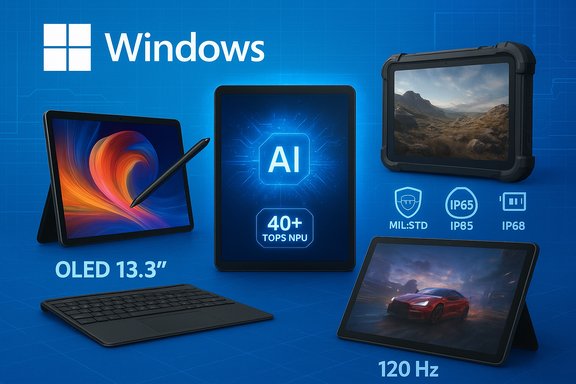
In 2025 the Windows tablet category stopped being a one‑horse race: Asus, Microsoft, Dell, Getac and niche rugged vendors have each sharpened their offerings so buyers can pick a detachable that truly matches how they work — whether that’s creative pen work, harsh-field data collection, or playing AAA games on the go. The landscape now splits cleanly into creator-focused detachables, Copilot+ AI‑ready tablets, rugged field tools, and portable gaming detachables, and PCMag’s recent roundup reflects those practical groupings while flagging the SKU‑roulette, accessory costs, and compatibility caveats buyers must watch.
Windows tablets today are not novelty accessories; they’re full‑fledged PC platforms that blur the line between slate and laptop. Vendors ship detachable tablets (tablet + optional keyboard folio) alongside convertibles (360° hinge) but the market’s momentum in 2025 favors thin, light detachables with strong on‑device AI capabilities, high‑fidelity OLED panels, and either Arm‑based efficiency or x86 performance depending on the use case. Expect major families to appear in multiple SKUs: Snapdragon/Qualcomm X family ARM options for marathon battery life and on‑device NPUs, and Intel Core Ultra / AMD Ryzen AI SKUs for sustained, x86‑native performance.
This article summarizes the practical top picks, explains which processors and features matter most in 2025, and offers a buying checklist for WindowsForum readers who want a tablet that’s not just stylish, but useful in real workflows.
Practical notes:
Practical notes:
Practical notes:
Practical notes:
Practical notes:
Practical notes:
Windows tablets in 2025 are no longer niche curiosities — they’re specialized tools. Whether the goal is the best pen experience, maximum battery life, gaming on the road, or surviving the elements, there’s a detachable built for that job. The buyer’s role has shifted from “pick the best brand” to “pick the exact SKU and accessory bundle that matches the task.” Confirm the SKU, budget for the essential accessories, and validate any Copilot+ or legacy app needs before you click buy — that practical diligence will be the difference between a satisfying tablet and an expensive regret.
Source: PCMag Australia The Best Windows Tablets for 2025
 Background / Overview
Windows tablets today are not novelty accessories; they’re full‑fledged PC platforms that blur the line between slate and laptop. Vendors ship detachable tablets (tablet + optional keyboard folio) alongside convertibles (360° hinge) but the market’s momentum in 2025 favors thin, light detachables with strong on‑device AI capabilities, high‑fidelity OLED panels, and either Arm‑based efficiency or x86 performance depending on the use case. Expect major families to appear in multiple SKUs: Snapdragon/Qualcomm X family ARM options for marathon battery life and on‑device NPUs, and Intel Core Ultra / AMD Ryzen AI SKUs for sustained, x86‑native performance.This article summarizes the practical top picks, explains which processors and features matter most in 2025, and offers a buying checklist for WindowsForum readers who want a tablet that’s not just stylish, but useful in real workflows.
Why the category matters in 2025
Windows tablets give you the desktop‑class compatibility of Windows 11, a touchscreen and stylus experience, and the portability of a slate — but those benefits come with important tradeoffs in thermals, accessory pricing, and software compatibility on Arm SKUs. In 2025 the tablet market matured around three things:- On‑device AI and NPUs — Copilot+ features and local AI inference need measurable NPU capability; vendors now advertise TOPS numbers and certify Copilot+ readiness on qualifying SKUs.
- Display quality — OLED and high‑brightness panels have migrated into premium tablets, which matters for creators and anyone who uses color‑sensitive apps.
- SKU variety and buyer caution — the same model name can hide dramatic differences in CPU, NPU, brightness, memory, and whether a keyboard is included; confirming the exact SKU is now essential.
The practical winners (what to buy for your use case)
Best for creators and value buyers: Asus ProArt PZ13
The Asus ProArt PZ13 has emerged as the practical alternative to the Surface Pro for creators who want color‑accurate OLED, a pen experience, and better value because key accessories are included in many configurations. It positions itself as a detachable built for image work and portable editing: color‑calibrated OLED, a stylus option, SD expansion in some SKUs, and ARM‑class Snapdragon X silicon in the power‑efficient builds. Reviews praise the combination of long battery life and an included keyboard cover that keeps the real‑world price lower than some Surface SKUs. If your workflow is photo editing, sketching, or Adobe Express–type workloads on the go, the PZ13 balances portability, display fidelity and battery life.Practical notes:
- Pros: Strong color, included accessories in many bundles, long light‑work battery life.
- Cons: ARM detachment means checking compatibility for niche x86 apps; peak CPU performance will trail H‑class x86 tablets.
Best choice for Microsoft fans and Copilot+ early adopters: Microsoft Surface Pro (2025 lineup)
Microsoft’s Surface Pro remains the flagship Windows tablet for users who want the purest, Microsoft‑centric experience — especially if Copilot+ features and frequent Windows updates matter. Recent Surface models lean into Qualcomm Snapdragon X silicon on many SKUs, trading a bit of raw x86 peak power for dramatically better battery life and stronger on‑device AI inference. The detachable form factor remains highly portable (small footprint and light weight), and Microsoft’s support and firmware cadence keep the experience smooth — with the ongoing caveat to check firmware updates and test mission‑critical apps on ARM SKUs because emulation can still produce edge cases.Practical notes:
- Pros: Best Windows integration, Copilot+ readiness on qualifying SKUs, excellent portability.
- Cons: Accessory cost creep (keyboard and pen often sold separately) and the need to verify app compatibility on some ARM SKUs.
Best for PC gamers who want a tablet: Asus ROG Flow Z13 (2025)
If gaming is the priority, the Asus ROG Flow Z13 is a unique proposition: a true gaming tablet that runs Windows and packs desktop‑class power in a slate. With AMD Ryzen AI Max+ silicon, high refresh displays and strong cooling engineering (vapor chamber, Arc Flow fans), the Flow Z13 gives gamers real performance in a compact form factor and can connect to external GPUs for more rendering power. The device also benefits from on‑device Copilot features in Windows where applicable, while still keeping gaming performance front and center. Expect a premium price for this level of engineering.Practical notes:
- Pros: High refresh, strong silicon, optional external GPU support for desktop‑like frame rates.
- Cons: Battery life varies heavily by load, and the price of high‑end SKUs is significant.
Best rugged tablets for first responders and field teams: Getac F110 (G7) and DT‑class rugged slates
For field deployments where drop, dust, water and sunlight legibility matter, rugged Windows detachables such as the Getac F110 G7 dominate. These tablets ship with IP66 or better ratings, MIL‑STD 810H certification, hot‑swappable batteries and sunlight‑legible displays (LumiBond or similar tech). That makes them operational tools rather than consumer toys: swappable batteries and expansion modules (WWAN, barcode readers) keep teams productive in long shifts. Vendors back these with warranties and enterprise support that typical consumer tablets cannot match.Practical notes:
- Pros: Built for uptime in extreme conditions, sunlight‑readable screens, swappable batteries.
- Cons: Heavy, expensive, and typically overkill for office-only users.
Best value package for families and small businesses: Lenovo ThinkPad X12 Gen 2 Detachable
Lenovo’s ThinkPad X12 Gen 2 Detachable is a rare tablet that bundles the keyboard and pen in the box on some SKUs, making it an excellent value for families and small businesses who need a complete package out of the box. The ThinkPad build quality, business‑grade durability, and included accessories remove one of the biggest pain points in detachable ownership: surprise accessory expenses. It’s not the most powerful slate, but it hits the right balance for most office tasks and light creative work.Practical notes:
- Pros: Accessories included, strong value and business features.
- Cons: Conservative styling and middling creative performance compared with dedicated creator tablets.
Best for premium enterprise tablets: Dell Latitude 7350 Detachable
Dell’s Latitude 7350 Detachable targets enterprises that want MacBook‑trim polish in a detachable form. With Intel Core Ultra options, ample RAM configurations (up to 32 GB), a sharp 13‑inch 2.8K touch screen and Wi‑Fi 7 capability on some SKUs, the Latitude meets enterprise security, manageability and repairability needs — often with extended warranty and service options that appeal to IT teams. For corporations that must standardize on Windows, the Latitude family is compelling.Practical notes:
- Pros: Laptop‑grade credentials in a detachable form factor, enterprise support and manageability.
- Cons: Premium pricing — priced to match the service guarantees and enterprise features.
What processor should you pick in a Windows tablet?
Choosing the right processor is the single most important hardware decision for tablet buyers in 2025. Here’s a practical breakdown.- Arm / Snapdragon X family (Qualcomm)
- Best for: marathon battery life, strong NPU for on‑device Copilot+ features, ultra‑thin detachables.
- Tradeoffs: some legacy x86 apps may run under emulation; verify mission‑critical apps.
- Intel Core Ultra (Lunar Lake) and AMD Ryzen AI / Strix Point
- Best for: x86 native compatibility, heavier CPU/GPU tasks, enterprise app fleets. Many Core Ultra chips now include integrated NPUs for Copilot+ readiness, making them a good middle ground for performance and AI.
- Tradeoffs: higher thermal and power budgets; expect lower battery life under heavy loads versus ARM.
- H/HX class x86 silicon (if available in convertible form factors)
- Best for: sustained creative workloads, local rendering, content creation that needs raw cores and GPU throughput. Thermals and weight increase accordingly.
Windows tablet security and connectivity
Tablets now include enterprise‑grade security and connectivity features that matter for business users:- Secure hardware: TPM, Windows Hello (Face/IR), and optional smart card readers appear in enterprise SKUs.
- Cellular & WWAN: Many models offer LTE/5G options so field teams can avoid hotspots and remain connected on the move.
- Wi‑Fi 7 and Bluetooth updates: High‑end detachables and convertibles include Wi‑Fi 7 on selected SKUs and advanced Bluetooth versions for low‑latency peripherals. Confirm vendor SKU lists before buying.
Don’t overlook the convertible hybrid
If you can’t live without a built‑in keyboard and a robust hinge, convertibles (360° designs) remain compelling. They typically offer better typing experiences, more ports, and superior thermal headroom for longer sustained performance — but at the cost of extra weight. For people who prioritize typing or want more ports without a dock, convertibles are still the right choice; detachables win when pure tablet ergonomics and lower weight matter most.The buyer’s checklist: avoid common traps
- Confirm the exact SKU string (CPU, display, RAM, NPU). The same model name can represent very different machines.
- Add accessory costs to the base price. Keyboard folios and active pens are often optional and expensive.
- Test mission‑critical apps on ARM SKUs or choose x86 if you rely on legacy enterprise tools.
- Check independent battery tests for the SKU you plan to buy — vendor “up to” numbers vary widely by panel and power profile.
- For field deployments: prefer MIL‑STD and IP ratings, hot‑swappable batteries, and vendor service plans; rugged slates have higher TCO but deliver uptime where it matters.
How to match a tablet to your workflow (quick guide)
- Creatives who need color accuracy and a pen: Asus ProArt PZ13 or Surface Pro with OLED — verify stylus latency and bundled accessories.
- Frequent travelers needing long battery life and Copilot+ features: Snapdragon‑powered Surface or other Copilot+ ARM SKUs — test app compatibility first.
- Field teams and first responders: Getac F110 G7 or purpose‑built rugged detachables with hot‑swap batteries and sunlight‑legible displays.
- Gamers who want portability: Asus ROG Flow Z13 — expect premium pricing but enjoy desktop‑class gaming in a tablet chassis.
- Value and fleet buyers: Lenovo ThinkPad X12 or other business detachables that include accessories and enterprise firmware support.
Strengths, risks, and unanswered questions
Strengths across modern Windows tablets:- Real diversity: there’s a tablet for nearly every specialty, from studio work to battlefield durability.
- AI integration: NPUs and Copilot+ readiness are now practical features, not just marketing.
- Display advances: OLED panels and higher brightness make tablets viable creative canvases.
- SKU confusion: the biggest source of buyer regret is ordering the wrong SKU or assuming features (keyboard included, OLED panel, Copilot+ eligibility) will be standard.
- ARM compatibility caveats: while much improved, Windows on Arm still requires due diligence for some legacy enterprise apps.
- Firmware and post‑launch bugs: recent tablet rollouts have shown that firmware can change battery behavior or performance; always check for updates and community reports before committing.
- Single‑lab battery runtimes and precise TOPS comparisons vary by test methodology and SKU; treat single figures as comparative rather than absolute guarantees.
Final recommendations — how to proceed
- Choose the primary task the tablet must excel at (pen + color accuracy, gaming, field durability, or pure portability).
- Pick the CPU family that matches that task (Snapdragon for efficiency and NPU, Core Ultra / Ryzen AI for native x86 performance).
- Verify the SKU — panel type, RAM, storage, and whether accessories are included — by checking vendor spec sheets and two independent reviews for that exact configuration.
- Factor in accessory costs and warranty/service plans for enterprise or rugged deployments.
Windows tablets in 2025 are no longer niche curiosities — they’re specialized tools. Whether the goal is the best pen experience, maximum battery life, gaming on the road, or surviving the elements, there’s a detachable built for that job. The buyer’s role has shifted from “pick the best brand” to “pick the exact SKU and accessory bundle that matches the task.” Confirm the SKU, budget for the essential accessories, and validate any Copilot+ or legacy app needs before you click buy — that practical diligence will be the difference between a satisfying tablet and an expensive regret.
Source: PCMag Australia The Best Windows Tablets for 2025