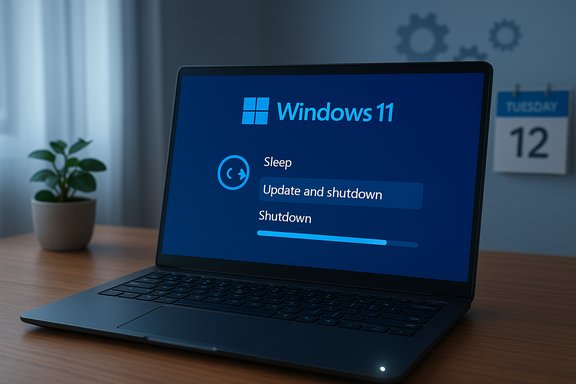
For more than a decade, a tiny but persistent mismatch between label and behavior in Windows finally has a clear fix: the “Update and shutdown” command will now, in the scenarios Microsoft addressed, actually power the PC off instead of leaving it running or returning to the desktop after applying updates. This correction arrives as part of the optional preview cumulative update that produced OS build tokens used by Windows 11 versions 24H2 and 25H2, and the change is being staged into the regular cumulative update pipeline for broad distribution during the next Patch Tuesday window.
The “Update and shutdown” control is one of the simplest touchpoints in Windows: the power menu presents a choice to install pending updates and then shut down the machine. The expected behavior is straightforward—apply updates, commit offline servicing tasks, and then switch the device off. For many users, however, that expectation broke intermittently over the last several years: machines would install updates, return to the lock screen or desktop, or remain powered on instead of actually shutting down. That led to confusion, wasted energy, and irritation for people who believed they had told their PC to power off.
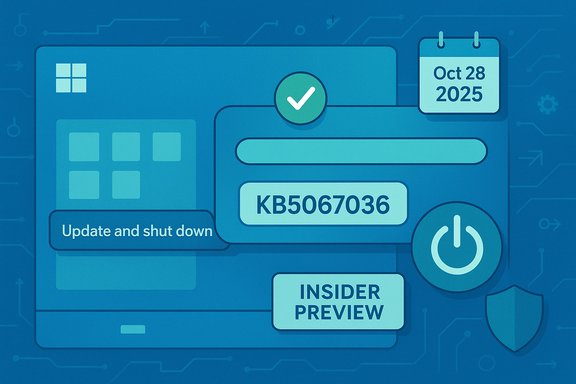
Microsoft’s rollout for the remediation followed the company’s standard staging path. The fix surfaced first in Insider preview builds and was folded into an optional, non‑security preview cumulative package late in October. The preview package updates devices to new OS build tokens for 24H2 and 25H2; the same servicing changes are being staged for broader distribution through the regular Patch Tuesday cadence shortly thereafter. In the release documentation for the preview package, Microsoft explicitly described the change as addressing an “underlying issue” that could cause “Update and shutdown” to not actually shut down the PC after updating.
The wording is terse but definitive: Microsoft treated the symptom as an unintended behavior worth remediating, rather than a deliberate design choice. Community reporting and test flights over the past weeks indicate the corrected shutdown sequence now better respects the user’s choice to power off after update commits complete.
This is a good example of how even narrow servicing changes—here, changes to Task Manager’s grouping or process lifecycle behavior—can impact fundamental user interactions. Microsoft’s preview packaging model is meant to surface such regressions before a mandatory mainstream rollout; in practice, that means early adopters and pilot rings play an important role in catching regressions before the update lands on broad production rings.
It’s also a reminder that small interface elements can carry outsized weight in user perception. Fixing a deceptively small mismatch restores trust in one of the most common interactions on Windows.
The remediation restores deterministic behavior for users and administrators who had to work around the mismatch. The accompanying regression illustrates the need for robust pilot rings and the value of a staged preview pipeline. The lack of a detailed public explanation for why the symptom persisted for so long is unfortunate, and that opacity fuels speculation about prioritization and regression management. Until Microsoft provides a fuller post‑mortem, the technical chronology and the observed behavioral changes are the most reliable artifacts we can use to evaluate the fix.
For now, users who value immediate consistency can test the preview on non‑critical hardware; everyone else should expect the remediation to arrive via the mainstream cumulative update pipeline in the scheduled Patch Tuesday distribution. The lesson is clear: even tiny, well‑worn interface elements deserve rigorous attention, and when they finally behave as labeled, the platform is better for it.
Source: www.guru3d.com Microsoft Fixes Windows “Update and Shutdown” Bug After 10 Years
 Background
The “Update and shutdown” control is one of the simplest touchpoints in Windows: the power menu presents a choice to install pending updates and then shut down the machine. The expected behavior is straightforward—apply updates, commit offline servicing tasks, and then switch the device off. For many users, however, that expectation broke intermittently over the last several years: machines would install updates, return to the lock screen or desktop, or remain powered on instead of actually shutting down. That led to confusion, wasted energy, and irritation for people who believed they had told their PC to power off.Microsoft’s rollout for the remediation followed the company’s standard staging path. The fix surfaced first in Insider preview builds and was folded into an optional, non‑security preview cumulative package late in October. The preview package updates devices to new OS build tokens for 24H2 and 25H2; the same servicing changes are being staged for broader distribution through the regular Patch Tuesday cadence shortly thereafter. In the release documentation for the preview package, Microsoft explicitly described the change as addressing an “underlying issue” that could cause “Update and shutdown” to not actually shut down the PC after updating.
The wording is terse but definitive: Microsoft treated the symptom as an unintended behavior worth remediating, rather than a deliberate design choice. Community reporting and test flights over the past weeks indicate the corrected shutdown sequence now better respects the user’s choice to power off after update commits complete.
What changed, exactly
The technical correction in plain terms
At a servicing level, Windows handles updates with an orchestration pipeline that includes:- staging and staging validation for update binaries,
- offline commit and servicing tasks during reboot,
- user intent preservation logic (the final act after offline servicing—restart, shutdown, or return to session),
- sign‑in automation behaviors for finishing updates that require logon, if configured.
Where and how the fix reached users
- The remediation was validated in Windows Insider preview flights and then included in an optional preview cumulative update published in late October.
- Installing that optional preview will move devices to the new OS build tokens associated with the fixes and feature previews.
- Microsoft is staging the changes for broader release via the mainstream cumulative update channel during the next Patch Tuesday window; users who prefer the most conservative route can wait for that general distribution.
Which Windows editions are in scope
The published servicing notes for the preview package apply to Windows 11 feature channels reflected by the 24H2 and 25H2 releases. The update was described in terms of those builds’ OS tokens and distributed as a preview for devices running those versions. There is no authoritative published indication that the same exact package was rolled for legacy Windows 10 servicing in that preview window; Windows 10 is in an extended servicing posture for many SKUs, and its cumulative servicing cadence differs from Windows 11.Why the fix matters (beyond semantics)
At first glance, fixing an “Update and shutdown” mismatch looks cosmetic: change a behavior that sounds trivial. But this correction matters for real reasons:- Energy consumption: PCs that remain powered instead of shutting down waste electricity, which is meaningful at scale and for users who expect their devices to be off overnight.
- Predictability and user intention: Consistent system behavior builds trust. When a clearly labeled control does the opposite of what it promises, user confidence and productivity suffer.
- Automation and maintenance workflows: Many users and administrators script around expected shutdown semantics (for imaging, night‑time maintenance, or scheduled tasks). Unpredictable results can interfere with these workflows.
- Security and update compliance: Misunderstandings about whether an update finished and whether a restart or shutdown was executed can complicate verification of update compliance.
- Battery life for portable devices: Laptops and tablets left on instead of shut down will consume battery and may shorten device lifespan if left in abnormal states.
Cross-check: independent verification and observed side effects
The remediation’s existence and stated scope are documented in official Microsoft release notes for the preview package, and multiple independent outlets and community testers reproduced the corrected shutdown behavior in preview flights. Independent reporting also surfaced an unexpected side effect: a Task Manager regression that left the utility’s process running after the UI was closed in some environments.The Task Manager regression (observed regression)
Shortly after the preview package circulated more broadly, some testers reported that closing Task Manager’s window using the standard close control did not always terminate the underlying taskmgr.exe process. Each open/close cycle could leave a resident taskmgr.exe instance active, meaning multiple orphaned instances could accumulate until reboot. The symptom was reproducible in multiple community reports and reproduced by independent test articles.This is a good example of how even narrow servicing changes—here, changes to Task Manager’s grouping or process lifecycle behavior—can impact fundamental user interactions. Microsoft’s preview packaging model is meant to surface such regressions before a mandatory mainstream rollout; in practice, that means early adopters and pilot rings play an important role in catching regressions before the update lands on broad production rings.
Interpreting the trade-offs
The presence of a Task Manager regression does not negate the value of fixing the shutdown behavior. It does, however, illustrate the trade-offs inherent in staged rollouts:- Fixing complex orchestration logic can inadvertently touch unrelated lifecycle management paths.
- Preview updates are the right place to surface regressions, but they require active testing by administrators and enthusiasts.
- Organizations with strict uptime or deterministic behavior requirements should be conservative in adopting preview channel updates.
What we still don’t know (and what’s unverifiable)
A few claims commonly repeated in social channels and some headlines are either incomplete or unverifiable from public documentation:- Why did the behavior persist for about a decade? Microsoft’s official notes describe an “underlying issue” but do not provide a narrative explaining why the problem was not fixed earlier. The public materials do not explain historical prioritization or the technical root causes over multiple releases.
- Did Windows 10 receive the same fix? The preview package and its OS build tokens are explicitly tied to Windows 11 24H2 and 25H2 in available documentation. There is no public, explicit confirmation that an equivalent servicing adjustment was pushed to Windows 10 in that preview window; Windows 10 servicing is handled differently and often only receives selected, limited patches in extended support. This remains an open question until a Windows 10‑targeted KB with the same remediation language is published.
- Was the behavior intentionally designed at any point? The company’s published change language frames the correction as addressing an issue. That does not, however, prove whether any prior behavior had been designed for compatibility reasons on specific hardware permutations. The public record lacks a deliberate historical justification.
Practical guidance: how to get and test the fix now
For users who want the corrected shutdown behavior immediately, here are pragmatic steps—ordered by risk and suitability for different users and environments.- Check your current Windows version and build.
- Press Win+R, type winver, and press Enter. Note the OS version and build token.
- Use the optional preview route (for testers and enthusiasts):
- Settings → Windows Update → toggle on “Get the latest updates as soon as they’re available” (if present), then Check for updates.
- If the preview non‑security package appears (the optional preview KB), install it, reboot, and verify behavior on a non‑critical machine.
- Join an Insider flight (Dev or Beta) for the earliest validation, but only on spare machines:
- Insiders receive fixes earlier but at higher risk of regressions. Do not enroll production devices.
- Wait for the mainstream cumulative rollout (conservative approach):
- The preview is being staged for the scheduled Patch Tuesday distribution; waiting for the general cumulative update reduces regression exposure for production systems.
- For enterprises:
- Pilot the preview in a controlled ring; review telemetry and user reports.
- Validate update and shutdown behavior across representative hardware (BIOS/UEFI versions, fast startup states, BitLocker configurations, and sign‑in options).
- Use WSUS/ConfigMgr to stage deployment and block if regressions appear.
- Backup critical data or create a full disk image if the machine is sensitive.
- Ensure System Restore points are enabled or have a recovery image to roll back if necessary.
- Pilot the update on devices that reflect the diversity of your fleet (chipset vendors, drivers, storage controllers, power profiles).
Recommendations for power users and administrators
- Treat preview cumulative updates as an early validation stage, not a production deployment vehicle.
- For home power users who value immediate fixes and can tolerate some risk, installing the preview on non‑critical devices is reasonable.
- For administrators, deploy the preview only within a small pilot ring and monitor for regressions such as Task Manager process anomalies.
- If encountering the Task Manager orphaning symptom, mitigate by terminating orphaned taskmgr.exe processes through Details view or PowerShell Get‑Process/Stop‑Process, and report telemetry if you can reproduce the issue.
- Monitor the Windows Release Health dashboard and the update’s KB page for subsequent known‑issue additions or out‑of‑band patches.
Why this episode is a useful case study in OS maintenance
This fix-and-regression scenario highlights systemic realities of modern OS servicing:- Complexity and coupling: Orchestration logic that spans update servicing, sign‑in automation, and process lifecycle management is tightly coupled. A change in one area can ripple into others.
- Staged rollouts are necessary but imperfect: Insiders and preview updates catch many regressions, but not always every environmental edge case. Community testing is a force-multiplier for quality checks.
- User-facing labels matter: The simplest labels—Update and shutdown—carry strong expectations. Misalignment between label and behavior produces friction that compounds over widespread deployments.
- Telemetry and feedback loops: The capacity to iterate quickly—including rolling out a fix in preview and then in mainstream cumulative updates—is central to handling widely distributed platforms. At the same time, public transparency about root causes would help users and administrators understand risk and mitigation more clearly.
Risks, side effects, and what to watch for
- Regressions from preview fixes: As seen with Task Manager, fixing one path can create problems in another. Watch for resource accumulation, UI anomalies, or process lifecycle regressions after installing previews.
- Mixed device states: Different BIOS/UEFI, driver, and firmware combinations can vary how shutdown/restart is executed—test across device classes.
- Enterprise automation impacts: Scripts or imaging workflows that implicitly relied on previous behavior should be reviewed. Where automation assumes intermediate restarts or sign‑in steps, validate that the corrected behavior does not alter expected sequencing.
- Communication expectations: For managed users, update rollout notes and internal communication should set expectations about preview risks and the schedule for mainstream inclusion.
The user experience payoff
When the user interface finally aligns with user intent—when “Update and shutdown” actually shuts down—the daily friction disappears. For regular users this is a modest but meaningful quality-of-life improvement: a clean, predictable shutdown after updates, less energy waste, and fewer late‑night surprises. For administrators, the corrected behavior simplifies validation for maintenance workflows and reduces anomalies that complicate post‑update checks.It’s also a reminder that small interface elements can carry outsized weight in user perception. Fixing a deceptively small mismatch restores trust in one of the most common interactions on Windows.
Final analysis: a small fix with outsized lessons
This update is an example of the slow, iterative nature of modern platform maintenance. The technical fix is narrow but corrects an important user expectation; the surrounding story—staged rollout, community testing, a preview‑stage regression in Task Manager, and cautious enterprise rollout guidance—tells a broader tale about the trade-offs between speed and stability.The remediation restores deterministic behavior for users and administrators who had to work around the mismatch. The accompanying regression illustrates the need for robust pilot rings and the value of a staged preview pipeline. The lack of a detailed public explanation for why the symptom persisted for so long is unfortunate, and that opacity fuels speculation about prioritization and regression management. Until Microsoft provides a fuller post‑mortem, the technical chronology and the observed behavioral changes are the most reliable artifacts we can use to evaluate the fix.
For now, users who value immediate consistency can test the preview on non‑critical hardware; everyone else should expect the remediation to arrive via the mainstream cumulative update pipeline in the scheduled Patch Tuesday distribution. The lesson is clear: even tiny, well‑worn interface elements deserve rigorous attention, and when they finally behave as labeled, the platform is better for it.
Source: www.guru3d.com Microsoft Fixes Windows “Update and Shutdown” Bug After 10 Years