

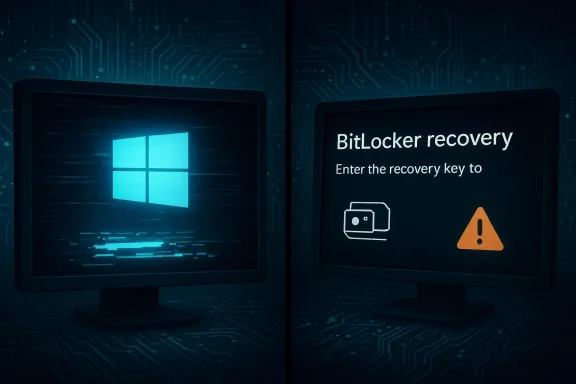
Microsoft’s latest cumulative updates have once again tripped a familiar wire: in multiple waves across 2024–2026, Windows cumulative updates have been tied to black screens, boot loops, and other display failures that left some users unable to reach their desktops or forced to wrestle with BitLocker recovery screens. The pattern is clear — large, combined servicing packages that include a Servicing Stack Update (SSU) together with an LCU (Latest Cumulative Update) have accelerated deployment but reduced rollback flexibility, exposing rare driver and firmware edge cases in the wild. Microsoft has acknowledged specific incidents, issued targeted mitigations, and rolled out fixes in follow-up updates, but the episode underlines persistent trade-offs between rapid security delivery and platform stability.
Since at least September 2024, Windows cumulative updates have produced two distinct but related failure patterns: (A) full boot failures and repeated restart loops that can invoke the Automatic Repair environment or BitLocker recovery, and (B) intermittent black-screen or blank-desktop symptoms where the system appears to run but the display or shell does not recover properly. These failures have surfaced around preview and Patch Tuesday releases such as KB5043145 (September 26, 2024 preview) and more recently KB5074109 (January 13, 2026 Patch Tuesday), among others. Microsoft’s official release notes confirm the presence of user-reported boot/restart and display regressions for some machines and describe mitigations. Community reporting — forum captures, Reddit posts, and Windows‑focused outlets — documented user experiences in real time: stuck update loops, sudden requests for BitLocker recovery keys, green/blue/black screens at or after sign-in, and short-lived blackouts that resemble GPU/driver hangs rather than kernel panics. These grassroots reports were often the first signal that a small but meaningful fraction of configurations were failing.
For end users: pause optional or early-release updates until fixes are confirmed, keep backups and recovery media, and maintain access to BitLocker keys. For IT teams: apply strict ring-based deployment, test thoroughly against real-world images, and prepare DISM/repair playbooks. The ecosystem has learned how to respond, but the work of balancing speed and stability is ongoing — and vigilance is still the best defense.
Source: Inbox.lv News feed at Inbox.lv -
 Background / Overview
Since at least September 2024, Windows cumulative updates have produced two distinct but related failure patterns: (A) full boot failures and repeated restart loops that can invoke the Automatic Repair environment or BitLocker recovery, and (B) intermittent black-screen or blank-desktop symptoms where the system appears to run but the display or shell does not recover properly. These failures have surfaced around preview and Patch Tuesday releases such as KB5043145 (September 26, 2024 preview) and more recently KB5074109 (January 13, 2026 Patch Tuesday), among others. Microsoft’s official release notes confirm the presence of user-reported boot/restart and display regressions for some machines and describe mitigations. Community reporting — forum captures, Reddit posts, and Windows‑focused outlets — documented user experiences in real time: stuck update loops, sudden requests for BitLocker recovery keys, green/blue/black screens at or after sign-in, and short-lived blackouts that resemble GPU/driver hangs rather than kernel panics. These grassroots reports were often the first signal that a small but meaningful fraction of configurations were failing. Timeline: what happened, when
- September 26, 2024 — Microsoft published the preview cumulative KB5043145. After field reports of repeated restarts and recovery behavior, Microsoft acknowledged the issue and published guidance, ultimately addressing some symptoms in follow-up servicing. The KB article includes a Known issue entry describing device restarts, Automatic Repair triggering, and BitLocker recoveries.
- January 13, 2026 — January Patch Tuesday arrived with KB5074109 for Windows 11 (24H2/25H2). Soon after the rollout, users reported black screens, RDP/AVD sign-in failures, and Outlook hangs. Microsoft acknowledged related problems and began issuing mitigations and follow-up fixes; independent outlets also documented the black-screen reports and the early mitigation steps.
- Ongoing — Community threads and forum archives show that when Microsoft bundles an SSU and LCU, symptoms become harder to fix via the usual uninstall mechanisms, driving administrators and power users toward more invasive recovery paths (DISM removal, system restore, or recovery media). This reality shaped how Microsoft and IT teams responded.
Why combined SSU + LCU packaging matters
One recurring technical theme in these incidents is the packaging of the Servicing Stack Update (SSU) together with the Latest Cumulative Update (LCU). Combining SSU and LCU into a single package reduces the number of separate reboots and helps ensure that the servicing stack is updated before the LCU applies. That improves long‑term reliability for most customers, but it has two important side effects:- Rollback difficulty: The SSU cannot be uninstalled using the standard wusa /uninstall method. If the package causes an LCU‑level regression, removing it often requires the DISM /Remove‑Package path and precise package names — a nontrivial process for average users and some admins. Microsoft documents this limitation in the KB text.
- Low‑level footprint: SSUs touch the servicing stack that handles updates themselves. Any mis-sequenced change that interacts with firmware, secure-boot chains, or driver initialization timing can produce corner-case failures that are hard to reproduce in lab testing and difficult to isolate in file analysis repeatedly points to this interaction as a plausible mechanism for the recorded black-screen and boot-loop behavior.
The symptoms in the field: what users saw
User reports clustered into a few repeatable symptom buckets:- Reboot loops and repeated restarts where the system alternates between install attempts and rollbacks; the experience sometimes ends with the Automatic Repair environment or a BitLocker recovery screen requiring the recovery key.
- Complete black screens or blank desktops after login while background services continue running. In some cases, restarting explorer.exe or booting to Safe Mode restored the UI; in others, the desktop never returned.
- Short, intermittent blackouts (display goes blank for seconds up to a minute) that recover without a full reboot — behavior that points to a driver or GPU initialization hang rather than a kernel panic. Many of these reports implicated NVIDIA GPUs in particular, though the symptom set wasn’t exclusive to a single vendor.
- Application-specific regressions coincident with the same update cycle — for example, Outlook hangs on POP accounts or Remote Desktop sign-in failures — which increased the perceived severity for enterprise users. Microsoft confirmed several such issues and published mitigation steps where possible.
What Microsoft and vendors did (and why it matters)
Microsoft’s response followed a common pattern:- Acknowledgement and KB notes: Microsoft updated the official KB pages to include Known issues and workarounds for affected scenarios, and it documented how the SSU+LCU package behaves and how to remove the LCU component with DISM if needed. This is the authoritative place to check for status and uninstall instructions.
- Targeted mitigations: For some regressions, Microsoft used the Known Issue Rollback (KIR) mechanism to selectively disable the offending change in the field. KIR can be pushed broadly and avoids requiring a full replacement release. The rollout of KIRs and follow-up cumulative updates resolved at least some of the reported issues.
- Coordination with OEMs / drivers: When symptoms pointed to GPU driver/firmware interaction, hardware vendors often released driver updates or firmware patches. In several past cases, targeted driver updates or vBIOS/UEFI fixes resolved the display problems. Community analysis suggests vendor coordination remains a key part of the fix-path for driver‑related black screens.
- Emergency out‑of‑band patches: In tight cases where a Patch Tuesday release introduced regressions that impacted essential scenarios (RDP, Outlook, or sign-in flows), Microsoft occasionally shipped out‑of‑band updates to address the worst regressions while they prepared larger cumulative fixes. Coverage of these emergency updates and their limits appeared in technical press reporting.
Technical analysis: likely root causes
No single root cause covers every incident, but the evidence points to several recurring mechanisms:- Driver/firmware timing mismatches. OS changes in power management, graphics kernel timing, or Secure Boot certificate handling can expose assumptions made by GPU drivers or firmware. When a driver expects a particular initialization sequence and the OS alters that sequence, a display initialization hang or black screen can result. Community telemetry frequently points to such interaction patterns.
- Component store / servicing stack corruption. Installation failures with error codes like 0x800f0922800f0922 or 0x80070306 often indicate problems with the WinSxS/component store, missing prerequisite SSUs, or insufficient EFI system partition space. These issues can abort installs and trigger rollbacks, leaving devices in a questionable state. Practical repair steps (DISM /RestoreHealth, SFC, reseeding SSU) are commonly effective.
- Edge-case third‑party software interaction. Shell extensions, security agents (AV), or UI customization utilities can hook into explorer.exe or Win32 shell subsystems. When an LCU changes timing or APIs, those third‑partyleave the UI unresponsive even though system services continue to run. Community posts documenting Start menu replacements and customization tools breaking after updates support this hypothesis.
Practical guidance: remediation for home users and IT admins
Below are prioritized, practical actions organized for both individual users and administrators. These steps assume you are able to access a functioning device or boot recovery media. If BitLocker key entry is requested and you cannot provide the key, stop and seek professional help — forced recovery attempts can lead to data loss.- Immediate safety steps (if you are not currently broken)
- Pause updates in Settings → W automatic exposure while mitigations arrive. This is the fastest protective measure.
- Ensure you have a full backup and an image or system restore point before forcing updates or rollbacks. Image-based backups make rollback far safer for power users.
- If you can still sign in and the UI is unstable
- Update graphics drivers to the vendor’s latest certified release (NVIDIA, AMD, Intel) and update firmware/UEFI where vendors have advised fixes. These updates frequently address display‑initialization regressions.
- Run DISM and SFC from an elevated prompt:
- DISM /Online /Cleanup-Image /RestoreHealth
- sfc /scannow
- Check for the presence of the KB package and uninstall only the LCU if necessary via DISM, using the exact package name. The combined SSU+LCU packaging requires DISM for LCU removal; the SSU is not removable via wusa. Follow Microsoft guidance here.
- If the machine is in a boot loop or shows Automatic Repair
- Use recovery media (Windows installation USB) to access WinRE.
- Attempt an uninstall of recent updates via Troubleshoot → Advanced options → Uninstall Updates.
- If that fails, use an elevated Command Prompt in WinRE to run DISM package removal or to restore from a system image.
- If BitLocker recovery is invoked, retrieve the recovery key from your Microsoft account or organizational key escrow before proceeding. BitLocker prompts are a hard bloc the correct key.
- For administrators managing fleets
- Implement a deployment hold via Windows Update for Business, WSUS, or Intune rings while Microsoft and vendors validate mitigations. Do not push the problematic cumulative to production rings.
- Monitor Microsoft’s Release Health dashboard and the KB pages for Known Issue Rollback ( test the KIR in a preproduction ring before broad rollout.
- Prepare rollback playbooks that include DISM package removal, SSU checks, and in‑place repair upgrade procedures for worst-case remediation.
- Pause updates and gather backups.
- Update GPU drivers and firmware.
- Run DISM /RestoreHealth, then sfc /scannow.
- If needed, boot WinRE and uninstall updates; if that fails, use DISM to remove the LCU package.
- If still unresolved, perform an in‑place repair install or restore from a trusted image.
Strengths and weaknesses of Microsoft’s current approach
Strengths:- Visibility and mechanisms for targeted fixes. Microsoft’s KIR and SSU mechanisms let the company deliver targeted mitigations and servicing-stack improvements that benefit the broad population once validated. These are powerful tools to reduce the blast radius of future issues.
- Transparent KB guidance. When issues are found at scale, Microsoft documents Known Issues and provides explicit guidance (including DISM instructions) that experienced administrators can apply.
- Diversity of the Windows ecosystem. The enormous variety of hardware, OEM firmware, and third‑party drivers makes exhaustive pre-release testing impossible; small but destructive edge cases will continue to surface. Community threads show that third‑party apps, vendor drivers, or custom images are often co-conspirators in these failures.
- Timing and communication. Rapid mitigation matters. In incidents where users cannot boot or must find BitLocker keys, even short delays in KIR delivery or vendor driver updates impose real user costs. Press coverage and community posts highlight the human friction of recovery.
What should OEMs, enterprises, and hobbyists do differently?
- OEMs: tighten validation of OS-level changes against driver/firmware interactions and consider rapid driver/firmware channels triggered by MS servicing release signals.
- Enterprises: treat new cumulative releases as disruptive by default — use phased rings, require validation against a representative golden image (including third‑party security software), and maintain recovery images and encrypted key escrow for BitLocker.
- Hobbyists / power users: keep a tested recovery USB and full disk images, avoid installing optional preview cumulatives on primary devices, and maintain quick access to BitLocker keys via the Microsoft account or secure escrow.
Caveats and unverifiable claims
Some community reports attribute every black-screen or startup failure directly to a single KB — that attribution is not always provable. In many incidents, multiple interacting variables (third‑party drivers, custom OEM images, pending installations, and hardware faults) conspire to produce identical failure modes. Where vendor telemetry or Microsoft’s diagnostic logs aren’t published, some claims remain correlative rather than strictly causal; treat isolated forum posts as early signals, and prioritize official KB guidance and vendor advisories for decisive action.Conclusion
Windows cumulative updates remain essential for security and platform health, but the episodes around KB5043145, KB5074109, and similar packages demonstrate how the very mechanisms designed to improve reliability can amplify rare, high‑impact regressions. The combination of SSU+LCU packaging, complex driver/firmware interactions, and the sheer heterogeneity of Windows devices makes careful staging, rapid vendor coordination, and robust recovery playbooks indispensable. Microsoft has the technical tools (KIR, targeted hotfixes, KB documentation) to address regressions quickly, but the human cost — lost productivity, data‑access headaches from BitLocker recovery, and the stress of recovery — remains real for anyone caught in the edge case.For end users: pause optional or early-release updates until fixes are confirmed, keep backups and recovery media, and maintain access to BitLocker keys. For IT teams: apply strict ring-based deployment, test thoroughly against real-world images, and prepare DISM/repair playbooks. The ecosystem has learned how to respond, but the work of balancing speed and stability is ongoing — and vigilance is still the best defense.
Source: Inbox.lv News feed at Inbox.lv -
