

A single enraged post — calling Microsoft an “idiot” — has blown up into a wider conversation about whether Windows can, or should, ever upgrade a user’s PC without explicit consent, and why that question still matters in 2026 as Microsoft tightens lifecycle deadlines and increases pressure on older installations.
For years, Windows users have reported sudden, unwelcome upgrades or restarts that arrived at the worst possible moment: in the middle of a deadline, during a presentation, or while a game was running. Those singular incidents are not merely one-off frustrations; they reflect design choices, corporate priorities, and the technical reality of how Windows Update works for different customer segments. The recent viral complaint accusing Microsoft of automatically upgrading a PC without permission rekindled memories of past upgrade controversies and prompted fresh scrutiny of Microsoft’s update mechanisms, policies, and the legal and practical options available to users who want to stay in control.
Community anger over automatic behavior is longstanding — threads going back many years show the same themes: work interrupted, data at risk, and the feeling that the OS is “doing things without my consent.” One user’s post that asked “What idiot at Microsoft thought it was a great idea to interrupt people’s work constantly with this” captures the sentiment echoed across forums and support threads. izes what happened, explains the technical and policy mechanisms that can make upgrades appear automatic, evaluates Microsoft’s responsibilities and communication failures, and provides practical, source-verified steps individuals and IT teams can use to avoid surprise upgrades.
That campaign triggered lawsuits, regulatory complaints, and a public apology from Microsoft executives acknowledging the company had “gone too far.” The episode left a residual distrust among cautious users that remains influential today.
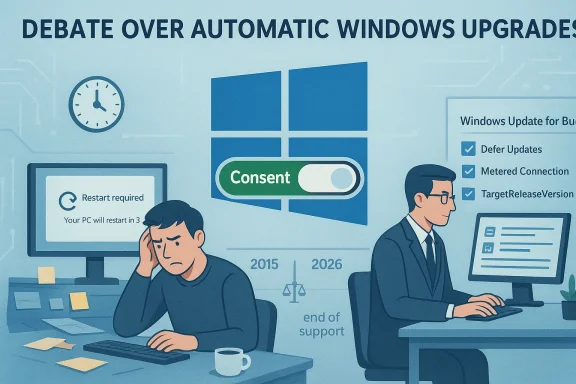
The fix is twofold. Microsoft must design clearer consent flows, more conservative default behaviors for major feature changes, and better consumer remediation when things go wrong. At the same time, users should adopt practical controls — pause updates, use metered connections, or pin a release via TargetReleaseVersion — to protect their work and workflows until they are ready to migrate.
For anyone worried about an unexpected upgrade right now: don’t panic. Pause updates, set a metered connection, or apply the documented TargetReleaseVersion policy appropriate for your edition of Windows. For organizations, implement Windows Update for Business and test feature updates in rings before broad rollout. The technical steps are available and supported; the remaining gap is one of communication and trust.
Community frustration — visible in years of forum posts and vivid anecdotes of ruined work and broken machines — is not just venting; it’s a signal. Treat it as the user research it is. Do that, and the next generation of Windows updates can be both secure and respectful of user agency.
Source: Neowin Furious user calls Microsoft "idiot" for allegedly automatically upgrading their Windows PC
 Background / Overview
For years, Windows users have reported sudden, unwelcome upgrades or restarts that arrived at the worst possible moment: in the middle of a deadline, during a presentation, or while a game was running. Those singular incidents are not merely one-off frustrations; they reflect design choices, corporate priorities, and the technical reality of how Windows Update works for different customer segments. The recent viral complaint accusing Microsoft of automatically upgrading a PC without permission rekindled memories of past upgrade controversies and prompted fresh scrutiny of Microsoft’s update mechanisms, policies, and the legal and practical options available to users who want to stay in control.Community anger over automatic behavior is longstanding — threads going back many years show the same themes: work interrupted, data at risk, and the feeling that the OS is “doing things without my consent.” One user’s post that asked “What idiot at Microsoft thought it was a great idea to interrupt people’s work constantly with this” captures the sentiment echoed across forums and support threads. izes what happened, explains the technical and policy mechanisms that can make upgrades appear automatic, evaluates Microsoft’s responsibilities and communication failures, and provides practical, source-verified steps individuals and IT teams can use to avoid surprise upgrades.
Timeline: How we got here
The GWX era and user backlash (2015–2016)
The most notorious chapter of “automatic upgrade” history is the Windows 10 GWX (Get Windows 10) campaign. Microsoft used a combination of pop-ups, recommended update flags, and redesigned prompts to drive adoption — and for many users a closed window or leaving the PC unattended effectively scheduled an upgrade. Investigations and reporting at the time documented that behavior and the public backlash it produced. Journalists and user advocates described scenarios where closing the upgrade dialog by hitting the red “X” could be interpreted by the system as consent, and PCs left on overnight quietly moved to Windows 10.That campaign triggered lawsuits, regulatory complaints, and a public apology from Microsoft executives acknowledging the company had “gone too far.” The episode left a residual distrust among cautious users that remains influential today.
Legal and consumer rulings
Complaints have not been limited to forum flames. Consumer bodies and courts have occasionally sided with users where an upgrade caused damage or loss of functionality. For example, the Finnish Consumer Disputes Board determined that Microsoft lacked the contractual right to install a new operating system without a user’s permission and ordered compensation in a notable case. This is an important legal precedent that shows “upgrade without consent” can have consequences.End of support timelines and renewed pressure (2024–2026)
As Microsoft approaches, or implements, end-of-support deadlines for older Windows versions, its messaging has shifted from “optional upgrade” to “necessary for security and support.” Forbes and other outlets have warned users that once an old release reaches end of service, continued use becomes increasingly risky — and Microsoft has signaled that devices running out-of-support versions may see stronger nudges or notifications urging upgrade. Those lifecycle realities are what amplify a single upgrade incident into a broader policy debate: when is an automatic or pushed upgrade acceptable in the name of security, and when does it violate user autonomy?How “automatic” upgrades actually happen: the technical mechanics
Understanding whether an upgrade truly occurred “without consent” requires parsing the update stack and the difference between notification, recommended updates, and forced installs.- Recommended vs. Required updates: Windows Update classifies some items as recommended or feature updates. On systems with default settings, recommended updates can auto-download and install. If a major upgrade is set as “recommended” in a given period, a user relying on default settings could see an upgrade begin without having explicitly clicked “Install now.” Microsoft has historically used the “recommended” flag in ways that caused confusion.
- Enablement packages and feature updates: Modern Windows feature updates are often delivered as enablement packages or cumulative feature updates. That packaging allows Microsoft to move machines between versions more seamlessly. For systems configured to accept feature updates automatically, the update will behave like any other cumulative update and can install on restart windows. The distinction between a “big update” and a new OS version is increasingly blurred for end users. Microsoft’s policy documents and update channels explain this model in technical detail.
- User interactions and ambiguous prompts: Past missteps show how UI choices can be interpreted as consent. Aggressive prompts, unclear labels, and the reuse of a window close action to imply acceptance are UI-level mistakes that can make an upgrade feel involuntary. Reporting from independent outlets documented exactly that behavior during the Windows 10 era.
- Policy and management layers: Enterprises and advanced users can control feature upgrades via Group Policy, MDM (Policy CSP), and Windows Update for Business. The pres these policies determines whether a managed device will automatically upgrade. For home users, registry changes such as the TargetReleaseVersion entries can "pin" a system to a particular release, preventing unwanted feature upgrades. Microsoft documents these mechanisms and recommends management for organizations.
Why the perception of “forced” upgrades persists
Three factors converge to make users feel upgrades were forced:- Confusing defaults and UI choices — Default Windows Update behavior favors staying current, and past UI decisions made consent ambiguous. Forum posts across years are full of users who felt blindsided; one thread captured a user who was repeatedly interruptesoft’s timers and restart logic.
- Lifecycle urgency — As Microsoft ends support for older versions, alerts and notifications ramp up. Some users experience intensive prompts that can appear coercive when tied to end-of-service deadlines. Journalists and security commentators have warned that these lifecycle pushes make upgrades feel less optional.
- Real harm when upgrades go wrong — If a feature update breaks drivers, removes apps, or causes a boot loop, the damage is palpable: lost work, time, and sometimes money. Multiple support threads recount users waking to a broken machine after an automatic update attempt — scenarios that feed the narrative of being “forced” into something harmful. One user reported a restart loop and lost access after an update, a pattern repeated in many community conversations.
Microsoft’s legal and PR responsibilities
Microsoft occupies a tricky position. On one hand, it has legitimate security motives for encouraging users to stay on supported releases. On the other, it must avoid taking actions that are reasonably interpreted as nonconsensual, especially when those actions can cause damage.- Public history shows Microsoft has paid a reputational price for aggressive upgrade tactics and has adjusted behavior following complaints and legal pressure. The GWX era and subsequent apologies are part of that record.
- Legal decisions and consumer board findings es can be held responsible when an upgrade is performed without demonstrating adequate consent and care. The Finnish Consumer Disputes Board case is a cautionary example — legal remedies can and do follow harmful unsolicited upgrades.
- Microsoft’s documentation now emphasizes management controls (Group Policy, MDM, Windows Update for Business) that enable organizations to defer or pin to a version — but many consumers are unaware of these options and Microsoft has a responsibility to make the consent model clearer for home users.
Risks and real-world impacts
The consequences of an unexpected feature upgrade range from minor annoyance to serious data loss:- Driver and software incompatibility — Feature upgrades can render third-party drivers or legacy applications nonfunctional. Gaming rigs and professional software suites are common victims; users have reported choppy graphics, missing peripherals, or app crashes after an upgrade.
- Interrupted work and lost data — Abrupt restarts or installs can close unsaved documents. Multiple long-standing community complaints describe lost schoolwork or projects ended by unplanned restarts.
- Device bricking — In worst-case scenarios, an update can fail and leave a device unusable, requiring a full refresh and reinstall. Those situations have driven small-claims suits and strong consumer reactions.
- Trust erosion — Beyond technical harm, repeated surprise upgrades erode trust. Users who feel they cannot control their own devices may migrate to alternative platforms or apply heavy-handed local workarounds (disabling updates entirely), which itself increases security risk.
Practical, verified steps to prevent unwanted upgrades
Below are vetted, source-cited measures that users and IT administrators can take to reduce the chance of an unwanted feature upgrade. These steps are ordered from simple to advanced.For most home users (easy, reversible)
- Pause updates temporarily: Windows Settings allows you to pause updates for short windows. This is a simple stopgap to avoid an imminent upgrade. Microsoft documents how pause behaves and its limits.
- Set your connection as metered: On Wi‑Fi (and in some cases Ethernet with manual configuration), marking the network as metered stops large downloads, which often prevents feature updates from downloading automatically. This is user-friendly and reversible.
For advanced home users (one-time configuration)
- Use TargetReleaseVersion registry or Group Policy: You can pin a machine to a specific feature update by setting the TargetReleaseVersion policy (Group Policy on Pro/Enterprise/Education, or registry edits on Home). This prevents Windows Update from upgrading beyond the target version. Microsoft documents the policy and how it maps to management tools. Independent technical guides describe the exact registry entries required. Follow the official policy guidance where possible; editing the registry should be done carefully and with a backup.
- Disable automatic restarts for updates: In Group Policy (or via advanced Settings), configure restart notifications and deadlines so the system never restarts outside of clearly communicated windows. This won’t stop installation, but it reduces surprise reboots.
For IT administrators and organizations (recommended)
- Implement Windows Update for Business or WSUS to control rollout timing and to hold devices on approved releases. Microsoft’s guidance lays out the policy CSPs and ADMX mappings for that control plane.
- Use feature update deferral and ring-based deployments to pilot updates on a small set of devices before broad deployment.
- Apply compatibility testing and safeguard holds to prevent distribution to devices with known incompatibilities.
- Communicate clearly with end users: scheduled maintenance windows, expected behaviors, and rollback procedures.
Where Microsoft should do better: analysis and critique
Microsoft has legitimate reasons to encourage modern, supported configurations — security and ecosystem consistency are valid priorities. That said, the company’s historical and occasional present-day practices have three persistent weaknesses:- Communication clarity: Past UI design choices blurred the line between consent and scheduling. Microsoft needs to ensure every major upgrade flow presents explicit, unmistakable choices that users can act on confidently.
- Default behavior vs. user choice: Default Windows Update settings favor automaticity for security; but for many users, the balance between security and autonomy is not one-size-fits-all. Microsoft’s management tooling is powerful, but it targets IT pros rather than consumers.
- Remediation and support: When an upgrade damages data or breaks workflows, consumers need clear, fast remediation — not just documentation. Consumer-facing support channels and post-upgrade recovery tools should be more proactive, and Microsoft should continue to expand and simplify rollback and repair options.
Legal and regulatory outlook
The combination of stronger consumer protections in some jurisdictions, legal precedents where vendors were ordered to compensate affected users, and increasing scrutiny of “forced obsolescence” makes this an area to watch.- Courts and consumer boards have already demonstrated willingness to side with users when upgrades were performed without clear consent and caused damage. That creates an incentive for software vendors to adopt conservative consent models or provide easier opt-out mechanisms.
- Regulatory attention tends to increase when lifecycle decisions push consumers toward hardware refreshes or paid support. The period ahneows versions — is likely to keep this issue in the public eye. Journalists have flagged the scale of users affected and the possible consequences.
Conclusion: trust by design, not by default
The viral complaint that called Microsoft an “idiot” may be emotionally charged, but it encapsulates a real and persistent user fear: losing control of the device you rely on. Microsoft has made technical and policy changes since the worst upgrade controversies a decade ago, and it offers administrators many tools to prevent unwanted feature upgrades. Yet the pain points remain for many home users who neither know nor use those controls.The fix is twofold. Microsoft must design clearer consent flows, more conservative default behaviors for major feature changes, and better consumer remediation when things go wrong. At the same time, users should adopt practical controls — pause updates, use metered connections, or pin a release via TargetReleaseVersion — to protect their work and workflows until they are ready to migrate.
For anyone worried about an unexpected upgrade right now: don’t panic. Pause updates, set a metered connection, or apply the documented TargetReleaseVersion policy appropriate for your edition of Windows. For organizations, implement Windows Update for Business and test feature updates in rings before broad rollout. The technical steps are available and supported; the remaining gap is one of communication and trust.
Community frustration — visible in years of forum posts and vivid anecdotes of ruined work and broken machines — is not just venting; it’s a signal. Treat it as the user research it is. Do that, and the next generation of Windows updates can be both secure and respectful of user agency.
Source: Neowin Furious user calls Microsoft "idiot" for allegedly automatically upgrading their Windows PC
