

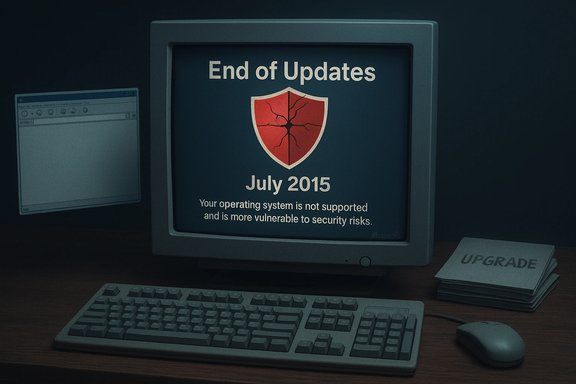
Microsoft’s final trickle of protection for Windows XP has run dry: the company stopped shipping antimalware updates and the monthly Malicious Software Removal Tool for XP on July 14, 2015, leaving legacy XP systems without any official Microsoft-supplied security updates and pushing long‑term holdouts into a far riskier position.
Microsoft ended mainstream support for Windows XP on April 8, 2014, but left a narrow safety valve in place for a limited time: signature and engine updates for Microsoft’s antimalware products and continued distribution of the Windows Malicious Software Removal Tool (MSRT). That temporary concession was explicitly time‑boxed: Microsoft delivered those antimalware updates through July 14, 2015, then ceased. The company had warned throughout the extension that antimalware products are significantly less effective on an unsupported operating system, because unpatched platform vulnerabilities allow attackers to bypass protections that would otherwise work on supported Windows versions.
This article examines what Microsoft actually stopped delivering, why the cutover matters, how large the exposed population was at the time, the practical security implications for individuals and organizations still running XP, and realistic migration and mitigation options that bring XP systems back into a supported, defensible posture.
There are three practical reasons Microsoft could not continue indefinitely:
The clean path forward is migration to supported software and hardware. For legacy applications that cannot be rewritten immediately, containing those workloads inside well‑managed virtual environments and applying strong network and endpoint controls can buy time without undue risk. The high‑level takeaway is straightforward and enduring: running unsupported platform software is a strategic security liability, and antimalware signatures — while useful — are not a substitute for vendor security updates and modern platform mitigations.
Source: BetaNews Microsoft no longer providing any form of security for XP
 Background
Microsoft ended mainstream support for Windows XP on April 8, 2014, but left a narrow safety valve in place for a limited time: signature and engine updates for Microsoft’s antimalware products and continued distribution of the Windows Malicious Software Removal Tool (MSRT). That temporary concession was explicitly time‑boxed: Microsoft delivered those antimalware updates through July 14, 2015, then ceased. The company had warned throughout the extension that antimalware products are significantly less effective on an unsupported operating system, because unpatched platform vulnerabilities allow attackers to bypass protections that would otherwise work on supported Windows versions.This article examines what Microsoft actually stopped delivering, why the cutover matters, how large the exposed population was at the time, the practical security implications for individuals and organizations still running XP, and realistic migration and mitigation options that bring XP systems back into a supported, defensible posture.
What Microsoft provided — and what it stopped
The last Microsoft lifelines for XP
- Microsoft Security Essentials (MSE) — the consumer antimalware/antivirus product Microsoft offered for older Windows versions — continued to receive signature updates for XP until July 14, 2015. After that date MSE no longer received new signature or engine updates for XP.
- Malicious Software Removal Tool (MSRT) — a monthly on‑demand scanner distributed through Windows Update that targets specific prevalent threats — was also supported for XP and was pushed via Windows Update on Patch Tuesday through July 14, 2015. After that, MSRT updates for XP were discontinued.
- Both of these were delivered as stopgaps, not as substitutes for full platform security patches. Microsoft repeatedly cautioned that antimalware on an unpatched OS is inherently limited.
Why that distinction matters
Antivirus signatures and removal tools can detect and remove known malware, and they’re useful last lines of defense. However, when the underlying operating system no longer receives security updates, attackers can exploit unpatched vulnerabilities to execute code at high privilege, disable or bypass antimalware, and persist on systems in ways signature updates alone cannot prevent. In short: signatures help, but they cannot fully compensate for missing platform patches.How big a problem was this in practice?
Estimating the exact number of Windows XP installations at the time is imprecise, but public market‑share trackers and industry analysts offered a consistent story: tens to hundreds of millions of systems remained active.- Public analytics firms produced different market‑share percentages for XP in 2015; applying those percentages to Microsoft’s frequently cited global Windows install base produced ballpark figures in the low‑hundreds of millions.
- Industry coverage in 2015 commonly referenced figures around 150–250 million active XP systems, with multiple outlets quoting an estimate of roughly 180 million machines as a convenient midpoint.
- Those numbers were concentrated unevenly: adoption and retirement of XP varied sharply by geography and sector — many enterprise, industrial, and public‑sector deployments, as well as users in emerging markets, kept XP machines in service far longer than consumer desktop averages.
Immediate and long‑term security implications
Attack surface expansion
When Microsoft stopped antimalware updates for XP, the threat model shifted dramatically:- Zero‑day and legacy vulnerabilities: Any newly discovered OS vulnerability affecting XP would not receive a platform patch from Microsoft, leaving those systems permanently exposed unless mitigated by other means.
- Diminished effectiveness of antimalware: Modern malware often relies on exploiting unpatched OS flaws to escalate privileges and inject into trusted processes. Signature updates alone cannot reliably stop these techniques on an unsupported kernel.
- Browser and ecosystem support erosion: Major browser vendors progressively ended support for XP as well, removing updated web‑engine security fixes and modern sandboxing protections that reduce exploitation risk. Over time this further undermined XP systems as safe platforms for internet usage.
- Supply‑chain and third‑party software risk: Third‑party vendors also phased out XP support. When browser engines, Java, PDF readers, or other common applications stop receiving security updates on XP, that compounds exposure.
Practical attack scenarios
- Drive‑by exploits that chain browser vulnerabilities into kernel code execution became significantly more effective.
- Malware families employing kernel drivers, rootkits, or process hollowing faced fewer obstacles on unpatched XP machines.
- Unpatched servers or embedded devices based on XP were particularly attractive targets for lateral movement and persistence inside corporate networks.
For organizations: compliance and liability
Enterprises that continued to operate XP after antimalware updates ceased faced regulatory and contractual exposure. Running unsupported software in environments handling regulated data can breach compliance controls and raise questions of negligence in the event of a breach.Why Microsoft extended antimalware through July 2015 — and why it stopped
Microsoft’s extension to July 14, 2015 was explicitly framed as a migration aid: the vendor recognized that even large organizations needed time to replace or upgrade devices in constrained environments. The antimalware exception was meant to help identify and clean infections during migration, not to maintain indefinite protection.There are three practical reasons Microsoft could not continue indefinitely:
- Engineering cost and diminishing returns: Back‑porting modern antimalware engines and signatures to a 14‑year‑old kernel consumes engineering resources, and those resources have more impact protecting supported products.
- Security integrity: Continued support could encourage risky inertia. Offering long‑term band‑aids reduces the urgency to migrate, prolonging overall ecosystem risk.
- Compatibility and testing complexity: Ensuring new engine updates don’t destabilize older kernels or inadvertently break third‑party drivers is increasingly difficult as the host OS ages.
Practical mitigation: what individuals and organizations should have done (and should do if they still run XP)
When an OS loses vendor security updates and antimalware updates cease, options narrow to three strategic choices: upgrade, isolate/contain, or replace. The right path depends on hardware capability, application dependencies, budget, and risk tolerance.1. Upgrade to a supported Windows version (best for compatibility)
- Upgrade path: Move to Windows 10 (or Windows 11 when hardware permits) on hardware that meets requirements. Upgrading preserves Windows‑centric applications, Active Directory integration, and management tooling.
- Why this is preferred: Supported Windows versions receive security patches, modern mitigations, and receive continued ecosystem vendor support (browsers, drivers, and endpoint tools).
- Considerations: Some very old hardware will not meet minimum requirements for Windows 10/11. Legacy internal or line‑of‑business (LOB) applications may not run without rework or virtualization.
2. Reimage or clean‑install with a lightweight modern OS (practical for aged hardware)
- Windows alternatives: If hardware cannot be upgraded to a supported Windows release, migrating clients to a lightweight Linux distribution (for example, community flavors optimized for older PCs) can extend device usefulness while restoring security updates.
- Benefits: Linux distributions provide current packages, modern browsers, and lower attack surface for many desktop use cases.
- Drawbacks: Application compatibility is the limiting factor; Windows‑only LOB apps will require alternatives, porting, or virtualization.
3. Contain and isolate (short‑term mitigation when migration is impossible)
- Network isolation: Place XP machines on segmented, VLAN‑isolated networks with strict ACLs. Block outbound internet access except to necessary update or vendor endpoints.
- Application whitelisting & least privilege: Limit software execution to an approved list and remove local admin rights for users.
- Hardened browsing practices: Replace unsupported browsers with the most secure option still available for XP (recognize these will eventually be outdated), use browser sandboxing where possible, and avoid high‑risk web activities.
- Compensating controls: Deploy modern perimeter defenses (web gateway, email filtering, DNS filtering), endpoint detection and response (EDR) agents where supported, and continuous monitoring to detect lateral movement.
- Physical isolation: For embedded or offline XP systems doing single tasks (e.g., industrial controllers), keep them physically air‑gapped where possible.
4. Virtualize legacy applications
- Run XP as a VM: Where specific applications require XP, consider running XP as a virtual machine on a host OS that is fully supported and patched. Use virtual network segmentation and snapshots to limit exposure.
- Benefits: The hypervisor and host OS receive updates; the legacy app runs in a controlled environment with limited network exposure.
- Drawbacks: Licensing, support, and performance may be concerns. VMs that access the internet still face risk if the guest OS is unpatched.
Migration planning: a pragmatic checklist
- Inventory: Identify all XP devices, the applications they run, and dependencies (drivers, peripherals, line‑of‑business software).
- Categorize by criticality: Prioritize critical assets for immediate migration.
- Compatibility testing: Test application compatibility on candidate target OSes or virtualized environments.
- Select migration path:
- In‑place upgrade (if hardware and apps permit).
- Reimage to a current Windows release.
- Replace with Linux or other supported OS.
- Virtualize the application while retiring the physical XP client.
- Security baseline: Apply modern endpoint protection, full disk encryption, EDR/visibility, and strong authentication.
- Network controls: Enforce segmentation and strict egress filtering during the migration window.
- Data migration and backups: Ensure secure transfer and verified backups before any destructive operations.
- End‑of‑migration decommission: Wipe retired XP devices and ensure no residual accounts or credentials remain active.
Realities and traps: cost, compatibility, and human factors
- Budget friction: Upgrading many machines can be costly; however, continued operation of unsupported systems carries latent breach costs that can dwarf migration budgets once a compromise occurs.
- Compatibility debt: Some organizations relied on custom or vendor‑locked software that ran only on XP. Vendor engagement, software replacement, or reengineering are often the only long‑term fixes.
- Operational inertia: Long‑running systems become culturally entrenched. A well‑scoped migration project with clear ROI, risk modeling, and executive buy‑in is essential.
- False economy of third‑party AV: Some defenders assume that installing third‑party antivirus on XP is “good enough.” While better than nothing, AV alone cannot mitigate kernel‑level exploits or the lack of patched platform mitigations.
Browser and ecosystem support: additional erosion of XP’s viability
Even when antimalware was available, broader ecosystem vendors moved away from XP:- Major browsers announced and executed phased end of support — for example, Google Chrome stopped receiving updates for XP in April 2016, and Mozilla also narrowed support timelines in subsequent years. When browsers stop updating, web‑based attack surfaces increase significantly.
- Other common desktop software (Java, Adobe PDF readers, proprietary drivers) followed a similar path, leaving XP with an increasingly brittle application stack.
Case studies and observed outcomes
- Organizations that prioritized migration and used virtualization or containment reported reduced exposure when compared with peers that left XP systems in production networks.
- In many documented breaches involving legacy infrastructure, post‑incident analysis frequently highlights unsupported OSes as the root cause enabling attacker persistence or lateral movement.
- Conversely, a minority of industrial and healthcare deployments maintained isolated XP systems in air‑gapped or physically segmented networks for years, though that approach required stringent operational discipline and compensating controls.
Final analysis: strengths, risks, and a clear path forward
Microsoft’s decision to end antimalware updates for Windows XP on July 14, 2015 was the last formal cut‑over from partial, temporary protection to no official Microsoft security support. The extension that Microsoft offered for antimalware until mid‑2015 was responsible and pragmatic — it acknowledged real migration friction — but it was never designed as a permanent fix.- Strengths of Microsoft’s approach: The time‑boxed extension gave organizations a clear, finite migration horizon and avoided indefinite resource drain. It also allowed Microsoft to focus engineering on supported platforms.
- Continued risks: After the cutoff, XP systems were at much higher risk from modern attack techniques, due to missing platform mitigations, browser and third‑party software support erosion, and limited efficacy of endpoint signatures on unpatched kernels.
- Unverifiable or variable claims: Exact counts of XP machines varied by source, and the “180 million” figure commonly cited in reporting is an estimate derived from market‑share approximations; actual exposure varied by region and sector.
Conclusion
The cessation of antimalware updates for Windows XP was not a surprise — it was the final phase of a long sunsetting process — but it was consequential. The removal of Microsoft’s last regular security updates for XP transformed what was once an inconvenient risk into a systemic, hard‑to‑mitigate vulnerability. Organizations and individuals who deferred migration were left with only stopgap options: isolation, virtualization, or replacement.The clean path forward is migration to supported software and hardware. For legacy applications that cannot be rewritten immediately, containing those workloads inside well‑managed virtual environments and applying strong network and endpoint controls can buy time without undue risk. The high‑level takeaway is straightforward and enduring: running unsupported platform software is a strategic security liability, and antimalware signatures — while useful — are not a substitute for vendor security updates and modern platform mitigations.
Source: BetaNews Microsoft no longer providing any form of security for XP
