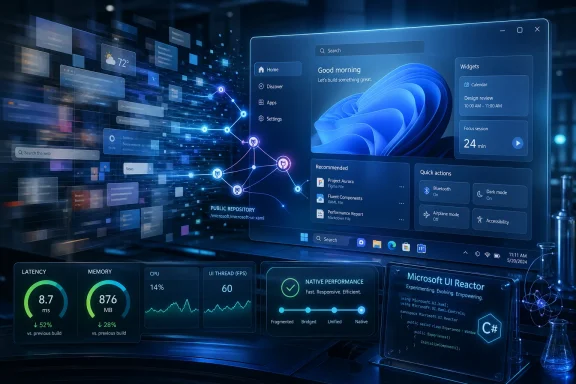
Microsoft used Build 2026 to tell Windows developers that WinUI is now the long-term native interface layer for Windows apps, while reports say core Windows 11 shell surfaces including Start are being moved away from web-backed components and toward native code. That is not just a developer-platform footnote. It is a tacit admission that Windows 11’s prettiest years were also some of its mushiest. The company is no longer merely promising a faster shell; it is trying to rebuild the credibility of native Windows itself.
Windows 11 arrived with a design language that looked more coherent than Windows 10 ever did, but too often it felt like a mock-up had escaped into production. Menus appeared a beat late. Search boxes hesitated. First-party apps looked modern but behaved like they were negotiating with a browser engine before acknowledging a click.
That disconnect became part of Windows 11’s reputation. Users did not need to know whether a surface was React Native, WebView2, Electron, XAML, or something else. They knew only that an operating system running on fast hardware could still make basic desktop interactions feel strangely soft.
The new message from Microsoft is that this is no longer acceptable. At Build 2026, the company’s Windows app pitch centered on WinUI, the Windows App SDK, native shell integration, and a renewed promise that Windows apps should feel like they belong on Windows. Windows Latest framed the shift more bluntly: Microsoft is “killing” the web-app slop slowing PCs by rewriting more shell experiences in native code.
That phrasing is deliberately provocative, but the underlying point is hard to dismiss. Microsoft spent years making web-style development easier to ship across platforms. It is now confronting the cost of that convenience in the one place where users notice everything: the shell.
That is why the reported move to replace React-backed Start menu components with native WinUI matters more than the framework branding suggests. The Recommended feed and All Apps list are not obscure corners of the operating system. They are visible, heavily used pieces of the daily Windows rhythm.
Microsoft’s problem was never simply that web technologies existed inside Windows. Windows has always been a hybrid beast, and modern software stacks are messy by design. The problem was that users increasingly associated Windows 11’s modern surfaces with extra memory use, inconsistent animation, and input latency.
A native rewrite does not magically solve every shell complaint. Bad native code can be slow, and good web code can be respectable. But operating-system shell components live under different expectations than a SaaS dashboard or cross-platform chat app. They need to start fast, animate predictably, behave under memory pressure, and remain trustworthy on budget laptops that cannot brute-force every abstraction layer.
When Microsoft moves a shell surface back toward native code, it is not just optimizing a component. It is conceding that users were right to expect the OS itself to feel lighter than the web apps sitting on top of it.
So when Microsoft says there will be no WinUI 4 waiting around the corner, the intended audience is not casual Windows users. It is the developer who has spent a decade asking whether the current blessed framework will still be blessed by the time the rewrite ships.
That skepticism is earned. WPF remains important because it worked and stuck around. WinForms remains important because business software is immortal. UWP, by contrast, never became the universal future Microsoft once implied it would be. For many Windows developers, “modern” became a warning label.
Chris Anderson’s Build message, as reported, tries to reset that relationship. WinUI is not being positioned as one more stepping stone. It is being described as the production platform for modern Windows apps, with Microsoft promising not to replace it with a new numbered successor.
The name change alone will not convince anyone. Developers believe roadmaps when the vendor dogfoods them, fixes bugs, ships missing controls, and keeps compatibility promises across years, not conference cycles. But symbolism matters because Microsoft’s framework churn has been symbolic of a deeper problem: Windows development too often felt like betting against Microsoft’s next pivot.
The Build 2026 message is stronger because Microsoft is now tying WinUI directly to the Windows shell. Anderson reportedly said WinUI is being integrated into the shell at a much faster rate and that more first-party features will be built on top of it. That is the kind of commitment developers can inspect rather than merely applaud.
There is also a practical reason this matters. A framework used by the shell gets pressure-tested in ways third-party frameworks rarely do. It has to survive diverse hardware, accessibility scenarios, display configurations, localization, enterprise policy, power constraints, and the wonderful chaos of real Windows installations. If Microsoft’s own shell depends on WinUI, the framework’s bugs become Microsoft’s bugs in a very public way.
That changes incentives. A rendering glitch in a demo app can linger in GitHub issues for years. A rendering glitch in File Explorer, Start, Photos, or Settings becomes a reputation problem for Windows itself. For developers, that may be the most important part of the story.
Microsoft is not asking them to trust a framework living somewhere off to the side. It is saying the framework is increasingly part of the house.
For years, Windows has had a strange split personality. The kernel, driver model, gaming stack, hardware support, and backward compatibility story remain formidable. But the everyday interface has often felt less disciplined than the machinery underneath it. A user can run demanding games, virtual machines, and developer workloads on the same PC that still occasionally makes the Start menu feel like a remote web page.
That is the kind of mismatch that corrodes trust. People do not evaluate an OS through benchmark charts alone. They judge it through repeated, tiny interactions: opening Search, resizing a window, launching Settings, selecting files, switching virtual desktops, invoking a context menu.
Microsoft’s reported work on memory reduction and compositor changes is therefore more important than any one app rewrite. If WinUI itself becomes lighter, third-party apps benefit without each developer independently rediscovering the same performance traps. If composition work becomes smoother at the system level, complex interfaces stop paying as much tax for modern visuals.
The big caveat is that “native” must not become a marketing shortcut. Users do not care whether a component is native if it still stutters, leaks memory, or draws black borders while resizing. Microsoft is right to make the argument from performance rather than purity, because purity arguments eventually turn into developer culture wars. Responsiveness is the standard that matters.
The issue is not that those trade-offs exist. The issue is where they were applied. A cross-platform productivity app may reasonably accept extra memory use in exchange for faster iteration and broader reach. A Windows shell surface should not make that same bargain casually.
Microsoft helped normalize the bargain by leaning on web-backed components in places that felt too central to tolerate the overhead. Once users noticed, every sluggish surface became part of the same indictment. “Web app slop” became a crude phrase for a real frustration: software that looked integrated but felt imported.
There is an irony here. Windows won historically because it was the most accommodating platform in personal computing. It let developers bring Win32, .NET, Java, browsers, games, enterprise middleware, weird drivers, and ancient line-of-business apps into the same ecosystem. That openness is still an asset.
But openness is not the same as indifference. Microsoft can support Electron, React Native, Tauri, Flutter, PWAs, and every other framework while still insisting that the Windows shell and flagship first-party experiences should set a higher bar. The platform owner has to model the experience it wants the ecosystem to imitate.
That is why Microsoft’s commitment to DataGrid and Charting controls is more than a checkbox exercise. These are not exotic widgets. They are the plumbing of internal tools, finance dashboards, logistics systems, administrative consoles, and the vast middle kingdom of Windows software that never appears in app-store showcases.
If WinUI lacks those basics, enterprise developers fill the gaps with third-party libraries, community controls, or older frameworks. That creates friction at exactly the moment Microsoft wants them to choose the modern path. A native framework that cannot handle ordinary business interfaces is not a platform; it is a demo kit.
The migration story is equally important. Microsoft’s reported focus on stronger WinForms interoperability and better WPF coexistence reflects the reality of Windows estates. Companies do not rewrite million-line applications because a conference session told them to. They adopt gradually, screen by screen, control by control, budget cycle by budget cycle.
This is where Microsoft’s tone sounds more mature than it has in some past transitions. Instead of treating older frameworks as embarrassing relics, the company appears to be acknowledging that they are load-bearing parts of the Windows economy. If WinUI can live alongside them cleanly, it has a chance. If it demands purity, it will be ignored by the people with the most code to move.
Public issue tracking, public tests, public builds, and visible engineering discussions do not guarantee good governance. They do, however, make it harder for a framework to disappear behind a curtain. They let developers see whether bugs are being fixed, whether regressions are understood, and whether Microsoft’s internal priorities match the public roadmap.
The phased approach also reflects the complexity of WinUI’s position. This is not a small library living independently of the operating system. It touches Windows internals, proprietary layers, and compatibility constraints that cannot simply be thrown onto GitHub overnight. The question is not whether Microsoft can make every part public tomorrow. The question is whether the public pieces become meaningful enough for outside developers to influence the platform’s direction.
That influence matters because Windows development is not culturally unified. Some developers live in C# and XAML. Some maintain C++ Win32 code. Some prefer WPF. Some ship Electron because hiring web developers is easier. Some want cross-platform abstractions because Windows is only one market. A credible WinUI process has to earn buy-in from people who do not automatically trust the Windows org.
Open development will not erase Microsoft’s framework graveyard. But it can make this framework feel less like a proclamation and more like a shared bet.
Reactor’s pitch is a C#-first way to build native WinUI apps without forcing developers through XAML, bindings, view models, and the usual layers of ceremony. It borrows from the vocabulary of modern UI development: state, hooks, declarative layout, and automatic synchronization between state and the rendered control tree.
That does not make Reactor a finished product. Microsoft describes it as experimental, and experimental frameworks should be treated carefully by anyone building production software. The more important signal is that Microsoft understands native Windows development cannot win only by telling developers to return to old habits.
The AI angle is obvious, too. Declarative C# is friendlier to coding assistants than sprawling XAML-and-code-behind patterns with hidden binding context assumptions. If Microsoft wants GitHub Copilot, Claude Code, and other agents to generate useful Windows apps, the development model needs to be legible to machines as well as humans.
This is where the native-app push intersects with Microsoft’s broader AI strategy. The company does not merely want Windows apps to be faster at runtime. It wants them to be easier to generate, inspect, test, and refactor in agent-driven workflows. If that works, native Windows development stops looking like a nostalgia project and starts looking like a modern productivity play.
That matters because Windows remains the operating system of schools, families, small offices, public-sector machines, point-of-sale boxes, and aging business fleets. These users are not always buying the premium hardware Microsoft uses in promotional demos. They are running Windows where every background process, web view, and memory spike is more visible.
A faster native shell therefore has practical social value. It extends the useful life of machines. It makes low-cost PCs feel less disposable. It reduces the gap between the polished Windows Microsoft advertises and the Windows many people actually experience.
There is also a battery story. Heavy abstractions, unnecessary CPU wakeups, and memory pressure all matter more on laptops than desktops. Windows on Arm, thin-and-light PCs, and AI PCs all depend on the same basic perception: that Windows can feel responsive without constantly leaning on brute force.
If Microsoft wants users to believe in the next generation of Windows hardware, it cannot let the shell feel like a sluggish web container. Silicon improvements are not a license for software waste.
A WinUI shell rewrite could improve responsiveness, but it could also introduce new bugs. A new compositor path could smooth animations, but it could also expose driver quirks. Better interop could make migration easier, but only if the edge cases are handled ruthlessly. Open sourcing could build trust, but only if issues do not pile up unanswered.
There is also the developer adoption problem. Microsoft can make WinUI better, but it cannot force every developer to abandon cross-platform frameworks. Many apps are built by teams whose economics point away from platform-specific native code. If Windows is one target among several, a native rewrite may be hard to justify unless the tooling advantage is overwhelming.
That is why Microsoft’s best argument is not ideology. It is integration. Native apps should get better performance, better accessibility integration, better windowing behavior, better design coherence, easier access to Windows capabilities, and a development path that does not feel like punishment. If those benefits are real, developers will not need to be shamed out of web wrappers. They will have business reasons to choose native where native matters.
The danger is overpromising the death of “web slop.” Web-backed desktop apps are not going away, and Windows will remain full of them. The realistic goal is narrower and more valuable: stop making Windows itself feel like one.
For developers, the proof will be different. They will watch whether DataGrid and Charting arrive in useful form, whether WinForms and WPF interop really becomes boring, whether Reactor’s best ideas flow into production WinUI, and whether public development produces faster fixes rather than merely more visible backlog.
For IT pros, the stakes are operational. A more native Windows shell is not only about polish. It affects helpdesk perception, user satisfaction, battery life, device lifecycle, and the tolerability of Windows 11 migrations. If the OS feels lighter, resistance to deployment drops. If it still feels inconsistent, no framework roadmap will matter.
Microsoft has framed this as a recommitment to native Windows development, but the deeper story is accountability. The company is making the shell itself the showcase for WinUI. That means every stutter becomes evidence, every fix becomes persuasion, and every first-party app becomes part of the argument.
 Microsoft Finally Says the Quiet Part Out Loud
Windows 11 arrived with a design language that looked more coherent than Windows 10 ever did, but too often it felt like a mock-up had escaped into production. Menus appeared a beat late. Search boxes hesitated. First-party apps looked modern but behaved like they were negotiating with a browser engine before acknowledging a click.That disconnect became part of Windows 11’s reputation. Users did not need to know whether a surface was React Native, WebView2, Electron, XAML, or something else. They knew only that an operating system running on fast hardware could still make basic desktop interactions feel strangely soft.
The new message from Microsoft is that this is no longer acceptable. At Build 2026, the company’s Windows app pitch centered on WinUI, the Windows App SDK, native shell integration, and a renewed promise that Windows apps should feel like they belong on Windows. Windows Latest framed the shift more bluntly: Microsoft is “killing” the web-app slop slowing PCs by rewriting more shell experiences in native code.
That phrasing is deliberately provocative, but the underlying point is hard to dismiss. Microsoft spent years making web-style development easier to ship across platforms. It is now confronting the cost of that convenience in the one place where users notice everything: the shell.
The Start Menu Became the Exhibit Everyone Understood
The Start menu is not just another app. It is the front door to Windows, the muscle-memory surface people hit dozens of times a day, and the piece of the desktop that makes performance failures feel personal. If Start hesitates, Windows feels slow even when the CPU is mostly idle.That is why the reported move to replace React-backed Start menu components with native WinUI matters more than the framework branding suggests. The Recommended feed and All Apps list are not obscure corners of the operating system. They are visible, heavily used pieces of the daily Windows rhythm.
Microsoft’s problem was never simply that web technologies existed inside Windows. Windows has always been a hybrid beast, and modern software stacks are messy by design. The problem was that users increasingly associated Windows 11’s modern surfaces with extra memory use, inconsistent animation, and input latency.
A native rewrite does not magically solve every shell complaint. Bad native code can be slow, and good web code can be respectable. But operating-system shell components live under different expectations than a SaaS dashboard or cross-platform chat app. They need to start fast, animate predictably, behave under memory pressure, and remain trustworthy on budget laptops that cannot brute-force every abstraction layer.
When Microsoft moves a shell surface back toward native code, it is not just optimizing a component. It is conceding that users were right to expect the OS itself to feel lighter than the web apps sitting on top of it.
WinUI’s Branding Problem Was Really a Trust Problem
Dropping the “3” from WinUI sounds trivial until you remember Microsoft’s history with Windows UI frameworks. Developers have been marched through WinForms, WPF, Silverlight, UWP, WinUI, Windows App SDK packaging changes, and several overlapping design-system stories. Each migration arrived with confident language. Many left behind expensive maintenance burdens.So when Microsoft says there will be no WinUI 4 waiting around the corner, the intended audience is not casual Windows users. It is the developer who has spent a decade asking whether the current blessed framework will still be blessed by the time the rewrite ships.
That skepticism is earned. WPF remains important because it worked and stuck around. WinForms remains important because business software is immortal. UWP, by contrast, never became the universal future Microsoft once implied it would be. For many Windows developers, “modern” became a warning label.
Chris Anderson’s Build message, as reported, tries to reset that relationship. WinUI is not being positioned as one more stepping stone. It is being described as the production platform for modern Windows apps, with Microsoft promising not to replace it with a new numbered successor.
The name change alone will not convince anyone. Developers believe roadmaps when the vendor dogfoods them, fixes bugs, ships missing controls, and keeps compatibility promises across years, not conference cycles. But symbolism matters because Microsoft’s framework churn has been symbolic of a deeper problem: Windows development too often felt like betting against Microsoft’s next pivot.
Dogfooding Is the Only Pitch Developers Still Believe
Microsoft can publish all the guidance it wants, but developers watch what Microsoft ships. If first-party Windows surfaces use WebView wrappers while documentation tells everyone else to build native apps, the platform pitch collapses immediately. That contradiction has haunted Windows for years.The Build 2026 message is stronger because Microsoft is now tying WinUI directly to the Windows shell. Anderson reportedly said WinUI is being integrated into the shell at a much faster rate and that more first-party features will be built on top of it. That is the kind of commitment developers can inspect rather than merely applaud.
There is also a practical reason this matters. A framework used by the shell gets pressure-tested in ways third-party frameworks rarely do. It has to survive diverse hardware, accessibility scenarios, display configurations, localization, enterprise policy, power constraints, and the wonderful chaos of real Windows installations. If Microsoft’s own shell depends on WinUI, the framework’s bugs become Microsoft’s bugs in a very public way.
That changes incentives. A rendering glitch in a demo app can linger in GitHub issues for years. A rendering glitch in File Explorer, Start, Photos, or Settings becomes a reputation problem for Windows itself. For developers, that may be the most important part of the story.
Microsoft is not asking them to trust a framework living somewhere off to the side. It is saying the framework is increasingly part of the house.
Performance Is the Platform Feature Microsoft Should Have Led With
The most encouraging part of Microsoft’s pitch is not the new controls or the experimental syntax. It is the emphasis on fundamentals. Performance, memory use, rendering consistency, and bug fixing are not glamorous Build headlines, but they are exactly where Windows 11 needs credibility.For years, Windows has had a strange split personality. The kernel, driver model, gaming stack, hardware support, and backward compatibility story remain formidable. But the everyday interface has often felt less disciplined than the machinery underneath it. A user can run demanding games, virtual machines, and developer workloads on the same PC that still occasionally makes the Start menu feel like a remote web page.
That is the kind of mismatch that corrodes trust. People do not evaluate an OS through benchmark charts alone. They judge it through repeated, tiny interactions: opening Search, resizing a window, launching Settings, selecting files, switching virtual desktops, invoking a context menu.
Microsoft’s reported work on memory reduction and compositor changes is therefore more important than any one app rewrite. If WinUI itself becomes lighter, third-party apps benefit without each developer independently rediscovering the same performance traps. If composition work becomes smoother at the system level, complex interfaces stop paying as much tax for modern visuals.
The big caveat is that “native” must not become a marketing shortcut. Users do not care whether a component is native if it still stutters, leaks memory, or draws black borders while resizing. Microsoft is right to make the argument from performance rather than purity, because purity arguments eventually turn into developer culture wars. Responsiveness is the standard that matters.
The Web Was Never the Villain, but It Became the Excuse
It is tempting to turn this into a morality play: native good, web bad. That would be satisfying and wrong. Web technologies won because they solved real problems for developers, especially teams shipping across Windows, macOS, Linux, and the browser. Electron and related approaches made it possible to build sophisticated desktop software with web talent, web tooling, and web deployment habits.The issue is not that those trade-offs exist. The issue is where they were applied. A cross-platform productivity app may reasonably accept extra memory use in exchange for faster iteration and broader reach. A Windows shell surface should not make that same bargain casually.
Microsoft helped normalize the bargain by leaning on web-backed components in places that felt too central to tolerate the overhead. Once users noticed, every sluggish surface became part of the same indictment. “Web app slop” became a crude phrase for a real frustration: software that looked integrated but felt imported.
There is an irony here. Windows won historically because it was the most accommodating platform in personal computing. It let developers bring Win32, .NET, Java, browsers, games, enterprise middleware, weird drivers, and ancient line-of-business apps into the same ecosystem. That openness is still an asset.
But openness is not the same as indifference. Microsoft can support Electron, React Native, Tauri, Flutter, PWAs, and every other framework while still insisting that the Windows shell and flagship first-party experiences should set a higher bar. The platform owner has to model the experience it wants the ecosystem to imitate.
Enterprise Developers Needed Controls, Not Speeches
The WinUI story also has a less glamorous enterprise side, and it may matter more than the Start menu in the long run. Business software does not run on vibes. It runs on grids, charts, forms, reports, validation, accessibility, printing, deployment, and the ability to coexist with code written by people who retired years ago.That is why Microsoft’s commitment to DataGrid and Charting controls is more than a checkbox exercise. These are not exotic widgets. They are the plumbing of internal tools, finance dashboards, logistics systems, administrative consoles, and the vast middle kingdom of Windows software that never appears in app-store showcases.
If WinUI lacks those basics, enterprise developers fill the gaps with third-party libraries, community controls, or older frameworks. That creates friction at exactly the moment Microsoft wants them to choose the modern path. A native framework that cannot handle ordinary business interfaces is not a platform; it is a demo kit.
The migration story is equally important. Microsoft’s reported focus on stronger WinForms interoperability and better WPF coexistence reflects the reality of Windows estates. Companies do not rewrite million-line applications because a conference session told them to. They adopt gradually, screen by screen, control by control, budget cycle by budget cycle.
This is where Microsoft’s tone sounds more mature than it has in some past transitions. Instead of treating older frameworks as embarrassing relics, the company appears to be acknowledging that they are load-bearing parts of the Windows economy. If WinUI can live alongside them cleanly, it has a chance. If it demands purity, it will be ignored by the people with the most code to move.
Open Source Is a Necessary Apology, Not a Gift
Microsoft’s move toward more open WinUI development is best understood as reputation repair. The company is not simply being generous by shifting more work into public repositories. It is responding to developers who have learned, through experience, that opaque platform decisions can wreck plans.Public issue tracking, public tests, public builds, and visible engineering discussions do not guarantee good governance. They do, however, make it harder for a framework to disappear behind a curtain. They let developers see whether bugs are being fixed, whether regressions are understood, and whether Microsoft’s internal priorities match the public roadmap.
The phased approach also reflects the complexity of WinUI’s position. This is not a small library living independently of the operating system. It touches Windows internals, proprietary layers, and compatibility constraints that cannot simply be thrown onto GitHub overnight. The question is not whether Microsoft can make every part public tomorrow. The question is whether the public pieces become meaningful enough for outside developers to influence the platform’s direction.
That influence matters because Windows development is not culturally unified. Some developers live in C# and XAML. Some maintain C++ Win32 code. Some prefer WPF. Some ship Electron because hiring web developers is easier. Some want cross-platform abstractions because Windows is only one market. A credible WinUI process has to earn buy-in from people who do not automatically trust the Windows org.
Open development will not erase Microsoft’s framework graveyard. But it can make this framework feel less like a proclamation and more like a shared bet.
Reactor Shows Microsoft Knows XAML Is Not Enough
Microsoft.UI.Reactor is the most interesting part of the story because it admits something native-Windows advocates sometimes dodge: many developers do not want to write UI the old Windows way. XAML remains powerful, but it can feel ceremonial beside SwiftUI, Jetpack Compose, React, and other declarative approaches where interface code is expressed as a function of state.Reactor’s pitch is a C#-first way to build native WinUI apps without forcing developers through XAML, bindings, view models, and the usual layers of ceremony. It borrows from the vocabulary of modern UI development: state, hooks, declarative layout, and automatic synchronization between state and the rendered control tree.
That does not make Reactor a finished product. Microsoft describes it as experimental, and experimental frameworks should be treated carefully by anyone building production software. The more important signal is that Microsoft understands native Windows development cannot win only by telling developers to return to old habits.
The AI angle is obvious, too. Declarative C# is friendlier to coding assistants than sprawling XAML-and-code-behind patterns with hidden binding context assumptions. If Microsoft wants GitHub Copilot, Claude Code, and other agents to generate useful Windows apps, the development model needs to be legible to machines as well as humans.
This is where the native-app push intersects with Microsoft’s broader AI strategy. The company does not merely want Windows apps to be faster at runtime. It wants them to be easier to generate, inspect, test, and refactor in agent-driven workflows. If that works, native Windows development stops looking like a nostalgia project and starts looking like a modern productivity play.
The Hardware Politics Are Unavoidable
There is a class dimension to Windows performance that Microsoft rarely says out loud. Inefficient desktop software hurts everyone, but it punishes cheaper hardware first. A high-end workstation can absorb a few bloated apps. A budget laptop with limited RAM, slower storage, and modest thermals turns that bloat into daily irritation.That matters because Windows remains the operating system of schools, families, small offices, public-sector machines, point-of-sale boxes, and aging business fleets. These users are not always buying the premium hardware Microsoft uses in promotional demos. They are running Windows where every background process, web view, and memory spike is more visible.
A faster native shell therefore has practical social value. It extends the useful life of machines. It makes low-cost PCs feel less disposable. It reduces the gap between the polished Windows Microsoft advertises and the Windows many people actually experience.
There is also a battery story. Heavy abstractions, unnecessary CPU wakeups, and memory pressure all matter more on laptops than desktops. Windows on Arm, thin-and-light PCs, and AI PCs all depend on the same basic perception: that Windows can feel responsive without constantly leaning on brute force.
If Microsoft wants users to believe in the next generation of Windows hardware, it cannot let the shell feel like a sluggish web container. Silicon improvements are not a license for software waste.
The Native Pivot Still Has Plenty of Ways to Fail
The risk is that Microsoft mistakes announcements for execution. Windows users have heard “performance and quality” messages before. They have watched Settings slowly replace Control Panel without fully replacing it. They have seen new context menus arrive with missing affordances. They have watched modern surfaces coexist with legacy dialogs in ways that make Windows feel less like a designed product than an archaeological site.A WinUI shell rewrite could improve responsiveness, but it could also introduce new bugs. A new compositor path could smooth animations, but it could also expose driver quirks. Better interop could make migration easier, but only if the edge cases are handled ruthlessly. Open sourcing could build trust, but only if issues do not pile up unanswered.
There is also the developer adoption problem. Microsoft can make WinUI better, but it cannot force every developer to abandon cross-platform frameworks. Many apps are built by teams whose economics point away from platform-specific native code. If Windows is one target among several, a native rewrite may be hard to justify unless the tooling advantage is overwhelming.
That is why Microsoft’s best argument is not ideology. It is integration. Native apps should get better performance, better accessibility integration, better windowing behavior, better design coherence, easier access to Windows capabilities, and a development path that does not feel like punishment. If those benefits are real, developers will not need to be shamed out of web wrappers. They will have business reasons to choose native where native matters.
The danger is overpromising the death of “web slop.” Web-backed desktop apps are not going away, and Windows will remain full of them. The realistic goal is narrower and more valuable: stop making Windows itself feel like one.
The Windows Shell Becomes Microsoft’s Proof of Work
For Windows enthusiasts, the next year of shell changes will be a referendum on Microsoft’s seriousness. The company can talk about WinUI, native apps, and system compositors all it wants. Users will judge the effort by whether Start opens instantly, File Explorer feels less temperamental, Settings stops hitching, Photos resizes cleanly, and first-party apps stop behaving like they are wrapped in layers of compromise.For developers, the proof will be different. They will watch whether DataGrid and Charting arrive in useful form, whether WinForms and WPF interop really becomes boring, whether Reactor’s best ideas flow into production WinUI, and whether public development produces faster fixes rather than merely more visible backlog.
For IT pros, the stakes are operational. A more native Windows shell is not only about polish. It affects helpdesk perception, user satisfaction, battery life, device lifecycle, and the tolerability of Windows 11 migrations. If the OS feels lighter, resistance to deployment drops. If it still feels inconsistent, no framework roadmap will matter.
Microsoft has framed this as a recommitment to native Windows development, but the deeper story is accountability. The company is making the shell itself the showcase for WinUI. That means every stutter becomes evidence, every fix becomes persuasion, and every first-party app becomes part of the argument.
The Receipts Windows Users Should Keep
Microsoft’s native turn is promising because it aims at the right pain points, but the only useful way to read it is as a list of claims that must now be tested in public. The rhetoric is less important than the observable changes that follow.- Microsoft is positioning WinUI, not a future WinUI 4, as the long-term native interface platform for modern Windows apps.
- Core Windows 11 shell surfaces are reportedly being moved away from web-backed components and toward native WinUI implementations.
- The Start menu is the most important early test because its latency shapes the user’s perception of the entire operating system.
- Enterprise adoption depends on practical controls, credible WinForms and WPF interop, and migration paths that do not require full rewrites.
- Reactor shows Microsoft knows native Windows development must feel modern to developers raised on declarative UI models.
- The success of this pivot will be measured less by Build demos than by memory use, animation smoothness, bug fixes, and daily responsiveness on ordinary PCs.
References
- Primary source: Windows Latest
Published: Thu, 04 Jun 2026 13:59:05 GMT
Microsoft is rewriting Windows 11 shell in native code, killing the web slop slowing your PC
To fix performance issues, Microsoft is replacing sluggish React Native and WebView components in Windows 11 shell with fast WinUI frameworks. www.windowslatest.com
- Official source: microsoft.github.io

Microsoft.UI.Reactor
Declarative UI framework for native Windows desktop apps in pure C#.
microsoft.github.io
- Official source: learn.microsoft.com
Build desktop Windows apps with the Windows App SDK - Windows apps | Microsoft Learn
Learn about the Windows App SDK, benefits it provides to developers, what is ready for developers now, and how to give feedback.learn.microsoft.com - Related coverage: windowscentral.com
Microsoft uses Build 2026 to push developers toward fully native Windows apps, not web wrappers, with new tools and a clearer roadmap | Windows Central
Microsoft wants more WinUI 3 apps across Windows 11, and Build 2026 shows how developers can get there with new tools, agents, and hardware.www.windowscentral.com - Official source: developer.microsoft.com
Windows SDK overview - Windows apps | Microsoft Learn
Learn about the Windows SDK, benefits it provides to developers, what is ready for developers now, and how to give feedback.developer.microsoft.com - Related coverage: techradar.com
Windows 12 at Build 2026: What to expect | TechRadar
What Build 2026 signals about the future of the Windowswww.techradar.com
- Related coverage: windowsforum.com
Build 2026: WinUI 3, Windows App SDK, and AI Agents Push Native Windows Apps | Windows Forum
Microsoft used Build 2026 in Seattle to push developers toward modern native Windows 11 apps, pairing WinUI 3, Windows App SDK tooling, AI-assisted coding...windowsforum.com - Official source: download.microsoft.com