

A July 15 guide from TYN Magazine argues that cloud gaming on smartphones has reached the point where it is “finally worth it.” The practical answer is more conditional: the technology is mature enough for mainstream use, but it remains a convenience layer, not a replacement for a local PC or console.
For Windows users already in the Xbox ecosystem, the proposition is stronger than it was a few years ago. Microsoft says Xbox Cloud Gaming left beta in December 2025 and is included with Game Pass Essential, Premium, and Ultimate. Its “Stream Your Own Game” catalog now covers more than 1,000 supported owned titles across compatible devices, according to Xbox Wire.
That means a phone can now serve as a credible second screen for Game Pass games, rather than merely a novelty for trying a limited library. A Windows PC, Xbox console and smartphone can share saves and progress where a title supports the Xbox ecosystem, making a short session away from the desk less disruptive.
The phone’s processor is not the limiting factor; the network path to the provider’s data center is. NVIDIA’s current GeForce NOW guidance calls for at least 15 Mbps for 720p/60 streaming, 25 Mbps for 1080p/60, and latency below 80 ms. Its Android requirements are modest—Android 7.0 or newer and 1 GB of available memory—but its own documentation is blunt about controls: the on-screen virtual gamepad is not recommended for extended play.
That is the part glossy cloud-gaming explainers tend to understate. A stable home Wi-Fi connection can make a modern smartphone feel surprisingly capable. A crowded public hotspot, congested cellular tower, or weak 5G signal can turn the same game into a blur of bitrate drops, delayed inputs and compression artifacts.
5G helps when the local network is good, but the label on the status bar does not guarantee low latency. Distance from a cloud region, carrier routing and signal consistency still matter.
It remains a poor fit for players who primarily play ranked shooters, fighting games or other latency-sensitive competitive titles. The service can reduce delay, but it cannot remove the encode, transport, decode and input-return trip added by streaming.
There is also no universal cloud catalog. Xbox Cloud Gaming is tied to Game Pass access and supported owned titles; GeForce NOW generally connects to games users own through supported storefronts, and publisher availability varies. A cloud subscription does not automatically grant access to every PC game in a library.
For Windows users already in the Xbox ecosystem, the proposition is stronger than it was a few years ago. Microsoft says Xbox Cloud Gaming left beta in December 2025 and is included with Game Pass Essential, Premium, and Ultimate. Its “Stream Your Own Game” catalog now covers more than 1,000 supported owned titles across compatible devices, according to Xbox Wire.
That means a phone can now serve as a credible second screen for Game Pass games, rather than merely a novelty for trying a limited library. A Windows PC, Xbox console and smartphone can share saves and progress where a title supports the Xbox ecosystem, making a short session away from the desk less disruptive.
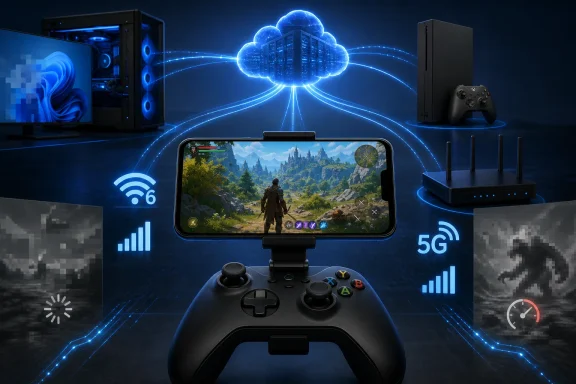 The connection is still the hardware
The phone’s processor is not the limiting factor; the network path to the provider’s data center is. NVIDIA’s current GeForce NOW guidance calls for at least 15 Mbps for 720p/60 streaming, 25 Mbps for 1080p/60, and latency below 80 ms. Its Android requirements are modest—Android 7.0 or newer and 1 GB of available memory—but its own documentation is blunt about controls: the on-screen virtual gamepad is not recommended for extended play.That is the part glossy cloud-gaming explainers tend to understate. A stable home Wi-Fi connection can make a modern smartphone feel surprisingly capable. A crowded public hotspot, congested cellular tower, or weak 5G signal can turn the same game into a blur of bitrate drops, delayed inputs and compression artifacts.
5G helps when the local network is good, but the label on the status bar does not guarantee low latency. Distance from a cloud region, carrier routing and signal consistency still matter.
Worth it for the right games
Cloud gaming is now a sensible option for slower-paced RPGs, strategy games with controller support, racing games, platformers and single-player action titles. It is also useful for sampling games before committing local SSD space or a lengthy install.It remains a poor fit for players who primarily play ranked shooters, fighting games or other latency-sensitive competitive titles. The service can reduce delay, but it cannot remove the encode, transport, decode and input-return trip added by streaming.
There is also no universal cloud catalog. Xbox Cloud Gaming is tied to Game Pass access and supported owned titles; GeForce NOW generally connects to games users own through supported storefronts, and publisher availability varies. A cloud subscription does not automatically grant access to every PC game in a library.
Practical setup
A phone clip and a Bluetooth Xbox controller will do more for the experience than buying a newer handset. Before paying for a higher service tier, test the free or existing subscription option at the locations where you actually expect to play.- Use 5 GHz or Wi-Fi 6/6E at home where possible.
- Test several sessions at different times, not just once.
- Check mobile-plan data limits before streaming away from Wi-Fi.
- Keep installed local games for competitive or offline play.
