

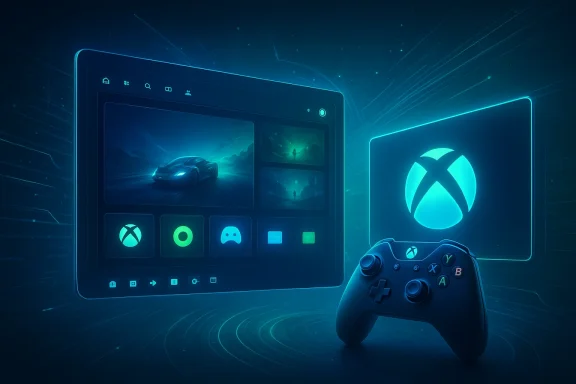
Microsoft’s new Xbox Mode for Windows 11 is more than a cosmetic tweak to the desktop. It is a deliberate attempt to turn Windows into a console-like gaming surface, and it is arriving at a moment when Microsoft is trying to align PC gaming, Xbox hardware, and its broader platform strategy. The feature has been moving through Insider testing, and the latest reporting indicates that it is now being widened to more testers ahead of a broader rollout, with the underlying message being unmistakable: Microsoft wants Windows to feel less like a general-purpose PC and more like a living-room gaming machine. The attached Thurrott material is simply the screenshot preview for that update, but the surrounding forum data paints the larger picture very clearly.
Microsoft has been chasing the idea of a more console-like Windows gaming experience for years, but the effort has become much more visible in 2025 and 2026. The company first experimented with a controller-first, full-screen shell on handheld devices, where the pain points of traditional Windows are most obvious: tiny UI targets, desktop clutter, and too many interruptions for a device that is often used from a couch or on the go. That work evolved into what users and insiders have been calling Xbox Full Screen Experience, before Microsoft moved to the clearer and more marketable Xbox Mode label.
The timing matters. Windows gaming has matured into a huge business, but the experience is still fragmented. Players often juggle the Xbox app, Steam, Epic Games, GOG, launcher stacks, overlays, and background services. Microsoft’s answer is to create a front door that looks and behaves more like a console home screen, one that reduces friction and makes controller navigation the default rather than an afterthought. That is why the reporting around Xbox Mode consistently emphasizes the same things: full-screen presentation, aggregated game libraries, and reduced desktop overhead.
The broader strategic context is even more important. Microsoft’s gaming organization has been quietly but steadily collapsing the distance between Xbox and Windows. The company is also pairing the UI changes with platform and developer tooling work aimed at shader delivery, storage performance, and graphics pipelines. In other words, Xbox Mode is not a standalone feature in isolation; it sits inside a larger push to make Windows the most console-friendly PC platform and to make the next Xbox generation feel closer to the PC ecosystem.
That is why the latest insider expansion matters so much. Microsoft rarely broadens an experimental gaming shell unless it has confidence in both the user experience and the support model. The fact that more Insiders are now seeing it suggests that the company believes the feature is ready for wider testing, even if a full public rollout still carries the usual caveats about region, hardware, and channel availability.
The most important user-facing benefit is reduced friction. Windows has always been capable of gaming, but it has never been optimized for simplicity in the way a console is. Xbox Mode is Microsoft’s attempt to reduce the number of steps between power-on and gameplay, while also making navigation possible without a keyboard and mouse. That is a subtle but critical shift for casual users, and a major quality-of-life improvement for handheld owners.
There is also a psychological component. Microsoft is not just trying to improve usability; it is trying to shape identity. If the Xbox logo becomes the face of the Windows gaming experience, then Windows is no longer merely the operating system that games happen to run on. It becomes the platform that organizes the whole experience. That is a much more ambitious goal.
The longer answer is that Microsoft is preparing for a future in which console and PC strategies are more tightly coupled. The forum material repeatedly ties Xbox Mode to the company’s next-generation Xbox roadmap, including the Project Helix codename and the idea that the next hardware cycle will be deeply connected to Windows-facing tooling. Whether one views that as convergence or convergence theater, it is clearly the direction Microsoft is pushing.
For Windows enthusiasts, Insider expansion is often a better indicator than official marketing language. Marketing can be aspirational, but broader test distribution tells you a feature is being stress-tested in the wild. That is especially relevant here because Xbox Mode touches areas that can be brittle: controller handling, app switching, game library aggregation, boot behavior, and the balance between full-screen and desktop access.
This is also the segment where Microsoft can prove the concept without forcing a full philosophical rewrite of Windows. Handheld buyers already accept a degree of compromise in exchange for flexibility. If Xbox Mode works well there, Microsoft can claim a real win; if it fails there, the entire concept will look far less convincing. That is why handheld adoption is the most important proving ground.
Enterprise customers, on the other hand, are likely to see little direct value. In fact, many organizations will view Xbox Mode as something to be disabled, ignored, or tightly controlled. That is not a flaw. It simply reflects the reality that Windows serves wildly different constituencies, and a feature meant to improve gaming may have almost no relevance in business environments.
That matters because operating-system integration changes the economics of the experience. A launcher can be bypassed. A platform shell that lives inside Windows itself is harder to ignore. If Microsoft executes well, it can set a new default expectation for PC gaming UX and force rivals to respond.
This is where Microsoft’s strategy becomes more interesting. It is not merely trying to hide Windows under a console-style skin. It is trying to improve the technical plumbing beneath that skin so the whole experience feels more console-like. If load times fall, shader stutter drops, and launch friction decreases, then the shell has a credible performance story behind it.
The other concern is fragmentation. If the feature arrives in some regions, on some devices, with some launchers, and under some Insider channels before it is broadly unified, the messaging could become muddled. That would make Xbox Mode feel less like a platform shift and more like another Windows experiment. That would be the wrong impression.
There is also a larger story unfolding underneath. Microsoft appears to be building a shared gaming language across Windows and Xbox hardware, with Xbox Mode serving as the consumer-facing proof point. That could reshape how developers think about the platform, how OEMs position devices, and how players expect a Windows gaming machine to behave in everyday use.
Source: Windows 11 Xbox Mode - Thurrott.com
 Background
Microsoft has been chasing the idea of a more console-like Windows gaming experience for years, but the effort has become much more visible in 2025 and 2026. The company first experimented with a controller-first, full-screen shell on handheld devices, where the pain points of traditional Windows are most obvious: tiny UI targets, desktop clutter, and too many interruptions for a device that is often used from a couch or on the go. That work evolved into what users and insiders have been calling Xbox Full Screen Experience, before Microsoft moved to the clearer and more marketable Xbox Mode label.The timing matters. Windows gaming has matured into a huge business, but the experience is still fragmented. Players often juggle the Xbox app, Steam, Epic Games, GOG, launcher stacks, overlays, and background services. Microsoft’s answer is to create a front door that looks and behaves more like a console home screen, one that reduces friction and makes controller navigation the default rather than an afterthought. That is why the reporting around Xbox Mode consistently emphasizes the same things: full-screen presentation, aggregated game libraries, and reduced desktop overhead.
The broader strategic context is even more important. Microsoft’s gaming organization has been quietly but steadily collapsing the distance between Xbox and Windows. The company is also pairing the UI changes with platform and developer tooling work aimed at shader delivery, storage performance, and graphics pipelines. In other words, Xbox Mode is not a standalone feature in isolation; it sits inside a larger push to make Windows the most console-friendly PC platform and to make the next Xbox generation feel closer to the PC ecosystem.
That is why the latest insider expansion matters so much. Microsoft rarely broadens an experimental gaming shell unless it has confidence in both the user experience and the support model. The fact that more Insiders are now seeing it suggests that the company believes the feature is ready for wider testing, even if a full public rollout still carries the usual caveats about region, hardware, and channel availability.
What Xbox Mode Actually Changes
At the simplest level, Xbox Mode changes the way Windows 11 presents itself to a player. Instead of dropping you into the full desktop and making you open a launcher, it pushes the machine into a game-centric, controller-first shell. That is not just a cosmetic rearrangement. It changes the default posture of the system, which matters enormously on handhelds, TVs, and living-room PCs.The most important user-facing benefit is reduced friction. Windows has always been capable of gaming, but it has never been optimized for simplicity in the way a console is. Xbox Mode is Microsoft’s attempt to reduce the number of steps between power-on and gameplay, while also making navigation possible without a keyboard and mouse. That is a subtle but critical shift for casual users, and a major quality-of-life improvement for handheld owners.
Why the shell matters
A console-style shell does three things at once. It hides desktop complexity, it makes the interface predictable, and it lowers the learning curve for players who do not want to manage Windows like a workstation. This is especially important for devices that are supposed to behave like game consoles first and PCs second.- It reduces visual clutter.
- It prioritizes game discovery and launch.
- It favors controller navigation over pointer input.
- It helps Windows feel less intrusive during play.
There is also a psychological component. Microsoft is not just trying to improve usability; it is trying to shape identity. If the Xbox logo becomes the face of the Windows gaming experience, then Windows is no longer merely the operating system that games happen to run on. It becomes the platform that organizes the whole experience. That is a much more ambitious goal.
Why Microsoft Is Doing This Now
The short answer is that Microsoft is trying to solve a problem that has become more urgent as Windows gaming has sprawled across more device categories. Handheld PCs have become a real market, hybrid gaming laptops are mainstream, and many players now expect their machines to transition cleanly between work and play. A full-screen Xbox shell is Microsoft’s way of giving those devices a more coherent gaming identity.The longer answer is that Microsoft is preparing for a future in which console and PC strategies are more tightly coupled. The forum material repeatedly ties Xbox Mode to the company’s next-generation Xbox roadmap, including the Project Helix codename and the idea that the next hardware cycle will be deeply connected to Windows-facing tooling. Whether one views that as convergence or convergence theater, it is clearly the direction Microsoft is pushing.
The strategic timing
Microsoft has chosen a moment when PC gaming expectations are changing fast. Players now tolerate less overhead, less launcher sprawl, and less waiting. At the same time, the rise of handheld PCs has put pressure on Windows to behave more like an appliance when used for games. The timing of Xbox Mode suggests Microsoft wants to establish a “console-like Windows” baseline before competitors define that experience for it.- Handheld gaming PCs are changing UI expectations.
- Game launch speed has become a product differentiator.
- Players want fewer steps between boot and play.
- Microsoft needs Windows to feel purpose-built for gaming.
The Insider Rollout and Why It Matters
The new availability for more Insiders is important because it signals maturation. Microsoft generally expands feature testing only after it has enough confidence to gather broader telemetry and UI feedback. In practice, that means Xbox Mode is moving from experiment to candidate platform behavior.For Windows enthusiasts, Insider expansion is often a better indicator than official marketing language. Marketing can be aspirational, but broader test distribution tells you a feature is being stress-tested in the wild. That is especially relevant here because Xbox Mode touches areas that can be brittle: controller handling, app switching, game library aggregation, boot behavior, and the balance between full-screen and desktop access.
What broader testing usually means
More testers usually means Microsoft is checking three things. First, whether the feature works cleanly across more hardware configurations. Second, whether the experience holds up under real-world gaming habits. Third, whether the feature creates support friction that would be unacceptable in a public release. Those are not trivial checks, especially in a Windows environment as diverse as the one Microsoft has to support.- Compatibility across laptop, desktop, tablet, and handheld form factors.
- Reliability when switching between games and desktop apps.
- Input behavior with controllers, keyboards, and touch.
- Performance consistency across different GPUs and storage setups.
What This Means for Handheld Gaming PCs
Handhelds are the clearest winners here. Devices like the ROG Ally-style class of machines live in a weird space between PC and console, and they expose Windows’ rough edges more than any other segment. Xbox Mode reduces the number of places where users can get lost, and that is a major gain for usability.This is also the segment where Microsoft can prove the concept without forcing a full philosophical rewrite of Windows. Handheld buyers already accept a degree of compromise in exchange for flexibility. If Xbox Mode works well there, Microsoft can claim a real win; if it fails there, the entire concept will look far less convincing. That is why handheld adoption is the most important proving ground.
Why handhelds are the test case
Handhelds compress the problem set. They demand better battery management, cleaner navigation, faster launch behavior, and a more appliance-like interface. They also expose the messy seams between Windows services and game-specific workflows. If Xbox Mode can make those devices feel genuinely console-like, the feature will have earned its keep.- Better controller-first navigation.
- Fewer accidental desktop detours.
- More predictable game launches.
- A more console-like feel on portable hardware.
Enterprise and Consumer Impact Are Not the Same
For consumers, the appeal is straightforward: Xbox Mode should make gaming on Windows simpler, faster, and more pleasant. It is the kind of feature that can reduce annoyance in a way users immediately notice. If it works well, people will not call it revolutionary; they will simply wonder why Windows did not behave this way sooner.Enterprise customers, on the other hand, are likely to see little direct value. In fact, many organizations will view Xbox Mode as something to be disabled, ignored, or tightly controlled. That is not a flaw. It simply reflects the reality that Windows serves wildly different constituencies, and a feature meant to improve gaming may have almost no relevance in business environments.
Different users, different priorities
The consumer version of the story is about convenience and identity. The enterprise version is about manageability and policy. Microsoft has to keep both audiences in view, even if only one of them will care deeply about Xbox Mode. That balancing act has defined Windows for decades, and it is not getting easier.- Consumers want a smoother game-first experience.
- Enterprises want predictable behavior and limited disruption.
- IT admins will care about policy controls and update management.
- OEMs will care about how the feature affects device positioning.
Competitive Pressure on Steam, Valve, and OEMs
Microsoft’s move is also a competitive signal. Valve has done much of the cultural work in proving that controller-first gaming interfaces can be compelling, especially on handhelds and living-room setups. Xbox Mode looks like Microsoft’s answer to that lesson, but with the advantage of being embedded directly into the operating system.That matters because operating-system integration changes the economics of the experience. A launcher can be bypassed. A platform shell that lives inside Windows itself is harder to ignore. If Microsoft executes well, it can set a new default expectation for PC gaming UX and force rivals to respond.
The Steam and OEM problem
Steam has long benefited from being the de facto front door to PC gaming for millions of users. Xbox Mode does not replace Steam, but it can reduce Steam’s role as the first place users go after boot. That shift could matter over time, especially if Microsoft improves library aggregation and discovery.- Valve has the software community advantage.
- Microsoft has the OS integration advantage.
- OEMs will want to brand around the feature.
- Launcher fragmentation becomes a bigger strategic issue.
Developer Tooling and the Bigger Platform Story
Xbox Mode should not be viewed in isolation from the developer-facing work Microsoft is also promoting. The surrounding forum material repeatedly references DirectX improvements, storage acceleration, shader delivery, and other pipeline changes that are meant to improve the actual experience of running games on Windows. That is significant because a prettier shell alone does not solve performance pain.This is where Microsoft’s strategy becomes more interesting. It is not merely trying to hide Windows under a console-style skin. It is trying to improve the technical plumbing beneath that skin so the whole experience feels more console-like. If load times fall, shader stutter drops, and launch friction decreases, then the shell has a credible performance story behind it.
Why tooling matters as much as UI
Players notice interface changes immediately, but they remember performance improvements even more. If Microsoft can connect Xbox Mode to a measurable reduction in friction, then the feature becomes something more durable than a novelty. That is the difference between a feature people click through and a feature people actually choose.- Faster launches create a better first impression.
- Better shader handling reduces stutter.
- Storage optimizations can make games feel more responsive.
- Developer tooling shapes what ships next, not just what exists now.
Strengths and Opportunities
Microsoft has several reasons to be optimistic about Xbox Mode. The feature fits a real user need, aligns with broader hardware trends, and gives Windows a more coherent gaming identity. It also creates a cleaner story for Microsoft’s platform roadmap at a time when consumers increasingly expect seamless transitions between devices and play styles.- Better handheld usability for Windows gaming devices.
- Stronger console identity for Windows 11 as a gaming platform.
- Reduced friction between boot, library browsing, and gameplay.
- Potential ecosystem lock-in around the Xbox app and Microsoft services.
- Clearer differentiation for OEM gaming devices.
- Improved compatibility story for controller-first users.
- Long-term platform leverage against fragmented launcher workflows.
Risks and Concerns
Xbox Mode also carries real risk. Features like this can stumble if they are too limited, too buggy, or too confusing about when and where they are supposed to appear. Microsoft has a long history of shipping good ideas with uneven consistency, and gamers are a skeptical audience.The other concern is fragmentation. If the feature arrives in some regions, on some devices, with some launchers, and under some Insider channels before it is broadly unified, the messaging could become muddled. That would make Xbox Mode feel less like a platform shift and more like another Windows experiment. That would be the wrong impression.
- Possible instability during broader Insider testing.
- Inconsistent behavior across different hardware classes.
- Confusing coexistence with the desktop experience.
- Limited value for non-gaming Windows users.
- Risk of overpromising on performance improvements.
- Potential resistance from users who prefer the standard desktop.
- Ongoing launcher and store fragmentation.
Looking Ahead
The next few months will determine whether Xbox Mode is a meaningful product shift or just another Insider-era experiment that never fully lands. What Microsoft does next with rollout scope, hardware support, and library integration will matter far more than the marketing name itself. If the company can keep the experience smooth and intuitive, it may finally have a credible answer to the “Windows is bad on handhelds” complaint.There is also a larger story unfolding underneath. Microsoft appears to be building a shared gaming language across Windows and Xbox hardware, with Xbox Mode serving as the consumer-facing proof point. That could reshape how developers think about the platform, how OEMs position devices, and how players expect a Windows gaming machine to behave in everyday use.
- Wider Insider testing and feedback cycles.
- Regional and hardware-specific rollout decisions.
- Improvements to controller support and navigation.
- Deeper Xbox app integration.
- Clarity on whether desktop switching remains seamless.
- Developer follow-through on performance tooling.
Source: Windows 11 Xbox Mode - Thurrott.com
Last edited:
