• Thread Author
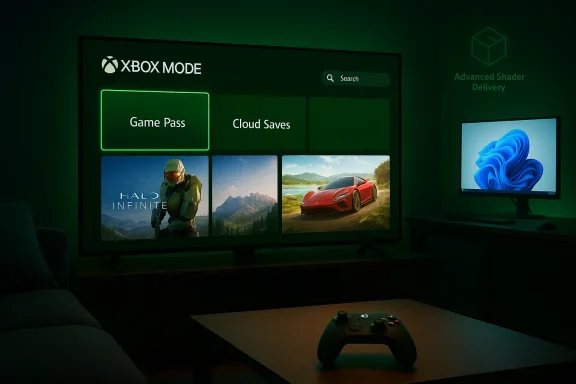
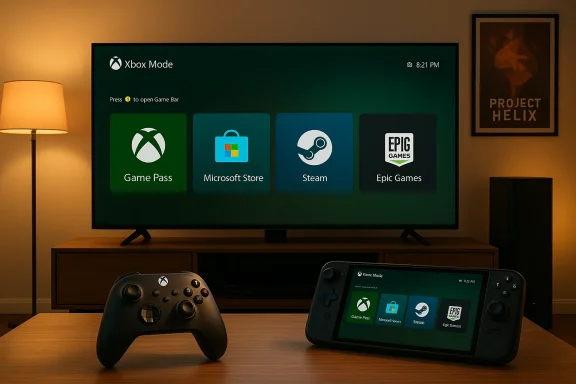
Microsoft is pushing its console DNA deeper into Windows: starting in April, the full‑screen, controller‑first Xbox experience that launched on the ROG Xbox Ally handhelds will be available as a native “Xbox mode” on every Windows 11 PC — laptops, desktops, and tablets — and it arrives alongside a suite of graphics and developer tools that threaten to reshape how games start, render, and ship on Windows.

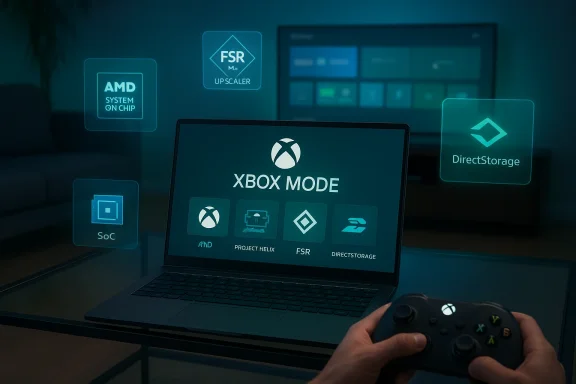
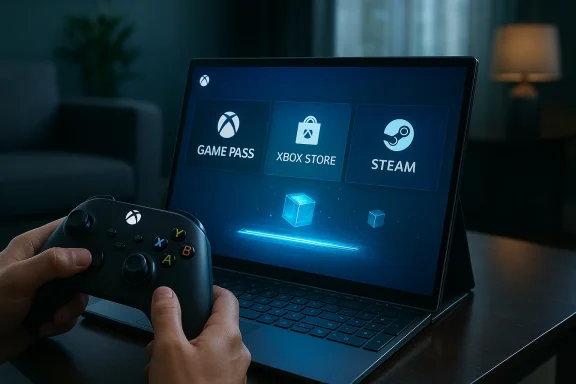
A person holds an Xbox controller as a laptop screen shows Game Pass, Xbox Store, and Steam.Background and overview​

For years Microsoft has quietly stitched Xbox services into Windows, from Game Pass and the Xbox app to cloud streaming and tighter Xbox Store integration. The latest move is more visible and more ambitious: a full‑screen UI that boots straight into an Xbox‑centric environment, suppresses nonessential desktop subsystems, and presents a console‑style launcher layered on top of Windows 11. The Full Screen Experience (FSE) that first appeared on Microsoft’s partner handhelds has been rebranded to Xbox mode, and Microsoft says it will roll out broadly across Windows 11 starting in April.
That rollout coincides with a set of announcements at the Game Developers Conference and in DirectX developer communications: Microsoft is opening Advanced Shader Delivery more broadly (a system to ship precompiled shaders to users), pushing DirectX toward neural rendering and additional GPU tooling, and continuing to evolve DirectStorage for faster asset streaming. Meanwhile, Microsoft’s next‑generation console effort — codenamed Project Helix — has been advertised as a hybrid that will play PC games as well as Xbox titles, deepening the company’s intent to blur the lines between PC and console ecosystems.
This article unpacks what Xbox mode is, how it works, why Microsoft is accelerating this strategy now, and what the real risks and benefits are for players, developers, and the broader PC ecosystem.

What is Xbox mode — and what does it change?​

A console interface for Windows 11​

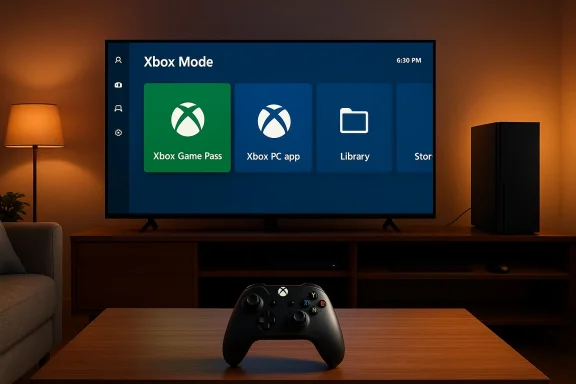
Xbox mode is essentially a full‑screen, controller‑first shell for Windows 11 that replaces the desktop environment with an Xbox‑style launcher and storefront experience while the mode is active. The core goals are straightforward:
  • Reduce background Windows overhead (services, shell components, UI compositing) while gaming.
  • Present a consistent Xbox‑like UI that aggregates games from Game Pass, the Xbox Store, and other storefronts.
  • Make Windows devices feel more like consoles for users who prefer a simple, living‑room or handheld gaming experience.
In practice, when Xbox mode is active the system boots directly into the Xbox app or switches into a full‑screen overlay that hides the Windows desktop. Microsoft has provided multiple entry points: a Task View toggle, Game Bar option, and a traditional key combo that powers the switch. On supported handhelds the OS can boot into Xbox mode by default, making the device act more like a dedicated gaming console.

What Xbox mode does under the hood​

The technical ambition of Xbox mode is less about flashy UI and more about resource prioritization. When Xbox mode is engaged, Windows selectively avoids loading certain desktop services and background tasks, reduces visual effects and shell overhead, and redirects system attention toward the foreground game.
Key behaviors include:
  • Disabling nonessential explorer/shell processes and background telemetry where possible.
  • Tightening power/performance profiles to favor gaming.
  • Presenting a curated, controller‑first navigation model that exposes installed games, Store listings, and Game Pass content.
  • Preserving access to other PC storefronts (Steam, Epic, Battle.net) — the Xbox app still surfaces non‑Microsoft games so users aren’t locked out of their libraries.
That last point is important: Xbox mode is a UX layer, not a separate operating system. It’s designed to be a lightweight, full‑screen environment layered on Windows, not a fork.

Why now? Microsoft’s strategy and timing​

Microsoft’s timing isn’t accidental. The company is pursuing three connected goals that explain the urgency behind Xbox mode and the broader DirectX/DirectStorage initiatives:
  • Unify the Xbox and Windows gaming experiences so “Xbox” becomes a user experience, not a single device. Making Windows machines feel more like Xbox hardware helps Microsoft promote Game Pass subscription churn and the Xbox app as the central library for players across devices.
  • Reduce fragmentation and user friction on Windows devices that struggle with thermal limits or background process overhead, especially handhelds and thin laptops. Xbox mode addresses a real pain point: Windows is flexible, but that flexibility costs predictable performance for constrained hardware.
  • Lay groundwork for hybrid devices and the next‑gen console vision embodied by Project Helix. If Microsoft’s next Xbox is designed to run PC games and Xbox games interchangeably, the company wants the Windows layer to feel native and polished.
These goals align with Microsoft’s recent developer messaging around precompiled shaders and neural rendering — both are ways to make games launch faster and run more consistently across the huge variety of Windows hardware.

Advanced Shader Delivery: how precompiled shaders change load times​

The problem with first‑run shader compilation​

On Windows, the first time a game runs, it often needs to compile many shaders for the target GPU and driver stack. This on‑device compilation is time‑consuming, leads to stuttering, and is a common complaint for players on day‑one launches. Console ecosystems historically avoid this problem because developers ship precompiled shaders targeting a small set of hardware configurations.

What Advanced Shader Delivery does​

Microsoft’s Advanced Shader Delivery introduces a formal pipeline for producing a Precompiled Shader Database (PSDB) that can be distributed alongside a game through store platforms. The developer/engine collects shader state into a State Object Database (SODB) during authoring, a cloud‑based shader compiler compiles those states for vendor‑targeted backends, and the resulting PSDB lands on the user’s machine at install time. When the game runs, the shaders are already present and the device can skip much of the runtime compile step.
The practical benefits are immediate:
  • Faster initial load times and shorter “first run” stalls.
  • Smoother frame delivery on first play sessions.
  • Less dependence on the user’s local machine compiling hundreds or thousands of shader permutations.
This is not a novel idea in gaming — consoles and some PC storefronts have used similar techniques — but Microsoft is building a standards‑level path for it within DirectX and the Xbox PC ecosystem. That means a larger portion of Windows games could ship with precompiled shader caches, improving the out‑of‑box experience.

Caveats and technical restraints​

Advanced Shader Delivery’s effectiveness depends on several factors:
  • Hardware coverage: It’s impractical to precompile for every GPU and driver permutation, so PSDBs must target common GPU families or rely on runtime fallbacks.
  • Driver/OS mismatch: If GPU drivers or Windows components change between PSDB creation and user install, shaders may fail to match or require recompilation.
  • Storage and distribution: PSDBs add size to downloads. Developers and store owners must balance download size against startup speed.
  • Patch synchronization: When a game updates, PSDBs must be reissued or updated in sync to avoid mismatch-induced slowdowns or graphical errors.
The technology is promising, but it needs robust tooling, careful versioning, and vendor cooperation to be broadly reliable.

DirectX moves toward neural rendering and better asset streaming​

Neural rendering and cooperative vectors in HLSL​

Microsoft has signaled a clear trajectory toward neural or AI‑assisted rendering inside DirectX. That includes adding cooperative vector operations and building HLSL primitives that allow developers to embed lightweight models inside shaders. The goal is to let GPU tensor units accelerate ML inferences directly within the graphics pipeline — for effects like denoising, upscaling, and procedural content generation.
This is a big shift for real‑time graphics pipelines. Neural rendering promises higher visual fidelity with lower traditional rasterization costs, but it also raises questions about GPU vendor support, performance portability, and authoring complexity. Developers will need to retrain or retool shader development workflows to include tiny models and to profile which operations make sense for each target GPU.

DirectStorage: faster asset streaming and quicker level loads​

DirectStorage, Microsoft’s API for efficient asset streaming, continues to mature. By exposing lower‑latency I/O and better asynchronous streaming paths, DirectStorage reduces CPU overhead and helps keep the GPU fed with data, enabling quicker level loads and fewer image pop‑ins.
When combined with precompiled shaders and optimized asset pipelines, DirectStorage helps produce the kind of snappy startup and loading behavior that console players expect. For Windows gamers — especially those on SSDs and handhelds — the combination could make a measurable difference.

Project Helix and the Xbox‑PC convergence​

What Project Helix represents​

Microsoft’s next‑generation Xbox, codenamed Project Helix, was presented as more than a traditional console: the company explicitly stated it will play PC games, reinforcing Microsoft’s goal of a single ecosystem that spans living‑room consoles, handhelds, and Windows PCs.
If Helix runs both Xbox and PC games natively, Microsoft gains leverage: it can unify store operations, rollout cross‑platform updates, and standardize features like Advanced Shader Delivery. For developers, one target becomes multiple execution environments, and for players it could mean more choice and fewer platform fences.

Timing and hardware speculation​

Microsoft indicated further Helix milestones and suggested an alpha phase in a coming year, but concrete release timing and pricing remain speculative. Vendor statements and industry reporting hint at 2027 engineering milestones, but hardware, SKU definition, and price points are not finalized. Analysts and media outlets have offered price estimates based on leaked component costs, but those are best treated as rumor until Microsoft publishes official specs.

Developer impact: tooling, workflows, and gatekeeping​

What developers need to do​

To take full advantage of Xbox mode and the new DirectX features, developers will face a handful of practical tasks:
  • Integrate state collection and PSDB generation into their engine pipelines.
  • Validate precompiled shaders across target GPU families and maintain PSDBs alongside patches.
  • Profile neural shader performance and fall back to traditional techniques where necessary.
  • Test games in Xbox mode and on hybrid hardware to ensure UI/UX integrity and controller mapping.
  • Confirm DRM and anti‑cheat systems remain compatible with the different boot path and reduced background services.
Microsoft is providing tooling and developer documentation; success depends on how evenly that tooling is adopted and how well it fits into existing build systems.

Gatekeeping risks​

When a store or platform introduces an optimized delivery mechanism — like PSDBs via Xbox storefronts — it also introduces an avenue for influence. Developers may prefer shipping through Microsoft’s channels to get better precompiled shader support, prioritized caching, or tighter integration, which could accelerate the Xbox ecosystem’s pull on the PC market.
Careful stewardship is required to avoid tilting competition unfairly: precompiled shaders are a technical benefit, but if distribution ends up tied primarily to one storefront, smaller stores and vendors might be disadvantaged.

Consumer impact: benefits, compatibility, and caveats​

Immediate benefits for gamers​

  • Faster, smoother first‑run experiences: Precompiled shaders and DirectStorage can dramatically reduce stutters and long initial compile phases.
  • More consistent handheld performance: Xbox mode isolates gaming workloads from desktop bloat, which is valuable on thermally limited devices.
  • Unified library access: The Xbox app in full‑screen aggregates games from multiple stores, simplifying navigation for many users.

Compatibility and stability concerns​

Real‑world devices rarely behave like lab prototypes. Early adopters have already reported issues: some handheld units have suffered update‑induced recovery loops, and hardware variations produce different shader behaviors. Windows updates, driver changes, or mismatched PSDBs could trigger regressions. Users should expect a transitional period where things get better but also occasionally break.
Gamers who want the cleanest experience should:
  • Keep GPU drivers up to date with vendor releases that support the new DirectX features.
  • Be cautious about enabling pre‑release Insider channels on primary machines.
  • Back up critical data and understand that system restore steps may be necessary if a Windows update interacts poorly with a new mode or driver.

Ecosystem and competition: where this leaves Valve, NVIDIA, AMD, and storefronts​

Valve and the Steam ecosystem​

Valve’s Steam Deck and its Desktop vs Gaming Mode separation are natural comparisons. Microsoft’s Xbox mode brings a similar UX philosophy to Windows — but it layers on deeper store integration and DirectX‑level optimizations that Valve cannot provide by itself on Windows.
Steam already offers precompiled shader behavior via its own caching systems for some titles. Microsoft’s PSDB approach is similar in aim but different in scope: shipping a cross‑device standardized format through a major store could provide broader coverage faster — at the risk of increasing platform concentration.

GPU vendors: partnership and friction​

Precompiled shader delivery requires coordination with GPU vendors. Microsoft’s DirectX team has worked with hardware partners to separate shader compilation from drivers in certain flows, enabling cloud compilation and PSDB creation. NVIDIA, AMD, and Intel will need to support the tooling and provide stability across driver updates for this to work well.
GPU vendors stand to benefit: better startup experiences and neural features can make their hardware more attractive. But they also bear testing responsibility and may be cautious about exposing compiler internals or supporting too many precompiled permutations.

Security, privacy, and policy considerations​

Telemetry and background services​

Xbox mode reduces some background telemetry and services while active, but Microsoft still operates telemetry systems for Windows and Xbox. The tradeoff between a lean gaming shell and the need for connectivity and diagnostic signals must be managed transparently to avoid privacy concerns.

Antitrust and platform concentration​

The combination of UX unification, storefront advantages, and game distribution could stoke regulatory attention. If Microsoft’s tooling and delivery advantages become effectively limited to the Xbox Store or Xbox PC app, rivals and regulators may scrutinize whether that edge creates unfair market dynamics. Historically, platform‑level optimizations that tie performance benefits to a single storefront invite closer inspection.

DRM and anti‑cheat on a modified boot path​

Some DRM systems and anti‑cheat kernels are brittle, and a reduced background environment or alternate boot path could interfere with them. Developers and Microsoft must ensure that compatibility testing with Xbox mode is robust, and that players don’t lose access to multiplayer services due to a changed runtime environment.

Real‑world signals: what early adopters are seeing​

Early reviews and community tests paint a mixed but promising picture. Handhelds shipping with the Xbox Full Screen Experience showed notable UX improvements, and when optimized PSDBs are available, some games launch and run with significantly fewer hitches. At the same time, community forums and social channels reveal edge cases: update‑related recovery issues, driver mismatches, and variable support from third‑party storefronts.
That’s typical for a cross‑platform initiative of this scale. Expect a bumpy first year and a more stable second year as developers, hardware vendors, and Microsoft converge on best practices.

Recommendations for stakeholders​

For players​

  • Treat early Xbox mode builds as a feature to experiment with, not an immediate replacement for your regular desktop setup.
  • Keep system backups and create recovery media if you plan to test Insider builds or major feature flips.
  • Update GPU drivers from vendors that explicitly support the new DirectX features for the cleanest experience.

For developers​

  • Prioritize a test pass for PSDB and Advanced Shader Delivery integration if you ship on Xbox or plan to distribute through the Xbox PC app.
  • Profile neural shader workloads carefully; fallback paths should be robust and well‑documented.
  • Consider PSDB size vs. startup benefit tradeoffs; not every project will benefit equally.

For enterprise IT and system integrators​

  • Xbox mode is consumer‑oriented; evaluate it cautiously for mixed‑use devices in enterprise settings.
  • If deploying Windows 11 machines in campus or shared environments where games are likely, build policies for Insider channel installations and driver update windows.

What to watch next​

  • Tooling maturity: Watch how Microsoft’s PSDB tooling integrates with Unreal, Unity, and other engines. The smoother that integration, the faster precompiled shaders will appear in the wild.
  • GPU vendor support: Keep an eye on driver release notes from NVIDIA, AMD, and Intel for explicit DirectX neural and PSDB support. Vendor cooperation will determine real‑world efficacy.
  • Project Helix details: As Microsoft provides more Helix details, pay attention to exact hardware targets, whether Helix ships a modified Windows layer, and how Microsoft maps PC compatibility.
  • Store dynamics: See whether precompiled shader advantages become exclusive or preferentially exposed through one storefront; this will be a major industry signal.

Conclusion​

Xbox mode for Windows 11 is more than a cosmetic change. It’s part of a concerted Microsoft strategy to unify experiences across Xbox hardware and Windows PCs, reduce friction for players, and provide developers better tools for delivering smooth first‑run experiences. Combined with Advanced Shader Delivery, DirectX’s move into neural rendering, and DirectStorage improvements, Microsoft is betting that tighter OS‑level integration and smarter delivery pipelines are the fastest way to make Windows feel like a true console alternative.
The benefits are tangible: faster startups, fewer shader‑induced stutters, and a more consistent handheld experience. The risks are real too: compatibility fragility on a fragmented PC landscape, the potential for store advantage to morph into market concentration, and the complexity developers must shoulder to support new pipelines.
If Microsoft executes this carefully — with open tooling, cross‑vendor cooperation, and transparent policies — Xbox mode and the associated DirectX enhancements could meaningfully raise the baseline quality of PC gaming. If not, they risk fracturing developer attention and raising fresh questions about where control and advantage lie in the Windows gaming ecosystem. For players and developers, the next 12–24 months will tell whether this is an evolutionary improvement to PC gaming or the start of a more directed, platform‑centric era.

Source: The Verge Microsoft’s ‘Xbox mode’ is coming to every Windows 11 PC
 

Microsoft will begin rolling a rebranded, full‑screen, controller‑first “Xbox Mode” into Windows 11 in April 2026, turning the console‑style Full Screen Experience that first appeared on purpose‑built handhelds into a system‑level gaming posture available on laptops, desktops, tablets and handheld PCs.

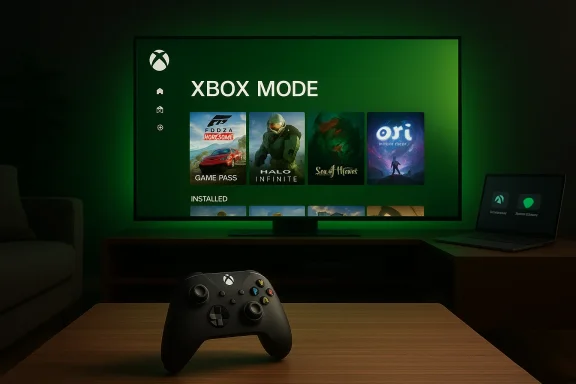
Cozy living room setup with Xbox console, big screen, and a person using a controller.Background​

Microsoft’s push to blur the line between console simplicity and PC openness has been gradual but deliberate. The company first trialed a console‑style, controller‑first shell for Windows with the Xbox Full Screen Experience (FSE) on select handheld devices and preview channels; Xbox Mode is a rebrand and expansion of that effort.
At the same time, Microsoft used the Game Developers Conference (GDC) stage to articulate a broader roadmap that ties this software shift to a forthcoming hardware platform codenamed Project Helix. The announcement paired the Xbox Mode rollout with a suite of developer tooling and graphics updates designed to make PC games feel and behave more like console titles.
This is not a mere UI skin. What Microsoft is shipping is a new session posture for Windows 11 that intentionally foregrounds a living‑room, controller‑first experience while leaving the underlying OS intact. For players, the promise is of a single, more consistent pathway into installed games, Game Pass, and cloud streaming — a front door that behaves much like a console dashboard.

What is Xbox Mode?​

Xbox Mode is a full‑screen session for Windows 11 that:
  • Boots into a controller‑first Xbox PC app UI rather than the traditional Windows desktop.
  • Presents an aggregated game library, Game Pass hub, and cloud streaming options in a living‑room style interface.
  • Trims desktop overhead and focuses system resources toward gameplay during the session.
  • Prioritizes controller navigation and console‑style media/gamepad behaviors for a simpler, TV‑friendly experience.
This mode is explicitly framed as an alternate session posture — it does not replace Windows or negate the traditional desktop. Users should be able to enter and exit Xbox Mode, returning to the standard Windows environment. Microsoft has positioned this as a way to give PCs a console‑like front door while preserving the openness and multitasking strengths of Windows underneath.

Designed behaviors and user flow​

In practice, Xbox Mode centers on a few clear behaviors:
  • A controller‑first navigation model that surfaces big tiles, media controls, and game recommendations.
  • A fast path to cloud play and Game Pass content, making streaming a viable primary entry point for many users.
  • Reduced system chrome: background apps and desktop distractions are minimized to favor game performance and immersion.
  • A session lifecycle similar to a console — start the device, choose a game, play — but powered by the Windows ecosystem.
These choices align with Microsoft’s larger aim of making the PC feel more like a living‑room device, particularly for users who want a simpler, game‑first experience on convertible or TV‑connected hardware.

The technical plumbing: what’s changing under the hood​

Xbox Mode arrives alongside substantive platform and tooling updates aimed at improving how games load, render, and ship on Windows. Microsoft is not only changing how the front door looks — it is optimizing the pathway developers take to deliver games. Several of these technical elements were highlighted during the GDC disclosures.

Advanced Shader Delivery (ASD)​

Microsoft is expanding Advanced Shader Delivery (ASD) to accelerate shader compilation behavior both at first run and at runtime. ASD aims to reduce the infamous "shader stutter" players experience when the GPU compiles shaders mid‑game, smoothing frame pacing and improving perceived performance, especially on systems that lack extensive shader caches. The company presented ASD as a key lever to make PC games feel more consistent with console experiences.

DirectStorage refresh and Game Asset Conditioning Library (GACL)​

DirectStorage — Microsoft’s storage API designed to accelerate game asset I/O — is receiving a major refresh that includes support for Zstandard compression and a new Game Asset Conditioning Library (GACL). These changes are intended to reduce load times, shrink storage footprints, and streamline asset delivery pipelines so games can move data to memory and the GPU faster and with less overhead. In combination with Xbox Mode’s focus on immediate playability, these storage improvements are central to Microsoft’s argument that PCs can match the load‑time expectations of console platforms.

DirectX and machine learning in rendering​

Microsoft signaled explicit evolution in DirectX to support machine learning‑assisted rendering workflows. That includes tooling for real‑time ML effects and a broader emphasis on deterministic render paths — both important for developers seeking cross‑platform parity between Windows and Xbox hardware. These API-level investments are intended to ease developer effort in targeting both PC and console surfaces.

Platform-level tradeoffs​

The combination of ASD, the DirectStorage refresh, and DirectX enhancements aims to address three core friction points for PC gamers:
  • First‑run shader penalties that create uneven frame pacing.
  • Long load times due to large, fragmented asset catalogs.
  • Inconsistent runtime behavior across widely varying PC hardware.
By tackling these issues, Microsoft hopes to move more PC games toward a predictable, console‑like experience — the precise user experience Xbox Mode is meant to expose.

Rollout: who gets Xbox Mode and when​

Microsoft confirmed that Xbox Mode will begin appearing on Windows 11 devices in April 2026, with a staged rollout that will target Insiders, selected markets, and OEM‑enabled devices first. Full availability will depend on Microsoft’s staging and OEM participation.
Key rollout notes:
  • April 2026: Microsoft begins staged delivery to Windows 11 devices, initially in targeted channels and markets.
  • Insider previews and OEM enablement will be important early signals. Early builds and previews that surfaced FSE on handhelds previously shipped through Windows Insider channels.
  • Not all Windows 11 machines will present the same experience at day one; Microsoft is bundling Xbox Mode with platform-level changes that may require driver and firmware updates from OEMs.
Practically, that means users should expect a phased experience: Windows Update and the Xbox PC app will both play roles in delivering and activating the mode, and OEMs may ship or enable different feature sets depending on hardware profiles.

Project Helix: the hardware companion to the software play​

Xbox Mode is one strand of a broader strategy that includes Project Helix — Microsoft’s next‑generation console platform. Project Helix is being positioned as a hybrid, Windows‑rooted gaming platform built around a custom AMD system‑on‑chip and a rendering stack that leans heavily on ray/path tracing, machine learning, and tighter Windows integration. Microsoft told developers at GDC that alpha developer kits for Project Helix are expected to begin shipping in 2027.
Project Helix highlights reported in the disclosures include:
  • A custom AMD SoC at the platform core.
  • An advanced upscaling mode described as an evolution of FidelityFX, referred to internally as FSR Diamond.
  • A rendering stack focused on ML and deterministic behaviors to improve cross‑platform parity.
Microsoft’s public narrative ties Project Helix and Xbox Mode together: Helix defines the console hardware baseline, while Xbox Mode and the DirectX/DirectStorage improvements push Windows PCs closer to that consoleian baseline for games. The result is a deliberate move toward a more unified engineering and product ecosystem between Xbox and Windows.

What developers should expect​

For game developers the changes forward both benefits and new considerations.
Benefits:
  • Fewer runtime surprises thanks to ASD and DirectX evolution; a smoother gameplay experience that can be more consistent across PC and Xbox.
  • Faster asset streaming and smaller installed sizes via DirectStorage updates and Zstandard compression.
  • A clearer, console‑friendly target for optimization if Microsoft’s Helix reference and Xbox Mode become common baselines in the field.
Practical adjustments developers will likely need:
  • Integrate Advanced Shader Delivery and test first‑run scenarios to eliminate stutter.
  • Compress and condition assets for GACL pipelines to leverage Zstandard benefits.
  • Validate ML rendering paths and fallback behaviors across varied GPU/driver stacks.
  • Test UI and input across both controller‑first Xbox Mode and the traditional desktop to ensure parity.
There’s a tradeoff: optimizing heavily for Xbox Mode and Helix baselines could alienate players on older or less capable hardware unless developers maintain explicit compatibility layers. Microsoft’s tooling promises to smooth that work, but developers will still need to invest time in testing and validation across the Windows hardware landscape.

Benefits for consumers​

Xbox Mode brings tangible, user-facing benefits:
  • Simplified entry: A console‑like front door that’s easier for non‑technical players to understand.
  • Integrated Game Pass and cloud play: Faster access to subscription and streaming options makes playing new games almost instantaneous.
  • Improved perceived performance: Less shader stutter and shorter load times make many games feel more polished on first run.
  • TV and couch mode friendliness: Controller-first navigation and full‑screen UI map better to living‑room setups.
For households where a PC doubles as a couch gaming device, Xbox Mode could remove barriers that previously pushed users toward dedicated consoles.

Risks, trade‑offs, and open questions​

Microsoft’s strategy also raises important caveats and potential downsides.
  • Fragmentation risk: Windows has always been heterogeneous. Rolling a console‑style session into that environment risks creating multiple UX “modes” that may confuse users and fragment support. Early reactions from developer and enthusiast circles were mixed: many praise the ambition, but some warn that the complexity lies in execution and in avoiding fragmentation.
  • Performance variability: Not all Windows 11 PCs are created equal. The benefits of ASD and DirectStorage will be most visible on modern hardware; lower‑end machines may see limited improvements and could be left behind if developers optimize primarily for Helix/Xbox Mode baselines.
  • OEM and driver dependency: Because some of the platform gains require driver and firmware support, the rollout experience will vary by OEM. That could create inconsistent experiences and delay broader benefits for many users.
  • Privacy and telemetry concerns: Deeper Xbox integration with Windows inevitably raises questions about data collection, telemetry and platform behavior, particularly around recommendations and subscription nudges. Those are valid concerns that Microsoft will need to address with clear controls and disclosures. This is an area where public trust will matter more than any technical spec.
  • Regulatory and competitive scrutiny: A more tightly integrated Microsoft Xbox‑Windows platform may draw regulatory interest, especially from rivals and watchdogs concerned about platform leverage. That’s speculative but plausible given the scale of the platform changes and the commercial importance of Game Pass. Flagging this as an open question is warranted.
Where specific claims are not yet public or fully detailed (for example, granular opt‑in controls, exact OEM enablement mechanics, or the precise compatibility matrix for older GPUs), those items should be treated as unverified until Microsoft publishes detailed documentation. I flag those as areas requiring confirmation when Microsoft publishes support pages and release notes.

How to prepare your PC (practical checklist)​

If you plan to try Xbox Mode when it arrives, here’s a practical checklist you can follow to be ready:
  • Update Windows 11 via Windows Update and enroll in the Insider channel if you want early access (Insider builds are where earlier FSE previews appeared).
  • Update the Xbox PC app and sign into your Microsoft/Xbox account — Xbox Mode centers that app as the entry point.
  • Ensure controller drivers and firmware are up to date (wired or Bluetooth controllers should be tested).
  • Check for OEM firmware/driver updates — GPU and storage driver updates will be important for the DirectX and DirectStorage improvements to take full effect.
  • Back up critical data before major system changes; staged rollouts can create edge cases on mixed hardware.
Note: The exact toggle, Settings location, or Windows Update behavior that enables Xbox Mode may vary. Microsoft has indicated a staged rollout in April 2026, so watch for official release notes and support pages for the most accurate activation steps.

OEMs, partners, and the wider hardware ecosystem​

Microsoft is not doing this alone. OEMs will play a central role in enabling Xbox Mode experiences on their machines, and Project Helix will depend on partners for silicon and supply chain execution.
  • OEM enablement will determine which machines ship Xbox Mode as a default experience and which require manual activation.
  • Driver and firmware updates from GPU and storage partners will influence how much of the promised performance uplift arrives for end users.
  • PC makers that target handheld and living‑room PC experiences may emphasize Xbox Mode as a selling point; others may leave it optional.
The broader hardware ecosystem — including AMD (for the Helix SoC), GPU vendors, and storage suppliers — will be tested on their ability to deliver consistent experiences across a diverse Windows installed base.

Early reactions and the road ahead​

The initial industry reaction combines cautious optimism with practical skepticism. Enthusiasts applaud Microsoft’s ambition to reduce shader stutter and shrink load times, and developers welcome clearer cross‑platform targets. But many observers are watching execution: how updates land across OEMs, the degree to which developers actually adopt the new tools, and whether the user experience remains optional rather than prescriptive.
Project Helix adds a longer‑term dimension: if Microsoft truly delivers a Helix reference that developers adopt, and if Xbox Mode becomes a reliable baseline on Windows, the company could significantly reshape expectations for PC gaming. But timelines matter — alpha Helix kits in 2027 mean a multi‑year cadence before the full vision arrives. Microsoft’s incremental approach — ship Xbox Mode and developer tooling now, ship Helix hardware later — is pragmatic, but it raises interim compatibility and messaging challenges.

Conclusion​

Xbox Mode for Windows 11 is more than a UI change: it’s the visible frontier of Microsoft’s strategy to converge console simplicity with PC openness. By rebranding and expanding the Full Screen Experience into a system‑level Xbox Mode, shipping developer tooling like Advanced Shader Delivery and DirectStorage updates, and positioning that work alongside Project Helix, Microsoft is attempting a coordinated push across software, APIs, and hardware.
For players, the promise is compelling: faster load times, fewer stutters, and a simpler path to games and cloud play. For developers and OEMs, the work begins now — adopting the new tooling, validating cross‑platform behavior, and ensuring the promise reaches real users on real devices. For regulators and privacy advocates, the change is a reminder to watch how platform integration affects competition and data practices.
The rollout beginning in April 2026 marks the start of a multi‑year experiment. If Microsoft and its partners execute cleanly, Xbox Mode could become a mainstream way people play on Windows. If execution falters, the project risks fragmenting the Windows gaming experience or favoring a narrower set of hardware. Either way, this is a consequential pivot in the PC gaming landscape — one worth watching closely as the April rollout unfolds and Project Helix advances toward developer hands in 2027.

Source: MobileSyrup Microsoft is bringing 'Xbox mode' to every Windows 11 PC
Source: Inshorts Microsoft to bring full screen 'Xbox mode' to Windows 11 devices
Source: WKLW 94.7 FM Inside Story | WKLW 94.7 FM | K 94.7 | Paintsville-KY
 

Microsoft will begin delivering a full‑screen, controller‑first “Xbox Mode” to Windows 11 PCs in April 2026 — a rebrand and broadening of the Xbox Full Screen Experience first introduced on purpose‑built handhelds — folding a console‑like front door, an aggregated games library, and a package of GPU and developer tooling directly into the Windows gaming surface.

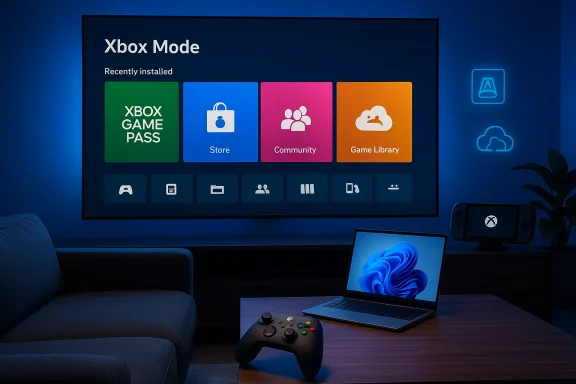
Laptop displays Windows/Xbox tiles with neon green and blue waves flowing around it.Background / Overview​

Microsoft first tested a console‑style shell for Windows on handheld hardware in late 2025, shipping the Xbox Full Screen Experience (FSE) to partner devices to give players a living‑room friendly, controller‑first path into PC games. That experiment has now been rebranded Xbox Mode and — according to Microsoft’s GDC disclosures and subsequent Xbox blog posts — wader Windows 11 form factors via a staged rollout beginning in April 2026.
The shift is more than cosmetic. Microsoft pairs the UI change with a suite of developer‑facing platform updates — Advanced Shader Delivery, a DirectStorage refresh adding Zstandard GPU‑decompression support, and a Game Asset Conditioning Library — intended to reduce shader compilation stutters, shrink load times, and make PC titles feel more like hose platform improvements were presented alongside Project Helix, Microsoft’s next‑generation Xbox initiative disclosed at the Game Developers Conference.
That combination — a console posture for the player-facing interface and a set of runtime and tooling improvements for developers — explains why Microsoft and its partners are positioning April’s rollout as a pivotal moment for Windows gaming.

What is Xbox Mode?​

The user experience​

At its core, Xbox Mode is a full‑screen, controller‑first session posture that boots into the Xbox PC app instead of the traditional Windows desktop. It presents an Xbox‑style navigational model, an aggregated games library (including titles launched from PC storefronts through the Xbox overlay where supported), and system optimizations intended to reduce background overhead during play. The UI emphasizes large, remote/controller‑friendly controls and shortcuts familiar to console users.
Microsoft’s messaging to developers and press describes Xbox Mode as an alternate session posture, not a replacement for Windows: you can still return to the desktop, and Windows remains the underlying OS. The mode’s purpose is to offer a simpler, more consistent way to play with controllers and living‑room peripherals on Windows devices.

Key consumer features​

  • Controller‑first navigation and full‑screen dashboard that aggregates games, social features, and Xbox services.
  • Reduced desktop overhead while Xbox Mode is active — fewer background processes and a trimmed UI surface for improved responsiveness.
  • Integrated game library that surfaces Game Pass, Microsoft Store titles, and an aggregated view of installed PC games where supported.
  • Quick access to platform services such as achievements, cloud saves, and game streaming controls.
These elements mirror the Full Screen Experience that arrived on handhelds and will behave similarly on laptops, desktops, tablets and hybrid devices that receive the update.

Timeline and rollout: what April actually mublicly stated the rollout will begin in April 2026, but several factors matter for users:​

  • The initial rollout is staged and will appear first to Insiders and selected markets before broader availability. Multiple outlets reported a staged release rather than an immediate “switch on for every PC” on day one.
  • The exact day in April was not specified in the headline GDC messaging; publications and community guides have linked the broader rollout to April security/feature update windows (mid‑April Patch Tuesday is a commonly cited anchor), but Microsoft has not published a single global release date for all devices. Treat “April” as the month the rollout begins, not the single day every Windows 11 PC will receive the feature.
  • Early adopters can expect preview access via the Xbox Insider and Windows Insider programs; manufacturers will also ship updates on certain handhelds and partnered devices ahead of or alongside the OS rollout.
A common confusion in social channels has been claims that Xbox Mode will be “forced” onto every system immediately; the evidence from Microsoft’s material and major outlets supports a measured, staged availability that initially targets Insiders and specific markets or OEM partners.

The technical plumbing: DirectStorage, Advanced Shader Delivery, and GACL​

Xbox Mode’s UX changes are accompanied by technical investments intended to reduce two of PC gaming’s most visible nuisances: shader stutter and long asset load times. Microsoft laid out three main areas at GDC:

Advanced Shader Delivery (ASD)​

ASD is a system for precompiling and distributing shader packages to reduce runtime compilation overhead. The idea is to ship precompiled shader blobs (PSDBs) alongside storefront updates so players don’t trigger large shader compilations on their first run — the same principle Xbox consoles use to minimize stutter. Microsoft and partners are promoting ASD as a distribution mechanism that co‑operates with game stores and drivers to reduce first‑run hitches.
Vendor messages suggest substantial startup speedups for shader‑heavy titles when ASD is used, but real‑world gains will depend on the title, engine, driver integration, and whether storefronts publish effective PSDBs. Those gains are plausible but workload dependent; treat vendor speed claims as a directionality indicator, not a guaranteed multiplier across all games.

DirectStorage 1.4 and Zstandard GPU decompression​

Microsoft’s DirectStorage work now includes support for Zstandard compression and an open‑source GPU decompression shader. This shift reduces the CPU and storage bandwidth costs of streaming large assets by enabling efficient decompression on GPUs. The DirectStorage 1.4 release and the associated open‑sourcing of a Zstd GPU decompression shader are intended to make these optimizations available to engine teams and vendors quickly.
Zstd on the GPU is appealing because it reduces storage and IO cost without heavy CPU decompression loads, but it requires driver and tooling support from GPU vendors, and content teams must repackage assets to exploit it. Expect a gradual benefits curve as engines and pipelines adopt the new tooling.

Game Asset Conditioning Library (GACL)​

GACL is Microsoft’s push to give developers a shared set of asset preprocessing tools so games ship with assets arranged optimally for NVMe → GPU streaming. The library is meant to standardize common conditioning steps that make DirectStorage and GPU decompression work more reliably across titles. Like ASD and DirectStorage improvements, GACL is a developer toolset; the user benefit appears when studios adopt it.

Why Microsoft is doing this: the strategy behind Xbox Mode​

Microsoft’s decision to fold Xbox Mode into Windows 11 is strategic on at least three fronts:
  • User simplification: Bring a console‑like “just click and play” posture to Windows to attract more mainstream and living‑room oriented gamers who prefer controllers and a single, consistent launcher.
  • Platform convergence: Align console engineering (shader packaging, storage pipelines) with PC development so high‑quality console experiences can be delivered with fewer PC‑specific hiccups. That lowers friction for cross‑platform shipping and helps Microsoft present Windows as a first‑class Xbox target.
  • Ecosystem leverage: Make the Xbox PC app and its services a more prominent front door on Windows, increasing Game Pass visibility and making it easier to sell subscriptions, cloud features, and first‑party titles across multiple hardware types.
Those aims align with the Project Helix narrative Microsoft described at GDC: tighter Xbox/Windows engineering, a shared developer toolchain, and an ecosystem that spans handhelds, PCs and console hardware.

What this means for players: immediate benefits and realistic expectations​

Likely benefits​

  • Cleaner, controller‑friendly experience on laptops and living‑room PCs that want a console feel without leaving Windows.
  • Potentially faster startup and reduced shader stutter for games that adopt ASD and GACL packaging.
  • Better Game Pass and Xbox service integration with a single hub for discoveries, social features, and supplemental services.

What it won’t magically deliver​

  • Xbox Mode does not magically make every PC run console‑exclusive titles or install console‑only binaries. The mode is an interface and a set of platform services; game compatibility still depends on publisher support and engine integration. Claims that it will let you run locked‑down console titles on any PC are not supported by the documentation. Anyone reading headlines that imply instant, universal game cross‑compatibility should be skeptical.
  • Performance improvements depend on developer adoption. The tooling is necessary but not sufficient; studios must repack shaders and assets and ship updates to get the promised benefits. Expect incremental improvements over months and years, not a single dramatic, universal uplift on day one.

Developer implications and adoption curve​

Game developers are the gatekeepers for many of the promised runtime benefits. Microsoft’s pitch at GDC emphasized:
  • Precompiling/packaging shader sets and distributing them through stores to reduce client‑side compilation.
  • Using the Game Asset Conditioning Library and DirectStorage features to produce asset bundles optimized for NVMe→GPU streaming.
  • Leveraging DirectX/DirectML features to add ML‑assisted rendering steps.
For engines and studios this translates into a pipeline change: build steps to capture shader state, PSDB generation, asset conditioning, and more QA around vendor driver compatibility. Adoption will be fastest among first‑party and closely partnered studios; third‑party adoption depends on tool integration into Unreal, Unity, and proprietary engines.
The practical implication: early adopters will see the first benefits, and Microsoft’s influence over storefront packaging (Xbox/Windows Store, partnered stores) will accelerate distribution of PSDBs. But cross‑store coordination is nontrivial; where games are sold through third‑party launchers with their own pipelines, synchronized playback of the benefits may lag.

Hardware and OEM angle: who gets Xbox Mode?​

Xbox Mode is being rolled out to Windows 11 devices across form factors, but some distinctions matter:
  • Handhelds and partner‑branded devices that already shipped with the Xbox Full Screen Experience had the earliest access; OEM firmware and driver tuning on those systems made the experience smoother. Microsoft and some OEMs signaled coordinated updates for other handhelds and gaming laptops.
  • ARM‑based Windows 11 machines already received the Xbox PC app earlier in 2026; Xbox Mode’s availability on ARM devices depends on app parity and third‑party compatibility for titles. Microsoft’s ARM push increases the number of devices able to run the Xbox PC app but does not eliminate per‑title compatibility gaps.
  • For desktops and conventional laptops, Xbox Mode will arrive as an opt‑in feature via Windows Update/Xbox app updates in a stagedvers remain critical for achieving the best performance from DirectStorage and GPU decompression features.
In short: most modern Windows 11 PCs will eventually see Xbox Mode options, but real feature parity and performance will vary by hardware, drivers, and developer packaging.

Privacy, telemetry, and security considerations​

Microsoft’s deeper integration of Xbox services into Windows raises a predictable set of questions for privacy‑conscious users and enterprise administrators:
  • Xbox Mode increases the presence and prominence of Microsoft‑managed services (Xbox PC app, Game Pass, achievement telemetry). Users and organizations should review what service telemetry is enabled by default and adjust account and privacy settings if necessary. Microsoft’s platform blog posts outline service features but do not enumerate every telemetry flag exposed to sysadmins, so administrators should audit and test the feature in controlled environments.
  • Enterprise environments that lock down workstations may need to evaluate whether Xbox Mode’s UI or background switches interfere with managed system images, baseline security policies, or device health attestation. Organizations should treat Xbox Mode like any optional OS feature: test before wide deployment and use Group Policy or MDM rules to control availability if needed. Official enterprise guidance specific to Xbox Mode was not broadly published at announcement time; expect Microsoft to clarify management controls as the rollout progresses.
  • Community reports of registry tricks and Insider toggles used to enable the Full Screen Experience early are a reminder that unsupported enabling mechanisms can break expected security or manageability properties. End users and admins should avoid unofficial workarounds on production machines.

Risks, edge cases, and things to watch​

  • Fragmentation risk: If only a subset of games adopt ASD and GACL, users may experience mixed results: some titles will feel smoother while others remain unchanged or even show regressions until engine patches arrive.
  • Compatibility edge cases: Third‑party launchers, mods, and DRM systems may not cooperate seamlessly with a centralized Xbox Mode experience; users who rely on complex mod workflows or alternative launchers should test Xbox Mode before switching workflows.
  • Perception vs. reality: Headlines claiming Xbox Mode will “turn every PC into an Xbox” overstate the case. The change is significant as a user experience and platform play, but it does not convert Windows into a locked console OS or remove the desktop for users who prefer it. Consumers should expect choice and opt‑in behavior rather than compulsory conversion.
  • Security and enterprise lockdown: Corporate IT teams should validate that enabling Xbox Mode doesn’t inadvertently enable services or ports that violate enterprise baselines. Because detailed enterprise guidance was limited at announcement time, conservative testing is advised.

How to prepare and (if you want) get early access​

  • Check system updates: Ensure your Windows 11 installation is up to date and your graphics drivers are current; Microsoft’s DirectStorage and GPU decompression features require modern drivers and firmware to work optimally.
  • Join preview programs for early access: If you want to test Xbox Mode before the general rollout, enroll in the Xbox Insider program and Windows Insider channels that Microsoft designates for gaming previews. Expect staged availability by region and device.
  • Backup and test: Before enabling preview features or registry workarounds, back up important data and test on a non‑critical machine. Community guides exist for forcing FSE/Xbox Mode on unsupported devices, but those steps carry risk and are unsupported for production systems.
  • Watch driver and store updates: The full benefits require cooperation from GPU vendors and storefronts; keep drivers and your Xbox PC app up to date.

Verdict: a meaningful step, not an overnight transformation​

Xbox Mode represents a deliberate, multi‑layered push by Microsoft to make Windows gaming more console‑like in its UX and more console‑calibrated in its runtime behavior. The October 2025 handheld trials validated the concept; the April 2026 rollout begins the real proof‑of‑adoption phase for desktops and laptops.
The announced developer tooling — Advanced Shader Delivery, DirectStorage improvements with Zstd, and the Game Asset Conditioning Library — provide the plumbing necessary to deliver the smoother experiences Microsoft promises. But those plumbing changes require adoption by engine teams, publishers, and storefronts before end users will consistently notice the benefits. In short: Xbox Mode is a significant piece of Microsoft’s cross‑device strategy and will improve the experience for many players, but the measurable, universal improvements will arrive gradually.

Final takeaways for Windows 11 users​

  • Xbox Mode will begin appearing on Windows 11 PCs in April 2026 as a staged rollout; expect early access through Insider channels and partner OEM firmware updates first.
  • The feature is an opt‑in, full‑screen session posture that boots into the Xbox PC app and is intended to be an alternate way to play, not a replacement for the Windows desktop.
  • Real performance and responsiveness improvements depend on developer adoption of ASD and GACL and on GPU/driver support for DirectStorage’s Zstd GPU decompression; benefits will roll out over months, not solely on day one.
  • Privacy, manageability and compatibility deserve attention: test Xbox Mode in your environment, particularly in enterprise or heavily modded gaming setups, and avoid unsupported workarounds on production machines.
Microsoft’s April rollout of Xbox Mode marks a concrete milestone in the company’s long game: to blur the line between console simplicity and PC openness while giving developers modern tools to ship smoother experiences. For players the promise is attractive — fewer hitches, a friendlier controller experience, and more seamless access to Xbox services — but the path from promise to everyday reality will depend on broad developer and vendor partnerships over the coming year.

Source: WKLW 94.7 FM https://wklw.com/vip-inside-story/?id=146938&category=tech-made-simple/
 

Microsoft is rolling Windows 11 closer to the living room: an optional, console‑style “Xbox mode” — a full‑screen, controller‑first interface built on top of Windows — is now poised to expand beyond a handful of handheld PCs and begin a broader, phased rollout to Windows 11 desktops, laptops, and tablets.

A person holds an Xbox controller while the TV displays the Xbox dashboard.Background​

The concept isn’t new inside Microsoft’s ecosystem: the company experimented with a “Full Screen Experience” (FSE) on purpose‑built Windows handhelds, most notably the co‑engineered ASUS ROG Xbox Ally family. That early implementation replaced the normal Explorer shell at session start with the Xbox PC app as the “home” experience, creating a streamlined, tile‑based UI optimized for gamepads and thumbsticks.
What Microsoft is calling Xbox mode — effectively a rebrand and expansion of FSE — is a session posture layered on Windows 11 rather than a separate operating system. It’s designed to give players a single, simple surface for discovering, launching, and switching between games while muting desktop distractions and deferring some non‑essential services to free system resources for games. Early testing, OEM previews, and Microsoft’s Insider documentation show the mode is optional, configurable, and reversible: you can switch back to the standard Windows desktop whenever you need to.

What exactly is Xbox mode?​

A console‑like shell, not a new OS​

Xbox mode is a session posture (a full‑screen shell) that presents the Xbox PC app and an enhanced Game Bar as the primary user interface. It does not change Windows at the kernel level, nor does it remove core platform services such as drivers, anti‑cheat frameworks, or DirectX. Instead, it changes what runs at session start: Explorer and many desktop ornaments are deferred in favor of a controller-friendly launcher.

Key user‑facing features​

  • Large, thumb‑navigable tiles and menus for games and apps.
  • Aggregated game library that surfaces Xbox Game Pass titles alongside discovered installs from other storefronts like Steam and Epic.
  • Controller‑first navigation and input focus (Xbox‑button shortcuts, on‑screen controller keyboard, long‑press guide actions).
  • An enhanced Game Bar acting as a primary overlay for captures, performance toggles, and quick switching between running games and apps.

What it’s not​

  • It’s not a locked, walled garden. You can still run desktop apps, third‑party launchers, and cloud streaming from within the session. Microsoft’s design keeps Windows’ openness intact while offering a simpler front end for controller‑first play.

How the interface works in practice​

When you enable Xbox mode the system boots (or switches) into a full‑screen Xbox PC app session. That session is optimized for gamepad navigation: UI focus, control hints, and on‑screen elements are larger and easier to reach with thumbs. The Xbox app aggregates titles from Game Pass and local installs, so you can discover and launch games without switching back to the desktop or juggling multiple launchers.
Under the hood, Windows keeps running. What changes is the session policy — Windows defers Explorer and many desktop startup tasks, and it mutes certain notifications and background jobs to reduce interruptions. The practical result reported by early hands‑on reviewers and testers is measurable memory and CPU headroom on thermally constrained hardware, which can translate into smoother frame pacing and fewer stutters in some titles. That said, real‑world gains vary by device, game engine, and OEM firmware settings.

Rollout, availability, and how you’ll get it​

Microsoft has been testing the feature in Windows Insider builds and with OEM partners. The full‑screen experience debuted out of the box on specific handheld SKUs (notably ASUS ROG Xbox Ally devices) and subsequently moved into Insider channels for broader testing. Recent reporting indicates Microsoft plans a staged rollout to more Windows 11 devices starting in April, with the initial distribution limited to select markets and device configurations. Expect OEM gating, firmware dependencies, and phased activation through Windows Update and Xbox app updates.
If you want to try Xbox mode early:
  • Join the Windows Insider program (Dev or Beta channels depending on Microsoft’s published guidance).
  • Opt into Xbox Insider previews as directed for some builds.
  • On supported builds, flip the setting at Settings > Gaming > Full screen experience, or use preview shortcuts such as Win + F11 or Game Bar toggles where available. Early testers report those entry points in Insider builds.
Note: OEMs may ship the mode pre‑enabled on select handheld SKUs or make it available only after firmware updates. If you rely on a particular laptop or mini‑PC, check the OEM’s compatibility notes before expecting a seamless enablement.

Performance claims: what reviewers actually measured​

The most talked‑about technical benefit is reclaimed RAM and fewer background wakeups. Multiple hands‑on reports show that deferring Explorer and some startup services can free roughly 1–2 GB of system memory on certain handhelds, and that this headroom sometimes results in smoother gameplay on severely constrained devices. Those numbers are device‑dependent and not a universal guarantee; Microsoft’s official documentation describes the behavior but does not publish a single, universal RAM‑savings figure.
Why this matters: on integrated systems with shared memory (common in handhelds) and on low‑power CPUs, even a gigabyte of additional usable memory can reduce swapping, improve shader caching, and lower the chance of CPU/GPU contention that manifests as stutters. On desktops and high‑end laptops with larger memory pools, the marginal benefit will be smaller. Real‑world impact depends on:
  • Thermal and power limits set by OEM firmware.
  • Whether a game is CPU‑bound or GPU‑bound; CPU‑bound titles gain more from reclaimed CPU headroom.
  • Anti‑cheat, overlay, and driver interactions that still run in the session. Those remain in place and can affect performance independently.

The ecosystem effect: Game Pass, Steam, and the blur between PC and console​

Xbox mode’s aggregation of Game Pass alongside discovered installs brings Microsoft’s console catalog and cloud streaming closer to PC form factors in a unified front end. That convenience is the feature’s strongest consumer pitch: one place to browse Game Pass, cloud titles, and locally installed games across multiple storefronts. Early impressions celebrate this as a “living‑room friendly” PC gaming surface that reduces friction for couch play.
For Microsoft this is strategic: the company is intentionally narrowing the user‑experience gap between Xbox consoles and Windows PCs. The move aligns with broader efforts to make Xbox services seamless across devices and to encourage subscription play via Game Pass on more hardware. That said, Microsoft is keeping Windows’ open nature intact — third‑party launchers and stores remain usable — so Xbox mode is an add‑on pathway rather than a replacement for the classic PC ecosystem.

Risks, limitations, and unanswered questions​

1. Fragmentation and OEM gating​

Because OEMs control firmware and some power/thermal profiles, experience parity is unlikely at launch. The same Xbox mode session that delivers a smooth experience on an ASUS ROG Xbox Ally may perform differently on a budget laptop or a desktop tuned for productivity. OEM managers may opt in or out per SKU, so availability will be inconsistent across devices and regions during the phased rollout.

2. Compatibility and edge cases​

  • Some third‑party overlays, mod tools, and older anti‑cheat systems may behave unpredictably in a session that defers Explorer‑driven services. While Microsoft states anti‑cheat and kernel services remain intact, compatibility will vary by title and middleware. Test before making Xbox mode your default on a machine you use for competitive or mod‑heavy play.
  • Maintenance tasks such as driver installs, debugging, and certain game mods are more natural on the full desktop. Xbox mode deliberately de‑emphasizes desktop workflows, which can increase friction for power‑users who need occasional access to the full Windows shell.

3. Privacy, telemetry and default choices​

The introduction of a curated, Xbox‑centric home experience raises questions about default search, discovery prompts, and telemetry. Microsoft has not publicly announced any new data collection beyond standard Windows telemetry tied to Insider builds, but organizations and privacy‑conscious users should audit startup defaults before enabling Xbox mode as a permanent posture. Enterprise IT admins should also note that the mode is consumer‑focused and not intended as a managed kiosk replacement.

4. Consumer confusion and user choice​

Moving a desktop OS closer to a console posture can disorient users who expect Windows to behave like, well, Windows. Clear onboarding and an easy path back to desktop mode are essential to avoid support calls and returns. Microsoft’s testing and OEM guidance emphasize opt‑in behavior, but we’ll be watching how aggressively partners surface Xbox mode as a selling point — or as a default on certain handheld SKUs.

Practical advice: how to try Xbox mode and keep control​

If you’re curious and want to experiment safely, follow this step list:
  • Back up any important data and create a system restore point. Changes to startup posture and shell behavior are reversible, but conservative backups are good practice.
  • Enroll a test machine in the Windows Insider program (Dev/Beta according to official guidance) and optionally the Xbox Insider program to get early builds.
  • On supported builds, toggle the mode at Settings > Gaming > Full screen experience, or use the Game Bar/Win + F11 shortcuts that appeared in preview builds. OEM‑specific instructions may vary.
  • Test the titles you actually play — both Game Pass and third‑party installs — and watch for anti‑cheat or overlay issues. If you use mods or non‑standard drivers, test those workflows thoroughly.
  • If you operate in a managed IT environment, treat Xbox mode as a user opt‑in feature and document compatibility for help desks; do not enable it by policy on machines used for work without testing.

What this means for Microsoft, OEMs, and competing platforms​

  • For Microsoft: Xbox mode is the company’s bid to make Windows more friendly for living‑room and handheld gaming without closing the platform. It advances Xbox services and Game Pass as first‑class citizens on Windows while preserving the platform’s openness. That’s a commercially sensible, low‑friction approach to cross‑platform cohesion.
  • For OEMs: This is both opportunity and liability. OEMs shipping handhelds can use Xbox mode as a differentiator; laptops and desktops face a choice about whether to enable the experience by default, gate it behind firmware, or leave it optional. Expect a patchwork of experiences early on.
  • For Valve and SteamOS: Microsoft’s move intensifies competition in the handheld gaming space. Valve’s Steam Deck and SteamOS emphasize a curated, Linux‑based, console‑like environment; Microsoft’s Xbox mode brings a similar posture to Windows devices while still preserving access to the broader Windows game library. The two approaches will co‑exist and push OEMs and developers to prioritize living‑room and handheld experiences.

Final analysis: a practical, incremental step toward console‑style PC gaming​

Xbox mode is a pragmatic piece of product engineering: a session posture that offers a cleaner, controller‑first experience while keeping Windows’ sprawling PC compatibility intact. It’s not revolutionary in concept — Valve’s Big Picture and SteamOS have long offered console‑style shells — but it’s a significant shift because it comes from Microsoft and ties directly to Xbox services and Game Pass. That makes it a potentially powerful lever for subscription engagement and a more cohesive cross‑device gaming narrative.
Strengths:
  • Lower friction for couch and handheld play, especially for users who prefer controllers to mouse/keyboard.
  • Service consolidation that makes Game Pass and local installs easier to find and launch.
  • Measured performance gains on constrained hardware by deferring desktop services.
Risks:
  • Fragmented experience across OEMs and device classes during phased rollout.
  • Compatibility edge cases with overlays, anti‑cheat, and modding workflows.
  • User confusion if onboarding to the mode is unclear or if it becomes default on some devices.
For gamers, the advice is pragmatic: try Xbox mode on a test device, measure the real‑world improvements for the games you actually play, and keep the full desktop handy for troubleshooting. For OEMs and IT admins, the sensible approach is measured enablement with clear documentation — Xbox mode can be a compelling selling point, but only if the rollout preserves user choice and minimizes broken experiences.
Xbox mode makes Windows 11 feel a little more like a console when you want it to, and importantly, keeps the full power of Windows available when you don’t. The coming months will tell whether consumers embrace the convenience or treat it as a niche convenience for handheld and living‑room setups. For now, it’s a carefully calibrated step toward a more unified Microsoft gaming ecosystem — useful, but not a replacement for the open PC that millions of players and creators rely on.

Source: Techlusive Windows 11 to get Xbox mode: Microsoft bringing console-style gaming to PCs
 

Microsoft used this year’s Game Developers Conference to make a plainly stated strategic move: starting in April 2026, Windows 11 will gain a system‑level, controller‑first Xbox Mode that brings the console-style, full‑screen Xbox experience to laptops, desktops, tablets and handheld PCs — and that software push is being launched alongside the first public roadmap for the next Xbox, codenamed Project Helix, whose alpha developer kits will be distributed to studios beginning in 2027.
The announcements are tightly coupled. Xbox Mode on Windows widens the reach of Microsoft’s console UX immediately, while Project Helix pulls the hardware roadmap toward a vision of a hyrm optimized for next‑generation DirectX, AI‑assisted upscaling and a heavier focus on ray/path tracing. Taken together, Microsoft is laying a two‑track plan: build the ecosystem now on billions of Windows devices, then deliver a high‑end, tightly integrated hardware endpoint that maximizes the new stack’s capabilities.

A living room gaming setup with a large Xbox UI on the TV and neon labels for DirectStorage, AMD, and FSR.Background​

Microsoft’s console and PC strategies have drifted closer for years — cross‑buy titles, Game Pass cross‑platform play, and Xbox titles on Windows created the foundation. The Xbox Full Screen Experience (FSE) first appeared as a purpose‑built shell on purpose‑built handhelds like thfamily; Microsoft now plans to rebrand and expand that experience as Xbox Mode across Windows 11 beginning in April 2026. That rollout is staged and market‑limited at launch, but its implications are broad: a consistent controller‑first UX, integrated storefront and services, and platform tooling aimed at reducing typical PC friction — shader stutters, long first‑time load stalls, and asset streaming bottlenecks.
At the same GDC, Xbox positioned Project Helix as a multi‑year co‑engineering project with AMD that will deliver a custom system‑on‑chip (SoC) tuned for new DirectX features, ML‑driven rendering, and what Microsoft described as a “next generation” of ray tracing performance. Crucially, Xbox told developers it will begin shipping alpha development kits in 2027, a timetable that narrows possible retail launch windows and tells studios when to start targetting the platform.

What Xbox Mode on Windows 11 actually is​

The UX: console posture, controller-first​

Xbox Mode is not merely a skin — it’hat boots into a dedicated, full‑screen Xbox front end that prioritizes controller input, game discovery, and a living‑room navigation model instead of the Windows desktop. On handhelds, the Full Screen Experience already reduces system overhead and streamlines access to Game Pass and store purchases; the Windows rollout applies that same concept to standard PCs. For gamers who want a living‑room‑style experience on a laptop or a docked handheld, this is an instantly familiar offering.

Performance features Microsoft bundles with the UX​

Microsoft isn’t positioning Xbox Mode as only a UI change. The experience is being shipped alongside three important platform features intended to shorten the gap between console and PC behavior:
  • Advanced Shader Delivery (ASD) — cloud / precompiled shader delivery to reduce first‑run shader compilation stutter and dramatically shorten launch times. Early demos and developer blog posts show substantial reductions in measured load times for some titles.
  • DirectStorage 1.4 and Zstandard (Zstd) support, plus a Game Asset Conditioning Library (GACL) to improve storage decompression and runtime streaming efficiency. These moves are explicitly aimed at reducing asset‑decompression stalls and improving streaming across NVMe hardware.
  • New DirectX/ML hooks and tooling (linearly accelerated HLSL operations, shader debug improvements, PIX updates) intended to make ML‑driven rendering techniques and GPU‑driven workloads easier to deploy for studios.
These features are meant to be platform‑level: they can reduce developer toil, improve launch reliability, and — in Microsoft’s framing — make the PC feel “more like a console” when gamers choose to operate inside Xbox Mode.

Advanced Shader Delivery: how it changes PC game startup​

Advanced Shader Delivery (ASD) is designed to move expensive shader compilation off the player’s device and into a precompiled, distributable artifact that ships with digital game packages or is available via the store. The result is fewer long shader compile screens and less stutter on first launch. Microsoft’s own testing on some titles — and initial ROG Ally demonstrations — showed dramatic reductions in first‑run latency.
Strengths:
  • Faster first‑run times and reduced CPU/GPU cycles spent compiling code at install/start.
  • More consistent first‑run experiences across hardware and driver combinations.
Risks and caveats:
  • Early implementations were tied to specific storefront workflows; broader cross‑store adoption will require buy‑in from engine teams and third‑party storefronts if Microsoft’s implementation remains store‑centric. This raises questions about ecosystem fragmentation and whether ASD will be universally available for games purchased outside Microsoft’s ecosystem.
  • Precompiled shader artifacts increase the amount of shipped data and may require careful versioning to avoid mismatches across driver and OS updates.
In short: ASD reduces a major annoyance for PC players, but its ultimate benefit depends on wide adoption by publishers and cross‑store distribution practices.

Project Helix: what we know about the hardware and timeline​

Hardware direction: AMD co‑engineered SoC and focus areas​

Microsoft confirmed that Project Helix will be powered by a custom AMD SoC co‑designed to support “next‑generation DirectX and neural rendering workflows,” with an explicit emphasis on improved ray and path tracing performance. AMD has publicly tied a next‑generation FidelityFX variant — now branded FSR Diamond — to the Project Helix story. Those claims are consistent across multiple reporting outlets and Microsoft’s GDC developer messaging.
Key hardware design emphases Microsoft listed at GDC:
  • Ray/path tracing acceleration tuned at the SoC level.
  • Neural rendering and ML acceleration embedded in the silicon to accelerate FSR Diamond’s features (multi‑frame generation, neural texture compression, ray regeneration).
  • DirectStorage/Zstd and GACL integration to enable high‑throughput asset streaming from NVMe storage to GPU.

Timeline: dev kits in 2027, consumer device later​

Jason Ronald, Xbox’s VP of Next Generation, stated that alpha Project Helix units will be provided to developers starting in 2027. Microsoft’s timeline positions consumer availability later — industry commentary points toward a likely 2028 retail window rather than a 2027 launch, but Microsoft’s own timetable for developer hardware is the only firm date to rely on.
Important caveat: shipping alpha dev kits in 2027 does not guarantee a single‑year consumer launch; console development historically runs on multi‑year cadences and the “alpha” tag implies substantial platform evolution before final retail hardware.

FSR Diamond, frame generation, and AI‑powered upscaling​

AMD and Microsoft unveiled that the next major fidelity/upscaling stack will be dubbed FSR Diamond (sometimes reported as the consumer‑facing name for the earlier “FSR Next” initiatives). FSR Diamond is described as a neural rendering suite combining:
  • ML-based spatial upscaling and neural texture decompression
  • Multi‑frame generation (to synthesize intermediate frames and raise perceived framerates)
  • Ray regeneration for improved ray/path tracing performance and image fidelity
AMD executives, including Jack Huynh, framed FSR Diamond as natively optimized for Project Helix and as a key component of the new GDK. Early reporting and Huynh’s own messaging confirm the tie between FSR Diamond and Helix.
What this means for gamers:
  • Games running at lower native resolutions could be upscaled with higher visual fidelity and lower performance cost than full‑native rendering.
  • Multi‑frame generation can substantially increase perceived smoothness (for example turning 30fps render output into perceived 60fps), but latency, artifact handling, and motion stability are still active engineering challenges.
  • Because FSR Diamond integrates ML pipelines more deeply into the stack, hardware support (NPUs, tensor cores or similar blocks) can materially affect quality and availability across GPU generations. Several early reports speculated FSR Diamond may be most effective on upcoming RDNA 5‑class silicon.
Risks and unknowns:
  • Quality parity and latency against competitor solutions (e.g., NVIDIA’s DLSS family including frame generation) remain to be proven at scale.
  • If FSR Diamond relies on next‑gen silicon features, older GPUs may see degraded or no support, fragmenting the install base and raising potential consumer frustration.

Developer implications: build once, target many​

Microsoft’s pitch to developers is straightforward: unify the development target so that titles can natively run on consoles and PCs without heavy porting work. The Project Helix GDK will integrate FSR Diamond, DirectX/ML primitives, and new DirectStorage behaviors — meaning a single engineering effort could yield optimal experiences across Helix and Xbox Mode on Windows.
Benefits for studios:
  • A shared toolchain and SDKs reduce duplication.
  • Alpha dev kits in 2027 give studios time to learn the platform before retail hardware ships.
  • Built‑in ML and advanced storage primitives make high‑fidelity rendering and fast streaming easier.
Workload realities:
  • Studios will need to adopt new ML pipelines and validate upscaling and frame generation across multiple hardware targets.
  • Certification and testing costs may increase if there are divergent hardware capabilities between Helix, current Xbox consoles, and a broad PC install base.
  • Engine middleware and third‑party libraries (physics, audio, networking) need alignment to exploit new DirectX/ML features safely.
Microsoft’s plan reduces friction for studios already shippin testing complexity since titles now must be validated across console‑grade SoC, a huge variety of PC GPUs, and the hybrid Xbox Mode runtime.

Consumer implications and the pricing question​

Perhaps the most immediate consumer question is price. Multiple reputable outlets and industry leakers have floated a premium price point for Project Helix — numbers discussed range roughly from $900 up to $1,500 in speculative commentary, with a commonly repeated range around $999–$1,200. Those figures are not confirmed by Microsoft and should be treated as rumor; Microsoft has made no official retail pricing statements. If accurate, however, this would place Helix much closer to a high‑end gaming PC than to traditional console pricing.
If Project Helix does land in a premium price band, the market implications are clear:
  • For enthusiasts wanting console‑grade simplicity with PC‑grade compatibility, Helix could be compelling.
  • For mainstream buyers used to historically subsidized console pricing (sub-$500), a $1k+ price point could narrow the device’s market to a smaller, more affluent segment.
  • The hybrid proposition — paying PC‑class prices for console‑simplicity — will need strong messaging and clear benefits (exclusive experiences, longer lifecycle, superior ray tracing) to justify the premium.
I will flag this as an unverified threat to mass adoption until Microsoft publishes official MSRP or pre‑order information.

Competitive landscape: different approaches to the next generation​

Microsoft’s multi‑device strategy contrasts with historically hardware‑centric approaches from rivals. Sony and Nintendo have tended to sell distinct console boxes with heavily subsidized pricing models; Valve’s Steam hardware efforts and the growing PC handheld ecosystem (SteamOS devices, ROG Xbox Ally, Legion Go, etc.) are pursuing console‑like UX on PC hardware. Microsoft’s approach blends the two: expand the Xbox UX to PCs first, then offer a high‑end, tightly integrated console that acts as the premium anchor for that broader ecosystem.
Potential outcomes:
  • If nd positioned as an elite device, Microsoft could effectively create a premium tier while relying on Xbox Mode everywhere else to capture casual or budget players.
  • If Helix is competitively priced, it could accelerate the migration of PC gamers who prefer a plug‑and‑play console experience.
  • Either path reshapes how console value is defined: hardware alone will no longer be the only differentiator — ecosystem reach, tooling, and cross‑device continuity will matter more.

Privacy, telemetry, and ecosystem lock‑in — the risks​

Microsoft’s vision requires deeper integration of Xbox services with Windows telemetry and store operations, which implies more data flowing between devices and Microsoft’s backends. There are legitimate user privacy and competition concerns to consider:
  • Telemetry and personalization. Xbox Mode and ASD both benefit from cloud‑side preprocessing and distribution. That requires metadata about installs, hardware, and usage patterns to be shared with Microsoft. Users and privacy regulators will want clarity about data retention, opt‑out options, and transparency.
  • Store‑centric mechanics. If key features (ASD, precompiled shader distributions, some Game Pass or Xbox‑store optimizations) are tightly coupled to Microsoft’s storefront, players who buy games elsewhere could miss benefitin vector that will raise tensions in the broader PC ecosystem. Early community discussion has already flagged this risk.
  • Hardware fragmentation. If FSR Diamond’s best quality depends on RDNA‑class NPUs or other new silicon blocks, older GPUs will be left behind, increasing complexity for developers and possibly accelerating hardware obsolescence.
Microsoft should publish a clear privacy/telemetry matrix and multi‑store compatibility roadmap to reduce regulatory and consumer pushback. Developers also need straightforward guidance to avoid accidental platform exclusivity for performance features.

What OEMs and the PC ecosystem should plan for​

Original equipment manufacturers (OEMs), handheld makers and PC partners have a narrow window to prepare:
  • Expect a staged Xbox Mode rollout beginning April 2026. OEMs should test the mode on typical laptop and desktop SKUs and validate controller, display and docking behaviors.
  • Ship and certify drivers that cooperate with new DirectStorage 1.4 and Zstd decompression, while planning for future driver updates that will optimize GACL pipelines later in 2026.
  • Coordinate with Microsoft for ASD/FSR Diamond adoption: OEMs that provide hardware acceleration for ML tasks (NPUs, DPUs, or optimized tensor units) will drive better in‑device performance for frame generation and ML upscaling workflows.
Manufacturers that move aggressively to support the stack — validated drivers, firmware and optimized thermal profiles — will have an advantage when Helix hits developer testbeds in 2027 and consumer demand materializes thereafter.

Conclusion — a cohesive strategy with real tradeoffs​

Microsoft’s GDC disclosures outline an ambitious, platform‑first approach: seed the experience broadly via Xbox Mode on Windows 11 starting April 2026, mature the cross‑platform rendering and streaming stack with ASD and DirectStorage updates, and then deliver a premium endpoint — Project Helix — engineered with AMD to exploit those platform gains. That plan is coherent and powerful: it lowers the barrier for developers to ship once and reach multiple device classes, while giving Microsoft a premium hardware vehicle that showcases the best of the new stack.
But the strategy is not without risk. Privacy and telemetry concerns, the potential for store‑centric feature gates, hardware fragmentation around FSR Diamond, and uncertain retail pricing are real challenges that could constrain adoption or provoke regulatory scrutiny. Studios will need to adapt engine pipelines to ML‑centric rendering, and consumers will want clear answers on cost and cross‑store fairness before committing to another hardware ecosystem.
For players and developers, the immediate takeaway is practical: test Xbox Mode on your Windows 11 hardware next month, evaluate ASD and DirectStorage benefits in your titles, and — if you’re a studio — plan for Project Helix dev kits in 2027. For Microsoft and AMD, the next 18–36 months are a crucial engineering and messaging window: technical promise must be matched by transparent policies and broad developer support if this hybrid vision is to become mainstream rather than niche.
Project Helix and Xbox Mode together represent a bold reimagining of how console and PC ecosystems can converge. The next questions are not only whether the technology delivers on its performance promises, but whether Microsoft can manage the political, economic and privacy tradeoffs that will determine how broadly the vision takes hold.

Source: NoobFeed Xbox Mode Coming to Windows PCs in April as Project Helix Next-gen Console Plans Expand | NoobFeed
 

Microsoft is folding a console‑style, controller‑first gaming posture into Windows 11: beginning in April 2026 Microsoft will deliver a rebranded, full‑screen “Xbox mode” (the evolution of the Xbox Full Screen Experience) that lets laptops, desktops, tablets and handhelds switch into a living‑room‑friendly interface designed to be navigated entirely with a controller. ps://news.xbox.com/en-us/2025/11/25/xbox-november-update-gaming-copilot-full-screen-experience/)

A gamer holds an Xbox controller as the dashboard fills a large TV, with a laptop beside.Background and overview​

Microsoft introduced the idea of a console‑style session posture for Windows with the Xbox Full Screen Experience (FSE)—a controller‑first shell that boots directly into the Xbox PC app—initially on purpose‑built handheld hardware. The Full Screen Experience first shipped as the default or optional shell on partner devices such as the ASUS ROG Xbox Ally family and was made available to Insiders for testing before Microsoft announced a broader expansion at GDC 2026.
At GDC the company confirmed two linked moves: first, it is rebranding and expanding the Full Screen Experience into a system‑level Xbox mode for Windows 11; second, it is shipping a package of platform and developer tooling—Advanced Shader Delivery (ASD), an updated DirectStorage with Zstandard compression and the Game Asset Conditioning Library (GACL), plus DirectX/ML improvements—intended to make PC games start faster and feel more console‑like. Those tooling changes are meant to be adopted by developers so that the Xbox mode experience is supported by lower load times, reduced shader stutter, and smoother runtime behavior.
Put simply: the UI change (Xbox mode) is the user‑facing front door; the DirectX/DirectStorage/ASD work is the plumbing that makes that front door behave like a console when you walk through it. Multiple independent outlets covering GDC reported the April rollout timetable and the phased availability approach Microsoft plans to use.

What is Xbox mode (formerly Full Screen Experience)?​

A console‑style session on top of Windows​

Xbox mode is a full‑screen, controller‑optimized shell that sits on top of Windows 11 and launches into the Xbox PC app as the primary home screen. It replaces the mouse‑and‑pointer primary navigation model with large tiles, horizontal content rows, and a focus system designed for thumbsticks, D‑pads and guide‑button shortcuts. The goal is a “lean‑back” living‑room experience: pick up a controller, sit on the couch, and navigate your games and services without touching the keyboard.
Key behaviors and design choices:
  • Boots into a dedicated, full‑screen Xbox home rather than a desktop session.
  • Presents an aggregated games library and large, controller‑friendly UI elements.
  • Prioritizes controller input, mapping guide‑button shortcuts and focus navigation to common tasks.
  • Attempts to reduce background desktop overhead while gaming to prioritize system resources for play.

How it differs from Steam Big Picture / Steam Deck modes​

Steam’s Big Picture and Valve’s SteamOS have long offered controller‑first front doors for PC gaming. Xbox mode is similar in intent but differs in ecosystem:
  • It is built around the Xbox PC app and Xbox services (Game Pass, cloud gaming) while also integrating titles from other storefronts so you can launch Steam or Epic games without switching UIs.
  • It ties into Microsoft’s platform-level work (ASD, DirectStorage updates) so the system—not just a launcher—can act more like a console by managing shaders and assets differently.
  • It positions Microsoft’s ecosystem as the primary hub on Windows machines when Xbox mode is active. Multiple outlets covering the GDC announcements note that Microsoft sees this as a way to unify the “living‑room” UX across consoles, handhelds and PCs.

Technical underpinnings: why this is more than a skin​

Xbox mode is a UX change, but Microsoft is coupling it with technical investments so the experience feels like a console.

Advanced Shader Delivery (ASD)​

  • What it is: ASD lets developers collect, precompile and distribute shaders (the GPU programs used for rendering) as part of a game’s install or update. That reduces initial shader compilation work on first launch and during runtime, cutting down stutters and first‑run waits.
  • Why it matters: Shader compile stutter is one of the most visible differences between PC and console launches. By shipping precompiled shaders through storefronts, Microsoft aims to deliver faster startup and smoother play—particularly important when the OS boots into a game‑first shell like Xbox mode. Microsoft discussed ASD at GDC 2026 and the DirectX team detailed the approach.

DirectStorage 1.4 + Zstandard + GACL​

  • DirectStorage 1.4 adds support for Zstandard (Zstd) compression, which helps decrease storage I/O and improves streaming performance.
  • GACL (Game Asset Conditioning Library) is a new set of tools that condition assets (textures, meshes) for better compression ratios and faster decompression, promising meaningful gains in load times and streaming efficiency.
  • Combined, these updates aim to deliver near‑instantaneous loading experiences that players expect from consoles. Microsoft announced the public preview details for DirectStorage 1.4 and GACL at GDC.

DirectX / DirectX‑ML improvements​

  • Microsoft is also adding developer tooling—real‑time graphics debugging, shader explorers, improved PIX profiling and explicit ML primitives for HLSL—to make the PC graphics pipeline easier to tune and more consistent across driver and hardware variants.
  • These advances reduce the friction for developers to treat PC as a first‑class console target, improving cross‑platform parity.

Devices and rollout: who gets it and when​

Microsoft confirmed that Xbox mode will begin rolling out in April 2026 as a staged rollout across Windows 11 devices. Handhelds that launched with FSE (notably ASUS’s ROG Xbox Ally and Ally X) have already been the testing ground for the feature, and OEMs such as ASUS and Lenovo have been engaged to expose the experience on compatible hardware. Early access has been available via Windows Insider and Xbox Insider channels since late 2025.
Important rollout notes and verification:
  • Microsoft framed April 2026 as the start of a phased rollout, not a global flip‑the‑switch. Several outlets covering GDC reported that initial availability would be limited to selected markets and will expand in waves.
  • The ROG Xbox Ally series shipped with the Full Screen Experience as an optional shell; that hardware remains the earliest mass example of the feature in the wild.
  • Some regional coverage and secondary reporting (including local outlets) suggest that markets outside the U.S. may see Xbox mode later in the rollout; Microsoft’s public announcements emphasize staged availability but did not publish a definitive country‑by‑country schedule at GDC. Treat claims about specific country timing (for example, “India will have to wait longer”) as plausible given Microsoft’s staged approach, but currently unconfirmed unless Microsoft or a partner publishes a precise availability list.

What gamers will (and won’t) be able to do​

Expected user experience​

  • Use a controller to browse and launch games from the Xbox PC app, Game Pass, and an aggregated list of installed titles across storefronts.
  • Seamlessly switch between games and apps via controller shortcuts and the Xbox home UI.
  • Boot directly into the Xbox home interface on supported devices, avoiding desktop navigation when the machine is used as a living‑room console.

Limitations and caveats​

  • Xbox mode is opt‑in: it does not replace Windows; it is a session posture layered on top of Windows. That said, the more Microsoft ties services to the Xbox PC app, the more the app becomes the default gaming hub when Xbox mode is active.
  • Not every title will immediately benefit from ASD, DirectStorage 1.4 or GACL: developers must adopt the new tooling and submission flows, which means the best experience will depend on developer uptake and store support.
  • OEM enablement, firmware updates and driver compatibility will affect which devices can fully support the mode and its resource‑management features.

Developer implications: why Microsoft is coupling software with UI​

Xbox mode is more than a consumer convenience for Microsoft; it’s a strategic push to align the Windows gaming surface with console expectations and to make the PC a predictable target for developers.
  • ASD gives storefronts a way to ship precompiled shaders that reduce first‑run friction—important if players expect consoles’ instant‑play behavior on PCs.
  • DirectStorage 1.4 + GACL lets developers shrink install sizes or improve streaming while keeping runtime performance predictable.
  • DirectX tooling and ML extensions reduce the engineering burden of making PC ports run smoothly across diverse hardware.
Taken together, these changes lower the cost for developers to support both Xbox consoles and Windows PCs with fewer platform‑specific compromises. Microsoft framed this as an ecosystem effort at GDC, positioning Xbox mode as the user‑facing expression of deeper platform parity work (and hinting at Project Helix—the next‑generation Xbox hardware effort—for longer‑term alignment).

Benefits for players and enthusiasts​

  • One‑controller living‑room experience: Xbox mode removes the friction of using a keyboard and mouse from a couch or TV setup, making Windows PCs friendlier for casual living‑room gaming.
  • Aggregated library convenience: If the Xbox PC app reliably shows and launches games from multiple storefronts, players will spend less time juggling launchers.
  • Faster startup and fewer stutters: When developers adopt ASD and DirectStorage improvements, first‑run waits and shader‑compile stutter should decline—especially noticeable on high‑end titles.
  • Handhelds get console behavior: For devices like the ROG Xbox Ally X, the full‑screen, controller‑first environment turns a handheld into a console‑like appliance without losing Windows’ flexibility.

Risks, trade‑offs and unanswered questions​

Microsoft’s plan is technically plausible and user‑friendly in many respects, but there are real risks and open questions that deserve scrutiny.

1) User choice and discoverability​

A controller‑first shell that aggregates multiple storefronts risks becoming the de facto gaming surface on many machines. If Microsoft makes Xbox mode the easier, more visible path to play (and ties many conveniences to the Xbox PC app), non‑Xbox storefronts and power users might feel pressured to adopt the Xbox app workflows. Microsoft must ensure Xbox mode is genuinely optional and easily reversible to avoid alienating traditional PC users.

2) Platform control and ecosystem power​

ASD implies storefronts can distribute precompiled binary shader artifacts. That’s powerful, but it centralizes developer tooling and distribution expectations in the platforms that implement ASD. Third‑party storefronts, indie developers and mod communities will watch closely for how restrictive or prescriptive the submission and update processes become.

3) Regional rollout fragmentation and OEM variability​

A staged rollout across markets and devices will create fragmentation: two users with identical hardware in different countries may have very different experiences. OEM firmware and driver readiness will also affect whether the mode performs as advertised on a given machine. Claims about specific country timing (for instance, India) should be treated as provisional until Microsoft publishes a definitive schedule.

4) Privacy, telemetry and system tuning​

A mode that trims desktop services and reallocates system resources raises questions about what telemetry Microsoft collects to decide which processes to suspend and when. Transparent pillars around telemetry, opt‑outs and enterprise controls will be necessary—especially for power users and organizations with strict privacy policies.

5) Compatibility with anti‑cheat and mods​

Console‑style behavior can improve security and stability, but PC gaming is diverse: anti‑cheat drivers, overlays, mods and third‑party tools complicate the picture. Microsoft will need to ensure that Xbox mode doesn’t create brittle interactions with anti‑cheat or unintentionally penalize legitimate modded play.

How to try Xbox mode early (practical steps)​

If you want to experiment with Xbox mode before a broad global roll‑out, here’s the practical checklist:
  • Enroll in the Windows Insider program (Dev or Beta channels) and the Xbox Insider program. Insider channels are Microsoft’s primary path for early access to the Full Screen Experience and Xbox mode previews.
  • Update the Xbox PC app to the latest Insider preview and keep Windows 11 on a recent preview build (the feature footprint traces back to the 25H2 family and newer Insider builds).
  • Check OEM support: on handhelds like the ROG Xbox Ally/Ally X, OEM settings and Armoury Crate integrations control how FSE/Xbox mode is exposed; similar OEM toggles may appear on other devices.
  • When the feature is available for your device, look under Windows Settings > Gaming or the Xbox app’s settings to enable the Full Screen Experience / Xbox mode. If you test it, confirm you can exit back to desktop quickly and that your keyboard/mouse workflows are intact.
  • Test a mix of titles (Game Pass downloads, Steam games, and smaller stores) to see which apps benefit from ASD/DirectStorage improvements—developer adoption will vary initially.

Where this fits in Microsoft’elix and platform convergence​

Xbox mode at the user level and the DirectX + DirectStorage investments at the platform level point to a longer strategic arc: Microsoft is positioning its platforms—Windows, the Xbox PC app and the Xbox console family—to behave consistently, narrowing the long‑standing UX and performance gap between PC and console.
GDC coverage also included Microsoft’s high‑level hints about Project Helix—the next generation Xbox architecture—and a developer timeline where early Helix dev kits ship to studios in 2027. Microsoft’s messaging frames Xbox mode and the developer tooling as incremental steps toward a hybrid ecosystem where consoles and PCs share a predictable, high‑quality target for games. That alignment benefits studios (one target to optimize for), players (consistent experiences across devices) and Microsoft’s platform play.

Final analysis: why this matters — and what to watch​

Xbox mode is a clear, practical step in a decade‑long strategy to make Windows a more cohesive gaming surface and to bring console expectations to PC form factors. The plan makes sense: many players already use controllers on Windows, Game Pass is a massive distribution lever, and direct platform investments in shader, asset and storage tooling tackle some of the biggest friction points for PC play.
Strengths:
  • Tighter UX parity between console and PC for living‑room and handheld play, making Windows devices more friendly for casual and cloud‑forward gamers.
  • Meaningful technical investments (ASD, DirectStorage 1.4, GACL, DirectX tooling) that can materially reduce load times and stutter when broadly adopted.
  • OEM synergy: hardware partners can tune firmware for controller/guide button shortcuts, improving device‑level polish for the living‑room use case.
Risks and unknowns:
  • Rollout fragmentation and regional timing—Microsoft’s staged approach means availability will vary by market and device; specific country timing (for example India) should be treated as speculative until Microsoft publishes official lists.
  • Platform centralization—ASD and store‑level shader distribution centralizes important delivery seams; if implemented opaquely, that could disadvantage smaller stores or indie distribution models.
  • Privacy and telemetry concerns related to how the system reallocates resources when Xbox mode is active.
  • Developer and anti‑cheat complexity—the mode’s benefits depend on adoption by studios and compatibility with anti‑cheat and modding ecosystems.
What to watch next:
  • Microsoft’s official availability list and region schedule for the April roll‑out.
  • Developer adoption rates for ASD and DirectStorage 1.4 (game patch notes, store submissions and engine toolchains).
  • OEM enablement across Windows laptops and desktops—will vendors expose Xbox mode as a user option, and how will they document it?
  • Project Helix dev kit timelines and how closely the next Xbox hardware aligns with the Windows experience Microsoft is building.

Xbox mode is neither a cosmetic redesign nor an isolated launcher; it’s the visible tip of a platform play that stitches UI, distribution and low‑level graphics tooling together. For players who want Windows PCs to behave more like consoles—especially on handhelds, living‑room connected PCs and couch gaming setups—it promises a meaningful, immediate improvement. For power users and the wider Windows ecosystem, it raises important questions about choice, parity and the future shape of PC gaming. The April 2026 rollout will answer many of those questions—but not all—and the real test will be how Microsoft balances convenience with openness as Xbox mode moves from preview to broad availability.

Source: digit.in Every Windows 11 PC will soon become an XBOX, here’s how
 

Microsoft’s strategy to erase the hard edge between Xbox and Windows just moved from rumor to roadmap: beginning in April 2026, Windows 11 will gain a system-level, controller-first “Xbox Mode” that brings a full-screen, living‑room style gaming shell to laptops, desktops, tablets and handhelds, while Microsoft’s next-generation console platform — codenamed Project Helix — is now scheduled to reach developers as alpha hardware in 2027.

Laptop displays “XBOX MODE” with floating tech icons as a person holds an Xbox controller.Background​

Microsoft used the Game Developers Conference (GDC) stage to make its intentions explicit: the company is intentionally tightening the technical and experiential ties between Xbox consoles and Windows PCs. That strategy surfaces in two linked announcements. First, a rebrand and expansion of the console-style Full Screen Experience into a broader operating‑system posture — Xbox Mode — aimed at letting Windows users switch into a controller‑optimized, full‑screen playground without leaving Windows. Second, a hardware and tooling roadmap for the next Xbox, Project Helix, described by Microsoft as a hybrid platform that will “play your Xbox and PC games,” built around a custom AMD system‑on‑chip and new rendering primitives that lean heavily on machine learning and advanced upscaling.
These moves are not cosmetic. They reflect a deliberate, cross-stack effort — silicon, graphics libraries, runtime services, and user experience — to align the living‑room simplicity of consoles with the openness and scale of the Windows ecosystem. The result will affect three constituencies: players, OEMs/PC vendors, and developers. Each will see new opportunities and new constraints as Microsoft stitches console-first expectations into what’s still fundamentally a general-purpose operating system.

What Xbox Mode is (and what it is not)​

Xbox Mode is a system-level session posture for Windows 11 that provides:
  • A full‑screen, controller‑first interface that boots into the Xbox PC app and trims common desktop distractions.
  • A consolidated games library, controller-optimized navigation, and living‑room style UI affordances intended to lower the activation barrier for playing on a PC with a gamepad.
  • Integration with a package of developer- and platform-level features designed to reduce load times, shorten shader hitches, and improve first-run experiences for titles ported or compiled with Microsoft’s recommended toolset.
Importantly, Xbox Mode is not a replacement for Windows. It is an alternate session posture: optional, reversible, and designed to live on top of Windows 11 rather than replace the OS. For users, that means the desktop and productivity workflows continue to exist; Xbox Mode is a pathway to a more console‑like session for play.
What it is also not: it isn’t a unilateral consolidation of storefronts or an imposition of a single runtime. Microsoft frames this as an openness play — the idea being to embrace Windows’ diversity while offering a curated, friction-lite path for controller-first gaming. How that balance plays out in practice will determine whether Xbox Mode becomes a welcome convenience or the start of a more opinionated Microsoft platform posture.

Project Helix: the hardware horizon​

Project Helix is Microsoft’s next-generation Xbox platform codename and the centerpiece of the company’s claim that the next console generation will be a “hybrid” of console simplicity and PC-grade performance.
Key technical points announced or emphasized at GDC:
  • Project Helix will be built around a custom AMD system‑on‑chip tailored to Microsoft’s performance targets. Microsoft positioned the SoC and platform as a significant generational step, optimized for ray/path tracing and neural-assisted rendering primitives.
  • The platform will include a next-stage upscaling technology derived from AMD’s FidelityFX lineage, referred to in Microsoft briefings as FSR Diamond — an advanced ML‑assisted spatial upscaler intended to narrow the visual gap between native rendering and upscaled output.
  • Microsoft announced a developer timeline that places alpha developer kits in 2027, which narrows the possible window for broader hardware availability to the latter half of 2027 or beyond.
  • The company is packaging a suite of developer tooling: Advanced Shader Delivery for deterministic shader packaging, DirectX evolution to better surface machine learning in graphics, a refreshed DirectStorage with modern compression (Zstandard) and a Game Asset Conditioning Library (GACL) designed to improve asset streaming and load behavior.
Those elements point to a platform optimized not just for raw GPU throughput, but for how games are delivered, instantiated, and streamed from storage to GPU. In other words, Microsoft’s move is as much about delivery and runtime determinism as it is about peak frame rates.

Why Microsoft is doing this: strategic logic​

Microsoft’s argument for Xbox Mode and Project Helix is straightforward: the future of “play” is cross‑device, and the company believes it can lead by folding console simplicity into Windows while using Windows as an express lane to accelerate adoption.
  • For players, the promise is convenience: buy once, play across devices, and switch seamlessly between couch and laptop without losing progress. This builds on the existing Xbox Play Anywhere ethos — buy a qualifying digital title once and own it across console and Windows where supported, complete with cross-progression and cloud saves.
  • For developers, tighter integration between Windows and an Xbox-branded runtime means fewer platform-specific friction points, more deterministic runtime behavior (fewer first-launch shader hitches), and potentially a larger single market to target.
  • For Microsoft’s wider corporate goals, Project Helix represents another lever to bind Microsoft’s services (Game Pass, Xbox network) into hardware and OS layers in a way that looks to muffle the boundaries between console and PC revenue streams.
This is not a new thesis; Microsoft has incrementally moved Xbox into PC territory for years. What’s new is the scale and the explicitness: we’re no longer looking at isolated ports and cloud services, but an integrated product narrative that includes OS posture, Silicon, and developer tooling.

Developer implications — what will change in practice​

Developers who support Xbox Mode and Project Helix will be offered new tools and recommended practices that can materially change game shipping and run behavior on Windows:
  • Advanced Shader Delivery (ASD): A focus on packaging and delivering precompiled shaders at the API level to remove runtime compilation stalls. This should reduce shader stutter, particularly on first-run and across large asset sets.
  • DirectX + ML graph features: APIs that make it easier to incorporate ML-assisted denoisers, upscalers, or neural rendering passes that previously required bespoke pipelines.
  • DirectStorage refresh & GACL: A push toward faster, more deterministic streaming of assets using modern compression and conditioning tools, which can shorten load times and reduce hitching in open-world titles.
Practical developer workflows will adapt in three areas:
  • Build pipeline: studios will be asked to ship deterministically packaged shaders and potentially include specialized build steps for Xbox Mode/Helix targets.
  • QA and profiling: dev teams will need to test in both classic Windows sessions and Xbox Mode to validate controller navigation, suspend/resume, and shader behavior.
  • Feature gating: studios will have choices around whether to rely on Helix/Xbox Mode-specific services (for benefits like optimized shader delivery) or to remain fully multi‑platform without platform‑specific optimizations.
For smaller studios, the improved runtime behaviors are attractive — fewer first‑run support calls, better out‑of-the-box experiences — but they also introduce a maintenance cost: multiple packaging paths and new test matrices.

Player experience: what changes for gamers​

For players, the immediate benefits are user-facing and practical:
  • Smoother, more console-like startup: Xbox Mode is designed to reduce the friction of finding and launching games with a controller. That’s a win for couch play.
  • Fewer runtime interruptions: Bundled developer tooling targets shader stutter and long load screens, promising a more predictable play experience on suitably updated titles.
  • Unified game ownership: Microsoft’s long-standing Xbox Play Anywhere policy, which allows eligible digital purchases to be used across Xbox consoles and Windows PCs, will continue to be a pillar of this vision; Xbox Mode extends the experience to a system posture that behaves more like a console front door.
But there are practical questions. Will Xbox Mode be available to every Windows 11 device simultaneously? Microsoft is rolling it out in a staged fashion, starting in April 2026 and targeting selected markets and Insider channels before broad availability. Not every PC will get the same experience — much depends on OEM firmware, drivers, and hardware capability. Players with older GPUs, quirky controller setups, or heavily customized Windows installations may see a degraded or incomplete Xbox Mode.
And there’s the user agency question: will the mode be opt‑in and straightforward to dismiss? Microsoft has positioned Xbox Mode as optional; how it’s surfaced in settings and how easy it is to avoid or disable will influence adoption among users who don’t want their PC to feel like a console.

OEMs and PC vendors: an opportunity and an execution test​

For hardware partners, Xbox Mode is both a product opportunity and a logistical challenge.
Opportunities:
  • Differentiation: OEMs can ship PCs with Xbox Mode enabled, market a “console‑like” gaming experience on Windows, and bundle tuned drivers or storage for better Helix parity.
  • New form factors: the hybrid vision favors devices that behave like consoles in the living room and like PCs at a desk — thin clients, small form factor desktops, and handheld Windows gaming devices become more attractive.
Execution challenges:
  • Drivers and firmware: to deliver the promise, OEMs must work closely with Microsoft and GPU vendors to ensure that controller input, power management, and graphics drivers behave reliably in Xbox Mode.
  • Quality consistency: if only a subset of devices provide a polished Xbox Mode experience, user perception will sour quickly.
  • Sales positioning: how OEMs price and position Xbox Mode-enabled devices against consoles and existing gaming PCs will shape market dynamics.
OEM buy-in will be a bellwether for the project. If major PC vendors ship Xbox Mode as a prominent, polished feature, that signals confidence; if it becomes an opt‑in checkbox buried in settings, the initiative’s momentum could stall.

Business calculus and the calculus of exclusivity​

Project Helix and Xbox Mode raise the perennial question: will Microsoft use these tools to close the platform or to open it further?
Microsoft’s public messaging frames the moves as opening Windows to console simplicity, not as locking Windows into a new walled garden. The company has reiterated commitments to openness and cross-buy in public statements. However, the tension exists in practice: platform-specific optimizations (like bespoke shader delivery pipelines or Helix‑tuned ML upscalers) can grant a commercial advantage to titles that adopt them, and platform advantages can influence player purchase decisions.
Key business trade-offs Microsoft faces:
  • Embrace cross‑platform parity and maximize addressable market, at the cost of less differentiation for Xbox consoles.
  • Or push deep technical hooks that create value‑add experiences on Microsoft devices and Windows, at the cost of perceived openness and, possibly, regulatory attention.
PlayStation’s recent moves to expand platform parity into PC have shown that cross-platform ownership models are increasingly attractive to players. Microsoft’s long-term success with Game Pass taught the industry that services and platform integration can be powerful levers. Project Helix seeks to translate that service momentum into hardware and OS-level cohesion.

Leadership change and cultural risk: Phil Spencer out, Asha Sharma in​

Microsoft’s organizational context shifted earlier this year when Phil Spencer announced his retirement and Asha Sharma was named Executive Vice President and CEO of Microsoft Gaming. That leadership transition adds an extra variable to the Project Helix/Xbox Mode rollout.
Why leadership matters here:
  • Platform continuity: Spencer’s era at Xbox emphasized developer relations, platform openness, and cross‑platform availability. A leadership change raises questions about continuity, priorities and the pace of integration between Xbox and Microsoft's broader AI and systems initiatives.
  • Public concerns about AI pivot: Sharma’s background in CoreAI prompted headlines and internal debate about how AI will be applied to games. Public statements from Microsoft’s senior leadership have attempted to reassure developers that the company will not pursue “soulless AI slop,” but the optics of a gaming division led by an AI executive have fed skepticism in some corners.
  • Studio and partner morale: transitions at the top can affect studio funding, release schedules, and long-range commitments. Microsoft has already shuffled some senior roles to align content leadership under Matt Booty as chief content officer, while other executives like Sarah Bond have departed for new chapters. Those changes matter because the success of a hybrid platform depends on strong, stable partnerships with first‑ and third‑party studios.
The practical effect for players and developers is measurable: Microsoft needs to deliver predictable SDKs and a clear, stable roadmap. The alpha kit timeline for Project Helix (2027) provides breathing room, but it also raises the stakes for Microsoft’s new leadership to maintain trust and demonstrate execution discipline.

Potential risks and downsides — what could go wrong​

The ambition behind Xbox Mode and Project Helix is large; the failure modes are correspondingly varied. Major risks include:
  • Fragmentation and platform lock-in: if the best experiences are gated behind Helix-specific toolchains, smaller studios may be priced out or face complex release permutations across platforms.
  • Performance mismatch: the Helix upscaler and runtime tricks may improve perceived fidelity, but they can’t wholly substitute for generational GPU performance. If Helix‑tuned titles look significantly better on Helix hardware versus Windows PCs in Xbox Mode, consumer trust will fray.
  • Developer burden: multiple packaging paths, deterministic shader pipelines, and new testing matrices increase build complexity. Some studios may refuse to adopt platform-specific optimizations, leading to an uneven ecosystem.
  • Privacy and telemetry concerns: deeper OS integration with console services raises questions about what telemetry is collected, how it’s used, and whether Xbox Mode will introduce additional data flows into Microsoft services.
  • Pricing risk for new hardware: rumors and early reports have suggested Project Helix could land at high price points in some configurations. If the console is perceived as too expensive relative to other options — especially if competitors’ next-gen hardware (e.g., from Sony) is priced more accessibly — Microsoft’s hybrid pitch could slow.
  • Regulatory and antitrust scrutiny: closer coupling of OS, services, and hardware can attract regulatory attention, particularly in jurisdictions sensitive to platform dominance.
Microsoft will need to actively manage these risks: explicit, clear developer guidance; robust privacy controls and transparency; and a forthright hardware pricing and distribution approach will all be crucial.

Practical advice — what developers and players should do now​

For developers:
  • Start preparing CI pipelines: evaluate how prepackaged shader delivery, DirectStorage improvements, and ML-based rendering passes fit into your current toolchain.
  • Plan test matrices that include Xbox Mode and classic Windows sessions; instrument controller navigation and suspend/resume behaviors early.
  • Engage with Microsoft’s preview channels and dev docs once alpha SDKs and previews are available; early feedback windows shape platform behavior.
For players:
  • If a console-like experience on your PC sounds appealing, watch for Xbox Mode Insider previews in April 2026 and verify eligibility on your hardware.
  • Don’t assume parity across devices: older GPUs and non-standard controller setups may deliver degraded Xbox Mode experiences.
  • Keep an eye on store descriptions and console/PC entitlements: Xbox Play Anywhere titles will continue to be listed and remain the safe bet for cross-device ownership.
For OEMs:
  • Begin driver and firmware alignment plans now. Partnering early with Microsoft will smooth the eventual consumer experience and avoid fragmentation.

What to watch next​

  • April 2026: staged rollout of Xbox Mode to Windows 11 Insider and selected market channels. Expect early previews and bug reports; these will indicate how polished the experience will be at broad release.
  • 2027: alpha developer kits for Project Helix ship to studios. The contents of those kits — SoC benchmarks, dev tooling, and render pipelines — will clarify how close Helix is to Microsoft’s performance claims.
  • Developer uptake: watch how quickly major third‑party studios adopt Advanced Shader Delivery and DirectStorage/GACL patterns. Rapid adoption will validate Microsoft’s pitch; slow uptake will show friction.
  • Pricing signals: Microsoft will eventually disclose pricing and retail windows for Helix-era consoles. How Microsoft positions Helix against the PS6 and high-end PC GPUs will be decisive.
  • Regulatory chatter: as Microsoft blurs OS and console lines, expect heightened scrutiny in regions concerned about platform power. Any regulatory intervention would materially affect how Microsoft integrates these features.

Conclusion: bold ambition, careful execution required​

Microsoft’s twin announcements — a system-level Xbox Mode for Windows 11 rolling out in April 2026 and Project Helix developer alpha kits shipping in 2027 — represent a bold, coherent strategy to dissolve the historical boundaries between consoles and PCs.
The upside is clear: fewer platform barriers for players, a single, more consistent runtime story for developers, and an opportunity for OEMs to ship more living‑room friendly Windows devices. The technical scaffolding Microsoft is building — shader delivery, DirectX/ML, DirectStorage refresh, and FSR Diamond-style upscaling — shows a thoughtful focus on the runtime problems that have long bedeviled PC-to-console parity: shader stutter, load times, and inconsistent controller experiences.
But ambition is not destiny. The initiative sits at the intersection of technology execution, developer economics, hardware pricing, and regulatory optics. Leadership transitions, the real cost of platform-specific optimizations, device fragmentation, and the need for transparent privacy and telemetry practices amplify the risk of missteps. For players, the promise is tempting; for developers, the calculus is complex; and for Microsoft, the margin for execution error is narrower now than it was a decade ago.
If Microsoft delivers on its core promises — polished Xbox Mode on a wide range of Windows devices, accessible and transparent developer tooling, and a Project Helix that meaningfully raises the bar without locking out competitors or fragmenting the market — this will be one of the most consequential shifts in PC and console gaming in years. If not, the industry will learn quickly, and the experiment will be judged on how the company responds: by doubling down on openness, clarifying trade-offs, and letting the market decide, or by retreating into platform-specific advantages.
Either way, April 2026 and the 2027 alpha window for Helix represent a pivotal run of months for Microsoft’s vision of “the console as a PC, and the PC as a console.” The shape of modern gaming — user expectations, developer workflows, and hardware roadmaps — are all likely to be altered by the outcome.

Source: 80 Level Xbox Mode Coming to Windows in April, Project Helix Shipping in 2027
 

Microsoft has officially confirmed that the new, console‑style gaming interface many Windows insiders have been testing — now rebranded as Xbox Mode — will begin rolling out to Windows 11 PCs in April 2026, offering a controller‑first, full‑screen experience that can turn laptops, desktops, tablets, and handhelds into living‑room style gaming boxes. The change is more than a cosmetic skin: Microsoft frames Xbox Mode as a platform alignment play that aggregates libraries, tightens game startup and shader workflows, and preserves resources on thermally constrained devices — while also acting as a visible step toward the company’s longer‑term cross‑platform ambitions around the next‑generation Xbox effort commonly referred to as Project Helix.

Living room with a large Xbox screen bathed in green light and a controller on the coffee table.Background / Overview​

Xbox Mode is the formal name for what Microsoft previously shipped as the Full Screen Experience (FSE) on some handheld devices. First surfaced in preview builds and on OEM‑partnered hardware, the interface places the Xbox PC app at the center of a full‑screen launcher that is navigable primarily by controller. At this year’s developer gatherings Microsoft double‑downed on the feature, announcing an April expansion to a broader set of Windows 11 devices and tying the experience into a highway of developer tools — from Advanced Shader Delivery to DirectStorage improvements — designed to shrink friction between PC and console development.
The feature’s origins are important context. OEMs such as ASUS shipped a hardware-first variant on handhelds that booted directly into an Xbox‑style launcher. Microsoft then took the UI and the underlying Windows plumbing into preview channels for Insiders, iterating the input model, toggles, and system optimizations before rebranding the experience as Xbox Mode for the larger rollout. The public messaging is consistent: Xbox Mode is optional, toggleable, and targeted at players who prefer a controller‑centric, distraction‑free session without abandoning the flexibility of Windows.

What Xbox Mode Is — and Is Not​

The user experience, in plain terms​

Xbox Mode aims to give Windows 11 a console‑style posture when you want it. Key user‑facing characteristics include:
  • A full‑screen, controller‑optimized home that uses the Xbox PC app as the default “home surface.”
  • A simplified, grid‑style library view that aggregates titles from Game Pass and titles installed on the device.
  • Controller‑first navigation, larger focus targets, and an on‑screen controller keyboard for text entry without a mouse.
  • Multiple, safe exit paths back to the desktop (Win + F11, Task View, or pressing the Windows key), keeping the desktop intact and the change reversible.
Xbox Mode is not a separate operating system or a permanent replacement for the Windows desktop. The desktop is still there; Microsoft designed Xbox Mode as a session profile that launches into a different UI shell and suppresses non‑essential desktop services while you play.

What Microsoft says it solves​

Microsoft positions Xbox Mode as solving three practical problems:
  • Making Windows more approachable for people who prefer a living‑room, controller‑first UI.
  • Reducing “store friction” by aggregating games into a single, discoverable library surface.
  • Freeing memory and trimming background services on handhelds and constrained systems to improve game runtime resources.
These are deliberate product goals tied to Microsoft’s broader strategy to make Windows an effective, consistent host for Xbox experiences.

How Xbox Mode Works (Technical Snapshot)​

Microsoft built Xbox Mode as a set of system behaviors layered on top of Windows 11:
  • Settings integration: A new toggle appears under Settings > Gaming (previously exposed as Full Screen Experience in Insider builds). Users can set the Xbox PC app as the “home app” and choose whether to boot directly into the experience.
  • Entry and exit choices: Game Bar, Task View, and a keyboard shortcut (Win + F11) are all supported ways to enter or leave Xbox Mode. The behavior is designed to be non‑destructive — no reboot required.
  • Runtime posture: When enabled, Windows delays or suppresses certain Explorer/desktop startup tasks, notifications, and non‑essential background agents to reduce visual clutter and free RAM for gaming.
  • Aggregated launcher: The Xbox PC app becomes the home surface and shows Game Pass, Xbox purchases, and installed titles in a single grid. Third‑party stores can still appear in the library, but their behavior may vary and can require their native storefront apps for installs or purchases.
  • OEM gating: Some OEMs shipped the initial experience on handhelds with firmware and entitlement checks; wider availability on desktops and laptops follows a phased, server‑side rollout tied to region and device compatibility.
These technical choices reflect a pragmatic approach: Xbox Mode modifies Windows behavior at session start, rather than replacing fundamental OS mechanics, keeping the experience optional and reversible.

Rollout Plan: What Microsoft Announced (and What It Didn’t)​

Microsoft announced the expansion and rebrand at developer events earlier this month and said Xbox Mode will start rolling out to Windows 11 devices in April 2026. The rollout will be phased and limited to selected markets and device configurations at first. Media coverage and Microsoft’s developer statements confirm that the initial rollout is not global — the United States is among the markets called out by coverage, and insiders in multiple regions have already seen preview builds in the Windows Insider test channels.
Two important clarifications:
  • Microsoft’s public messaging uses the phrase “selected markets” rather than releasing a full market list. That means region availability will be staged and may vary by OEM and device.
  • Specific country‑level statements — for example, claims that India will be excluded from the April rollout and will have to wait longer — are not confirmed in Microsoft’s announcement. That kind of claim remains unverified until Microsoft or local Microsoft channels publish an explicit availability schedule.
If you want early access today, Microsoft’s preview path (Windows Insider + Xbox Insider programs) remains the reliable option. Otherwise, expect a phased April availability that broadens over time.

Compatible Devices and Practical Limits​

Microsoft is explicit that Xbox Mode supports the full range of Windows 11 form factors:
  • Laptops and desktop PCs
  • Tablets
  • Windows‑based handhelds and gaming PCs (these devices benefit the most from memory and service suppression)
  • OEMs can and have enabled the feature earlier on hardware designed for a living‑room or handheld experience
However, practical limits remain. Xbox Mode is a launcher and session posture, not a magical fix for hardware differences. Users will still face:
  • Driver and GPU compatibility differences across vendors.
  • Behavior differences with third‑party storefronts — some titles may require you to use the originating store app (for example, Steam or Epic) to install or update before Xbox Mode can surface them.
  • OEM‑gated features: Some systems will show the setting only when the OEM enables it via firmware or server entitlements, so not every Windows 11 PC will get the toggle simultaneously.

Strengths: Why Xbox Mode Could Matter​

Microsoft’s move contains some clear, defensible benefits.
  • Greater accessibility for controller‑first players: For living‑room or handheld gamers who avoid keyboards and mice, Xbox Mode reduces friction and lowers the barrier to enjoying PC games.
  • A unified library surface reduces friction: Putting Game Pass and installed titles into a consolidated grid is a better discovery model for casual players and can increase engagement.
  • Practical runtime gains on constrained hardware: By not loading the full Windows shell and suppressing background agents, Xbox Mode can free RAM and potentially improve frame stability on handhelds and laptops that struggle with background system overhead.
  • Developer and platform alignment: Microsoft paired the UI push with developer tooling — shader delivery changes, DirectStorage updates, and multi‑device tooling — which could translate into smoother first‑run experiences and easier cross‑platform testing.
  • Strategic consistency with Project Helix: Xbox Mode signals Microsoft’s intention to blur console and PC boundaries. For developers, that can simplify build targets; for consumers, it promises familiarity across device types.
These are all meaningful gains that align with the stated goals to make gaming on Windows feel both more approachable and more consistent.

Risks, Trade‑offs, and Open Questions​

No feature ships without trade‑offs. Xbox Mode exposes several potential risks and unanswered questions that gamers, IT admins, and the press should watch closely.
  • Store and ownership fragmentation: Aggregating titles is useful — but it also raises questions about how third‑party storefronts are represented. Initial previews exposed seams where purchases and installs still required jumping into Steam or Epic, which undermines the promise of a single, frictionless launcher. If Microsoft optimizes for its own storefront or Game Pass availability, competitors and consumers could face inconsistent experiences.
  • Enterprise and management concerns: Xbox Mode is optional, but its presence on Windows 11 systems used in institutional or mixed environments may worry administrators. Group policy controls and enterprise management knobs will be essential; Microsoft needs clear documentation on how IT can block or control Xbox Mode on managed devices.
  • User choice and discoverability: The feature is toggleable, but any new default or promotional push toward Xbox Mode raises the age‑old Windows tension: some users may dislike system UI changes or accidental switches into full‑screen modes, especially if OEMs enable boot‑to‑Xbox Mode as a factory default on some devices.
  • Accessibility and input fallback: A controller‑first UI must still be accessible to players who rely on alternative input methods. Microsoft must ensure keyboard, mouse, touch, eye‑tracking, and assistive technologies work seamlessly with Xbox Mode.
  • Platform lock‑in concerns: A deeper convergence between Xbox and Windows benefits Microsoft’s ecosystem, but it also risks giving Microsoft a stronger gatekeeping role over what qualifies as a first‑class experience. Regulators and competitors will watch for any actions that favor Microsoft’s content or stores at the expense of parity.
  • Market availability ambiguity: The “select markets” rollout leaves regional users guessing. Unverified claims about specific markets (for example, immediate exclusion of certain countries) should be treated cautiously until Microsoft publishes a formal availability list.
Be aware: several of these risks are already visible in preview testing, and they’ll only become clearer once a global rollout is underway.

Developer and Industry Implications​

Microsoft tied the Xbox Mode expansion to a suite of developer announcements that frame a future where PC and console tooling are tightly integrated.
  • Shader and asset delivery: Improvements to Advanced Shader Delivery and DirectStorage aim to reduce first‑run shader stutter and make initial load times more predictable — a technical fix that benefits both console and PC customers.
  • Multi‑device tooling and GDK alignment: Microsoft continues to promote a unified Game Development Kit and remote iteration tools that let developers test across devices more easily. That reduces the per‑platform engineering burden and makes a cross‑compiled game more realistic.
  • Project Helix and hardware alignment: The rollout dovetails with Microsoft’s commentary on the next‑gen console project (Project Helix) and its hardware partnerships. A unified UX across Windows and the next Xbox lowers friction for developers targeting both platforms.
For studios, Xbox Mode is more an opportunity than a mandate: it’s another channel to reach players and a practical incentive to adopt Microsoft’s delivery improvements. But studios will still need to handle store specifics, controller UX polish, and compatibility conformance for handhelds and laptop throttling scenarios.

How to Try Xbox Mode Today (Practical Steps)​

If you want to test Xbox Mode before your system receives the April rollout, here’s a compact path:
  • Join the Windows Insider Program (Dev or Beta channel) and install the preview that includes Full Screen Experience bits.
  • Install the Xbox Insider Hub from the Microsoft Store and enroll in available PC Gaming preview channels to get Xbox app entitlements earlier.
  • Update the Xbox PC app from the Microsoft Store; the launcher is the home surface for Xbox Mode.
  • Enable the toggle under Settings > Gaming > Full Screen Experience (or use Win + F11 / Game Bar to enter/exit).
  • If your device doesn’t show options, OEM gating or server entitlements may be delaying visibility — be patient, and check OEM support pages for device‑specific timing.
A word of caution: test on a non‑critical device if you depend on specific desktop workflows. Although exit paths are non‑destructive, preview builds can surprise users.

Practical Advice: Gamers, Power Users, and IT Admins​

  • Gamers: Try Xbox Mode if you frequently use a controller or play on a living‑room or handheld device. For the best experience, update GPU drivers, the Xbox app, and test how your third‑party store titles surface in the new launcher.
  • Power users: Remember the experience is optional. If your workflow depends on frequent multi‑tasking or developer tools, keep Xbox Mode off as a startup option.
  • IT administrators: Look for upcoming administrative templates and group policy settings that control the Full Screen Experience toggle. If you manage mixed fleets, consider creating a policy to prevent users from accidentally enabling the mode on shared or enterprise devices.
  • Publishers: If you’re a game publisher, test your store integration and first‑run behavior early. Ensure your installers and DRM layers play well with a launcher that suppresses some background desktop services.

A Look Ahead: What Xbox Mode Signals About Microsoft’s Strategy​

Xbox Mode is both a practical product and a strategic signal. It:
  • Demonstrates Microsoft’s willingness to reshape Windows UX for specific activity modes (gaming being the first and most visible).
  • Signals that Microsoft intends to make the Xbox and Windows experiences feel consistent across device classes — a piece of the larger Project Helix narrative.
  • Tightens developer tooling integration around shader delivery, DirectStorage, and cross‑device debugging — which could materially improve user experiences over time.
If Microsoft successfully harmonizes launch‑time performance and store discovery without penalizing third‑party storefronts, Xbox Mode could be a genuine win for players. If not, it risks becoming another contested battleground in platform economics and user choice.

Final Verdict: What to Expect in April and Beyond​

Xbox Mode is an earnest, technically grounded attempt to bring a console‑like, controller‑first surface to Windows 11. The idea is sensible: make PC gaming more approachable for living‑room and handheld scenarios while tying developer investments into a shared tooling framework.
The immediate rollout — beginning in April 2026 in selected markets — is a measured step. Expect incremental availability, OEM‑gated features, and a mix of promising wins and visible seams (third‑party store behavior being the chief friction point today). Watch carefully for Microsoft’s regional availability announcements; sweeping statements about country‑specific exclusions should be treated as unverified until Microsoft publishes an explicit market list.
For gamers and developers, the short‑term work is clear: test, report issues, and give Microsoft feedback during the staged rollout. For Microsoft, the work ahead is to ensure Xbox Mode adds real value without narrowing choice — and to make sure the promise of a single, seamless game library isn’t lost behind compatibility compromises or preferential treatment.
Xbox Mode is not a final destination; it’s an important waypoint on Microsoft’s path to a more unified Xbox + Windows ecosystem. Whether it becomes a beloved convenience or a contested ecosystem lever depends on how Microsoft navigates the trade‑offs between convenience, openness, and fair competition — and how swiftly it addresses the integration gaps that preview testing has already exposed.
In short: if you play with a controller on Windows, April 2026 will be worth watching. Try the preview path if you want early access, but keep expectations pragmatic: Xbox Mode is a promising UX evolution with tangible benefits and real caveats that only a broad rollout will fully reveal.

Source: Analytics Insight Microsoft Bringing Xbox Mode to Windows 11 PCs for Console-Style Gaming Experience
 

Microsoft will begin rolling a rebranded, console-style Xbox Mode onto Windows 11 PCs in April 2026, bringing the Xbox Full‑Screen Experience out of the hardware‑partner sandbox and into the broader Windows ecosystem. Announced at developer events earlier this month, Xbox Mode is a controller‑first, full‑screen shell designed to make Windows PCs behave more like a living‑room console: it boots into a game‑centric interface, prioritizes game launch and discovery, and trims desktop background overhead to favor smooth gameplay. Early rollouts will target select markets and Insider channels before broader availability, and the move is positioned as a foundational step in Microsoft’s longer roadmap that ties Windows and the next‑generation Xbox project (codenamed Project Helix) closer together.

Cozy living room gaming setup with a large Xbox screen and a Windows PC nearby.Background​

Microsoft introduced the concept of a dedicated, controller‑oriented gaming UI for Windows with the Xbox Full‑Screen Experience (FSE), which first appeared on partner handhelds such as the ASUS ROG Xbox Ally and Ally X. That preview program — limited to Windows and Xbox Insiders and select devices — began late in 2025 and let Microsoft test a compact, full‑screen Xbox app that places games and game discovery at the center of the experience. At the Game Developers Conference (GDC) and related platform briefings in March 2026, Microsoft rebranded the feature as Xbox Mode and confirmed plans to extend it across Windows 11 devices starting in April.
This announcement comes alongside Microsoft’s broader messaging around Project Helix, the company’s next‑generation Xbox platform that Microsoft describes as closer to a console‑PC hybrid. Executives framed Xbox Mode as a first‑class part of a cross‑platform strategy: the same console‑style session that ships on handhelds now becomes an optional posture for laptops, desktops and tablets running Windows 11, helping Microsoft blur the lines between PC and console ecosystems.

What is Xbox Mode — technical and UX overview​

A full‑screen, controller‑first session​

At its core, Xbox Mode is a full‑screen shell that runs the Xbox app (or a partner “gaming home” app) as the primary interface. The experience is built for gamepad navigation rather than keyboard and mouse, featuring a simplified home screen, large tiles for game discovery, and integrated store and social features. The goal is to convert a Windows 11 device into a living‑room friendly game console without repartitioning or replacing the underlying OS.

Performance posture: trimmed background services​

Microsoft frames Xbox Mode as performance‑minded: when active, the shell reduces background activity and limits certain system telemetry to free up CPU, GPU and IO resources for games. The exact process prioritization, scheduler tweaks, and telemetry changes have been described in Microsoft's talks as ways to reduce overhead and extend battery life on handhelds and laptops, though precise benchmarks and the full list of system changes have not been published in detail yet. Early testing in Insiders showed measurable system‑resource changes, but those results vary widely by device and configuration.

Game discovery and storefront integration​

Xbox Mode places the Xbox app front and center, meaning game discovery, the Xbox store, and the aggregated PC game library become the primary entry points. Microsoft is positioning this as an advantage for developers — one storefronted UI for console and PC audiences — and for players who prefer the console browsing model. That said, Microsoft’s messaging emphasizes optional use: users can enter and exit Xbox Mode rather than being forced into it as the default Windows shell.

Where Xbox Mode came from: the handheld experiments​

The initial technical playground for Xbox FSE was handheld hardware. Partners like ASUS and Lenovo shipped devices that could boot into the Xbox Full‑Screen Experience to showcase a more console‑like, immediate gaming flow on PC hardware. These devices let Microsoft test controller navigation, input mapping, battery and thermals under real workloads, and the UX expectations of non‑desktop gaming audiences. The broader Windows 11 rollout is essentially the scaling phase of that experiment: take what worked on closed partner hardware and make it an optional mode on the mainstream OS.
The practical upshot: if you’re already using a gaming handheld or a laptop with a controller, Xbox Mode should look familiar. But the experience will need re‑tuning across vastly different hardware — from high‑end desktops to sub‑$800 laptops — which raises both optimization opportunities and compatibility complexity.

What Microsoft actually confirmed (and what remains unclear)​

  • Microsoft confirmed that the feature previously known as Xbox Full‑Screen Experience is being rebranded to Xbox Mode and will begin rolling out to Windows 11 PCs starting in April 2026, beginning in select markets.
  • The rollout path is staged: expect early availability through Insider channels and partner hardware previews ahead of wider distribution via Windows Update and the Xbox app ecosystem.
  • Microsoft emphasized Xbox Mode’s role in a larger platform strategy — notably Project Helix — which aims to collapse friction between PC and console development and distribution. The company positioned Xbox Mode as part of that convergence pathway.
What Microsoft did not provide in full detail:
  • A complete, itemized technical list of which Windows services or telemetry will be limited during Xbox Mode, and to what degree. Early briefings referenced “trimmed” background activity, but the exact scheduling and resource management mechanisms are not fully documented publicly.
  • A universal compatibility guarantee across all Windows 11 hardware. Microsoft signaled that availability will be phased and may be constrained by performance and certification thresholds.
  • Concrete worldwide rollout dates beyond “April” or a specific date when consumers in every market can expect the mode to appear. The phrase “select markets” suggests a staggered deployment rather than a single global flip.
Because some of these finer technical points remain unverified, readers and administrators should treat early statements about performance gains and battery life as promises to be tested, not established facts.

Developer and platform implications​

For game developers​

Microsoft’s pitch to developers is straightforward: build for PC, reach Xbox players. Xbox Mode strengthens the argument that a single PC‑first build can be presented in a console‑like shell, increasing potential visibility through Xbox storefronts and cross‑play features. For indies and larger studios, this may simplify QA paths when targeting both PC and Xbox hardware.
However, developers should watch for:
  • Input and UI assumptions: controller‑first navigation favors different menu layouts and UX flows; games developed for mouse/keyboard will still work, but menu and dialog sizes may feel off in Xbox Mode.
  • Certification and store policies: deeper store integration can improve discovery but may also require additional compliance steps for platform features or promotions.

For platform partners and OEMs​

OEMs who shipped the original handhelds will likely see the most immediate value: their devices demonstrated how a compact, console‑style session can improve user perceptions of PC gaming. For broader OEMs, Xbox Mode could become a differentiator in buyer decision funnels — especially for devices marketed to gamers or families that want a living‑room experience. But partners will need to validate thermals, battery life, and driver compatibility across product portfolios.

Practical impact for Windows users​

What Xbox Mode will change for everyday users​

  • A single switch to launch into a console‑style home screen where games and the Xbox experience are primary.
  • A more discoverable store and game library presentation for Xbox titles and PC‑distributed games.
  • Device behavior that prioritizes gaming performance — lower background process overhead and a controller‑focused navigation model.

What stays the same​

  • Xbox Mode is being positioned as optional; it should not replace the Windows desktop shell. Users will still be able to return to the normal Windows environment for productivity tasks. Microsoft’s messaging emphasized choice, not forced conversion.

Early access and how to try Xbox Mode​

For enthusiasts who want to test Xbox Mode as soon as it’s available:
  • Join the Windows Insider Program and opt into the appropriate channel that receives feature previews.
  • Join the Xbox Insider Program if Microsoft requires dual participation for early Xbox Mode builds.
  • Keep your Xbox app and Windows 11 build updated to the versions that include Xbox Mode previews.
  • Back up your system and create a restore point before trying system‑level features that modify background service behavior.
Note: Insider early builds often change rapidly. If you rely on a machine for work, avoid testing preview features on your primary device.

Security, privacy, and manageability considerations​

Microsoft’s conversion of a major OS surface into a store‑centric full‑screen shell raises several questions for security and enterprise admins. The company has not published a full administrative control matrix for Xbox Mode yet, so enterprises should prepare for potential policy updates and new Group Policy or MDM controls in the months following rollout. Administrators should plan to:
  • Review telemetry and data collection changes: Xbox Mode’s “trimmed” telemetry and background services may include changes to how diagnostics are gathered; administrators must verify what is collected and how it’s transmitted.
  • Test compatibility with endpoint management tooling: full‑screen modes that alter process priorities can interact with security agents and performance monitors in unexpected ways. Validate AV, EDR, and monitoring stacks in a staged environment.
  • Maintain user choice: for managed devices, ensure policies can prevent unwanted UI changes that could confuse employees or break kiosk workflows.
From a privacy perspective, the bundling of store, social, and telemetry features inside a system shell increases the surface area where user behavior may be logged. Microsoft has historically provided enterprise controls for telemetry and app installations, but admins should confirm whether Xbox Mode introduces additional settings. Until Microsoft publishes definitive admin documentation, treat claims about telemetry changes with cautious scrutiny.

Risks, unknowns, and realistic expectations​

Fragmentation and inconsistent performance​

Windows runs on an enormous variety of hardware. While Xbox Mode aims to optimize for gaming, the degree to which it can meaningfully improve framerate, input latency, or thermal behavior will differ by CPU, GPU, driver maturity, and cooling design. Expect the biggest gains on handhelds and laptops with carefully tuned firmware; gains on average desktops could be marginal. Independent benchmarks will be essential.

Store and ecosystem centralization concerns​

By centering the Xbox app and the Xbox storefront inside a full‑screen shell, Microsoft increases the visibility and potential influence of one store inside Windows. Critics will rightly ask whether this nudges users toward Microsoft’s storefront and whether it disadvantages alternative PC stores or direct distribution. Microsoft’s statements stress choice and openness, but ecosystem politics are likely to follow as the feature reaches more users.

Compatibility with non‑Game‑Capable software​

Applications that rely on background services or overlays (for example, third‑party game launchers, overlay tools, or certain anti‑cheat agents) may behave differently or require updates to work cleanly in a trimmed, full‑screen session. Gamers who rely on mod tools, on‑screen timers, or complex input remapping should test their workflows before adopting Xbox Mode as their primary session.

Regulatory and antitrust scrutiny​

Any move that emphasizes one company’s storefront within an operating system invites regulatory scrutiny, especially in jurisdictions sensitive to platform dominance. While Xbox Mode is optional and Microsoft frames it as an enhancement for gamers, regulators and competitors will be watching how default behaviors, promotions, and pre‑installs are handled. This is a strategic risk more than a technical one, but it could shape how Microsoft implements Xbox Mode in different markets.

How to prepare your PC and your expectations​

  • Update GPU drivers and firmware. OEM and GPU vendor drivers will be crucial for performance in a mode that tweaks scheduling and power.
  • Keep Windows 11 up to date and join Insider channels only on test machines if you want early access.
  • Audit your installed overlays, launchers, and anti‑cheat modules for compatibility testing. Some older tooling may require updates.
  • Decide whether you want a console‑like experience or a full desktop: Xbox Mode is a convenience for living‑room play but is not a substitute for a productive desktop environment. Expect to switch back and forth.
  • Backup before experimenting. Preview channel builds and new modes can change system behavior; a restore point or disk image is a prudent safety net.

Final analysis: an opportunity with caveats​

Xbox Mode is a clear attempt by Microsoft to make Windows 11 more hospitable to console‑style gaming. For consumers who want an immediate, controller‑driven, living‑room experience on a PC, Xbox Mode promises convenience and a unified discovery surface. For developers and OEMs, it offers an easier path to reach console audiences and a way to showcase devices in a console posture. At the strategic level, Xbox Mode is a logical step toward Microsoft’s stated aim of collapsing barriers between PC and console under the Project Helix vision.
But the feature is not a silver bullet. Variability in hardware, the need for third‑party compatibility, privacy and administrative unknowns, and the potential for platform centralization mean that the rollout must be watched carefully. Benchmarks, real‑world user testing, and detailed admin documentation will be essential to separate marketing claims from measurable benefits. Microsoft’s messaging is promising, but many technical and policy details remain to be verified once Xbox Mode reaches general availability.
If you care about gaming on Windows, Xbox Mode is worth following. Sign up for Insider previews on a secondary machine if you want to be an early tester. For everyone else, treat April 2026 as the start of a staged rollout: Microsoft has given a clear direction, but the reality of whether Xbox Mode will deliver a true “console‑style” improvement for the average PC will be determined in the months after launch when independent testing and user feedback accumulate.

In the short term, expect headline coverage and hands‑on reviews to dominate discourse. In the medium term, watch for developer adoption signals, OEM partnerships, and any administrative policies Microsoft produces for enterprises. Xbox Mode is an ambitious integration of console UX into the open world of Windows — it’s a significant product bet, but one whose success depends on thoughtful engineering, transparent controls, and careful attention to the diversity of Windows hardware and users.

Source: Analytics Insight Microsoft Bringing Xbox Mode to Windows 11 PCs for Console-Style Gaming Experience
Source: Mix93.3 Inside Story | Mix93.3 | Kansas City's #1 Hit Music Station | Kansas City, MO
 

Microsoft is rebranding and expanding the console‑style, controller‑first Full Screen Experience into a system‑level “Xbox Mode” for Windows 11 — a change that will begin rolling out in April to selected markets and promises to fold a living‑room style gaming shell into laptops, desktops, tablets, and handheld PCs.

Living room setup with a big screen showing Xbox Mode tiles and a laptop with controller.Background​

Microsoft first surfaced the idea of a full‑screen, console‑like shell for Windows with the Xbox Full Screen Experience (FSE) that shipped on the ASUS ROG Xbox Ally handhelds. That initial implementation framed the feature as a controller‑focused “home” that boots into the Xbox PC app, aggregates games, and strips desktop overhead for faster access to play. The FSE quickly spread to other Windoer builds before Microsoft announced a wider, system‑level rebrand as Xbox Mode at GDC.
At the same Game Developers Conference event where Microsoft showed early Project Helix details, the company confirmed Xbox Mode will arrive on Windows 11 devices in April in a staged rollout that starts in selected markets. Microsoft described Xbox Mode as a controller‑optimized experience that lets players browse a unified game library, launch titles, use Game Bar functionality, and switch between apps without navigating the traditional desktop. Independent outlets were quick to pick up the announcement and flesh out the rollout timing and scope.

What Xbox Mode actually is​

The user experience​

Xbox Mode replaces or overlays the standard Windows desktop with a full‑screen, controller‑first interface centered around the Xbox PC app. In practical terms, the UI mirrors many of the design choices of console dashboards: large, easy‑to‑read tiles and lists optimized for thumbsticks and D‑pads; a centralized games library that aggregates titles from multiple storefronts; and quick access to system features such as the Game Bar. Microsoft positions this as a living‑room experience on Windows, making it easier to use a PC as a couch‑friendly gaming appliance.
A few important user‑facing features called out by Microsoft and observers:
  • Controller‑first navigation and UI elements sized for gamepad use.
  • Aggregated game library that surfaces PC, Game Pass, and Play Anywhere titles in one place.
  • Quick switcher/task switcher for moving between games and other applications without leaving full‑screen mode (this was highlighted in Insider previews last year).
  • Integration of Game Bar features for overlays and quick tool access from within Xbox Mode.

How it differs from Steam’s Big Picture / Steam Deck UI​

At surface level, Xbox Mode is similar to Valve’s Big Picture Mode and the Steam Deck UI: it’s a full‑screen launcher optimized for gamepad control and living‑room usage. Where Xbox Mode aims to differ is in ecosystem alignment: Microsoft ties the shell directly to the Xbox PC app, Game Pass, and the broader Xbox platform strategy — including developer tooling, cross‑device features, and eventual alignment with Project Helix hardware. That makes Xbox Mode less of a neutral launcher and more of a branded entry point intended to bridge Xbox and Windows gaming experiences. Multiple outlets have described it as “like Big Picture Mode, but Xbox‑centric.”

Why Microsoft is doing this: strategy and product alignment​

Closing the console‑PC gap​

Xbox Mode is an explicit move toward platform unification. Microsoft’s messaging at GDC positioned the change within a broader plan to make the Xbox experience less siloed from Windows: Project Helix — the next‑generation Xbox platform — is being designed to run both console and PC titles, and Xbox Mode is a software step that prepares Windows for that cross‑device future. By offering a consistent, console‑style shell on Windows 11, Microsoft lowers the friction for players moving between consoles, handhelds, and PCs.

Developer enablement and Play Anywhere​

Microsoft continues to push cross‑device play through Xbox Play Anywhere and developer tooling. At GDC the company highlighted the growth of Xbox Play Anywhere — a catalog the company now says includes more than 1,500 games and has participation from hundreds of development teams — as evidence that many titles are already positioned to run across console and PC with shared progression and saves. Microsoft pairs Xbox Mode with a slate of platform updates (DirectX, DirectStorage, shader and asset delivery tooling) intended to make load times and shader stutter less painful on PC, aligning the developer experience with what console studios expect.

Technical implications and performance questions​

Will Xbox Mode help game performance?​

Microsoft framed Xbox Mode as more than a UI skin: when demos appeared in Windows Insider builds, the company also showcased a task switcher and hinted at lower desktop overhead. That said, Microsoft has not promised direct performance uplifts simply by switching modes; the company couples the UI rollout with platform‑level improvements — faster shader delivery, DirectStorage enhancements, and new DirectX/renderer tooling — which are the real levers for reducing load times and stutter. Expect Xbox Mode itself to primarily change the runtime environment and prioritization of UI/OS services rather than magically raise frame rates.

What Microsoft has promised (and not promised)​

  • Promised: controller‑optimized navigation, aggregated library, Game Bar access, and an easier way to treat Windows as a gaming device.
  • Promised: staged rollout to selected markets in April and availability through Insider channels before broad availability.
  • Not promised: universal CPU/GPU performance gains across every title just by switching to Xbox Mode. Platform improvements announced at GDC are the likely source of measurable runtime improvements.

Compatibility and display/driver considerations​

Because Xbox Mode is a shell on top of Windows 11, compatibility depends on drivers, anti‑cheat systems, and how games interact with Windows subsystems. The handheld origins of FSE exposed issues: some users reported oddities around display scaling, game‑specific resolution quirks, and variability between titles on handhelds. Turning the feature loose on desktops introduces wider permutations of hardware and drivers that could surface edge cases not seen on tightly controlled handheld hardware. That raises the practical need for Microsoft to keep a robust Insider feedback loop and partner closely with GPU vendors and anti‑cheat providers.

Ecosystem effects: for players, developers, and OEMs​

For players: convenience vs. control​

Xbox Mode will be appealing to players who want a quick, couch‑friendly way to play PC games with a controller. It reduces friction for certain use cases: family living‑room play, handhelds docked to TVs, or secondary gaming boxes. However, it also raises concerns about default experiences on Windows:
  • Will OEMs ship devices that default to Xbox Mode, obscuring the desktop for non‑gamers?
  • How will users who prefer mouse/keyboard discover and exit the mode?
  • Could other storefronts and launchers be de‑emphasized or less discoverable inside Xbox Mode?
These are real UX considerations. Microsoft has said it embraces the “openness of Windows,” but implementation details (how easy it is to opt out, what settings are defaulted by OEMs) will determine whether Xbox Mode is genuinely optional or simply another front door that nudges users toward Xbox services.

For developers: opportunity and friction​

The developer pitch is straightforward: make games that run well on PC and console and developers benefit from broader reach, unified saves, and simpler QA for cross‑device play. Microsoft’s Play Anywhere numbers (the company said the catalog now spans more than 1,500 games and over 500 participating development teams) were presented at GDC as evidence that developers have already been moving in this direction. That growth matters for studios who see unified installs and cross‑progression as a differentiator for engagement.
But there are tradeoffs:
  • Supporting multiple storefronts and validating cross‑device behavior raises QA surface area.
  • Anti‑cheat, overlays, and platform APIs vary between PC storefronts, requiring additional integration work.
  • Not every PC title will benefit from console‑style assumptions (e.g., games that demand complex input or modding).
Developers will weigh the benefits of better reach and compatibility against the engineering cost of ensuring their titles behave correctly across Xbox Mode, Windows desktop sessions, and steam/epic storefront launches.

For OEMs and the hardware market​

Microsoft’s move dovetails with OEM strategy to sell Windows handhelds and small form‑factor PCs that can act as living‑room gaming devices. The ROG Xbox Ally case showed how a hardware partner and Microsoft can co‑design a device experience; expanding Xbox Mode to generic PCs invites OEMs to ship devices that lean into game‑first design. That could accelerate a category of “console‑like PCs” but also fragment the market if some vendors default to Xbox Mode and others don’t. OEM choices will influence user perceptions and adoption rates in each market.

Security, privacy, and platform governance​

Any time a major OS feature changes the default surface for users, security and privacy questions follow. Xbox Mode’s integration with Xbox services means more telemetry es; Microsoft will need to be transparent about:
  • What data Xbox Mode collects for diagnostics and personalization.
  • How controller inputs, overlays, and cloud services interact with in‑game anti‑cheat and privacy frameworks.
  • Whether Xbox Mode will reduce user control over updates, default storefronts, or background processes.
In the past, aggressive service integration on Windows has produced backlash; Microsoft must balance polish and convenience with clear opt‑outs and privacy controls to avoid repeating those mistakes. Developer forums and early Insider reports will be essential to identifying gaps before a broad rollout.

Rollout specifics and how to try it​

  • When: Microsoft announced Xbox Mode will begin rolling out in April (staged, selected marketsr access and OEM‑enabled machines to see it earlier.
  • Where: Microsoft specified selected markets initially; the company typically expands staged rollouts after stabilization and feedback.
  • How to access: On handhelds and devices where the feature is enabled, Xbox Mode can be launched as an alternate shell. For standard laptops and desktops, Microsoft indicated staged Insider previews before broader availability. If you’re a Windows Insider or Xbox Insider, watch Insider channels for early builds and opt‑in opportunities.
If you’re an enthusiast or tester:
  • Opt into the Windows Insider program (Dev/Beta channels) and the Xbox Insider program when Microsoft indicates those paths are open.
  • Provide detailed feedback via the built‑in Feedback Hub and Xbox Insider channels to help Microsoft find device‑specific bugs.
  • Test a mix of games — from native Xbox Play Anywhere titles to multi‑storefront PC games — to surface edge cases around launchers, overlays, and anti‑cheat.

Risks, unknowns, and what to watch for​

  • Fragmentation risk: If OEMs ship devices with Xbox Mode pre‑enabled, users unfamiliar with Windows may find their desktop experience altered or hidden. Microsoft must make opt‑out straightforward.
  • Compatibility edge cases: Anti‑cheat, overlays, and driver diversity on desktop PCs may produce regressions not seen on handhelds. The feature should remain opt‑in during early rollout to minimize disruption.
  • Performance claims vs. reality: Xbox Mode is primarily a UX and platform posture; measurable performance improvements rely on the underlying DirectX, DirectStorage, and shader delivery changes announced at GDC. Don’t expect Xbox Mode alone to solve bottlenecks on older hardware.
  • Ecosystem concentration: Because Xbox Mode is tightly coupled with Microsoft’s Xbox app and services, there’s a risk that third‑party storefronts become less discoverable within the mode. Microsoft must preserve openness and fairness for other stores.
  • Messaging clarity: Users and developers need clear documentation on when Xbox Mode is the right choice and how it affects installs, saves, and cross‑device behavior — vagueness will breed confusion.

The bigger picture: Project Helix and Microsoft’s cross‑device ambitions​

Xbox Mode is one piece of a larger Microsoft plan unveiled at GDC. Project Helix — Microsoft’s next‑generation console effort — was discussed in tandethe company said alpha developer kits for Project Helix will be distributed to studios starting in 2027. The architectural intent is explicit: make future Xbox hardware capable of running both console and PC titles, reduce the friction between ecosystems, and give developers a unified target for cross‑device experiences. Xbox Mode, Play Anywhere growth, and new DirectX/renderer tooling are all parts of that puzzle.
That means Xbox Mode is both an immediate UX change and a strategic signaling device: Microsoft wants developers and players to think about the Xbox ecosystem as an experience that flows across consoles, cloud, and Windows devices. If Microsoft executes well, the company could reduce fragmentation for developers and increase player retention across platforms. If it missteps, Xbox Mode risks becoming an unpopular overlay that complicates, rather than simplifies, the PC gaming experience.

Final analysis and recommendations​

Microsoft’s renaming of the Full Screen Experience to Xbox Mode and its planned April rollout to Windows 11 are logical next steps in a multi‑year strategy to blur the lines between console and PC gaming. For users, Xbox Mode will be a welcome convenience where a controller‑first, full‑screen launcher simplifies couch play and makes handhelds more plug‑and‑play. For developers and OEMs, it presents fresh opportunity to reach players across devices and to design hardware that embraces a living‑room UX.
But the change comes with important caveats:
  • Xbox Mode alone is not a performance panacea; the real improvements come from the platform and rendering tooling Microsoft is developing and shipping alongside it.
  • Microsoft must preserve user choice and transparency. Defaults matter: an optional, discoverable Xbox Mode will be far less controversial than a preselected shell users cannot easily exit.
  • Early testing and tight vendor coordination are essential to avoid driver, anti‑cheat, and display‑scaling regressions as the shell hits the much wider variety of desktop hardware.
If you care about the intersection of PC and console gaming, watch the April rollout and the early Insider channels closely. Testers should focus on cross‑store behavior, anti‑cheat interactions, and the real‑world impact on load times and shader stutter — those are the measures that will determine whether Xbox Mode is merely a nicer launcher or the start of a meaningful unification between Xbox consoles and Windows PCs.

Microsoft is making a deliberate bet: the future of play is platform‑agnostic, and Xbox Mode is its first attempt to make Windows behave more like a living‑room console. The promise is compelling; the execution and the company’s ability to safeguard choice, compatibility, and technical openness will determine whether Xbox Mode becomes a long‑term positive for PC gaming or another well‑intentioned feature that needs multiple patches to get right.

Source: DLCompare.com Microsoft renames Xbox Full Screen Experience to Xbox Mode for Windows PCs
 

Microsoft’s new Xbox mode for Windows 11 is the clearest signal yet that the company intends to make PC gaming feel less like a scattered collection of desktop windows and more like a single, console‑style experience you can navigate with a gamepad from the couch. Announced at GDC 2026, the feature — a rebrand and expansion of the earlier Xbox Full Screen Experience — will start rolling out to Windows 11 devices in April 2026 in select markets, and it arrives alongside a package of developer tooling and platform updates aimed at cutting load times, reducing shader stutter and smoothing the path between PC and console development.

Dim gaming room with Xbox screen showing Game Pass, Cloud Saves, Halo Infinite, and a red sports car.Background / Overview​

Microsoft’s Xbox Mode did not appear out of nowhere. The company first shipped a console‑style, controller‑first shell on purpose‑built handhelds — most notably the ROG Xbox Ally family — where the Xbox app operated as a full‑screen launcher with simplified navigation and tighter resource profiles. That early hardware partnership made Xbox’s “full‑screen” ideas visible in the wild and gave Microsoft an experiment to refine before its broader Windows rollout.
At GDC 2026, Xbox leadership tied the UI change to a larger product strategy centered on Project Helix, Microsoft’s next‑generation console initiative. The two announcements were presented as parts of a single plan: unify the player experience across devices while investing in graphics and asset‑delivery tooling so games load and run more consistently on both Windows PCs and Xbox hardware. Microsoft has said Project Helix developer kits will reach studios beginning in 2027, while Xbox Mode for Windows 11 will begin distribution in April 2026.
These moves indicate Microsoft’s desire to reduce friction in two ways at once: make it easier for players to get into games with a controller and make it easier for developers to ship those games without the unpredictable performance variance that has long been a hallmark of PC releases.

What Xbox Mode is (and what it replaces)​

A console‑style layer on top of Windows​

At its core, Xbox Mode is a full‑screen, controller‑optimized session posture that sits on top of the standard Windows 11 desktop. When enabled, the interface presents an aggregated games library, large tile‑based navigation, and controller-first focus that lets players browse, launch, and switch between titles and apps without reaching for a mouse and keyboard. Microsoft describes the mode as a way for players to “seamlessly switch between productivity and play,” keeping the openness of Windows while offering a familiar Xbox‑style home screen.
The name change — from the more clinical “Xbox Full Screen Experience” to simply Xbox Mode — reflects Microsoft’s push to normalize the feature across form factors and to position it as a first‑class, discoverable option within Windows 11 rather than a niche add‑on. Industry press and early hands‑on reporting confirm the rebrand and the April rollout timetable.

Key user‑facing behaviors​

  • A full‑screen Xbox app acting as the home UI for games and game‑centric services.
  • Controller‑first navigation with large UI targets optimized for thumb‑driven input.
  • Integrated access to Game Bar tools, Game Pass discovery and cloud saves without leaving the full‑screen session.
  • Faster app and game switching designed to avoid desktop-mode fiddliness on handhelds and living‑room PCs.

The technical plumbing: why Microsoft bundled Xbox Mode with developer tooling​

Microsoft deliberately launched Xbox Mode alongside a slate of developer‑facing initiatives meant to make the console‑like experience genuinely better on a wide range of hardware. The headline pieces — Advanced Shader Delivery (ASD), DirectStorage enhancements, and new DirectX/PIX debugging tools — are all designed to attack the classic PC problems that undermine the console promise: long load times, shader compile stalls, and inconsistent frame pacing.

Advanced Shader Delivery (ASD)​

ASD is intended as a pipeline for shipping precompiled shader databases (PSDBs) with games or delivering them through store infrastructure so devices don’t need to compile large shader sets on first run. In practice, that means reduced first‑run hitching and fewer mid‑session stutters caused by synchronous shader compilation. Microsoft has tied ASD into the DirectX Agility SDK and the Xbox partner pipeline, with trial windows and preview tooling slated after the GDC announcements. If widely adopted, ASD could materially change the first‑time launch and shader‑streaming experience on low‑power handhelds and more modest laptops.

DirectStorage and asset conditioning​

Microsoft is expanding DirectStorage with modern compression (Zstandard) and a Game Asset Conditioning Library to simplify how studios prepare and ship assets. The goal is faster streaming from NVMe SSDs directly to the GPU, cutting load times and texture pop‑in across systems that support the pipeline. These capabilities are especially relevant for the “instant” experience console UIs advertise — shorter waits and fewer jarring texture loads.

DirectX, PIX and debugging upgrades​

GDC guidance included new debugging capabilities — DirectX Dump Files, shader‑level breakpoints, and improved PIX features — aimed squarely at developers. Better tools help studios identify and fix platform‑specific regressions faster, which is a prerequisite if Microsoft expects game developers to adopt ASD and meet the performance bar Xbox Mode promises.

Where Xbox Mode came from: the ROG Xbox Ally experiments​

Microsoft’s full‑screen experiment was made tangible through hardware partnerships with OEMs, most notably ASUS’s ROG Xbox Ally and ROG Xbox Ally X handhelds that shipped with the Xbox Full Screen Experience on Windows 11 as a default mode. Those devices let Microsoft and its partners test how a controller‑first shell interacts with Windows internals, driver stacks and real‑world gaming libraries. Early reviews and hands‑on pieces show the mode reduced some background overhead and smoothed navigation on handheld hardware, but also highlighted the complexities of applying a console UX to a general‑purpose OS.
ROG Ally devices — which Microsoft and ASUS marketed together — demonstrated some claimed resource savings on paper (fewer background processes, smaller idle memory footprints), although the exact figures and their reproducibility across the massive diversity of Windows hardware remain questions Microsoft will need to answer during the April rollout.

Early impressions and teething problems​

Hands‑on reporting from journalists and tech outlets who tested early builds on the ROG Xbox Ally family suggests the concept works: full‑screen navigation is faster for controller users, and having an aggregated games library is convenient. But those same reports warned about the inherent messiness of applying a single UX layer to a platform as open and varied as Windows. Expect issues like inconsistent driver behavior, edge cases with non‑Game Pass storefronts, and occasional UI glitches where the “console shell” bumps up against legacy Windows features.
Ars Technica’s early coverage described a mixed experience: Xbox Mode’s design simplifies many tasks, but a Windows PC in Xbox Mode is still undeniably a Windows PC — meaning the underlying variability of drivers, background services and third‑party launchers still affects the experience. That gap between concept and reality will be the primary test as Xbox Mode expands beyond curated handheld hardware to the ocean of Windows configurations.

How Xbox Mode compares to Valve’s approach​

Microsoft is not inventing the controller‑first, console‑style shell. Valve’s Steam Deck and the accompanying SteamOS/Deck UI (which replaced the old Big Picture Mode) set a benchmark for a polished, controller‑first experience that feels native to handhelds. Valve’s approach was to control both hardware and software more tightly with SteamOS and the Deck UI; Microsoft, by contrast, is layering a console‑like shell on top of a general‑purpose OS that must still support dozens of storefronts and legacy apps. The comparison is instructive: Valve’s polish came from end‑to‑end control; Microsoft’s strength is ubiquity. Which approach users prefer will depend on whether Microsoft can make Xbox Mode feel as reliable and seamless as Steam’s Deck UI without sacrificing Windows’ openness.

The benefits, in concrete terms​

For players, Xbox Mode promises a number of practical improvements:
  • Simplicity: A single, controller‑centred interface for launching games — useful for casual couch play and handheld sessions.
  • Faster first impressions: ASD and DirectStorage improvements should reduce long first‑run load times and shader stutter when developers adopt the new pipelines.
  • Easier switching: Game Bar and quick app switching without keyboard/mouse gestures aims to make moving from browsing to playing and back less fiddly — especially on tablets and handhelds.
  • Cross‑device continuity: Microsoft frames this as one step toward a more consistent Xbox experience across consoles, handhelds, and PCs — useful for players who move between devices.
For developers and studios, the platform changes could lower QA costs for shader‑related issues and asset delivery, provided they adopt ASD and the updated DirectStorage/DirectX toolchains. The promise is fewer player complaints about “stuttering” and long setup times, which historically cost studios time and goodwill to diagnose and fix.

Risks, caveats and open questions​

Microsoft’s plan is strategically clever but not risk‑free. Several concerns stand out and deserve attention from players, OEMs and developers:

1. Fragmentation and OEM variance​

Windows 11 runs on countless hardware configurations. Making Xbox Mode feel consistent across low‑end laptops, high‑end desktops, tablets and myriad handhelds requires robust OEM firmware, drivers and potentially Windows OEM tweaks. Early reporting indicates the experience varies by device and driver maturity; the broader rollout will magnify this challenge. Expect a staggered, regional and channelized release as Microsoft irons out hardware and driver issues.

2. Partial adoption by developers​

ASD and DirectStorage improvements can only reduce shader stutter and load times if developers and engine makers adopt the new workflows. They require build‑time changes, testing and potentially increased packaging complexity. Microsoft can provide tooling and incentives, but widespread adoption takes time — and without it the player‑facing gains will be uneven.

3. Store and ecosystem influence​

The technical benefits of ASD are most effective when delivered via coordinated store pipelines. That raises legitimate concerns that developers who distribute primarily through non‑Microsoft storefronts will not gain feature parity easily, or that Microsoft’s infrastructure may offer preferential or smoother delivery paths. Observers have noted this tension and warned that the technical advantages could create new incentives to favor Microsoft’s ecosystem for distribution. That is not a technical inevitability, but it is a realistic commercial risk.

4. Security and privacy tradeoffs​

A console‑style shell that integrates tightly with Xbox services — cloud saves, Game Pass, friend lists and account systems — also expands the surface area for telemetry and account linkage. Microsoft has emphasized user choice and Windows openness, but privacy‑minded users will need clarity on what data is collected and how it’s used when players switch into Xbox Mode versus running standard Windows sessions. Expect questions from regulators and privacy advocates as the feature rolls out. (This area currently lacks exhaustive public detail and should be monitored.)

5. Realized performance gains vs. expectations​

Some OEM materials and early reporting suggested measurable memory and idle power savings on curated handheld hardware. Those claims are promising for battery‑sensitive devices but must be validated across the variety of hardware to which Xbox Mode will be deployed. Until we see independent benchmarking across multiple OEM systems, treat extreme performance claims with cautious optimism.

What to expect from the April 2026 rollout​

Microsoft has said the rollout will start in April 2026 and will be staged, beginning with select markets and likely spreading through Windows Insider channels and OEM updates before becoming globally available. That means:
  • Early adopters on specific devices (notably handhelds and partner laptops) will see Xbox Mode first.
  • Insider and OEM channels will be the proving ground for driver/dependency issues.
  • Broader desktop adoption will come later as Microsoft and partners tune compatibility and third‑party storefront interactions.
Practically speaking, users should expect iterative updates: Xbox Mode itself will likely be refined post‑launch, and the real performance and usability wins will accumulate as developers adopt ASD and DirectStorage features in their shipping pipelines.

Recommendations for stakeholders​

For players and buyers​

  • If you rely on non‑Microsoft game stores exclusively, don’t expect an instantly perfect experience; validate early that your favorite launchers and overlays behave correctly in Xbox Mode.
  • If you own or plan to buy one of the new handhelds or Xbox‑branded ROG devices, check whether OEM firmware and driver updates are available and whether the device’s keyboardless and controller navigation meet your needs.

For OEMs and system builders​

  • Prioritize driver stability and vendor testing for the April window — small mismatches between controller input, display output and power management will be highly visible in a console‑style shell.
  • Work with Microsoft to validate ASD/DirectStorage support and ensure PSDB delivery does not conflict with third‑party game installers.

For developers and engine makers​

  • Begin investigating ASD and DirectStorage updates in your build pipeline now. Early adoption will help ensure your titles avoid the worst first‑run shader hitches when players migrate to Xbox Mode.
  • Test across a representative spread of hardware — handhelds, low‑power laptops and flagship desktops — to reduce the chance of platform‑specific regressions.

Final assessment: a big idea that depends on execution​

Xbox Mode for Windows 11 is a strategically bold and technically coherent push: it couples a user interface change that makes PC gaming feel more like console gaming with developer‑facing plumbing intended to eliminate the long‑standing pain points that make console simplicity hard to achieve on Windows. If Microsoft can secure broad developer adoption of Advanced Shader Delivery, and if OEMs and drivers behave consistently, Xbox Mode could meaningfully improve the out‑of‑box experience for controller players on Windows.
But the project’s promise is not guaranteed. The primary hazards are uneven hardware support, slow developer uptake, and the commercial tension around how optimized delivery pipelines are distributed. The April 2026 rollout will be revealing: success will look like a mostly seamless, controller‑first home screen on a wide gamut of devices; disappointment will be a fractured experience that only looks polished on a narrow set of partner hardware. Early reports and hands‑on tests show both the potential and the pitfalls — now Microsoft must deliver the execution.

Xbox Mode is not just a cosmetic redesign; it’s Microsoft advancing a thesis: make Windows friendly to living‑room and handheld play by fixing the engine and the delivery pipeline beneath the UI. Achieving that at scale is difficult. The company has done the sensible thing — prototype on curated hardware, pair the UI with developer tools, and stage a broader rollout — but the next six to twelve months will determine whether Xbox Mode becomes the default way people play on Windows or simply another optional shell that some users love and others ignore.

Source: Pune Mirror Xbox mode for Windows 11 delivers powerful new PC gaming boost
 

Microsoft is bringing a console‑style gaming layer to Windows 11 this April by rebranding the previously tested Xbox Full‑screen Experience as Xbox Mode, a dedicated, controller‑optimized environment that promises a cleaner interface and reduced background overhead on desktops, laptops, tablets—and especially handheld gaming PCs.

Cozy living room gaming setup with Xbox UI on the TV and a handheld console nearby.Background​

Microsoft first introduced the concept of an Xbox‑style, full‑screen interface for Windows handhelds in late 2025. The feature, often referred to as the Xbox Full‑screen Experience (FSE) during previews, shipped to a limited set of devices and Insider channels as a way to let Windows handhelds boot directly into the Xbox app and deliver a more console‑like flow for Game Pass and installed titles. Since then, Microsoft has iterated on the idea in partnership with OEMs producing Windows handhelds and used FSE as a proving ground for a broader push into a unified, multi‑device gaming ecosystem.
At the Game Developers Conference (GDC) in March 2026, Microsoft formalized the plan to expand the FSE to all Windows 11 PCs in select markets in April, renaming the feature Xbox Mode. The announcement ties into a larger gaming strategy—one that also revealed early details of Project Helix—Microsoft’s next‑generation console and PC convergence vision. The pivot signals Microsoft’s intent to blur lines between console and PC experiences, with Xbox Mode serving as the immediate software bridge on existing Windows 11 devices.

What Xbox Mode is (and what it isn’t)​

Xbox Mode is not a separate operating system or a locked‑down appliance. It is a purpose‑built layer within Windows 11 that:
  • Presents a full‑screen, controller‑first UI centered on the Xbox app.
  • Aggregates a user’s libraries (Game Pass, Microsoft Store purchases, and installed titles from third‑party launchers) in a single browsing environment.
  • Prioritizes games by reducing the overhead of the Windows desktop shell and certain non‑essential background processes while active.
  • Keeps core PC features like Game Bar, overlays, and system settings accessible via the Xbox UI.
What Xbox Mode is not: a replacement for the Windows desktop. Users can swap back to the full desktop when they need full multitasking, productivity apps, or development tools. Xbox Mode is designed as an alternative runtime optimized for gaming sessions—particularly useful when using a controller or when users want a living‑room, console‑like experience from a Windows PC.

How Xbox Mode works: technical overview​

The mechanics behind Xbox Mode are straightforward but meaningful in practice. Microsoft leverages a combination of app‑level and system‑level adjustments to prioritize gaming:
  • Boot path / Shell minimization: On supported devices (notably handhelds during earlier previews), the system can boot directly into the Xbox app UI instead of the full Windows desktop shell. For desktop and laptop rollouts, Microsoft provides an in‑OS switch to enter Xbox Mode without logging out, which isolates the gaming UI in a full‑screen environment.
  • Background task suspension and service throttling: Xbox Mode can suspend or deprioritize non‑essential background services and apps that normally run in the Windows shell. That reduces memory and CPU contention and can remove some I/O spikes that introduce stutter.
  • Controller‑first navigation and input remapping: The UI is designed for controller navigation, with focus‑driven menus and larger touch targets. Xbox Mode integrates with Game Bar and controller button shortcuts to open the Xbox library, switch apps, and access settings.
  • Library aggregation & launcher bridging: Xbox Mode surfaces games from Xbox Game Pass, Microsoft Store, and installed titles discovered on the system (from Steam, Epic, Battle.net, etc.). The Xbox app becomes the entry point, launching underlying storefront clients or native executables.
  • Overlay integration: Microsoft continues to support in‑game overlays (e.g., Game Bar, capture, and social features) within Xbox Mode, though exact behavior may vary as some overlays rely on components of the full desktop environment.
These technical elements are designed so that entering Xbox Mode is seamless and reversible. The goal is to simulate a console experience (fast, focused, controller friendly) without removing the underlying flexibility and openness of a PC.

How to enable or try Xbox Mode (practical steps)​

Microsoft tested FSE in Windows Insiders and made it available on specific handhelds. For the April rollout, expect a phased release that initially targets select markets and will likely require updated versions of the Xbox app and Game Bar. If you want to try Xbox Mode when it lands, the general flow is:
  • Ensure your system is running Windows 11 and that the Xbox app and Game Bar are updated through the Microsoft Store.
  • If you’re in an Insider channel during early access phases, follow the Windows Insider instructions to enable preview features.
  • Use the Game Bar settings or the Task View / Win + F11 toggle to switch between the desktop and Xbox Mode. (During preview, Win + F11 has been used to enter the full‑screen experience.)
  • Once in Xbox Mode, browse your library, launch a game, and test controller navigation and overlays.
  • Exit Xbox Mode via the provided UI option or toggle back with Win + F11.
Note: exact toggle keys and paths may evolve between preview and public release. Users should back up critical data and ensure their GPU drivers are current before trying preview features on production machines.

What early testing and user reports say about performance​

During the preview period on handheld devices and limited PC builds, users reported noticeable snappiness when switching to the full‑screen Xbox interface. The reported improvements are generally of two types:
  • UI responsiveness: With the desktop shell not loaded, navigation through the Xbox interface feels faster and more consistent—important on low‑powered handheld hardware.
  • Reduced stutters / smoother frame pacing: Suspending non‑essential background tasks can reduce microstutters caused by sudden CPU or disk activity. Handheld users saw the most tangible benefits because those devices have tighter system resources.
It’s critical to qualify these reports: Microsoft and reviewers have not claimed uniform, transformer‑style FPS multipliers. The magnitude of gains depends heavily on the device, game, GPU driver, CPU headroom, and what background workloads were present before entering Xbox Mode. On a high‑end gaming desktop with abundant resources, the difference may be negligible. On constrained handhelds or older systems, the effect can be more meaningful.
Caveats from early testing:
  • Some overlays or third‑party launcher features that depend on the full desktop may behave differently or require reconfiguration.
  • Anti‑cheat systems or game launchers that hook deeply into Windows may have intermittent compatibility until developers test against Xbox Mode.
  • Users who use desktop background apps for chat, streaming, or voice assistants may find some features paused or altered in Xbox Mode.

Xbox Mode vs. SteamOS / Steam Deck: converging experiences​

Xbox Mode is Microsoft’s answer to the console‑like, living‑room UX that Valve popularized with SteamOS and the Steam Deck. The differences and similarities matter:
  • Both approaches emphasize a controller‑first, full‑screen game browser.
  • SteamOS is a separate Linux‑based OS designed from the ground up for gaming; Xbox Mode is a mode inside Windows 11 that preserves Windows flexibility.
  • Xbox Mode gives Microsoft and OEMs a path to offer a console‑like layer without abandoning Windows app compatibility, which is attractive for users who want both gaming and traditional PC capabilities.
  • For developers, Xbox Mode may reduce friction in supporting a unified UI and controller input patterns across consoles and PCs—especially under Microsoft’s broader push to align console and PC ecosystems.
For users choosing between Windows handhelds and SteamOS devices, Xbox Mode makes Windows handhelds a more natural couch‑friendly option without the compromises of switching to a separate OS.

Ecosystem implications: Game Pass, Project Helix, and developer workflows​

Xbox Mode is more than a UX tweak; it’s a strategic cog in Microsoft’s gaming ecosystem.
  • Game Pass centrism: By making the Xbox app the portal for a console‑like experience, Microsoft increases the prominence of Game Pass and Microsoft Store content on PCs. That’s good for Game Pass subscribers but will raise questions for users who prefer other launchers.
  • Project Helix synergy: Microsoft used Xbox Mode’s expansion to underscore the company’s push toward tighter console‑PC integration, including Project Helix, the next‑gen Xbox effort hinted at during GDC. Xbox Mode lets Microsoft test cross‑device behaviors and collect feedback ahead of deeper hardware/software convergence.
  • Developer guidance & dev tooling: Microsoft is signaling developers to “build for PC” with consoles in mind. Xbox Mode simplifies controller support and can reduce QA permutations for console‑like sessions on Windows devices.
  • Partner OEM opportunities: Device makers can ship Windows handhelds that default into Xbox Mode for consumers who want a plug‑and‑play gaming device, potentially broadening Windows hardware choices for living‑room and portable play.
In short, Xbox Mode advances Microsoft’s strategy to make Windows a more consistent complement to Xbox hardware and cloud services.

Potential benefits for gamers and manufacturers​

  • Simpler living‑room setup: Users who connect PCs to TVs and want a couch experience get an out‑of‑the‑box console feel without losing Windows.
  • Better performance on constrained hardware: Handhelds and low‑power devices see the clearest gains from background task reduction.
  • Unified controller UX: Developers and publishers can target a clearer set of controller standards on Windows.
  • OEM differentiation: Manufacturers can custom‑tail Windows handhelds to ship with Xbox Mode prominence, creating new product niches that combine PC flexibility with console convenience.

Risks, unknowns, and valid user concerns​

Xbox Mode’s promise comes with legitimate concerns—some technical, some policy‑oriented:
  • App centralization and platform dominance: Making the Xbox app the default gaming shell raises worries about increased Microsoft influence over where users discover and purchase games. While the mode aggregates third‑party launchers, behavioral nudges toward Game Pass are likely.
  • Feature compatibility and unexpected breakage: Tools that hook into the Windows shell (mod managers, overlays, streaming clients) may not function identically. Competitive anti‑cheat systems and third‑party installs present a surface for bugs.
  • Privacy and telemetry questions: Any new mode that modifies system behavior invites scrutiny over what gets paused, logged, or reclassified. Users should expect Microsoft to continue sending telemetry per existing Windows settings, but new behaviors may require updated transparency.
  • Accessibility and input diversity: Keyboard‑centric and mouse‑centric workflows may be deprioritized in Xbox Mode. Ensuring accessibility features (screen readers, high contrast modes, alternative input) remain fully functional is essential.
  • Regional and rollout fragmentation: Microsoft is launching Xbox Mode in select markets initially. That staged approach leaves some users waiting and complicates community support and troubleshooting.
  • Perception of "Windows S‑like" restrictions: There’s a risk some users will conflate Xbox Mode with locked‑down environments. Microsoft must be crystal clear that the standard desktop remains available and that Xbox Mode is optional.
  • Long‑term platform effects: If Microsoft pushes Xbox Mode and Xbox services as the primary route for consumers, independent storefronts and niche publishers could find discoverability affected over time.

What developers and modders should watch for​

Developers and modders need to treat Xbox Mode as a new target environment to test:
  • Verify input handling when launched from the Xbox app versus native launcher behavior.
  • Test overlays, capture hooks, and anti‑cheat on Xbox Mode builds to identify edge cases.
  • Check how background services and file system priorities change while Xbox Mode is active—mod managers that auto‑patch or sync could be affected.
  • Be cautious about assuming that Xbox Mode will always present the same system environment as the desktop; document differences for users.
Modding communities should also catalogue features impacted by Xbox Mode so users who rely on mods have clear guidance when using the mode.

Business and enterprise angles: why this matters beyond gaming​

Although Xbox Mode is gamer‑focused, it has broader implications:
  • Device OEM marketing: Windows OEMs can market handhelds and thin‑client gaming PCs with Xbox Mode as a feature differentiator.
  • Retail and channel strategy: Retailers may segment devices marketed for "living‑room" gaming vs. "desktop power," changing how PCs are sold to mainstream audiences.
  • Workplace policy considerations: Enterprises managing fleets of Windows devices should note that Xbox Mode is opt‑in but could affect telemetry or inventory tools for devices where employees use them for gaming.
  • Content distribution economics: A shift in user behavior toward Microsoft’s Xbox app could nudge negotiations and revenue splits between platform owners and publishers.

Rollout expectations and what to do when it arrives​

Microsoft’s announcement frames April as the start of a select market rollout. Expect a staged release model:
  • Initial release to markets covered by Xbox and Windows Insider channels.
  • OEM firmwares or drivers for specific handhelds may be required for a full boot‑to‑Xbox experience.
  • Widespread availability will be gradual, with feedback cycles and bugfix updates expected in the weeks following rollout.
Recommendations for users:
  • If you rely on stability, wait for a few weeks of public feedback before switching your main PC into Xbox Mode.
  • Update GPU drivers and the Xbox app before trying Xbox Mode.
  • Back up any custom configs or mods that may be impacted by process suspensions.
  • If you’re an Insider or tinkerer, test Xbox Mode on a non‑critical device and report issues through the official feedback channels.

Where Xbox Mode helps most — and where it might not​

Xbox Mode is best for:
  • Handheld gamers and users with constrained hardware looking for more consistent performance.
  • Living‑room setups where controller navigation and a simple library interface are priorities.
  • Users who want Game Pass integration and a console‑like experience without losing access to Windows.
Xbox Mode is less likely to benefit:
  • High‑end desktops with abundant resources where background process pauses yield minimal gains.
  • Power users who need always‑on background tools (streaming software, virtualization, IDEs).
  • Users dependent on bespoke mod workflows or niche launcher integrations until developer support matures.

Final analysis: strategic move, not a finish line​

Xbox Mode is a logical evolution of Microsoft’s long‑running strategy to merge the Xbox and Windows ecosystems. It’s a pragmatic compromise—delivering a console‑friendly UX while preserving Windows’s extensibility. For many users, especially those on portable hardware or those who use their PC as a living‑room console, Xbox Mode promises a more refined gaming experience with fewer distractions.
That said, the feature introduces new vectors for platform influence and potential friction with third‑party tooling. The real test will be in the details: how Microsoft balances Game Pass promotion with open launcher access, how quickly developers and anti‑cheat vendors adapt, and whether Xbox Mode’s performance benefits are consistent across diverse hardware.
For now, Xbox Mode should be read as a feature that makes Windows more versatile for gaming sessions—not a replacement for the desktop, and not a guaranteed performance silver bullet. Users should approach the April rollout with measured interest: try it, but verify it meets your needs before making it part of a daily workflow.
In the months ahead, expect Microsoft to iterate on Xbox Mode as it gathers usage data and developer feedback—especially as Project Helix moves from concept to developer hardware. Xbox Mode is a significant step toward a more unified Microsoft gaming vision, and whether that vision benefits the broader PC gaming community will depend on how open, transparent, and cooperative Microsoft is with players, developers, and hardware partners.

Source: GBAtemp.net Xbox Mode is coming to Windows 11 next month
 

Microsoft’s push to make Windows 11 behave more like a living‑room console arrives this spring: beginning in April 2026, a new, system‑level Xbox Mode will let compatible Windows 11 PCs boot into a controller‑first, full‑screen gaming shell that prioritizes games, reduces desktop interruptions, and places the Xbox PC app at the center of the experience.

Cozy living room with a large TV showing Xbox Mode tiles and a controller on the coffee table.Background​

Microsoft first experimented with a console‑style gaming shell on Windows handhelds late in 2025 under the name Full Screen Experience (FSE). That feature debuted on purpose‑built devices and quickly expanded into Insider previews; it was pitched as a way to make Windows handhelds operate like dedicated gaming hardware by booting directly into the Xbox PC app and trimming background services.
At the Game Developers Conference (GDC) in March 2026 Microsoft formalized the broader plan: the console‑style posture is being rebranded and elevated to a system‑level option — Xbox Mode — and is being pushed to a wider set of Windows 11 devices, including laptops, desktops, tablets, TVs (via PCs connected to them), and Windows‑based handheld gaming PCs. The GDC disclosures also tied this software change to Microsoft’s next‑generation Xbox plans — Project Helix — which Microsoft says will see alpha developer kits distributed beginning in 2027.

What Xbox Mode is (and what it isn’t)​

The promise in plain language​

Xbox Mode is a dedicated session posture layered on top of Windows 11. Its publicly described goals are simple and familiar:
  • Present a controller‑first, full‑screen UI with large tiles, chunky targets, and navigation that assumes a gamepad rather than mouse/keyboard.
  • Minimize desktop interruptions by suppressing non‑essential notifications, deprioritizing system pop‑ups, and limiting background desktop elements.
  • Boot quickly into the Xbox PC app (your aggregated game library), shortening the path from power‑on to play.
  • Provide stability and predictability for living‑room scenarios: stable audio routing, consistent display modes, and fast resume/sleep behavior.
This is not a replacement operating system. Windows remains a general‑purpose OS; Xbox Mode is an alternate session aimed at reducing friction when you want to use a PC like a console. Microsoft frames it as an optional state — flip the switch when you want a console posture, return to desktop for everything else.

What Microsoft has already shipped (context)​

Before the rebrand and broad rollout, Microsoft shipped the Full Screen Experieneviewed it on other form factors, giving engineers real user data on controller navigation, scaling, and quirks that come from stitching a console shell onto Windows. Those earlier rollouts exposed both the potential and the fragility of the idea: on the one hand, it demonstrates the value of a boot‑direct gaming experience; on the other hand, it revealed issues with compatibility, missing options, and occasional instability on diverse hardware.

Why Microsoft is doing this: strategy and incentives​

One platform, multiple doors​

Microsoft’s commercial logic is straightforward: make Xbox the easiest front door to games on a device people already own. PCs already power a huge share of gaming, but the PC experience is fragmented: multiple launchers, patch flows, drivers, notifications, and settings. By making Windows feel like a console when desired, Microsoft gains:
  • Higher engagement with the Xbox ecosystem (library, Game Pass, cloud streamdevice continuity between consoles, handhelds, and PCs.
  • A marketing advantage for OEMs to ship devices “Xbox‑friendly” without building bespoke UI layers.
  • A cheaper path to ecosystem growth than forcing hardware upgrades — turn existing PCs into console‑like devices.

The Project Helix tie‑in​

GDC’s messaging intentionally linked Xbox Mode to Project Helix, Microsoft’s next‑generation Xbox platform. The narrative is one of convergence: tighter tools for developers, shared graphics tooling and optimizations across console and PC, and a user experience that can more fluidly cross devices. Project Helix’s timeline (alpha dev kits in 2027) and Microsoft’s commitment to a Windows‑rooted console strategy make Xbox Mode more than a UX experiment — it’s a platform play.

What Xbox Mode must solve technically​

A controller‑first UI is the visible layer; the hard work is underneath. Ship a nice skin without addressing plumbing and the experience will fail fast.

Stability, power, and performance​

For living‑room comfort, Xbox Mode must deliver:
  • Fast and reliable wake/sleep resume so handhelds and laptops don’t require long waits.
  • Predictable battery and thermal management on handhelds to avoid sudden throttling or crashes mid‑session.
  • Stable audio routing and display scaling so users aren’t shunted into complex settings menus when switching to a TV.
  • Compatibility with title‑level features such as overlays, capture tools, and mods without breaking the console illusion.

A strict but sensible interruption model​

A single badly timed notification can ruin the console experience. Xbox Mode must:
  • Provide a quiet mode that strictly controls what system dialogs and notifications can surface.
  • Offer granular controls so users can permit exceptions (e.g., party chat invites) while blocking others.
  • Avoid hard failures that require keyboard intervention to clear — navigation must remain controller‑first.

Broad compatibility with storefronts and tools​

PC gaming lives in multiple storefronts and tool ecosystems. Xbox Mode needs to be interoperable with:
  • Native Windows games launched from Steam, Epic, GOG and other clients.
  • Community mods and external overlays (Discord overlays, third‑party capturers).
  • Game settings panels that often require keyboard/mouse for precise changes.
If Xbox Mode is too restrictive it will be branded “simplification by punishment”; if too permissive, it won’t deliver the console feel. The sweet spot is predictable defaults with user controls exposed for power users.

UX and OEM implications​

TVs and living rooms​

A lot of the pitch centers on TVs: readably large UI, controller navigation, and consistent AV behavior. That requires Windows to stop behaving like a startled desktop when it detects a different display. Xbox Mode must handle:
  • Display scaling and refresh rate negotiation.
  • Default audio routing to ARC/eARC devices and Bluetooth headsets.
  • Stable full‑screen surface composition (no unexpected desktop overlays).
If Microsoft nails these, Windows PCs become credible console alternatives for households that already own Windows hardware. If it doesn’t, the mode will feel like a patch over a leaky ship.

Laptops: speed to play​

On laptops the problem is friction more than ergonomics. Opening the lid should mean a fast path to play — not annoyed Windows updates, system alerts, or notifications. Xbox Mode promises a single‑toggle state that shortens the path between “open lid” and “play” while preserving the desktop outside of that state. OEMs will likely intesition into marketing: “living‑room ready” or “ready for couch play.”

Handhelds: existential stakes​

For dedicated handheld PCs, ergonomics and battery life matter most. These devices can already run Windows, but the OS often feels awkward on a 7–8‑inch screen with thumbsticks. A native Xbox Mode could:
  • Reduce the incentive for manufacturers to ship fragmented, vendor‑specific shells.
  • Provide a common, supported controller UX that OEMs can rely on.
  • Encourage developers to test console‑style flows on PC‑native titles.
But handhelds will be unforgiving to rough edges. Performance and resume behavior will determine whether Xbox Mode is a genuine solution for portable play or just another toggle.

Developer and ecosystem consequencemizations​

Microsoft isn’t just changing the surface; it’s pairing Xbox Mode with platform work — DirectX improvements, storage optimizations, and developer tooling that aim to reduce load times and shader stutter. That’s meant to make PC titles behave more like console counterparts and smooth cross‑device development. Developers who invest in these optimizations can offer better experiences across Windows, console, and handheld platforms.

Storefront positioning and monetization​

A system‑level Xbox Mode that presents the Xbox PC app as the home will naturally surface Microsoft’s services: Game Pass, curated discovery, and first‑party titles. That’s a legitimate product strategy, but it raises concerns:
  • Will other storefronts be equally visible, or will Xbox Mode implicitly favor Microsoft services?
  • Will OEMs and users be able to configure the default home app freely?
  • How will Microsoft balance discovery with user choice?
rcial: greater visibility for Microsoft’s ecosystem versus the PC user ethos of choice and openness. If Xbox Mode becomes a thinly veiled funnel to Microsoft services, it will generate pushback.

Risks and tradeoffs​

Cultural friction with PC gaming​

PC gaming culture prizes openness: mods, multiple storefronts, fine‑grained graphics control. A console posture runs counter to that ethos. Microsoft faces a balancing act:
  • Too restrictive: power users and modders will reject Xbox Mode as a downgrade.
  • Too permissive: the mode won’t deliver a convincing console experience.
Microsoft must design defaults that respect both camps: an accessible, locked‑down mode for casual living‑room play and a clear, frictionless exit back to the full Windows desktop for enthusiasts.

Platform monopolization concerns​

A system‑level mode that centers the Xbox PC app could be perceived as heavy‑handed if it favors Microsoft services over competitors on the home screen. Transparency on defaults, easy customization, and parity for other launchers are essential to avoid regulatory and consumer backlash. This is particularly salient in regions sensitive to platform favoritism.

Technical edge cases​

Windows is an ecosystem of drivers and peripherals; unusual devices and niche input configurations could expose bugs in Xbox Mode. Examples to watch for:
  • Rare controller models with non‑standard mappings.
  • External capture devices that expect desktop overlays.
  • Enterprise or kiosk Windows variants where system services behave differently.
Microsoft will need to run broad compatibility testing and provide robust recoode’s assumptions break.

Early signals from previews and the field​

The Full Screen Experience previews surfaced both wins and shortcomings. Early hands‑ons and community reports showed the value of a fast boot‑to‑play flow and simplified UI on handhelds, but also documented instability and device‑specific hiccups during rollouts. Community threads and Insider previews provided Microsoft with concrete feedback loops before the April expansion. Those lessons are likely baked into Xbox Mode, but revealed issues remain a cautionary tale: superficial polish can’t substitute for system reliability.

What to expect at launch and how to prepare​

For users​

1.) Expect Xbox Mode to appear as an optional toggle in Windows Settings (Gaming) or as an opt‑in experience via the Xbox PC app or Insider channels. Microsoft has indicated a staged rollout beginning in April 2026 to selected markets and devices.
2.) If you rely on multiple storefronts, test Xbox Mode with your preferred launchers before committing to it as your default. Make sure your capture/overlay tools behave as expected.
3.) For living‑room setups, verify AV routing and display behavior after enabling Xbox Mode. Keep a keyboard handy for troubleshooting during initial setup in case a driver or setting requires attention.

For OEMs​

  • Validate thermal and Mode and add firmware updates if necessary.
  • Consider shipping devices with Xbox Mode enabled or highlighted in marketing if your hardware meets the experience targets.
  • Work with Microsoft on certification to ensure consistent user experiences across TV connections and controllers.

For developers​

  • Embrace the updated tooling Microsoft will provide to reduce load times and shader hitching — consistent performance increases the perceived quality of titles in Xbox Mode.
  • Test UI and controller navigation flows to ensure seamless play when launched from a console‑like shell.
  • Treat Xbox Mode as another form factor: optimize for resume behavior, and ensure your title doesn’t depend on desktop overlays for key functionality.

Competitive landscape and the living‑room fight​

Making Windows couch‑friendly doesn’t just compete with Sony and Nintendo — it competes with Valve’s Steam Deck approach, OEM custom shells, and the sprawling PC ecosystem. Each strategy has tradeoffs:
  • Consoles: simplicity, optimization, and exclusive titles.
  • Steam Deck and SteamOS: open Linux ecosystem with a console‑like shell.
  • Windows + Xbox Mode: flexibility of Windows with optional console posture and deep ties to Xbox services.
If Microsoft executes, Xbox Mode could erode a segment of the console market by convincing households to use existing Windows hardware as a substitute. But that outcome depends on polish: ergonomics, reliability, and respect for PC culture.

The final test: a few controller clicks to play​

The success metric for Xbox Mode is elegantly simple: can someone sit on a couch, power on a PC connected to a TV, and launch a game by pressing a few controller buttons — without Windows reminding them it’s Windows? If the answer is “yes” consistently across hardware and titles, Microsoft scores a practical win that will reshape adoption patterns. If the answer is “sometimes, on some devices, and with manual tweaks,” Xbox Mode will be a marketing hit but a practical frustration.

Caveats and unverifiable elements​

Some reporting around Xbox Mode, the precise feature set, and the breadth of the April rollout comes from preview materials and leaks; Microsoft’s official messaging is the authoritative source for timelines and supported markets. While Microsoft’s developer and Xbox announcements confirm the concept and an April phase for Windows 11, exact device lists, market timing, and the final user interface are subject to change as the rollout proceeds. Readers should treat unconfirmed feature lists or hardware compatibility claims as provisional until Microsoft publishes final documentation.

Verdict: plausible upside, conditional on execution​

Xbox Mode is a smart strategic move: it leverages Microsoft’s existing strengths — the Xbox brand, Game Pass, and the Xbox PC app — to make Windows more approachable for living‑room play. It also aligns with Project Helix’s longer term vision of blurred console/PC boundaries. However, the shift raises real risks around user choice, cultural acceptance among PC gamers, and the technical challenges of turning a general‑purpose OS into a reliable console experience.
If Microsoft treats Xbox Mode as a polished, well‑tested option that respects power users while delivering a genuinely controller‑first, interruption‑free flow for casual players, it will be a meaningful and positive addition to Windows 11. If it ships as a cosmetic shell without addressing the underlying stability, compatibility, and policy concerns, players will quickly decide the mode isn’t ready for the couch.

What to watch next​

  • The first wave of Xbox Mode updates in April 2026: who gets it first, and how reliable are those initial experiences.
  • Microsoft’s follow‑up documentation on configuring allowed notifications, default home app choices, and OEM certification rules.
  • Developer uptake of the DirectX/direct storage optimizations and whether common titles report noticeable improvements in load and stutter behavior.
  • Project Helix developer kit rollouts in 2027 and whether those devices tighten or loosen the Windows‑Xbox convergence.

Microsoft’s wager is straightforward: shrink the friction between PC and console and you increase the time players spend in Microsoft’s ecosystem. That’s a sound business thesis — but its success will be decided not in boardrooms but on couches. The first time someone sits down, presses a controller, and launches a game without Windows announcing itself, we’ll know whether Xbox Mode is a thoughtful bridge or just another launch‑day promise.

Source: appel-aura-ecologie.fr Windows 11 Is Getting an “Xbox Mode” in April, Microsoft Wants Your PC to Act Like a Console - Appel Aura Ecologie
 

Microsoft will begin rolling a dedicated, console‑style Xbox Mode into Windows 11 in April 2026 — a system‑level, controller‑first gaming shell that Microsoft says will bring the Xbox Full‑Screen Experience to a wider range of laptops, desktops, tablets, and handheld PCs as part of a broader push that ties Windows, the Xbox PC app, and the company’s next‑generation console roadmap together.

Blue-lit gaming setup with a laptop and large monitor displaying a game library, plus a controller.Background​

Microsoft first introduced a console‑like, controller‑optimized session posture for Windows in late 2025 with the Xbox Full Scr, which shipped initially on purpose‑built handheld devices such as the ASUS ROG Xbox Ally. That early iteration aimed to reduce non‑essential desktop overhead, boot users straight into the Xbox PC app, and provide a more living‑room oriented way to use Windows for gaming.
At the Game Developers Conference (GDC) in March 2026, Microsoft rebranded and broadened that concept, formally announcing
Xbox Mode for Windows 11. The company framed the move as more than a UI change: it’s a platform alignment play designed to smooth the path between PC gaming and the next Xbox platform, codenamed Project Helix. Microsoft also outlined a set of developer‑facing platform improvements — from Advanced Shader Delivery** to richer DirectX and ML toolchains — intended to reduce load times, reduce shader stutter, and make performance more predictable across PC and console hardware.

What is Xbox Mode?​

A controller‑first, full‑screen gaming posture​

Xbox Mode is a system‑level alternative session for Windows 11 that gives games a console‑like front door: full‑screen UI, navigation designed for gamepads, and a curated launcher experience that places the Xbox PC app and your game library at the center. It’s intended to be the fastest way to get from power‑on to play, with fewer desktop distractions and a home‑theater style presentation.
Key consumer‑facing elements include:
  • A full‑sced for controllers and handheld navigation.
  • Aggregated library access (Game Pass, purchased PC games, and possibly third‑party launchers where supported).
  • Rapid resume and reduced background activity to prioritize game performance.
  • Native support for booting directly into the Xbox Mode session on compatible devices.

How it differs from the Full Screen Experience (FSE)​

While Xbox Mode evolves directly from the FSE trialed on handhelds, Microsoft positions it as a broader, system‑level feature for all Windows 11 PCs in selected markets starting in April. The rebrand signals both a marketing consolidation and a shift to a wider deployment strategy beyond OEM handheld partners. Early reviews and community discussions note that the feature keeps the underlying Windows experience intact; it’s a session posture layered on Windows rather than a separate OS.

What Microsoft announced at GDC: the technical side​

Project Helix and cross‑platform tooling​

Microsoft used GDC 2026 to link Xbox Mode to its next‑generation console effort, Project Helix. The public timeline included shipping alpha developer kits for Project Helix in 2027, positioning the new console and Windows as two legs of a converging platform strategy. Microsoft emphasized a unified development ecosystem — encouraging studios to “build for Xbox on PC” — and teased a cross‑stack roadmap covering silicon, DirectX extensions, and runtime improvements.

Shader delivery, DirectX, and ML‑driven upscaling​

Among the developer features Microsoft highlighted were:
  • Advanced Shader Delivery (ASD) — a mechanism to split shader workloads and ship optimized shader sets to devices to minimize shader compile stutter at runtime.
  • Enhancements to DirectX and DirectStorage pipelines intended to speed asset streaming and reduce load times.
  • A next‑generation upscaling pipeline (reference to an FSR‑style technology dubbed FSR Diamond in some coverage) and ML‑assisted frame generation options for Project Helix and compatible PCs.
Microsoft’s messaging to developers at the show explicitly connected these improvements to Xbox Mode’s goal: make the PC feel as predictable and immediate for players as a console, while preserving the openness and flexibility of Windows.

Rollout plan and compatibility​

When and where: April rollout, selected markets​

Microsoft says Xbox Mode will begin rolling out in April 2026 to Windows 11 devices in selected markets; coverage will be phased and will likely start with Windows Insider/OEM partner devices before widening to more users. Specific dates, market lists, and hardware‑eligibility details were not exhaustively enumerated in the initial announcements and will be revealed progressively through Windows updates and Xbox/Windows Insider channels.

Hardware and software considerations​

  • Xbox Mode targets a wide range of form factors: desktops, laptops, tablets, and handheld PCs. However, Microsoft’s initial optimism around a smooth, console‑style experience depends heavily on OEM tuning and driver support for GPU, input, and power management.
  • The feature is layered on Windows 11 and will be delivered as part of Windows/ Xbox app updates; users should expect a combination of Windows updates and Xbox app updates to enable the experience.
  • For devices with integrated/legacy drivers or heavily customized OEM firmware, the experience may be degraded until partners ship tuned drivers and firmware revisions.

Why Microsoft is doing this: strategy and motives​

Platform convergence, market leverage​

Xbox Mode is a deliberate step toward unifying Microsoft’s console and PC offerings. By making Windows PCs behave more like living‑room consoles when desired, Microsoft can:
  • Deepen Game Pass/ Xbox services integration across devices.
  • Reduce friction for players who bounce between PC, handheld, cloud, and console formats.
  • Offer developers a mortarget for performance expectations, benefitting both PC and Project Helix titles.
This convergence also supports Microsoft’s hardware ambitions: Project Helix’s claim to run both console and PC games is strengthened if Windows becomes a more console‑like platform for consumers and developers alike.

OEM partnerships and the living‑room PC​

For OEMs and hardware partners, Xbox Mode promises an attractive selling point: a PC that can act like a console for the couch experience but still be a general‑purpose Windows machine. Expect OEMs to highlight Xbox Mode support in marketing and to ship driver updates optimized for the mode on high‑end gaming laptops and select handheld devices.

Practical implications for users​

The upside — clearer, faster access to games​

  • Faster path to play: Boot straight into Xbox Mode and pick a game with a controller — without navigating the desktop.
  • Cleaner living‑room UX: A unified library UI that can reduce friction between Game Pass, owned titles, and supported storefronts.
  • Potential performance gains: Developer tooling like Advanced Shader Delivery and DirectStorage improvements can materially reduce load times and shader hitching when studios adopt them.

The downside — trade‑offs and edge cases​

  • Less desktop visibility: Xbox Mode intentionally deprioritizes the traditional Windows desktop. That’s gresions but can be jarring for users who rely on overlays, windowed multitasking, or frequent switching between productivity and play.
  • App and launcher fragmentation: Not all PC game launchers and utilities have the same level of integration; third‑party overlays, mod managers, or anti‑cheat systems may behave differently inside a full‑screen, controller‑first shell. Users should test their specific games and tools.
  • Privacy/telemetry concerns: Deeper Xbox services integration means more account‑level ties between a user’s Microsoft account, Game Pass subscription, and Windows session. Microsoft’s existing telemetry policies apply, but users prone to sharing systems may want to audit account sign‑in and s is an area where Microsoft must remain transparent as rollouts continue.)

Developer impact: what studios need to know​

New tooling, but adoption is the gating factor​

Microsoft’s platform improvements are meaningful only if developers integrate them. Advanced Shader Delivery and DirectStorage‑level optimizations require studio work to pay off in shipped titles. Microsoft’s pitch is practical: implement these optimizations once, and your game behaves better across both Windows and Project Helix hardware. However, middleware, engine support, and publisher priorities will determine how fast those benefits reach players.

s‑platform testing​

Studios targeting Xbox Mode or Project Helix will need to expand test matrices to include the new session posture and the upscaling/frame‑generation options Microsoft intends to support. Microsoft has signaled that Project Helix alpha dev kits will arrive in 2027, giving studios time to adopt new GDK features and test on dedicated hardware, but for many PC‑first studios the immediate task is validating behavior inside Xbox Mode on Windows 11 devices.

Security, privacy, and platform neutrality: red flags to watch​

Potential for platform entrenchment​

A deeper Xbox services layer inside Windows raises legitimate concerns about platform entrenchment: if Xbox Mode becomes the default for many gaming sessions, Microsoft could gain additional leverage over distribution, marketplace rules, and API control. Watch for how Microsoft handles third‑party launchers, subscription entitlements, and modding support inside the mode. Independent storefronts and open PC ecosystems depend on robust interoperability.

Telemetry and account linking​

Because Xbox Mode ties the session more visibly to Xbox services, account linking and telemetry surfaces will be more relevant. Microsoft will need to be clear about what data is collected, how it’s used for features like cross‑save and matchmaking, and how players can opt out of telemetry tied to game performance analytics. Until Microsoft publishes comprehensive privacy guidance specific to Xbox Mode, cautious users should monitor update notes and privacy dashboards.

Early communitcommentary​

Reaction from PC enthusiasts, media, and developers has been mixed: many applaud Microsoft’s attempt to bring a couch‑friendly UX to Windows, while others warn about the friction it may introduce for the traditional PC aenness and multitasking. Coverage from outlets across the gaming press highlights both the strategic logic and the practical uncertainties around driver support, third‑party compatibility, and the pace of developer adoption.
Community threads in Windows and hardware forums show excitement about a more seamless Game Pass experience on laptops and handhelds, but they also surface pragmatic questions about how to return to the classic desktop quickly, how overlays will function, and whether modding communities will need to adapt workflows.

How to prepare for Xbox Mode — steps for users and developers​

For users (practical checklist)​

  • Ensure you’re running the latest Windows 11 updates and the up‑to‑date Xbox PC app; Microsoft will deliver Xbox Mode via coordinated updates.
  • If you want early access, enroll in the Windows Insider and/or Xbox Insider programs as appropriate; early builds and partner updates often land in those channels first.
  • Update GPU and chipset drivers from your OEM or GPU vendor to the latest versions to reduce compatibility surprises.
  • Test your favorite games and third‑party tools in full‑screen environments now (e.g., Steam Big Picture, Epic full‑screen mode) to identify potential friction unt and privacy settings tied to your Microsoft account, and confirm how Game Pass entitlements, cross‑save, and cloud sync behave across devices.

For developers and studios​

  • Audit your game’s shader pipeline and consider evaluating Advanced Shader Delivery integration to minimize runtime hitching.
  • Ensure compatibility with DirectStorage semantics where feasible to reduce load times and asset stalls.
  • Validate controller navigation and full‑screen behavior; Xbox Mode will reward games that feel natural with a gamepad as the primary navigation mechanism.
  • Keep an eye on Project Helix documentation as alpha kits become available in 2027; plan for cross‑platform QA across PC and console form factors.

What we still don’t know (and what to watch for)​

Microsoft laid out a clear direction, but several operational details remain open and should be watched closely as the April rollout unfolds:
  • Exact market roll‑out schedule and eligibility list: Microsoft said “selected markets” for April but has not published the full regional rollout plan. Users outside initial markets may have to wait for later phases.
  • **Hardware requirements andill OEMs ship select devices with Xbox Mode enabled by default? How will systems with lower specs behave under Xbox Mode? These are largely partner decisions that will become clearer as OEMs publish SKU‑level details.
  • Third‑party launcher integration and anti‑cheat: The degree to which Steam, Epic, and other launchers interoperate smoothly inside the Xbox Mode shell depends on both Microsoft and third‑party updates. Anti‑cheat and modding workflows are especially sensitive and may require special handling.
  • Privacy and telemetry disclosures specific to Xbox Mode: Microsoft must clarify the telemetry surface exposed by the mode beyond standard Windows telemetry. Until that clarity is public, caution is warranted.
Any claims about default adoption rates, OEM defaults, or full worldwide availability before Microsoft publishes them are speculative; readers should treat those projections as conditional on OEM cooperation and developer uptake.

Assessment: strengths, opportunities, and risks​

Strengths​

  • Clear product vision: Xbox Mode is a focused attempt to solve an industry problem — the friction of playing with a controller on a PC — with an integrated, first‑party solution.
  • Developer incentives: The combination of tooling (ASD, DirectStorage improvements) and a unified target (Project Helix + Windows) creates incentives for cross‑platform parity that benefit players.
  • OEM value: For hardware partners, Xbox Mode gives an easy, marketable differentiator that can position Windows devices as couch‑friendly gaming machines.

Opportunities​

  • Better experiences for handhelds and low‑latency PCs: Devices like the ROG Xbox Ally and Lenovo Legion Go could benefit significantly from a consistent, optimized shell.
  • Service consolidation: Microsoft can make Game Pass and cross‑save feel native across multiple device categories, strengthening subscription value.

Risks​

  • Fragmentation and friction for PC purists: If Xbox Mode becomes the path of least resistance for gaming, PC purists who value open ecosystems, modding, and multitasking may feel sidelined.
  • Platform control concerns: Deeper integration of Xbox services in Windows increases Microsoft’s influence over game discovery and distribution; regulatory scrutiny and partner pushback are conceivable.
  • Execution complexity: The user experience will rely heavily on OEM and driver support; shuffled timelines and inconsistent performance across devices would undercut the mode’s promise.

Final verdict​

Xbox Mode for Windows 11 is the clearest signal yet that Microsoft intends to blur the boundaries between console simplicity and PC openness. The April 2026 rollout marks a strategic inflection point: Microsoft isn’t merely experimenting with a handheld UI — it’s making a play to make many Windows PCs feel more like consoles when users want that experience. When implemented well, the feature can deliver meaningful improvements to controller users and Game Pass subscribers. When implemented unevenly, it risks fragmenting the PC gaming experience and stoking concerns about platform leverage.
For Windows enthusiasts and PC gamers, the sensible approach is to treat April’s rollout as the beginning of a multi‑phase rollout and to evaluate the feature on your device and workflow. Game developers should watch the new tooling closely and consider targeted investments (shader delivery, DirectStorage) that will pay dividends across PC and console targets. And OEMs and partners must be judged by the quality of their driver and firmware updates — the promise of a living‑room‑friendly Windows hinges on those engineering details.
Microsoft’s messaging at GDC tied Xbox Mode to a broader ambition — Project Helix and a unified developer story — which makes the April launch strategically important. But as always with platform transitions, the technical details, developer adoption, and the patience of the PC community will determine whether this converged vision becomes a genuine improvement for gamers or simply another costly chapter in platform consolidation.

Concluding note: expect incremental updates and clarifications between Microsoft, OEM partners, and game studios over the coming weeks; test carefully, read release notes, and keep driver and Xbox app updates current to experience Xbox Mode as it lands on Windows 11.

Source: Mix Vale Microsoft announces launch of Xbox Mode on Windows 11 for April
 

Back
Top