• Thread Author
Microsoft is pushing its console DNA deeper into Windows: starting in April, the full‑screen, controller‑first Xbox experience that launched on the ROG Xbox Ally handhelds will be available as a native “Xbox mode” on every Windows 11 PC — laptops, desktops, and tablets — and it arrives alongside a suite of graphics and developer tools that threaten to reshape how games start, render, and ship on Windows.

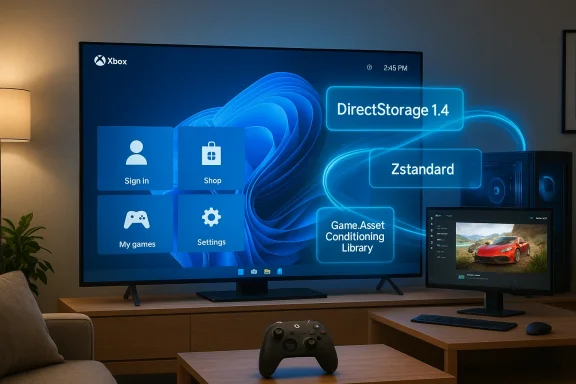
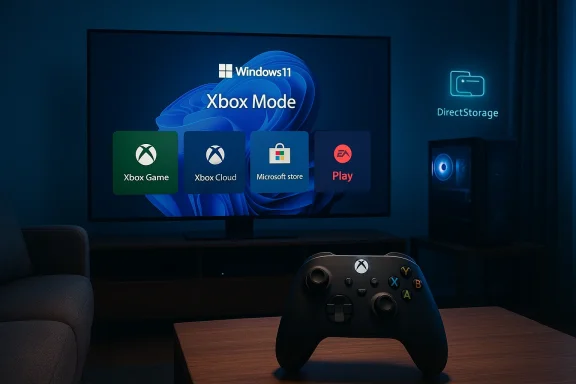
A person holds an Xbox controller as a laptop screen shows Game Pass, Xbox Store, and Steam.Background and overview​

For years Microsoft has quietly stitched Xbox services into Windows, from Game Pass and the Xbox app to cloud streaming and tighter Xbox Store integration. The latest move is more visible and more ambitious: a full‑screen UI that boots straight into an Xbox‑centric environment, suppresses nonessential desktop subsystems, and presents a console‑style launcher layered on top of Windows 11. The Full Screen Experience (FSE) that first appeared on Microsoft’s partner handhelds has been rebranded to Xbox mode, and Microsoft says it will roll out broadly across Windows 11 starting in April.
That rollout coincides with a set of announcements at the Game Developers Conference and in DirectX developer communications: Microsoft is opening Advanced Shader Delivery more broadly (a system to ship precompiled shaders to users), pushing DirectX toward neural rendering and additional GPU tooling, and continuing to evolve DirectStorage for faster asset streaming. Meanwhile, Microsoft’s next‑generation console effort — codenamed Project Helix — has been advertised as a hybrid that will play PC games as well as Xbox titles, deepening the company’s intent to blur the lines between PC and console ecosystems.
This article unpacks what Xbox mode is, how it works, why Microsoft is accelerating this strategy now, and what the real risks and benefits are for players, developers, and the broader PC ecosystem.

What is Xbox mode — and what does it change?​

A console interface for Windows 11​

Xbox mode is essentially a full‑screen, controller‑first shell for Windows 11 that replaces the desktop environment with an Xbox‑style launcher and storefront experience while the mode is active. The core goals are straightforward:
  • Reduce background Windows overhead (services, shell components, UI compositing) while gaming.
  • Present a consistent Xbox‑like UI that aggregates games from Game Pass, the Xbox Store, and other storefronts.
  • Make Windows devices feel more like consoles for users who prefer a simple, living‑room or handheld gaming experience.
In practice, when Xbox mode is active the system boots directly into the Xbox app or switches into a full‑screen overlay that hides the Windows desktop. Microsoft has provided multiple entry points: a Task View toggle, Game Bar option, and a traditional key combo that powers the switch. On supported handhelds the OS can boot into Xbox mode by default, making the device act more like a dedicated gaming console.

What Xbox mode does under the hood​

The technical ambition of Xbox mode is less about flashy UI and more about resource prioritization. When Xbox mode is engaged, Windows selectively avoids loading certain desktop services and background tasks, reduces visual effects and shell overhead, and redirects system attention toward the foreground game.
Key behaviors include:
  • Disabling nonessential explorer/shell processes and background telemetry where possible.
  • Tightening power/performance profiles to favor gaming.
  • Presenting a curated, controller‑first navigation model that exposes installed games, Store listings, and Game Pass content.
  • Preserving access to other PC storefronts (Steam, Epic, Battle.net) — the Xbox app still surfaces non‑Microsoft games so users aren’t locked out of their libraries.
That last point is important: Xbox mode is a UX layer, not a separate operating system. It’s designed to be a lightweight, full‑screen environment layered on Windows, not a fork.

Why now? Microsoft’s strategy and timing​

Microsoft’s timing isn’t accidental. The company is pursuing three connected goals that explain the urgency behind Xbox mode and the broader DirectX/DirectStorage initiatives:
  • Unify the Xbox and Windows gaming experiences so “Xbox” becomes a user experience, not a single device. Making Windows machines feel more like Xbox hardware helps Microsoft promote Game Pass subscription churn and the Xbox app as the central library for players across devices.
  • Reduce fragmentation and user friction on Windows devices that struggle with thermal limits or background process overhead, especially handhelds and thin laptops. Xbox mode addresses a real pain point: Windows is flexible, but that flexibility costs predictable performance for constrained hardware.
  • Lay groundwork for hybrid devices and the next‑gen console vision embodied by Project Helix. If Microsoft’s next Xbox is designed to run PC games and Xbox games interchangeably, the company wants the Windows layer to feel native and polished.
These goals align with Microsoft’s recent developer messaging around precompiled shaders and neural rendering — both are ways to make games launch faster and run more consistently across the huge variety of Windows hardware.

Advanced Shader Delivery: how precompiled shaders change load times​

The problem with first‑run shader compilation​

On Windows, the first time a game runs, it often needs to compile many shaders for the target GPU and driver stack. This on‑device compilation is time‑consuming, leads to stuttering, and is a common complaint for players on day‑one launches. Console ecosystems historically avoid this problem because developers ship precompiled shaders targeting a small set of hardware configurations.

What Advanced Shader Delivery does​

Microsoft’s Advanced Shader Delivery introduces a formal pipeline for producing a Precompiled Shader Database (PSDB) that can be distributed alongside a game through store platforms. The developer/engine collects shader state into a State Object Database (SODB) during authoring, a cloud‑based shader compiler compiles those states for vendor‑targeted backends, and the resulting PSDB lands on the user’s machine at install time. When the game runs, the shaders are already present and the device can skip much of the runtime compile step.
The practical benefits are immediate:
  • Faster initial load times and shorter “first run” stalls.
  • Smoother frame delivery on first play sessions.
  • Less dependence on the user’s local machine compiling hundreds or thousands of shader permutations.
This is not a novel idea in gaming — consoles and some PC storefronts have used similar techniques — but Microsoft is building a standards‑level path for it within DirectX and the Xbox PC ecosystem. That means a larger portion of Windows games could ship with precompiled shader caches, improving the out‑of‑box experience.

Caveats and technical restraints​

Advanced Shader Delivery’s effectiveness depends on several factors:
  • Hardware coverage: It’s impractical to precompile for every GPU and driver permutation, so PSDBs must target common GPU families or rely on runtime fallbacks.
  • Driver/OS mismatch: If GPU drivers or Windows components change between PSDB creation and user install, shaders may fail to match or require recompilation.
  • Storage and distribution: PSDBs add size to downloads. Developers and store owners must balance download size against startup speed.
  • Patch synchronization: When a game updates, PSDBs must be reissued or updated in sync to avoid mismatch-induced slowdowns or graphical errors.
The technology is promising, but it needs robust tooling, careful versioning, and vendor cooperation to be broadly reliable.

DirectX moves toward neural rendering and better asset streaming​

Neural rendering and cooperative vectors in HLSL​

Microsoft has signaled a clear trajectory toward neural or AI‑assisted rendering inside DirectX. That includes adding cooperative vector operations and building HLSL primitives that allow developers to embed lightweight models inside shaders. The goal is to let GPU tensor units accelerate ML inferences directly within the graphics pipeline — for effects like denoising, upscaling, and procedural content generation.
This is a big shift for real‑time graphics pipelines. Neural rendering promises higher visual fidelity with lower traditional rasterization costs, but it also raises questions about GPU vendor support, performance portability, and authoring complexity. Developers will need to retrain or retool shader development workflows to include tiny models and to profile which operations make sense for each target GPU.

DirectStorage: faster asset streaming and quicker level loads​

DirectStorage, Microsoft’s API for efficient asset streaming, continues to mature. By exposing lower‑latency I/O and better asynchronous streaming paths, DirectStorage reduces CPU overhead and helps keep the GPU fed with data, enabling quicker level loads and fewer image pop‑ins.
When combined with precompiled shaders and optimized asset pipelines, DirectStorage helps produce the kind of snappy startup and loading behavior that console players expect. For Windows gamers — especially those on SSDs and handhelds — the combination could make a measurable difference.

Project Helix and the Xbox‑PC convergence​

What Project Helix represents​

Microsoft’s next‑generation Xbox, codenamed Project Helix, was presented as more than a traditional console: the company explicitly stated it will play PC games, reinforcing Microsoft’s goal of a single ecosystem that spans living‑room consoles, handhelds, and Windows PCs.
If Helix runs both Xbox and PC games natively, Microsoft gains leverage: it can unify store operations, rollout cross‑platform updates, and standardize features like Advanced Shader Delivery. For developers, one target becomes multiple execution environments, and for players it could mean more choice and fewer platform fences.

Timing and hardware speculation​

Microsoft indicated further Helix milestones and suggested an alpha phase in a coming year, but concrete release timing and pricing remain speculative. Vendor statements and industry reporting hint at 2027 engineering milestones, but hardware, SKU definition, and price points are not finalized. Analysts and media outlets have offered price estimates based on leaked component costs, but those are best treated as rumor until Microsoft publishes official specs.

Developer impact: tooling, workflows, and gatekeeping​

What developers need to do​

To take full advantage of Xbox mode and the new DirectX features, developers will face a handful of practical tasks:
  • Integrate state collection and PSDB generation into their engine pipelines.
  • Validate precompiled shaders across target GPU families and maintain PSDBs alongside patches.
  • Profile neural shader performance and fall back to traditional techniques where necessary.
  • Test games in Xbox mode and on hybrid hardware to ensure UI/UX integrity and controller mapping.
  • Confirm DRM and anti‑cheat systems remain compatible with the different boot path and reduced background services.
Microsoft is providing tooling and developer documentation; success depends on how evenly that tooling is adopted and how well it fits into existing build systems.

Gatekeeping risks​

When a store or platform introduces an optimized delivery mechanism — like PSDBs via Xbox storefronts — it also introduces an avenue for influence. Developers may prefer shipping through Microsoft’s channels to get better precompiled shader support, prioritized caching, or tighter integration, which could accelerate the Xbox ecosystem’s pull on the PC market.
Careful stewardship is required to avoid tilting competition unfairly: precompiled shaders are a technical benefit, but if distribution ends up tied primarily to one storefront, smaller stores and vendors might be disadvantaged.

Consumer impact: benefits, compatibility, and caveats​

Immediate benefits for gamers​

  • Faster, smoother first‑run experiences: Precompiled shaders and DirectStorage can dramatically reduce stutters and long initial compile phases.
  • More consistent handheld performance: Xbox mode isolates gaming workloads from desktop bloat, which is valuable on thermally limited devices.
  • Unified library access: The Xbox app in full‑screen aggregates games from multiple stores, simplifying navigation for many users.

Compatibility and stability concerns​

Real‑world devices rarely behave like lab prototypes. Early adopters have already reported issues: some handheld units have suffered update‑induced recovery loops, and hardware variations produce different shader behaviors. Windows updates, driver changes, or mismatched PSDBs could trigger regressions. Users should expect a transitional period where things get better but also occasionally break.
Gamers who want the cleanest experience should:
  • Keep GPU drivers up to date with vendor releases that support the new DirectX features.
  • Be cautious about enabling pre‑release Insider channels on primary machines.
  • Back up critical data and understand that system restore steps may be necessary if a Windows update interacts poorly with a new mode or driver.

Ecosystem and competition: where this leaves Valve, NVIDIA, AMD, and storefronts​

Valve and the Steam ecosystem​

Valve’s Steam Deck and its Desktop vs Gaming Mode separation are natural comparisons. Microsoft’s Xbox mode brings a similar UX philosophy to Windows — but it layers on deeper store integration and DirectX‑level optimizations that Valve cannot provide by itself on Windows.
Steam already offers precompiled shader behavior via its own caching systems for some titles. Microsoft’s PSDB approach is similar in aim but different in scope: shipping a cross‑device standardized format through a major store could provide broader coverage faster — at the risk of increasing platform concentration.

GPU vendors: partnership and friction​

Precompiled shader delivery requires coordination with GPU vendors. Microsoft’s DirectX team has worked with hardware partners to separate shader compilation from drivers in certain flows, enabling cloud compilation and PSDB creation. NVIDIA, AMD, and Intel will need to support the tooling and provide stability across driver updates for this to work well.
GPU vendors stand to benefit: better startup experiences and neural features can make their hardware more attractive. But they also bear testing responsibility and may be cautious about exposing compiler internals or supporting too many precompiled permutations.

Security, privacy, and policy considerations​

Telemetry and background services​

Xbox mode reduces some background telemetry and services while active, but Microsoft still operates telemetry systems for Windows and Xbox. The tradeoff between a lean gaming shell and the need for connectivity and diagnostic signals must be managed transparently to avoid privacy concerns.

Antitrust and platform concentration​

The combination of UX unification, storefront advantages, and game distribution could stoke regulatory attention. If Microsoft’s tooling and delivery advantages become effectively limited to the Xbox Store or Xbox PC app, rivals and regulators may scrutinize whether that edge creates unfair market dynamics. Historically, platform‑level optimizations that tie performance benefits to a single storefront invite closer inspection.

DRM and anti‑cheat on a modified boot path​

Some DRM systems and anti‑cheat kernels are brittle, and a reduced background environment or alternate boot path could interfere with them. Developers and Microsoft must ensure that compatibility testing with Xbox mode is robust, and that players don’t lose access to multiplayer services due to a changed runtime environment.

Real‑world signals: what early adopters are seeing​

Early reviews and community tests paint a mixed but promising picture. Handhelds shipping with the Xbox Full Screen Experience showed notable UX improvements, and when optimized PSDBs are available, some games launch and run with significantly fewer hitches. At the same time, community forums and social channels reveal edge cases: update‑related recovery issues, driver mismatches, and variable support from third‑party storefronts.
That’s typical for a cross‑platform initiative of this scale. Expect a bumpy first year and a more stable second year as developers, hardware vendors, and Microsoft converge on best practices.

Recommendations for stakeholders​

For players​

  • Treat early Xbox mode builds as a feature to experiment with, not an immediate replacement for your regular desktop setup.
  • Keep system backups and create recovery media if you plan to test Insider builds or major feature flips.
  • Update GPU drivers from vendors that explicitly support the new DirectX features for the cleanest experience.

For developers​

  • Prioritize a test pass for PSDB and Advanced Shader Delivery integration if you ship on Xbox or plan to distribute through the Xbox PC app.
  • Profile neural shader workloads carefully; fallback paths should be robust and well‑documented.
  • Consider PSDB size vs. startup benefit tradeoffs; not every project will benefit equally.

For enterprise IT and system integrators​

  • Xbox mode is consumer‑oriented; evaluate it cautiously for mixed‑use devices in enterprise settings.
  • If deploying Windows 11 machines in campus or shared environments where games are likely, build policies for Insider channel installations and driver update windows.

What to watch next​

  • Tooling maturity: Watch how Microsoft’s PSDB tooling integrates with Unreal, Unity, and other engines. The smoother that integration, the faster precompiled shaders will appear in the wild.
  • GPU vendor support: Keep an eye on driver release notes from NVIDIA, AMD, and Intel for explicit DirectX neural and PSDB support. Vendor cooperation will determine real‑world efficacy.
  • Project Helix details: As Microsoft provides more Helix details, pay attention to exact hardware targets, whether Helix ships a modified Windows layer, and how Microsoft maps PC compatibility.
  • Store dynamics: See whether precompiled shader advantages become exclusive or preferentially exposed through one storefront; this will be a major industry signal.

Conclusion​

Xbox mode for Windows 11 is more than a cosmetic change. It’s part of a concerted Microsoft strategy to unify experiences across Xbox hardware and Windows PCs, reduce friction for players, and provide developers better tools for delivering smooth first‑run experiences. Combined with Advanced Shader Delivery, DirectX’s move into neural rendering, and DirectStorage improvements, Microsoft is betting that tighter OS‑level integration and smarter delivery pipelines are the fastest way to make Windows feel like a true console alternative.
The benefits are tangible: faster startups, fewer shader‑induced stutters, and a more consistent handheld experience. The risks are real too: compatibility fragility on a fragmented PC landscape, the potential for store advantage to morph into market concentration, and the complexity developers must shoulder to support new pipelines.
If Microsoft executes this carefully — with open tooling, cross‑vendor cooperation, and transparent policies — Xbox mode and the associated DirectX enhancements could meaningfully raise the baseline quality of PC gaming. If not, they risk fracturing developer attention and raising fresh questions about where control and advantage lie in the Windows gaming ecosystem. For players and developers, the next 12–24 months will tell whether this is an evolutionary improvement to PC gaming or the start of a more directed, platform‑centric era.

Source: The Verge Microsoft’s ‘Xbox mode’ is coming to every Windows 11 PC
 

Microsoft is rolling a console‑style, controller‑first gaming posture into Windows 11: a rebranded and expanded “Xbox Mode” — the successor to the Xbox Full Screen Experience — will begin appearing on eligible Windows 11 PCs in a staged rollout beginning in April 2026, bringing a streamlined Xbox‑style interface, controller‑optimized navigation, and a package of developer‑facing graphics optimizations to desktops, laptops, tablets and handhelds.

Dim living room with a large TV displaying Xbox Mode and a game controller on the coffee table.Overview​

The new Xbox Mode transforms how Microsoft positions Windows 11 for play by offering an optional, full‑screen shell that boots into the Xbox PC app and prioritizes controller navigation, game discovery, and performance‑oriented system behavior. This change is explicitly framed as a way to let players “lean back” — replicating a living‑room, console‑like experience on traditional PCs without replacing the underlying Windows environment.
Microsoft’s move expands a feature that debuted on purpose‑built handheld Windows hardware late in 2025 — where the Full Screen Experience shipped as the default shell — and now rebrands and broadens that experience for a wider class of devices as Xbox Mode. The company announced the approach at recent developer and industry showcases and plans an April rollout in selected markets, first via Insider previews and then as a staged public release.

Background: where Xbox Mode came from​

The Xbox Full Screen Experience (FSE) began life as an alternate session posture for Windows on handheld gaming PCs, designed to turn the Xbox app into a console‑like home screen while suppressing non‑essential background services and desktop overhead. Early hardware partners — notably the ASUS ROG Xbox Ally family — shipped devices that booted straight into this FSE shell, giving players a fast, controller‑first path to play. Microsoft has since iterated that idea toward a broader vision: a system‑level Xbox Mode that can be surfaced across Windows 11 form factors.
The shift reflects two concurrent Microsoft strategies: (1) unify the Xbox console and PC experiences to make cross‑platform publishing and user flows simpler, and (2) tighten the technical bridge between Windows and next‑generation Xbox hardware and services by adding developer tooling like Advanced Shader Delivery and DirectStorage improvements. Those platform changes aim to reduce load times and shader stutter while encouraging developers to target both PC and Xbox with fewer friction points.

What Xbox Mode is — and what it isn’t​

The user surface: console‑style, controller‑first UI​

Xbox Mode is a session posture layered on top of Windows 11 that:
  • Boots the device (optionally) into a full‑screen Xbox PC app as the primary home.
  • Prioritizes controller input and navigation, mirroring the Xbox console UX rather than a mouse‑and‑keyboard desktop.
  • Hides or deprioritizes non‑essential desktop elements to reduce overhead and present a living‑room‑friendly experience.
This is not a replacement operating system. Windows still runs underneath Xbox Mode; the feature is an alternative shell that focuses on launching and managing games with a controller‑first flow. That distinction matters because it preserves Windows’ app compatibility and flexibility while offering a different surface for play.

Typical scenarios and devices​

Xbox Mode is explicitly aimed at several use cases:
  • Living‑room PC setups where users prefer a couch‑and‑controller experience.
  • Handheld Windows devices that benefit from a console‑like shell at boot.
  • Laptops and desktops used primarily for gaming sessions, where trimming background services improves perceived performance.
OEM partners and Microsoft have already experimented with these ideas in handheld devices, and the April rollout signals a push to make the same UX available across more mainstream PCs.

Key features and platform changes​

Microsoft is coupling the Xbox Mode UX with several under‑the‑hood changes designed to improve the playing experience and make it easier for developers to deliver consistent results across PC and Xbox.

Controller‑first navigation and UI polish​

The Xbox Mode home shells and menus are optimized for gamepads: larger focus targets, simplified navigation hierarchies, and a curated game discovery surface. The intention is to reduce friction for users who pick up a controller and want to start playing quickly, without needing to navigate the traditional Windows desktop environment.

Aggregated Xbox PC app and Game Library improvements​

Microsoft continues evolving the Xbox PC app into a central gaming hub that aggregates titles from multiple storefronts, surfaces installed games, and acts as the primary launcher within Xbox Mode. This aggregator role—already visible in the Xbox app’s “My Library” and related features—means Xbox Mode can be the one place players go to find and launch games, regardless of origin.

Advanced Shader Delivery (ASD) and graphics plumbing​

One of the more consequential platform changes bundled with Xbox Mode is the broader adoption of developer tooling like Advanced Shader Delivery (ASD). ASD aims to let developers defer or stream shader compilation components so users see fewer stutters and faster initial load times. Microsoft pairs these runtime changes with DirectStorage‑style data pipelines and additional GPU optimizations intended to reduce hitching and make session startup snappier. These are explicitly targeted at aligning PC behavior with next‑generation Xbox expectations.

Performance posture: trimmed background services​

When Xbox Mode is active, Windows can deprioritize non‑essential background processes and services to free up CPU and I/O for the foreground game. This is similar in spirit to how consoles lock down background activity during gameplay, and it aims to deliver a more consistent frame‑time profile for players who value responsiveness.

Arm support and broader device coverage​

Microsoft has progressed the Xbox PC app and related ecosystem work to support Arm‑based Windows devices, enabling Game Pass downloads and local installs on compatible Arm platforms. That work lowers a historic barrier for thin, battery‑efficient Windows devices and broadens the range of hardware that can leverage Xbox Mode.

How developers and publishers are affected​

Microsoft’s Xbox Mode rollout is as much about developer workflows as it is about UI. The company is packaging several features and expectations:
  • Tools like Advanced Shader Delivery and DirectStorage are being promoted to reduce shader stutter and loading times, making it more attractive to ship titles that behave consistently on Xbox and Windows.
  • There’s an explicit nudge toward a “PC‑first” development model that maps cleanly to Xbox console hardware, and Microsoft has outlined timelines for next‑generation Xbox hardware (code‑named Project Helix) that are meant to align with this work. These long‑term hardware plans are forward‑looking and should be treated cautiously until Microsoft provides detailed, developer‑facing documentation and hardware shipments.
  • For publishers, the Xbox Mode narrative adds a new distribution and discovery surface (the Xbox PC app + Xbox Mode home), which may change how marketing and launch strategies are planned for PC releases.
Developers will need to validate their shader pipelines and verify compatibility with ASD workflows; QA teams should prioritize tests for shader compilation and load‑time behaviors to ensure the intended user experience. The tools are intended to reduce friction, but they also introduce new integration points that require explicit testing.

User experience: what players should expect​

Xbox Mode aims to offer fast access and a “console feel” for players who prefer controllers. Expect the following on devices that receive the feature:
  • A full‑screen launcher that surfaces Game Pass, installed titles, and recommended games.
  • Controller‑first navigation with large, clear UI elements and gamepad‑friendly menus.
  • Faster initial load times and reduced shader hitching in many titles where developers adopt ASD and related tooling.
  • The option to opt out: Xbox Mode is presented as an alternative shell, not a forced replacement for the Windows desktop.
For multitaskers and keyboard‑heavy players, Windows remains intact under the hood. Xbox Mode is optional and should not disrupt workflows for users who prefer the traditional desktop. That said, gamers who adopt Xbox Mode can expect a more curated, streamlined interface geared toward launching and managing play sessions.

Rollout and compatibility: what we know​

Microsoft plans a staged rollout beginning in April 2026. Early availability will occur through Windows Insider and Xbox Insider preview channels, then expand to selected markets and OEM partners. Devices that already shipped with the Full Screen Experience — notably handhelds like the ROG Xbox Ally — have the most immediate compatibility, while mainstream laptops, desktops and tablets will be enabled gradually based on OEM enablement and Windows Update distribution.
A few important compatibility notes:
  • The feature appears tied to Windows 11 and the corresponding Insider/channel builds; older Windows editions will not receive Xbox Mode.
  • OEMs can control how Xbox Mode is surfaced and whether it ships preinstalled on devices. This will create variance in device experience between manufacturers.
  • Developers need to opt into or support ASD and related DirectX features to realize the full performance benefits for users on Xbox Mode. Without developer adoption, the interface changes but not the technical improvements.

Strengths: what Microsoft gets right​

  • Clarity of purpose. Xbox Mode targets a clear user need: a living‑room, controller‑first path on Windows. The separation of session posture from the OS preserves Windows’ strengths while offering a dedicated gaming flow.
  • Performance focus. Pairing a streamlined UI with developer tooling like ASD and DirectStorage aligns UI changes with technical improvements that can measurably reduce shader stutter and load times — the two most common user complaints for PC gaming sessions.
  • Broader device reach. Enabling the Xbox app and console‑like UX on Arm and handheld hardware expands Microsoft’s ecosystem, making Game Pass and local installs more practical on battery‑efficient devices.
  • Optionality. Presenting Xbox Mode as an alternative shell keeps Windows flexible. Players who want a console feel can opt in; others retain the full desktop experience.

Risks, tradeoffs, and open questions​

No major platform pivot is without friction. The Xbox Mode rollout raises several legitimate concerns:
  • Ecosystem fragmentation. If OEMs and publishers treat Xbox Mode differently, users may face inconsistent experiences across devices. The strength of the Xbox Mode thesis depends on consistent implementation and cross‑vendor coordination.
  • Developer adoption is not guaranteed. Platform gains in load time and shader stutter depend on developers using ASD and DirectStorage effectively. If adoption lags, Xbox Mode may feel like a polished shell without the promised systemic performance gains.
  • Store and launcher dynamics. The Xbox PC app’s role as an aggregator is convenient for users but raises questions about how third‑party storefronts and launchers will interoperate inside an Xbox‑branded home. The potential for preferential placement or friction remains a concern for some publishers.
  • Privacy and telemetry. Any feature that optimizes system behavior based on active sessions could increase telemetry flows. Users and administrators will rightly scrutinize what data is collected and how it’s used when Xbox Mode shifts background processes and telemetry collection policies. This is an area to watch as the feature is previewed. (Note: specific telemetry claims require Microsoft's detailed documentation; treat them as pending until Microsoft publishes exact policies.)
  • Forward‑looking hardware claims. Microsoft’s wider roadmap references work on next‑generation Xbox hardware (Project Helix) and developer kits in 2027; these remain plans and timelines, not delivered products. Treat such claims as aspirational until hardware and developer documentation are released.
Wherecertainties exist, Microsoft needs to deliver clear documentation, SDKs, and adoption incentives to mitigate these risks.

Practical guidance: what users and developers should do now​

Whether you’re a player, a PC maker, or a developer, the Xbox Mode rollout requires different preparations.

For players and enthusiasts​

  • Sign up for the Windows Insider and Xbox Insider programs if you want early access and to help test the preview builds.
  • If you own a handheld or an OEM device marketed as Xbox‑friendly, check with the manufacturer about preinstalled options or whether your device will receive the Xbox Mode update in April.
  • Back up save data and ensure cloud saves are enabled before testing preview builds — preview channels can introduce edge cases that affect game installs and save sync.

For developers and QA teams​

  • Audit shader pipelines and adopt Advanced Shader Delivery where feasible; prioritize shader streaming and asynchronous compilation strategies during QA.
  • Validate DirectStorage and ASD integration across target hardware profiles, including Arm and mainstream x64 devices.
  • Test controller navigation and focus states within menus and non‑play portions of your title to ensure a smooth, playable experience in controller‑first shells.

For OEMs and system integrators​

  • Decide whether to ship Xbox Mode as an OEM default on gaming machines and handhelds. Early adopters can differentiate devices by offering a polished Xbox Mode out of the box, while conservative OEMs may present it as an opt‑in feature via Windows Update. Coordinate marketing and support materials accordingly.

How this shapes Microsoft’s broader gaming strategy​

Xbox Mode is more than a UI tweak; it’s a visible indicator of Microsoft’s long‑term strategy to blur the lines between console simplicity and PC openness. By combining a console‑style front door with developer tooling aimed at parity between PC and Xbox, Microsoft is setting the stage for a future where title parity — and a shared development pipeline — becomes the norm.
If Microsoft can deliver consistent technical improvements (faster load times, fewer shader hitches) and keep Xbox Mode optional and interoperable, the company stands to make Windows a more cohesive home for both casual console players and hardcore PC gamers. But the strategy hinges on three variables: developer adoption of the new tooling, OEM consistency in delivering the UX, and clear policies on store interoperability and telemetry.

Verification and source cross‑checks​

The core claims in this article — that Microsoft will roll out a rebranded Xbox Mode to Windows 11 in April 2026, that the feature rebrands the earlier Full Screen Experience, and that it will be accompanied by graphics tooling like Advanced Shader Delivery and DirectStorage‑style improvements — are corroborated across multiple preview and reporting threads within the Windows and Xbox community. Early previews and Insider announcements repeatedly describe the April timeline and the console‑style, controller‑first posture, while hands‑on descriptions from devices that shipped with FSE show the implementation model Microsoft intends to scale.
A cautionary note: some forward‑looking claims about next‑generation Xbox hardware timelines (Project Helix developer alpha kits arriving in 2027) are based on company roadmaps and should be treated as plans rather than completed deliverables until Microsoft provides formal developer hardware and documentation.

Final analysis: opportunity, but not inevitability​

Xbox Mode is a strategically logical move for Microsoft: it packages a console‑like experience into Windows while preserving choice and compatibility. The potential upsides are tangible — faster, more consistent gaming sessions, a simplified launcher for players, and fewer technical barriers for developers shipping across Xbox and Windows.
However, the feature’s success is not predetermined. Execution will matter. Microsoft needs to:
  • Ensure developer tools like Advanced Shader Delivery are easy to adopt and well‑documented.
  • Keep Xbox Mode optional and transparent, particularly around telemetry and system changes.
  • Coordinate with OEMs to avoid fragmented user experiences.
  • Provide clear guidance for store integration so third‑party launchers and storefronts are not disadvantaged.
If Microsoft delivers on the technical promises and coordinates the ecosystem, Xbox Mode could become the defining gaming posture for Windows 11 devices that sit in living rooms and backpacks alike. If adoption stalls or OEM implementations diverge, Xbox Mode risks becoming a niche, polished shell that only partially realizes its promise.
For players and developers watching the April 2026 rollout, the immediate opportunities are clear: preview the feature through Insider channels, test your titles for shader and load‑time behaviors, and evaluate whether the controller‑first UX aligns with your hardware and audience. The next few months will tell whether Xbox Mode is simply a neat UI layer or the beginning of a deeper convergence between Xbox consoles and Windows PCs.
Conclusion: Xbox Mode is an ambitious, well‑targeted feature that neatly packages Microsoft’s console UX and technical ambitions into Windows 11. Its impact will depend on real developer adoption, OEM coordination, and Microsoft’s follow‑through on the platform commitments it has outlined.

Source: FilmoGaz Windows 11 Brings Streamlined Xbox Gaming Interface to PCs in April
Source: Moneycontrol.com https://www.moneycontrol.com/techno...ller-friendly-interface-article-13857875.html
 

Microsoft used GDC 2026 to deliver a sweeping set of platform and tooling updates aimed squarely at PC game developers: a system-level, controller-first Xbox Mode for Windows 11 rolling out in April; the expansion of Advanced Shader Delivery (ASD) to accelerate first-run and runtime shader behavior; a major DirectStorage refresh with Zstandard compression and a new Game Asset Conditioning Library (GACL); explicit DirectX evolution to support machine learning in real-time graphics (including linear algebra in HLSL and Windows ML previews); and what the company calls the largest set of DirectX and PIX tooling additions in more than a decade—features such as DirectX Dump Files, DebugBreak() in HLSL, a new Shader Explorer, and improved PIX viewers and counters. These changes are tightly coupled—OS experience, asset streaming, shader delivery, GPU tooling, and ML-driven graphics are being pushed as a coherent stack intended to reduce friction and stutter while enabling new rendering paradigms. For game teams, this is both an opportunity and a set of practical adoption questions.

Neon-lit gaming concept featuring Windows 11 Xbox Mode and an Xbox controller.Background​

Microsoft’s announcements at GDC 2026 mark a deliberate push to make Windows 11 feel and behave more like a first‑party gaming platform while still supporting the heterogeneity of PC hardware and storefronts. Over the last several years Microsoft has been migrating a number of Xbox-originated features onto Windows—DirectStorage, PIX improvements, the Xbox PC app, and handheld-first UI experiments—and GDC 2026 ties these threads together with clearer developer workflows and tooling primitives.
At its core the strategy aims to solve two recurring pain points for PC game development:
  • Shader stutter and unpredictable first-run performance, caused by on-device shader compilation and cache misses.
  • Asset streaming complexity, where modern NVMe hardware promises huge throughput but game pipelines and compression strategies have not converged.
The new DirectX/PIX capabilities and the DirectX Agility SDK changes are meant to address both problems while also opening the door to machine learning-driven graphics workflows that move some logic out of hand-authored shader code into small, hardware-accelerated ML models.

Xbox Mode: a console-style shell for Windows 11​

What it is and how it behaves​

Xbox Mode is a full‑screen, controller-optimized shell for Windows 11 that boots into the Xbox app as the “home” environment and prioritizes game-first navigation, library aggregation, and low-friction launching. Microsoft will begin rolling Xbox Mode out to laptops, desktops, and tablets running Windows 11 in select markets starting in April 2026. Users can enter a dedicated gaming posture and switch back to the Windows desktop at any time.
The feature is effectively a system-level, optional UI posture designed for players and device makers that want a console-like experience on Windows devices—particularly handhelds, tablets, and any machine used frequently for controller play.

Why this matters for developers​

  • Xbox Mode reduces background noise from the OS and provides a predictable runtime environment for games that target controller-first input and full-screen usage.
  • It makes it easier for players to discover and launch titles via the Xbox PC app and can save resources on constrained devices (handhelds) by reducing Explorer/desktop overhead.
  • For developers, the tighter integration with Xbox storefront workflows (e.g., ASD packaging through the Xbox Partner Center) simplifies some deployment paths—if you opt into those storefront workflows.

Open questions and practical caveats​

  • Xbox Mode is opt-in for devices and limited to Windows 11 in select markets initially—expect a phased roll‑out and variable availability by region and OEM.
  • Players who prefer a traditional desktop experience or who use alternative storefronts may not adopt Xbox Mode, so developers should still design for the full diversity of PC workflows.
  • The UX is beneficial for controller-first games but has limited value for keyboard/mouse-heavy titles unless developers provide parity navigation and input mapping.

Advanced Shader Delivery (ASD): precompiled shaders at scale​

How ASD works​

Advanced Shader Delivery (ASD) enables developers to deterministically collect runtime shader inputs during development, package a precompiled shader database, and ship that alongside the game. On supported platforms and devices, the platform or storefront (via Xbox Partner Center workflows) can deliver the appropriate precompiled shader blobs to end-user devices ahead of runtime, which dramatically reduces the need for first‑run shader compilation and the associated stutter.
ASD integrates with the DirectX Agility SDK, where developers can hook into API-level collection tools in their engine builds to create these shader packages as part of their CI/publishing pipeline.

Benefits​

  • Faster game startup and significantly reduced first-run stutter for many titles, especially those that use large shader sets or have dynamic shader permutations.
  • Predictable performance across diverse hardware profiles when properly generated and distributed.
  • Easier QA: shipped shader blobs provide a reproducible baseline for regression testing across driver/patch cycles.

Limitations and implementation considerations​

  • ASD depends on accurate, deterministic shader collection. Any engine pipeline that generates shaders dynamically or applies runtime permutations must account for those in its collection process.
  • The initial distribution path through storefronts (Xbox PC app / Xbox Partner Center) raises compatibility questions for other distribution channels. If ASD packages are only available via a single storefront, games distributed primarily through third‑party platforms will need additional workflows to make use of ASD.
  • Device‑driver mismatches and platform-specific shader code paths remain a risk; shipping precompiled shaders increases the importance of rigorous cross‑GPU testing.
  • Developers must manage package size and update cadence: shader databases can be large and may need to be reissued after driver updates or game patches.

Timeline​

Microsoft indicated developer trials starting in May 2026, with wider availability later in the year. Teams should plan pilot integrations during preview periods rather than rushing to ship ASD for launch titles.

DirectStorage 1.4: Zstandard, Game Asset Conditioning Library, and streaming improvements​

What’s new​

DirectStorage is being updated to introduce Zstandard (Zstd) compression support and a new Game Asset Conditioning Library (GACL)—a pipeline toolset to standardize and simplify asset conditioning and compression across production systems. Microsoft also announced expanded high‑throughput streaming scenarios that aim to reduce I/O latency and increase throughput for data-heavy environments.
Zstd is a modern, high-performance compression codec that offers favorable decompression speed and compression ratios compared with traditional options commonly used in games. GACL provides tooling and recommended practices that make it easier for studios to prepare and condition assets to take full advantage of NVMe streaming and DirectStorage GPU/decompression paths.

Developer benefits​

  • Smaller on-disk asset sizes with faster decompression during runtime, which together reduce load times and I/O latency.
  • A common conditioning library reduces pipeline fragmentation across studios, helping publishers and hardware partners reason about performance characteristics more consistently.
  • Backwards-compatible integration: DirectStorage improvements are designed to slot into existing production workflows with minimal disruption.

Practical considerations​

  • Repackaging existing assets to use Zstd + GACL is most efficient when done during major updates, remasters, or initial shipping—reprocessing millions of assets for a mid‑cycle patch is costly.
  • Not all games will see linear benefits; performance gains depend on asset layout, streaming patterns, GPU/CPU balances, and cache strategies.
  • Hardware acceleration and driver support for GPU decompression paths vary by vendor; QA must include the specific GPU/driver combinations you intend to ship for.

DirectX for machine learning-driven graphics​

HLSL linear algebra and Windows ML previews​

Microsoft announced linear algebra support in HLSL, enabling matrix and vector primitives and operations that map efficiently to hardware-accelerated ML units. In tandem, Windows ML previews will allow developers to integrate compact models into gameplay and reduce some hand-authored shader logic.
This is a deliberate step toward supporting neural shaders—small ML models used to perform operations traditionally expressed in HLSL (denoising, upscaling, material blending, and other neural rendering tasks). Exposing linear algebra as first-class HLSL constructs provides a lower friction path to hardware-accelerated ML in graphics pipelines.

Opportunities​

  • Neural denoisers, temporal reconstruction, and learned upscalers can become more portable and performant if developers rely on standardized HLSL + ML primitives.
  • Embedding small models in shader workflows reduces iteration overhead for certain effects and opens new creative possibilities for dynamic, data‑driven rendering.
  • Hardware vendors can expose tensor/ML units for efficient execution of these workloads, improving power and performance for ML-based effects.

Risks and engineering caveats​

  • Portability: ML microarchitectures differ across vendors (NVIDIA tensor cores, AMD AI engines, Intel XPU designs, mobile Adreno variants). Models and HLSL ML code must be validated across these topologies.
  • Maintainability: Moving logic from explicit shader code to ML models can obscure behavior if teams lack model governance and robust testing pipelines.
  • Model updates: Shipping an ML model is not the end; teams must plan for retraining, versioning, and safe rollout (patches) when model behavior needs correction.
  • Debuggability: Traditional shader debugging is mature; debugging learned behavior in render pipelines is an emerging, more complex discipline. The new PIX and DirectX tooling address this gap but require developer investment.

The toolchain revolution: PIX and DirectX developer tooling​

Headline tooling features​

Microsoft announced a major wave of tooling updates—some of the most notable include:
  • DirectX Dump Files: a standardized capture format for GPU crash and state data, enabling first‑class capture, offline analysis, and parity with console crash workflows.
  • DebugBreak() in HLSL: shader-level breakpoints that allow authors to pause execution inside HLSL and inspect shader state.
  • Shader Explorer: a new tool to inspect and analyze compiled shaders with deeper live analysis coming later in 2026.
  • PIX improvements, including:
  • Tile Mappings Viewer for inspecting tiled memory and virtualized resources.
  • Hardware-specific GPU counters in the System Monitor view for more accurate vendor-aware profiling.
Most of these features were slated for preview availability starting in May 2026, with broader distribution later in the year.

Why these tools matter​

  • Faster iteration: DebugBreak() in HLSL and richer shader inspection reduce the cycle time for diagnosing rendering issues that previously required complex repros.
  • Console-grade telemetry on PC: DirectX Dump Files and more robust counters bring the PC debugging experience closer to consoles, where deterministic capture and reproduction are better supported.
  • Visibility into modern memory models: The Tile Mappings Viewer is particularly important for developers working with sparse/virtualized GPU memory and streaming large textures or geometry.

Integration with other changes​

These tooling updates are designed to dovetail with ASD, DirectStorage, and ML-enabled HLSL:
  • Shader Explorer and PIX can help identify which shaders should be collected for ASD and validate shader cache hits/misses.
  • DirectX Dump Files create a reproducible capture that includes the state necessary to debug ASD-related regressions or platform-specific anomalies.
  • New counters and viewers will help teams reason about ML workloads’ performance impacts and memory behavior.

Ecosystem and partner implications​

Hardware and driver partners​

Microsoft’s strategy requires close co‑operation with CPU/GPU vendors. Zstd and GACL tuning, GPU decompression, and ML acceleration must be co-engineered across Intel, AMD, NVIDIA, and mobile GPU vendors. Teams must validate across multiple vendors and drivers; some acceleration features are only available on newer GPU generations.

Store and distribution considerations​

ASD workflows are currently tied closely to storefront distribution mechanisms for delivering precompiled shader databases. That simplifies delivery for titles distributed through the Xbox PC app, but creates potential friction for:
  • Games distributed primarily via third‑party stores that may not yet support ASD packaging and delivery.
  • Multi-store releases where developers must maintain parallel pipelines or provide fallbacks for stores that do not ingest ASD packages.
Developers and publishers should plan for distributed shader delivery workflows early and avoid relying on a single storefront for critical runtime assets unless they are comfortable with that distribution constraint.

Community and player perception​

Shifting more platform control to Xbox-branded experiences on Windows can prompt community scrutiny around:
  • Perceived platform lock-in or preferential treatment for the Xbox storefront.
  • Privacy or trust concerns around delivery of binary shader packages or ML models.
  • The need to clearly document what Xbox Mode does and how players can opt in or out.
Clear communication, opt‑in design, and cross-platform parity for core gameplay will be critical for widespread adoption.

Practical guidance for developers: how to prepare​

  • Audit your shader pipeline
  • Identify deterministic shader compile paths versus runtime-generated shaders.
  • Add instrumentation to collect shader inputs during dev/CI so ASD packaging can be reproducible.
  • Plan DirectStorage adoption
  • Re-evaluate your asset pipeline: which assets benefit most from Zstd and GACL conditioning?
  • Prioritize remaster cycles or major updates where bulk repacking is feasible.
  • Prototype ML-driven shader components cautiously
  • Start with small, well-understood tasks (e.g., denoising, upscaling).
  • Maintain both model‑based and hand‑authored fallbacks for portability and safety.
  • Invest in cross-GPU QA
  • Add targeted tests for ASD-blessed shader sets on NVIDIA, AMD, and Intel driver stacks.
  • Test DirectX Dump File capture/replay for critical crash scenarios to validate tooling.
  • Adopt PIX and DirectX previews early but safely
  • Use preview tools in dev and staging environments—avoid relying on preview features in final release branches.
  • Provide feedback to tool teams to ensure vendor-specific counters and viewers reflect real-world needs.
  • Plan distribution and update workflows
  • If you expect to use ASD packaging, align with your distribution partners early to ensure they support ingest and delivery.
  • Define a model for updating shipped shader databases when drivers or game code change.

Risks, disadvantages, and areas that need scrutiny​

  • Vendor fragmentation and portability: ML acceleration and low-level optimizations will vary across GPU vendors. Developers must not assume uniform behavior and should budget QA accordingly.
  • Tooling maturity: Preview tooling is valuable but may change. Relying on preview features in release builds is risky; adopt them in staged ways.
  • Distribution dependence: ASD’s utility ties to storefront delivery mechanisms could disadvantage multi-platform or third-party-first titles unless alternate delivery paths are established.
  • Complexity and pipeline cost: Reconditioning assets and generating deterministic shader collections adds pipeline steps and potentially large artifacts to CI/CD. Teams must weigh runtime benefits against build and storage costs.
  • Model governance for ML shaders: Moving logic to models requires versioning, testing, and retraining strategies that many graphics teams are not set up to manage today.
  • Player expectations and perception: Xbox Mode may be welcomed by controller-first players but will raise questions about how Microsoft’s Xbox ecosystem integrates with existing PC freedom and storefront choice.

Final analysis: where this moves the industry​

GDC 2026’s announcements reflect a pragmatic, platform-oriented push by Microsoft: deliver predictable performance, reduce the most visible pain points for players (shader stutter and long load times), and enable new rendering paradigms using ML—while giving developers robust diagnostics to ship reliable builds. If executed well, the combined stack (Xbox Mode, ASD, DirectStorage 1.4, DirectX ML, and PIX enhancements) can materially improve the experience of playing and shipping games on Windows.
However, the impact will depend on adoption patterns across the ecosystem. The technical benefits are real—Zstd compression and GPU-accelerated decompression, deterministic shader delivery, first-class shader debugging, and expanded profiling capabilities all address long-standing pain points. The political and logistical hurdles—storefront parity, cross-vendor validation, pipeline complexity, and tooling stabilization—are where the fight will be won or lost.
For PC game developers, the sensible path is to treat these features as powerful options rather than defaults: pilot ASD on a subset of titles, adopt DirectStorage 1.4 in controlled remasters or updates, experiment with small ML shader components, and integrate PIX/DirectX tooling into CI to catch regressions earlier. Platform teams and publishers should coordinate with storefronts and hardware partners to ensure consistent delivery and broad reach.
The upshot is clear: Microsoft is betting on a tighter, more predictable Windows gaming platform that borrows what works from consoles while preserving the PC’s diversity. The technical toolkit announced at GDC 2026 gives developers real levers to squeeze smoother performance and to experiment with ML in graphics—but success will require careful engineering, robust QA, and clear distribution strategies. In short, the tools are now available; the responsibility for adoption and safe rollout rests with studios, platform partners, and the broader ecosystem.

Source: FoneArena.com Microsoft introduces new PIX and DirectX tools for PC developers at GDC 2026
 

Microsoft will roll a console‑style, controller‑first "Xbox Mode" into Windows 11 starting in April 2026, a move that converts the Xbox Full Screen Experience first seen on handheld Windows devices into a system-level gaming posture for laptops, desktops, tablets, and handhelds — and it arrives alongside platform-level graphics and developer tooling intended to reduce load times and shader stutter. s://www.gamespot.com/articles/xbox-mode-formerly-xbox-full-screen-experience-finally-launches-on-windows-11-in-april/1100-6538723/)

Xbox game dashboard on a blue-lit desk with monitor, controller, and console.Background​

Microsoft first introduced the concept as the Xbox Full Screen Experience (FSE) on purpose-built Windows handhelds, where the OS boots directly into a simplified, controller‑centric UI tied to the Xbox PC app. That test bed proveddown session that deprioritizes desktop services and presents a living‑room style experience for PC gaming.
At GDC 2026 Microsoft formally rebranded and expanded that idea into Xbox Mode, confirmed a staged rollout beginning in April 2026, and paired the launch with a broader vision that includes a next‑generation Xbox project (codename Project Helix) and a set of ded to tighten the engineering relationship between console and PC.

What is Xbox Mode?​

Xbox Mode is a full‑screen, controller‑first session posture layered on top of Windows 11 that:
  • Boots (optionally) directly into the Xbox PC app and an aggregated game library.
  • Provides console‑style navigation and UI optimized for a gamepad and living‑room layout.
  • Reduces desktop overhead by deferring or suspending non‑essential services during play.
  • Integrates Game Pass, Xbox Cloud Gaming, and aggregated game launch capabilities into one surftly positioned as a session mode, not a replacement OS: Windows remains underneath, but the visible experience, input model, and system prioritization shift to favor a console‑like flow.

Core UX features​

Xbox Mode translates familiar console affordances to PC:
  • Controller-first navigation with persistent Xbox button behavior.
  • A curated, full‑screen library view that surfaces Game Pass and installcess to social features, captures, and settings without returning to the desktop.
  • A simplified power and session model geared toward immediate play.
Multiple outlets and Microsoft’s own developer communications make the UX intent clear: create a lean‑back environment on Windows that reduces friction between powering on and playing.

Why now? The strategic logic​

Microsoft’s push is strategic on at least three fronts.
  • Convergence of console and PC experiences. By making the Xbox UI and services a first‑class session posture on Windows 11, Microsoft can present a single, consistent front door for players whether they are on a console, handheld, or PC. This lowers the product friction for Game Pass and cross‑platform titles.
  • Developer platform harmonization. The launch isn’t just cosmetic; it’s paired with new developer tooling — notably Advanced Shader Delivery and DirectX/ML enhancements — that aim to tackle perennial PC problems like shader compilation stutters and inconsistent load times. Those fixes matter because consoles can often deliver smoother out‑of‑the‑box experiences; Microsoft wants PCs to come closer.
  • Product roadmap alignment ahead of Project Helix. Microsoft framed Xbox Mode as part of a multi‑year roadmap that includes Project Helix, its next‑generation Xbox platform, for which alpha developer kits are scheduled in 2027. Xbox Mode on Windows helps create a consistent target for developers and players in the interim.

Technical underpinnings: what’s new under the hood​

Xbox Mode is accompanied by platform and developer changes that are as important as the UI shift.

Advanced Shader Delivery and shader stutter​

One of the headline technical features Microsoft is promoting is Advanced Shader Delivery (ASD), a capability intended to eliminate or significantly reduce the shader compilation pauses that plague many PC titles. ASD lets developers ship precompiled shader caches in a targeted way so runtime shader compilation is minimized on consumer machines. Early reporting and analysis suggest ASD will be a step toward console‑like shader behavior, but real‑world benefits will depend heavily on developer adoption and publisher support.

DirectStorage and I/O improvements​

Microsoft continues to push DirectStorage and related I/O improvements that reduce level load times and streaming stutters. Combined with Xbox Mode’s system posture of suspending background work, these lower‑latency primitives aim to make Windows feel more like a dedicated gaming device. Developer materials presented at GDC emphasize toolchains and SDKs that make these features accessible to studios.

DirectX/ML and runtime enhancements​

Microsoft’s GDK and DirectX tooling updates include new DirectX/ML capabilities and other optimizations that target cross‑platform performance parity. These are technical levers that will matter most to first‑ and third‑party studios willing to integrate the new SDK primitives. Expect incremental performance gains when developers opt in.

Windows on Arm and broader hardware support​

Microsoft has also been pushing the Xbox app and Game Pass functionality onto Arm‑based Windows devices, which matters because Xbox Mode will not be limited to x86 machines. Native Arm builds of the Xbox app already broaden the potential install base for console‑style PC gaming, though driver maturity and emulator layers will still limit some titles on certain Arm hardware.

Developer impact: why studios should care​

For developers, Xbox Mode is more than a UI — it’s a platform signal.
  • It creates a single play surface across Xbox consoles and Windows PCs, simplifying cross‑platform design choices.
  • The new graphics tooling (ASD, DirectStorage updates, DirectX/ML) provide levers for consistent runtime behavior across form factors.
  • Project Helix’s roadmap sugwill share more architectural commonality with Windows, incentivizing studios to target a unified toolchain.
Microsoft’s pitch at GDC and accompanying developer documentation stresses that shipping well on Windows now is part of the fastest path to broader Xbox reach — a message intended to attract developer attention to the combined GDK/ASD/DirectStorage toolset. That said, conversion to these new pipelines requires engineering investment and QA across a far larger set of hardware permutations than console development typically demands.

What gamers and PC owners will actually see in April 2026​

Microsoft plans a staged rollout that starts with Insider previews and expands to broader availability in April 2026. The early experience will likely look like this:
  • Insiders and partner OEMs get preview builds and aggregated Xbox PC app updates.
  • A full‑screen option labeled Xbox Mode (or similar) appears and can be toggled for compatible devices.
  • Game Pass users will see tighter integration: faster installs, better capture UX, and cloud streaming surfacing inside the same shell.
  • Performance improvements tied to ASD and DirectStorage will be visible only for titles and builds that have explicitly adopted the new pipelines.
Multiple outlets reporting on the GDC announcements and Microsoft’s developer posts converge on this staged pattern, but Microsoft’s rollout cadence and exact availability per region or OEM is subject to change, so expect variation by device and market during April. (gamespot.com)

Benefits: why Xbox Mode could matter​

  • Faster access to play: By suspending much of the desktop overhead, Xbox Mode reduces barriers between powering on and starting a game, mimicking console convenience.
  • Unified library experience: Aggregation across storefronts and Game Pass integration simplifies find‑and‑launch for players with mixed libraries.
  • Reduced shader and I/O pain points: For titles that adopt ASD and DirectStorage optimizations, players should experience fewer compilation pauses and faster lh and handheld UX**: Controller mapping, UI scale, and simplified settings make living‑room and portable play more approachable for non‑technical users.
  • Platform synergy for developers: A shared target surface between Windows and Project Helix reduces some fragmentation costs over time.
These benefits are most tangible where Microsoft’s platform investments are matched by developer adoptio titles that integrate the new SDK features will show the biggest gains.

Risks and drawbacks: important caveats​

While Xbox Mode sounds promising, several risks and ttiny.

1) Real gains depend on developer adoption​

ASD and DirectStorage are only as effective as the games and studios that implement them. If major publishers delay or decline to integrate these systems, the promised console‑like smoothness will be patchy. PC Gamer and other analysis outlets warn that benefits may take months to become widespread.

2) Fragmentation of the PC experience​

Windows’s strength is openness and multitasking. By encouraging a dedicated full‑screen session, Microsoft introduces a new session model that may fragment workflows: gamers who value background apps, modding tools, or complex multi‑monitor setups may find Xbox Mode limiting or disruptive to established workflows.

3) Storefront and anti‑competitive questions​

Aggregating multiple storefronts into a single, Xbox‑branded front door raises questions about discoverability and parity. Will third‑party launchers receive feature parity in Xbox Mode? Will Game Pass titles be favored in placement? These are practical and regulatory questions that the industry and watchdogs will likely watch closely. Early reporting does not show any immediate suppression of other stores, but the UX priorities in a console‑style shell naturally favor Microsoft's services.

4) Modding and PC ethos​

Modding ecosystems, overlays, and user tools are central to PC gaming culture. Xbox Mode’s simplified, controlled presentation could limit mod‑first workflows unless Microsoft provides explicit support for overlays, mod installers, and other PC‑centric utilities within the shell. Failing to support those workflows risks alienating a core segment of the PC audience.

5) Security and update management complexity​

Introducing a specialized boot posture that defers background processes, changes update timings, or modifies driver behavior creates more complexity for defenders and IT administrators. Enterprise and security teams will need clarity on update models and whether Xbox Mode affects patching, telemetry, or secure boot behavior. Microsoft’s public materials emphasize session posture rather than OS replacement, but the operational impacts require careful documentation and OEM coordination.

OEMs and hardware: who benefits?​

Xbox Mode is device‑agnostic in theory, but the hardware story matters:
  • Handhelds and thin‑and‑light gaming PCs (like the ROG Xbox Ally) benefit immediately because the console posture reduces background noise and optimizes for single‑app play.
  • Gaming laptops and desktops may see more modest UX gains unless GPUs, drivers, and publishers fully adopt the new shader and I/O pipelines.
  • Arm‑based devices gain a potential edge if the Xbox app and toolchain continue to mature on Arm, but compatibility will lag for demanding titles that depend on x86‑native code paths.
OEMs that ship with Xbox Mode toggles and tuned drivers will have a marketable differentiator for living‑room and handheld gaming buyers. Early partner announcements indicate interest from handheld OEMs and select laptop partners, but broad ecosystem readiness will take time.

Accessibility and input parity​

A console‑style posture can be a win for accessibility if implemented thoughtfully. Controller navigation, large UI elements, and predictable focus behavior can aid players with motor or vision challenges.
However, Microsoft and partners must ensure parity for assistive tech (screen readers, alternative input devices) within Xbox Mode and provide clear ways to fall back to t accessibility workflows. The company’s GDC messaging references inclusive design but the technical specifics for assistive features in Xbox Mode remained light at the announcement. This is an area to watch during the Insider previews and the April rollout.

What to watch for after launch​

When Xbox Mode reaty, these are the key metrics and signals to evaluate success:
  • Uptake by major publishers: Are AAA and mid‑tier studios shipping ASD and DirectStorage optimizations?
  • Real‑world reduction in shader stutters: Player signal on performance forums and telemetry will show whether ASD delivers broad gains.
  • Mod and overlay support: Does Xbox Mode respect or integrate PC modding ecosystems and third‑party overlays?
  • Regional and OEM rollout fidelity: Are OEMs shipping consistent Xbox Mode toggles and driver support globally?
  • Project Helix alignment: How closely do developer practices for Xbox Mode map to Project Helix hardware APIs and expectations as alpha kits arrive in 2027?
Multiple reports assert the April release window and the 2027 alpha kits timetable; verify these timelines with your device OEM and Windows Insider updates during April for the most accurate practical guidance. (gamespot.com)

How to prepare as a PC gamer or admin​

  • Enroll in the Windows Insider or Xbox Insider programs if you want early access to previews and to give feedback on accessibility, mod support, and developer experience.
  • Update GPU drivers and the Xbox PC app regularly; early adopters will need the latest drivers to test ASD and DirectStorage behavior.
  • For players who rely on overlays, mod managers, or complex workflows, test Xbox Mode in a controlled environment before switching primary play sessions to it.
  • Administrators should review update and telemetry policies for machines that will use Xbox Mode, especially in shared or enterprise environments.
These practical stepsiasts and IT professionals anticipate the changes and avoid surprises when the staged rollout begins.

Final analysis: opportunity, but not a done deal​

Xbox Mode is Microsoft's boldest attempt yet to fold console simplicity into the Windows PC experience. The company pairs that UX move with technical investments that address long‑standing PC pain points — shader compilation, load times, and inconsistent I/O behavior. If publishers and OEMs adopt the tooling at scale, the result could be a meaningful improvement in perceived polish for many PC titles.
But the launch carries real risks. The PC ecosystem prizes openness, multitasking, and mod‑friendliness — characteristics that don’t always fit neatly into a console‑style shell. Xbox Mode’s success depends on Microsoft striking a balance: delivering console‑like convenience while preserving the PC’s core freedoms and developer ecosystem. Regulatory, competitive, and technical questions remain open, and adoption will be incremental.
For players, the immediate takeaway is pragmatic: expect an easier path to play for Game Pass and controller‑centric sessions, and expect the technical benefits of Advanced Shader Delivery and DirectStorage to grow over time as developers adopt them. For developers and OEMs, Xbox Mode is an invitation to align tools and roadmaps with Microsoft’s broader platform vision — and an implicit nudge to think of Windows and Xbox as increasingly unified targets.
Microsoft is betting that a more console‑like front door will expand the PC’s audience and reduce friction for mainstream play. The truth of that bet will be written in the months after April 2026: in which games adopt the new pipelines, how players respond to the new session model, and how closely Project Helix’s eventual hardware expectations map to Xbox Mode’s software assumptions. If Microsoft can keep the PC’s openness intact while delivering genuine polish, Xbox Mode could be a meaningful evolution rather than a divisive experiment.

Conclusion
Xbox Mode is a decisive, thoughtfully engineered nudge toward a more unified Microsoft gaming stack — one that packages console convenience, tighter technical tooling, and an Xbox‑first UX into Windows 11 sessions. The initiative’s promise is real: faster load times, fewer interruptions, and an easier living‑room gaming experience on a broad set of Windows devices. The caveat is equally real: the benefits will be uneven unless developers, OEMs, and the broader PC ecosystem commit to the new tools and to preserving the open, moddable, and multitasking DNA that many PC gamers prize. As the April rollout unfolds, the most important things to watch are developer adoption, real‑world performance improvements, and whether the PC remains, at its core, an open platform for choice.

Source: PCQuest Xbox Mode Could Be Windows 11 Gaming’s Biggest Plot Twist Yet
Source: Tbreak UAE Xbox Mode Windows 11: coming April 2026 globally | tbreak
 

Microsoft is rebranding its console‑style Full Screen Experience as Xbox Mode and — according to Microsoft’s announcements at GDC and follow‑ups from the Xbox and Windows teams — will begin a staged rollout to Windows 11 PCs in April 2026, bringing a controller‑first, full‑screen gaming shell to selected markets and Insider channels.

Xbox home screen on a monitor, featuring the Game Pass tile and a controller in the foreground.Background / Overview​

Microsoft first introduced the idea of a console‑style, controller‑first shell for Windows with the Xbox Full Screen Experience (often abbreviated FSE), which shipped initially on handheld Windows devices and certain OE5. The experience offered a simplified, full‑screen Xbox‑branded UI that boots into the Xbox PC app, reduces nonessential background tasks, and prioritizes game discovery and controller navigation over the traditional desktop.
At GDC 2026 the company made the next step explicit: the Full Screen Experience is being rebranded as Xbox Mode, paired with platform and developer tooling (notably Advanced Shader Delivery and other graphics optimizations) intended to tighten the integration between Windows PC gaming and the next‑generation Xbox platform strategy. Microsoft says the rebranded experience will begin appearing in a staged rollout on Windows 11 PCs in April 2026, initially in select regions and through Insider previews.

What Xbox Mode actually is​

Xbox Mode is not a separate operating system; it is a session posture layered on top of Windows 11 that provides:
  • A full‑screen, controller‑optimized home interface that centers the Xbox PC app.
  • A streamlined navigation model designed for gamepad input; direction and face buttons replace the traditional mouse/keyboard UI.
  • System adjustments to deprioritize non‑gaming background services during the mode, aiming to free resources for games.
  • Tighter coupling with Xbox platform services such as Game Pass, cloud streaming, and game library aggregation across storefronts.
These characteristics were present in the FSE previews and are the same capabilities Microsoft intends to surode name when the wider rollout begins.

How Xbox Mode behaves at launch​

When activated, Xbox Mode typically:
  • Boots (or switches) to a full‑screen Xbox home where the Xbox PC app is the primary interface.
  • Presents curated game libraries, Game Pass recommendations, cloud streaming options, and quick access to settings and the Game Bar.
  • Lets users switch back to the Windows desktop without rebooting; Windows continues to run under the shell, meaning nothing is removed — it is an alternate session posture rather than a permanent replacement.

The technical pieces: Advanced Shader Delivery and developer tooling​

A major part of Microsoft’s Xbox Mode push is the simultaneous rollout of graphics and developer features aimed at improving perceived performance and reducing friction when launching and running modern games on Windows.
  • Advanced Shader Delivery (ASD): Microsoft has signaled that techniques like ASD, which can pre‑deliver and precompile shaders to reduce in‑game stutter and load times, will be made available alongside Xbox Mode. This aligns with earlier platform announcements that targeted shader compilation as a key pain point for PC players.
  • DirectX and GDK updates: At GDC, Microsoft emphasized developer workflows that make it easier to ship across Xbox consoles and Windows PCs. That includes updates to the Game Development Kit (GDK), runtime APIs, and packaging processes intended to smooth the path from a Windows build to optimized Xbox distribution. ([developer.microsoper.microsoft.com/en-us/games/articles/2026/03/gdc-2026-press-start-get-your-pc-game-ready-for-xbox-in-one-day/)
These changes are framed as benefits for both developers (faster iterations, lower support overhead) and players (fewer shader stutters, quicker startup). However, the effectiveness of ASD and related tooling depends heavily on how game developers adopt and integrate these systems into their build pipelines.

Who gets Xbox Mode, and when​

Microsoft’s public statements make three clear availability points:
  • Insider previews: The Full Screen Experience/Xbox Mode has been available to Windows and Xbox Insiders in preview builds; these previews were the testbed for bringing FSE to more PC form factors. If you’re an Insider and opt into the PC Gaming preview through the Xbox Insiders Hub, you could try the feature ahead of general availability.
  • Select markets in April 2026: Microsoft announced a staged rollout beginning in April 2026 for Windows 11 devices in select markets; this is not an immediate global flip. Availability will vary by region and OEM enablement.
  • Handhelds and OEM enablement: The feature started on purpose‑built handhelds and is expected to remain default on those devices, while other PCs will require OEM enablement, Windows build compatibility, or Insider opt‑in during the staged rollout.
Note: Microsoft’s messaging includes specific caveats that availability is phased. If your machine is brand new or uses a niche configuration, it may not receive Xbox Mode immediately — Microsoft’s deployment is conditional on builds, drivers, and market selection.

Benefits for gamers and platform owners​

Xbox Mode is designed to deliver several concrete benefits for the target audience:
  • Controller‑first living‑room experience: For players who use a controller and want a console‑like flow on their PC, Xbox Mode provides a consistent, simplified home and launch path.
  • Faster perceived performance: By trimming nonessential desktop overhead and using pre‑delivery techniques like ASD, games should feel snappier at startup and exhibit fewer shader compilation hitches.
  • Unified game discovery: The Xbox PC app aggregates Game Pass titles, cloud streaming, and library entries in a single, controller‑navigable space — reducing the friction of jumping between store apps and the desktop.
  • A clearer console‑to‑PC path for developers: GDK and tooling changes aim to make it easier for developers to ship PC builds that play well in Xbox Mode and on Xbox hardware, simplifying QA and distriburm titles.
For casual living‑room play, or for households where family members prefer controller navigation, Xbox Mode could make Windows PCs feel more like a family console without sacrificing the desktop when needed.

Compatibility, limitations, and practical friction points​

While Xbox Mode promises a tidy, console‑like experience, several practical issues remain and should temper expectations.
  • Third‑party storefront workflow friction: Multiple outlets have observed that launching games purchased and installed via third‑party stores (Steam, Epic) can feel less seamless inside Xbox Mode, because those storefronts still control downloads, updates, and some DRM flows. You can expect varying degrees of integration depending on whether developers and store platforms add support or hooks for the Xbox PC app.
  • Hardware and driver dependencies: Full benefits from ASD and shader‑related tooling require cooperation between OS, GPU drivers, and developer pipelines. Older GPUs or vendor drivers that don’t support the new delivery mechanisms will likely see reduced benefits.
  • Regional rollout and OEM enablement: The April 2026 rollout is phased; users outside selected markets or on un‑updated OEM images may not see Xbox Mode immediately. This will crentation where some PCs have more polished Xbox Mode experiences than others.
  • Privacy and telemetry questions: Any mode that integrates platform services more tightly naturally raises questions about telemetry, account linking, and data sharing between the Xbox ecosystem and the host Windows device. Microsoft has long integrated Xbox services into Windows; adoption of Xbox Mode will likely increase the prominence of those connections and may require explicit account sign‑in for some features. We flag these as privacy considerations that merit user attention and clear documentation from Microsoft and OEMs.

Developer perspective: incentives, costs, and adoption hurdles​

Microsoft pitched Xbox Mode at GDC as part of a broader PC‑first publishing strategy tied to console parity: make PC games that are easy to ship and certify on Xbox hardware. For developers, the pitch includes clear advantages but also costs.
  • Advantages:
  • Single build targets across Xbox and Windows reduce duplication.
  • Tools like ASD can improve player experience without per‑game engineering (if adopted at platform level).
  • The Xbox PC app’s discovery funnel could be lucrative for titles on Game Pass or listed prominently by Xbox curation teams.
  • Costs and hurdles:
  • Integrating ASD and new DX workflows requires build pipeline changes, QA for different OS/driver permutations, and possibly contractual or storefront negotiations.
  • Performance regressions may crop up in edge cases; developers must test shader pre‑delivery against their unique rendering paths.
  • Storefront interoperability remains a business and technical problem — Steam and Epic customers expect direct access and full feature parity, which can be nontrivial to guarantee een Xbox shell.
From a commercial viewpoint, developers who prioritize Xbox Mode may gain platform promotional benefits but must weigh that against the engineering and distribution overhead.

OEMs, handhelds, and the post‑PC console vision​

The Full Screen Experience’s origins on handheld PCs such as the ROG Xbox Ally are significant because they demonstrate how OEMs and Microsoft can co‑engineer a device‑first experience. Xbox Mode extends that posture to more traditional PCs, but the device playbook differs by form factor.
  • Handhelds and dockable devices will likely ship with Xbox Mode enabled or easily toggled — these devices already target controller‑first play.
  • Laptops and desktops will see OEM‑level decisions about default enablement. Some will market Xbox Mode as a selling point; others will treat it as an optional feature.
  • Living‑room PCs and mini‑form factor builds could become a clearer alternative to dedicated consoles if Xbox Mode proves popular; however, the ecosystem (controller pairing, TV support, and couch UX) still requires consistent implementation across manufacturers.
OEMs that tightly integrate drivers and images for Xbox Mode stand to deliver the smoothest experience, while BYO driver environments will expose the more fragmented reality of Windows.

Security, privacy, and user control — what to watch for​

Shifting to an integrated, platform‑first gaming mode raises some valid security and privacy questions:
  • Account centralization: Xbox Mode emphasizes the Xbox PC app; many features will require a Microsoft account and Xbox profile. Users should be aware of what data is being synced and how sign‑in affects local privacy settings.
  • Telemetry and diagnostics: To optimize ASD and other platform features, Microsoft and partners may collect telemetry about shader compilations, GPU behavior, and launch patterns. Transparency and opt‑out controls are essential for users and enterprises.
  • Update surface: Rolling out Xbox Mode introduces another system component that needs updating, patching, and driver compatibility checks; OEMs and Microsoft must coordinate updates carefully to prevent broken experiences after feature or driver updates.
These are not novel risks for modern platform services, but the combination of deeper Xbox integration and full‑screen system posture deserves careful user controls and corporate clarity.

How to try Xbox Mode now (Insider route and practical steps)​

If you’re eager to try the experience before broad availability, Microsoft’s Insider and Xbox Insider programs are the supported channels:
  • Join the Windows Insider program and enroll the PC in the Dev or Beta channel where preview builds that surface FSE/Xbox Mode appear.
  • Optionally join the Xbox Insiders Hub and opt in to the PC Gaming preview to get Xbox app test builds and related features.
  • Be prepared for driver, game, or store rough edges — preview builds are expressly for testing and feedback.
For mainstream users, waiting until the staged April rollout (and any subsequent patches) will likely provide a more stable experience than preview channels.

Comparative context: SteamOS, Valve’s Flow, and Microsoft’s strategic play​

Xbox Mode is Microsoft’s response to a shifting PC gaming landscape where console‑style, living‑room UXs are increasingly appealing. Valve’s SteamOS and the Steam Deck experience showed there is demand for simplified, controller‑optimized PC play. Xbox Mode pursues a different route: keep Windows under the hood while offering a console‑like shell and the attraction of Game Pass and Xbox services.
  • Differentiator: Xbox Mode preserves Windows compatibility with the massive software ecosystem (productivity apps, third‑party stores) while trying to offer the simplicity of a console when desired.
  • Strategic intent: By making Windows feel more like an Xbox when in Xbox Mode — and by supplying developer tools and certification paths that blur PC/Xbox distinctions — Microsoft is tightening the commercial bridge between Xbox Game Pass, Azure cloud services, and Windows devices. This is both a product play and a platform strategy.

Risks, second‑order effects, and what to monitor​

Microsoft’s plan carries upside but also strategic and technical risks:
  • Ecosystem lock‑in concerns: Tighter Xbox app centrality could advantage Microsoft’s store and Game Pass discovery over third‑party stores unless explicit interopertaken. Customers and competitors will watch whether Xbox Mode subtly favors Microsoft’s storefront economics.
  • Fragmentation during rollout: Staged regional rollouts and OEM variability mean that the user experience will not be uniform at first; that can create confusion and inconsistent reviews from early adopters.
  • Developer adoption lag: Tools like ASD only help if developers implement and test them; broad benefits may take months or quarters to materialize across large game catalogs. Early adopters may see gains, but the broader library impact depends on industry uptake.
  • User expectations mismatch: Some users expect Xbox Mode to behave like a console in every respect (simple discovery, frictionless store behavior). The reality — especially with titles on Steam/Epic — may be more nuanced and will require communication and incremental improvements.
Where claims are forward‑looking (for example, broad performance gains across all PCs), readers should treat them as Microsoft’s stated goals that depend on ecosystem cooperation and real‑world testing. We flag such statements as contingent, pending broad adoption and measured results.

Practical advice for users and administrators​

If you’re curious or responsible for a fleet of gaming PCs, here’s what to do:
  • If you want to test early: enroll in Windows and Xbox Insider previews and set expectations for instability.
  • For home users: wait for your OEM’s update or the staged rollout in April 2026; check OEM release notes for driver and BIOS compatibility.
  • For IT/administrators: understand that Xbox Mode is a user session layer — it’s optional, but policies around Microsoft accounts, telemetry, and optional features should be reviewed before enabling on corporate‑owned devices.
  • For developers: review Microsoft’s GDK and GDC materials about ASD and shipping strategies; assess the engineering cost of shader pre‑delivery and DirectX/GDK updates relative to expected UX improvements.

Final analysis: a pragmatic convergence, not a takeover​

Xbox Mode is an important strategic move that moves Microsoft’s Xbox UX deeper into Windows while preserving Windows’ flexibility. It marks a pragmatic convergence of console ergonomics and PC openness: users can choose a console‑like session without surrendering their desktop workflows.
The feature’s real success will hinge on three things:
  • Execution across OEMs and drivers — consistent, tested deployments will make or break perceived polish.
  • Developer adoption of ASD and GDK improvements — technical promises translate to player benefits only if developers include them in builds.
  • Fairness in storefront integration — users will demand that purchases on Steam, Epic, and other stores feel as native as Game Pass titles inside Xbox Mode.
If Microsoft and its partners deliver on those fronts, Xbox Mode could be the bridge that finally makes Windows a seamless home for both the productivity and living‑room console experiences. If not, it will remain an interesting but optional session posture favored by some gamers and OEMs, while others stick to the classic desktop. Either way, gamers and developers should watch April 2026 closely: the phased rollout and early telemetry will tell whether Xbox Mode moves from novelty to mainstream.
Conclusion: Xbox Mode is a deliberate, pragmatic push to let Windows feel more like a console when you want it to, backed by developer tooling that aims to solve genuine technical pain points. The benefits are real in promise, but the outcome will depend on adoption, interoperability, and the hard engineering work that turns platform goals into consistent, cross‑device experiences.

Source: gameranx.com Windows Full Screen Experience Is Now Xbox Mode, Will Roll Out To Windows 11 PCs Next Month - Gameranx
 

Microsoft will roll a console-style, controller-first "Xbox mode" into Windows 11 in April, marking the most explicit step yet in its long-running effort to blur the line between PC and console gaming. The new mode — a rebrand and wider rollout of the Xbox Full Screen Experience (FSE) that first shipped on handhelds — promises a full‑screen, game-focused shell that boots into the Xbox PC app, reduces desktop overhead, and pairs with a suite of platform-level graphics improvements aimed at faster load times and less shader stutter. Announced from Microsoft’s GDC stage and previewed through Insider channels, Xbox mode is both a UX shift and a test of whether Microsoft can deliver meaningful, cross-device performance gains while preserving the open PC ecosystem.

Cozy gaming setup with a large monitor showing Game Pass tiles, a glowing holographic cube, keyboard, mouse, and Xbox controller.Background / Overview​

Microsoft first introduced a console-style, full-screen gaming posture for Windows handhelds under the name Full Screen Experience (FSE). The feature surfaced on purpose-built devices last year and has been available to Insiders in preview builds for several months. At GDC, Xbox leadership confirmed that FSE would be rebranded as Xbox mode and begin a staged rollout onto Windows 11 devices in April, initially in selected markets and through Insider previews before broader availability.
This move is tightly coupled with a set of developer-facing technologies Microsoft also highlighted at GDC: Advanced Shader Delivery (ASD), improvements to DirectStorage, and DirectX/ML tooling designed to reduce shader compilation stutter and speed up level loads. Together, these software and UX changes read as a coordinated attempt to make Windows 11 behave more like a console when players want it to — while preserving the PC’s flexibility when they don’t.

What Xbox mode actually is​

A console posture for a PC OS​

Xbox mode is not a separate operating system. It is a dedicated, full-screen session posture layered on top of Windows 11. When active, the mode:
  • Boots into the Xbox PC app as the primary launcher and home screen.
  • Presents a controller-optimized, living-room-style interface for browsing libraries, launching games, and using Game Pass and cloud-play services.
  • Suppresses or defers many desktop components and background services to reduce overhead and latency while gaming.
  • Provides multiple, reversible entry/exit paths so the desktop remains available when users need productivity features.
The design intent is clear: give players a lean‑back experience on a Windows device that feels like a console without forcing them to abandon the broader Windows ecosystem.

How it looks and behaves​

From early previews and the handheld experience that inspired it, Xbox mode emphasizes large, navigable tiles and gamepad-first focus handling. The Game Bar and controller guide functions are integrated to match expected console behaviors: a single press brings up overlays for screenshots, performance metrics, and social features. Touch gestures and swipe behaviors are also adapted for the full-screen session on convertible and touchscreen devices.
Microsoft has exposed multiple ways to toggle the mode — through the Windows Task View, the Game Bar, and a keyboard shortcut (Win+F11 in preview builds). Users can optionally set the Xbox app as their "home app," which allows the device to boot straight into Xbox mode if desired.

How to try Xbox mode (Insiders and early adopters)​

If you want to preview the experience before broad rollout, these are the general steps that match Microsoft’s published preview guidance and the paths used by Insiders:
  • Ensure your PC is running a recent Windows 11 Insider Preview (the FSE preview appeared in 25H2 preview builds pushed to Dev and Beta channels).
  • Install or update the Xbox PC app to the latest version available to Insiders.
  • Opt in to the Xbox Insider Program if required for your region and channel.
  • Open Settings > Gaming > Full screen experience and enable the feature.
  • Choose a home app (the Xbox app is the default) and optionally toggle "Enter full screen experience on startup."
  • Use Task View, the Game Bar, or Win+F11 to enter and exit Xbox mode.
Note: OEMs will also be able to enable Xbox mode on partner hardware directly, and some handhelds already ship with the experience preinstalled. If you rely on third‑party launchers or controller mapping tools, expect some integration gaps in early builds.

The technical promise: less stutter, faster loads​

Xbox mode arrives alongside several low-level improvements Microsoft is pitching as the technical foundation for a smoother, more console-like gaming experience on PC:
  • Advanced Shader Delivery (ASD): ASD shifts shader compilation work off the end-user device by letting developers package precompiled shader binaries for target GPU/driver configurations. Those precompiled shader bundles are delivered with the game install (or via updates), dramatically reducing first-run shader compilation and the in‑game stuttering that follows.
  • DirectStorage enhancements: Updates to the DirectStorage API, including support for modern compression formats and asset conditioning libraries, aim to provide faster streaming from NVMe storage and more efficient asset delivery.
  • DirectX and GPU tooling: Microsoft continues to expand its DirectX tooling, PIX profiling, and other developer SDKs to make it easier for studios to optimize for the Windows/Xbox continuum.
In practical terms, ASD and DirectStorage together attack two of the most visible annoyances for PC players: long load times and early-session shader hitches. Microsoft says these systems are developer-facing and require pipeline work from studios, but the company insists ASD can be integrated with minimal changes and that it will be broadly available across the Xbox PC app pipeline.

Project Helix and the strategic context​

Xbox mode is not a standalone product shuffling; it sits inside a broader Microsoft strategy presented at GDC. The company sketched a roadmap for the next-generation Xbox platform, codenamed Project Helix, which it describes as a hybrid designed to blur system boundaries between Xbox consoles and Windows PCs.
Key strategic pieces announced or reiterated at GDC:
  • Project Helix will emphasize machine-learning-driven rendering, high-quality ray tracing, and a next-gen AMD-based custom SoC.
  • Microsoft plans to ship alpha developer kits for Project Helix in 2027, giving developers early access to the hardware and libraries.
  • The company frames Xbox mode and the expanded DirectX/DirectStorage/ASD toolset as the software plumbing to make titles run well across both Windows PCs and the next Xbox platform.
Put bluntly: Xbox mode is an operating‑system posture that advances Microsoft’s capability to unify the user and developer experience across devices, and Project Helix is the hardware endpoint that benefits most from that convergence.

Benefits for players and developers​

For players​

  • Simpler, controller-first navigation: Xbox mode reduces friction for players who prefer a couch-and-controller experience on PCs, particularly on handhelds, laptops hooked to TVs, or living-room desktops.
  • Potentially faster startup and fewer hitches: If developers adopt ASD and ship precompiled shader bundles, players should see shorter first-run load times and reduced shader stutter.
  • Unified game library: The Xbox app surface aggregates titles from Game Pass and installed games, making it easier to find and launch games without juggling multiple launchers.
  • Seamless handoff between play and productivity: Multiple entry/exit points mean users can drop into the full-screen experience for play and return quickly to the desktop for work.

For developers​

  • Cleaner optimization path: Microsoft’s DirectX and ASD tooling are meant to provide a unified pipeline to support consistent behavior across Windows devices and future Xbox hardware.
  • Distribution incentives: Developers distributing through Microsoft’s channels may gain prioritized support for precompiled shader delivery and tailored asset streaming benefits.
  • A “build once” argument: With clearer compatibility guidelines and a shared runtime surface across devices, studios can target multiple form factors with less per-platform overhead.

Risks, trade-offs, and unanswered questions​

Microsoft’s plan is ambitious; that makes it useful — and risky. Below are the major concerns developers, admins, and consumers should weigh.

Ecosystem and competition concerns​

  • Store and marketplace dynamics: Consolidating an Xbox‑first shell on Windows favors Microsoft’s storefront and Game Pass funneling. Even if third‑party launchers remain supported, the Xbox app’s prominence creates a powerful native path to Game Pass subscriptions and Microsoft’s commerce model. This raises competitive questions about discoverability and fairness for non-Microsoft storefronts.
  • Incentives to ship through Microsoft channels: ASD’s benefits — precompiled shaders and prioritized caching — could create an advantage for titles distributed via Microsoft’s systems. Developers will need to weigh whether the performance benefits justify route choices in distribution, and whether gamers will experience fragmentation between versions.

Compatibility and user-control issues​

  • Third-party launcher and tool compatibility: Early previews show seams when integrating third‑party launchers, overlays, and controller remapping utilities. Some controller mapping apps don’t launch properly inside the full‑screen session. Players who rely on custom tooling or community workarounds may face friction.
  • Control and automation in managed environments: For enterprises and power users concerned about telemetry or forced UX changes, the arrival of a tightly integrated Xbox mode raises questions about policy control. IT admins will want clear Group Policy and MDM controls for enabling, disabling, and managing the feature.
  • Device variability: The benefits of ASD and DirectStorage are hardware-sensitive. Older GPUs, slower NVMe drives, or devices with limited RAM may not see the headline improvements. Microsoft’s messaging emphasizes broad gains, but real-world impact will vary by configuration.

Privacy, telemetry, and data flow​

  • Cloud-based shader compilation: ASD offloads shader compilation to cloud or centralized build services during developer pipeline stages. While this reduces end-user processing, it introduces questions about how shader data is validated, stored, and distributed across regions. Microsoft will need to be transparent about telemetry, data residency, and opt‑out paths.
  • Automatic mode activation and OEM choices: If OEMs preconfigure devices to boot into Xbox mode by default (for devices marketed as gaming hardware), everyday users might find their machines starting in a full-screen shell they do not want. Clear setup flows and out-of-box choices are essential.

Performance claims that need verification​

  • ASD and load‑time numbers are promising but conditional: Microsoft’s technology can reduce shader stutter, but gains depend on developers packaging shader databases, ensuring GPU/driver coverage, and testing across diverse hardware. Early claims should be treated as potential rather than guaranteed until broad adoption and independent benchmarking validate them.
  • DirectStorage improvements depend on storage and drivers: Faster streaming from NVMe is subject to file system behavior, SSD firmware, and driver stack maturity. Users with older storage hardware will see diminishing returns.

Practical advice for consumers and admins​

For gamers who want to try Xbox mode​

  • Join the Windows Insider program (Dev or Beta channel) if you want early access — this is the path Insiders used for FSE previews.
  • Update the Xbox PC app and check Settings > Gaming > Full screen experience after installing preview builds.
  • Be prepared to test behavior with your favorite launchers; if you rely on third-party overlays or mapping utilities, keep a dual-boot or restore point handy while testing.
  • If you value the desktop-first experience, don’t panic: Xbox mode is opt-in, reversible, and multiple entry points exist.

For developers​

  • Evaluate ASD and the updated DirectStorage features as part of your pipeline planning. Precompiling shaders and shipping PSDBs can materially improve first-run behavior for players.
  • Test across representative hardware profiles, including integrated GPUs and older drivers, so optimizations don’t regress broader compatibility.
  • Consider whether distributing through Microsoft channels yields meaningful trade-offs for your monetization and player reach.

For IT administrators​

  • Track Group Policy and MDM updates tied to the Full screen experience toggle. Decide your organization’s posture on enabling Xbox mode for managed devices.
  • Audit device imaging and OEM settings before deploying devices marketed as “gaming‑ready” to users; ensure default behaviors align with corporate policy.

The broader industry implications​

Xbox mode is a visible step toward Microsoft’s long-term goal: reduce friction between console and PC gaming, and make Windows a more predictable, high-performance platform for modern titles. If ASD and the DirectX/DirectStorage improvements deliver at scale, the result could be a meaningful uplift in user experience for a class of games that have historically suffered from shader stutter and long load times on first run.
However, technical gains alone won’t determine success. The broader issues of store competition, third‑party integration, and user control will shape how the market perceives the move. If Microsoft can deliver performance benefits without oppressive channel restrictions or blocking third‑party launchers, Xbox mode could become a welcome option for many players. If it nudges the ecosystem toward preferential treatment of Microsoft’s own store and tools, it will reignite debates about platform power and fairness.

Early verdict and what to watch​

Xbox mode is a sensible UX product for a company that owns both console and PC platforms. It packages existing Xbox UI and platform services into a discoverable, opt‑in session posture for Windows and couples that experience with meaningful developer tooling. The potential upside is real: shorter load times, fewer shader hitches, and a genuinely comfortable controller-first interface on devices where that matters.
What remains to be demonstrated in the weeks and months after April:
  • Real-world performance improvements across a broad range of games and hardware profiles.
  • How smoothly third-party launchers and community tools coexist with the Xbox-first home surface.
  • Whether Microsoft’s store integration and ASD distribution incentives create an unfair advantage for games shipped through Microsoft channels.
  • Clarity on enterprise and user controls for enabling or disabling Xbox mode in managed and consumer devices.
  • The cadence and scope of Project Helix developer hardware availability and how well the Windows-to-Xbox pipeline supports cross-targeting.

Conclusion​

The arrival of Xbox mode on Windows 11 is both logical and consequential. Microsoft is delivering a polished, controller‑first gaming posture to the operating system and backing it with developer tooling that, on paper, addresses long-standing pain points in PC gaming. For players who want a console-like session on Windows devices, Xbox mode should feel like a welcome addition. For developers and platform stakeholders, the feature is a reminder that system-level UX and distribution mechanisms are just as impactful as raw hardware or rendering innovations.
As with any major platform shift, the details will determine whether Xbox mode becomes a useful option or a contested battleground. The engineering work — Advanced Shader Delivery, DirectStorage enhancements, and DirectX tooling — looks promising. But adoption, compatibility, and Microsoft’s stewardship of the ecosystem will decide whether Xbox mode helps unify gaming across hardware or tilts the playing field toward a single vendor’s channels. April will be the first public test; over the rest of the year, independent testing, developer adoption, and real-world usage will reveal how deep the benefits run and where the frictions remain.

Source: Instant Gaming News https://news.instant-gaming.com/en/articles/18483-windows-11-devices-will-get-an-xbox-mode-in-april/
 

Microsoft is bringing a console‑style, controller‑first gaming posture to Windows 11: the feature formerly known as the Xbox Full Screen Experience (FSE) has been rebranded Xbox Mode and will begin rolling out to Windows 11 devices in April 2026, turning eligible laptops, desktops, tablets and handhelds into a full‑screen, Xbox‑style play environment that boots into the Xbox PC app, trims desktop overhead, and surfaces a living‑room navigation model for PC gaming. ps://news.xbox.com/en-us/2025/11/21/the-full-screen-experience-is-available-for-xbox-insiders-starting-today/)

Cozy living room with a large Xbox screen showing Game Pass and a handheld console on the coffee table.Background / Overview​

Microsoft first trialed a console‑like, full‑screen shell for Windows on purpose‑built handheld hardware late in 2025 under the name Full Screen Experience (FSE). That iteration shipped as the default shell on certain handhelds where the device boots straight into the Xbox PC app and presents a controller‑navigable UI intended to feel more like an Xbox console than a traditional Windows desktop. The company has since expanded preview access through WinInsider programs as it tested broader device compatibility and developer integrations.
At GDC 2026 Microsoft used the broader developer stage to reframe that work as a platform‑level posture: the FSE will be rebranded Xbox Mode and rolled into Windows 11 as an optional session designed for living‑room and handheld play, and paired with a package of developer‑facing graphics tools intended to reduce load times and shader stut sits alongside Microsoft’s next‑generation console roadmap (Project Helix), signaling a deliberate push to align Xbox console design, PC tooling, and the Windows gameplay surface.

What is Xbox Mode?​

Xbox Mode is not a separate operating system; it is a session posture layered on top of Windows 11 that gives players a console‑like front door into their PC’s gaming experience.
  • Full‑screen, controller‑first UI: Xbox Mode presents the Xbox PC app and associated platform features in a full‑screen shell optimized for gamepad navigation rather than mouse and keyboard. This is the same experience that shipped on purpose‑built handhelds and will now be accessible on traditional PCs.
  • Boot or switch into a gaming session: On supported devr switch into a dedicated Xbox session that deprioritizes unnecessary desktop services and centers the experience on library browsing, Game Pass, cloud play, and game launching.
  • Preserves Windows underneath: Xbox Mode runs on top of Windows rather than replacing it; Windows remains the underlying OS, but Xbox Mode suppresses non‑essential background activity to reduce overhead and deliver a more predictable gaming posture.
  • Integrated Game Bar and platform services: Common PC features such as Game Bar overlays, achievements, social features, and cloud‑based services are surfaced inside the Xbox Mode shell, bridgess with console convenience.
Many commentators have noted immediate similarities to Valve’s Steam Big Picture Mode: Xbox Mode offers a living‑room UX that prioritizes controller navigation, large fonts and tiles, and a simplified launcher. Expect a similar use case (sofa play, TV output, handheld docked mode), but built and integrated directly into Windows and Microsoft’s Xbox ecosystem.

Feature set: What Microsoft is promising​

Micronts and developer documentation show Xbox Mode is more than a UI skin — it is being shipped packaged with a handful of platform changes that target game startup, rendering stability, and developer workflows.
  • Controller‑optimized UI and navigation, plus improved game catalog access and direct Game Pass integration. This is the visible face of Xbox Mode and the immediate user experieox.com]
  • Optimizations to reduce desktop overhead when playing: Xbox Mode intentionally deprioritizes or suspends non‑essential background services to free resources for gameplay and to reduce interference during sessions.
  • Graphics and runtime tooling designed to reduce load times and shader stutter, most notably an emphasis on distribution mechanisms such as Advanced Shader Delivery (ASD) and other DirectX‑centric delivery optimizations. These technologies aim to avoid stutters caused by runtime shader compilation by prepositioning shader content and better coordinating driver/runtime behavior.
  • Stronger developer integration via the Microsoft Game Development Kit (GDK) and aligned workflows that make it simpler to target Xbox and Windows simultaneously — an explicit strategic nudge from Microsoft telling studios to “build for PC” if they want to reach Xbox audiences.
  • Staged delivery and toggleable availability: Xbox Mode will be available through the Insider channels first in April, then progressively to selected markets and OEM‑enabled devices as Microsoft and partners validate compatibility.
These features combine to produce a console‑style front door intended to feel familiar to console players while remaining part of the PC’s open platform.

Availability and rollout plan​

Microsoft has stated that Xbox Mode will begin appearing on Windows 11 devices iged rollout. Early availability will target Windows Insiders and selected markets while handhelds that already shipped with the FSE remain supported and will see the rebrand and broader availability. The company has indicated OEM collaboration is part of the plan, meaning some manufacturers will ship or enable Xbox Mode on their gaming systems by default while others will provide it as an option.
Practical points about availability:
  • Insider previews: Windows and Xbox Insiders will get the earliest builds; if you want to test Xbox Mode before general rollout, enroll in those programs and look for the FSE/Xbox Mode options in Settings > Gaming.
  • Selected markets first: expect a geographically staged rollout; not every region will get the feature at exactly the same time. Microsoft typically phases feature releases to reduce scale risk.
  • OEM opt‑in: some devices — especially gaming handhelds and gaming laptops — may ship with Xbox Mode configured or enabled by default; other desktop systems may require you to enable it manually.

How Xbox Mode changes the player experience​

For players, Xbox Mode is designed to deliver a predictable, immediate return on power‑on: a console‑like launcher, controller‑first navigation, and tighter Game Pass/cloud play discovery.
  • Faster path to play: reduced load time and fewer menu hops between power on and game launch are the central UX benefits Microsoft emphasizes.
  • Consistent controller behavior: controllers are first‑class inputs inside Xbox Mode, with the UI optimized for directional navigation and gamepad buttons rather than mouse pointers.
  • Living‑room readiness: the UI scales to TV output and large screens, making the PC usable as a couch‑friendly gaming appliance.
  • Game Pass and cloud integration remain a focus: Xbox Mode is clearly designed to make subscription‑based discovery and streaming a native, streamlined pathway into play.
Benefits for casual players include lowered friction and a less intimidating interface when moving from console to PC. For power users who prefer desktop control, Xbox Mode is optional and should not remove the classic Windows desktop — at least not from Microsoft’s stated intent.

Developer implications: why Microsoft is pushing this​

Microsoft’s message to developers at GDC 2026 was explicit: a strong, shared PC target simplifies cross‑shipping to Xbox. Xbox Mode is a commercial and engineering lever in that strategy.
  • Unified workflows: The Game Development Kit (GDK) and integration with engine tooling aim to reduce friction for developers shipping titles on both PC and Xbox. Microsoft stressed tooling, APIs, and runtime libraries that make feature parity easier to maintain. ([developer.microsoft.com](GDC 2026: What's Changed in Xbox Development (and Why) and runtime improvements: Advanced Shader Delivery and related DirectX refinements are intended to reduce one of the most common sources of poor perceived performance on PC — shader compilation stutters — especially important for console parity and consistent frame pacing. Microsoft’s developer materials and GDC sessions detail these options for studios.
  • Platform incentives: Bringing the Xbox UI and store presence closer to the PC gameplay surface strengthens Microsoft’s ability to promote Game Pass titles and Xbox Store distribution while still operating within Windows’ open ecosystem. That tighter intse visibility for Xbox titles and Game Pass offerings.
For developers, the upside is clearer reach to both PC and console audiences with fewer platform divergences. The tradeoff is accepting Microsoft’s unified toolchain and platform rules that may shape release cadence and packaging choices.

Comparison with Steam Big Picture Mode and other console‑like shells​

Comparisons to Steam Big Picture Mode are inevitable and, in many ways, accurate. Xbox Mode and Steam Big Picture share the same high‑level goals: make PCs usable from a couch with a controller, offer large‑tile navigation and media‑style browsing, and simplify game launching.
Where Xbox Mode differs:
  • Deeper platform integration with Game Passs, and Microsoft’s ecosystem — this is not just a launcher but a full Xbox‑branded session layered onto Windows.
  • Tight coupling to Microsoft developer tooling and Xbox services, which may make the experience sed titles but could favor titles tied into Microsoft’s service ecosystem.
Steam Big Picture remains a cross‑store, platform‑agnostic launcher that integrates Steam’s Steamworks features and is neutral with respect to venervices. Xbox Mode’s strength is its ecosystem coherence; its risk is perceived platform favoritism.

Risks, open questions, and what to watch for​

Microsoft’s Xbox Mode is a strategic pivot with clear positives, but it carries practical and policy‑level risks that gamers, developers, and IT buyers should watch.
  • User choice and UI fragmentation: adding a second, highly prominent session posture for gaming risks confusing less‑technical users if OEMs ship different defaults. Microsoft must make opt‑out and toggling clear and simple to avoid friction.
  • Platform influence and discoverability: as Xbox Mode increases the visibility of Microsoft’s store and Game Pass, third‑party storefronts and legacy installers may get lower prominence when users default into the Xbox UX. This raises legitimate competition and discoverability questions for DRM‑free and indie titles.
  • Performance and driver stability: deprioritizing desktop services to favor the gaming shell is a nuanced engineering exercise. Incorrect priorities or poor device drivers could create regressions, especially on multi‑monitor or productivity‑heavy setups. The staged Insider rollout is intended to surface such issues early, but real‑world diversity on Windows hardware is a challenge.
  • OEM and driver support variability: Not all OEMs or GPU vendors will handle Xbox Mode the same way. Expect differences in feature availability, default settings, and performance tuning between manufacturers.
  • Privacy and telemetry concerns: richer platform services can collect more telemetry to tune experiences; Microsoft and OEMs must be transparent about what is collected and how it is used. Users and admins should verify settings and enterprise controls. (Note: this is a cautionary note — telemetry practices should be reviewed in the final builds and enterprise documentation.)
  • Market reaction and adoption: whether players and developers adopt Xbox Mode willingly — or treat it as an optional novelty — will determine its long‑term impact on Windows gaming. Early reactions on social and enthusiast forums are mixed between enthusiasm and skepticism.
Any claim about long‑term effects remains speculative until the feature ships broadly and Microsoft publishes adoption and telemetry numbers; treat near‑term promises as provisional and subject to revision.

Practical guidance for ters​

If you want to try Xbox Mode during the preview period or prepare a machine for the public rollout, consider these steps and tips:
  • Join the Windows Insider and Xbox Insider programs to receive early builds and FSE/Xbox Mode previews. Insider builds will be the first channel to receive Xbox Mode before general availability. (news.xbox.com)
  • On supported handhelds and OEM devices, check Settings > Gaming > Full Screen Experience (or Xbox Mode) to enable the shell as your device’s home experience. On desktop PCs you may need to enable the preview or update the Xbox app to expose the option.
  • Test common productivity scenarios before enabling Xbox Mode full‑time: multi‑monitor setups, mouse/keyboard hotkeys, background streaming, capture tools, and peripheral behaviors vary across systems. If you rely on background services for streaming or communication, validate they continue to function as expected.
  • Keep GPU drivers up to date and watch vendor driver notes: many of the runtime optimizations and shader distribution strategies depend on modern driver behavior. Expect vendor‑specific updates during the rollout.
  • Report issues through the Insider feedback channels so early problems with performance, input mapping, or app compatibility can be prioritized and patched. Microsoft’s staged approach relies on feedback loops to reach broader quality.

The broader strategy: Project Helix and a Windows‑rooted Xbox future​

Xbox Mode is part of a broader strategic picture Microsoft sketched at GDC: a future in which Xbox consoles and Windows PCs share tooling, platform services, and a convergent developer path. The next‑generation Xbox platform — codenamed Project Helix — was discussed alongside Xbox Mode; Microsoft framed Helix as a console that will “play your Xbox and PC games,” with alpha dev kits expected in 2027. That timeline and Project Helix’s ambitions make Xbox Mode feel less like an isolated UI experiment and more like the first public step in aligning console and PC product strategy.
Note of caution: specific hardware claims and final Project Helix specs remain subject to change. Public commentary so far suggests an AMD‑based custom SoC and new upscaling and rendering features, but exact performance characteristics, price, and developer cost of entry will be established only when Microsoft ships dev kits and final hardware. Treat early Project Helix claims as foirm product specs.

Final analysis: opportunity and tradeoffs​

Xbox Mode is a pragmatic, well‑targeted move by Microsoft to reduce friction between console and PC experiences. The strengths are clear:
  • Lowered friction to play: shorter path from power on to play, especially for casual and subscription‑led discovery.
  • Stronger Xbox ecosystem visibility: Game Pass and Xbox services gain a front‑row seat on Windows devices.
  • Developer alignment: unified tooling and shader delivery improvements can make multi‑platform shipping less painful and produce smoother player experiences.
But there are measurable risks and tradeoffs:
  • Perception of platform favoritism: as Microsoft raises the profile of its store and services within Xbox Mode, some developers and users will be wary of discoverability and distribution bias.
  • Fragmentation of the Windows UX: adding another highly visible session posture risks confusing less technical users and complicating enterprise management for mixed‑use devices.
  • Hardware and driver variability: Windows hardware diversity is both a strength and a headache; the benefits Microsoft promises will depend heavily on vendor cooperation and robust drivers.
The net effect will depend on execution. If Microsoft delivers a high‑quality, optional Xbox Mode that respects choice, preserves the underlying Windows experience, and meaningfully improves play quality without heavy-handed gatekeeping, this could be a major step forward for PC gaming discoverability and unity across Xbox and Windows. If, instead, the feature favors Microsoft‑branded services without clear opt‑outs or creates platform fragmentation, it will provoke understandable pushback from parts of the PC ecosystem.

Conclusion​

Xbox Mode transforms a console concept into a Windows system posture: a full‑screen, controller‑first session built to shorten the path to play while pairing new runtime and developer tools that aim to reduce stutter and speed startup. The April 2026 rollout marks a testing ground for Microsoft’s broader vision of a unified Xbox/PC platform tied to its GDK, Advanced Shader Delivery, and the longer‑term Project Helix strategy. Players and developers should treat the initial releases as early previews — join Insider programs to test and report issues — and watch carefully for OEM and driver support notes before treating Xbox Mode as a default environment for everyday use. The idea is compelling: make PC gaming as effortless as console play while preserving Windows’ openness. The challenge for Microsoft will be to implement that convenience without sacrificing choice, compatibility, or the rich diversity that defines the PC.

Source: heise online Windows 11 gets game-optimized Xbox Mode
Source: Digit Microsoft announces Xbox mode for Windows 11 PCs: What it is, features and expected release
Source: ProPakistani Windows 11 is Getting New Xbox Mode Exactly Like Steam's Big Picture Mode
 

Microsoft will begin folding a console‑style, controller‑first “Xbox Mode” into Windows 11 in April 2026, turning the Full Screen Experience that debuted on purpose‑built handhelds into a native, system‑level gaming posture for laptops, desktops, tablets and handhelds. ps://news.xbox.com/en-us/2025/11/21/the-full-screen-experience-is-available-for-xbox-insiders-starting-today/)

Windows 11 on a large screen with Xbox logo, game thumbnails, and an Xbox controller.Background / Overview​

Microsoft first introduced the idea of a console‑like, full‑screen gaming shell — originally called the Xbox Full Screen Experience (FSE) — on purpose‑built handheld devices such as the ROG Xbox Ally. That shell offered a simplified, controller‑centric UI, fhs and a trimmed Windows runtime footprint intended to reduce overhead during gameplay.
At GDC 2026 Microsoft confirmed that the FSE has been rebranded as Xbox Mode and that the company will begin a staged rollout to Windows 11 devices in April, with initial availability limited to select markets and Insider chaso tied the change to a broader developer push — including shader delivery and performance tooling — intended to make PC games feel closer to console experiences at launch.
This announcement marksrosoft’s multi‑year strategy to narrow the experience gap between Xbox consoles and Windows PCs: the operating system is being given an alternate session that behaves more like a living‑room console front end while still sitting on top of Windows rather than replacing it.

What Xbox Mode is — the technical and user surface​

A controller‑first, full Mode is a session posture rather than a new operating system. When engaged, the UI boots a full‑screen Xbox‑style interface — the Xbox PC app becomes the home screen — prioritizing game discovery, controller navigation, and a simplified navigation model built for “lean‑back” play. The experience aims to trim desktop background activity to reduce interruptions and latency during .com]​

Key user‑facing behaviors include:
Microsoft is rolling Xbox Mode out alongside developer‑facing graphics tooling. The company highlighted Advanced Shader Delivery (ASD) — a system to precompile and deliver shaders during game install — as a way to reduce shader compilation stutters that commonly plagces on PC. Precompiled shaders can be shipped with the game or delivered via the platform so the first playthrough is smoother. This is a significant technical plank in Microsoft’s message because shader compilation spikes are a common, visible nuisance for PC players.
Beyond shaders, Microsoft’s GDC messaging tied Xbox Mode to a broader “cross‑stack” workflow that includes the Xbox PC app, refined driver interactions, and an impliedx hardware. Those developer tools aim to make it easier to ship a consistent experience across PC and Xbox platforms.

What to expect in April 2026: rollout, availability, and OEM enablement​

Staged rollout and market restrictions​

Microsoft will roll Xbox Mode to Windows 11 devices starting in April 2026, initially in select markets and through targeted Insider previews before a broadExpectations are that Insiders in Dev and Beta will see early builds while general availability will strand out progressively as OEMs and regional testing completes. This staged approach mirrors how Microsoft has deployed other major UI and platform changes.

OEM partnerships and the ROG Xbox Ally lineage​

The ROG Xbox Ally family — a collaboration between ASUS and Microsoft that shipped with FSE preinstalled — served as the first showcase platform. OEMs are being given a e whether to ship devices with Xbox Mode enabled by default or offer it as an opt‑in feature via Windows settings. Early device enablement and firmware integrations (for example tailored power profiles on handheld hardware) will likely remain the domain of close OEM partners.

Insider previews and community ports​

Before the official mass rollout, enthusiasts and modders have already managed to run elements of the Full Screen Experience on a variety of Windows devices, and Microsoft’s Insider channels have been used to expose the build to testers on non‑h That streak of community tinkering is likely to continue; independent tools already exist that mimic or enable aspects of the FSE on standard Windows PCs. Microsoft’s staged approach reflects both the need to validate on diverse hardware and the company’s toleration of community experimentation during the preview phase.

Why Microsoft is doing thie​

Platform convergence and cross‑sell​

Microsoft’s long game here is clear: make Windows a better first‑class target for console‑style games while preserving Windows’ openness. Xbox Mode reduces friction for Game Pass, Xbox PC app features, and cloud streaming while also smoothing the pathway for developers who want t and behave more consistently across Xbox consoles and Windows PCs. This is part of a larger message unveiled at GDC linking Xbox Mode to Project Helix — Microsoft’s next‑gen Xbox effort — where the company is signaling an ambition to blur hardwar

Developer economics and technical alignment​

By coupling console‑like UX expectations with tools such as Advanced Shader Delivery, uce the "PC variability tax" that developers face: different drivers, GPUs, and runtime behaviors make first‑run performance inconsistent across PCs. Giving developers platform plumbing to precompile shaders and optimize launch paths can improve player retention and satkes Microsoft’s ecosystem — Xbox + Windows — more attractive to publishers who value consistent QA and player experience.

Strengths and potential wins​

  • Smoother first‑play experiences: Precompiled shader delivery and platform optimizations promise to reduce hitching and long initial load times that annoy players on PC. This could be a big UX win for triple‑A titles and for PC newcomers. (news.xbox.com)
  • Unified console‑style front door: Xbox Mode gives players a single, controller‑friendly hub for discovering and launching games regardless of storefront, which simplifies living‑room play on a PC connected to a TV or when using handhelds.
  • Stronger platform for Game Pass and cloud play: The mode channels players into the Xbox PC app and Game Pass ecosystem more naturally, which could increase engagement with subscription services and cloud streaming. That benefits Microsoft’odel.
  • Developer tooling and cross‑platform reach: If adopted by developers, precompiled shaders and consistent launch paths make it easier to ship games that behave similarly on Xbox and Windows, reducing QA complexity and developer support costs.

Risks, drawbacks, an​

User choice and surface area for platform lock‑in​

One core risk is perception and reality around platform centralization. When an alternate Xbox‑branded UI becomes a convenient, visible front door to games, users may experience pressure — explicit or implicit — to use that front door. Critics will watch whether Microsoft preserves easy opt‑out paths and whether third‑party storefronts remain equally supported and visible inside Xbox Mode. Early messaging emphasizes aggregation,etails will determine whether Xbox Mode truly respects multi‑store ecosystems.

Telemetry, privacy, and data concerns​

A full‑screen Xbox session that integrates social, achievements, and Game Pass brings additional telemetry vectors. Users and enterprise IT teams will want clarity about what data is collected during Xbox Mode sessions and how long telemetry is retained. Microsoft has historically collected diagnostic and usage data for Xbox services; the movement of those services deeper into Windows raises legitimate privacy questions that merit clear documentation and controls. Where the company is imprecise or silent, expect scrutiny from privacy advocates and compliance teams.

Compatibility and fragmentation across hardware​

Windows runs on a vast array of hardware. While Xbox Mode was designed with handhelds and partnered OEMs in mind, broader rollout risks uneven behavior across GPUs, drivers and peripheral stacks. The user experience depends heavily on drivers and GPU vendor cooperation; without wide vendor buy‑in, precompiled shader delivery and other optimizations may not work uniformly. Microsoft’s staged rollout and Insider previews are intended to catch these issues, but fragmentation remains a core technical risk.

Potential for performance regressions and bugs​

Any major change that alters how Windows schedules background tasks, sw changes driver expectations runs the risk of introducing regressions. For example, reducing desktop overhead aggressively could conflict with background recording or capture features, and precompiled shader pipelines could surface edge cases on niche hardware. Thorough testing across real‑world hardware remains essential.

What this means for gamers, developers and IT​

For gamers: how to approach Xbox Mode​

Gamers should treat the April rollout as an opt‑in opportunity to try a console‑like interface on their Windows machines. If you prefer keyboard/mouse woitasking, Xbox Mode won’t replace the desktop — it sits on top of Windows — and you should consider:
  • Testing Xbox Mode in an Insider or preview first if you’re curious; expect changes during early builds.
  • Verifying settings under Windows Gaming or the Xbox PC app to enable/disable the experience if you don’t want it active by default. Early reporting shows the feature can be toggled through Windows settings when exposed.
  • Backing up game save locations and sync settings before major changes, as platform overlays sometimes expose edge cases for local save paths or cloud syncs. (This is standard caution for any preview rollout.)

For developers: new opportunities and responsibilities​

Developers get a clearer path to deliver a console‑style first‑run experience on PC. Recommended actions:
  • Evaluate how precompiled shader pipelines (ASD) can be integrated into your content pipeline to reduce first‑run stutter.
  • Test games in Xbox Modnput mapping, UI scaling for controller navigation, and edge cases for overlays and notifications.
  • Monitor and opt into Microsoft’s developer tooling and guidance released around GDC 2026 to take advantage of platform delivery mechanisms.
Microsoft’s stated intent is compatibility and optionality, but developers should also be prepared for platform‑specific requirements if they want opbox Mode‑enabled devices.

For IT and system administrators​

IT teams and enterprise administrators will need clarity on policy controls:
  • Whether Xbox Mode can be disabled centrally via Group Policy or MDM.
  • What telemetry and diagnostic data are collected during Xbox Mode sessions and how retention is managed.
  • Whether Xbox Mode introduces new outbound network access, firewall exceptions or driver updates.
These are material operational questions; enterprises should ask vendors and Microsoft for precise admin controls before enabling broad rollout on managed fleets.

How to try or opt out (practical tips based on preview behavior)​

  • Ifthe experience as early as possible, join Windows Insider channels that carry FSE/Xbox Mode builds (Dev or Beta) and opt into Xbox Insider previews where available. Microsoft and Xbox Wire have already signposted where preview builds will appear.
  • Early reports indicate the Full Screen Experience toggle may appear under Windows Settings → Gaming or within the Xbox PC app preview settings; local OEM menus on handhelds can also offer dedicated enable/disable toggles. Look for options labelled Full Screen Experience, Xbox Mode or FSE in preview builds.
  • If you prefer to avoid Xbox Mode entirely, verify whether your system settor uninstall option for the Xbox PC app updates, and check for Group Policy templates or MDM configuration guidance from Microsoft as the feature moves from preview to production. At this writing, enterprise controls are a known area of concern and are likely to be clarified as rollout proceeds.

Unverifiable or uncertain claims — what to watch closely​

There are several statements that require continued verification as the rollout progresses:
  • Exact global availability date ranges beyond “April 2026” and the precise markets included in rosoft’s announcements specify April and “select markets,” but day‑by‑day availability will vary by region and OEM.
  • The degree to which third‑party storefronts will be surfaced equivalently inside Xbox Mode. Microsoft’s messaging emphasizes an aggregated library, but implementation details that affect discoverability and integration could change during the preview period. Expect changes and clarifications in follow‑up Microsoft documentation.
  • Administrative controls and telemetry specifics for enterprise deployment. Microsoft has shown privacy controls historically, but detailed enterprise policy templates and telemetry retention specifics are typically published with or after broad rollouts; administrators should demand clear documentation.
When a claim cannot be fully verified in public documentation or official changelogs we will flag it as tentative and update readers as Microsoft publishes more granular guidance.

Bigger picture: what Xbox Mode tells us about Microsoft’s platform strategy​

Xbox Mode is not just a UXinflection point in Microsoft’s cross‑platform calculus. The company is systematically knitting Xbox services, developer tooling, and a more deterministic runtime into Windows to reduce variance between console and PC experiences. This is tightly coupled with Project Helix messaging — Microsoft’s next‑generation Xbox architecture that the company frames as compatible with PC games — signaling a future where lines between console hardware and Wfurther.
For consumers, that can mean a smoother, more predictable gaming experience at the cost of increased platform stewardship by Microsoft. For developers, it means simpler cross‑platform testing but possibly more platform expectations. For competitors and regulators, it raises familiar questions about platform dominance and fair access to users. These are not hypothetical concerns; they al questions that arise whenever a dominant platform owner builds vertically integrated features that change user behavior.

Final assessment and practical recommendations​

Xbox Mode is a pragmatic, technically sensible response to long‑standing PC gaming pain points, especially those tied to shader compile stutters and inconsistent first‑run experiences. Microsoft’s approach — pairing a console‑style UI with concrete developer tooling like Advanced Shader Delivery — addresses real, measurable problems while offering an easier path to subscription and cloud services.
At the same time, the rollout surfaces predictable tensions:
  • Users and IT should monitor and demand opt‑out and admin controls.
  • Developers should adopt the tooling carefully and test across hardware.
  • Observers should verify how Microsoft surfaces third‑party storefronts to ensure the Windows ecosystem remains open.
Practical next steps:
  • Gamers: Back up save data, join Insider previews if curious, and look for the Xbox Mode toggle in Gaming settings.
  • Developers: Evaluate ASD and related delivery pipelines for your titles and test in Xbox Mode during previews.
  • IT/Admins: Request policy and telemetry guidance from Microsoft and prepare to manage the feature centrally when it reaches broad availability.
Xbox Mode arriving on Windows 11 in April 2026 is a deliberate, consequential step in Microsoft’s effort to converge console simplicity with PC openness. It promises tangible UX improvements and developer conveniences but will need transparent controls and careful execution to avoid creating new problems while solving old ones. The coming months of Insider previews and OEM enablement will be the critical proving ground — watch them closely.

In summary, Xbox Mode is more than a skin: it’s a coordinated product and platform movement that pairs a console‑grade front end with developer and delivery tooling. For players it offers a new, lean‑back way to use their Windows 11 PCs; for Microsoft it’s a strategic lever to bind subscription, cloud, and platform services closer to users. How smooth, optional, and respectful of ecosystem diversity Xbox Mode turns out to be will determine whether it’s seen as a helpful evolution of PC gaming or a heavyhanded nudge toward a single platform experience.

Source: KitGuru Xbox Mode officially comes to Windows PCs starting next month - KitGuru
 

Microsoft is bringing a console‑style gaming posture to Windows 11: beginning in April 2026 the company will roll out a rebranded, full‑screen, controller‑first "Xbox Mode" — the successor to the Xbox Full Screen Experience introduced on Windows handhelds — to eligible Windows 11 PCs, alongside a package of graphics and developer tooling intended to reduce shader stutter, shorten load times, and make the PC feel more like a living‑room gaming device. t.com]

Xbox gaming setup with neon DirectStorage signs, a large wall TV UI, and a handheld console on a wooden table.Background​

Microsoft quietly seeded a console‑first approach to Windows gaming in late 2025 when it shipped the Xbox Full Screen Experience (FSE) on purpose‑built Windows handhelds. That early iteration demonstrated a simple idea: let Windows offer a "lean‑back" sessio into the Xbox app, favors controller navigation, and trims desktop overhead so games run in a contained, responsive shell. The success and reception of that work have now been elevated to a system feature and a brand: Xbox Mode.
At the Game Developers Conference (GDC) Microsoft framed Xbox Mode as more than a UI change. It’s being positioned as one node in a wider strategy that pulls Windows and Xbox engineering closer together — an effort Microsoft argues will benefit developers shipping on both platforms. Microsoft paired the Xbox Mode announcement with broader updates to DirectX/DirectStorage and the availability of a shader‑management technology (Advanced Shader Delivery) that debuted on the ROG Xbox Ally handheld. Those underlying platform enhancements are the real lever behind performance claims.

What is Xbox Mode?​

Xbox Mode is a dedicated, fulure for Windows 11 designed for controller‑first interaction. At a glance, the major consumer‑facing elements are:
  • A full‑screen Xbox‑style interface that launches the Xbox PC app and aggregates games from multiple storefronts.
  • Controller‑first navigation throughout system surfaces: library browsing, launching games, Game Bar integration, and app switching.
  • A trimmed Windows runtime while the session is active — fewer background services and desktop components to reduce overhead.
  • A staged rollout beginning with Insiders and select markets before broader availability on Windows 11 devices in April.
Those features are aimed at delivering a living‑room experience on a PC: think of it as a mode that lets your laptop, desktop, or handheld behave more like a console while preserving access to the full Windows desktop when you want it.

Key UX characteristics​

  • Boot into Xbox app: Devices can start directly into the Xbox app without loading the full Windows shell by default, speeding access to games.
  • Controller‑optimized UI: Menus, lists, and store interfaces are reworked to be navigable with a gamepad rather than a mouse and keyboard.
  • Seamless app switching: Microsoft says players can move between the Xbox Mode shell and standard desktop apps, letting users balance lean‑back play with productivity.

How Xbox Mode works (under the hood)​

The consumer UI is the visible part of a larger set of platform adjustments. Microsoft presented Xbox Mode as a thin session shell that deliberately reduces desktop noise and exposes developer‑facing features to improve in‑game responsiveness.
  • Process and power prioritization: Xbox Mode defers non‑essential desktop services and reduces idle background load, which Microsoft claims produces measurable memory and power savings on handheld form factors. The original handheld FSE shipped with OEM partners and reported memory and power improvements during early testing.
  • Advanced Shader Delivery (ASD): One of the most consequential platform elements tied to Xbox Mode is ASD, a system for shipping precompiled shaders or shader blobs to reduce runtime shader compilation and stuttering. ASD originated on the ROG Xbox Ally and will be opened more broadly to developers via the Xbox store and platform tooling. This is a developer‑level fix for one of the persistent pain points of PC gaming: shader compilation hitches during gameplay.
  • DirectStorage and DirectX improvements: Microsoft is bundling improvements across DirectStorage and DirectX APIs to shorten load times, pipeline work, and resource streaming. These system improvements are intended to make native Windows games behave closer to the seamless experience consoles deliver.

Why ASD matters​

Shader compilation creates micro‑stutter because GPUs require compiled shader variants when new rendering paths are hit. ASD lets developers pre‑deliver these compiled shaders or have the platform fetch them ahead of execution, smoothing frame pacing in situations that traditionally produced hitching. For players this can translate to fewer mid‑match stutters and more predictable performance across different GPU drivers and hardware. Independent reporting and Microsoft’s dev materials reinforce ASD as the central technical lever being deployed alongside Xbox Mode.

Device and availability notes​

  • Timing: Microsoft announced a staged rollout starting in April 2026, with initial availability in select markets and to Xbox/Windows Insiders first. Broader availability is expected afterwards, region by region. This is not a single‑day flip; it’s a measured deployment.
  • Supported form factors: Xbox Mode targets all Windows 11 form factors — laptops, desktops, tablets, and handhelds — but OEMs and device makers will vary in how they present and ship the feature (some handhelds already included the earlier FSE).
  • Insiders first: Microsoft’s developer blog and partner documentation indicate that aspects of the Full Screen Experience (FSE) and Xbox Mode are being previewed to Insider channels and the PC Gaming Preview group prior to the April expansion. If you want to test the experience immediately, you’ll need to join the appropriate Insider rings.

Developer impact and what studios need to do​

Microsoft’s messaging at GDC was developer‑oriented: Xbox Mode is part of a cross‑stack proposition to make Windows a first‑class target for "console‑grade" player experiences.
  • Implement ASD: Developers who want consistent frame pacing should integrate Advanced Shader Delivery into their build pipeline and distribution workflow. ASD requires publishers to provide precompiled shaders or configure build outputs so the platform can distribute them with the game.
  • Follow handheld and compatibility guidelines: Microsoft is publishing guidance for handheld compatibility and controller‑first navigation; developers who wish to be featured in Xbox Mode experiences (or in the Xbox Mode store front) should follow those checklists.
  • Validate Xbox Mode’s aggregator approach (Xbox app collecting games from multiple storefronts) helps players find titles, but publishers must verify that their game’s distribution model — DRM, launchers, anti‑cheat — functions predictably in a trimmed Windows session. Some third‑party launchers and anti‑cheat systems behave differently when the desktop shell is limited, and that risk requires careful QA.

What Microsoft provides developers​

  • Platform APIs and samples: Microsoft is publishing implementation samples and tools to integrate ASD, tune DirectStorage usage, and implement controller‑first navigation patterns.
  • Certification and guidance: Handheld and Xbox Mode compatibility guidance will help studios ensure their games behave well when desktop services are deprioritized. This includes recommendations for resolution scaling, input fallback, and anti‑cheat compatibility checks.

User benefits: what players should expect​

  • Faster, cleaner game sessions: By trimming desktop overhead and enabling ASD, Microsoft aims to reduce loading times and in‑game stutter, especially on systems with less memory or slower storage. Players on handhelds and midrange laptops stand to gain the most.
  • Consistent controller experience: Users who prefer playing with a gamepad will find menus, store pages, and library navigation optimized for a single input method. That reduces friction when moving from console to PC-style titles.
  • Convenience of an aggregated library: The Xbox PC app continues to act as a centralized catalog for titles across services, simplifying launching and switching between games without hunting across multiple launchers.

Risks, unknowns, and reasonable skepticism​

Microsoft’s Xbox Mode brings clear advantages, but the architecture and business implications are non‑trivial. Here are the short‑ and medium‑term risks readers should weigh.
  • Fragmentation of PC expectations: One of the PC’s strengths is choice — choice of OS session style, launchers, and system configuration. Xbox Mode intentionally reduces that surface to deliver a console‑like experience. For users who prize multitasking, desktop utility, or custom shell mods, Xbox Mode is a different bridge to cross. Microsoft’s messaging says the desktop remains available; the concern is the emergence of competing experiences and feature flags that fragment support expectations across titles.
  • Store and discovery dynamics: Centralizing discovery in the Xbox app benefits users who prefer a one‑stop catalog, but it heightens the platform’s influence over what players see and how games are surfaced. Publishers and competing storefronts may push back or need new agreements to guarantee equal access and discoverability in Xbox Mode.
  • Anti‑cheat and third‑party tool compatibility: Trimming desktop services might cause unintended interactions with anti‑cheat systems, overlays, and launcher processes. Developers and platform partners must test these permutations; initial rollout snapshots may reveal friction points where certain titles fail or require special handling.
  • Regional and OEM variance: The experience will be staggered by market and OEM. Some devices that shipped the FSE as an OEM feature will transition smoothly; others may expose capability gaps or require firmware/driver updates. That means a mixed experience across the ecosystem during the rollout.

Claims that need close verification​

  • Hardware performance claims: Early developer and OEM claims about "2 GB memory savings" and "two‑thirds reduction in idle power consumption" came from initial handheld FSE testing and OEM statements. These figures are plausible on tightly constrained handhelds but should be treated cautiously when generalized across diverse Windows 11 hardware. Independent benchmarking across multiple hardware configurations will be required to validate those numbers for a given PC.
  • Project Helix hardware details: Microsoft used GDC to sketch a future Xbox platform ("Project Helix") and its relationship to Xbox Mode, but many detailed hardware claims circulating in reporting — such as precise SoC specs or proprietary upscaling modes — are early and should be considered provisional until Microsoft publishes formal technical documentation. Treat those claims as directional rather than final.

Security, privacy, and management considerations​

Enterprise and power users should ask targeted questions before enabling any new system session that fundamentally changes the OS posture.
  • System management and updates: Xbox Mode is a Windows 11 feature — it will be managed by Windows Update and the Xbox app's distribution model. IT admins controlling update policies should verify how the feature manifests on managed devices and whether it can be disabled or constrained through group policies or enterprise management tooling.
  • Telemetry and data flows: Any new shell and associated store/telemetry pathways should be reviewed for their data collection surface. Microsoft has published dev guidance for Xbox Mode and platform APIs, but administrators should evaluate telemetry settings as part of deployment plans.
  • Anti‑cheat and security agent compatibility: As noted earlier, anti‑cheat services often interact with low‑level system components. Enterprises running games in regulated environments (labs, esports arenas, or education labs) should ensure those components are compatible with a trimmed runtime and not blocked by security policy. ([gww.gamespot.com/articles/xbox-mode-formerly-xbox-full-screen-experience-finally-launches-on-windows-11-in-april/1100-6538723/)

How to try Xbox Mode (Insider preview steps)​

If you want to test Xbox Mode before the broad April rollout, Microsoft is previewing aspects of the experience through Insider channels. The following steps summarize the common path:
  • Join the Windows Insider Program and/or Xbox Insider Program using your Microsoft account.
  • Enroll the PC in the appropriate preview channel (PC Gaming Preview or similar Windows Insider flight that includes the Full Screen Experience).
  • Update the Xbox app to the preview version and check the app’s settings for the Full Screen Experience/Xbox Mode opt‑in. Some OEM handheld partners offered a device‑level toggle.
  • Test titles that are known to behave well in trimmed sessions (single‑exe, minimal external launchers) first; validate anti‑cheat or external launcher behavior before using heavily integrated games.
These steps reflect the preview path Microsoft outlined; the exact channel names and steps can vary by region and device.

Strategic implications: why this move matters​

Xbox Mode is the clearest signal yet of Microsoft’s intent to blur the lines between console simplicity and PC flexibility. The move advances several strategic goals simultaneously:
  • It makes Windows a more approachable gaming front end for mainstream players who favor the console UX.
  • It gives Microsoft a new vector to surface Xbox services, Xbox Game Pass, and store features within the Windows experience.
  • It provides technical leverage — ASD, DirectStorage optimizations, handheld guidance — to reduce platform friction for developers shipping cross‑platform.
For OEMs, Xbox Mode opens a new device differentiation path: manufacturers can ship PCs and handhelds with a built‑in living‑room mode that appeals to console players. For developers, it increases the incentive to follow Microsoft’s guidance so their games look and perform well in both desktop and Xbox Mode sessions.

Final analysis: a pragmatic outlook​

Xbox Mode is not a radical reinvention of Windows; it’s a strategic feature layer that packages a console‑style session with meaningful platform work behind it. The immediate wins are tangible: controller‑first UI, potential reductions in shader hitching via ASD, and a simplified player journey from power‑on to gameplay. The engineering work (ASD, DirectStorage tuning) is the important part—if implemented and adopted broadly, it will materially improve player experience across many titles.
That said, the rollout carries tradeoffs. Microsoft is intentionally nudging the ecosystem toward a more curated, console‑like experience in certain contexts. The long‑term implications for discoverability, third‑party launchers, and developer agreements will play out over months. Early adopters should treat OEM claims and performance numbers as optimistic until independent benchmarks across diverse hardware confirm them.
In short: Xbox Mode is a pragmatic, developer‑backed effort to give players a more reliable, console‑like session on Windows 11. For everyday players who want a simple, controller‑first experience, it will likely feel like a welcome addition. For power users, IT admins, and developers, the important work begins now — testing, integrating ASD, and validating compatibility — because the feature’s success depends as much on ecosystem buy‑in as on the polish of the shell itself.

If you want to try Xbox Mode right away, join the Insider previews and follow the published guidance from Microsoft; if you want to wait, plan for a measured April rollout and watch for independent testing that verifies the performance and compatibility claims discussed above.

Source: OC3D "Xbox Mode" is coming to Windows 11 next month - OC3D
 

Microsoft will begin delivering a console‑style, controller‑first “Xbox Mode” to Windows 11 PCs starting in April, a move that rebrands the earlier Xbox Full Screen Experience (FSE) and pairs a living‑room UX with a suite of graphics and asset‑streaming improvements aimed at reducing load times and shader stutter. ps://news.xbox.com/en-us/2025/11/25/xbox-november-update-gaming-copilot-full-screen-experience/)

Living room setup with a large Xbox screen showing DirectStorage 1.4 and a gaming PC monitor.Background​

Microsoft first introduced the concept as the Full Screen Experience (FSE) on purpose‑built Windows handhelds, where the system boots into a console‑like shell centered on the Xbox PC app and prioritizes controller navigation, reduced desktop overhead, and faster game startup. That experience is being rebranded as Xbox Mode and expanded from handhelds into a staged Windows 11 rollout beginning in An select markets and via Insider channels before a broader availability.
This product move was unveiled alongside a broader developer‑facing push at GDC 2026 that included updates to DirectStorage, the introduction of the Game Asset Conditioning Library (GACL), and an expansion of Advanced Shader Delivery (ASD) — all intended to create a tighter, lower‑latency experience across Xbox consoles and Windows PCs. Microsoft positions these pieces as a cross‑stack strategy that makes it easier to ship titles that behave more like consoles while still running on Windows hardware.

What is Xbox Mode?​

A console posture for Windows 11​

At its core, Xbox Mode is a session posture: an alternate, full‑screen shell layered on top of Windows 11 that:
  • Boots into the Xbox PC app as the primary launcher.
  • Emphasizes controller‑first navigation and a living‑room UI.
  • Suppresses or deprioritize desktop chrome to reduce overhead.
  • Provides a curated, simplified environment for launching and switching between games.
The experience does not replace Windows — it changes how Windows presents itself when the user wants a console‑like session. That distinction matters because it preserves the underlying openness of Windows while offering an alternate, streamlined front door to gaming.

Why the rebrand from FSE to Xbox Mode matters​

The change from the descriptive “Full Screen Experience” to the branded Xbox Mode signals two things. First, Microsoft wantsecognizably part of the Xbox ecosystem — a brand that carries consumer familiarity and Game Pass association. Second, the brand shift signals productization: this is not an experimental shell for a niche handheld anymore; it’s being positioned as a mainstream, platform‑level option for Windows 11 gaming. Early previews and Microsoft’s messaging make that intent explicit.

Timeline and rollout​

  • April 2026: staged rollout begins for Windows 11 devices, starting with Insiders and selected markets; general availability follows as Microsoft and OEMs enable the feature.
  • 2025 (Nov): FSE had been made generally available on many Windows handhelds as a precursor and testbed for broader deployment.
  • 2027: Microsoft’s next‑generation console initiative, Project Helix, will send alpha developer kits to studios, and the company has been explicit about aligning PC and console tooling as part of that roadmap. The Xbox Mode rollout is a nearer‑term element in that cross‑platform strategy.
Microsoft has emphasized a staged approach — not everyone will see Xbox Mode on day one, and OEMs will have a role in enabling or customizing the experience for specific device classes. That staged cadence is deliberate: the feature surface touches UI, drivers, and storefronts, and Microsoft is coupling it with developer tooling that needs to be supported by studios and publishers.

The technical underpinnings: what’s new under the hood​

Xbox Mode’s user‑facing changes are matched by multiple platform improvements that are more consequential for performance and developer workflows than a mere shell.

Advanced Shader Delivery (ASD)​

Advanced Shader Delivery lets developers submit precompiled shader artifacts to storefronts (initially showcased on handheld partners) so those shader binaries can be delivered with the game or on first run rather than being compiled live on a user’s machine. That reduces initial load times and runtime stutter from shader compilation. Microsoft is opening the system wider for Windows developers, providing an API path via the DirectX Agility SDK and partner ingestion through the Xbox Partner Center.
Practical effect:
  • Faster first runs and fewer hitching events.
  • Deterministic shader behavior across driver updates when shaders are curated properly.
  • A new distribution vector for shader artifacts that requires coordination with storefronts.

DirectStorage 1.4, Zstandard, and GACL​

DirectStorage 1.4 introduces Zstandard (Zstd) compression support and ships a public preview of the Game Asset Conditioning Library (GACL). GACL helps developers precondition assets (shuffle transforms, entropy reduction, ML‑assisted component reductions) so Zstd achieves higher compression ratios with lower runtime decompression cost. Microsoft claims up to significant compression gains versus older pipelines, which should translate to faster streaming and smaller downloads when adopted by studios.
This is a two‑part improvement: storage pipelines become more efficient (smaller assets, faster network transfers) and runtime streaming becomes smoother thanks to both compression improvements and smarter conditioning.

DirectX / DirectML advances​

Microsoft used GDC to showcase a broader DirectX refresh: ML‑enabled rendering hooks, better profiling and PIX integrations, and additional tooling for debugging shaders and GPU workloads. These are aimed at making it easier for developers to port or optimize games across PC and console hardware targets, including Project Helix.

Arm and platform compatibility​

Microsoft has already moved the Xbox PC app onto Arm‑based Windowved the Prism translation stack to broaden the reach of local installs and offline play on Arm hardware. Xbox Mode’s expansion follows this trajectory and is particularly relevant for handheld form factors and thin‑and‑light devices where controller navigation and energy efficiency matter.

What gamers stand to gain​

Xbox Mode is engineered to address several persistent pain points in PC gaming, especially for certain device classes:
  • Faster launch times and fewer shader hitches. ASD and DirectStorage improvements target the notorious “first-run shader compile” problem and runtime shader stutter, which can mar immersion.
  • A true controller‑first UI. For living‑room play and handheld sessions, a simplified, game‑centric shell reduces friction and makes Windows devices behave more like consoles.
  • Tighter Game Pass integration. Xbox Mode puts the Xbox PC app front‑and‑center, streamlining access to Game Pass titles, cloud play, and cross‑buy libraries for players invested in the Microsoft ecosystem.
  • Better experience on handhelds and consoles hybrid devices. The design tradeoffs are particularly suiand battery‑constrained hardware where background processes and desktop chrome matter.
For users who prefer a console‑like, “lean back” play session on Windows hardware — couch setups, docks, handhelds — Xbox Mode promises a noticeably smoother, simpler experience.

Why this is a potential boon for Windows gaming handhelds​

Windows handhelds have been the proving ground for the FSE. Expanding Xbox Mode broadens the addressable market for:
  • OEM differentiation: device makers can ship handhelds tuned for Xbox Mode, and leverage ASD/DirectStorage to improve perceived performance even on modest hardware.
  • Developer incentive: with ASD and consistent tooling across Xbox and Windows, studios have a clearer pathway to optimize once and ship across console and PC variants.
  • Platform coherence: Game Pass and the Xbox PC app become a single distribution vector that looks and behaves similarly on handhelds and consoles, reducing friction for cloud + local installation hybrids.
PC Gamer and several hardware outlets have framed these changes as especially positive for handheld makers and enthusiasts because they reduce the subjective gap between a dedicated console and a handheld PC.

Critical analysis — strengths and strategic upside​

  • Practical engineering focus. Microsoft’s announcements at GDC combine UX change with concrete platform engineering (ASD, GACL, DirectStorage 1.4). The technical approach targets the real, measurable issues that degrade first‑run experiences and streaming. This reduces the risk that Xbox Mode is mere skinning over Windows.
  • Ecosystem alignment. By aligning console and PC tooling ahead of Project Helix, Microsoft builds an ecosystem that can amortize developer effort across more devices, which should encourage broader support for features like precompiled shaders and conditioned asset pipelines.
  • Immediate user benefit for certain form factors. Handheld and living‑room setups see near‑term gains: faster, cleaner launch flows and a controller‑optimized interaction model that users already expect from consoles.
  • Platform modernization. DirectStorage’s adoption of Zstd and the public preview of GACL are concrete, measurable improvements in asset compression and streaming that benefit all PC games in the long term.

Risks, downsides, and open questions​

While the technical and UX improvements are real, the rollout raises several strategic and practical concerns.

1) UX fragmentation and defaults​

Xbox Mode is optional in principle, but broad OEM enablement and Xbox branding raise the risk that some devices ship with Xbox Mode as the primary launcher or that OEMs nudge users toward it. That could fragment the Windows experience and create confusion for users who expect the classic desktop-first model. The extent to which Microsoft and OEMs will respect user choice remains to be seen.

2) Store and platform leverage​

Placing the Xbox PC app at the center of a system‑level gaming posture naturally favors Microsoft’s storefront and Game Pass. Developers and users who prefer other stores (Steam, Epic, GOG) may worry about discoverability and parity — especially if features like ASD become tightly coupled with the Xbox Partner Center ingestion pipeline. Microsoft’s messaging speaks to openness, but the practicalities of distribution and where precompiled artifacts live could create de facto advantages.

3) Anti‑cheat and kernel/driver complexity​

Improved performance often relies on tighter OS hooks and driver interactions. Historically, anti‑cheat drivers and kernel‑level components have been a source of controversy (security, stability). Expanding system‑level features that touch driver behavior and shader delivery increases the complexity surface for anti‑cheat vendors and for maintaining stable compatibility across millions of PC configurations. Microsoft will need to manage those dependencies carefully.

4) Developer burden and pipeline changes​

Adopting ASD and GACL requires pipeline changes for asset conditioning and shader collection. For large studios, that process is feasible but nontrivial; for smaller developers, the added complexity could be a barrier unless toolchains, documentation, and storefront integration are simple and well supported. Microsoft’s previews and SDK releases lower the bar, but adoption depends on how frictionless the integration is.

5) Privacy and telemetry concerns​

Any system that delivers precompiled assets via a central ingestion service or that collects state object collections for shaders will raise legitimate privacy and telemetry questions. Microsoft must be transparent about what is uploaded, how it is stored, and how developers can opt in or anonymize data. Without clear guardrails, developers and users may be wary.

6) Regulatory and market scrutiny​

Giving a first‑party store a privileged UX position at the OS level could attract regulatory attention in some jurisdictions where platform fairness and competition are tightly policed. Microsoft has navigated these waters before, but increased prominence for Xbox storefront features could re‑ignite scrutiny depending on how OEMs, developers, and competitors respond.

Recommendations — what players and developers should do now​

For PC gamers and handheld owners​

  • Try Xbox Mode in preview channels first. If you have an Insider build or compatible device, enable Xbox Mode in a test environment to see if it fits your workflow before letting it become a daily driver. This helps you evaluate controller bindings, cloud saves, and app behavior without changing your main setup.
  • Check default settings on OEM devices. When new devices ship with Xbox Mode enabled, look for settings that preserve a desktop‑first experience if you need one.
  • Watch for driver updates and anti‑cheat patches. Early days of platform changes sometimes expose compatibility issues. Keep firmware and GPU drivers up to date and follow developer notes for games you play frequently.

For developers and publishers​

  • Evaluate ASD and GACL in your build pipeline. Start with public previews and test how precompiled shaders and conditioned assets affect build size, startup times, and runtime behavior. Focus first on the most friction‑sensitive titles.
  • Plan storefront integration consciously. If you rely on multiple PC storefronts, assess how Xbox Partner Center ingestion for ASD would interoperate with Steam/Epic binaries and update flows.
  • Communicate with your player base. Explain what platform‑level changes you're adopting and what they mean for modding, saves, and cross‑platform behavior.
  • Prioritize telemetry transparency. Make clear what shader/state information you collect and how it’s handled so players and regulators have visibility.

For OEMs​

  • Offer clear toggles and onboarding. If you ship devices with Xbox Mode enabled, provide obvious options to opt out and a simple FAQ describing the feature and how it affects battery, updates, and user defaults.
  • Test hardware profiles for ASD and DirectStorage improvements. Validate that your device’s storage and thermal profile benefit from the new compression and conditioning workflows.

The competitive and strategic picture​

Xbox Mode is more than a UI experiment: it’s part of Microsoft’s broader push to collapse friction between PC and console game development and consumption. By aligning Xbox‑branded UX, precompiled shader distribution, and improved asset streaming, Microsoft is building a tangible route for developers to deliver console‑grade experiences on Windows hardware — while also making Windows a more attractive target for Xbox‑centric features and Game Pass subscriptions. This benefits consumers who want simplicity and developers who want consistent behavior across devices — but it also centralizes influence around Microsoft’s store and tooling. That balance between convenience and platform power will be the core strategic story to watch.

Closing analysis: will Xbox Mode change PC gaming?​

In the short term, Xbox Mode is a meaningful UX win for handhelds and for users who prefer a console‑style session on Windows. Its success will depend on smooth integration of Advanced Shader Delivery, DirectStorage 1.4 + GACL, and developer buy‑in — all pieces Microsoft publicly advanced at GDC 2026. If studios embrace precompiled shader delivery and conditioned assets, the result will be fewer stutters, faster load times, and a more cohesive cross‑platform story between Xbox consoles and Windows PCs.
However, the long‑term implications are as much strategic as technical. Xbox Mode’s value to consumers is real, but so are the risks: increased defaulting to first‑party storefronts, potential fragmentation of the Windows model, and the ongoing complexity of anti‑cheat, driver, and telemetry interactions. Microsoft’s ability to be transparent about telemetry, respectful of user choice, and cooperative with other storefronts and anti‑cheat vendors will shape whether Xbox Mode is seen as an enabling platform improvement or a heavy‑handed consolidation of power.
For gamers, the immediate advice is pragmatic: test the feature in preview channels, watch for driver and game updates, and keep an eye on how studios adopt the new tooling. For developers and OEMs, the time to begin evaluation and integration is now — the GDC previews and the April rollout give a narrow window to influence implementation before the feature becomes widely available.
Xbox Mode isn’t an existential rewrite of Windows gaming, but it is one of the clearest, most coordinated moves yet to make Windows behave more like a console when you want it to — and to make consoles and PCs share as much of a common platform as possible. The real test will be adoption: of ASD and GACL in production pipelines, of Xbox Mode by OEMs and users, and of Microsoft’s ability to keep the openness of PC gaming while offering the polish of a console experience.
Conclusion: Xbox Mode is arriving at an opportune moment for handhelds and living‑room PC gaming, and its bundled platform upgrades have real technical merit — but the wider ecosystem will judge Microsoft on implementation, transparency, and whether the convenience it promises comes without undue costs to choice and competition.

Source: TechRadar 'Can't wait to have an Xbox mode that gives me more ads on my PC': Windows 11 PCs are all getting Xbox mode from April — and some gamers aren't happy
Source: PC Gamer Microsoft's Xbox mode is launching in April, and it could be a real boon to Windows gaming handhelds
 

Microsoft’s plan to make Windows 11 behave more like a living‑room console took a clear step forward this week, as the company confirmed a rebrand and wider rollout of its console‑style session into Windows 11 — Xbox Mode — and sketched out the hardware and tooling roadmap for the next generation of Xbox, codenamed Project Helix. s://www.gamespot.com/articles/xbox-mode-formerly-xbox-full-screen-experience-finally-launches-on-windows-11-in-april/1100-6538723/)

Dark living room gaming setup with a large monitor showing Windows 11 and Xbox UI, plus a controller on the table.Background / Overview​

Microsoft has been quietly experimenting with a console‑style gaming shell on Windows for more than a year. What began as the Xbox “Full Screen Experience” (FSE) on purpose‑built handheld PCs has now been rebranded and reimagined as Xbox Mode, a system‑level, controller‑first session posture for Windows 11 intended to give PCs a simple, living‑room friendly mode that boots into the Xbox PC app and trims non‑essential desktop overhead. This rebrand and staged rollout are part of a larger strategy to align PC and Xbox platfostrategy Microsoft framed publicly at the Game Developers Conference (GDC) and in follow‑up developer posts.
At the same time, Microsoft used the same messaging to place its next‑generation hardware — Project Helix — on a definite timeline and technical direction: a custom AMD semi‑custom system‑on‑chip, a rendering stack that leans heavily into ray/path tracing and machine learning, and a developer cadence that pushes alpha hardware to studios in 2027. Those dual announcements — a software posture for PCs arriving in April and a multi‑year hardware roadmap — make clear Microsoft’s intent to fuse console simplicity with PC openness. Independent coverage and Microsoft’s own developer messaging back both the timing and the technical priorities.

What is Xbox Mode? A practical explanation​

Xbox Mode is the next iteration of the Xbox Full Screen Experience. In practical terms it is:
  • A full‑screen, controller‑first shell that boots into the Xbox PC app and presents a simplified, living‑room UI.
  • A session posture layered on top of Windows 11 rather than a replacement operating system — you switch in and out of it, rather than reinstall or dual‑boot.
  • A vehicle for tighter integration of Xbox platform services (store, Game Pass, social features) and developer tooling that reduces shader stutter and first‑run load times.
Microsoft has previously previewed the Full Screen Experience to Windows Insiders and on handheld hardware; Xbox Mode is the wider, more polished rollout that will reach a larger set of Windows 11 devices in a phased manner beginning in April. Microsoft says availability will be selective by market and channel at first, with a staged expansion afterwards.

UX and technical traits​

Xbox Mode prioritizes controller navigation and streamlines the game‑launch path:
  • Boot path: boots to a full‑screen Xbox PC app view with game library aggregation.
  • Navigation: controller‑first UI, gamepad focus cues, and simplified system overlays.
  • System behavior: deprioritization of unnecessary background tasks, tighter focus on the active game, and integration with Game Bar features.
  • Interoperability: Xbox Mode can launch titles from multiple storefronts, reflecting Microsoft’s work to make the Xbox app an aggregated launcher.
For users, this means a simpler route from power‑on to play — closer to console behavior — while retaining the underlying flexibility of Windows for those who prefer the desktop.

Project Helix: Microsoft’s hybrid console vision​

Project Helix is Microsoft’s working codename for the next generation of Xbox hardware. The key concrete points revealed at GDC and reported by multiple outlets are:
  • Project Helix will use a custom AMD semi‑custom SoC, designed to bring console and PC capabilities closer together.
  • Microsoft positions Project Helix as a hybrid platform that “will play Xbox and PC games,” signaling a push for broader binary compatibility or an easier porting story between Windows PC and Xbox consoles.
  • Developer alpha hardware is scheduled to ship in 2027, with public launch timing left unspecified beyond that developer cadence.
  • The platform will be tightly coupled with a next‑generation rendering and platform tooling stack, including variants of fidelity upscaling and advanced asset and shader delivery systems.
These disclosures mark a deliberate pivot: Microsoft is not merely announcing a new box; it’s signaling a cross‑stack strategy where Windows and Xbox share tooling, asset pipelines, and UX models.

Why “hybrid” matters​

Labeling Project Helix a hybrid platform is significant because it implies Microsoft aims to reduce friction between PC and console versions of titles. The payoff for developers could be:
  • Easier porting and fewer separate builds to test across Xbox and Windows.
  • A larger unified audience for titles that can run across both platforms without major rework.
  • Shared developer services and a more consistent toolchain for asset packaging, shader compilation, and runtime performance.
For players, the promise is convenience and consistency: the same games running on a living‑room console and on Windows 11 with very similar behavior, UI expectations, and possibly cross‑play and cross‑buy mechanics.

Developer‑facing tooling: concrete changes and why they matter​

Microsoft’s GDC messaging focused heavily on the developer experience, announcing or reinforcing several platform improvements designed to reduce friction and improve runtime performance.

Advanced Shader Delivery & shader precompilation​

Microsoft emphasized developer tooling that ships precompiled shaders and better handles shader compilation across devices. This is intended to reduce runtime shader stutter — one of the most visible pain points when games first start or load new content on PC. Multiple reports and Microsoft’s developer posts confirm Microsoft is expanding these delivery mechanisms to a broader set of platforms.

DirectStorage 1.4 and Zstandard compression​

DirectStorage has been updated to add Zstandard (Zstd) compression support for game assets, enabling smaller on‑disk sizes and faster decompression via both CPU and GPU pathways. Microsoft also open sourced a GPU decompression shader to speed ecosystem adoption. These changes are targeted at faster asset streaming and shorter load times, especially when combined with SSD bandwidth and modern game engines. Microsoft’s DirectX developer blog details the DirectStorage 1.4 update and the introduction of Zstd.

Game Asset Conditioning Library (GACL)​

Microsoft introduced a Game Asset Conditioning Library (GACL) designed to standardize how assets are prepared for streaming and runtime use. GACL is intended to be a practical toolkit to help studios compress, reorganize, and tune assets for faster streaming and lower memory pressure. This reduces one of the long tails of engine and studio‑level optimization work that can delay cross‑platform releases. Microsoft’s developer posts reference this as part of the DirectStorage and asset pipeline improvements shared at GDC.

FidelityFX‑derived upscaling variant (“FSR Diamond”) and ML rendering​

Project Helix is reported to support an advanced FidelityFX‑derived upscaling mode often referred to in coverage as FSR Diamond, and Microsoft is pushing DirectX evolution for ML‑enabled real‑time rendering patterns. These moves indicate a focus on maintaining high frame rates while enabling more complex path/ray tracing effects through ML and temporal upscaling. Coverage from specialist outlets reiterates these claims, but the exact technical parameters and performance characteristics remain to be validated in developer alpha hardware.

What this means for players and PC users​

Xbox Mode and Project Helix together amount to a strategic attempt to harmonize user experience across PC and console.
  • For casual players and living‑room setups, Xbox Mode promises the simplest path to play on Windows 11: plug a controller into your laptop or PC and get a console‑like UI that reduces fiddly desktop tasks.
  • For power users and modders, Windows remains Windows: Xbox Mode is a session posture, not a replacement OS. You can still switch back to the full desktop for advanced configuration, modding, or non‑gaming tasks.
  • For Game Pass subscribers and multi‑storefront users, the Xbox PC app’s continued push to aggregate libraries simplifies discovery and launching across storefronts.
However, there are trade‑offs and open questions:
  • Market segmentation: initial availability is selective by market and Insider channels; not every Windows 11 user will see Xbox Mode on day one.
  • Perception vs. control: some PC enthusiasts will view a console posture as a step toward desktop simplification that undermines openness; Microsoft must balance simplicity and discoverability with transparent user control.
  • Performance and compatibility: while Microsoft promises faster load times and reduced shader stutter through tooling, actual gains will vary by hardware, driver support, and how quickly third‑party engines adopt the new pipelines.

Risks, trade‑offs, and unknowns​

No platform pivot is without risk. Microsoft’s approach raises several concrete concerns developers and users should watch:

Risk 1 — Platform lock‑in vs. openness​

A deeper Xbox‑Windows integration risks creating a subtle preference for titles optimized for Microsoft’s tooling and distribution channels. If Xbox Mode and Project Helix become the easiest path to reach Xbox audiences, studios may prioritize Microsoft’s toolchain and store presence — intentionally or not. This can tilt the market toward Microsoft’s ecosystem unless the tools remain genuinely cross‑platform and optional. Coverage and the developer messaging emphasize choice, but vigilance and scrutiny are needed as rollout progresses.

Risk 2 — Fragmentation by capability​

Project Helix’s promise to run PC games raises an architectural question: will Project Helix run unmodified PC binaries, require a compatibility layer, or use a standardized packaging target? The answer matters for performance and developer cost. Microsoft has not published definitive answers on the level of ABI compatibility or whether a translation layer will be necessary for many existing PC titles. Until the developer alpha hardware in 2027 reaches studios, this remains an open, material risk and should be treated with caution.

Risk 3 — Privacy and telemetry concerns​

Any deeper platform integration that surfaces store and social features at the OS level can raise questions about telemetry and personalization data. Microsoft has historically balanced platform data collection with user controls, but the expansion of console‑style services into Windows may invite renewed scrutiny from privacy‑conscious users. Microsoft’s prior messaging around Xbox Mode describes it as a session posture layered on Windows, but implementation details matter.

Risk 4 — Hardware and pricing expectations​

There is active speculation about Project Helix’s relative performance and price. Some reports and leaks suggest a very high‑end design that could push retail price expectations upward. Microsoft has not confirmed retail pricing or final launch windows; any leaked price figures should be treated as speculative until Microsoft or AMD confirms them. This pricing uncertainty could impact both consumer expectations and studio decisions about the target install base for high‑fidelity features. Treat pricing rumors with caution.

What developers need to know and how to prepare​

For studios and indies, Microsoft’s announcements create both opportunity and a short checklist of actions to consider now:
  • Join the Xbox and Windows developer programs and attend GDC sessions to understand the new guidance and tooling.
  • Evaluate asset pipelines to make use of DirectStorage 1.4 and Zstd compression to reduce install sizes and accelerate load times.
  • Test shader compilation workflows and consider integrating Advanced Shader Delivery and pre‑compiled shader strategies to cut first‑run stutters.
  • Explore temporal and ML‑based upscaling workflows to take advantage of platform upscalers like FidelityFX variants and future FSR modes supported on Project Helix.
  • Plan for cross‑platform QA: if Project Helix aims to run PC games natively, validate builds on a range of Windows hardware and, when available, on developer alpha kits in 2027.
Adopting these steps early will reduce integration friction and position studios to exploit the converged Windows/Xbox UX that Microsoft is building.

What end users should watch and how to test Xbox Mode safely​

If you want to experience Xbox Mode when it rolls out in April, follow this practical checklist:
  • If you’re a Windows Insider, expect earlier access through Dev/Beta channels; availability will be phased.
  • Update the Xbox PC app and the Xbox Insider app where prompted — Microsoft has tied FSE/Xbox Mode functionality to the Xbox app in prior rollouts.
  • Try Xbox Mode on a non‑critical PC first if you rely on advanced desktop workflows. The session posture modifies background process priorities and may change behavior for overlays and multi‑monitor setups until settings are tuned.
  • Report issues via the Feedback Hub or Xbox Insider feedback channels to help Microsoft iterate. The rollout will be phased and community feedback will influence how quickly Microsoft adjusts features and availability.

Strengths and opportunities in Microsoft’s approach​

Microsoft’s plan has several clear strengths when viewed from a product and industry perspective:
  • Coherent cross‑stack strategy: aligning the Xbox user experience with Windows session postures reduces friction for developers and players who straddle PC and console audiences.
  • Concrete tooling improvements: DirectStorage 1.4, Zstd, Advanced Shader Delivery, and GACL address long‑standing pain points in asset streaming and shader compilation. Those are practical wins that can materially improve launch and load behavior across modern PCs.
  • Developer timeline clarity: announcing alpha hardware shipping in 2027 gives studios time to plan for porting and optimization, rather than surprising them at the point of launch.
  • Potential for broader library access: if Project Helix truly runs both Xbox and PC titles with reduced friction, players gain access to a larger, mn a single box.

Final assessment and recommended watchpoints​

Microsoft’s dual strategy — shipping a console‑style Xbox Mode to Windows 11 this spring while preparing Project Helix hardware for developer alpha kits in 2027 — is a noteworthy pivot that blends console simplicity with PC flexibility. The strategy is ambitious and, if executed well, could simplify development pipelines and create a more unified gaming experience across living room and desktop environments. Major outlets and Microsoft’s own blogs corroborate the timing and technical priorities behind these moves.
However, several important unknowns remain and deserve attention:
  • The exact compatibility model for Project Helix (native PC binary support versus translation/packaging layers) is not fully documented and materially affects developer effort. Treat claims of “PC games running unchanged” as provisional until alpha hardware testing confirms behavior.
  • Pricing, final retail timing, and the long‑term balance of platform incentives are still open questions. Any leaks or speculative pricing should be approached cautiously.
  • Microsoft’s execution risk is real: desktop users prize control and openness, while console users prize simplicity. Balancing those audiences without alienating either will require careful product design and transparent opt‑in/opt‑out options.
For WindowsForum readers: expect Xbox Mode previews in April if you’re in an Insiders region, and watch GDC follow‑ups and Microsoft’s developer blogs for concrete SDK and pipeline guidance. Developers should begin auditing their content pipelines for DirectStorage and shader delivery improvements now, while players should temper expectations around Project Helix until developer alpha hardware confirms the platform’s real‑world capabilities.
Microsoft’s announcements at GDC sketch a coherent strategy — a hybrid horizon where console and PC converge — but the practical impact will be decided by the incremental work: the quality of the tooling, the openness of the APIs, the clarity of compatibility guarantees, and the community feedback Microsoft receives during the April rollout and the 2027 developer alpha cycle.

Conclusion
The Windows 11 Xbox Mode rollout and Project Helix’s developer roadmap together mark one of Microsoft’s most ambitious attempts to unify gaming across devices since the creation of Game Pass. The company has delivered concrete technical updates and a timetable that developers and players can act on: Xbox Mode in a phased April rollout and Project Helix alpha hardware headed to developers in 2027. Those are compelling milestones — but they are also the beginning of a long execution path. Watch for developer alpha feedback, DirectStorage and shader tooling adoption rates, and Microsoft’s responses to community privacy and openness concerns. If Microsoft can balance console simplicity with PC flexibility and keep its toolchain open and well‑documented, this era could reshape how we think about gaming hardware and Windows 11 as a platform for living‑room play.

Source: PCGamesN Microsoft confirms 'Xbox Mode' rollout for Windows 11 and reveals more plans for PC-console hybrid Project Helix
 

Microsoft is rolling the Xbox console experience deeper into Windows: starting in April, the console‑style, controller‑first session posture once confined to handheld hardware will be offered as a native “Xbox Mode” across Windows 11 devices — and that single shift is being shipped alongside a suite of platform changes aimed squarely at reducing load times, eliminating shader stutter, and making PC gaming feel more like the living‑room experience players expect from consoles. s://www.gamespot.com/articles/xbox-mode-formerly-xbox-full-screen-experience-finally-launches-on-windows-11-in-april/1100-6538723/)

Xbox gaming setup: wall display of the Xbox dashboard and a desk monitor showing Game Pass.Background and overview​

Microsoft first trialed a console‑style UI for Windows gaming on purpose‑built handheld hardware late in 2025. That experience, originally called the Xbox Full Screen Experience (FSE), appeared on the ASUS ROG Xbox Ally family and was designed to boot a Windows device into a controller‑optimized home screen that prioritized game discovery, Game Pass access, and a reduced‑overhead environment compared with the full Windows desktop. The company made tndheld owners and to Insiders for testing before moving to a broader distribution plan.
At the 2026 Game Developers Conference (GDC), Microsoft formalized the feature’s next phase: the FSE will be rebranded Xbox Mode and staged out to Windows 11 PCs beginning in April, initially in select markets and pilot channels. That announcement came packaged with a larger developer‑facing roadmap — updates to DirectStorage, new compression support, a Game Asset Conditioning Library, and an expansion of precompiled shader delivery systems — all intended to shrink load times and smooth first‑run shader hitches for the broad PC ecosystem.
This is a deliberate strategic pivot: Microsoft is nferent skin; it is pairing a living‑room UX with platform and tooling investments that aim to align Windows PC performance and developer workflows with what studios expect from console targets. The result is a unified engineering story that positions Windows 11 as a first‑class partner for the next generation of Xbox hardware.

What is Xbox Mode?​

Xbox Mode is a full‑screen, controller‑first session posture layered on top of Windows 11 rather than a replacement of the OS. When enabled, it provides a simplified, living‑room oriented launcher that:
  • Boots a system into a full‑screen Xbox home that surfaces Game Pass, your library, and common launchers.
  • Is navigable primarily by controller input, while still supporting keyboard, mouse, and touch where appropriate.
  • Reduces desktop overhead by pausing some background services and concentrating system resources on gameplay.
  • Integrates the Game Bar and Game Pass experiences to present a consistent console‑style flow for launching and managing games.
Those behaviors were precisely the goals of the original Full Screen Experience, and Microsoft’s own descriptions at GDC and in prior Insider posts confirm the approach. Importantly, Microsoft has repeatedly emphasized that Windows remains open: Xbox Mode is meant to make gaming sessions more console‑like without locking players out of other PC stores or applications.

How Xbox Mode works from the user perspective​

In practice, Xbox Mode acts as a separate session posture: users can choose to enter the mode (either manually or via device OEM defaults on certain hardware) and then navigate a controller‑optimized launcher. The Xbox PC app becomes the focal point, but the home environment is designed to surface titles from other storefronts such as Steam and Epic if they are installed, and some OEM implementations have exposed the ability to launch alternate front‑ends (for example, Steam’s Big Picture) where desired. Early hands‑on coverage and Microsoft documentation show the emphasis is on discovery, quick launch, and minimal distractions while playing.

Why now? Microsoft’s engineering bet​

Xbox Mode is not a cosmetic update alone; it arrives alongside a set of technical changes to the Windows gaming stack intended to address long‑standing PC game pain points:
  • Advanced Shader Delivery (ASD): First introduced and tested on the ROG Xbox Ally family, ASD allows distribution of precompiled shaders so games avoid heavy on‑device shader compilation during first runs. Microsoft positions ASD as a way to reduce first‑launch waits and runtime stutter, and at GDC the company announced plans to expand ASD availability to a broader set of titles and devices. This is a console‑style practice — shipping precompiled shaders with installs — and the Windows ecosystem is being given the tooling to make it practical at scale.
  • DirectStorage 1.4 + Zstandard (Zstd): Microsoft’s DirectStorage API is being updated (public preview of DirectStorage 1.4) to support Zstandard compression, an open, high‑performance compressor that improves disk footprint and asset streaming behavior. The DirectX team also published the initial public preview of the Game Asset Conditioning Library (GACL), a set of tools and libraries aimed at making asset pipelines more storage‑ and streaming‑friendly. Together, these changes are designed to improve load times and runtime texture/asset streaming on NVMe systems.
  • DirectX and ML‑enabled rendering: Microsoft issued previews and roadmaps indicating that DirectX will continue evolving to integrate machine learning into rendering workflows — for tasks such as frame generation and denoising — a move that ties closely to the company’s broader narrative about the next console generation’s ML‑enabled features. These changes are developer‑forward but, when adopted, should flow benefits to players across Windows 11 and Xbox platforms.
Taken together, these software investments make Xbox Mode more than a UI: they create a performance‑oriented runtime environment that mirrors console expectations for load behavior and shader responsiveness. Microsoft’s engineering argument is that if developers and platform vendors adopt these tools, players will experience faster starts, reduced stutter on first runs, and smoother streaming in open worlds — features that have been historically inconsistent across the PC landscape.

Availability, rollout, and the fine print​

Microsoft said Xbox Mode will begin appearing on Windows 11 devices in April, with an initial focus on select markets and staged channels. Key points to understand about rollout and availability:
  • The immediate April rollout is staged and regional. Microsoft is deploying Xbox Mode through Insider preview channels and select markets first; expect gradual enabling rather than a single global switch. News coverage and Microsoft communications are consistent on this point.
  • OEM enablement matters. While Xbox Mode will be a feature of Windows 11, OEMs can opt to ship devices with Xbox Mode enabled by default (handhelds are the clearest example), or leave its activation to the end user. Early handhelds shipped with the FSE enabled by OEM choice, and the same pattern is likely to repeat for other platforms.
  • Compatibility caveats exist. Microsoft’s own guidance and third‑party reporting make clear that not every Windows 11 machine will be functionally identical in Xbox Mode at first: driver maturity, GPU vendor support for certain DirectStorage and ASD capabilities, and regional content availability could affect the experience. This is particularly relevant for older hardware or drivers that don’t yet support the new DirectStorage or ASD integrations.
  • Insiders will be first. Microsoft has used the Windows Insider and Xbox Insider channels to preview the Full Screen Experience previously, and it explicitly references Insider previews as the earliest access path for Xbox Mode on non‑handheld devices. If you want Xbox Mode early and are comfortable with preview builds, Insiders will be the natural route.
In short: April marks the start of a staged rollout, not a universal flip. Enthusiasts should expect region‑by‑region availability and incremental updates as Microsoft and partners tune drivers and developer adoption.

Developer impact: what studios should expect​

Microsoft’s GDC messaging was developer‑centered: if you want to ship widely across Xbox and PC, adopt the shared tooling. For studios, the headline changes matter for engineering pipelines and QA:
  • Precompiled shader workflows (ASD) will require build and distribution changes. Developers will need to generate and package shader sets for ASD to be effective. For some studios that already produce console shader blobs, this is familiar territory; for many PC‑led studios, this is a new pipeline step that will require tooling and QA investments.
  • Asset pipelines must adapt to Zstd and GACL. Game teams that handle large assets and streaming worlds should evaluate DirectStorage 1.4’s Zstandard option and the Game Asset Conditioning Library: these tools change how assets are packaged, conditioned, and streamed at runtime. Implementation will demand engineering time but offers potentially large returns in load time and memory overhead.
  • Targeting the unified GDK and Project Helix. Microsoft’s next‑gen console work (Project Helix) is being presented as tightly coupled with the Windows story; dev kits and platform features will be shared across the ecosystem. Microsoft confirmed alpha Project Helix hardware will be delivered to developers beginning in 2027, a date that underscores Microsoft’s multi‑year cadence for studio integration and optimization. That timing matters: studios deciding whether to invest in Helix‑specific features will plan against a 2027 alpha start and likely a longer ramp to retail.
Practical takeaway for developers: the new stack reduces friction for console parity but requires concrete pipeline changes. Studios that want the benefits — faster loads and fewer shader hitches — should begin evaluating tools now.

Implications for players, OEMs, and the broader PC ecosystem​

Xbox Mode and the accompanying platform work ripple across the Windows gaming ecosystem in several ways.

For players​

  • Simpler living‑room play: Xbox Mode will be attractive to players who prefer a couch‑friendly, controller‑driven launcher and less exposure to the Windows desktop.
  • Potential performance improvements: If developers adopt ASD and DirectStorage 1.4, players can expect shorter load times and reduced shader stuttering, especially on NVMe systems with modern drivers.
  • Fragmentation risk: Because adoption depends on developer support, OEM enablement, and driver updates, the experience will vary across machines. Early adopters on supported hardware will see the most benefit; others may be left waiting until tooling and drivers are more broadly supported.

For OEMs and hardware partners​

  • Differentiation opportunity: OEMs can use Xbox Mode as an OEM differentiator, especially on handhelds, gaming laptops, and living‑room PCs. The ROG Xbox Ally is the canonical example of an OEM shipping with this experience by default.
  • Driver and firmware responsibilities: To realize DirectStorage and ASD benefits, OEMs and GPU vendors must ship mature drivers and coordinate with Microsoft around testing and certification. Microsoft’s blog posts call out collaboration with AMD, Intel, and others to bring Zstd and DirectStorage optimizations to hardware.

For digital storefronts and platform openness​

Microsoft emphasizes that Xbox Mode is an overlay rather than a gatekeeper: installed games from third‑party storefronts should remain accessible and launchable from within the Xbox Mode environment. That design choice is crucial to avoid a walled‑garden outcome and preserves the openness that makes PC gaming attractive. Early hands‑on reports and Microsoft statements reiterate that other launchers can be surfaced inside the Xbox Mode experience. However, observers should watch how seamless those integrations are in practice, particularly for features like cloud saves, achievements, and store‑level overlays.

Risks, questions, and what to watch​

Microsoft’s announcement is bold, but several real questions remain. I verified each claim where possible and highlight these risk areas with source confirmation and cautionary notes.
  • Availability and timing risk. Microsoft’s April rollout is clearly stated by the company, but it is a staged rollout in select markets and channels. Expect regional stagger and OEM gating. If you rely on a specific calendar date, treat April as the commencement window, not a single global launch day.
  • Developer adoption is uncertain. Tools like ASD and GACL deliver benefits only when studios integrate them into builds. While Microsoft and partners are enabling the plumbing, studios must choose to adjust their pipelines and devote QA cycles. Early adopters can benefit, but broad adoption will take months to years. This is not a silver bullet for all PC game load‑time issues.
  • Platform fragmentation concerns. If only certain stores or titles enable ASD precompiled shaders or package assets with Zstd, players may see inconsistent improvements across their libraries. Microsoft’s approach attempts to be open, but in practice, we should expect uneven benefits at first.
  • Project Helix and hardware unknowns. Microsoft’s Project Helix announcements and the promise of alpha devkits in 2027 are significant, but many architectural details remain provisional and subject to change. Claims about a custom AMD SoC, FSR Diamond, and advanced ML features are compelling but preliminary; treat specific performance promises as aspirational until developer hardware arrives and independent testing can validate them.
  • UX and power/thermal tradeoffs on laptops and handhelds. Booting into a console‑style environment might mean different power and thermal profiles compared witMs and Microsoft will need to carefully tune power policies to avoid unwanted battery or thermal regressions. Early handhelds showed promise, but widespread laptop behavior must be validated with real‑world tests.

How to prepare (for players, OEMs, and developers)​

If you want to be ready for Xbox Mode and the related platform changes, here’s a short checklist.
  • Players
  • Join Insider channels if you want early access and can tolerate preview bugs.
  • Keep GPU drivers and Windows updates current — driver maturity will affect DirectStorage and ASD behavior.
  • Back up game saves and configurations before switching session postures.
  • OEMs and System Builders
  • Coordinate driver and firmware releases with GPU vendors.
  • Decide whether to enable Xbox Mode by default on form factors such as handhelds and living‑room PCs.
  • Ensure power profiles and thermals are validated in the Xbox Mode posture.
  • Developers
  • Evaluate ASD and DirectStorage 1.4 in your build pipelines; prototype packaging shaders and assets now.
  • Attend DirectX and GDC sessions (or review the published materials) to understand implementation details for GACL and Zstd.
  • Plan QA cycles to validate shader packaging and runtime streaming across platforms and driver versions.

Bottom line and outlook​

Xbox Mode is a meaningful step in Microsoft’s long game to blur the lines between console and PC — not by forcing Windows to become a console, but by offering a console‑grade session posture paired with tooling that tackles PC‑specific performance headaches. The April rollout marks the beginning of a multi‑phase deployment: expect Insiders and selected markets first, OEM‑enabled defaults in specific hardware classes, and a slow but real push to get developers to adopt Advanced Shader Delivery, DirectStorage 1.4 (Zstd), and the Game Asset Conditioning Library.
If those tools gain traction, players should see genuine improvements: faster first runs, fewer shader hitches, and a more predictable, console‑like experience on Windows 11 devices. But the path to that outcome requires coordination across Microsoft, GPU vendors, OEMs, and game studios — and that coordination will take time. The Project Helix story underscores Microsoft’s ambition, but hardware alpha kits will not arrive until 2027, so the ecosystem transition is long‑running.
Microsoft’s move is strategic and technically interesting: it recognizes that how players launch and experience games matters, and it is investing in both the UI and the plumbing to make those experiences better. For players who want an Xbox‑like, controller‑first experience on their Windows machines, April is the start of a change that could, over the next year or two, make PC gaming feel consistently closer to consoles — provided the broader ecosystem follows Microsoft’s lead.

Xbox Mode’s arrival is a watershed moment for Windows 11 gaming — equal parts UI tweak and systems engineering bet. Expect a phased rollout in April, faster load times where studios adopt new tools, and an ongoing conversation about platform openness and hardware support as the initiative matures.

Source: TechSpot Windows 11 "Xbox Mode" UI coming to all PCs in April
 

Microsoft is rolling its console posture into Windows in a way that will be impossible to ignore: starting in April 2026 Microsoft will begin rolling out a new Xbox Mode to Windows 11 devices in selected markets, turning the Xbox Full Screen Experience that debuted on handheld PCs into a system-level, controller‑first gaming shell for laptops, desktops, tablets, and handheld PCs. This isn’t just a visual makeover — Xbox Mode bundles controller‑optimized navigation, an aggregated games library, and platform-level performance work such as precompiled shader delivery and DirectStorage optimizations, all designed to shorten load times and reduce stutter. At the same time Microsoft is laying groundwork for Project Helix, its next‑generation console platform, with alpha development kits planned for 2027 — a roadmap that makes the lines between PC and console development and distribution blurrier than they’ve been in a decade.

Xbox UI on a tablet with game tiles and a nearby controller.Background and overview​

Microsoft has been moving Xbox code, tooling, and UX patterns onto Windows for years, but Xbox Mode is the clearest expression yet of that strategy: a purpose-built, full‑screen gaming environment that feels like a console launcher while retaining Windows’ openness. The feature first appeared in limited form on partner handhelds and experimental Insider builds as the Full Screen Experience (FSE). Xbox Mode formalizes and expands that work, promising a single, controller‑first entry point to games across storefronts and form factors.
Beyond the immediate UX change, this initiative is tightly coupled with the platform investments Microsoft announced at GDC 2026. Those announcements include a push to make shader pipelines and storage access more predictable for PC games — improvements that should benefit all Windows gamers but that also make a lot more sense if Microsoft is trying to deliver a consistent, console‑like behavior across a wide range of Windows hardware. Meanwhile, Project Helix — Microsoft’s codename for the next Xbox hardware generation — is explicitly designed to run both console and PC games, and Microsoft plans to ship alpha units to developers starting in 2027. The combination is a two‑pronged platform play: improve game experience on Windows now, then bring unified development targets for a future hybrid console.

What exactly is Xbox Mode?​

Xbox Mode is a console‑inspired, controller‑optimized, full‑screen gaming shell for Windows 11 devices. It is intended to be the fastest path from power‑on to play, especially when a controller is plugged in or a device is used in a handheld form factor.
Key features:
  • Controller‑first navigation: menus, store interfaces, and system UI tuned for D‑pad, thumbstick and trigger navigation.
  • Full‑screen, dedicated gaming view: a launcher that hides the desktop clutter and focuses system resources on the running game.
  • Aggregated game library: a single view intended to surface games across multiple storefronts to reduce “which app do I start?” friction.
  • Seamless desktop switching: the ability to move back to the traditional Windows desktop quickly when productivity or other apps are needed.
  • Resource savings for handhelds: a leaner runtime environment that frees memory and reduces background overhead on constrained devices.
Xbox Mode is deliberately aspirational: it brings the UX principles of console launchers to Windows — big‑picture tiles, simple navigation, and controller ergonomics — while keeping Windows’ underlying openness (users can still access their installed PC games and third‑party launchers). The experience will be opt‑in for many users and targeted at those who want a console‑like session without losing access to the broader PC ecosystem.

The technical plumbing: shaders, storage, and performance expectations​

Xbox Mode is only one visible part of Microsoft’s parallel push to fix some of the long‑running sources of PC gaming friction. Two technical pillars were highlighted as part of the same roadmap: Advanced Shader Delivery and an expanded focus on DirectStorage and asset streaming. These are the features most likely to deliver the practical performance gains Xbox Mode promises.
Advanced Shader Delivery (ASD)
  • ASD changes how shaders — the small programs that tell the GPU how to render materials and effects — are built and distributed. Instead of leaving runtime shader compilation to the end user’s PC (which causes long “shader compile” spikes and hitching), developers can provide precompiled shader packages to storefronts.
  • When a player launches a game, the system can fetch optimized, precompiled shader code appropriate for that GPU and driver combination, drastically reducing shader compilation stutters at load and during play.
  • This reduces variability between machines: the same game will start more smoothly across a broader set of hardware, which is critical if you’re pushing a consistent “console‑like” experience on PCs with wildly different specs.
DirectStorage and asset streaming
  • DirectStorage moves the heavy lifting of streaming assets from CPU‑bound pipelines to the storage and GPU paths, allowing textures and other large assets to be fed to the GPU more efficiently.
  • On Windows this generally implies NVMe storage and a compatible DirectX12 GPU, and games must be written to take advantage of the API.
  • Together with ASD, DirectStorage makes both load times and in‑game texture/asset pop‑in better behaved on compatible hardware.
What to realistically expect
  • Players on modern NVMe SSDs and compatible GPUs should see faster startup and fewer microstutters in titles that adopt these systems.
  • Benefits will vary by game and by how quickly developers adopt the new build and distribution pipelines.
  • On older or storage‑constrained machines the gains will be smaller; Xbox Mode’s UX improvements are useful, but the most dramatic run‑time improvements require hardware and developer support.

Who benefits — and who should be cautious?​

Players
  • Casual and console‑minded gamers stand to gain immediately from Xbox Mode’s simplified, controller‑first interface. It reduces the friction of jumping into a game and makes handheld PCs feel more like dedicated gaming devices.
  • Hardcore PC enthusiasts still retain full access to Windows, but their workflows may be less affected — though certain behaviors (like background apps consuming resources) may be handled differently when Xbox Mode is active.
  • Gamers on older hardware or non‑NVMe setups should temper expectations around load‑time improvements: the UX will change, but hardware‑driven gains require the right storage and GPU stack.
Developers
  • Microsoft frames Xbox Mode and Project Helix as a way to reduce the “multiple platform” burden: build once, target both PC and Xbox. For studios invested in Microsoft’s Game Development Kit (GDK) and the Xbox toolchain, the unified pipelines and ASD/DirectStorage support could save significant QA time and reduce device‑specific bugs.
  • Smaller studios that rely on multiple storefronts or that build for many PC configurations may face new operational choices: whether to package shader sets for multiple platforms and how to distribute them through each storefront.
  • Adoption cost is nontrivial: integrating advanced features and repackaging assets require engineering time, and legacy engines might need updates.
Publishers and platform operators
  • Aggregating storefronts and smoothing cross‑platform distribution makes the Xbox ecosystem more attractive to players who want “one place” to launch games. That could shift discovery and purchase patterns.
  • Platform holders and third‑party stores will need to work out distribution workflows for ASD assets and for the new tooling Microsoft promotes. There’s potential for smoother cross‑play, but also for friction if partners don’t adopt common packaging standards.
Cautionary signals
  • The aggregated library concept is attractive but operationally complex: developers use many launchers and DRM systems; how Xbox Mode handles titles that require third‑party launchers, external clients, or non‑standard DRM is still being refined.
  • Any surface‑level merger of console UX and PC openness invites scrutiny over discoverability, default storefront prioritization, and the potential for consumer confusion. Details matter and Microsoft has not finalized all integration points.

Project Helix: the next Xbox and why it matters​

Project Helix is Microsoft’s next‑generation console effort, described by the company as engineered to play both Xbox console titles and PC games. The headline technical elements include a custom AMD SoC, a large leap in ray‑tracing ambitions (including path tracing in some scenarios), and machine‑learning‑driven frame generation and upscaling techniques.
Timeline and developer access
  • Microsoft has stated it will begin distributing alpha development units in 2027. Alpha kits are an early step: they let studios experiment and iterate but do not represent a finished retail product.
  • A developer‑first alpha in 2027 means retail launch is unlikely in 2027; typical console cycles suggest a later public release window depending on validation, QA, and manufacturing timelines.
Why Helix and Xbox Mode are linked
  • Helix is explicitly co‑designed to narrow the gap between PC and console development targets. If developers can build a title that runs on Windows and on Helix with fewer platform‑specific changes, the business case for supporting native PC builds and Xbox releases simultaneously improves.
  • Xbox Mode on Windows acts as a practical test bed for the console UX and for the distribution and shader delivery pipelines that will be essential on Helix. The idea is: make the Windows experience behave like the console today so developers can iterate toward a single, shared target.
Implications for hardware and tech stacks
  • Expect a stronger push toward industry adoption of features that favor low‑latency asset streaming, precompiled shader sets, and ML‑assisted rendering pipelines.
  • Middleware and engines (Unreal, Unity, custom engines) will likely prioritize integration with Microsoft’s GDK, ASD packaging, and DirectStorage paths to be Helix‑ready and to perform well in Xbox Mode.

Practical user guidance: how to prepare your PC​

If you care about getting the most from Xbox Mode and the platform improvements around it, here are actionable steps to prepare your Windows 11 system:
  • Check Windows 11 updates and eligibility.
  • Xbox Mode is a Windows 11 feature; ensure you are on a supported Windows 11 build and that your device is eligible for updates.
  • Update GPU drivers.
  • GPU vendors are required to support precompiled shader pipelines and the latest DirectX features. Keep drivers up to date from your GPU vendor.
  • Use NVMe storage for DirectStorage benefits.
  • Many DirectStorage features assume NVMe SSDs; if you’re on SATA HDDs or older SSDs, you’ll see fewer gains in load and streaming performance.
  • Consider controller ergonomics.
  • Xbox Mode is controller‑first; a quality gamepad will improve the experience. If you rely on keyboard/mouse, Xbox Mode is optional and you should test how it behaves on your setup.
  • Watch for storefront and launcher updates.
  • Xbox Mode aims to surface games across stores — but the level of integration depends on each launcher’s cooperation. Keep launchers and the Xbox app updated and be ready for opt‑in settings.

Risks, unknowns, and what Microsoft still needs to clarify​

Microsoft has articulated a clear vision, but the details matter, and several open questions will determine whether this change is a net win for players and developers.
Library integration and storefront semantics
  • Aggregating games from third‑party launchers into one Xbox Mode view is appealing, but how deep that integration will be — especially for games that require separate launchers, custom DRM, or account binding outside Microsoft’s ecosystem — is still being worked out. Expect edge cases and interoperability friction during the rollout.
Compatibility and fragmentation
  • Windows is heterogenous by design. While ASD and DirectStorage aim to make behavior more consistent, not every PC will be able to take advantage of them. Microsoft needs to avoid creating a two‑tier experience where only the latest hardware gets the promised benefits.
Privacy, telemetry, and system control
  • Any time a vendor introduces a system‑level shell that changes how apps are discovered and launched, concerns about telemetry, default behavior, and data collection follow. Microsoft must be explicit about what Xbox Mode does and does not collect and how users can control it.
Developer burden and distribution complexity
  • Shaders, packaging, and distribution pipelines look good on paper, but studios now face the additional engineering work of producing precompiled shader packages for multiple GPU and driver combinations. Tooling will need to be robust to avoid creating extra QA cycles.
Regulatory and antitrust attention
  • When a major platform tightly integrates its own store and UX into a dominant OS, competition regulators can take notice. Microsoft historically has navigated such scrutiny by offering parity and developer choices, but this kind of platform blending will be watched carefully.
Unverifiable or overhyped claims
  • Some commentary has cited large catalog numbers for cross‑play or play‑anywhere titles; those figures vary depending on counting methods and official tallies. When you read claims like “1,500 Xbox Play Anywhere titles,” treat them as provisional until Microsoft publishes an authoritative ledger. Practical impact depends less on a headline number and more on whether the games you care about support unified saves and the new shader/storage workflows.

Developer considerations: why studios should (or shouldn’t) care right now​

Reasons to take Xbox Mode and Project Helix seriously today:
  • A common toolchain and runtime target can reduce the cost of shipping games on both PC and console.
  • Precompiled shader delivery and DirectStorage can materially improve player experience on many machines, reducing negative first impressions and refunds for slow or stuttering launches.
  • Early familiarity with Microsoft’s GDK and Helix targets could give studios a head start if Helix becomes a meaningful retail platform.
Reasons to wait or tread carefully:
  • Engineering work is required to adapt old code paths for ASD/DirectStorage pipelines. If your studio is running a heavy release schedule, rewrites could disrupt delivery.
  • Third‑party middleware and engine updates may lag, meaning you’ll have to wait for unified tool support before fully benefiting.
  • Alpha dev kits arriving in 2027 are early hardware; they’re valuable for experimentation but not a guarantee of final retail behavior — the hardware spec can change.
If you’re a studio evaluating the move:
  • Prioritize the games and platforms where user experience improvements will most impact acquisition and retention.
  • Start small: ship a targeted patch or a new title with ASD/DirectStorage support and measure the impact on load times and stutter in the field.
  • Engage with Microsoft’s tooling and feedback channels early; shared tooling roadmaps reduce surprises later.

How long until this actually matters?​

Short term (next 6–12 months)
  • Xbox Mode rollout in April 2026 begins in select markets; expect Insiders and partner devices to get the feature first.
  • The UX itself will be visible quickly to testers and early adopters, but shader and storage benefits depend on game updates and driver support.
Medium term (12–24 months)
  • As more games adopt ASD and DirectStorage, and as engine updates propagate, players will see measurable reductions in shader hitching and load times on compatible hardware.
  • Project Helix alpha units for developers in 2027 will start shaping engine readiness and cross‑platform design patterns.
Long term (2+ years)
  • If Microsoft succeeds in making Helix and Windows a truly unified target, we could see a sustained shift in how studios plan releases: a unified build that targets both PC and the new console, with platform differences handled by packaging and distribution rather than divergent codebases.
  • Market outcomes — how players respond, how third‑party storefronts interoperate, and how competitors react — will determine whether this becomes a lasting platform convergence or a partial, reversible experiment.

Final analysis: promise with a realistic dose of skepticism​

Xbox Mode is an important product move because it combines UX, tooling, and system‑level performance work into a cohesive story about what modern Xbox/Xbox‑adjacent Windows gaming can be. For the millions of players who prefer a simple, controller‑driven, full‑screen playing session, Xbox Mode should remove friction and make handheld and PC gaming feel more like sitting on a couch with a console.
Technically, the bigger wins come from the infrastructure changes: precompiled shader delivery and improved DirectStorage workflows. These features attack long‑standing pain points that have plagued PC gaming — long shader compile pauses, inconsistent startup times, and texture streaming stutter. If developers adopt them broadly and vendors supply solid driver support, the practical gaming experience on Windows will improve, not just the appearance of it.
But there are reasons to be cautious. The devil is in integration: aggregating storefronts, packaging shader assets for many GPU/driver combos, and preserving Windows’ openness while introducing a console‑like shell are nontrivial engineering and policy problems. The roll‑out parameters (select markets in April 2026) and Project Helix’s developer alpha timeline (2027) are realistic signposts — they show Microsoft is proceeding incrementally rather than attempting an immediate platform flip. That measured approach reduces risk, but also means the full promise of convergence will take years, not weeks, to materialize.
For players and developers, the sensible approach is pragmatic: try Xbox Mode if you like a console‑like launcher and test your favorite games for compatibility; keep hardware drivers and Windows updated; and for studios, evaluate ASD/DirectStorage integration on a case‑by‑case basis. The future Microsoft sketches — a world where the same title, built once, feels polished across Windows PCs and the next Xbox — is compelling. Getting there will take deliberate engineering, cooperation across publishers and storefronts, and time for ecosystem tooling to mature.
In short: Xbox Mode is the visible tip of a deeper platform strategy. It will change how gaming sessions start on many Windows machines, and it signals a multi‑year effort to make PC and console development and experience more unified. That’s a big deal — but not an instant game changer. Expect incremental wins in 2026 and 2027, and a broader shift only as Project Helix hardware, developer pipelines, and storefront ecosystems line up behind the same set of assumptions.

Source: PCWorld Your Windows 11 PC is about to feel a lot more like an Xbox
 

Microsoft’s plan to roll a dedicated, console‑style “Xbox Mode” into Windows 11 this April marks the clearest step yet in its long-running effort to make PCs behave more like living‑room gaming devices — a controller‑first, full‑screen session posture that boots into the Xbox app, trims desktop overhead, and ships alongside a broad set of graphics and developer tools designed to shorten load times and reduce shader stutter. s://www.gamespot.com/articles/xbox-mode-formerly-xbox-full-screen-experience-finally-launches-on-windows-11-in-april/1100-6538723/)

Living room setup with Windows 11 Xbox Mode on the TV, Xbox controller on the table, and a glowing DirectStorage sign.Background​

Microsoft’s Xbox Full Screen Experience (FSE) first appeared on purpose‑built Windows handhelds late in 2025 as an experiment to make PC handheld gaming feel more like a console: a simplified, full‑screen shell optimized for gamepad navigation and quick access to the Xbox PC app. That experimental shell is now being rebranded as Xbox Mode and — accorC disclosures and follow‑up posts — will begin a staged rollout to selected Windows 11 PCs in April 2026.
The timing and context matter. Microsoft presented Xbox Mode in tandem with a developer‑focused slate of DirectX and platform improvements at GDC 2026, and framed the changes as part of a broader strategy — internally called Project Helix — to tighten the engineering and product overlap between Xbox consoles and Windows PCs. Those GDC announcements included expanded Advanced Shader Delivery support, a DirectStorage update with Zstandard compression, and an evolution of DirectX toward ML‑assisted rendering and faster shader workflows.

What is Xbox Mode — the essentials​

Xbox Mode is best understood as a session posture layered on top of Windows 11 rather than a separate operating system. In practical terms:
  • It is a full‑screen, controller‑friendly shell that can boot directly into the Xbox PC app.
  • It trims background desktop overhead to present a cleaner, living‑room style game launcher and navigation model.
  • It prioritizes controller input and living‑room interactions (media overlays, big‑screen UI elements) while preserving Windows 11 underneath.
  • Microsoft will initially gate availability by market and Insider channel, with a staged rollo2026.
This is a deliberate rebrand and expansion of the existing Full Screen Experience; Microsoft’s own Windows Insider and Xbox posts describe FSE’s expansion to more form factors earlier and the subsequent rebrand to “Xbox Mode” for the broader April rollout.

Why Microsoft is doing this: platform and business rationale​

Microsoft’s rationale is both technical and strategic.
  • Unify the player experience across Xbox and PC: Xbox Mode reduces the friction of discovering and launching Game Pass and Xbox‑store titles on PCs, presenting a familiar console‑like front door for players who prefer a couch, gamepad, and big display. That helps Microsoft compete with existing living‑room ecosystems and with competitors focused on streamlined game UIs.
  • Make Windows the easiest place to ship console‑style games: By aligning OS features, store integrations, and developer tooling (Advanced Shader Delivery, DirectStorage improvements, DirectX ML features), Microsoft can make it simpler for studios to reach both Xbox consoles and Windows 11 devices with fewer platform‑specific optimizations. The company signaled this intent explicitly at GDC.
  • Differentiate the Xbox ecosystem: With Project Helix and Xbox Mode, Microsoft is effectively creating a hybrid path where the console and Windows platform share tooling, services, and experience paradigms — potentially increasing the reach of Game Pass and Xbox services across PC hardware.

What accompanies Xbox Mode: the developer and graphics toolkit​

Xbox Mode’s arrival is not an isolated UI change; Microsoft bundled it with several technical advances that are material for developers and gamers alike:
  • Advanced Shader Delivery (ASD): A system to precompile and deliver shaders at scale so games spend less time on first‑run shader compilation and screen‑freezes, and more time rendering gameplay. Microsoft originally introduced ASD for handheld launches and is expanding its role across Windows and Xbox. Early results published by Microsoft and covered by multiple outlets suggest substantial load‑time and stutter reductions for key titles.
  • DirectStorage with Zstandard support & Game Asset Conditioning Library (GACL): DirectStorage 1.4 introduces Zstandard compression support to reduce install and streaming payload sizes, and Microsoft outlined a new tooling library (GACL) that helps developers prepare and optimize assets for modern streaming pipelines. These changes are intended to speed up I/O heavy scenes and asset streaming on PCs and consoles alike.
  • DirectX/ML features and other rendering improvements: The DirectX roadmap highlighted at GDC includes Shader Execution Reordering (SER), Shader Model evolutions, and explicit steps toward integrating machine learning intoflows — capabilities that can change how visuals and ray tracing workloads are scheduled on GPU hardware.
Taken together, these changes are meant to create a smoother path for developers to target both Windows and Xbox, while delivering perceptible performance benefits to players in the short term.

What users will actually see and when​

  • Availability: Microsoft has stated a staged rollout starting in April 2026 and limited to selected markets and device classes at first. Expect Xbox Mode to appear in Insider builds and to be toggled on some hardware OEMs and configurations before a broad rollout. Microsoft’s prior expansion of the Full Screen Experience to Insiders and specific handset partners is a good preview of the deployment model.
  • Experience: On eligible machines, users should expect the ability to enter an Xbox‑branded full‑screen session that emphasizes the Xbox app library, Game Pass integration, and controller navigation. The shell will also keep access to Game Bar and will provide quick app switching — it is not a locked down environment but a different session posture.
  • Device variety: Microsoft explicitly described Xbox Mode as landing on laptops, desktops, tablets, and handhelds — essentially any Windows 11 device that meets the company’s compatibility checks. However, real‑world rollout tends to favor recent hardware and OEMs that tested FSE earlier, so legacy devices may be lower priority.

Strengths: where Xbox Mode can genuinely help Windows gaming​

  • Lower friction for living‑room play: For users who want the “plug‑in a controller and play” experience, Xbox Mode closes the UX gap between consoles and PCs, making Windows a more natural target for casual or couch‑style gaming.
  • Performance wins through integrated tooling: Advanced Shader Delivery and DirectStorage improvements are real technical advances that should measurably reduce load times and shader‑compile stutters when widely adopted by developers. Early tests and Microsoft’s own benchmarks show substantial reductions in first‑run freezes and faster load behavior on supported titles.
  • Developer consistency: A unified approach to shaders, assets, and tooling reduces the total engineering surface studios must support to ship games across Xbox and Windows. For studios targeting both form factors, that lowers maintenance and QA burdens over time.
  • Stronger positioning for Game Pass and Xbox services: By improving discovery and the default UI for Xbox‑distributed games on Windows, Microsoft stands to increase Game Pass engagement on PC, which is central to its subscription business model.

Risks and trade‑offs — what to watch out for​

  • Platform control and store dynamics
    Xbox Mode’s tight integration with the Xbox app and Microsoft’s storefront could reinforce the Xbox store’s prominence on Windows devices running Xbox Mode. That raises potential questions about app discoverability outside Microsoft’s channels and could be perceived as an attempt to steer users toward Microsoft’s ecosystem. Regulators and competitors have been sensitive to such platform‑level steering in recent years. This is an area that deserves scrutiny as rollout proceeds.
  • Fragmentation and uneven benefits
    The benefits of Advanced Shader Delivery and DirectStorage enhancements depend heavily on studio adoption, store distribution, and OEM cooperation. Early wins may be visible on flagship titles or Microsoft‑published games, but many third‑party titles will need time to adopt the new pipelines. That could create a two‑tier experience where some games feel dramatically better and others see little change.
  • Compatibility and developer workload
    While Microsoft claims minimal integration work for ASD in many cases, real‑world game engines and cross‑platform toolchains vary wildly. Porting, QA, and certifying precompiled shaders or preconditioned assets for multiple GPUs, drivers, and hardware configurations is complex. Studios may face a nontrivial testing burden to make sure precompiled shaders match runtime environments and don’t cause visual or stability regressions.
  • Privacy and telemetry concerns
    Any feature that centralizes asset delivery, precompiled binary blobs, or cloud‑assisted shader compilation introduces new telemetry and distribution touchpoints. Users and enterprises will reasonably ask what data is collected, how updates are delivered, and how precompiled content is validated. Microsoft and OEMs will need to be explicit about controls and opt‑out paths for privacy‑conscious customers. Flagging this is less about conjecture and more about precedent: large platform changes often bring telemetry questions that must be answered transparently.
  • Performance variability across hardware
    The headline numbers for load‑time or ray‑tracing improvements come from testbeds and early demos. Real consumers run a wide range of CPUs, GPUs, storage media (HDDs, SATA SSDs, NVMe of varying speeds), and drivers — so individual experiences will vary. Expect some users to see big wins, and others to see modest or invisible changes until driver and engine ecosystems catch up.

A developer’s primer: practical steps and considerations​

If you’re a developer planning to take advantage of Microsoft’s new tooling and Xbox Mode readiness, consider the following prioritized checklist:
  • Evaluate compatibility:
  • Test your game on the latest Agility SDK and DirectX developer previews.
  • Validate shader outputs across major GPU vendors and driver versions.
  • Adopt Advanced Shader Delivery where practical:
  • Identify critical shaders for first‑run and startup flow.
  • Work with platform engineers to precompile and test delivered shader blobs.
  • Prepare streaming assets for DirectStorage + Zstd:
  • Integrate Zstandard compression into asset pipelines and measure decompression performance.
  • Use the Game Asset Conditioning Library (GACL) to standardize conditioning workflows.
  • Coordinate with store partners:
  • If you sell on Xbox store or Game Pass, make sure your publishing pipeline supports whatever packaging and delivery Microsoft requires for ASD and preconditioned assets.
  • Watch UX and controller flows:
  • Xbox Mode’s controller‑first navigation will expose different UX assumptions; test menu navigation and focus states comprehensively.
  • Plan QA and fallback strategies:
  • Provide runtime fallbacks when precompiled shaders mismatch hardware or when network delivery fails.
  • Monitor telemetry and crash reports closely after rollout to identify platform-specific regressions.
These steps are practical, but not optional if you want to deliver the seamless, fast experience Microsoft is promising for Xbox Mode and the new DirectX/DirectStorage features.

User guidance: should you enable Xbox Mode?​

For gamers and PC owners, a pragmatic approach is best:
  • If you primarily play through Game Pass or the Xbox PC app and prefer couch‑style play with a controller, Xbox Mode will likely improve convenience and discovery.
  • If you’re an enthusiast who customizes drivers, uses third‑party launchers (Steam, Epic), or depends on Windows desktop multitasking, Xbox Mode will feel like an alternative session posture rather than a replacement. It’s designed to be opt‑in, not mandatory, and Microsoft describes it as a session built on top of Windows rather than a hard OS fork.
  • If you manage fleets or require predictable enterprise configurations, treat Xbox Mode as a new variable in IT provisioning. Confirm opt‑out and group policy controls before enabling it at scale.

The broader strategic picture: Project Helix and the future of hybrid gaming​

Xbox Mode does not stand alone. Microsoft’s GDC announcements tie the feature into a larger vision — Project Helix — which frames the next Xbox generation as a hybrid ecosystem that intentionally blurs the line between console and PC. Project Helix was presented at GDC as a multi‑year program that couples new custom AMD silicon work with a tighter DirectX and tooling strategy, and a roadmap that includes developer alpha hardware deliveries in 2027. If Microsoft succeeds, the result will be a continuum: PC as console and console as PC in many practical ways.
That continuum has huge upside: wider platform reach for games, easier cross‑dossibility of more powerful, PC‑grade features on console hardware. But it also raises questions about market dynamics: who gets priority for optimizations, whether independent storefronts retain fair access, and how competition will evolve when two historically distinct product categories converge.

Critical takeaways and what to watch next​

  • Xbox Mode’s April rollout is real and staged: expect Insiders and select markets first, followed by broader availability when Microsoft and OEM partners are satisfied with stability.
  • The package of improvements (Advanced Shader Delivery, DirectStorage Zstd, DirectX ML features) is substantial on paper and has been validated in demos — but the ecosystem transition will take time. Look for early wins on Microsoft‑published titles and flagship third‑party games before seeing universal effects.
  • Platform governance and store integration are the biggest non‑technical risks. Microsoft must be transparent about telemetry, opt‑out paths, and how Xbox Mode affects third‑party discovery on Windows. Regulators and the developer community will be watching closely.
  • Developers should treat this as an opportunity, not a demand: the new tools can reduce friction and improve the player experience, but only with deliberate adoption and careful QA across hardware stacks.

Conclusion​

Microsoft’s Xbox Mode is more than a UI facelift; it’s a strategic stitching together of console UX, store dynamics, and a modernized rendering and asset pipeline that together aim to make Windows 11 a first‑class host for console‑style play. The promise — smoother first‑run experiences, faster streaming, and a familiar living‑room interface for PC gamers — is technically credible based on Microsoft’s DirectX and DirectStorage updates and the demonstrable benefits of Advanced Shader Delivery.
Yet success will depend on execution across a fractured hardware and developer ecosystem, responsible handling of platform controls and privacy, and clear communication from Microsoft about availability and opt‑out mechanisms as the April rollout begins. For players and developers alike, the immediate months ahead will be a mix of measured optimism and vigilant testing — and the results will tell whether Xbox Mode becomes a welcome convenience or another wedge in platform consolidation.

Source: TechRepublic Microsoft Plans ‘Xbox Mode’ for Windows 11 PCs Starting in April
 

Microsoft’s push to make Windows feel more like an Xbox console took a decisive step this spring: a rebranded, full‑screen, controller‑first “Xbox Mode” (formerly the Full Screen Experience) will begin rolling out to Windows 11 PCs in April 2026, arriving alongside a package of developer tooling and platform updates designed to shrink load times, reduce shader stutter, and smooth the path between PC and next‑generation Xbox hardware.

A cozy gaming setup with a large monitor showing Game Pass tiles, a glowing PC tower, and a controller.Background​

Microsoft has been steadily layering Xbox services into Windows for more than a decade, from Xbox Live integration in Windows 10 to the Xbox app evolving into a central hub for PC gaming. The Full Screen Experience (FSE) first shipped as a purpose‑built shell on handheld Windows devices and has been tested via Insiders before this wider push. The company frames the feature as a controller‑first, lean‑back session posture that boots or switches into the Xbox PC app, trims desktop overhead, and surfaces game librarass and installed titles — in a single, navigable UI.
At the Game Developers Conference (GDC) 2026, Microsoft amplified that message: Xbox Mode will be rebranded and expanded across Windows 11, and the company used the stage to preview a broader strategic initiative — Project Helix — a next‑generation Xbox platform built on a custom AMD SoC that Microsoft says will emphasize console‑class ray tracing and even a level of compatibility for PC titles. Microsoft also announced a set of developer‑fy Advanced Shader Delivery and DirectStorage improvements, intended to reduce stutter and speed startup for both PC and Xbox releases.

What is Xbox Mode (the Full Screen Experience)?​

The UX: controller‑first and full screen​

Xbox Mode is essentially a system‑level session posture that places the Xbox PC app at the center of the user experience. When activated, it:
  • Boots or switches into a full‑screen Xbox UI that prioritizes controller navigation.
  • Presents a unified library view that aggregates Game Pass titles and installed games from multiple storefronts.
  • Suppresses non‑essential Explorer and desktop services to reduce background overhead and improve responsiveness.
This design mirrors what consoles have long offered: a fast, predictable launch surface optimized for gamepads, larger screens, and living‑room setups. Early hands‑on reports note that Xbox Mode can also launch alternate UIs — for example, Steam’s Big Picture — when preferred, making it less of a walled garden and more of a controller‑friendly session posture for Windows devices. ([windowscentral.com](Lenovo Legion Go invites official tests for the Xbox Full Screen Experience and rollout
Microsoft has already seeded the experience to handhelds and Insiders; the April 2026 rollout expands availability to a wider set of Windows 11 PCs, initially in selected markets and via staged updates. Early previews appeared in Insider builds and required both Windows and Xbox Insider opt‑ins in some testing phases. For end users this means the feature will arrive through standard Windows Update channels and the Xbox app over the coming weeks and months.

Why Microsoft is doing this: strategy and developer economics​

Microsoft’s motivation is twofold: to improve the play experience on Windows devices (especially handheld and Arm‑based devices) and to streamline development and shipping for studios targeting both PC and Xbox hardware.

Unifying session posture across devices​

By offering a console‑like front door on Windows, Microsoft reduces friction for players who prefer a controller and a living‑room experience. For OEMs and device makers, Xbox Mode is a differentiator for gaming notebooks, tablets, and handhelds that want the simplicity of console navigation without leaving the Windows ecosystem. The move also packages Game Pass and the Xbox storefront more prominently into the user journey, which has clear subscription‑economics benefits for Microsoft.

Developer tooling: Advanced Shader Delivery and DirectStorage​

Perhaps the more consequential part of the announcement is the developer toolbox Microsoft is promoting. Two ilar:
  • Advanced Shader Delivery (ASD): a system to stream and deliver shader code more intelligently so that games hit the GPU with precompiled shaders sooner, reducing hitches that occur when shaders compile on demand.
  • DirectStorage improvements: including broader codec and runtime support, which shrink load times and change how games stage data on SSDs.
These platform changes aim to shrink the runtime differences between PC and Xbox and reduce the technical cost of shipping across both platforms. Microsoft explicitly framed these updates as ways to encourage developers to treat Windows as a first‑class target and to make porting to Xbox (and vice versa) less expensive.

Windows on Arm and the Xbox PC app: a converging story​

One of the clearest, measurable shifts in Microsoft’s strategy is the Xbox PC app coming to Arm‑based Windows 11 devices. In January 2026 Microsoft announced a native Xbox app for Arm Windows 11, claiming that more than 85% of the Game Pass catalog is compatible with these devices today — a dramatic step for batteries‑first ultraportable gaming.
This matters for two reasons:
  • Form factor democratization. Arm‑based Copilot+ laptops and new handheld designs offer long battery life and passively cooled operation; native Xbox app support brings true local installs to those devices rather than forcing cloud‑only play.
  • Ecosystem reach. With higher catalog compatibility, Microsoft reduces a key objection to Windows on Arm: the lack of native gaming support.
However, compatibility is not the same as parity. Emulation layers, driver maturity, and vendor‑specific optimizations still limit performance for many AAA PC titles on Arm. Microsoft and partners are improving the runtime translator and driver stack, but the user experience will still vary by title and SoC. Independent testing and publisher support remain the gating factors. ([windowsforum.com](Xbox Mode on Windows 11: A Console‑Style PC Convergence-

Project Helix: the context behind the push​

Microsoft’s Game Developers Conference presentations also lifted the curtain on the company’s next‑generation Xbox platform, codenamed Project Helix. The key claims announced or reinforced at GDC:
  • Project Helix will be powered by a custom AMD SoC and focus on a major uplift in ray tracing and rendering capability.
  • Microsoft says developers will receive alpha kits in 2027, with Project Helix billed as a platform that will run both Xbox and PC games.
From a strategic perspective, the Helix story explains the wider Xbox Mode and tooling push: Microsoft is attempting to create a single development and runtime flow that makes it cheaper to build titles for both PC and next‑gen Xbox hardware. If developers adopt the recommended packaging and shader delivery approaches, Microsoft’s hope is that the performance and compatibility differences between shipping on Windows and shipping on an Xbox SoC will narrow — and that, in turn, strengthens Microsoft’s leverage with first‑party and third‑party publishers.
Caveat: several technical claims about Project Helix (raw RDNA counts, exact memory configurations, price expectations) are being reported by multiple outlets but remain partially speculative; Microsoft provided high‑level details at GDC and timelines for developer hardware, but certain numerical specifications and price projections should be treated as provisional until official product documents appear.

What this means for PC gamers, developers and OEMs​

For PC gamers​

  • Expect an optionally available, console‑style way to boot into games and a more prominent Game Pass presence on Windows 11 devices.
  • Controller users and casual living‑room players will benefit from a simpler, predictable experience; keyboard/mouse purists will retain the desktop environment when desired.
  • Arm‑based devices now have a stronger case for local play, but performance may lag high‑end x86 hardware for demanding titles.

For developers​

  • Microsoft’s tooling roadmap rewards following platform best practices: packaging for cross‑delivery, using ASD and DirectStorage enhancements, and building to a unified pipeline.
  • The incentive is clear: reduce technical debt for multi‑platform releases and leverage a single, broader audience across PCs and Xbox hardware. But adoption is voluntary and requires engineering effort.

For OEMs​

  • OEMs can use Xbox Mode as a differentiator on handhelds, gaming laptops, and convertible devices. Early partners — notably handheld makers — already ship with the mode enabled or supported.
  • OEMs will need to test driver stacks and power profiles to ensure the UX matches consumer expectations, particularly on Arm silicon.

Strengths: why this could work​

  • Lower friction for play. A single, controller‑navigable entry point reduces cognitive and UI friction for many players.
  • Developer unity. ASD and DirectStorage changes, if broadly adopted, can materially improve load time and stutter across platforms.
  • Hardware diversity. Native Xbox app support on Arm widens the range of devices that can credibly host PC‑class gaming.
  • Strategic coherence. By aligning Windows session posture and Xbox tooling, Microsoft can offer a clearer path for studios to target a broad hardware base, including Project Helix.

Risks and open questions​

  • Choice and control. Any system‑level Xbox presence risks being perceived as platform capture if options to opt out, uninstall, or minimize prominence are limited. Microsoft’s messaging emphasizes that this is optional, but how that plays out in shipping devices and OEM setups will matter.
  • Store and ecosystem friction. Aggregating multiple storefronts into the Xbox app is convenient, but long‑term commercial terms, revenue sharing, and DRM policies could create tensions with third‑party storefronts or publishers.
  • Performance and compatibility gaps. Arm compatibility figures (85%+ Game Pass compatibility) are promising, but native performance for AAA titles on Arm silicon is uneven; shader toolchains and driver maturity are still in flux. Users should expect variability by title and device.
  • Privacy and telemetry. Any console‑style session that deepens integration with Microsoft services raises questions about data collection and telemetry in a full‑screen, subscription‑driven context. Microsoft has public commitments around privacy, but watchdogs and privacy‑conscious users will scrutinize the details.
  • Market risk for Project Helix. Project Helix is a heavy strategic bet. If the hardware fails to deliverformance, the convergence strategy could falter. Reports about potential high pricing and supply constraints remain speculative and should be treated cautiously.

How to prepare (practical steps)​

  • For users:
  • Opt into Windows and Xbox Insider channels if you want early access; otherwise expect a staged rollout in April and beyond.
  • Test Xbox Mode on a non‑primary device first if you rely on custom desktop workflows or specialized input setups.
  • For developers:
  • Evaluate Advanced Shader Delivery and DirectStorage integrations in your pipeline.
  • Prioritize testing on both x86 and Arm targets to avoid last‑minute compatibility surprises.
  • For OEMs:
  • Validate driver stability and thermals with Xbox Mode enabled.
  • Consider offering a simple toggle for users to opt out or disable the full‑screen session at first boot.
These are practical, low‑friction steps that will limit surprises and help stakeholders adapt to the new session posture without disrupting existing workflows.

Critical analysis: commercial logic vs. platform openness​

Microsoft’s plan is coherent: make Windows a more attractive platform for controller‑driven play, give developers tools that remove technical friction, and prepare the entire ecosystem for a next‑gen Xbox that blurs PC and console lines. That strategy has clear upside: increased Game Pass engagement, deeper OEM partnerships, and a simpler developer experience for multi‑platform releases.
But it also raises a basic tension at the heart of modern platform economics: convenience often tracks concentration. When a single company owns both the storefront and the primary system UX, the leverage to shape commercial terms and distribution increases. The technical benefits (ASD, DirectStorage) are real, and many studios will adopt them because they solve real engineering problems, but the commercial he customer, how revenues are split across storefronts, and what optionality remains for players) remain unsettled. Independent publishers and competing PC storefronts will watch closely for any behavior that tilts advantage toward Microsoft’s first‑party interests.

What to watch next​

  • April 2026 rollout cadence: watch which markets and OEMs receive Xbox Mode first, and whether any major PC makers ship devices with the feature enabled by default.
  • Developer uptake: early patches and SDK releases adopting Advanced Shader Delivery and the updated DirectStorage features will be a concrete signal that studios are committed to a unified pipeline.
  • Project Helix technical disclosures: as Microsoft sends alpha kits in 2027, expect deeper, verifiable hardware specs and performance claims; until then treat many detailed hardware numbers as provisional.
  • Arm performance benchmarks: independent labs and reviewers publishing head‑to‑head comparisons for Arm handhelds and Copilot+ laptops will show how far the platform has come and where it still lags.

Final verdict​

Microsoft’s decision to bring a console‑style, controller‑first Xbox Mode to Windows 11 is more than a UI tweak: it’s a strategic effort to align Windows, Xbox tooling, and next‑generation Xbox hardware into a single developer and player‑facing flow. The technical building blocks — Advanced Shader Delivery, DirectStorage refinements, and expanded Arm support for the Xbox app — are meaningful and, if broadly adopted, will reduce friction for cross‑platform releases.
Yet the change isn’t risk‑free. Questions about user choice, store economics, performance parity on Arm, and wider platform concentration are legitimate and remain open. For gamers, developers, and OEMs, the prudent approach is to evaluate the new UX and tooling on merits, test across devices, and demand transparency about opt‑out paths and commercial terms. If Microsoft executes transparently and preserves choice, Xbox Mode could deliver a much cleaner, console‑like experience on Windows without sacrificing the openness that has long made PC gaming vibrant. If not, it risks consolidating control over how games are discovered, launched, and monetized on Windows.
The April rollout will be the first, real test. Watch for the developer adoption signals and independent performance data — they’ll tell us whether this is a seamless convergence or a strategic pivot that raises new questions for the Windows gaming ecosystem.

Source: Telecompaper Microsoft brings Xbox gaming to Windows PCs
 

Microsoft will begin folding a console‑style, controller‑first “Xbox Mode” into Windows 11 in April 2026, turning the Full Screen Experience that debuted on purpose‑built handhelds into a system‑level gaming posture that boots into the Xbox PC app, reduces desktop overhead, and layers a living‑room UX on top of Windows without replacing it.

A living room with a TV displaying Windows 11 tiles and an Xbox controller on the coffee table.Background / Overview​

Microsoft first trialed a console‑style shell for Windows on handheld devices late in 2025 with the Xbox Full Screen Experience (FSE). The company has now rebranded and expanded that concept as Xbox Mode, and announced a staged rollout to Windows 11 devices beginning in April 2026. The move was presented alongside a wider set of platform-level advances — notably expanded shader delivery tooling, DirectStorage updates, and DirectX evolution toward machine‑learning features — and sits inside a larger strategy that Microsoft calls Project Helix: a roadmap that ties next‑generation Xbox hardware and Windows PC improvements together.
Xbox Mode is not an attempt to turn Windows into a console by force; rather, it’s a new session posture — a full‑screen, controller‑first experience that runs on top of Windows 11. The goal is to let a Windows PC behave like a living‑room console when the user wants that, then fall back to the traditional desktop when they don’t. Microsoft positions this as both a consumer convenience and a developer‑facing lever: a standardized console‑like front door on Windows that, combined with improved shader and asset delivery tooling, should reduce first‑run hitching and warmup stalls while making it easier for developers to ship titles that feel “console ready” on PC.

What Xbox Mode Is (and What It Isn’t)​

A succinct definition​

  • Xbox Mode is a controller‑first, full‑screen gaming shell for Windows 11 that boots into the Xbox PC app and provides a living‑room navigation model.
  • It is a rebrand and expansion of the earlier Xbox Full Screen Experience (FSE) that Microsoft shipped on select handhelds.
  • Xbox Mode is a session posture layered on top of Windows — it does not replace the OS, but it does change the user environment while active.

Key technical posture​

Xbox Mode is explicitly targeted at making Windows 11 feel and behave more like a console in sessions where a controller and a TV or monitor are the primary inputs and outputs. It pairs UI changes with a package of developer tooling and platform optimizations — especially around shader delivery, asset streaming, and DirectX pipeline improvements — aimed at reducing load times and shader stutter that have long been pain points for console‑style play on PC.

What Xbox Mode is not​

  • It is not a new operating system or fork of Windows; it remains a user session layer.
  • It is not intended to remove support for keyboard/mouse or desktop apps; those remain available outside the Xbox Mode session.
  • It is not a guarantee of parity in every technical behavior — hardware differences across the PC ecosystem mean users will see variability.

Features and Platform Changes Shipped With Xbox Mode​

User‑facing experience​

  • Full‑screen, controller‑first UI: A simplified navigation model, big tiles, and remote‑style UX for couch play and TV setups.
  • Boot into Xbox PC app: Xbox Mode is centered on the Xbox app experience — Game Pass discovery, library navigation, and the storefront are primary entry points.
  • Trimmed desktop overhead: When running, Xbox Mode reduces desktop chrome and background distractions to present a living‑room friendly session.
  • Controller integration: System‑level input handling and navigation prioritized for gamepads; quick pairing and controller overlays expected to be improved.
  • Selective background optimizations: System resources and notifications are managed to favor uninterrupted gameplay.

Developer tooling and API changes​

  • Advanced Shader Delivery (ASD) expansion: Built to accelerate first‑run shader compilation and reduce runtime jitter by delivering precompiled or otherwise staged shader artifacts to target systems.
  • DirectStorage refresh and new Game Asset Conditioning Library (GACL): Improvements to asset streaming, including modern compression (e.g., Zstandard), plus tools to precondition game data for faster loads.
  • DirectX evolution for ML‑enabled rendering: Microsoft signaled explicit DirectX investments to support machine‑learning approaches in real‑time rendering workflows, anticipating more hybrid rendering pipelines.
  • Platform services integration: Tighter ties between Windows game runtime surface and Xbox platform services — telemetry, achievements, social features, and store experiences are all surfaced more centrally.

Hardware roadmap tie‑ins​

  • Microsoft framed Xbox Mode as part of the bigger Project Helix push: a next‑generation Xbox platform built around a custom AMD SoC. Project Helix and Xbox Mode together aim to blur hardware/software boundaries and give developers a more unified target across console and PC.

Why This Matters: Benefits for Gamers and Developers​

For gamers​

  • Couch‑and‑TV gaming on a PC becomes easier. Xbox Mode provides a familiar living‑room interface and controller‑first navigation, which lowers friction for players who use their PC like an Xbox.
  • Reduced hitching and faster startup. Expanded Advanced Shader Delivery plus DirectStorage improvements promise fewer stutters and shorter load times — particularly noticeable on first run and on complex scenes.
  • Unified Game Pass/Library experience. Game discovery, installation, and launch flow should be more seamless when the Xbox PC app is the session’s central surface.
  • Simpler input switching. For setups where players move between couch play and desk play, Xbox Mode is designed to make that transition feel natural and less disruptive.

For developers​

  • More predictable runtime behavior on Windows. By providing a console‑like shell and encouraging the use of precompiled shader delivery, Microsoft gives developers a clearer target for optimizing initial run experience.
  • Reduced work for cross‑platform shipping. With Project Helix and Xbox Mode aligning Windows and Xbox UX, developers who ship on both platforms can expect less disparity in feature expectations.
  • New tooling to manage assets and shaders. ASD and GACL, along with DirectStorage improvements, help developers proactively manage data pipelines and shader warmup for the widest range of hardware.

Critical Analysis: Strengths, Realities, and Limits​

Notable strengths​

  • End‑to‑end approach. Microsoft’s announcement is not merely cosmetic — it couples UX changes with meaningful infrastructure for asset delivery and shader management, which addresses core technical pain points.
  • Developer‑first incentives. By packaging tools and standardizing a console‑centric session, Microsoft reduces ambiguity for studios aiming to deliver consistent experiences on PC and console.
  • User choice retained (in principle). Because Xbox Mode is a session posture layered over Windows, users retain the desktop and traditional Windows workflows outside the session.

Important caveats and practical limits​

  • Adoption is not automatic. Tooling like Advanced Shader Delivery requires developer buy‑in and pipeline changes. Games that do not adopt these flows will see limited benefits.
  • Hardware variability remains. PCs span generations and configurations; a single shell cannot equalize the enormous differences between a high‑end gaming desktop and an older laptop.
  • The “console feel” trade‑off. A controller‑first, full‑screen shell privileges one interaction model. Some PC gamers value keyboard/mouse precision and multi‑window workflows — those users may find Xbox Mode limiting or unnecessary.
  • Compatibility and ecosystem friction. How Xbox Mode interacts with other storefronts, mods, overlays, anti‑cheat systems, and third‑party launchers will determine whether it integrates smoothly into the broader PC ecosystem or feels like another silo.
  • No magic bullet for shader compilation. While ASD can reduce stutter, precompiled shaders and shipping-ready shader pipelines require rigorous verification across GPU drivers and hardware. Game engines, driver states, and OS updates can still expose edge cases.

Risks and Concerns: User, Developer, and Industry Impacts​

User autonomy and privacy​

  • Telemetry and platform lock‑in concerns. Surface‑level console integration centers the Xbox PC app and Microsoft services. Players will want clarity on telemetry, optionality, and how Xbox Mode affects third‑party services, friends lists, and privacy.
  • Forced UI or intrusive updates. If Xbox Mode becomes the default experience on certain devices or is pushed aggressively through updates, users could feel their desktop choices are being narrowed.

Platform fragmentation and competition​

  • Ecosystem fragmentation risk. PC gaming is valued for openness: multiple launchers, mod ecosystems, and retail channels. If Xbox Mode privileges the Xbox app or Game Pass in ways that disadvantage other storefronts, developers and users could push back.
  • Anti‑competitive optics. Microsoft’s strategy tightly couples the Xbox brand with Windows. Regulators and rivals may scrutinize whether platform integration unfairly advantages Microsoft’s services.

Developer complexity​

  • Integration burden. Adopting Advanced Shader Delivery, asset conditioning, and ML rendering features requires engineers, build‑system changes, and testing across driver stacks.
  • Certification and platform expectations. If Microsoft expects titles to be “Xbox Mode ready” for discoverability or promotional placement, that could pressure teams with limited engineering bandwidth.

Security and operational risks​

  • Full‑screen session attack surface. Full‑screen and controller‑focused session modes must still maintain robust sandboxing and secure context switches. Any lapse could create privacy or security exposures.
  • Driver and OS regressions. System‑level optimization pushes — especially those involving shader precompilation and driver behavior — increase the risk of regressions across GPU vendors or specific hardware.

What This Means for Key Stakeholders​

For everyday PC gamers​

  • Expect an optional “lean‑back” mode that simplifies couch play and integrates Xbox services more deeply into Windows.
  • Benefits like fewer shader stutters and faster loads are conditional on developer adoption of new tooling.
  • Prepare for possible changes in discoverability: Microsoft is likely to emphasize Game Pass and the Xbox app inside Xbox Mode.

For developers and studios​

  • Investing in ASD, DirectStorage conditioning, and ML rendering support can reduce friction in delivering a console‑like first run on Windows.
  • Test pipelines rigorously across GPU vendor drivers and hardware generations; precompiled shaders and compressed assets behave differently on different stacks.
  • Be mindful of player communities (modders, competitive players) who value openness and might react negatively to tightly integrated platform features.

For OEMs and hardware partners​

  • Xbox Mode is an opportunity for OEMs to market certain Windows devices as “living‑room friendly” or hybrid consoles.
  • Hardware makers will need to collaborate closely with Microsoft to ensure driver support for ASD and other platform optimizations.

For regulators and competitors​

  • Expect scrutiny on how platform‑level integration affects competition among stores and services on Windows.
  • Competitors will evaluate whether Xbox Mode materially changes user behavior and ownership economics around PC game discovery.

Practical Guidance: How to Prepare and What to Test​

For players (simple checklist)​

  • Update Windows 11 when Xbox Mode becomes available and review the new settings page for Xbox Mode opt‑ins.
  • Verify controller pairing and test core library titles in the new UI before relying on it for long sessions.
  • Back up important game saves or ensure cloud saves are enabled before switching session postures.
  • Keep GPU drivers up to date; driver‑level fixes will affect shader delivery behavior.
  • If you rely on mods or third‑party overlays, test them early — full‑screen, controller‑first sessions may interact unexpectedly with overlays or anti‑cheat systems.

For developers (technical checklist)​

  • Evaluate Advanced Shader Delivery and integrate it into your shader pipeline where feasible.
  • Test asset packaging with modern compression and DirectStorage patterns to confirm reduced load times.
  • Validate behavior across a range of GPUs and drivers; ASD may require vendor collaboration for best results.
  • Provide multiple input‑mode fallbacks (controller, keyboard/mouse) and avoid hard‑coding UI for one model.
  • Communicate changes to players and modding communities proactively to reduce friction.

For system admins and enterprise users​

  • Xbox Mode is designed for consumer gaming and should be manageable via group policy and standard Windows management tools. Enterprises concerned about workstation behavior can expect controls to limit or disable Xbox Mode sessions in managed environments.

Strategic and Market Implications​

Microsoft’s bigger picture​

Xbox Mode and the supporting toolchain are pieces of a concerted strategy to make Windows the premier cross‑platform development target for the Xbox era Microsoft envisions. By smoothing the path between PC and Xbox — from tools that precompile shaders to an OS surface that looks like a console — Microsoft hopes to reduce friction for developers and deliver a more predictable experience for players.

Will it change the PC gaming ecosystem?​

It can, but only if several dependencies align: developer adoption of ASD and asset conditioning, consistent driver support from GPU vendors, smooth interoperability with other launchers and modding platforms, and user acceptance of a more Xbox‑centric session option on Windows.

Competitive responses​

Rivals and ecosystem partners may adapt by emphasizing openness, flexibility, or alternative tooling that preserves PC gaming’s diversity. Steam, GOG, and other storefronts will watch closely — the reaction of the broader PC community will shape whether Xbox Mode is a welcomed addition or a contested shift.

Recommendations and Final Assessment​

Recommendations for Microsoft​

  • Maintain clear user controls and an explicit opt‑out for Xbox Mode; preserve desktop primacy for those who prefer it.
  • Be transparent about telemetry and what is shared with Xbox services when in Xbox Mode.
  • Ensure interoperability with major PC ecosystem players (other launchers, mod platforms, anti‑cheat) to avoid fragmentation.
  • Provide robust documentation, reference implementations, and wide outreach to developers to reduce friction adopting ASD and asset conditioning.

Recommendations for developers​

  • Treat Advanced Shader Delivery and asset conditioning as optional but valuable optimizations — adopt where it makes sense for your audience.
  • Prioritize cross‑platform testing and preserve support for modders and third‑party overlays where relevant.
  • Communicate with your community about changes and test in Xbox Mode early to avoid surprises at launch.

Final assessment​

Xbox Mode for Windows 11 is a pragmatic, well‑scoped attempt to give players a living‑room console experience on PC while delivering meaningful developer tooling that targets long‑standing technical pain points like shader stutter and slow loads. Its success will not be decided by branding or UI alone; it hinges on the behind‑the‑scenes work — shader pipelines, asset conditioning, driver collaboration, and developer adoption.
If Microsoft executes the tooling rollout well, offers clear user controls, and avoids coercive defaults, Xbox Mode could be a significant net positive: a new way for players to use their PCs and a stronger bridge between Windows and Xbox ecosystems. If, instead, it becomes a thin UX veneer with limited developer uptake or a mechanism for privileging Microsoft’s storefront, it risks generating community pushback and regulatory scrutiny.
For now, Xbox Mode is an invitation — to players, developers, and hardware partners — to rethink how a PC can behave in the living room. The next few months, as the feature begins its staged rollout in April 2026, will show whether that invitation is accepted, modified, or resisted by the diverse and discerning PC gaming community.

Source: WinCentral Xbox Mode Coming to Windows 11 in April 2026
 

Microsoft is rolling a console-style, controller-first gaming posture into Windows 11 this April: the rebranded Xbox Mode — an expanded successor to the “Full Screen Experience” tested on handheld Windows devices — will appear as a native, full‑screen session that boots into the Xbox PC app, trims desktop overhead, and offers a living‑room friendly interface for laptops, desktops, tablets and handhelds. tps://news.xbox.com/es-latam/2026/03/11/desde-gdc-construyendo-la-proxima-generacion-de-xbox/)

Xbox home screen on a monitor with Game Pass, Xbox Mode, Cloud streaming, and a controller on a desk.Background​

Microsoft used the Game Developers Conference (GDC) stage to set a clearer course for the next phase of its gaming strategy: fuse console simplicity with Windows versatility. The company framed three linked moves at GDC 2026 — a system-level UI posture called Xbox Mode, significant additions to the Windows game stack (Advanced Shader Delivery, DirectStorage improvements and DirectX/ML tooling), and a next‑generation Xbox platform codenamed Project Helix. Together these changes are being pitched as a deliberate push to make Windows the first-class target for console-style play while preserving PC openness for developers.
Several regional outlets picked up the rollout details in lockstep with GDC coverage; early media summariesns of the announcements mirrored Microsoft’s message about an April rollout window and the rebranding of the Full Screen Experience as Xbox Mode.

What is Xbox Mode?​

The concept in one line​

Xbox Mode is a dedicated, full‑screen, controller‑first session posture built into Windows 11 that effectively lets a PC act like a living‑room console without replacing the underlying OS.

Core characteristics​

  • Boots or switches into a full‑screen environment centered on the Xbox PC app, not the traditional Windows desktop.
  • Prioritizes controller navigation, simplified UI, and a “lean‑back” experience optimized for gamepads and couches.
  • Attempts to reduce background resource contention by trimming nonessential desktop services when the mode is active.
  • Ships alongside a set of platform-level performance enhancements intended to reduce load times and shader stutter.

Where it came from​

The feature evolved from the earlier Full Screen Experience (FSE) Microsoft previewed on purpose-built handhelds and which was already being made available to Windows Insiders and hardware partners late last year. The company is now rebranding and broadening that interface for a staged Windows 11 rollout.

How Xbox Mode will work (user-facing)​

A console-like session on top of Windows​

Xbox Mode isn’t a separate operating system; it’s a session posture that runs on top of Windows 11. When activated, the experience:
  • Presents a large, simplified UI optimized for game tile browsing and controller-first menus.
  • Launches games and streaming apps through the Xbox PC app as the primary surface.
  • Offers quick access to subscription features (Game Pass), friends lists, achievements, and cloud streaming controls.
  • Attempts to minimize desktop distractions (notifications, taskbar clutter) for a focused gaming session.

Input and display behavior​

Microsoft’s demos emphasize controller-first navigation, but the mode retains keyboard and mouse compatibility where needed. Multi-monitor setups, alt‑tab behavior and windowed workflows are especially important for many PC users; Microsoft’s messaging suggests Xbox Mode is optional and sandboxed to a session so it will not forcibly remove standard desktop functionality — but the precise behavior for multi‑display gaming and seamless switching will be a critical detail during rollout and early user feedback.

Boot and wake scenarios​

On supported hardware, users will be able to launch Xbox Mode from Windows or have the system boot directly into the Xbox experience for a console-like “turn on and play” flow. Early handheld partners already support switching into a full-screen gaming UI with hotkeys; on larger PCs, Microsoft appears to be offering the same trigger mechanisms and a central toggle in the Settings and Xbox PC app.

Developer-facing platform changes bundled with Xbox Mode​

Xbox Mode is more than a UI skin; Microsoft paired the rollout with several technical changes aimed at improving real-world game startup and runtime behavior on Windows.

Advanced Shader Delivery (ASD)​

Microsoft is expanding Advanced Shader Delivery to the wider Windows platform. ASD lets developers deliver pre‑compiled shader code to clients before first use, reducing in‑game shader compilation hitches that can cause stutter during gameplay. When paired with Xbox Mode’s aim to offer a smooth, console-like experience, ASD is positioned as a core enabler for lower variance in performance on both laptops and desktops.

DirectStorage refresh and asset streaming improvements​

DirectStorage updates landed in the GDC announcements too — including improved compression algorithms (Zstandard) and a new Game Asset Conditioning Library (GACL) to help studios ship games with pre-processed assets that load faster. The goal is to reduce load times across the board, which aligns with the “instant play” expectations from console users.

DirectX evolution and ML-enabled rendering​

Microsoft signaled a careful evolution of DirectX toward machine learning‑assisted rendering workflows. These changes are pitched as long-term investments that will allow hybrid console/PC developers to lean on ML-driven features (e.g., denoising, neural texture decompression) to raise fidelity without linear CPU/GPU cost. Xbox Mode will benefit when games adopt these APIs because it lowers the friction between “console grade” presentation and PC hardware diversity.

Project Helix: the hardware context​

What Microsoft announced​

Alongside Xbox Mode, Microsoft teased Project Helix, a next‑generation Xbox platform that the company says will play both Xbox console games and PC games. Microsoft indicated alpha developer kits will roll to partners in 2027 while continuing to build the toolchain and platform features that span consoles and Windows devices. The hardware reportedly centers on a custom AMD system‑on‑chip and includes new upscaling and raytracing considerations.

Why Helix matters for Xbox Mode​

Project Helix and Xbox Mode are part of the same strategic thread: reduce friction between PC and console for both players and studios. Tools and runtime behavior will be more unified across both platforms, which should simplify cross‑platform development and help studios ship with consistent shader and asset pipelines that perform well on Windows when Xbox Mode is active. But hardware availability, developer adoption, and long-term support will determine how deeply the two initiatives converge in practice.

Benefits: what Xbox Mode brings to players and studios​

For players​

  • Simpler living‑room experience: Users who primarily play with controllers will get a console-like interface on their PCs, minimizing desktop friction and making the PC approachable for non‑technical users.
  • Faster, smoother gameplay: Platform-level features (ASD, DirectStorage improvements) aim to reduce loading times and shader stutter, improving first‑time and runtime responsiveness.
  • Unified access to Game Pass and streaming: Xbox Mode places Game Pass, cloud streaming, and Xbox social features front-and-center, which simplifies access to subscription content.
  • Better handheld and laptop parity: Handheld players who tested the Full Screen Experience will see parity improvements as the experience reaches larger PC form factors.

For developers​

  • Stability and predictability: Precompiled shader delivery and improved asset pipelines reduce the unpredictable hitches that plague first‑run gameplay on diverse PC hardware.
  • Cross‑platform tooling alignment: DirectX/ML and DirectStorage enhancements are pitched to lower the integration cost of shipping games that perform well on both Xbox consoles and Windows PCs.
  • Potential discoverability through Xbox ecosystem: Games that integrate well with the Xbox PC app and the Xbox Store may gain improved discoverability among Game Pass subscribers and console-minded players.

Risks, trade-offs and unanswered questions​

Microsoft’s Xbox Mode is strategically sensible, but the rollout raises several technical, legal, and ecosystem questions. Below I outline the major concerns that will determine whether Xbox Mode is a smooth enhancement or a source of friction.

1) Fragmentation of the PC experience​

Windows users prize flexibility. A full‑screen console posture that changes system behavior risks fragmenting expectations:
  • Will Xbox Mode be merely cosmetic, or will it change system services, background scheduling, or driver pathways in a way that causes incompatibilities with third‑party overlays, capture tools, or competitive stores?
  • How will multi‑monitor users be handled? Many players use a second screen for chat, guides, streaming dashboards, or system monitoring — a console‑first posture may disrupt those workflows.

2) Input switching edge cases​

Controller-first flow is great for couch play, but PC gamers regularly switch between mouse/keyboard and controller mid‑session. Risk areas include:
  • Input focus confusion when an overlay appears and input is redirected.
  • Games that expect raw mouse input for menus could interact poorly with controller-driven OS navigation.
  • Accessibility tools that map input differently may require special handling to avoid breakages.

3) Interoperability with non‑Xbox ecosystems​

Many Windows gamers buy through Steam, Epic, GOG, or run launchers like Blizzard/Activision. Microsoft's messaging suggests Xbox Mode can surface other launchers (and early handheld partners allowed launching Steam in Full Screen Experience), but the operational details matter:
  • Will third‑party stores be fully accessible within Xbox Mode without forced sign‑ins or degraded UX?
  • Could Xbox Mode elevating the Xbox PC app create discoverability imbalance that advantages Microsoft’s storefront and Game Pass? That could become a competitive concern for regulators and rivals.

4) Privacy and telemetry​

A console‑like posture that integrates tighter with Xbox services will likely increase Xbox-side telemetry and service integration. Users and administrators will want clear controls for:
  • What data is collected when Xbox Mode is active (social graphs, usage telemetry, cloud streaming diagnostics)?
  • How do enterprise and education IT policies manage or block Xbox Mode on managed Windows devices?

5) Performance and driver dependencies​

While the platform improvements promise less stutter and faster loads, delivering that promise depends on the GPU drivers, firmware, and partner hardware:
  • AMD, NVIDIA, and Intel drivers will need to support the same pre‑compiled shader flows and DirectStorage optimizations.
  • Older hardware or bespoke drivers (e.g., for enterprise laptops) might see degraded or inconsistent behavior.
  • The extent to which ASD and other features require Microsoft Store or Xbox services to function will influence developer uptake.

6) Market and strategic risk​

Microsoft is aligning a large swath of its platform strategy around console/PC parity. The social and business risks include:
  • Alienating the core PC audience that values openness and control.
  • Provoking regulatory scrutiny if Xbox Mode becomes a preferential pathway for Microsoft’s digital content and subscriptions.
  • Dependence on developer adoption — if studios don’t integrate shader delivery and asset conditioning, Xbox Mode’s UX promises will be undermined.

Deployment, availability and early adopters​

Microsoft says Xbox Mode will begin a staged rollout to Windows 11 devices in April, starting in selected markets and Windows Insider rings before a broader release. Handheld partners and OEMs that participated in earlier FSE testing (for example, the ROG Xbox Ally and some Lenovo Legion handhelds) will see parity updates and early access programs with dedicated toggles for the full‑screen interface. Expect a slow, staged adoption as Microsoft coordinates driver support, Store integration, and Insider feedback.

Practical guidance for users, admins and developers​

For gamers (consumer)​

  • Try Xbox Mode on a test machine or within the Windows Insider builds first if you rely on dual monitors, overlays, or streaming tools.
  • Check whether your favorite launchers (Steam, Epic) and capture tools work smoothly within Xbox Mode before adopting it as a primary gaming posture.
  • If you rely on enterprise-managed hardware, consult your IT policy before enabling Xbox Mode; some admins may disable it.

For IT administrators​

  • Evaluate group policy and configuration tools to control Xbox Mode rollout in managed environments.
  • Test critical security and monitoring agents for compatibility when Xbox Mode is active.
  • Decide whether to allow Xbox Mode in employee-managed devices that double as gaming machines; consider a whitelist approach for departments where it’s needed.

For developers​

  • Integrate Advanced Shader Delivery and test precompiled shader paths to avoid runtime stutter on first launch.
  • Use the Game Asset Conditioning Library (GACL) and DirectStorage improvements to shrink load times and optimize streaming.
  • Test across the Xbox Mode session posture to ensure UI and input flows remain robust when a controller-first shell is present. (developer.microsoft.com)

How to judge success​

Xbox Mode will be judged on several pragmatic metrics over the next 12–24 months:
  • Frequency of usage among Windows 11 gamers who prefer controller play.
  • Reduction in first-run shader stutter and average load times where ASD and DirectStorage enhancements are enabled.
  • Developer adoption rates for ASD and GACL.
  • Impact on third‑party store usage and whether Microsoft’s Store/Game Pass integration becomes materially more dominant.
  • User sentiment around system stability, multi-monitor workflows, and telemetry transparency.

Final analysis: strategic sense, but execution matters​

Microsoft’s move to ship Xbox Mode across Windows 11 is a logical extension of an already-deep integration between Xbox services and Windows. The ambition is clear: make the PC as simple to use as a console for living‑room play, while providing developers with lower‑variance performance via ASD, DirectStorage refreshes, and DirectX evolution. If Microsoft executes well, it could meaningfully improve the out‑of‑box experience for controller-first players and accelerate cross‑platform development by reducing the friction of unpredictable shader and asset load behavior.
That said, the risks are nontrivial. User expectations on Windows are shaped by openness and versatility; Xbox Mode must live up to its promise without fragmenting core PC workflows, disadvantaging third‑party stores, or undermining privacy controls. Technical success depends on broad driver and store cooperation, and policy success depends on clear opt-in/opt-out mechanisms that respect managed environments and user choice. Finally, Project Helix’s long‑tail hardware roadmap raises questions about how tightly Microsoft will bind console and PC experiences over time — a convergence that could be positive for developers but potentially problematic for competition and consumer choice if not handled transparently.

Conclusion​

Xbox Mode brings an unmistakable console posture to Windows 11: a full‑screen, controller‑first interface that aims to make PCs behave more like living‑room gaming devices while shipping platform improvements designed to reduce load times and shader hiccups. The announcement is strategically coherent — aligning UI, runtime tooling, and future hardware under a single cross‑platform narrative — but the feature’s real value will be decided in execution: multi‑display compatibility, input switching, privacy controls, third‑party interoperability, and developer adoption will determine whether Xbox Mode becomes an optional convenience or a contentious platform battleground. For players and studios, April’s staged rollout marks the beginning of a long test: a period where feedback, telemetry, and cross‑industry cooperation will shape how console simplicity and PC power coexist in everyday play.

Source: Mix Vale Xbox Mode arrives on Windows 11 in April, bringing a complete gamer interface
Source: Mezha Console experience on PC: Microsoft to launch full-screen Xbox Mode for Windows 11 in April
 

Microsoft is rolling a console‑style session into Windows 11: starting in April 2026, the company will make the rebranded Xbox Mode — formerly the Full Screen Experience seen on Xbox‑branded handhelds — available to Windows 11 PCs in selected markets, bundled with a slate of developer‑facing DirectX and storage improvements designed to make PC games behave more like console titles. This move ties Windows, the Xbox PC app, and Microsoft’s next‑generation console strategy together into a single, coordinated push that touches UX, distribution, low‑level rendering pipelines, and OEM partnerships.

Cozy living room with a large TV showing Xbox Game Pass tiles and a gamepad on the coffee table.Background / Overview​

Microsoft’s console‑style shell first appeared in limited form on purpose‑built handhelds (notably the ROG Xbox Ally family) as the Full Screen Experience (FSE): a lightweight, controller‑first launcher that boots into the Xbox PC app and trims desktop overhead to prioritize gaming. At GDC 2026 the company formally rebranded that experience to Xbox Mode and signaled a staged rollout to mainstream Windows 11 devices beginning in April 2026.
Behind the UI change sits a broader technical agenda: Microsoft announced expanded support for Advanced Shader Delivery (ASD), enhancements to DirectStorage (including Zstandard compression and a Game Asset Conditioning Library), new DirectX features that bring linear algebra and ML capabilities into shaders, and updates to the DirectX Agility SDK and PIX tooling. Together these platform investments aim to reduce first‑run shader stutter, speed load times, and make game delivery more deterministic across PC hardware and Microsoft’s forthcoming Project Helix hardware.
This is not a stealth replacement of Windows; rather, Xbox Mode is presented as a session posture — an optional, full‑screen, controller‑First shell layered on top of Windows 11 that you can enter and exit. But its appearance in the operating system — and the coupling with platform‑level delivery pipelines — raises important questions for gamers, developers, OEMs, and IT admins.

What Xbox Mode actually is​

A console‑style session on top of Windows​

At its core, Xbox Mode is a full‑screen, controller‑first UI that prioritizes the Xbox PC app as the “home” surface. While active, the mode:
  • Boots or switches into a full‑screen Xbox home rather than the standard Windows desktop.
  • Optimizes navigation and interaction for controllers: guide maps, D‑pad/analog navigation, and large, living‑room friendly tiles.
  • Aggregates and surfaces games from Game Pass and installed titles from multiple storefronts in a single library view.
  • Intentionally hides or deprioritizes typical desktop chrome (taskbar, notification clutter) and reduces non‑essential background resource use when in the mode.
Microsoft frames Xbox Mode as a way to let a PC act more like a console when players want that simpler living‑room experience — pick up a controller, sit back, and navigate a curated game home without a mouse or keyboard.

It’s a mode, not a new OS — technically​

Windows 11 continues to run underneath. Xbox Mode is a session posture that replaces the Explorer desktop shell with the Xbox home surface; it does not create a new kernel or separate operating system. That nuance matters: application compatibility, drivers, and low‑level system services are still governed by Windows 11. In practice, you should be able to switch between productivity and Xbox Mode without a full sign‑out or reboot.
That said, Microsoft’s messaging and the associated tooling suggest Xbox Mode is meant to deliver a consistent experience across Windows devices and future Xbox hardware — a consistency that depends heavily on coordinated packaging (shaders, assets) and driver behavior.

The platform changes that matter​

Xbox Mode is the visible surface of a deeper platform play. At GDC, Microsoft packaged the rollout alongside several developer‑facing features that materially change how games are shipped and executed on client devices.

Advanced Shader Delivery (ASD)​

  • What it does: ASD enables developers and storefronts to ship precompiled shader binaries along with game installs (or push them post‑install). Clients ingest these shader databases to avoid on‑device first‑run shader compilation.
  • Why it matters: Shader compilation during the first run or on first exposure to a new rendering path is one of the most common causes of hitching and stutter, especially on integrated or lower‑end GPUs. Precompiled shaders dramatically reduce that initial stutter and make first‑run experiences more predictable.
  • Developer implications: Adoption requires engine and toolchain integration, plus coordination with stores to deliver updated shader DBs as drivers and patches evolve. Microsoft has added API support via the DirectX Agility SDK to help here.

DirectStorage evolution and the Game Asset Conditioning Library​

  • What it adds: Support for modern compression like Zstandard, plus a new Game Asset Conditioning Library intended to standardize how assets are packaged for streaming and install.
  • Why it matters: Faster, more predictable IO improves load times and streaming performance. Standardized pipelines make it easier to ship content that behaves consistently across devices with different NVMe characteristics.

DirectX enhancements and machine‑assisted shaders​

  • Microsoft previewed new DirectX capabilities that integrate linear algebra and ML primitives into HLSL, offering hardware‑accelerated ML operations directly in shaders.
  • For developers, this unlocks new rendering tricks and on‑GPU ML inference for denoising, upscaling, and other tasks — but it increases the need for robust testing across GPU driver and hardware permutations.

Tooling: PIX, GPU counters, and shader debugging​

  • Microsoft is expanding PIX and related developer tooling with better GPU counters, Tile Mappings Viewer, shader dump and DebugBreak() support in HLSL. These tools help diagnose platform‑specific rendering issues and optimize shader packages for ASD distribution.

Why Microsoft is doing this — strategic goals​

Microsoft’s messaging at GDC made the strategy explicit: unify the developer experience so that building for PC effectively prepares games for the next‑generation console (codenamed Project Helix), and make Windows the “bedrock” for that cross‑platform future.
Key strategic points:
  • Developer efficiency: A single GDK and deterministic delivery pipelines reduce duplication and lower the cost of shipping across PC and Xbox.
  • User experience parity: ASD and DirectStorage improvements shrink the experience gap between console and PC in terms of first‑run smoothness and loading behavior.
  • Ecosystem alignment: Xbox Mode is a user‑facing front door that lets Microsoft present a unified Xbox experience across devices while still running Windows.
  • Project Helix synergy: The next Xbox is being built to play both console and PC games — aligning the OS and delivery toolchain is a logical step.
This is a long‑game move: Project Helix developer kits won’t ship until 2027, and the platform work announced now is a preparatory step to make future hardware and software feel cohesive.

Immediate benefits for gamers and developers​

For players​

  • Cleaner living‑room experience: Controller‑first navigation and a full‑screen launcher simplify playing on a couch or connected TV.
  • Faster, smoother first runs: Precompiled shaders and improved IO should reduce hitching and speed up initial load/resume times on many titles.
  • Unified library view: Xbox Mode surfaces Game Pass and installed titles together, making discovery and resume easier.

For developers​

  • Deterministic delivery: ASD gives devs a way to ship shader binaries and avoid the unpredictable performance caused by first‑run shader compiles.
  • Fewer post‑launch headaches: Standardized asset conditioning and tooling reduce platform‑specific bugs tied to IO and shader behavior.
  • Easier Xbox support: A unified GDK and shared pipelines make it cheaper to target both PC and Microsoft’s next console family.

Questions and risks — what to watch out for​

This is a significant shift, and the potential pitfalls are non‑trivial. Below are the most notable risks and concerns that deserve scrutiny.

1. Openness vs. platform advantage​

Microsoft insists Xbox Mode is optional and preserves Windows’ openness — third‑party stores remain supported and you can return to the desktop. But bundling a convenient, system‑level Xbox home with tighter platform delivery could create a frictionless preference for Microsoft’s services and pipelines.
  • Risk: Users could see the Xbox PC app become the path of least resistance for installs, updates, and preferential features (ASD ingestion, Game Pass visibility), which could disadvantage rival storefronts unless they adopt the same packaging practices.
  • Why it matters: Platform convenience shapes user behavior; small technical advantages translate into market advantage over time.

2. Vendor lock‑in for shader/asset pipelines​

ASD’s benefits rely on coordinated packaging and distribution. If only some stores or publishers adopt ASD, or if shader DBs become tightly coupled to Microsoft’s ingestion pipeline, smaller developers and alternative stores could face extra work or compatibility challenges.
  • Risk: Increased engineering lift for tools and compliance could raise barriers for indie teams or alternative storefronts.
  • Mitigation: Microsoft’s stated plan is to make ASD part of the Agility SDK and enable ingestion via Partner Center, but broad multi‑store support will require cross‑platform standardization.

3. Compatibility and update brittleness​

Precompiled shader databases can be fragile if they’re tied to specific drivers or microcode. Driver updates, OS patches, or engine changes could create mismatches that cause crashes or performance regressions.
  • Risk: Shipping precompiled shaders increases coordination costs for updates and could require frequent re‑ingestion of shader DBs to match driver ecosystems.
  • Mitigation: Robust fallback paths (recompile on the fly when necessary) and versioned compatibility metadata are essential; developers must plan for backwards compatibility and periodic regeneration.

4. Security and privacy considerations​

Any system that centralizes delivery of precompiled binaries, asset packages, and system modes increases the attack surface for supply chain and privacy risks.
  • Risk: Malicious or tampered shader/asset packages could be a vector for exploits. System telemetry used to match shader packages to hardware could surface device details.
  • Mitigation: Signed packages, strict verification, and transparency about telemetry are required. Enterprises and privacy‑sensitive users will want clear controls.

5. OEM and enterprise policy conflicts​

OEMs decide default home experiences; enterprise environments, managed devices, and kiosk scenarios may object to a system‑level Xbox Mode rolling out broadly.
  • Risk: OEMs might push Xbox Mode as the default on consumer hardware, changing the out‑of‑box experience. Managed environments may find new policies are needed to control the feature, prevent unwanted deployments, or limit telemetry.
  • Mitigation: Microsoft must provide clear Group Policy / Intune controls and OEM configuration options.

6. Accessibility and input diversity​

A controller‑first UX may deprioritize keyboard/mouse flows unless Microsoft invests in parity for accessibility and alternate input methods.
  • Risk: Users who rely on assistive tech or who play with non‑standard input setups could find Xbox Mode limiting if the mode doesn’t preserve accessibility features and alternate navigation.
  • Mitigation: Maintain robust keyboard, touch, and assistive support inside Xbox Mode; ensure easy exit to desktop for advanced workflows.

7. Modding and community patches​

PC modding often relies on runtime shader tweaks, custom rendering pipelines, or replacing assets. Prepackaged, precompiled shader DBs could complicate modding workflows.
  • Risk: Modders may need to rebuild shader DBs or circumvent the packaged delivery, increasing friction for community content.
  • Mitigation: Provide documented workflows for modded titles and support developer flags that allow modding to bypass packaged shaders in controlled ways.

Practical guidance: what users and IT admins should do now​

For gamers and enthusiasts​

  • Try Xbox Mode on a test device before enabling it as your default. Use a disposable profile or machine if you rely on a heavily modded or productivity‑critical setup.
  • Expect to find new toggles in the Xbox PC app and Game Bar for entering/exiting the mode. If you prefer the classic desktop boot, verify OEM setup options and Windows settings before handoff.
  • Watch for early titles that adopt ASD; those will show the clearest benefits in initial load and stutter reduction.

For developers​

  • Review the DirectX Agility SDK updates and ASD documentation.
  • Integrate shader collection/export pipelines into your build process early, and test across multiple driver versions.
  • Add CI workflows that regenerate and validate shader databases for new driver/OS combos.
  • Test fallback behavior when precompiled shaders are missing or mismatched.
  • Coordinate with release channels (stores, partner centers) about ingestion and update cadence.

For OEMs and system integrators​

  • Prepare firmware and driver update plans that minimize compatibility surprises when customers transition into Xbox Mode.
  • Validate default boot behavior and provide clear consumer options during OOBE for enabling or bypassing Xbox Mode.
  • If shipping Xbox Mode by default on living‑room devices, ensure power profiles, thermal behavior, and ACPI interactions are tuned for sustained gaming sessions.

For IT admins​

  • Expect a new set of Group Policy and Intune controls to manage Xbox Mode deployment. Microsoft should provide enterprise controls; confirm policy coverage before broad rollouts.
  • Test business‑critical workflows on pilot machines to determine whether Xbox Mode interacts with endpoint security agents, VPN clients, or MDM profiles.
  • If you manage shared or classroom machines, disable Xbox Mode in images where it is inappropriate.

What this means for the Windows gaming landscape​

Xbox Mode, and the platform changes announced alongside it, represent a pragmatic pivot toward blending console predictability with PC versatility. The potential upside is real: fewer stutters, faster load times, and a familiar living‑room experience for players who want it. For developers, ASD and DirectStorage evolution can reduce support costs and improve quality of life for users on constrained hardware.
But this is not an unalloyed win. The approach increases the value of coordinated tooling and close ties to Microsoft’s packaging and delivery infrastructure. That raises competitive questions for third‑party storefronts, indie developers, and the modding community, and it places a new emphasis on careful change management for drivers and patches.
In other words: the win conditions are technical interoperability and open adoption. If Microsoft, engine vendors, GPU partners, and store operators collaborate on standards and backward‑safe practices, Xbox Mode and ASD can lift the entire PC ecosystem. If the feature becomes a convenience wedge that privileges a narrower set of flows or creates brittle packaging dependencies, it risks fragmenting expectations and increasing engineering burdens for smaller teams.

Scenario planning: three plausible outcomes​

  • Best case — broad adoption and standardization:
  • ASD and asset conditioning are embraced across major stores and engines.
  • Xbox Mode becomes a popular option that improves UX without disadvantaging alternative storefronts.
  • Project Helix ships with a compatible runtime, and cross‑platform parity improves for both players and developers.
  • Middle case — mixed adoption, technical complexity:
  • Larger publishers and Microsoft‑aligned stores adopt ASD rapidly, but smaller stores lag.
  • Developers juggle multiple packaging targets; rollback and fallback strategies keep games playable but add overhead.
  • Xbox Mode succeeds in living‑room scenarios but has limited impact on niche PC setups and modded titles.
  • Worst case — friction and lock‑in concerns:
  • ASD becomes tightly coupled to Microsoft’s ingestion path and Partner Center, creating integration costs that disadvantage indies.
  • Driver mismatches and brittle updates lead to user‑facing regressions that erode trust.
  • The community pushes back against perceived encroachments on Windows openness.

Bottom line and how to watch this rollout​

Xbox Mode arriving on Windows 11 in April 2026 is a clear signal: Microsoft is serious about collapsing the user and developer experience between PC and console for the next generation. The feature combines a user‑facing UX change with deep technical work — precompiled shader delivery, DirectStorage improvements, and DirectX ML features — that could materially improve game performance on many Windows systems.
If you care about smoother first runs and a couch‑friendly experience, Xbox Mode is worth testing. If you build games, update your toolchain and CI to include ASD workflows and plan compatibility testing across driver and OS updates. If you manage devices, ask vendors and Microsoft for clear policy controls and rollout timing.
Finally, watch three things closely in the weeks after rollout:
  • Which storefronts and engines adopt ASD and how they publish compatibility metadata.
  • How Microsoft surfaces controls for telemetry, policy, and enterprise management.
  • Evidence of driver and shader DB mismatch issues in real game launches and how quickly Microsoft and partners respond.
The April rollout is the beginning of a long arc: the technical foundations Microsoft outlined at GDC are intended to feed into Project Helix and the next decade of Xbox and PC gaming. The promise is better, more predictable gameplay; the risk is that convenience becomes market advantage when it should be simply one of many user choices. Players, developers, and enterprises will have to decide — and the choices they make in the next few months will shape the practical meaning of “console‑style” on Windows for years to come.

Conclusion​

Xbox Mode brings a familiar console posture to Windows 11 while bundling important platform engineering aimed at smoother, more predictable game experiences. It is a technically ambitious and strategically significant move: one that could raise the quality bar for PC gaming if implemented with openness, robust tooling, and careful compatibility management. But the stakes are high — on technical, competitive, and privacy fronts — and success depends on broad cooperation across Microsoft, OEMs, engine makers, storefronts, and developers. For gamers, the immediate payoff may be a more comfortable living‑room experience and fewer first‑run hitches; for the ecosystem, the next months will reveal whether Xbox Mode is a user‑centric enhancement or the start of a deeper platform tilt.

Source: HotHardware Microsoft To Turn Every Windows 11 PC Into A Console With Xbox Mode Next Month
 

Microsoft is rebranding and expanding the console-style Full Screen Experience into a system-level “Xbox Mode” for Windows 11 — arriving in April 2026 — and it’s being delivered alongside a suite of DirectX/DirectStorage upgrades and developer tooling that Microsoft says will smooth the path between PC and the next-generation Xbox, codenamed Project Helix.

Xbox dashboard on a monitor shows Game Pass, Cloud Play, and Storefront; controller rests on the desk.Background​

Microsoft first tested a console‑style session posture on purpose‑built handheld devices late in 2025 with the Xbox Full Screen Experience (FSE), most visibly on the ASUS ROG Xbox Ally family. That initial implementation was designed to make Windows handhelds behave more like consoles: booting into a controller-first home, trimming background desktop services, and prioritizing games and streaming. Early community ports and Insider prtfeature beyond Ally hardware, prompting a broader rollout plan.
At GDC 2026 Microsoft formalized a name change — Xbox Mode — and announced a staged Windows 11 rollout beginning in April 2026, alongside a package of platform investments aimed at faster load times, less shader stutter, and more consistent asset streaming across PC and console. Those platform investments are central to Microsoft’s pitch that the next Xbox generation (Project Helix) will be tightly integrated with PC game development practices.

What exactly is Xbox Mode?​

Xbox Mode is a new, optional session posture in Windows 11 that gives gaming a console-style shell and navigation layer without replacing Windows. In practice it:
  • Boots into a full‑screen, controller‑optimized Xbox PC app (the “home” experience).
  • Deprioritizes certain desktop services and UI elements (for example, minimizing Explorer overhead) to free system resources for games.
  • Aggregates games and services (Game Pass, cloud play, installed PC storefronts) under a single console-like navigation model.
  • Integrates controller-first navigation and system-level shortcuts designed for living‑room play.
Microsoft describes the shift as a way to make Windows devices — from handhelds to laptops, desktops, and tablets — present a more familiar, couch‑friendly UX for players used to consoles. Early coverage and Insider notes indicate Xbox Mode will initially be available in select markets and to Insiders before wide availability.

Why the rebrand matters​

The name change from Full Screen Experience (FSE) to Xbox Mode is more than cosmetic. It signals two strategic moves:
  • A push to normalize a consy Windows machines (not just niche handhelds).
  • An explicit alignment between Windows gameplay UX and Xbox platform identities — a branding and product‑engineering signal that Windows gaming is being actively shaped by Xbox product thinking.

The plumbing behind the promise: technical changes and developer tooling​

Xbox Mode arrives with several technical announcements Microsoft pushed at GDC 2026 — changes that are potentially far more consequential than the visual shell itself.

Advanced Shader Delivery (ASD)​

Advanced Shader Delivery is a distribution and precompilation system for shaders. Instead of compiling shaders at runtime — the frequent cause of “shader stutter” during first play sessions — ASD distributes precompiled shader binaries (or compiled shader representations) alongside game assets or via the storefront. Microsoft has positioned ASD as a cross‑platform solution for faster load times and smoother runtime rendering, particularly important on constrained handhelds and consoles. Independent coverage and Microsoft documentation describe ASD as available via the DirectX/Agility SDK and integrated with store pipelines.

DirectStorage 1.4 and Zstandard support​

DirectStorage continues to evolve. The DirectX/DirectStorage announcement at GDC added Zstandard (Zstd) compression support and open‑sourced a Zstd GPU decompression shader reference implementation, enabling much higher effective throughput for NVMe pipelines and smaller on‑disk payloads. Microsoft also announced the Game Asset Conditioning Library (GACL) — a set of tools and libraries to preprocess, compress, and layout assets to maximize streaming efficiency from modern SSDs. Together these upgrades aim to radically shorten level-load times and reduce texture/asset streaming hitches.

DirectX and ML-assisted rendering​

Microsoft outlined evolution plans for DirectX to bake machine learning into the rendering pipeline: ML upscaling, multiframe generation, neural texture compression, and other real‑time ML-assisted stages. Those are positioned as both PC and console capabilities, with the stated goal of consistent visuals and performance across devices. Several outlets and Microsoft’s developer posts emphasize that these are design directions, and will depend on hardware partner implementations (GPU, SoC, and driver support).

How Xbox Mode ties into Project Helix​

Project Helix is Microsoft’s codename for its next-generation Xbox. At GDC Microsoft explicitly framed Helix as a device designed to play both console and PC games, and the platform announcements (Xbox Mode, ASD, DirectStorage 1.4/GACL) were presented as part of the broader developer story that unites PC and console workflows. Microsoft’s messaging is clear: reduce friction for developers so titles can target both PC and Helix without duplicate pipelines or massively different performance characteristics.
Third‑party reporting ties timelines together: Microsoft’s public roadmap for Project Helix developer kits points to 2027 for alpha DevKit rollouts, which narrows the likely consumer launch window and reinforces that the GDC announcements are preparatory platform work rather than immediate hardware availability. That timeline roughly matches Microsoft’s push to get Xbox Mode and the supporting DirectX/DirectStorage tooling into developers’ hands now so they can optimize games for multi‑device play ahead of Helix.

What this means for developers​

Microsoft’s message to developers at GDC: invest now in the new asset, shader, and storage toolchains and you’ll ship better on both PC and the upcoming Helix console. The practical developer benefits claimed are:
  • Reduced first‑run hitches and dramatically lower shader stutter via ASD.
  • Shorter load times and smaller on‑disk sizes through Zstd compression and GACL asset conditioning.
  • A unified pipeline that reduces per‑platform divergence between PC storefronts and the Xbox ecosystem.
  • More predictable runtime behavior on low‑memory or low‑bandwidth devices (handhelds, cloud stream clients, and consoles).
Benefits for developers are concrete in principle, but implementation complexity will be significant. Packaging precompiled shaders into storefronts and adding a conditioning step to asset pipelines change release and CI/CD workflows. Developers will need to consider:
  • Build and CI changes to produce precompiled shader bundles.
  • Testing across varied driver stacks and GPUs to avoid runtime mismatch.
  • Asset conditioning that respects different streaming budgets (SSD speeds, memory budgets, network bandwidth for cloud play).
Microsoft’s dev docs and DirectX blogs provide the reference implementations and guidance, but the move will require coordination between studios, middleware vendors, engine teams, and platform partners. ([devblogs.microsoft.microsoft.com/directx/directx-gdc-2026/)

What consumers should expect​

From a player perspective, Xbox Mode promises a more console‑like, consistent, and plug‑and‑play experience on Windows 11 devices. Converging UX expectations between PC and console can be positive:
  • Faster game startups and fewer in‑game stutters.
  • A simpler, living‑room‑friendly launcher for Game Pass and cloud titles.
  • Better cross‑device continuity: pick up a session on a laptop, handheld, or console.
But there are tradeoffs and caveats to watch:
  • Xbox Mode is optional, not mandatory — Microsoft will roll it as a new session posture. Some gamers prefer the full Windows desktop for modding, multitasking, or running overlay tools.
  • Early community ports and Insider builds show broad interest but also reveal compatibility and driver headaches, especially on older or niche hardware. Expect a period of tuning and driver updates.
  • Depending on OEM enablement, Xbox Mode behavior and performance may vary widely between devices — handheld‑grade SoCs will differ from high‑end gaming laptops and desktops.

OEMs, handhelds, and the display/UX arms race​

ASUS’s ROG Xbox Ally and other Windows handhelds were the proving ground. That hardware partnership demonstrated a tight co‑engineering path for preinstalled Xbox Mode/FSE; now Microsoft is asking OEMs to enable a similar experience on a wider set of products. For OEMs the value proposition is:
  • A marketing story: “Xbox-like” gaming UX on PCs can be a selling point.
  • A potentially simplified validation process if Microsoft provides clear driver requirements.
But OEMs face potential fragmentation and QA burdens. Some community testers have already used tweaks and modifications to enable the full‑screen experience on unsupported handhelds, which accelerates real-world testing but also surfaces early‑adopter instability and driver mismatches. OEMs will need to decide how aggressively to push Xbox Mode as a default versus an opt‑in feature.

Risks, unknowns, and areas that need careful scrutiny​

The announcement is ambitious, but several claims and implications require cautious reading and, where necessary, independent verification:
  • Performance guarantees depend on driver and hardware vendor follow‑through. The end‑user experience will vary by GPU vendor, SoC architecture, NVMe performance, and OEM firmware. Microsoft’s reference implementations (for example, the Zstd GPU decompression shader) are a starting point, buwon’t be automatic.
  • Distribution mechanics for precompiled shaders raise logistical and store policy questions. How will patches be delivered? How will multi‑GPU PC installs be handled? Who is responsible for rebuilding shader packs when drivers or GPU microcode change? These handling details matter to both st. Industry reporting and Microsoft’s initial documentation do not yet fully resolve these questions.
  • Platform consolidation and ecosystem competition. Xbox Mode hands a more Xbox‑centric UX to Windows users. For players and competing storefronts, that raises a set of competitive and antitrust questions in the long run, particularly if the Xbox app becomes the predominant entry point for games on Windows. It’s too early to claim definitive outcomes, but it’s a trend worth watching.
  • Security and enterprise impact. Any system posture that suppresses parts of the desktop or changes session behavior should be scrutinized for enterprise and security implications. Microsoft has not signaled that Xbox Mode alters core security models, but administrators will need clarity on manageability, telemetry, and update behavior in managed environments. This is an area where third‑party validation or enterprise guidance will be necessary.oject Helix. Microsoft has framed Helix as a long‑term program, with dev kits expected in 2027; public availability remains uncertain. Some reporting indicates Helix is more a multi‑year platform shift than an imminent console release. Readers should treat specific launch dates as provisional until Microsoft publishes a formal consumer launch timeline.
Where claims remain unverifiable (for example, precise performance improvement percentages for every title), readers should treat early numbers as indicative, not definitive. I will flag direct performance claims unsupported by broad, independent testing as provisional.

Practical tips for enthusiasts and early adopters​

If you own a Windows 11 PC or handheld and you want to try Xbox Mode or prepare for its arrival:
  • Join the Insider channels carefully. Preview builds will deliver Xbox Mode earlier than broad release, but expect bugs and driver hiccups. Always back up important data before toggling experimental modes.
  • Watch for driver and firmware updates. GPU drivers, firmware/BIOS updates, and OEM software will be essential for a stable Xbox Mode experience. Keep DDU (Display Driver Uninstaller) and driver rollback procedures in mind if you test bleeding‑edge builds.
  • For developers: begin evaluating ASD and GACL workflows now. Integrate asset conditioning into your build pipeline and test precompiled shaders across driver versions. Microsoft’s DirectX and developer portal posts provide reference code and best practices.
  • For OEMs and integrators: treat Xbox Mode as a feature that needs validation across thermals, battery life, and driver stacks. A console UX often implies sustained performance profiles that differ from bursty laptop workloads; plan thermal and power validation accordingly.

Strategic analysis: opportunity versus centralization​

Xbox Mode and the accompanying platform toolkit present a clear opportunity: they make it materially easier for developers to deliver consistent, console‑like experiences across handhelds, PCs, and the next Xbox. The integration of precompiled shader delivery, improved storage compression, and curated streaming libraries are mechanics that can improve the player experience — especially on constrained devices where runtime compilation and poor streaming budgets damage first impressions.
However, this technical progress coincides with Microsoft’s strategic consolidation: aligning the Windows gameplay surface more closely with Xbox branding and services. The result could be positive convergence — lower engineering cost for multi‑device games and more players discovering titles through a centralized Microsoft experience. It could also raise legitimate concerns about choice and competition if the Xbox app/Mode becomes the de facto entry point and exerts outsized influence over distribution, discovery, and platform economics.
The net effect will hinge on three variables:
  • Developer adoption — if studios adopt ASD and GACL broadly, user experience will measurably improve across many titles.
  • Vendor support — GPU and SoC vendors must implement performant, compatible drivers and open decompression frameworks for parity.
  • Policy and ecosystem dynamics — how Microsoft treats competing storefronts and developer freedom inside Xbox Mode will shape long‑term market effects.
This is a technical strategy with product and regulatory implications — and all three will play out in parallel over the next 12–24 months.

Conclusion​

Xbox Modekin on Windows 11; it’s a deliberate, cross‑layer push to make Windows machines feel more like consoles for play while delivering technical primitives — precompiled shader delivery, Zstandard in DirectStorage, and asset conditioning — that should materially reduce load times and first‑run friction. The feature’s launch in April 2026, paired with Microsoft’s Project Helix messaging, signals a long‑term strategy: blur the line between PC and Xbox development and consumption.
That strategy has clear upsides: better first‑time play experiences, easier multi‑device shipping, and the potential to widen Game Pass and cloud play adoption. But it also raises nontrivial questions about platform centralization, developer workflow complexity, and cross‑vendor compatibility. Stakeholders — players, developers, OEMs, and regulators — will rightly watch implementation details closely as Xbox Mode rolls out, developer tool adoption grows, and Project Helix moves from concept toward developer kits.
For now, Xbox Mode brings a tempting promise: fewer load screens, fewer stutters, and a simpler, living‑room‑friendly gaming posture on Windows. The hard work — across engines, stores, drivers, and partnerships — begins now, and its success will determine whether this is a meaningful evolution of PC gaming or merely the first chapter in a larger platform realignment.

Source: Retro Handhelds Xbox Mode Escapes The Ally And Lands On Windows 11 For Everyone | Retro Handhelds
Source: Pure Xbox https://www.purexbox.com/news/2026/...could-shape-microsofts-project-helix-console/
 

Microsoft will begin rolling a rebranded, console‑style “Xbox Mode” into Windows 11 devices this April, bringing a full‑screen, controller‑first gaming shell — previously tested as the Xbox Full Screen Experience on handhelds — to selected markets and PC form factors while pairing the UI change with a package of graphics and developer tooling aimed at shortening load times and reducing shader stutter.

Xbox home screen on a TV, highlighting DirectStorage and Advanced Shader Delivery.Background​

Microsoft first piloted a console‑style gaming shell for Windows as the Xbox Full Screen Experience (FSE) on purpose‑built handheld devices, where it served as a streamlined, controller‑focused launcher that boots into the Xbox PC app and deprioritizes desktop services to favor game responsiveness. The company has since rebranded and expanded that idea into Xbox Mode, and confirmed a staged rollout to Windows 11 devices beginning in April, initially in select markets.
The timing of the announcement aligned with major developer outreach at GDC 2026, where Microsoft also outlined a broader technical roadmap — including a refreshed DirectStorage pipeline, expanded shader delivery systems, and a next‑generation console effort codenamed Project Helix — that together frame Xbox Mode as one element of a cross‑platform convergence between Xbox consoles and Windows PCs.

What is Xbox Mode?​

A console‑style session posture for Windows 11​

Xbox Mode is not a separate operating system. Instead, it’s a session-level, full‑screen shell layered on top of Windows 11 that gives players a console‑like front door into gaming on PC. When active, the shell centers the Xbox PC app (and related services) as the primary home experience, offers controller‑first navigation, and surfaces an experience designed to reduce distractions and make it faster to jump back into play. Microsoft says users will still be able to switch instantly back to a standard Windows desktop at any time.
Key user‑facing behaviors include:
  • A console‑style launch screen and library browsing optimized for controllers.
  • Easier access to cloud, Game Pass, and local game libraries.
  • Integration with the Game Bar and quick switches back to the Windows desktop.
  • Reduced background overhead to prioritize game responsiveness.

Evolution from FSE to Xbox Mode​

The feature set and branding have evolved since Microsoft first shipped the FSE on handhelds. The rebrand to Xbox Mode signals a broader intent: move beyond handhelds into mainstream laptops, desktops, tablets and handheld PCs running Windows 11, offering a unified “living‑room” play posture across form factors. The rollout is staged and region‑limited at first rather than immediate global availability.

Why Microsoft is doing this: product strategy and signals​

Microsoft’s Xbox organization has long pursued tighter integration between Windows and Xbox services — Game Pass, Xbox services, cloud gaming, and a unified storefront experience. Xbox Mode advances that strategy on three fronts:
  • User experience parity: Provide a familiar, console‑style UX for players who prefer couch/living‑room navigation over the traditional PC desktop.
  • Platform optics for game developers: Ship an interface and runtime posture that more closely resembles console execution, potentially simplifying optimization targets for cross‑platform releases.
  • Ecosystem leverage: Surface Xbox services (Game Pass, social features, cloud streaming) more prominently on Windows, potentially increasing engagement and subscriptions.
These moves were announced alongside technical improvements — like Advanced Shader Delivery (ASD), a DirectStorage refresh using Zstandard compression, and a new Game Asset Conditioning Library (GACL) — that aim to reduce first‑run shader stutter and load times and help games behave more like console titles at launch. Microsoft also outlined Project Helix, a next‑generation Xbox platform effort that ties into the same developer ecosystem.

How Xbox Mode works (technical and UX details)​

Session and navigation model​

Xbox Mode functions as an alternate session posture: it places the Xbox PC app at the center and presents an aggregated games library with console‑style navigation. Input flows default to controller first, though keyboard and mouse remain supported. The experience is designed to be distraction‑free and to permit instant switching back to the traditional Windows desktop. Microsoft has emphasized that Xbox Mode runs on top of Windows rather than replacing it.

Performance posture and system behavior​

When Xbox Mode is active, the environment reduces non‑essential background services and may alter scheduling priorities to favor the foreground game. Microsoft pairs the new UX with updates in storage and shader handling designed to improve perceived performance:
  • Advanced Shader Delivery (ASD) aims to improve first‑run shader compilation behavior and reduce stutter.
  • DirectStorage changes — including Zstandard compression and the GACL — seek to speed asset streaming and lower I/O overhead.
    These plumbing changes, combined with the UX posture, are meant to shorten time‑to‑play and smooth runtime rendering performance.

Compatibility and device eligibility​

Microsoft will roll Xbox Mode to selected markets and a subset of Windows 11 device configurations at first. Early previews and the original FSE were tested through the Windows and Xbox Insider channels and OEM enablement, which indicates carriers of an opt‑in preview model before broad availability. Expect staged enablement that depends on Windows update channels, OEM drivers, and regional availability.

Developer‑facing changes announced alongside Xbox Mode​

Xbox Mode is the visible, user‑facing layer of a broader technical stack Microsoft is delivering to developers. That stack includes:
  • Advanced Shader Delivery (ASD) — expanded to accelerate first‑run and runtime shader behavior and reduce stutter.
  • DirectStorage refresh with Zstandard compression and the Game Asset Conditioning Library (GACL) — designed to compress and condition assets for faster load and lower storage bandwidth during streaming.
  • DirectX evolution with explicit support for machine learning in real‑time graphics (new ML‑assisted rendering techniques are now part of Microsoft’s roadmap).
  • Tooling and API improvements intended to make the console and PC delivery targets more consistent across the Xbox and Windows ecosystems.
These developer changes are intended to make the PC experience more deterministic and to align performance characteristics of PC games with console expectations, easing cross‑platform development.

Benefits: what gamers and the ecosystem stand to gain​

  • Faster time‑to‑play: By surfacing an optimized launcher and trimming background overhead, Xbox Mode promises quicker boot‑to‑play times and fewer interruptions.
  • Reduced shader stutter and improved streaming: The combined DirectStorage, ASD, and GACL changes should lower the incidence of first‑run stutter and smooth asset streaming for larger titles.
  • Console‑style ease for casual players: For users who prefer the simplicity of console navigation, Xbox Mode removes desktop complexity and places games and Game Pass front and center.
  • Unified cross‑platform expectations: Developers gain a more consistent target for consoles and Windows, potentially reducing the porting overhead and testing surface.
  • Better controller support: Controller‑first navigation and consistent UI affordances should improve the experience for couch gaming and handheld play.

Risks and concerns: what could go wrong​

While Xbox Mode offers clear upsides, there are meaningful concerns that users, IT administrators, and developers should evaluate.

1. Ecosystem lock‑in and prominence of Xbox services​

By surfacing the Xbox PC app as the primary home, Microsoft is increasing the visibility of its own storefront and subscription services. That’s advantageous for Game Pass adoption, but it raises competition and neutrality questions for users who prefer third‑party launchers or modded experiences. There’s a risk of default flows nudging players toward Microsoft‑owned services.

2. Compatibility and fragmentation​

Not all Windows 11 devices or configurations will receive Xbox Mode at once. The staged, regional rollout and dependency on OEM enablement could create fragmentation where some users enjoy the new posture while others don’t. Developers and community modders may face more fragmented testing matrices.

3. Performance regressions and driver complexity​

Any system‑level change that adjusts scheduling priorities, power‑management, or background services can yield unexpected results on some hardware configurations. GPU drivers, firmware, varied storage architectures, and third‑party overlay apps could interact unpredictably with the new posture and the refreshed DirectStorage pipeline. Early Insiders and OEM tests will be critical to surface regressions.

4. Privacy and telemetry​

A console‑style shell that emphasizes cloud services and accounts may require deeper telemetry to personalize recommendations and surface content. For privacy‑conscious users and enterprises, the increased surface area for service integration may necessitate additional policy controls to restrict telemetry and account linking. Microsoft’s public messaging stresses user control, but enterprise and privacy teams should verify controls before wide deployment.

5. Impact on productivity and workflows​

On convertible devices and laptops used for both work and play, Xbox Mode’s full‑screen session posture could disrupt workflows if not clearly opt‑in. Workers and IT admins should confirm group policy and management controls to avoid accidental activation in managed environments.

How to prepare: practical steps for users, developers, and IT admins​

Below are actionable steps organized by audience to mitigate risk and maximize benefit.

For gamers and general users​

  • Wait for staged availability in your region — Xbox Mode is rolling out to select markets first; don’t expect immediate global availability.
  • Join Insider channels if you want early access — Windows and Xbox Insider programs are the likely preview paths for early testers.
  • Update GPU drivers and firmware before enabling previews to reduce the chance of regressions.
  • Review account linkage and privacy settings in the Xbox PC app and Windows Accounts to control telemetry and subscriptions.
  • Test cloud and local games separately — verify that locally‑installed titles, third‑party launchers, and mods behave as expected when Xbox Mode is active.

For developers and studios​

  • Test builds under the Xbox Mode posture — validate startup, shader compilation, asset streaming, and input handling in a controller‑first environment.
  • Adopt ASD and DirectStorage best practices — integrate the new asset conditioning and compression pipelines to benefit load times and runtime performance.
  • Report regressions to Microsoft dev channels — early feedback will shape driver and API adjustments ahead of broad rollouts.
  • Consider controller UX and remapping — if your title supports multiple input modalities, ensure the experience is fluid when reoriented toward controller navigation.

For IT administrators and enterprise teams​

  • Identify managed devices that could receive Xbox Mode and determine whether opt‑in or opt‑out policies are required to prevent user disruption.
  • Audit telemetry and Microsoft account requirements to ensure compliance with corporate privacy rules.
  • Plan for driver and update testing in lab environments before permitting broad deployment on managed fleets.
  • Educate users who use convertible or hybrid devices to avoid accidental switches into Xbox Mode during work hours.

OEMs, hardware partners, and the broader supply chain​

Microsoft’s rollout strategy relies heavily on OEM enablement. The FSE’s earlier appearance on the ASUS ROG Xbox Ally showed how OEM co‑engineering can deliver a polished console‑like shell on a handheld. For broader Windows 11 adoption, OEMs must:
  • Certify drivers and firmware against Xbox Mode’s runtime posture.
  • Test storage and thermal profiles when background services are deprioritized.
  • Decide whether to ship devices with Xbox Mode enabled by default or as an opt‑in feature.
OEM choices will influence the user experience significantly — devices that come pre‑enabled will offer the “console‑first” promise out of the box, while others might require user activation. This creates potential for variability in user perception and support workload.

How this changes cross‑platform development and distribution​

Xbox Mode, paired with DirectStorage and shader delivery improvements, reduces the delta between console and PC runtime behavior. For developers this can mean:
  • A more consistent launch and runtime profile across Xbox consoles and Windows PCs.
  • Opportunities to optimize load and shader behavior once for both platforms.
  • New responsibilities to test controller‑first navigation and overlay integration.
However, distribution still remains fragmented across multiple stores and launchers on PC. Xbox Mode’s prominence will raise the profile of the Xbox PC app and Game Pass, but developers who distribute across alternate storefronts will still need to validate behavior under those ecosystems.

Balanced assessment: why Xbox Mode matters (and where it might fail)​

Xbox Mode is a logical, arguably overdue extension of Microsoft’s multi‑year strategy to align Xbox console UX and services with the Windows PC ecosystem. The move provides a cleaner onramp for mainstream and casual players who prefer a simple, controller‑centric experience and offers developers clearer performance targets through new storage and shader tools.
That said, the net value hinges on execution and the ecosystem’s response. The three critical variables that will determine success are:
  • Stability and compatibility at scale — can Microsoft, OEMs, and driver vendors deliver a consistent experience across thousands of hardware SKUs?
  • User control and opt‑in clarity — will users retain clear, accessible choices to avoid unintentional mode changes and to control telemetry?
  • Marketplace openness — will Xbox Mode promote Xbox services exclusively, or will it genuinely respect other storefronts and sideloaded games?
If Microsoft and partners can answer those questions positively, Xbox Mode could materially improve the PC gaming experience for large swathes of users. If not, it risks fragmenting experiences, prompting developer and user backlash, or raising regulatory scrutiny over marketplace prominence.

Final thoughts and what to watch next​

Xbox Mode’s April rollout is an important milestone in a broader plan that includes significant developer tooling upgrades and a next‑generation Xbox roadmap. Watch for these near‑term indicators to judge whether the feature will deliver on its promise:
  • The pace and breadth of the April staged rollout and which regions and devices are included.
  • Early Insider reports on stability, driver compatibility, and shader/load improvements.
  • OEM positioning — whether major PC vendors ship devices with Xbox Mode enabled or leave it optional.
  • Developer adoption of ASD, the DirectStorage refresh, and the GACL in production titles.
  • Microsoft’s policy and UI choices around default service prominence and account linking.
For players who value couch comfort and simplified navigation, Xbox Mode could be a welcome addition to Windows 11. For power users, modders, and enterprises, the shift will require careful testing and management. What matters most is whether Microsoft keeps the controls visible, the rollout measured, and the compatibility story strong — only then will Xbox Mode be a genuine extension of choice rather than an imposed default.

Xbox Mode is more than a UI tweak; it’s a strategic lever in Microsoft’s attempt to blur the boundaries between console simplicity and PC openness. The April rollout will tell us whether that lever tightens the user experience into a better, more unified play posture — or whether it introduces new fractures in the diverse world of Windows gaming.

Source: Phandroid Xbox Mode is Coming to Windows 11-Powered Devices Soon - Phandroid
 

Microsoft will begin rolling a rebranded, full‑screen, controller‑first “Xbox Mode” into Windows 11 in April 2026, turning the console‑style Full Screen Experience that first appeared on purpose‑built handhelds into a system‑level gaming posture available on laptops, desktops, tablets and handheld PCs.

Cozy living room setup with Xbox console, big screen, and a person using a controller.Background​

Microsoft’s push to blur the line between console simplicity and PC openness has been gradual but deliberate. The company first trialed a console‑style, controller‑first shell for Windows with the Xbox Full Screen Experience (FSE) on select handheld devices and preview channels; Xbox Mode is a rebrand and expansion of that effort.
At the same time, Microsoft used the Game Developers Conference (GDC) stage to articulate a broader roadmap that ties this software shift to a forthcoming hardware platform codenamed Project Helix. The announcement paired the Xbox Mode rollout with a suite of developer tooling and graphics updates designed to make PC games feel and behave more like console titles.
This is not a mere UI skin. What Microsoft is shipping is a new session posture for Windows 11 that intentionally foregrounds a living‑room, controller‑first experience while leaving the underlying OS intact. For players, the promise is of a single, more consistent pathway into installed games, Game Pass, and cloud streaming — a front door that behaves much like a console dashboard.

What is Xbox Mode?​

Xbox Mode is a full‑screen session for Windows 11 that:
  • Boots into a controller‑first Xbox PC app UI rather than the traditional Windows desktop.
  • Presents an aggregated game library, Game Pass hub, and cloud streaming options in a living‑room style interface.
  • Trims desktop overhead and focuses system resources toward gameplay during the session.
  • Prioritizes controller navigation and console‑style media/gamepad behaviors for a simpler, TV‑friendly experience.
This mode is explicitly framed as an alternate session posture — it does not replace Windows or negate the traditional desktop. Users should be able to enter and exit Xbox Mode, returning to the standard Windows environment. Microsoft has positioned this as a way to give PCs a console‑like front door while preserving the openness and multitasking strengths of Windows underneath.

Designed behaviors and user flow​

In practice, Xbox Mode centers on a few clear behaviors:
  • A controller‑first navigation model that surfaces big tiles, media controls, and game recommendations.
  • A fast path to cloud play and Game Pass content, making streaming a viable primary entry point for many users.
  • Reduced system chrome: background apps and desktop distractions are minimized to favor game performance and immersion.
  • A session lifecycle similar to a console — start the device, choose a game, play — but powered by the Windows ecosystem.
These choices align with Microsoft’s larger aim of making the PC feel more like a living‑room device, particularly for users who want a simpler, game‑first experience on convertible or TV‑connected hardware.

The technical plumbing: what’s changing under the hood​

Xbox Mode arrives alongside substantive platform and tooling updates aimed at improving how games load, render, and ship on Windows. Microsoft is not only changing how the front door looks — it is optimizing the pathway developers take to deliver games. Several of these technical elements were highlighted during the GDC disclosures.

Advanced Shader Delivery (ASD)​

Microsoft is expanding Advanced Shader Delivery (ASD) to accelerate shader compilation behavior both at first run and at runtime. ASD aims to reduce the infamous "shader stutter" players experience when the GPU compiles shaders mid‑game, smoothing frame pacing and improving perceived performance, especially on systems that lack extensive shader caches. The company presented ASD as a key lever to make PC games feel more consistent with console experiences.

DirectStorage refresh and Game Asset Conditioning Library (GACL)​

DirectStorage — Microsoft’s storage API designed to accelerate game asset I/O — is receiving a major refresh that includes support for Zstandard compression and a new Game Asset Conditioning Library (GACL). These changes are intended to reduce load times, shrink storage footprints, and streamline asset delivery pipelines so games can move data to memory and the GPU faster and with less overhead. In combination with Xbox Mode’s focus on immediate playability, these storage improvements are central to Microsoft’s argument that PCs can match the load‑time expectations of console platforms.

DirectX and machine learning in rendering​

Microsoft signaled explicit evolution in DirectX to support machine learning‑assisted rendering workflows. That includes tooling for real‑time ML effects and a broader emphasis on deterministic render paths — both important for developers seeking cross‑platform parity between Windows and Xbox hardware. These API-level investments are intended to ease developer effort in targeting both PC and console surfaces.

Platform-level tradeoffs​

The combination of ASD, the DirectStorage refresh, and DirectX enhancements aims to address three core friction points for PC gamers:
  • First‑run shader penalties that create uneven frame pacing.
  • Long load times due to large, fragmented asset catalogs.
  • Inconsistent runtime behavior across widely varying PC hardware.
By tackling these issues, Microsoft hopes to move more PC games toward a predictable, console‑like experience — the precise user experience Xbox Mode is meant to expose.

Rollout: who gets Xbox Mode and when​

Microsoft confirmed that Xbox Mode will begin appearing on Windows 11 devices in April 2026, with a staged rollout that will target Insiders, selected markets, and OEM‑enabled devices first. Full availability will depend on Microsoft’s staging and OEM participation.
Key rollout notes:
  • April 2026: Microsoft begins staged delivery to Windows 11 devices, initially in targeted channels and markets.
  • Insider previews and OEM enablement will be important early signals. Early builds and previews that surfaced FSE on handhelds previously shipped through Windows Insider channels.
  • Not all Windows 11 machines will present the same experience at day one; Microsoft is bundling Xbox Mode with platform-level changes that may require driver and firmware updates from OEMs.
Practically, that means users should expect a phased experience: Windows Update and the Xbox PC app will both play roles in delivering and activating the mode, and OEMs may ship or enable different feature sets depending on hardware profiles.

Project Helix: the hardware companion to the software play​

Xbox Mode is one strand of a broader strategy that includes Project Helix — Microsoft’s next‑generation console platform. Project Helix is being positioned as a hybrid, Windows‑rooted gaming platform built around a custom AMD system‑on‑chip and a rendering stack that leans heavily on ray/path tracing, machine learning, and tighter Windows integration. Microsoft told developers at GDC that alpha developer kits for Project Helix are expected to begin shipping in 2027.
Project Helix highlights reported in the disclosures include:
  • A custom AMD SoC at the platform core.
  • An advanced upscaling mode described as an evolution of FidelityFX, referred to internally as FSR Diamond.
  • A rendering stack focused on ML and deterministic behaviors to improve cross‑platform parity.
Microsoft’s public narrative ties Project Helix and Xbox Mode together: Helix defines the console hardware baseline, while Xbox Mode and the DirectX/DirectStorage improvements push Windows PCs closer to that consoleian baseline for games. The result is a deliberate move toward a more unified engineering and product ecosystem between Xbox and Windows.

What developers should expect​

For game developers the changes forward both benefits and new considerations.
Benefits:
  • Fewer runtime surprises thanks to ASD and DirectX evolution; a smoother gameplay experience that can be more consistent across PC and Xbox.
  • Faster asset streaming and smaller installed sizes via DirectStorage updates and Zstandard compression.
  • A clearer, console‑friendly target for optimization if Microsoft’s Helix reference and Xbox Mode become common baselines in the field.
Practical adjustments developers will likely need:
  • Integrate Advanced Shader Delivery and test first‑run scenarios to eliminate stutter.
  • Compress and condition assets for GACL pipelines to leverage Zstandard benefits.
  • Validate ML rendering paths and fallback behaviors across varied GPU/driver stacks.
  • Test UI and input across both controller‑first Xbox Mode and the traditional desktop to ensure parity.
There’s a tradeoff: optimizing heavily for Xbox Mode and Helix baselines could alienate players on older or less capable hardware unless developers maintain explicit compatibility layers. Microsoft’s tooling promises to smooth that work, but developers will still need to invest time in testing and validation across the Windows hardware landscape.

Benefits for consumers​

Xbox Mode brings tangible, user-facing benefits:
  • Simplified entry: A console‑like front door that’s easier for non‑technical players to understand.
  • Integrated Game Pass and cloud play: Faster access to subscription and streaming options makes playing new games almost instantaneous.
  • Improved perceived performance: Less shader stutter and shorter load times make many games feel more polished on first run.
  • TV and couch mode friendliness: Controller-first navigation and full‑screen UI map better to living‑room setups.
For households where a PC doubles as a couch gaming device, Xbox Mode could remove barriers that previously pushed users toward dedicated consoles.

Risks, trade‑offs, and open questions​

Microsoft’s strategy also raises important caveats and potential downsides.
  • Fragmentation risk: Windows has always been heterogeneous. Rolling a console‑style session into that environment risks creating multiple UX “modes” that may confuse users and fragment support. Early reactions from developer and enthusiast circles were mixed: many praise the ambition, but some warn that the complexity lies in execution and in avoiding fragmentation.
  • Performance variability: Not all Windows 11 PCs are created equal. The benefits of ASD and DirectStorage will be most visible on modern hardware; lower‑end machines may see limited improvements and could be left behind if developers optimize primarily for Helix/Xbox Mode baselines.
  • OEM and driver dependency: Because some of the platform gains require driver and firmware support, the rollout experience will vary by OEM. That could create inconsistent experiences and delay broader benefits for many users.
  • Privacy and telemetry concerns: Deeper Xbox integration with Windows inevitably raises questions about data collection, telemetry and platform behavior, particularly around recommendations and subscription nudges. Those are valid concerns that Microsoft will need to address with clear controls and disclosures. This is an area where public trust will matter more than any technical spec.
  • Regulatory and competitive scrutiny: A more tightly integrated Microsoft Xbox‑Windows platform may draw regulatory interest, especially from rivals and watchdogs concerned about platform leverage. That’s speculative but plausible given the scale of the platform changes and the commercial importance of Game Pass. Flagging this as an open question is warranted.
Where specific claims are not yet public or fully detailed (for example, granular opt‑in controls, exact OEM enablement mechanics, or the precise compatibility matrix for older GPUs), those items should be treated as unverified until Microsoft publishes detailed documentation. I flag those as areas requiring confirmation when Microsoft publishes support pages and release notes.

How to prepare your PC (practical checklist)​

If you plan to try Xbox Mode when it arrives, here’s a practical checklist you can follow to be ready:
  • Update Windows 11 via Windows Update and enroll in the Insider channel if you want early access (Insider builds are where earlier FSE previews appeared).
  • Update the Xbox PC app and sign into your Microsoft/Xbox account — Xbox Mode centers that app as the entry point.
  • Ensure controller drivers and firmware are up to date (wired or Bluetooth controllers should be tested).
  • Check for OEM firmware/driver updates — GPU and storage driver updates will be important for the DirectX and DirectStorage improvements to take full effect.
  • Back up critical data before major system changes; staged rollouts can create edge cases on mixed hardware.
Note: The exact toggle, Settings location, or Windows Update behavior that enables Xbox Mode may vary. Microsoft has indicated a staged rollout in April 2026, so watch for official release notes and support pages for the most accurate activation steps.

OEMs, partners, and the wider hardware ecosystem​

Microsoft is not doing this alone. OEMs will play a central role in enabling Xbox Mode experiences on their machines, and Project Helix will depend on partners for silicon and supply chain execution.
  • OEM enablement will determine which machines ship Xbox Mode as a default experience and which require manual activation.
  • Driver and firmware updates from GPU and storage partners will influence how much of the promised performance uplift arrives for end users.
  • PC makers that target handheld and living‑room PC experiences may emphasize Xbox Mode as a selling point; others may leave it optional.
The broader hardware ecosystem — including AMD (for the Helix SoC), GPU vendors, and storage suppliers — will be tested on their ability to deliver consistent experiences across a diverse Windows installed base.

Early reactions and the road ahead​

The initial industry reaction combines cautious optimism with practical skepticism. Enthusiasts applaud Microsoft’s ambition to reduce shader stutter and shrink load times, and developers welcome clearer cross‑platform targets. But many observers are watching execution: how updates land across OEMs, the degree to which developers actually adopt the new tools, and whether the user experience remains optional rather than prescriptive.
Project Helix adds a longer‑term dimension: if Microsoft truly delivers a Helix reference that developers adopt, and if Xbox Mode becomes a reliable baseline on Windows, the company could significantly reshape expectations for PC gaming. But timelines matter — alpha Helix kits in 2027 mean a multi‑year cadence before the full vision arrives. Microsoft’s incremental approach — ship Xbox Mode and developer tooling now, ship Helix hardware later — is pragmatic, but it raises interim compatibility and messaging challenges.

Conclusion​

Xbox Mode for Windows 11 is more than a UI change: it’s the visible frontier of Microsoft’s strategy to converge console simplicity with PC openness. By rebranding and expanding the Full Screen Experience into a system‑level Xbox Mode, shipping developer tooling like Advanced Shader Delivery and DirectStorage updates, and positioning that work alongside Project Helix, Microsoft is attempting a coordinated push across software, APIs, and hardware.
For players, the promise is compelling: faster load times, fewer stutters, and a simpler path to games and cloud play. For developers and OEMs, the work begins now — adopting the new tooling, validating cross‑platform behavior, and ensuring the promise reaches real users on real devices. For regulators and privacy advocates, the change is a reminder to watch how platform integration affects competition and data practices.
The rollout beginning in April 2026 marks the start of a multi‑year experiment. If Microsoft and its partners execute cleanly, Xbox Mode could become a mainstream way people play on Windows. If execution falters, the project risks fragmenting the Windows gaming experience or favoring a narrower set of hardware. Either way, this is a consequential pivot in the PC gaming landscape — one worth watching closely as the April rollout unfolds and Project Helix advances toward developer hands in 2027.

Source: MobileSyrup Microsoft is bringing 'Xbox mode' to every Windows 11 PC
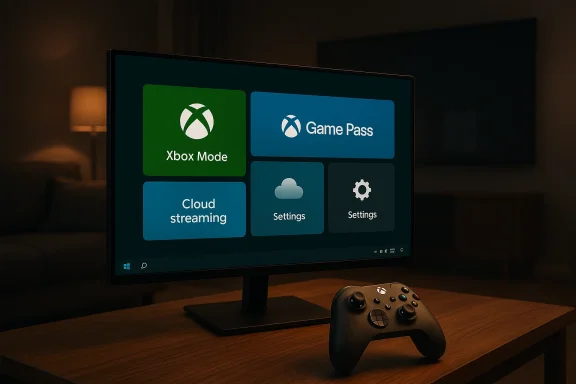
Source: Inshorts Microsoft to bring full screen 'Xbox mode' to Windows 11 devices
Source: WKLW 94.7 FM Inside Story | WKLW 94.7 FM | K 94.7 | Paintsville-KY
 

Back
Top