

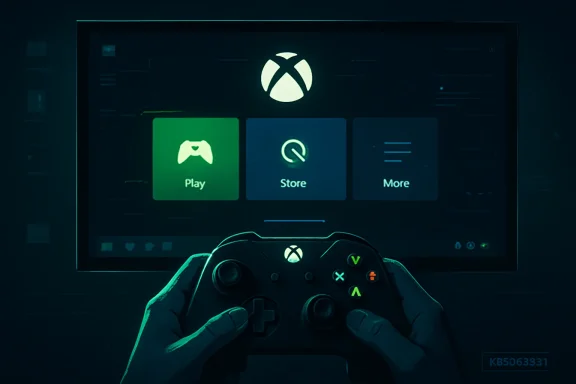
Xbox Mode began rolling out to Windows 11 PCs in late April 2026 through Microsoft’s KB5083631 preview update, bringing the former Xbox Full Screen Experience beyond handhelds to desktops, laptops, and tablets in supported markets via a phased Windows Update deployment. The first week has exposed the familiar gap between Microsoft’s gaming ambitions and Windows’ delivery machinery. The idea is good: make a Windows PC feel less like a fussy workstation and more like a console when the user wants to play. The execution, at least so far, looks like a beta wearing a public-release jacket.
For years, Windows gaming has carried a contradiction at its center. Microsoft sells Xbox as a low-friction entertainment brand, then asks PC players to wade through a desktop built for spreadsheets, driver panels, launchers, overlays, notifications, and corporate device management. Xbox Mode is Microsoft’s belated admission that the traditional Windows shell is not the best first experience for couch gaming, handheld gaming, or controller-first play.
That admission matters more than any frame-rate claim. The Steam Deck did not embarrass Windows handhelds because Linux is inherently friendlier to consumers; it embarrassed them because Valve controlled the whole path from wake to launch. Press the button, see the library, start the game. Windows handhelds, by contrast, have often felt like powerful little laptops trapped in a form factor that magnifies every awkward click target and every background interruption.
Xbox Mode tries to close that gap by launching a full-screen Xbox-oriented experience, suppressing some of the surrounding Windows noise, and prioritizing a controller-friendly interface. On handhelds such as the ROG Xbox Ally and Xbox Ally X, this concept has been gestating for months under the Xbox Full Screen Experience name. The new development is that Microsoft is now pushing the same concept onto broader Windows 11 PC hardware.
That is the right strategic move. It is also a move that raises expectations Microsoft has not yet earned. Once a company says “Xbox Mode” instead of “experimental shell option,” users reasonably expect something that feels as reliable as an Xbox, not something that may or may not appear after installing the advertised update.
Phased rollouts are not inherently bad. They are a defensive tool for operating-system vendors that must ship to a nearly infinite mix of hardware, drivers, regions, accounts, and policies. Microsoft has every reason to meter a feature that changes how a PC starts, launches games, handles background tasks, and returns to the desktop.
The trouble is that Windows users have been trained to interpret opacity as malfunction. If a feature is announced, an update is installed, and the interface does not appear, the user experience is indistinguishable from a bug unless Microsoft explains the gating clearly inside Windows itself. A blog post or support article is not enough when the Settings app remains silent.
This is where Microsoft keeps losing the consumer trust battle. It has become very good at announcing features, less good at making ordinary users understand whether those features are available, delayed, region-locked, device-limited, controlled by server-side flags, or hidden behind staged enablement. Xbox Mode’s first week is not a disaster, but it is another reminder that the Windows update model still speaks in engineering caveats when consumers expect product certainty.
That would be tolerable if Microsoft framed this as a preview. It is harder to swallow when the feature arrives through a mainstream optional Windows 11 update and is marketed as part of the company’s broader consumer gaming push. The Xbox brand changes the burden of proof. A console-like interface should not merely be usable; it should feel inevitable, as though the machine was built around it.
The problem is not that Xbox Mode lacks every feature a power user wants. No first release could satisfy the PC gaming world’s infinite matrix of storefronts, overlays, mod managers, emulators, anti-cheat systems, capture tools, and driver utilities. The problem is that the basic choreography still appears unsettled. Moving between the full-screen experience and the desktop should feel boring, not like crossing a border checkpoint.
Microsoft is trying to graft a console mood onto an operating system that still thinks like Windows. That is technically impressive and commercially necessary, but it is also why the experience must be judged harshly. A console interface that occasionally reminds you it is a skin over a desktop has not solved the problem; it has merely hidden it until the next edge case.
Still, Microsoft allowed the performance story to hover around the feature. Phrases about reduced background tasks and a dedicated gaming experience naturally lead users to expect measurable gains. When third-party testing shows only minor improvements, the reaction is predictable: disappointment, followed by skepticism, followed by the familiar Windows-for-gaming pile-on.
This is partly a messaging failure. Xbox Mode’s strongest argument is not that it will add a meaningful number of frames per second to every game. Its strongest argument is that it can reduce friction: fewer distractions, better controller navigation, easier launching, more predictable TV and handheld behavior, and a cleaner boundary between “I am using a PC” and “I am playing games.”
Microsoft should say that more plainly. Performance optimizations matter, especially on handhelds, but the larger opportunity is experiential. If Xbox Mode saves a player from reaching for a mouse, dismissing a pop-up, squinting at a desktop dialog, or alt-tabbing through launchers from a couch, that is a win. It is just not the kind of win that looks impressive in a benchmark chart.
Handheld PCs removed that cushion. On a seven-inch screen, every Windows habit becomes more annoying. A tiny close button, a launcher update prompt, a security notification, a taskbar focus problem, or a login dialog can derail the illusion that the device is a gaming machine rather than a miniaturized office PC.
That is why Xbox Mode matters even if the first release is messy. Microsoft cannot afford to leave handheld Windows gaming to OEM utilities and community workarounds forever. Asus, Lenovo, MSI, and others can build clever front ends, but the operating system underneath still decides how cleanly a device wakes, suspends, launches, updates, authenticates, and recovers from failure.
The ROG Xbox Ally line made this tension impossible to ignore. By putting Xbox branding on a Windows handheld built with Asus, Microsoft implicitly promised more than a normal PC. It promised that Windows could be made to behave like a gaming platform when the hardware demanded it. Xbox Mode is the software expression of that promise.
The question now is whether Microsoft treats it as a shell feature or as a foundational Windows gaming layer. If it is the former, it will become another half-remembered toggle. If it is the latter, it could be the start of Windows finally becoming credible on devices that do not want a desktop-first identity.
ViVeTool is useful precisely because Windows is full of dormant feature flags, controlled rollouts, and hidden experiments. Enthusiasts like having access to that layer, and there is nothing wrong with informed users choosing to flip flags on noncritical machines. The danger is when the workaround becomes the story.
A gaming feature meant to make Windows friendlier should not require a third-party command-line utility to appear. The moment ordinary users are told to copy feature IDs into a terminal, Microsoft has lost the simplicity argument. The company may not be endorsing those workarounds, but opaque rollout behavior creates demand for them.
There is also a support problem. If a user force-enables Xbox Mode and it misbehaves, who owns the failure? Microsoft can say the feature was not ready for that machine or account. The user can say the feature shipped in the update. Both can be technically right, and the product experience still ends up feeling sloppy.
This is the deeper cost of hidden flags as consumer infrastructure. They let Microsoft manage risk, but they also create a shadow market of unofficial enablement guides. That is fine for Copilot experiments or File Explorer tweaks. It is less fine for a high-profile gaming mode positioned as part of Microsoft’s response to SteamOS, handheld PCs, and the console-style future of Windows gaming.
That urgency comes from multiple directions. Valve has proved that a curated PC gaming experience can feel console-like without abandoning PC openness. Windows handhelds have created a new class of devices that need lower-friction software. Xbox hardware strategy has become more porous, with Microsoft increasingly presenting Xbox as an ecosystem rather than just a box under the TV.
In that context, Xbox Mode is not a side feature. It is a visible trust test. If Microsoft cannot ship a clean, discoverable, stable gaming shell, why should users believe in larger promises about Windows as the best home for gaming across devices?
The stakes are especially high because Microsoft’s consumer reputation has been battered by years of forced-feeling integrations, confusing update behavior, and features that appear before they feel finished. Enthusiasts may forgive rough edges if they see momentum. Mainstream users tend to remember the first broken experience and move on.
Xbox Mode’s first week therefore matters less as a product review than as a signal. The signal is mixed. Microsoft is clearly moving in the right direction, but it is still using Windows’ old rollout and communication habits to deliver a feature that is supposed to feel new.
A credible console-style Windows layer needs to treat Steam, Epic Games Store, Battle.net, Ubisoft Connect, EA app, GOG, emulators, cloud gaming, local captures, controller profiles, and system settings as part of one living room workflow. That does not mean Microsoft has to make every third-party launcher beautiful. It does mean the shell has to reduce the penalty for leaving Microsoft’s own ecosystem.
This is where Microsoft has an advantage if it chooses to use it generously. Windows is the neutral ground on which all of these storefronts already run. A well-designed Xbox Mode could become the front door that organizes the chaos without pretending the chaos does not exist.
But neutrality and Xbox branding sit uneasily together. If Xbox Mode feels like a funnel into Game Pass and the Microsoft Store, power users will route around it. If it feels like a genuine gaming shell for the whole PC, it could become one of the most important consumer Windows features in years.
The early signs are not conclusive. The interface is promising, especially for users who already live heavily in the Xbox app and Game Pass library. But the burden is on Microsoft to prove that “Xbox” here means a gaming experience, not merely a storefront preference.
The real threat is not that every Windows gamer will suddenly install Linux. The real threat is that Microsoft’s most enthusiastic users stop expecting Windows to improve. Once that happens, they begin treating community workarounds, OEM overlays, and alternative operating systems as the places where innovation lives.
That is why the tone around Xbox Mode is so important. Many fans are not angry because they hate Microsoft. They are frustrated because they want the company to finally connect its assets: Xbox identity, Windows compatibility, Game Pass distribution, DirectX, driver relationships, and OEM partnerships. Few companies are better positioned to own PC gaming’s next interface layer. Few companies have made that ownership feel so strangely difficult.
Xbox Mode does not have to beat SteamOS in a philosophical purity contest. It has to make Windows feel intentional on gaming devices. That means fewer mystery rollouts, fewer half-finished surfaces, fewer desktop leaks, and fewer moments where a controller-first user is forced back into mouse-and-keyboard mode.
If Microsoft can do that, Linux remains an important competitive pressure rather than an existential threat. If it cannot, the “year of Linux” jokes will matter less than the quiet migration of influence away from Windows as the default imagination of PC gaming.
The most concrete readout is that Xbox Mode is useful enough to keep watching but not polished enough to recommend as a reason to install a preview update on a primary gaming PC. Handheld owners and couch-PC users have the most to gain. Desktop players expecting benchmark miracles will probably be underwhelmed.
The feature also highlights a philosophical split inside Windows. Enterprise Windows values gradual rollout, measured blast radius, policy control, and backward compatibility. Consumer Xbox values immediacy, clarity, and confidence. Xbox Mode lives awkwardly between those cultures, and in week one the Windows culture is still winning.
That is the red mark. The product is supposed to make a PC feel less like Windows at the exact moment Microsoft’s rollout mechanics remind everyone how Windows works.
Source: Windows Central https://www.windowscentral.com/gami...ks-and-what-the-community-is-saying-about-it/
 Microsoft Finally Admits the Desktop Is the Wrong Front Door for PC Gaming
For years, Windows gaming has carried a contradiction at its center. Microsoft sells Xbox as a low-friction entertainment brand, then asks PC players to wade through a desktop built for spreadsheets, driver panels, launchers, overlays, notifications, and corporate device management. Xbox Mode is Microsoft’s belated admission that the traditional Windows shell is not the best first experience for couch gaming, handheld gaming, or controller-first play.That admission matters more than any frame-rate claim. The Steam Deck did not embarrass Windows handhelds because Linux is inherently friendlier to consumers; it embarrassed them because Valve controlled the whole path from wake to launch. Press the button, see the library, start the game. Windows handhelds, by contrast, have often felt like powerful little laptops trapped in a form factor that magnifies every awkward click target and every background interruption.
Xbox Mode tries to close that gap by launching a full-screen Xbox-oriented experience, suppressing some of the surrounding Windows noise, and prioritizing a controller-friendly interface. On handhelds such as the ROG Xbox Ally and Xbox Ally X, this concept has been gestating for months under the Xbox Full Screen Experience name. The new development is that Microsoft is now pushing the same concept onto broader Windows 11 PC hardware.
That is the right strategic move. It is also a move that raises expectations Microsoft has not yet earned. Once a company says “Xbox Mode” instead of “experimental shell option,” users reasonably expect something that feels as reliable as an Xbox, not something that may or may not appear after installing the advertised update.
The Rollout Is Already Teaching the Wrong Lesson
The loudest complaint after one week is not that Xbox Mode exists. It is that users cannot tell whether they are supposed to have it. Some Windows 11 users report installing KB5083631, checking Settings > Gaming, and finding no Xbox Mode entry at all. Others see the feature, enable it, and run into the rough edges one expects from a newly expanded shell experience.Phased rollouts are not inherently bad. They are a defensive tool for operating-system vendors that must ship to a nearly infinite mix of hardware, drivers, regions, accounts, and policies. Microsoft has every reason to meter a feature that changes how a PC starts, launches games, handles background tasks, and returns to the desktop.
The trouble is that Windows users have been trained to interpret opacity as malfunction. If a feature is announced, an update is installed, and the interface does not appear, the user experience is indistinguishable from a bug unless Microsoft explains the gating clearly inside Windows itself. A blog post or support article is not enough when the Settings app remains silent.
This is where Microsoft keeps losing the consumer trust battle. It has become very good at announcing features, less good at making ordinary users understand whether those features are available, delayed, region-locked, device-limited, controlled by server-side flags, or hidden behind staged enablement. Xbox Mode’s first week is not a disaster, but it is another reminder that the Windows update model still speaks in engineering caveats when consumers expect product certainty.
A Console Shell Cannot Behave Like an Insider Build
The early hands-on reports are consistent enough to sketch the problem. Xbox Mode can feel promising when it gets out of the way, but it can also feel glitchy, unfinished, and strangely fragile for something carrying the Xbox name. Users have reported awkward navigation, interface elements appearing at odd moments, and occasional crashes or shell weirdness.That would be tolerable if Microsoft framed this as a preview. It is harder to swallow when the feature arrives through a mainstream optional Windows 11 update and is marketed as part of the company’s broader consumer gaming push. The Xbox brand changes the burden of proof. A console-like interface should not merely be usable; it should feel inevitable, as though the machine was built around it.
The problem is not that Xbox Mode lacks every feature a power user wants. No first release could satisfy the PC gaming world’s infinite matrix of storefronts, overlays, mod managers, emulators, anti-cheat systems, capture tools, and driver utilities. The problem is that the basic choreography still appears unsettled. Moving between the full-screen experience and the desktop should feel boring, not like crossing a border checkpoint.
Microsoft is trying to graft a console mood onto an operating system that still thinks like Windows. That is technically impressive and commercially necessary, but it is also why the experience must be judged harshly. A console interface that occasionally reminds you it is a skin over a desktop has not solved the problem; it has merely hidden it until the next edge case.
Performance Was the Wrong Promise to Let Users Imagine
One of the more sobering findings from the first week is that Xbox Mode does not appear to deliver a dramatic performance uplift on typical PCs. That should not be shocking. Reducing background activity can help at the margins, particularly on power-constrained handhelds, but it is not magic. A Ryzen Z1 Extreme or laptop GPU does not become a different chip because the shell looks more like Xbox.Still, Microsoft allowed the performance story to hover around the feature. Phrases about reduced background tasks and a dedicated gaming experience naturally lead users to expect measurable gains. When third-party testing shows only minor improvements, the reaction is predictable: disappointment, followed by skepticism, followed by the familiar Windows-for-gaming pile-on.
This is partly a messaging failure. Xbox Mode’s strongest argument is not that it will add a meaningful number of frames per second to every game. Its strongest argument is that it can reduce friction: fewer distractions, better controller navigation, easier launching, more predictable TV and handheld behavior, and a cleaner boundary between “I am using a PC” and “I am playing games.”
Microsoft should say that more plainly. Performance optimizations matter, especially on handhelds, but the larger opportunity is experiential. If Xbox Mode saves a player from reaching for a mouse, dismissing a pop-up, squinting at a desktop dialog, or alt-tabbing through launchers from a couch, that is a win. It is just not the kind of win that looks impressive in a benchmark chart.
Handheld PCs Exposed the Windows Problem Microsoft Could Ignore on Desktops
The irony is that desktop PC gamers have tolerated Windows’ quirks for decades because the desktop gives them compensation. They get flexibility, upgradeability, modding, high refresh rates, multiple stores, and the sheer breadth of the Win32 ecosystem. The keyboard and mouse make Windows’ rough edges manageable.Handheld PCs removed that cushion. On a seven-inch screen, every Windows habit becomes more annoying. A tiny close button, a launcher update prompt, a security notification, a taskbar focus problem, or a login dialog can derail the illusion that the device is a gaming machine rather than a miniaturized office PC.
That is why Xbox Mode matters even if the first release is messy. Microsoft cannot afford to leave handheld Windows gaming to OEM utilities and community workarounds forever. Asus, Lenovo, MSI, and others can build clever front ends, but the operating system underneath still decides how cleanly a device wakes, suspends, launches, updates, authenticates, and recovers from failure.
The ROG Xbox Ally line made this tension impossible to ignore. By putting Xbox branding on a Windows handheld built with Asus, Microsoft implicitly promised more than a normal PC. It promised that Windows could be made to behave like a gaming platform when the hardware demanded it. Xbox Mode is the software expression of that promise.
The question now is whether Microsoft treats it as a shell feature or as a foundational Windows gaming layer. If it is the former, it will become another half-remembered toggle. If it is the latter, it could be the start of Windows finally becoming credible on devices that do not want a desktop-first identity.
ViVeTool Workarounds Are a Symptom, Not a Solution
The community has already done what the Windows community always does: found the hidden switches. Guides for forcing Xbox Mode through ViVeTool are circulating, offering impatient users a way around Microsoft’s staged rollout. For enthusiasts, this is familiar territory. For everyone else, it is absurd.ViVeTool is useful precisely because Windows is full of dormant feature flags, controlled rollouts, and hidden experiments. Enthusiasts like having access to that layer, and there is nothing wrong with informed users choosing to flip flags on noncritical machines. The danger is when the workaround becomes the story.
A gaming feature meant to make Windows friendlier should not require a third-party command-line utility to appear. The moment ordinary users are told to copy feature IDs into a terminal, Microsoft has lost the simplicity argument. The company may not be endorsing those workarounds, but opaque rollout behavior creates demand for them.
There is also a support problem. If a user force-enables Xbox Mode and it misbehaves, who owns the failure? Microsoft can say the feature was not ready for that machine or account. The user can say the feature shipped in the update. Both can be technically right, and the product experience still ends up feeling sloppy.
This is the deeper cost of hidden flags as consumer infrastructure. They let Microsoft manage risk, but they also create a shadow market of unofficial enablement guides. That is fine for Copilot experiments or File Explorer tweaks. It is less fine for a high-profile gaming mode positioned as part of Microsoft’s response to SteamOS, handheld PCs, and the console-style future of Windows gaming.
Xbox Mode Is Really a Trust Test for Project K2
Microsoft’s broader Windows gaming work has been discussed under the banner of performance, handheld optimization, and consumer renewed focus. Whether one calls it Project K2 or simply the latest attempt to make Windows feel less hostile to players, the theme is clear: Microsoft knows the PC gaming experience has become strategically important again.That urgency comes from multiple directions. Valve has proved that a curated PC gaming experience can feel console-like without abandoning PC openness. Windows handhelds have created a new class of devices that need lower-friction software. Xbox hardware strategy has become more porous, with Microsoft increasingly presenting Xbox as an ecosystem rather than just a box under the TV.
In that context, Xbox Mode is not a side feature. It is a visible trust test. If Microsoft cannot ship a clean, discoverable, stable gaming shell, why should users believe in larger promises about Windows as the best home for gaming across devices?
The stakes are especially high because Microsoft’s consumer reputation has been battered by years of forced-feeling integrations, confusing update behavior, and features that appear before they feel finished. Enthusiasts may forgive rough edges if they see momentum. Mainstream users tend to remember the first broken experience and move on.
Xbox Mode’s first week therefore matters less as a product review than as a signal. The signal is mixed. Microsoft is clearly moving in the right direction, but it is still using Windows’ old rollout and communication habits to deliver a feature that is supposed to feel new.
The Best Version of Xbox Mode Is Bigger Than the Xbox App
The phrase “Xbox Mode” risks underselling the ambition. If this becomes merely the Xbox app in a full-screen coat, it will disappoint. PC gamers do not live exclusively inside Microsoft’s store, and any serious Windows gaming mode must respect that reality.A credible console-style Windows layer needs to treat Steam, Epic Games Store, Battle.net, Ubisoft Connect, EA app, GOG, emulators, cloud gaming, local captures, controller profiles, and system settings as part of one living room workflow. That does not mean Microsoft has to make every third-party launcher beautiful. It does mean the shell has to reduce the penalty for leaving Microsoft’s own ecosystem.
This is where Microsoft has an advantage if it chooses to use it generously. Windows is the neutral ground on which all of these storefronts already run. A well-designed Xbox Mode could become the front door that organizes the chaos without pretending the chaos does not exist.
But neutrality and Xbox branding sit uneasily together. If Xbox Mode feels like a funnel into Game Pass and the Microsoft Store, power users will route around it. If it feels like a genuine gaming shell for the whole PC, it could become one of the most important consumer Windows features in years.
The early signs are not conclusive. The interface is promising, especially for users who already live heavily in the Xbox app and Game Pass library. But the burden is on Microsoft to prove that “Xbox” here means a gaming experience, not merely a storefront preference.
Linux Is Not the Whole Threat; Indifference Is
It is tempting to frame Xbox Mode as Microsoft’s answer to Linux gaming. That is partly true, but it is too narrow. SteamOS and projects like Bazzite have given handheld owners credible alternatives, especially for users who value suspend/resume behavior and a console-like interface. Yet Windows still has enormous advantages in game compatibility, anti-cheat support, driver availability, peripheral breadth, and general-purpose usefulness.The real threat is not that every Windows gamer will suddenly install Linux. The real threat is that Microsoft’s most enthusiastic users stop expecting Windows to improve. Once that happens, they begin treating community workarounds, OEM overlays, and alternative operating systems as the places where innovation lives.
That is why the tone around Xbox Mode is so important. Many fans are not angry because they hate Microsoft. They are frustrated because they want the company to finally connect its assets: Xbox identity, Windows compatibility, Game Pass distribution, DirectX, driver relationships, and OEM partnerships. Few companies are better positioned to own PC gaming’s next interface layer. Few companies have made that ownership feel so strangely difficult.
Xbox Mode does not have to beat SteamOS in a philosophical purity contest. It has to make Windows feel intentional on gaming devices. That means fewer mystery rollouts, fewer half-finished surfaces, fewer desktop leaks, and fewer moments where a controller-first user is forced back into mouse-and-keyboard mode.
If Microsoft can do that, Linux remains an important competitive pressure rather than an existential threat. If it cannot, the “year of Linux” jokes will matter less than the quiet migration of influence away from Windows as the default imagination of PC gaming.
Microsoft’s First-Week Report Card Has One Big Red Mark
The first week of Xbox Mode tells a simple story: the concept is ahead of the implementation, and the implementation is ahead of the communication. That is not a fatal ordering, but it is a risky one. Microsoft can fix bugs, improve navigation, tune performance behavior, and broaden device support. It is harder to rebuild excitement once early adopters decide the feature is another Windows tease.The most concrete readout is that Xbox Mode is useful enough to keep watching but not polished enough to recommend as a reason to install a preview update on a primary gaming PC. Handheld owners and couch-PC users have the most to gain. Desktop players expecting benchmark miracles will probably be underwhelmed.
The feature also highlights a philosophical split inside Windows. Enterprise Windows values gradual rollout, measured blast radius, policy control, and backward compatibility. Consumer Xbox values immediacy, clarity, and confidence. Xbox Mode lives awkwardly between those cultures, and in week one the Windows culture is still winning.
That is the red mark. The product is supposed to make a PC feel less like Windows at the exact moment Microsoft’s rollout mechanics remind everyone how Windows works.
The Week-One Verdict Belongs to the Settings App
For now, the practical lessons are narrower than the strategic stakes. Xbox Mode is worth tracking, but it is not yet the clean console-style layer Microsoft ultimately needs. Its biggest early failure is not raw capability; it is the uncertainty around availability and polish.- Xbox Mode is rolling out through KB5083631 on Windows 11, but having the update installed does not guarantee the feature will immediately appear for every eligible user.
- The setting is expected under Settings > Gaming > Xbox Mode when Microsoft’s staged rollout has enabled it for a device, account, region, and configuration.
- Early testing and user reports suggest the performance benefit is modest, so the feature should be judged more on convenience and interface flow than frame-rate gains.
- Reports of glitchy navigation, inconsistent UI behavior, and occasional instability suggest Microsoft still has refinement work before Xbox Mode feels console-grade.
- ViVeTool workarounds may satisfy enthusiasts, but they underline Microsoft’s communication problem rather than solving it for normal users.
- The feature’s long-term promise depends on whether Microsoft builds a real Windows gaming shell or merely stretches the Xbox app across the screen.
Source: Windows Central https://www.windowscentral.com/gami...ks-and-what-the-community-is-saying-about-it/
