

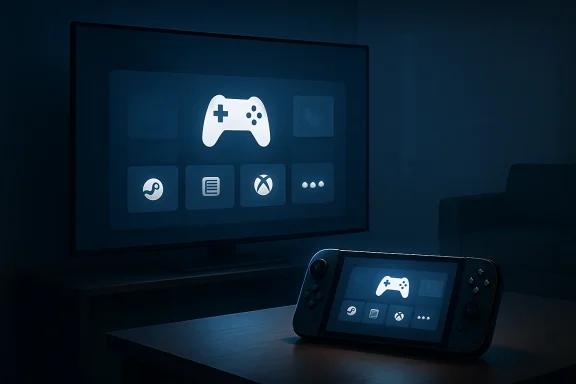
Microsoft is rolling out Xbox Mode for Windows 11 PCs on May 1, 2026, beginning in select markets and expanding over the coming weeks, giving desktops, laptops, tablets, and handheld gaming PCs a controller-first full-screen interface for launching Xbox, PC, and third-party storefront games. The move is less about a new launcher than a strategic demotion of the traditional Windows desktop. Microsoft is trying to make Windows feel less like the tax PC gamers pay and more like the platform Xbox can become. The risk is that a console-like shell over Windows may expose, rather than erase, the awkwardness of Microsoft’s hybrid gaming future.
For decades, Windows has been the default home of PC gaming and the least console-like part of it. The same operating system that runs Cyberpunk 2077 at triple-digit frame rates also wants to show update nags, tray icons, driver popups, Teams residue, RGB utilities, and a Start menu designed for office work. PC gamers learned to tolerate the friction because the payoff was freedom: cheaper games, mods, storefront competition, upgradeable hardware, and an open software stack.
Xbox Mode is Microsoft’s clearest admission that tolerance is not the same thing as affection. A controller-optimized full-screen experience says the quiet part out loud: when someone plugs a Windows PC into a TV, boots a handheld, or settles into a couch with a gamepad, the desktop is usually not the product. It is the scaffolding.
That matters because the console market has trained players to expect immediate context. A PlayStation or Xbox wakes into a dashboard where the controller is the primary citizen. A Windows PC, even a very expensive one, still often wakes into a mouse-first environment that treats games as applications rather than destinations.
The new Xbox Mode does not turn a Windows machine into an Xbox console. It does something more subtle and potentially more important: it gives Microsoft a way to present Windows gaming as a console-style experience without abandoning the messy compatibility layer that makes Windows valuable in the first place.
But the real story is what happens around the interface. Microsoft’s documentation for the underlying full-screen experience makes clear that Windows can avoid loading certain background processes when the mode starts at login. That is not magic performance dust, and nobody should expect a weak GPU to become a strong one because Explorer took the day off. Still, on handhelds and lower-power systems, reclaiming memory, reducing startup noise, and avoiding desktop clutter are meaningful.
This is why Xbox Mode should not be dismissed as merely Microsoft’s answer to Steam Big Picture. Valve’s mode is a front end for Steam. Microsoft is trying to make the Windows session itself behave differently depending on whether the machine is being used as a gaming appliance.
That distinction is crucial. A launcher can organize games. A shell mode can change the emotional contract between the user and the device.
Users could install anything, tune anything, and play almost anything. They could also fight scaling issues, background launchers, hidden windows, update prompts, sleep behavior, driver utilities, and text fields that assumed a keyboard was nearby. The hardware was often impressive; the software felt like a laptop pretending to be a Switch.
Xbox Mode is Microsoft’s attempt to stop outsourcing that experience to OEM overlays. Asus, Lenovo, and others have built their own launchers because Windows needed a handheld-friendly layer. The problem is that every OEM layer creates another island. Microsoft’s own Xbox-flavored full-screen mode gives the ecosystem a common vocabulary.
That does not mean OEM software disappears. It does mean Microsoft is trying to move the center of gravity upward, from device-specific utilities to a Windows-level gaming posture. If it works, a future handheld buyer will not ask whether the manufacturer has built a tolerable launcher. They will ask whether Windows’ built-in gaming mode is good enough.
Steam is the gravitational center of PC gaming. It has the library, the community expectations, the sale culture, the cloud saves, the controller mapping muscle, and the trust that Microsoft has repeatedly struggled to earn on PC. The Xbox app has improved, but its history includes enough install weirdness and store limitations that many PC gamers still treat it as a Game Pass portal rather than a primary home.
That is why aggregation matters. If Xbox Mode becomes a neutral-feeling place to launch games from Steam, Battle.net, Epic, Xbox, and other sources, Microsoft gets to own the session even when it does not own the transaction. That is platform power by interface rather than by exclusivity.
The catch is that neutrality is hard to fake. If Xbox Mode consistently privileges Microsoft services, nags users toward Game Pass, or makes third-party games feel second-class, players will retreat to Steam Big Picture, Playnite, or the desktop. The best version of Xbox Mode is one Microsoft may find commercially uncomfortable: a Windows gaming shell that is useful even when the user buys nothing from Xbox.
Microsoft is no longer treating Xbox as a box. It is treating Xbox as an identity layer across hardware classes: console, PC, handheld, cloud, TV, and mobile. Xbox Mode is one of the practical mechanisms that makes that identity plausible on Windows.
This is also where the rumored pricing anxiety around Project Helix becomes relevant. If a next-generation Xbox-style device really lands closer to premium PC territory than traditional console pricing, Microsoft will need to justify it with more than teraflops. It will need a story about compatibility, libraries, continuity, and openness.
A console that plays Xbox games and PC games sounds compelling until it becomes a $999 machine with PC-like complexity. Xbox Mode is part of the answer to that tension. It suggests Microsoft wants the breadth of Windows without forcing users to stare at Windows all the time.
That makes software efficiency more than a nice-to-have. If Microsoft cannot count on cheap memory, then reclaiming RAM from the operating environment becomes part of the value proposition. A leaner gaming session is not a substitute for adequate hardware, but it helps Microsoft argue that the system is designed for play rather than merely repackaged from the PC world.
Still, there is a danger in overselling this. Freeing background memory will not erase the overhead of Windows, and it will not make a Windows handheld behave exactly like a purpose-built console OS. SteamOS remains the uncomfortable comparison because Valve built its handheld experience around a Linux-based stack optimized for the device’s primary job.
Microsoft is trying a harder trick. It wants one Windows to serve creators, accountants, students, sysadmins, competitive gamers, handheld players, and couch users. Xbox Mode is a compromise designed to make that breadth feel intentional.
Xbox Mode fits the new model because it makes Windows itself feel like an Xbox endpoint. Not an Xbox in the strict hardware sense, but an Xbox-access device. That is a profound shift for a brand once defined by a black-and-green box under the television.
For enthusiasts, this can be liberating. Your library follows you. Your controller works across more screens. Your PC can behave more like a console when you want it to and return to being a PC when you need it to. The wall between console and computer becomes more porous.
For traditional console loyalists, it can feel like dilution. If everything is Xbox, then the dedicated Xbox console has to justify why it exists. Microsoft’s answer appears to be that Xbox hardware will become the most convenient expression of the Xbox ecosystem, not the only one.
For managed fleets, the immediate question is not whether employees will suddenly turn office desktops into consoles. It is whether Windows is gaining another user experience mode that administrators need to understand, hide, disable, or document. Gaming features have a way of becoming policy considerations in education labs, shared devices, kiosks, studios, esports facilities, and hybrid home-office environments.
There is also a support angle. A user who boots into a full-screen gaming shell may not understand why startup apps behaved differently, why the desktop was delayed, or why returning from the gaming environment prompted a restart recommendation for full optimization. That is manageable, but only if Microsoft exposes clear controls and does not bury the behavior behind friendly branding.
The enterprise relevance is indirect but real. Microsoft is making Windows more context-sensitive. That can be powerful when the context is known and controlled. It can be maddening when the device’s behavior changes in ways support staff did not anticipate.
That naming ambiguity reflects Microsoft’s internal balancing act. Windows wants the feature to be a configurable shell experience, potentially with home apps and broader extensibility over time. Xbox wants the emotional win of turning a PC into something that feels like part of the Xbox family.
The best outcome is that both sides get what they need. Windows gets a more flexible shell model for gaming-first devices. Xbox gets a recognizable front door. Players get a mode that does not care too much where the executable came from.
The worst outcome is brand sludge: a feature called one thing in Settings, another thing in marketing, another thing in support documentation, and another thing by the community. Microsoft has been here before. If it wants Xbox Mode to become habitual, the language must become boringly consistent.
Microsoft’s advantage is compatibility. Windows remains the easiest path for anti-cheat support, launchers, Game Pass, peripheral software, and the long tail of PC games. That advantage is enormous. It is also the reason Windows handhelds have often felt compromised.
Valve’s advantage is discipline. SteamOS does not have to be everyone’s general-purpose operating system at all times. It can make tradeoffs Microsoft has historically avoided.
Xbox Mode is Microsoft trying to borrow discipline without surrendering compatibility. That is the right ambition, but it will be judged by details: sleep reliability, controller navigation, text input, update behavior, multi-store launching, performance consistency, and how often users are dumped back into the desktop to solve a problem the shell could not handle.
That is normal for a platform transition, but Microsoft should resist the temptation to market the experience as a finished console replacement. It is not. It is a Windows mode that can make a PC more console-like under the right conditions.
Honesty matters because the audience for this feature is technically literate enough to notice the seams. PC gamers know when a launcher is just a launcher. Handheld owners know when a device wakes poorly, hides a dialog behind a game, or chews battery in a supposedly optimized state. Living-room PC users know when they still need a mouse.
The promise is not that Windows disappears. The promise is that Windows gets out of the way more often. That is a smaller claim, but it is also the one Microsoft has a chance to fulfill.
That is where Xbox Mode will either mature into infrastructure or remain a novelty. The difference will be whether Microsoft treats it as a skin over the Xbox app or as a first-class Windows scenario. A skin gets visual polish. A scenario gets engineering ownership across input, power, storage, networking, accessibility, updates, and app lifecycle.
The latter is harder, but it is where the prize is. If Microsoft can make Windows credible on handhelds and living-room PCs, it expands the addressable market for PC gaming without forcing every player to become their own system administrator. It also gives OEMs a more stable foundation for devices that do not look like laptops.
That could matter well beyond gaming. A Windows that can convincingly reconfigure itself around a task — gaming, presentation, kiosk, media, development, secure work — is more modern than one that assumes the desktop is always the center of the universe.
That layer is becoming more important as hardware categories blur. A handheld PC can be a console, a desktop, a streaming client, and a modding box. A living-room mini PC can be an Xbox-like appliance until the moment someone Alt-Tabs into Discord or a browser. A future Xbox may look more like a curated Windows gaming PC than a sealed console.
In that world, the shell is strategy. Whoever owns the first screen owns the user’s mental model of the device. Steam Deck owners think of their handheld as Steam hardware even though it is also a Linux PC. Microsoft wants Windows devices to feel like Xbox devices when the controller is in hand.
That is not a cosmetic ambition. It is a platform claim.
Source: The Shortcut | Matt Swider Xbox Mode is now available on Windows 11, giving you a more console-like experience
 Microsoft Finally Admits the Desktop Is the Enemy in the Living Room
For decades, Windows has been the default home of PC gaming and the least console-like part of it. The same operating system that runs Cyberpunk 2077 at triple-digit frame rates also wants to show update nags, tray icons, driver popups, Teams residue, RGB utilities, and a Start menu designed for office work. PC gamers learned to tolerate the friction because the payoff was freedom: cheaper games, mods, storefront competition, upgradeable hardware, and an open software stack.Xbox Mode is Microsoft’s clearest admission that tolerance is not the same thing as affection. A controller-optimized full-screen experience says the quiet part out loud: when someone plugs a Windows PC into a TV, boots a handheld, or settles into a couch with a gamepad, the desktop is usually not the product. It is the scaffolding.
That matters because the console market has trained players to expect immediate context. A PlayStation or Xbox wakes into a dashboard where the controller is the primary citizen. A Windows PC, even a very expensive one, still often wakes into a mouse-first environment that treats games as applications rather than destinations.
The new Xbox Mode does not turn a Windows machine into an Xbox console. It does something more subtle and potentially more important: it gives Microsoft a way to present Windows gaming as a console-style experience without abandoning the messy compatibility layer that makes Windows valuable in the first place.
The Launcher Is the Least Interesting Part
At the surface level, Xbox Mode is easy to describe. It puts the Xbox app into a full-screen, controller-friendly role, surfaces recent games, aggregates parts of a user’s library, and allows players to launch titles without returning to the conventional desktop. Steam and other storefronts remain part of the story because excluding them would make the whole thing useless to actual PC gamers.But the real story is what happens around the interface. Microsoft’s documentation for the underlying full-screen experience makes clear that Windows can avoid loading certain background processes when the mode starts at login. That is not magic performance dust, and nobody should expect a weak GPU to become a strong one because Explorer took the day off. Still, on handhelds and lower-power systems, reclaiming memory, reducing startup noise, and avoiding desktop clutter are meaningful.
This is why Xbox Mode should not be dismissed as merely Microsoft’s answer to Steam Big Picture. Valve’s mode is a front end for Steam. Microsoft is trying to make the Windows session itself behave differently depending on whether the machine is being used as a gaming appliance.
That distinction is crucial. A launcher can organize games. A shell mode can change the emotional contract between the user and the device.
Windows Handhelds Forced Microsoft’s Hand
The Windows handheld boom has been both a gift and an embarrassment for Microsoft. Devices like the ROG Ally, Lenovo Legion Go, MSI Claw, and their successors proved that PC gaming could escape the desk without becoming a cloud-only compromise. They also proved that Windows 11 was never designed for a seven-inch touchscreen attached to gamepad controls.Users could install anything, tune anything, and play almost anything. They could also fight scaling issues, background launchers, hidden windows, update prompts, sleep behavior, driver utilities, and text fields that assumed a keyboard was nearby. The hardware was often impressive; the software felt like a laptop pretending to be a Switch.
Xbox Mode is Microsoft’s attempt to stop outsourcing that experience to OEM overlays. Asus, Lenovo, and others have built their own launchers because Windows needed a handheld-friendly layer. The problem is that every OEM layer creates another island. Microsoft’s own Xbox-flavored full-screen mode gives the ecosystem a common vocabulary.
That does not mean OEM software disappears. It does mean Microsoft is trying to move the center of gravity upward, from device-specific utilities to a Windows-level gaming posture. If it works, a future handheld buyer will not ask whether the manufacturer has built a tolerable launcher. They will ask whether Windows’ built-in gaming mode is good enough.
The Steam Problem Is Also the Steam Opportunity
Microsoft’s decision to include games from other storefronts is not generosity. It is necessity. A Windows gaming interface that pretends Steam does not exist would be dead on arrival, especially for the very audience most likely to care about a console-like PC experience.Steam is the gravitational center of PC gaming. It has the library, the community expectations, the sale culture, the cloud saves, the controller mapping muscle, and the trust that Microsoft has repeatedly struggled to earn on PC. The Xbox app has improved, but its history includes enough install weirdness and store limitations that many PC gamers still treat it as a Game Pass portal rather than a primary home.
That is why aggregation matters. If Xbox Mode becomes a neutral-feeling place to launch games from Steam, Battle.net, Epic, Xbox, and other sources, Microsoft gets to own the session even when it does not own the transaction. That is platform power by interface rather than by exclusivity.
The catch is that neutrality is hard to fake. If Xbox Mode consistently privileges Microsoft services, nags users toward Game Pass, or makes third-party games feel second-class, players will retreat to Steam Big Picture, Playnite, or the desktop. The best version of Xbox Mode is one Microsoft may find commercially uncomfortable: a Windows gaming shell that is useful even when the user buys nothing from Xbox.
Project Helix Makes the Strategy Obvious
The rumored next Xbox, often discussed under the codename Project Helix, is the context that makes Xbox Mode feel bigger than a Windows feature rollout. The reported ambition is a device that narrows the gap between Xbox console and gaming PC, potentially running both Xbox and PC titles in a more unified ecosystem. Whether the final hardware arrives in 2027, 2028, or in some altered form, the direction of travel is clear.Microsoft is no longer treating Xbox as a box. It is treating Xbox as an identity layer across hardware classes: console, PC, handheld, cloud, TV, and mobile. Xbox Mode is one of the practical mechanisms that makes that identity plausible on Windows.
This is also where the rumored pricing anxiety around Project Helix becomes relevant. If a next-generation Xbox-style device really lands closer to premium PC territory than traditional console pricing, Microsoft will need to justify it with more than teraflops. It will need a story about compatibility, libraries, continuity, and openness.
A console that plays Xbox games and PC games sounds compelling until it becomes a $999 machine with PC-like complexity. Xbox Mode is part of the answer to that tension. It suggests Microsoft wants the breadth of Windows without forcing users to stare at Windows all the time.
The Memory-Crisis Narrative Cuts Both Ways
Reports that memory costs could affect next-generation Xbox pricing should be read with caution, but the broader market pressure is real enough to shape expectations. Consoles have historically depended on aggressive component pricing, long lifecycle economics, and platform holder subsidies. A device that leans further into PC-like capability may be harder to price like a traditional living-room console.That makes software efficiency more than a nice-to-have. If Microsoft cannot count on cheap memory, then reclaiming RAM from the operating environment becomes part of the value proposition. A leaner gaming session is not a substitute for adequate hardware, but it helps Microsoft argue that the system is designed for play rather than merely repackaged from the PC world.
Still, there is a danger in overselling this. Freeing background memory will not erase the overhead of Windows, and it will not make a Windows handheld behave exactly like a purpose-built console OS. SteamOS remains the uncomfortable comparison because Valve built its handheld experience around a Linux-based stack optimized for the device’s primary job.
Microsoft is trying a harder trick. It wants one Windows to serve creators, accountants, students, sysadmins, competitive gamers, handheld players, and couch users. Xbox Mode is a compromise designed to make that breadth feel intentional.
The Xbox Brand Is Being Rebuilt Around Access, Not Hardware
The old Xbox strategy was easier to explain. Microsoft sold a console, published games, ran Xbox Live, and competed directly with Sony and Nintendo for living-room attention. That model has been dissolving for years, but the pace has accelerated as Microsoft has put more games on rival platforms, expanded PC Game Pass, invested in cloud delivery, and promoted Xbox Play Anywhere.Xbox Mode fits the new model because it makes Windows itself feel like an Xbox endpoint. Not an Xbox in the strict hardware sense, but an Xbox-access device. That is a profound shift for a brand once defined by a black-and-green box under the television.
For enthusiasts, this can be liberating. Your library follows you. Your controller works across more screens. Your PC can behave more like a console when you want it to and return to being a PC when you need it to. The wall between console and computer becomes more porous.
For traditional console loyalists, it can feel like dilution. If everything is Xbox, then the dedicated Xbox console has to justify why it exists. Microsoft’s answer appears to be that Xbox hardware will become the most convenient expression of the Xbox ecosystem, not the only one.
Enterprise IT Will Notice the Shell Before the Games
WindowsForum readers know the consumer story is only half the story. Any Windows feature that changes startup behavior, shell expectations, background processes, app launch patterns, and user session flow eventually becomes an IT management question. Xbox Mode may be aimed at players, but it lives inside the same operating system many organizations are still trying to standardize, harden, and explain.For managed fleets, the immediate question is not whether employees will suddenly turn office desktops into consoles. It is whether Windows is gaining another user experience mode that administrators need to understand, hide, disable, or document. Gaming features have a way of becoming policy considerations in education labs, shared devices, kiosks, studios, esports facilities, and hybrid home-office environments.
There is also a support angle. A user who boots into a full-screen gaming shell may not understand why startup apps behaved differently, why the desktop was delayed, or why returning from the gaming environment prompted a restart recommendation for full optimization. That is manageable, but only if Microsoft exposes clear controls and does not bury the behavior behind friendly branding.
The enterprise relevance is indirect but real. Microsoft is making Windows more context-sensitive. That can be powerful when the context is known and controlled. It can be maddening when the device’s behavior changes in ways support staff did not anticipate.
The Name “Xbox Mode” Is Doing Political Work
Microsoft’s official terminology has leaned on “full screen experience,” while consumer coverage and user shorthand increasingly gravitate toward “Xbox Mode.” The difference matters. “Full screen experience” sounds like a Windows feature. “Xbox Mode” sounds like a destination.That naming ambiguity reflects Microsoft’s internal balancing act. Windows wants the feature to be a configurable shell experience, potentially with home apps and broader extensibility over time. Xbox wants the emotional win of turning a PC into something that feels like part of the Xbox family.
The best outcome is that both sides get what they need. Windows gets a more flexible shell model for gaming-first devices. Xbox gets a recognizable front door. Players get a mode that does not care too much where the executable came from.
The worst outcome is brand sludge: a feature called one thing in Settings, another thing in marketing, another thing in support documentation, and another thing by the community. Microsoft has been here before. If it wants Xbox Mode to become habitual, the language must become boringly consistent.
Valve Still Owns the Benchmark Microsoft Is Chasing
It is impossible to discuss Xbox Mode without discussing the Steam Deck. Valve proved that a handheld PC could feel coherent, not because the hardware was unbeatable, but because the software experience had a point of view. SteamOS boots into a gaming interface, handles suspend and resume elegantly in many cases, and treats the desktop as an optional layer rather than the default personality.Microsoft’s advantage is compatibility. Windows remains the easiest path for anti-cheat support, launchers, Game Pass, peripheral software, and the long tail of PC games. That advantage is enormous. It is also the reason Windows handhelds have often felt compromised.
Valve’s advantage is discipline. SteamOS does not have to be everyone’s general-purpose operating system at all times. It can make tradeoffs Microsoft has historically avoided.
Xbox Mode is Microsoft trying to borrow discipline without surrendering compatibility. That is the right ambition, but it will be judged by details: sleep reliability, controller navigation, text input, update behavior, multi-store launching, performance consistency, and how often users are dumped back into the desktop to solve a problem the shell could not handle.
The First Version Does Not Need to Be Perfect, but It Needs to Be Honest
Early Xbox Mode users should expect unevenness. Rollouts by market, device type, Windows version, Xbox app version, and Insider status have already made the full-screen experience confusing to track. Some machines will have the setting. Some will not. Some will need app updates. Some will expose the feature but not behave exactly as expected.That is normal for a platform transition, but Microsoft should resist the temptation to market the experience as a finished console replacement. It is not. It is a Windows mode that can make a PC more console-like under the right conditions.
Honesty matters because the audience for this feature is technically literate enough to notice the seams. PC gamers know when a launcher is just a launcher. Handheld owners know when a device wakes poorly, hides a dialog behind a game, or chews battery in a supposedly optimized state. Living-room PC users know when they still need a mouse.
The promise is not that Windows disappears. The promise is that Windows gets out of the way more often. That is a smaller claim, but it is also the one Microsoft has a chance to fulfill.
The Real Test Comes After the Novelty Wears Off
A console interface is not judged by the first launch. It is judged by the fiftieth resume from sleep, the third controller pairing, the failed game update, the cloud-save conflict, the Bluetooth headset that connects to the wrong profile, and the moment a child or spouse tries to launch a game without knowing what Explorer is.That is where Xbox Mode will either mature into infrastructure or remain a novelty. The difference will be whether Microsoft treats it as a skin over the Xbox app or as a first-class Windows scenario. A skin gets visual polish. A scenario gets engineering ownership across input, power, storage, networking, accessibility, updates, and app lifecycle.
The latter is harder, but it is where the prize is. If Microsoft can make Windows credible on handhelds and living-room PCs, it expands the addressable market for PC gaming without forcing every player to become their own system administrator. It also gives OEMs a more stable foundation for devices that do not look like laptops.
That could matter well beyond gaming. A Windows that can convincingly reconfigure itself around a task — gaming, presentation, kiosk, media, development, secure work — is more modern than one that assumes the desktop is always the center of the universe.
The Console War Gives Way to the Shell War
The old console-war frame does not explain Xbox Mode very well. Microsoft is not simply trying to beat Sony with a better box or beat Valve with a better launcher. It is trying to control the layer where users decide what kind of machine they are holding.That layer is becoming more important as hardware categories blur. A handheld PC can be a console, a desktop, a streaming client, and a modding box. A living-room mini PC can be an Xbox-like appliance until the moment someone Alt-Tabs into Discord or a browser. A future Xbox may look more like a curated Windows gaming PC than a sealed console.
In that world, the shell is strategy. Whoever owns the first screen owns the user’s mental model of the device. Steam Deck owners think of their handheld as Steam hardware even though it is also a Linux PC. Microsoft wants Windows devices to feel like Xbox devices when the controller is in hand.
That is not a cosmetic ambition. It is a platform claim.
The Windows 11 Xbox Pivot Leaves Five Hard Truths on the Table
The practical read is that Xbox Mode is worth watching, but not because it suddenly solves Windows gaming. It is important because it reveals where Microsoft thinks gaming hardware is going and what Windows must become to remain central to it.- Xbox Mode is rolling out as a controller-first full-screen experience for Windows 11 PCs, with availability beginning in select markets before expanding more broadly.
- The feature matters most when it starts at login, because Windows can avoid loading some nonessential background processes and make the system feel more appliance-like.
- Microsoft’s inclusion of third-party storefront libraries is essential, because a Windows gaming shell that ignores Steam would not reflect how PC gamers actually play.
- The feature is a stepping stone toward Microsoft’s broader Xbox-PC convergence strategy, especially if future Xbox hardware moves closer to PC compatibility.
- The biggest challenge is not the interface design but the reliability of the whole session, including sleep, updates, task switching, controller input, and escape routes back to the desktop.
- For IT pros, Xbox Mode is another reminder that Windows is becoming more mode-driven, which may require clearer policy controls and support expectations.
Source: The Shortcut | Matt Swider Xbox Mode is now available on Windows 11, giving you a more console-like experience
