• Thread Author
Microsoft’s move to bring the official Xbox app to Arm-based Windows 11 machines is the clearest sign yet that the company intends to make Windows on Arm a first-class gaming platform — not merely a power-efficient curiosity — but the reality for players will be shaped as much by emulator limits, driver maturity, and publisher buy-in as by Microsoft’s engineering push. According to the Tbreak report provided to us, the Xbox app update now lets Arm Windows 11 devices access a substantial portion of the PC Game Pass library — the article claims “more than 85%” of titles are now compatible — while Prism’s expanded emulation and newly supported anti-cheat stacks remove several long-standing blockers for local play. osoft’s investment in Windows on Arm gaming has accelerated across multiple fronts: emulator improvements in Prism to widen x64 compatibility, driver and GPU tooling updates from Qualcomm, a retooled Xbox PC app that supports Arm64 downloads, and coordination with anti-cheat vendors to restore multiplayer parity. These changes are the product of cross-team work — Windows platform engineers, Xbox team members, silicon partners, and third-party middleware vendors — and they’re being rolled out incrementally through Insider channels and cumulative Windows updates. Microsoft’s platform blog frames the work as an explicit Prism upgrade that expands emulation to additional x86 instruction-set extensions, enabling more apps and games to run on Arm devices. This is a structural shift in the Windows-on-Arm story. Historically, Arm devices were limited to cloud streaming for many modern PC games or were restricted to titles with native Arm64 builds. That changed as Microsoft and partners attacked the three core roadblocks: instruction-set incompatibility (particularly AVX/AVX2), GPU driver agility, and kernel-mode anti‑cheat compatibility. The net result is a platform that can run more games locally, stream the rest via Xbox Cloud Gaming, and — importantly — offer multiplayer in cases where anti-cheat vendors provide Arm support. Independent reporting and platform posts have documented these coordinated changes.

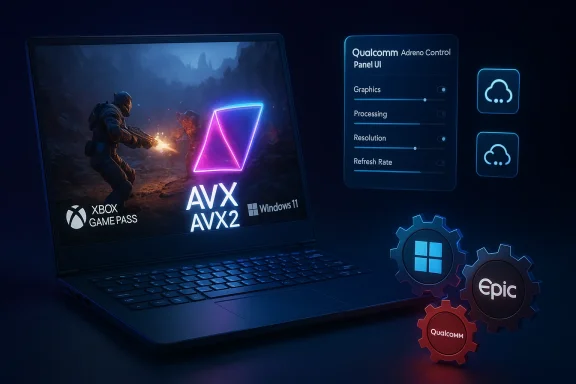
A gaming laptop displays AVX/AVX2, Windows 11, Xbox Game Pass, with Qualcomm UI controls and gear icons.What changed — the technical essentials​

Prism: AVX and AVX2 emulation​

  • Microsoft updated Prism — the x86/x64→Arm64 translation layer — to advertise and translate a larger set of x86-64 instructions, including AVX, AVX2, and related extensions (BMI, FMA, F16C).
  • This lets many 64‑bit Windows games that previously aborted on startup because of CPU feature checks now proceed under emulation. Prism’s change is available on Windows 11 builds (24H2 and later) and is enabled by default for x64 apps; 32‑bit legacy launchers remain an edge case.
Why this matters: modern AAA engines and middleware often use wide SIMD instructions for physics, audio, and math routines. If a binary probes for AVX/AVX2 and decides the CPU is incompatible, the game can refuse to run. Prism’s emulation turns that hard “won’t run” failure into a solvable compatibility problem — you get launchability first, then performance tuning second. Independent coverage emphasizes this as a compatibility leap rather than a raw performance parity win.

Xbox app: local downloads and Game Pass integration​

  • The Xbox PC app on Arm now supports local installation for many supported Game Pass titles, moving Arm devices beyond cloud-only play where publishers provide compatible builds or where improved emulation suffices. The change initially landed for Insiders and is expanding outward.
  • For titles that still aren’t running natively, the Xbox app still embeds Xbox Cloud Gaming as a fallback so players can stream unsupported games on demand (Game Pass Ultimate required for cloud streaming).
Practical effect: local installs reduce input latency, enable offline play, and let games use local shader caches and Advanced Shader Delivery pipelines — features that are harder to leverage in a streaming-only flow. The Xbox app change closes the loop between emulation improvements and storefront behavior: emulation lets more games launch, the Xbox app lets you install them, and updated drivers make them run better.

Anti-cheat: Epic / EAC and other stacks​

  • Anti-cheat systems were the thorniest problem for multiplayer titles on Arm because many anti-cheat vendors supply kernel‑mode components that were historically x64-only.
  • Epic (Easy Anti‑Cheat) and other anti-cheat vendors have worked with Microsoft and Qualcomm to produce Arm-friendly components. That coordination has allowed marquee multiplayer titles, most notably Fortnite in early proofs, to return to Windows-on-Arm multiplayer.
This wasn’t trivial: kernel-mode security and anti-cheat require alignment with Windows security primitives (VBS, Secure Boot, TPM expectations), and vendors needed to ship validated Arm builds. The outcome is pragmatic: some large online titles are unblocked, but coverage remains incremental and title-dependent.

GPU drivers, Qualcomm Control Panel, and delivery cadence​

  • Qualcomm introduced a Snapdragon (Adreno) Control Panel and an updatable driver model for Snapdragon X-series Windows devices, allowing per-game profiles and faster driver delivery outside sluggish OEM update channels. This mirrors the driver distribution model on x86 systems and reduces time-to-fix for rendering bugs.
  • Qualcomm claims targeted fixes and optimizations for large numbers of titles and has signaled a more frequent driver cadence — a necessary piece of the puzzle for consistent game performance on integrated Adreno GPUs.

The headlines and what’s verifiable​

  • Microsoft’s official platform posts and vendor briefings confirm Prism’s expanded emulation, including AVX/Aons, and note that the updates are rolling out on Windows 11 24H2+ devices. This is a confirmed engineering change.
  • Reputable outlets (The Verge, Windows Central, Tom’s Hardware) corroborate that the Xbox app can now permit local downloads on Arm devices (initially via Insiders) and that anti-cheat support (including Easy Anti‑Cheat) has been extended to some Arm platforms, enabling titles like Fortnite to run multiplayer.
  • The claim that “more than 85% of the PC Game Pass catalogue is now compatible with these devices” appears in the Tbreak summary provided, but that specific percentage is not published in Microsoft’s public Prism or Xbox blogs and is not corroborated by an official Microsoft statement we can find at this time. Treat the 85% figure as a reporter-sourced claim pending confirmation from Microsoft or publisher-level compatibility lists.
Where the evidence is strongest: Prism’s AVX/AVX2 emulation, the Xbox app’s Arm64 download functionality (Insider-first), and the publicized cooperation with anti-cheat vendors. Where the evidence is weaker or absent: a company-wide, verifiable percentage of Game Pass compatibility (the “85%” stat), and broad, immediate parity in performance versus x86 hardware. Independent tests and reviews show meaningful compatibility improvements but also highlight per-title variance in performance and thermal behavior.

What this means for players — practical takeaways​

  • If you own an Arm-based Windows 11 laptop or handheld (Snapdragon X series or similar), you should see improved compatibility for 64‑bit PC games. Many titles that previously refused to launch due to AVX checks can now start under Prism emulation. Update Windows 11 to the latest 24H2/25H2 cumulative updates to pick up the Prism improvements.
  • The Xbox app rollout increases the odds you can download and play a Game Pass title locally. For unsupported titles, Xbox Cloud Gaming remains a practical fallback — useful when you have a reliable high-speed connection. Note: cloud streaming requires Game Pass Ultimate; local installs require the PC Game Pass or Game Pass Ultimate subscription for access to the Game Pass library.
  • Expect variance by title. GPU‑bound games (where the workload depends more on the GPU than CPU SIMD) will generally fare better on Arm devices than CPU-bound sims that stress AVX emulation. Emulation buys you compatibility first; full parity with native x86 performance should not be assumed.
  • Anti‑cheat compatibility is a moving target. Titles that rely on anti‑cheat stacks that have been ported to Arm (or validated for Arm) will work in multiplayer; others will remain blocked until vendors ship compatible drivers. Verify anti‑cheat status for the specific games you care about before assuming online play is available.

Strengths: why this is a legitimate platform advance​

  • Coordination across the stack. This isn’t a single fix; Microsoft, Qualcomm, and anti-cheat vendors coordinated OS-level emulation, driver updates, and middleware support. That cross-stack approach dramatically increases the chance of durable improvements, because fixes at only one layer historically produced brittle results.
  • Real usability improvements. Local installs reduce latency vs. cloud-only gaming and allow modern PC features — shader pre-caching, local mod support (where permitted), save synchronization — to function normally.
  • Faster driver cadence. Qualcomm’s Control Panel and updatable Adreno drivers mean issues can be patched quickly instead of waiting for OEM firmware cycles. That reduces friction and shortens the time between a game patch and a platform fix.
  • Anti-cheat unblock is strategic and necessary. Multiplayer titles are often the most visible gap ing EAC and similar stacks working on Arm removes a critical barrier to mainstream adoption by social and competitive players.

Risks, limitations, and unanswered questions​

  • Emulation overhead and performance delta. Prism’s AVX/AVX2 support is translation/emulation, not native execution. Emulated SIMD introduces CPU overhead; CPU-bound workloads will remain slower than on equivalent x86 silicon. This is compatibility-first engineering, not a magic performance equalizer.
  • Publisher participation matters. Local download support is necessary but not sufficient: publishers must ship Arm64 builds to deliver truly native performance. Many studios will treat Arm builds as lower priority until the install base and quality of experience justify the work.
  • Incomplete anti-cheat coverage. While Easy Anti‑Cheat porting is a major milestone, other stacks (BattlEye, Riot Vanguard, proprietary systems) will arrive on staggered timetables. For competitive players, this means validating each title’s anti-cheat support separately.
  • Thermals and battery life trade-offs. Emulation consumes CPU cycles and can spike power draw. Thin Arm laptops and handhelds prioritize efficiency; sustained performance under heavy emulation may be thermally limited, affecting long sessions and battery life.
  • Fragmentation and QA burden. Per-title driver fixes are powerful, but they increase the potential for regressions elsewhere. A faster driver cadence demands robust QA across configurations. Users who chase bleeding-edge fixes (Insider builds, experimental drivers) should expect occasional instability.
  • Unverified numeric claims. The “85% of the PC Game Pass catalog” figure reported in the Tbreak summary is a meaningful headline but lacks direct confirmation from Microsoft at the time of writing. Treat it with caution until Microsoft or Xbox publishes a validated compatibility matrix or an official percentage.

How to try this today (step-by-step)​

  • Update Windows 11 to the latest cumulative updates (24H2/25H2 channel recommended). Prism improvements are distributed via Windows servicing lines.
  • Update the Xbox PC app through the Microsoft Store — the Arm-capable app and Arm64 download behavior are being rolled out there (Insiders may see features earlier).
  • If you own a Snapdragon X-series device, install the Snapdragon (Adreno) Control Panel and check for driver updates; these can deliver per‑title fixes faster than OEM channels.
  • For titles that fail to start, try the Arm emulation compatibility toggles in the app’s Compatibility settings (Windows on Arm provides per-executable emulation controls including an option to hide newer emulated CPU features). This can help troubleshoot regressions.
  • For multiplayer games, check anti-cheat vendor pages or publisher compatibility notes before assuming online play is supported; Epic/EAC progress is promising but not universal.

Verdict: measured optimism, not instant parity​

The arrival of the Xbox app on Arm Windows 11 with broader local-install support, Prism’s expanded AVX/AVX2 emulation, and increasing anti-cheat coverage are collectively the most consequential steps yet toward making Windows on Arm a practical gaming tier. For casual players, mobile-focused gamers, or those who prize battery life and portability, the platform is now much more viable than it was a year ago. For competitive gamers and those who demand absolute maximum frame rates and thermal headroom, x86 with discrete GPUs will remain the superior choice.
The engineering fixes are real and material, but so are the caveats: emulation incurs overhead, driver maturity varies, publishers must ship native builds for the best results, and anti-cheat coverage is still mid-rollout. The Tbreak report’s 85% compatibility claim captures the spirit of large-scale progress but should be treated as a reporter claim pending official verification.

What to watch next​

  • Official Microsoft or Xbox compatibility dashboards that quantify Game Pass titles confirmed compatible on Arm hardware (this would settle percentage claims).
  • Broader anti-cheat rollouts from BattlEye, Riot, and other vendors.
  • Qualcomm’s driver cadence and any day‑0 UGD (updatable graphics driver) guarantees for new Snapdragon X2-class devices.
  • Publisher adoption of Arm64 builds for major engines (Unreal, Unity, bespoke engines) and distribution of precompiled shader databases via Advanced Shader Delivery.
These next steps will determine whether Windows on Arm is a niche that plays some PC games very well, or a mainstream platform that developers treat as a first-class target.

In sum, Microsoft and its partners have delivered an important set of engineering changes that transform the Windows-on-Arm gaming narrative: the Xbox app’s new Arm-friendly behavior, Prism’s broader emulation, and improved anti‑cheat support together remove several of the most visible barriers to play. The result is not immediate parity with high-end x86 gaming rigs, but it is a clear, verifiable pivot toward a useful, playable, and increasingly mainstream Arm gaming experience.
Source: Tbreak Media Xbox App on Arm Windows 11 unlocks Game Pass | tbreak
 

Microsoft has quietly removed a major storefront-level obstacle for Arm-based Windows 11 PCs: the Xbox app can now download and install supported games locally on Arm machines, not just stream them from the cloud — a change that, when combined with recent updates to Microsoft’s Prism emulator, new anti‑cheat support, and more agile Adreno driver delivery, materially widens the set of PC games that can run on Snapdragon and other Arm‑based Windows devices.

A blue-toned laptop shows a game updater with AVX/AVX2 gears and Easy Anti-Cheat.Background​

Over the past two years the Windows on Arm story has been a steady sequence of plumbing fixes rather than a single breakthrough: Microsoft’s Prism translation layer has progressively been extended to translate a broader set of x86/x64 instructions into Arm64 code, Qualcomm has made Adreno GPU drivers and a Snapdragon Control Panel available to speed per‑title fixes, and middleware vendors such as Epic have begun to deliver anti‑cheat tooling for Arm devices. Those three threads — instruction‑set compatibility, driver delivery, and kernel‑mode anti‑cheat — are the core technical barriers that have historically kept many modern PC games off Arm laptops and handhelds. Recent updates address each in turn, and the Xbox app change closes an important distribution gap by allowing local installs from the Xbox PC catalog and Game Pass on compatible Arm machines.

What changed in the Xbox app (and why it matters)​

From cloud-only to local installs: the practical difference​

Previously, many Arm‑based Windows 11 devices — especially Qualcomm Snapdragon‑powered machines — were effectively reliant on Xbox Cloud Gaming for modern PC titles. The Xbox app served mainly as a streaming front end, which limited offline play, increased input latency, and prevented local features such as shader pre‑caching, mod support, and reduced-load first‑run experiences. Microsoft’s Windows Insider updates and the retail rollout now allow the Xbox PC app to present and install ARM64 or otherwise compatible builds directly to Arm devices, enabling local execution where a native or properly translated executable exists. That means lower latency, local save files, and more familiar PC workflows for supported titles.

Where the new behavior landed and how it will roll out​

The initial rollout hit Windows Insiders first and expanded to broader Windows 11 distributions; platform messaging makes clear the change is being phased so publishers, Microsoft, and partners can validate compatibility on a per‑title basis. Expect the feature to show up through Microsoft Store / Xbox app updates on devices running Windows 11 builds that include the Prism updates (Windows 11 version 24H2 and later), with wider availability following validation. This is a classic staged rollout: Insiders get the earliest access, then broader channels follow as server‑side and client‑side checks complete.

Prism emulator updates: AVX and AVX2 support—and what that unlocks​

Technical summary: what Microsoft changed in Prism​

Microsoft upgraded Prism, the x86/x64→Arm64 translation layer, to advertise and translate several high‑value x86 instruction‑set extensions — most notably AVX and AVX2, plus related extensions such as BMI, FMA, and F16C. The update means many 64‑bit x64 games that previously refused to launch because they probed for SIMD extensions can now start and execute under translation. Microsoft documents the Prism update and indicates it rolled out to devices on Windows 11, version 24H2 and newer. The change is fundamentally compatibility‑first — it makes previously unlaunchable titles runnable under translation, but it does not magically match native x86 performance in all cases.

Why AVX/AVX2 mattered​

Modern game engines and middleware frequently use SIMD instructions for physics, audio, animation, and other CPU‑bound workloads. Historically, a game binary that checks for AVX/AVX2 and exits if the instructions aren’t present will simply refuse to run on Arm devices. Prism’s translation of those instruction sets resolves a common hard failure: instead of an early abort or crash, the game reaches runtime and can proceed under emulation/translation. That converts many “won’t run at all” titles into ones that are testable and, in some cases, playable.

Limits: emulation is compatibility, not parity​

Translating AVX and AVX2 into Arm64 instructions is engineeringly impressive, but it is not equivalent to executing native SIMD in hardware. Emulation/translation introduces overhead and can raise CPU utilization, increase thermal stress, and reduce sustained frame rates in CPU‑bound scenarios. In practice, GPU‑bound titles — those where the bottleneck is rendering throughput — stand to gain most, while highly CPU‑intensive simulations will still show a performance delta versus equivalent x86 silicon. Early independent reporting and internal tests show broad compatibility gains but wide variance in frame rates and efficiency by title. Treat Prism’s expansion as a compatibility leap first; the performance story will remain title and hardware dependent.

Anti‑cheat and multiplayer: the final technical frontier​

Easy Anti‑Cheat (EAC) and Fortnite as a bellwether​

Kernel‑level anti‑cheat drivers have been a stubborn blocker: even if a game can run under Prism, multiplayer and competitive features were frequently blocked because EAC and similar systems didn’t support Arm or would detect the emulated environment as unsupported. Epic Games’ work to bring Easy Anti‑Cheat to Windows on Arm — and its explicit validation with Fortnite — is therefore a watershed moment. EAC integration enables certain multiplayer titles to restore online play on Arm machines, provided publishers ship compatible components or the anti‑cheat vendor supports a mixed native/translated model. Ars Technica and other outlets documented Epic’s efforts and the practical implications for multiplayer compatibility.

Not all anti‑cheat stacks are done​

EAC’s arrival is a huge step, but it is not the universal solution. Other widely used systems — including BattlEye, Riot Vanguard, proprietary publisher systems, and regional variants — will need separate porting, validation, and distribution. Each stack presents its own integration work and certification steps, meaning that online functionality must be checked on a title‑by‑title basis. Microsoft, Qualcomm, and game publishers are actively engaged, but the pace of adoption will be uneven. This is why publisher notes and anti‑cheat vendor pages remain essential reading before assuming a multiplayer title will work on an Arm device.

How much of Game Pass runs on Arm now?​

Microsoft’s public messaging today places a striking figure at the top of the story: “Today, more than *85% of the Game Pass catalog is compatible with these PCs,” Microsoft said when announcing Xbox app availability on Arm devices. That’s the headline number platform teams are using to describe the current coverage of titles that can either run locally (native ARM64 or under Prism translates supported via cloud streaming fallbacks. The Windows Experience Blog and related platform posts carry that claim as part of Microsoft’s announcement. Important verification and caution: the “85%” figure is a Microsoft platform claim and should be treated as a live, evolving metric. Independent trackers and third‑party compatibility lists show substantial improvement but also illustrate that compatibility is per‑title* and conditional on factors like anti‑cheat, 32‑ vs 64‑bit launchers, and publisher updates. Until an exhaustive official compatibility matrix is published and maintained publicly, treat the percentage as an authoritative statement from Microsoft that still requires per‑game verification for features such as multiplayer, achievements, and save‑sync behavior.

Hardware and drivers: Snapdragon X series, the Control Panel, and the X2 horizon​

Snapdragon X-series devices and the Adreno driver cadence​

Qualcomm’s Snapdragon X family (the X Elite/X2 generations) is the current silicon platform for premium Windows on Arm devices. Qualcomm has introduced a user‑facing Snapdragon Control Panel and pushed updatable Adreno GPU drivers to accelerate per‑title fixes and day‑zero patches outside slow OEM firmware cycles. This driver agility matters: many rendering bugs, frame‑pacing issues, and GPU regressions are solved at the driver level, and quicker delivery can materially improve the experience on Arm platforms. Independent reporting and vendor notes emphasize that UGD (updatable graphics drivers) are a major infrastructure win for Arm gaming on Windows.

X2 promises and realistic expectations​

Qualcomm says the upcoming Snapdragon X2 series will deliver higher gaming performance and broader instruction coverage, and Qualcomm has publicly stated lofty compatibility targets (for example, a claim that the X2 can run a high percentage of top Windows games on day one). Those chip‑level gains, combined with Prism improvements and better drivers, should lift emulation performance further — but real‑world gains depend on thermal design, OEM integration, driver maturity, and per‑title optimization. Early previews and claims are promising, but independent benchmarks will be the ultimate arbiter when X2 devices ship in volume.

Real‑world experience: who benefits the most, and who should be cautious​

Winners right now​

  • Casual players and single‑player gamers who prioritize battery life and portability. Many single‑player games are GPU‑bound or tolerant of translation overhead and will now run locally on Arm devices with acceptable performance.
  • Handheld and ultraportable form factors where lower thermal budgets make Arm advantages (efficiency, integrated NPUs) compelling. Auto Super Resolution and Advanced Shader Delivery can make first‑run experiences smoother on handhelds.
  • Players who value offline play and low latency for titles that now install locally via the Xbox app rather than rely on streaming. Local installs allow local shader caches and reduce the dependency on constant high‑quality connectivity.

Who should hold off or be cautious​

  • Competitive multiplayer players relying on titles whose anti‑cheat stacks are not yet Arm‑compatible; check each game’s anti‑cheat status eting.
  • Users expecting native x64 parity; emulation introduces CPU overhead and is not a substitute for a native ARM64 port in heavy CPU tasks.
  • Owners of devices with conservative thermal envelopes (very thin laptops, small handhelds) where sustained performance under emulation may be thermally limited, and battery life may be adversely affected during

How to try this today — a short checklist​

  • Update Windows 11 to the latest cumulative build (target 24H2 or later where Prism AVX/AVX2 updates are present).
  • Update the Xbox PC app via the Microsoft Store and check the app’s settings for installation options on Arm devices. Participation in the Windows Insider and Xbox Insider channels speeds access to earlier rollouts if you’re comfortable with preview builds.
  • If you’re on a Snapdragon X‑series device, install Qualcomm’s Snapdragon (Adreno) Control Panel and check for driver updates there to get per‑title driver fixes faster than waiting for OEM firmware.
  • Before purchasing or starting a multiplayer title, check the game’s publisher notes for Easy Anti‑Cheat, BattlEye, Riot Vanguard, or other anti‑cheat compatibility statements. If in doubt, consult community compatibility trackers or the publisher’s support pages.
  • Use per‑executable compatibility toggles (Windows on Arm provides controls to opt in/out newer emulated features) if a game misdetects CPU features or refuses to launch; this can be an effective troubleshooting step.

Risks, limitations, and the unfinished work​

  • Per‑title variability remains the rule, not the exception. Compatibility now exists at a higher level, but quality, stability, and multiplayer parity vary by title and vendor decisions. Publisher buy‑in (native ARM builds or validated EAC support) is the most important gating factor for long‑term parity.
  • 32‑bit legacy launchers remain an edge case. Many game ecosystems use legacy 32‑bit helpers that can still fail; Prism’s AVX/AVX2 lift primarily addresses x64 binaries, leaving older 32‑bit paths less supported.
  • Emulation power and thermal trade‑offs. Translating SIMD workloads consumes cycles and power. Thin Arm devices that prioritize efficiency may throttle during sustained heavy emulation workloads, impacting frame stability and battery life.
  • Driver and QA cadence introduces new surface area for regressions. Faster GPU driver delivery means faster fixes but also a need for broader QA across configurations. Users who opt into early drivers or Insider builds should expect occasional instability.
  • Vendor claims should be validated in independent tests. Microsoft’s 85% Game Pass compatibility figure and Qualcomm’s compatibility projections for X2 devices are platform statements; independent benchmarking is required for consumers to understand real‑world performance across different title types and hardware SKUs.

Industry context and the bigger picture​

Microsoft’s coordinated push is the result of aligning multiple stakeholders: OS teams fixed the emulation tooling, silicon vendors improved driver delivery and promised faster hardware, middleware vendors ported anti‑cheat systems, and the Xbox/store teams reworked storefront behavior to permit Arm‑targeted installs. The result is a substantially different platform posture for Arm on Windows than what existed even a year ago. But the transition to Arm as a mainstream gaming platform still depends on two structural shifts: (1) widespread shipping of native Arm64 builds from publishers when economically justified, and (2) sustained driver and anti‑cheat support across the ecosystem. Until those are broadly present, the platform’s appeal will be strongest for mobile‑first players and those willing to accept per‑title variance.

Verdict and what to watch next​

The Xbox app’s new ability to download and install games on Arm-based Windows 11 PCs is the practical change end users will notice first — it turns previously streaming‑only workflows into local ones where supported, and it ties together the Prism emulator advances and recent anti‑cheat work into a tangible user benefit. That matters: local installs reduce latency, enable offline play, and restore typical PC features that cloud streaming cannot replicate. Measured optimism is the right stance. Today’s changes make Arm Windows 11 genuinely viable for a much broader swath of PC gaming scenarios, particularly for single‑player and casual gaming on handhelds and ultraportables. However, gamers seeking native parity with high‑end x86 rigs for the most demanding, CPU‑heavy competitive play will still find x86 hardware the safer choice for now. The true inflection point will be when publishers routinely ship ARM64 builds for top‑tier titles and when independent benchmarks confirm that Snapdragon X2‑class devices deliver consistent, repeatable performance across a broad title set. Until that day arrives, the platform is worth watching — and for many users, worth trying — with careful title‑by‑title verification and realistic expectations.
The Xbox app becoming a first‑class installer for Arm devices is a milestone: it doesn’t mean Arm has “won” PC gaming, but it removes a major distribution and experience barrier and demonstrates that Microsoft and partners are serious about Windows on Arm as a gaming platform. For portable gamers and anyone who values battery life and form factor more than absolute peak performance, this is the most important Windows gaming news in years.
Source: Thurrott.com Arm-Based Windows 11 PCs Can Now Download and Play Games from the Xbox App
 

The Xbox app is now officially avariousailable on Arm-based Windows 11 PCs, marking a clear inflection in Microsoft’s long-term effort to make Windows on Arm a viable platform for mainstream PC gaming and not just a streaming-only or niche experiment.

A laptop screen glows with a neon blue dashboard of app tiles and system metrics.Background and overview​

Microsoft announced on January 21, 2026, that the Xbox app is now supported on all Arm-based Windows 11 PCs, enabling players to download and play locally where titles are compatible and to use Xbox Cloud Gaming as a fallback for titles that remain unsupported locally. The company also reiterated major platform investments made throughout 2025 — including emulator improvements, updated graphics-driver tooling, and collaboration with anti-cheat vendors — that together make this rollout possible. This is not a single-line product update; it’s the culmination of coordinated platform work across several distinct layers:
  • the Prism x86/x64→Arm64 translation layer (emulation),
  • storefront and client changes in the Xbox PC app to support Arm64 downloads and local installs,
  • GPU driver distribution and per-game optimization tooling from silicon partners (notably Qualcomm),
  • and native anti-cheat support to enable multiplayer in titles that previously would be blocked on Arm devices.
Independent reporting and Microsoft’s own platform posts confirm each of these threads and show how they were gradually stitched together over the prior year.

Why this matters: compatibility vs. parity​

Emulation is compatibility, not instant parity​

The big technical pivot here is Prism’s enhanced translation of x86/x64 instruction sets to Arm64. Microsoft expanded Prism to support additional x86 extensions — notably AVX and AVX2 (and related instruction families such as BMI, FMA, F16C) — which were a common reason modern games and some creative apps would refuse to launch at all on Arm devices. By advertising and translating those features in software, Prism turns a hard “won’t run” failure into a launchable process under emulation. That’s a compatibility win that materially expands the list of playable titles. That said, emulation carries a cost. Emulated AVX/AVX2 sequences are not running on dedicated wide-vector x86 hardware — they are being translated and executed on Arm cores. For CPU-bound workloads that heavily depend on wide-SIMD throughput (complex physics, AI, large-scale simulations), translation still means a performance delta relative to native x86 silicon. The practical implication: many GPU-bound games will see good results, while the most CPU-heavy scenes may be slower or need lower settings to be viable. Independent coverage and early platform tests emphasize this distinction.

Local installs change the game for user experience​

Before this update, Arm-based Windows PCs often relied on Xbox Cloud Gaming to play titles that didn’t have native Arm builds. Cloud streaming solved the compatibility problem at the cost of latency, offline playability, and some graphical fidelity control. The updated Xbox app now supports local installation of Arm-ready or emulatable titles from the Xbox catalog and PC Game Pass on eligible Arm devices — which reduces input latency, enables offline play, and allows local shader caches, per-title driver tuning, and Advanced Shader Delivery use. Microsoft’s announcement positions the Xbox app change as a key part of making Arm devices feel like first-class PC gaming machines rather than streaming clients.

The technical stack: component-by-component​

Prism emulator: AVX / AVX2 and related extensions​

  • What changed: Prism now translates a larger selection of x86-64 instructions (AVX, AVX2, BMI, FMA, F16C, and others) so many 64-bit Windows games that previously exited at startup due to CPU feature checks can proceed under emulation. Microsoft states this update is available on Windows 11 24H2 and later.
  • Why it matters: modern engines and middleware probe for these CPU features to select optimized code paths; if the probe fails, the binary sometimes refuses to run. Prism’s emulation removes that binary-level blocker. However, translated SIMD execution is slower than native hardware execution, so expect compatibility first and performance tuning second. Independent outlets tested and corroborated the compatibility jump.

Anti-cheat and multiplayer parity​

  • The blocker: many online multiplayer games rely on kernel-mode anti-cheat components (Easy Anti-Cheat, BattlEye, Denuvo variants, Hyperion, etc.. These components traditionally were x64-only and prevented Arm clients from participating in protected multiplayer modes.
  • What changed: Epic’s Easy Anti-Cheat and other vendors have published Arm-friendly stacks or SDK updates and coordinated validation with Microsoft and silicon partners, allowing titles like Fortnite and several other multiplayer favorites to run with anti-cheat active on Arm devices. That unlocks full online play for players rather than restricting them to single-player or streaming.
  • Caveat: anti-cheat coverage is incremental and title-dependent. Vendors must sign, test, and ship Arm-native components, and publishers must validate per-title integrations. Fortnite was an important bellwether, but it is not an automatic unlock for all competitive titles. Treat multiplayer support as “progressing” rather than “complete.”

GPU drivers and the Snapdragon / Adreno model​

Qualcomm moved toward a more PC-like driver model for the Adreno GPU on Snapdragon X-series PCs: an updatable driver system and a dedicated user-facing control panel (rebranded from Adreno Control Panel to Snapdragon Control Panel). This enables:
  • direct driver downloads and more rapid update cadence (UGD — upgradable graphics drivers),
  • per-game optimization and profile delivery,
  • in-app toggles for upscaling, framerate caps, and rendering controls, and
  • a practical distribution mechanism for urgent or game-specific fixes outside OEM firmware cycles.
These changes close a major ecosystem gap that previously left Adreno-driven Windows-on-Arm devices with slower driver turnaround and fewer per-title optimizations than x86 PCs. Multiple outlets confirmed Qualcomm’s public release of the control panel and the driver-distribution shift.

Xbox app, Game Pass compatibility claims, and what’s verifiable​

Microsoft’s Windows Experience blog states that players can now download a wide range of titles from the Xbox PC app on Arm-based devices and claims “today, more than 85% of the Game Pass catalog is compatible with these PCs.” That claim is notable because it quantifies progress, but it is a company figure and — as of publication — lacks independent catalog-level verification across publishers. Treat the percentage as Microsoft’s stated estimate rather than a fully audited, platform-neutral metric. What is verifiable:
  • The Xbox app has been updated to permit downloads and local installs on Arm devices for supported titles (Insider channels saw early rollouts and the capability has been confirmed in Microsoft’s platform channels).
  • For titles that still aren’t running locally, Xbox Cloud Gaming continues to be the supported fallback for Game Pass subscribers.
What remains to be validated by independent testing:
  • the exact fraction of the Game Pass catalog that runs locally (Microsoft’s “85%” figure should be taken as an official claim that requires third-party audit),
  • per-title performance and stability across the broad range of Arm hardware and OEM designs,
  • and the long-term cadence for driver updates and anti-cheat rollouts across the ecosystem.

Practical guidance for players, power users, and IT pros​

What players should expect today​

  • Many previously unlaunchable titles will now start on Arm devices thanks to Prism’s expanded emulation. In practice, expect improved launchability across a broad swath of the catalog, with performance varying by title and hardware profile.
  • For low-latency, competitive play, local installs (where supported) will typically be preferable to cloud streaming. When local installs aren’t available, Xbox Cloud Gaming remains a solid fallback for many titles (Game Pass Ultimate required for cloud play).
  • Windows Performance Fit and in-app guidance will surface recommendations about which titles are likely to run well on a given Arm device; use this guidance to avoid installing titles that are unlikely to be playable at acceptable frame rates. Microsoft highlighted this telemetry-driven guidance in its announcement.

Short checklist for a better experience​

  • Ensure Windows 11 is up to date (24H2 or later) so Prism’s emulation improvements are active.
  • Install the latest Xbox PC app from the Microsoft Store and check for Arm-ready updates.
  • If using a Snapdragon X-series device, install the Snapdragon (Adreno) Control Panel and update the Adreno driver through its UGD mechanism.
  • If a title refuses to launch with an anti-cheat error, check anti-cheat vendor updates and Xbox Insider release notes for Arm-ready builds.
  • Use Windows Performance Fit (or similar vendor tooling) to prioritize downloads for games expected to perform well on your hardware.

Developer and OEM implications​

For game developers and middleware vendors​

  • The work is twofold: support can be achieved by either shipping a native Arm64 build or by validating your game against the Prism emulation stack and any Arm-native anti-cheat components. Epic’s plan to expose Arm support in their EAC SDK reduces friction for studios that use Easy Anti-Cheat, but per-title validation remains required.
  • Performance-sensitive titles should consider Arm64 builds or mixed Arm64EC strategies for critical code paths. Emulation remains a compatibility bridge, not a long-term substitute for native optimization if squeezing every frame matters.

For OEMs and silicon partners​

  • OEMs must tune firmware, cooling, and power profiles to get the best results from translated workloads; thermal constraints on thin handhelds can affect sustained frame-rate and battery life. Qualcomm’s updatable driver model and per-title optimizations help, but the hardware cap remains a real determinant.
  • OEMs distributing Arm-based Windows PCs should validate flagship titles for their SKUs and document expected settings and trade-offs for customers. Bundled guidance, via Performance Fit or a curated “playable on this device” list, will reduce customer confusion and support load.

Measured strengths and notable limitations​

Strengths (what to celebrate)​

  • Material compatibility improvement: The Prism update addresses a major binary-level blocker (AVX/AVX2), expanding the number of games that can run locally.
  • Holistic platform work: Microsoft, Xbox, Qualcomm, and anti-cheat vendors coordinating on emulator updates, driver distribution, and kernel-mode components is a systemic fix — and those kinds of coordinated changes tend to stick.
  • Better UX for players: Local installs, performance guidance, and faster driver fixes make Arm devices far more user-friendly for gamers than they were a year ago.

Limitations and risks (what to watch)​

  • Performance variability: Emulation costs CPU cycles. For CPU-bound workloads, expect performance shortfalls vs. equivalent x86 hardware. This is engineering reality rather than a product bug.
  • Anti-cheat incompleteness: Not every anti-cheat stack is fully ported or validated for Arm yet. Multiplayer parity will grow over time, but it is an incremental process.
  • Catalog metrics need verification: Microsoft’s “85% of Game Pass” claim is meaningful but should be validated independently. Label it a company-provided metric until third-party compatibility scans confirm or refine it.
  • Driver/regression risk: Faster driver cadences are good for fixes but can also introduce regressions. The UGD model improves responsiveness but increases the importance of QA and staged rollouts.
  • Hardware variability: Real-world experience will vary across devices due to cooling, SoC generation, memory bandwidth, and OEM tuning. Benchmarks from hardware reviewers show meaningful progress but not universal parity.

What to watch next (roadmap signals)​

  • Continued expansion of anti-cheat support across major vendors — the pace and breadth of adoption will determine how quickly competitive multiplayer titles return to Arm clients.
  • Qualcomm’s Snapdragon X2 and future X-series drivers and promised “Day‑0” support; when new silicon ships, the driver and control-panel ecosystem will shape first impressions for next-generation Arm Windows laptops.
  • Publisher-level signals about native Arm64 ports: widespread native builds would reduce dependency on emulation and change the performance curve for the platform. Keep an eye on developer roadmaps and SDK updates.
  • Independent catalog audits and benchmarking across real-world Arm hardware to verify Microsoft’s compatibility claims and to produce practical device-level guidance for buyers and enterprises.

Conclusion​

This milestone — the Xbox app’s availability on Arm-based Windows 11 PCs — is the visible tip of a deliberate platform push. The work spans low-level emulation, graphics-driver distribution, anti-cheat engineering, and user-experience changes in the storefront. Taken together, these changes convert a previously constrained play model (cloud-first) into a hybrid reality where local installs, multiplayer, and console-like, controller-first experiences are now practical on many Arm devices. The pragmatic takeaway: for many players, Arm-based Windows 11 PCs are now genuinely capable gaming platforms for a broad range of titles — but the term “capable” requires context. Compatibility has leapt forward; absolute performance parity with high-end x86 rigs has not. Expect continued incremental improvements: more native ports, broader anti-cheat coverage, and faster driver fixes. Until then, the platform offers a compelling combination of portability, battery life, and a fast-growing game library — and it finally deserves to be considered a first-choice option for certain gamers and workloads rather than a last resort.
(For readers who plan to evaluate or buy an Arm-based gaming device, follow the checklist above, consult vendor compatibility lists, and treat the platform as one that’s rapidly maturing but still dependent on per-title, per-SKU validation.

Source: Windows Blog Play more: Xbox app is now available on Arm-based Windows 11 PCs
 

Microsoft has quietly lifted a major barrier for gaming on Arm-powered Windows PCs: the Xbox PC app now runs on Arm-based Windows 11 machines and can install and run supported titles locally, turning many devices that were previously streaming-first into legitimate, playable Windows gaming platforms. This change is the visible outcome of a year-long push across emulation, graphics drivers, anti‑cheat middleware, and store/client capabilities—work that transforms the Xbox app from a cloud-centric frontend into a fuller PC storefront on Arm hardware.

A laptop screen shows a game library, including Forza Horizon 5, under blue lighting.Background / Overview​

Arm-based Windows laptops and handhelds have evolved rapidly from novelty devices into credible, power-efficient PCs. For much of that story, the gaming experience lagged: popular PC games were compiled for x86/x64 CPUs and either refused to run on Arm devices or required streaming (Xbox Cloud Gaming) to be playable. That practical limitation came down to three technical chokepoints: instruction-set compatibility (games probing for AVX/AVX2 and other x86 features), kernel-level anti‑cheat drivers that were x64-only, and a fragmented driver-delivery model for Arm GPUs that slowed per‑title fixes.
Over the past year, Microsoft and partners have attacked each choke point. Windows’ Prism translation layer was enhanced to emulate more x86 extensions, anti‑cheat vendors (notably Epic’s Easy Anti‑Cheat) added Arm support, and Qualcomm moved toward downloadable Adreno/Snapdragon GPU drivers with a control panel for per-game tuning. The Xbox PC app has been retooled to permit Arm-targeted installs and local play where titles are compatible. These coordinated changes enabled Microsoft to announce that the Xbox experience is now available on Arm-based Windows 11 PCs—both as local installs and with Cloud Gaming as fallback.

What changed in the Xbox app (and why it matters)​

From cloud-first to hybrid storefront​

The key user-facing change is simple but profound: the Xbox PC app can now present, download, and install compatible game builds for Arm-based Windows 11 PCs. Previously, many Arm devices could only use the Xbox app as a client for Xbox Cloud Gaming; local installation of Game Pass titles or Microsoft Store games was often blocked. The updated Xbox app removes that storefront-level limitation where publishers ship an Arm64 build or when emulation allows the title to run locally. That opens the door to lower latency input, offline play, local shader/pre-cache benefits, and typical PC features like save-file management and mod support where publishers allow it.

The scope Microsoft cites — treat it cautiously​

Microsoft’s Windows Experience blog states that “today, more than 85% of the Game Pass catalog is compatible with these PCs.” That figure signals rapid progress but is a company-supplied metric; it should be treated as Microsoft’s current estimate rather than an independently audited catalog-level guarantee. Real-world compatibility will continue to vary by title, publisher, and hardware profile.

The technical plumbing that made this possible​

Prism emulator: AVX, AVX2 and the compatibility leap​

At the heart of the story is Prism, the Windows translation/emulation layer that lets x86/x64 binaries run on Arm64 Windows. Microsoft expanded Prism to advertise and translate a broader set of x86 instruction extensions—most notably AVX and AVX2, along with BMI, FMA and related families. Many modern game engines and middleware either probe for these SIMD features or include optimized code paths that expect them; previously the absence of these features caused binaries to fail at launch. Prism’s translation turns those hard failures into runnable processes under emulation. This is a compatibility-first win: games that were previously unlaunchable can now start and execute, which in turn allows testing, patching, and publisher validation. Why this is not magic: translated AVX/AVX2 sequences execute via software translation, which adds CPU overhead. GPU-bound games that are limited by rendering workload tend to benefit most, while heavily CPU-bound or SIMD-heavy scenes (complex physics, large-scale simulations, some AI routines) will still show performance gaps versus native x86 hardware. Expect launchability first; expect per-title performance variance afterward.

Arm64EC and developer paths to better performance​

Microsoft’s Arm64EC ABI enables developers to move parts of their code to native Arm while keeping compatibility with x64 libraries via in-process emulation. This staged porting strategy is crucial: it lets studios gradually ship Arm-optimized components (rendering, shader compilation, audio) without requiring a full rewrite. Tooling in Visual Studio and the Windows SDK supports this approach, and it’s the recommended path for serious ports rather than relying solely on emulation. Developers that adopt Arm64EC can expect better power efficiency and lower CPU overhead for critical code paths.

Anti‑cheat: the multiplayer gatekeeper​

Kernel-level anti‑cheat software has been the most stubborn barrier to multiplayer parity on Arm devices. Emulation cannot magically translate kernel-mode drivers, so middleware vendors needed to ship Arm-native anti‑cheat clients or validated approaches. Epic Games pushed Easy Anti‑Cheat (EAC) into their Epic Online Services (EOS) SDK with Arm support, and Fortnite became the bellwether title to validate that kernel-level anti‑cheat can be implemented for Windows on Arm. This unlocks many online experiences—but anti‑cheat coverage remains incremental and title-dependent: other anti‑cheat systems still need per-vendor work and publisher validation. Treat multiplayer support as improving but unfinished.

GPU drivers and Qualcomm’s shift to updatable drivers​

Qualcomm’s Snapdragon X-series devices historically relied on OEM-supplied firmware updates for Adreno GPU fixes. Qualcomm moved toward a more PC-like model—an updatable graphics driver (UGD) cadence and a user-facing control panel (rebranded to Snapdragon Control Panel)—that lets users fetch timely fixes and per‑game optimizations. This ability to push rapid driver updates and game profiles materially shortens time-to-fix for rendering bugs and performance regressions on Snapdragon systems, and has been an essential complement to Microsoft’s emulation work.

What gamers and IT professionals should expect today​

  • Many previously unlaunchable titles will now start on Arm devices thanks to Prism’s expanded emulation and publisher-side updates.
  • Local installs reduce input latency and enable offline play compared with cloud streaming, but per‑title performance will vary widely.
  • Multiplayer is possible for titles whose anti‑cheat vendors have shipped Arm support, but several major anti‑cheat ecosystems are still in progress. Fortnite’s arrival is a proof point, not a universal unlock.
  • Devices that receive frequent Adreno/Snapdragon driver updates will show faster per‑title fixes, but opting into early driver updates can expose instability—test cautiously.
Practical checklist:
  • Ensure your PC runs Windows 11 24H2 or later so Prism improvements are available.
  • Update the Xbox PC app from the Microsoft Store and check the app’s compatibility/entitlement for Arm devices.
  • If on Snapdragon hardware, install the Snapdragon Control Panel (or Adreno Control Panel beta) and update GPU drivers through Qualcomm’s portal when available.
  • Use Windows Performance Fit or in-app guidance to pick titles likely to run well on your hardware.

Developer and business implications​

For developers and publishers, the Arm story now matters economically as well as technically. The combination of Arm64EC, updated toolchains, and Prism’s improved emulation reduces the incremental effort required to support Arm platforms. But the path to parity still often requires:
  • Rebuilding or shipping Arm64-native anti‑cheat components when applicationsble.
  • Testing and tuning drivers and GPU paths on Snapdragon hardware; reliance on UGD and vendor tooling for per‑title fixes.
  • CI/CD and build infrastructure capable of producing and validating Arm64 artifacts.
From a business perspective, publishers will weigh Arm porting cost against market size and lifetime revenue potential. Microsoft’s claim of a large fraction of Game Pass being compatible (company figure) helps the case, but independent benchmarks and per‑title demand will drive decisions. Expect a mixed ecosystem: many indies and mid‑tier titles will target Arm first, while triple‑A studios will move more cautiously unless telemetry and revenue justify the engineering expense.

Strengths: why this is a real milestone​

  • Coordinated, cross-stack engineering: Microsoft’s Prism updates, Epic’s EAC support, and Qualcomm’s driver model changes together remove multiple historic blockers rather than delivering a single cosmetic update. That multi-party coordination is the essential ingredient for long-term viability.
  • Better user experience: Local installs, offline play, and per-game driver tuning restore important PC gameplay features that streaming cannot duplicate (latency, save files, mod support).
  • Developer pathways to performance: Arm64EC and modern toolchains let studios incrementally port code and realize power/thermals gains on portable devices.

Risks and limitations — what isn’t solved yet​

  • Performance parity is not guaranteed. Emulation adds overhead; translated AVX/AVX2 is not the same as native hardware execution. Some CPU-heavy workloads will still favor x86. Early independent testing shows broad variance by title.
  • Anti‑cheat coverage is incomplete. While EAC’s Arm support unlocked Fortnite and other EOS-backed titles, other systems (Riot Vanguard, some proprietary stacks) remain in varying states of porting or validation—online competitive play will remain fragmented until more vendors ship Arm clients.
  • Driver cadence and QA tradeoffs. Faster driver delivery is powerful, but it expands the surface area for regressions. Organizations and IT pros should evaluate whether to adopt vendor-supplied early drivers or wait for OEM-validated packages.
  • Publisher buy-in required for long-term parity. Microsoft can enable installs and emulation, but publishers must decide to ship Arm64 builds and test anti‑cheat and telemetry. The transition will be gradual and title-by-title.
  • Battery, thermals, and sustained performance. Emulation increases CPU load and thus energy consumption; thin Arm devices may throttle under sustained heavy workloads, reducing long-run frame stability and battery life compared with native x86 laptops designed for sustained gaming.
Where claims are unverifiable: Microsoft’s specific percentage of Game Pass compatibility (the “85%” figure) is a corporate statement and should be confirmed by independent catalog audits and third-party compatibility trackers before being treated as universally reliable.

Practical guidance and recommended workflows​

  • For gamers who value portability and battery life: prioritize GPU-bound single-player experiences and titles known to be Arm-friendly; expect excellent experiences in many indie and less CPU-bound games. Test before buying for competitive online titles.
  • For enthusiasts and testers: enroll in Windows and Xbox Insider programs if you want early access to the latest Xbox app and Prism improvements—back up save data and expect occasional instability.
  • For developers: evaluate Arm64EC for mixed builds, plan CI to produce Arm64 artifacts, and engage with anti‑cheat vendors early to ensure multiplayer parity where required.
  • For IT pros and enterprise buyers: validate driver and security update cadences with OEMs and Qualcomm, ensure that security policies and anti‑cheat/DRM considerations meet compliance needs, and maintain a testing lane for vendor-supplied early drivers.

What to watch next​

  • Publisher adoption: monitor major AAA studios for Arm64 builds and validated anti‑cheat stacks; every major port materially improves the platform’s credibility.
  • Independent benchmarking: third-party tests that compare Arm translations and native Arm builds against x86 baselines will turn corporate claims into actionable buyer guidance.
  • Driver and emulator cadence: follow Qualcomm’s UGD releases and Microsoft’s Prism updates for AVX coverage improvements and performance tuning.
  • Anti‑cheat ecosystem breadth: track other anti‑cheat vendors (BattlEye, Vanguard, Denuvo variants) for published Arm support and per‑title validation timelines.

Conclusion​

The Xbox PC app arriving on Arm-based Windows 11 PCs is a milestone that converts a longstanding compatibility exercise into a tangible user benefit: where publishers and middleware cooperate, you can now install and play many Game Pass titles locally, enjoy reduced latency versus cloud streaming, and access multiplayer when anti‑cheat support exists. The achievement is the product of coordinated engineering across Microsoft’s Prism emulator, Epic’s anti‑cheat work, and Qualcomm’s driver strategy—each necessary to turn “it might run” into “you can play this game on this device.”
That said, the win is best understood as progress, not completion. Emulation is a bridge, not a destination: performance will vary, matchmaking and competitive parity depend on anti‑cheat coverage, and long‑term success depends on whether publishers invest in Arm-native builds. For users who prize portability, battery life, and modern Windows features, Arm-based Windows 11 devices have become a viable gaming option for a broad set of titles—just be ready to validate each game on your hardware and temper expectations for raw performance parity with high‑end x86 rigs.
Source: Neowin https://www.neowin.net/news/xbox-app-finally-comes-to-arm-based-windows-11-pcs/
 

Microsoft has released an ARM-compatible version of the Xbox App for Windows 11, marketrking a major step in making Game Pass and the broader Xbox PC experience available — both locally and via cloud — to ARM-based Windows 11 devices. The move pairs a refreshed Xbox client with recent improvements to Windows’ Prism x86/x64-to-Arm translation layer and expanding anti-cheat support, creating a clear pathway for many Game Pass titles to run on Snapdragon- and other Arm‑powered PCs. Microsoft says more than 85% of the Game Pass catalog is now compatible with Arm-based Windows 11 devices, while Xbox Cloud Gaming remains the fallback for titles that aren’t yet local‑play ready.

Xbox Game Pass on a laptop with an ARM Snapdragon chip and cloud streaming.Background​

Microsoft has for years treated Windows as a platform that must support a wide hardware ecosystem. The Xbox App arriving on Arm-based Windows 11 PCs is the latest phase of that strategy. Historically, Arm Windows machines could run native Arm64 apps and stream via Xbox Cloud Gaming, but local installation and native handling of many PC titles were constrained by architecture mismatches, DRM, and anti‑cheat drivers. Over the past 18 months Microsoft and its partners have taken three parallel steps to address those blocks:
  • Rework and extend Prism, the system-level emulator/translator that runs x86/x64 binaries on Arm64 Windows.
  • Work with anti‑cheat vendors and middleware providers to ship Arm64-compatible drivers and SDKs.
  • Update the Xbox PC app to present, download, and manage local installs on eligible Arm devices while keeping cloud streaming as a transparent fallback.
These combined moves flip the Xbox experience on Arm from “cloud-first” to hybrid-first, meaning players can choose local execution when compatibility and security permit, and fall back to cloud streaming when publishers or anti‑cheat stacks prevent local play.

Overview: what changed and why it matters​

Microsoft’s Xbox App on ARM accomplishes two practical things for consumers and OEMs:
  • It lets Arm-based Windows 11 PCs discover and download compatible Game Pass and Xbox PC catalog titles directly from the Xbox client.
  • It ties that capability to a system-level compatibility stack that includes Prism’s extended translation features (notably AVX and AVX2 emulation) and new support paths for popular anti‑cheat engines.
Together, those changes reduce latency for supported titles, unlock offline play in places where cloud streaming isn’t viable or economical, and broaden the set of devices that can realistically be marketed as gaming-capable. For thin-and-light laptops and handheld form factors running Snapdragon X-series or other Arm SoCs, this is a transformational capability: no longer strictly reliant on a broadband connection, these devices can now leverage local CPU/GPU resources for many games.
At the same time, this isn’t a magical equalizer. Compatibility varies by title, publisher, and anti‑cheat/DRM status. Emulation is a compatibility layer, not a performance parity layer: in many CPU‑bound scenarios, native x86 hardware will still deliver better raw frame rates and lower latency. But the pragmatic benefit — more titles accessible to more devices without waiting for every developer to ship native Arm builds — is immediate and material.

Technical foundation: Prism, AVX/AVX2 and the emulation leap​

What Prism is and what the recent updates enable​

Prism is Microsoft’s modern x86/x64-to-Arm translation engine in Windows 11. Unlike old emulation approaches, Prism is integrated into the Windows runtime, optimized for real-world app workloads, and designed to be extensible. The critical recent enhancement is the addition of broader CPU instruction support in the virtual x64 environment Prism presents to emulated applications.
Of particular note are the SIMD extensions AVX and AVX2. These instruction sets are widely used in modern game engines and middleware for physics, SIMD math, audio processing, and other compute-intensive paths. When an x64 title probes the CPU for AVX support and doesn’t find it, it may refuse to launch or take a slower fallback codepath — behaviors that previously blocked many PC games on Arm systems.
By extending Prism to translate AVX/AVX2 and other related extensions, Microsoft made it possible for many previously blocked games to launch under emulation. This dramatically increases the portion of existing PC titles that can at least start and run acceptably on Arm-based hardware.

What this doesn’t solve​

Prism translates user-mode application code. It does not emulate kernel-mode drivers or substitute for native device drivers. Anti‑cheat systems and some DRM layers often require kernel-mode components and deep OS integration; these still need vendor work to run correctly on Arm hardware. Additionally, 32‑bit-only launchers or legacy helper processes can remain a stumbling block, because Prism’s recent lift focused chiefly on x64 compatibility.

Anti‑cheat and multiplayer: the final mile​

A major non-technical blocker to Arm gaming was anti‑cheat compatibility. Many multiplayer titles were technically fine under emulation but prevented from launching or connecting because their anti‑cheat stacks lacked Arm64 support. Microsoft prioritized cross‑industry collaboration on this front.
Epic’s Easy Anti‑Cheat (EAC), one of the most widely used anti‑cheat engines, has been updated to support Arm platforms. That work, combined with vendor ports and validated driver packages from others, has made a meaningful set of multiplayer favorites playable natively or in hybrid configurations on Arm machines. Titles that depended on EAC in particular — including several high-profile games — are now among those that can run locally on compatible Arm systems.
That said, not every anti‑cheat vendor has completed Arm support. Some major stacks still require porting, validation, or publisher integration. The result is a piecemeal rollout: many multiplayer hits will work, others will not, and competitive or esports titles with tightly controlled stacks may be slower to arrive.

Game Pass on Arm: the 85% claim and how to read it​

Microsoft’s public announcement states that “more than 85% of the Game Pass catalog is compatible with Arm‑based Windows 11 PCs.” This is a company-provided figure and a useful headline for understanding progress, but it requires careful interpretation.
  • The 85% number is a snapshot metric reflecting titles that can run either natively, under Prism emulation with the new instruction support, or via cloud streaming in practical terms. That means the figure mixes local‑play readiness and cloud‑eligible titles.
  • Compatibility is conditional. For some games, the local experience may be degraded relative to x86 hardware (lower FPS, reduced graphical options, or thermal throttling on thin devices). For multiplayer games, compatibility may be contingent on the anti‑cheat stack being present and fully validated on the target device.
  • Microsoft’s percentage is a platform estimate. Until a publisher-by-publisher compatibility matrix is published and maintained, players should verify specific titles and expectations before relying on full parity.
In short: the headline is encouraging, and it reflects real engineering progress, but the devil remains in per‑title details.

Device and ecosystem implications: Qualcomm, NVIDIA, OEMs and Arm’s competitiveness​

Opening the Xbox App to Arm machines makes Arm CPUs a more credible option for gaming-capable Windows devices. That shifts pressure onto several ecosystem players:
  • Qualcomm’s Snapdragon X-series chips benefit directly from improved emulation and OEM adoption momentum. Improved translation performance and driver maturity allow OEMs to position premium Arm laptops and handhelds as gaming devices in more scenarios.
  • GPU partners like NVIDIA (via drivers supporting Arm64 Windows and their GPU architectures) gain a larger market to target with optimizations, shader pipelines, and driver toolchains tuned for Arm devices.
  • PC OEMs can broaden their device lineups beyond traditional x86 laptops to include more thin-and-light or battery-optimized models that nonetheless support a substantial portion of the PC game catalog.
This increased competition is healthy for consumers: more device choices, varied price points, differentiation in form factors (handhelds, clones, ultra-thin laptops) and faster innovation in cooling, upscaling, and power management.
However, x86 remains the standard-bearer for peak gaming compatibility and maximum performance. For users who require consistent high frames, ray tracing at top settings, or uncompromised esports parity, x86 machines with discrete GPUs remain the safer choice for the foreseeable future.

Performance, thermals and the emulation cost​

Prism’s translation is efficient, but emulation is not free. There are several real-world effects to consider:
  • Emulation overhead increases CPU utilization. On CPU-bound workloads, expect lower sustained frame rates than on comparable x86 hardware.
  • Thin Arm laptops and handhelds prioritize efficiency. Under heavy emulation, devices may hit thermal limits and throttle to preserve power — reducing sustained performance over long sessions.
  • Some titles enjoy better outcomes because GPUs handle the heavy lifting (GPU-bound games), or because engines are well-optimized for heterogeneous architectures. Modern upscalers and frame-generation techniques can mitigate raw performance gaps.
  • Battery life under emulation is use-case dependent. Lighter games and optimized titles can run for long sessions; sustained AAA titles running under translation will typically consume more power and reduce runtime.
Practical takeaway: for casual play, indie titles, many older AAA games, and well‑optimized engines, Arm-based devices now offer compelling experiences. For marathon AAA sessions at max settings, x86 systems still lead.

Publisher dynamics and the path to native Arm builds​

Long-term parity requires publishers to adopt Arm64 as a first-class target. There are clear incentives for studios: more devices, broader reach, and streamlined shipping through a single Windows platform. But the path to widespread native builds depends on:
  • Developer demand and return-on-investment calculations.
  • Engine vendor support (Unreal, Unity, proprietary engines) delivering build targets or automated cross-compiles to Arm64.
  • Middleware (anti‑cheat, DRM, overlay services) shipping stable Arm64 components.
  • Distribution readiness, with storefronts and installers handling mixed-architecture packages and per‑device delivery.
Expect a gradual shift: early adopters and high-profile mobile-friendly titles will lead, followed by mid‑tier studios and eventually mainstream AAA publishers once install base and QA tooling stabilize.

Risks, caveats, and what still needs work​

  • Fragmentation risk: a mixture of native Arm builds, emulated titles, and cloud-only options can confuse consumers unless storefronts present clear compatibility labels and warnings.
  • Anti‑cheat coverage is not universal. Competitive gamers should confirm vendor support for each title.
  • Driver and QA cadence matters. Frequent GPU driver updates deliver fixes quickly but increase the risk of regressions if testing is incomplete.
  • Security & kernel module risks: kernel-mode components must be rebuilt and audited for Arm; that takes time and resources.
  • Thermals and user expectations: thin Arm devices may promise portability and battery life but will still be bound by physics when running demanding games under emulation for extended periods.
These are not fatal flaws, but they are real constraints that will shape adoption curves and buyer guidance over the next 12–24 months.

Practical advice for gamers and IT pros​

  • Treat the Xbox App on ARM as a hybrid play model: use local installs for supported titles and cloud streaming for everything else.
  • Check per‑game compatibility before purchase or heavy install. Look for clear labels about Arm support, anti‑cheat readiness, and expected performance.
  • If multiplayer parity is essential, confirm the game’s anti‑cheat vendor status on Arm before assuming it will work.
  • Use the Xbox Insider and Windows Insider channels if you want early access, but expect occasional instability and the need to troubleshoot driver versions.
  • For device selection, match the device to your play pattern: handhelds and light laptops are excellent for portability and casual play; heavier x86 laptops still deliver the best raw performance for AAA sessions.

The strategic outlook: does this change the PC gaming landscape?​

This is an inflection point rather than a market redefinition. The Xbox App on Arm and the Prism emulation improvements remove many historical barriers and make Arm a viable option for a wide range of players. The real strategic impact is to broaden competitive pressure in PC hardware, enabling more vendors to ship purpose‑built handhelds, ultra‑portable gaming laptops, and innovative form factors that previously would have been marginal for PC gaming.
Over time, as anti‑cheat coverage improves, developers ship Arm‑native builds, and drivers mature, Arm incompatibility could become a minor footnote — particularly for single‑player and casual multiplayer experiences. That said, the ecosystem must still converge on test suites, compatibility dashboards, and publisher commitments before Arm can be treated like x86 for all serious gaming use cases.

Conclusion​

The Xbox App arriving on Arm-based Windows 11 PCs is a milestone: it stitches together emulator enhancements, anti‑cheat vendor updates, and client changes to create a plausible path for a far larger portion of the Game Pass catalog to run on Arm systems. Microsoft’s 85% compatibility claim is an optimistic sign of progress and is grounded in recent engineering advances — but it mixes local and cloud-enabled compatibility and should be interpreted cautiously on a per‑title basis.
For consumers, the takeaway is practical and immediate: Arm-based Windows 11 devices are now credible gaming machines for many scenarios, particularly for portability-first users who value battery life and form factor. For developers and OEMs, the window is open to innovate on hardware and optimize builds for Arm. For competitive gamers and power users who require the highest performance and absolute parity, x86 desktops and laptops will continue to be the go-to choice — at least while the ecosystem completes its transition.
This release starts a new chapter for Windows on Arm gaming: not a replacement for x86, but a legitimate, growing alternative that widens choice, increases competition, and pushes the PC gaming industry toward broader device diversity.

Source: OC3D Microsoft brings its Xbox App to ARM-based PCs for the first time - OC3D
 

Attachments

  • windowsforum-xbox-app-on-windows-11-arm-unlocks-game-pass-on-arm-pcs.webp
    windowsforum-xbox-app-on-windows-11-arm-unlocks-game-pass-on-arm-pcs.webp
    106.7 KB · Views: 0
Microsoft has rolled the Xbox PC app out to Arm-based Windows 11 machines, a pragmatic milestone that shifts many Arm laptops and handhelds from “streaming-first” curiosities to devices capable of local Game Pass installs and true offline play—while leaving important caveats about performancerformance, anti‑cheat, and per‑title validation in place.

Windows laptop showing a Game Pass game library with a glowing diamond logo.Background​

Arm-based Windows PCs have long promised a compelling mix of battery life, thermals, and mobility, but gaming on those devices has traditionally been constrained by three core issues: instruction-set mismatch (x86/x64 binaries vs. Arm64), kernel-level anti‑cheat/DRM incompatibilities, and a historically slow driver‑delivery model for mobile GPUs. Over the last 18 months Microsoft and partners have methodically attacked those chokepoints—updating Windows’ Prism translation layer, coordinating with anti‑cheat vendors, and shifting GPU drivers toward an updatable model—so the Xbox PC app can finally behave as a full storefront on Arm devices rather than only a cloud front end.
This rollout—announced during the January platform update—enables the Xbox app to present, download, and install compatible Game Pass and Xbox PC catalog titles on Arm‑based Windows 11 PCs. Where native Arm builds are available, or emulation makes local play feasible, players can now run titles locally; Xbox Cloud Gaming remains the fallback for unsupported titles. Microsoft has publicly framed the change as part of a coordinated cross‑stack effort spanning Prism, GPU drivers, and anti‑cheat support.

What changed in practical terms​

  • The Xbox PC app is now available and functional on all Arm‑based Windows 11 PCs, enabling discovery and local installation of eligible titles from Game Pass and the Xbox catalog. This is the user-facing change that matters most: local installs mean lower latency, offline gameplay, local shader caching, and more familiar PC workflows.
  • Prism, Windows’ x86/x64→Arm64 translation layer, was updated to advertise and translate a broader set of x86 instruction extensions—most notably AVX and AVX2, plus related families (BMI, FMA, F16C). That extension is the primary compatibility boost enabling many titles to launch under emulation rather than failing CPU feature checks.
  • Anti‑cheat vendors (Epic’s Easy Anti‑Cheat and others) have shipped Arm‑friendly stacks in collaboration with Microsoft and silicon partners, unblocking online multiplayer for several major titles. This work is incremental and title‑by‑title, but important multiplayer blockers have been addressed.
  • GPU drivers for Snapdragon/Adreno hardware have moved toward an updatable model with a user‑facing control panel and per‑title tuning (mirroring PC GPU driver models), speeding delivery of fixes and optimizations outside OEM firmware cycles. That narrows the performance gap for GPU‑bound games.
These changes together flip the user experience from “cloud‑only” to hybrid: local when supported, cloud when necessary. The practical net result is broader, more discoverable playability for many titles on a wider set of devices.

Executive summary of the main claims and their reliability​

  • Microsoft states that more than 85% of the Game Pass catalog is compatible with Arm-based Windows 11 devices as of the announcement. This is a vendor‑supplied figure and should be read as Microsoft’s current internal estimate rather than an independently audited guarantee; real‑world compatibility will vary by title and anti‑cheat/DRM status.
  • The Prism AVX/AVX2 translation is a substantive technical leap that materially increases launchability for many modern titles that previously aborted at process start. However, translated SIMD execution is not hardware‑native AVX throughput; it introduces additional CPU overhead. Expect compatibility wins before parity in performance.
  • Anti‑cheat coverage has improved meaningfully (Fortnite/EAC is a bellwether), but vendor and publisher validation are incremental. Some multiplayer titles will remain blocked until their middleware receives Arm‑native builds and per‑title sign‑off.
Each of the major claims above is supported by platform posts and independent reporting folded into the public conversation; nevertheless, the precise scope and user experience remain dependent on per‑title validation, OEM firmware/driver updates, and publisher cooperation. Treat high‑level percentages and timelines with cautious optimism.

Technical deep dive​

Prism translation: how far it goes and where it stops​

Prism is the runtime translation layer in Windows 11 that lets x64 binaries execute on Arm64 devices. The recent enhancements expand Prism’s emulated feature set to include a wider range of SIMD and numeric instruction families—specifically AVX and AVX2, along with BMI and FMA—so binaries that previously checked the CPU for those features and aborted can now proceed under emulation. This shift converts many “won’t run” failures into runnable processes that can be tested and tuned.
Important technical caveats:
  • Emulated AVX/AVX2 is not equivalent to native x86 AVX throughput. Emulation translates x86 SIMD operations into sequences that run on Arm cores; that reduces or eliminates hard launch failures but carries a CPU overhead that can be material for SIMD‑heavy workloads.
  • The biggest wins are for GPU‑bound titles where the bottleneck is rendering throughput rather than SIMD CPU work. CPU‑bound scenes (physics, complex AI, large simulation workloads) may still perform substantially worse than on comparable x64 hardware.

Arm64EC and developer pathways​

Microsoft’s Arm64EC ABI remains the recommended migration path for developers who want to deliver better Arm performance: it enables incremental, in‑process native Arm components while preserving compatibility with existing x64 dependencies via emulation. Studios can move performance‑sensitive modules (renderers, shader compilers, audio backends) to native Arm while leaving the rest of the codebase compatible. This staged approach reduces porting risk and unlocks genuine speedups over pure emulation.

Anti‑cheat and kernel-mode work​

Anti‑cheat middleware has historically been the final mile that prevented many multiplayer experiences on Arm. Kernel‑mode components and signed drivers required Arm‑native builds and publisher validation. The recent progress—Epic’s Easy Anti‑Cheat and other vendors shipping Arm variants and coordinating validation with Microsoft and Qualcomm—has unblocked several high‑profile multiplayer titles, though not all titles are covered immediately and some vendors’ proprietary stacks still need porting. Expect a rolling, title‑by‑title unblocking rather than a single switch.

GPU drivers and per‑title tuning​

Qualcomm’s move to an updatable Adreno driver model and a Snapdragon Control Panel enables faster deployment of vendor fixes and per‑title profiles—framerate caps, upscalers, and targeted stability patches—without waiting for OEM firmware releases. This is a major operational improvement and narrows practical performance gaps for GPU‑heavy games. It also means driver cadence becomes a critical variable for real-world quality.

User-facing benefits and limitations​

Benefits (what players actually get)​

  • Local installs reduce input latency and allow offline play on previously streaming-only devices.
  • Improved discoverability: the Xbox app surfaces Arm‑compatible titles directly, making it easier to find games that will run locally on your device.
  • Multiplayer parity advancing: anti‑cheat support for many common engines is improving, enabling a growing set of online experiences.
  • Faster driver fixes: the updatable Adreno model lets Qualcomm and OEMs push game‑specific optimizations faster than legacy firmware cycles.

Limitations and realistic expectations​

  • Performance parity is not guaranteed. Emulation brings compatibility but usually not equal performance to native x64 hardware; expect variability by title.
  • Anti‑cheat coverage is incremental. Not every multiplayer title is unblocked; verify each title’s status before assuming online play will work.
  • 32‑bit legacy launchers remain an edge case. Some older launchers or helper processes can still trip up the compatibility chain and require publisher or developer fixes.
  • Battery, thermals and throttling affect sustained performance on thin handhelds and ultraportables. Even with the local-play option, long sessions may lead to thermal throttling and frame‑rate drops compared to desktop/x64 rigs.

How to approach Arm gaming right now — practical checklist​

  • Ensure your device is running a recent Windows 11 build that includes the Prism updates (Windows 11 24H2 or later is the general baseline).
  • Update the Xbox PC app via the Microsoft Store and check in‑app compatibility indicators for each title.
  • If you have a Snapdragon device, install the Snapdragon Control Panel and update Adreno drivers through the updatable model.
  • Check anti‑cheat vendor and publisher notes for multiplayer titles; don’t assume every online mode is available yet.
  • Prioritize GPU‑bound games and single‑player titles for the best initial experience; reserve competitive multiplayer and CPU‑heavy workloads for well‑tested native/x64 hardware.

Implications for stakeholders​

For OEMs and silicon partners​

This change increases the expectation that Arm hardware should be positioned not only for productivity but also for mainstream gaming. OEMs will need to:
  • Maintain a steady driver cadence and support the updatable driver model.
  • Optimize thermal designs for sustained gaming workloads.
  • Market Arm devices with clearer guidance about which titles and experiences are validated.
Qualcomm and other silicon vendors are now on the hook to maintain per‑title profiles and timely driver updates—work that mirrors the responsibilities of established PC GPU vendors.

For developers and publishers​

  • Studios should consider Arm64EC or full Arm64 builds for flagship titles where market demand justifies the porting effort.
  • Publishers must coordinate with anti‑cheat vendors to validate kernel‑mode components and ensure multiplayer parity.
  • Indie and mid‑tier developers can often rely on Prism for compatibility, but should validate performance and test on representative Arm hardware.

For Microsoft and the Xbox platform​

This rollout is a strategic win: it extends Game Pass accessibility and the Xbox storefront reach into an expanding class of mobile, battery‑friendly Windows devices. The Xbox app’s hybrid model—local installs plus cloud fallback—both preserves the value of cloud streaming and reduces its necessity for many users. That flexibility could broaden Game Pass adoption on form factors previously unsuitable for local PC gaming.

Security, privacy and maintenance considerations​

  • Kernel‑mode anti‑cheat drivers introduce sensitive attack surfaces and require careful signing and testing; vendors and Microsoft must maintain rigorous update and vetting processes. Users and admins should monitor driver updates and review signed driver provenance.
  • The updatable driver model increases the cadence of critical updates; organizations managing fleets must adopt selective deployment strategies and test new drivers before broad rollout.
  • Because emulation increases CPU work in some scenarios, battery‑drain patterns and thermal profiles may change; users should test and configure power/performance settings for each title.

Risks, unknowns, and what to watch for​

  • The 85% Game Pass compatibility figure is Microsoft’s stated estimate and may move over time with more publisher validations and title‑by‑title fixes. Treat it as an encouraging metric rather than an absolute guarantee; independent catalog audits are still limited.
  • Per‑title variability will remain the dominant user experience factor. Some titles will “just work”; others will need publisher patches, native builds, or anti‑cheat updates.
  • Performance‑critical competitive play is likely still best served by native x64 systems for the foreseeable future. Emulation reduces friction but does not automatically deliver parity needed for top-tier competitive settings.
  • Driver regressions and stability are a realistic near‑term risk whenever driver models change; the community should expect iterative fixes and occasional teething problems as the new delivery model matures.
Any claim about instant parity, universal multiplayer support, or immediate flawless performance should be treated skeptically until independent benchmarks and broad real‑world reports confirm those outcomes.

Longer-term outlook​

This rollout is a critical structural step toward making Windows on Arm a credible gaming platform rather than a constrained novelty. The pragmatic combination of a more capable emulation layer (Prism extensions), updatable GPU drivers, and growing anti‑cheat support creates a viable path for many titles to run locally on Arm PCs. Over time, we should expect:
  • Incremental increases in native Arm builds for high‑value titles, driven by market size and publisher priorities.
  • Continued improvements in Prism’s translation performance and broader OS-level refinements.
  • A maturing driver ecosystem that reduces per‑title variance and supports better sustained performance on thin form factors.
However, this is an evolutionary process. The near‑term future is hybrid: a blend of local play where feasible and cloud streaming where necessary—one that gives users choice and reduces the friction that has long limited Arm devices’ appeal for gaming.

Conclusion​

Microsoft’s expansion of the Xbox PC app to Arm‑based Windows 11 machines marks a meaningful, engineering‑heavy milestone. It doesn’t “solve” every problem instantly, but it stitches together the three long‑standing threads—emulation, drivers, and anti‑cheat—that kept many PC games off Arm devices. For consumers, the immediate benefits are tangible: discoverable local installs, lower latency for supported titles, and a clearer hybrid pathway between local and cloud gaming. For developers, OEMs, and vendors, the work is only accelerating: native ports, driver cadence, and per‑title validation will determine how broad and robust the Arm gaming ecosystem becomes.
Readers should celebrate the compatibility leap while remaining realistic: expect per‑title surprises, incremental anti‑cheat rollouts, and performance variance that favors GPU‑bound experiences. Use the Xbox app’s new Arm support as an invitation to try Arm gaming where it fits your needs, but continue to verify multiplayer support and performance on a per‑game basis.

Source: VGChartz Xbox January Update Adds PC App to Arm-based Windows 11 PCs and More
Source: Xbox Wire January Xbox Update: Xbox Expands to Arm-based PCs, Game Save Sync Indicator, and More - Xbox Wire
 

Microsoft has rolled the Xbox PC app out to Arm-based Windows 11 devices, making local Game Pass installs and a larger slice of the Xbox PC catalog available on Snapdragon and other Arm-powered laptops and handhelds — a shift built on Prism emulator upgrades, new anti-cheat support, and closer cooperation with silicon partners.

Laptop runs Xbox Game Pass with cloud gaming visuals and a Snapdragon chip.Background / Overview​

For years Windows on Arm has been a niche within the PC ecosystem: attractive for battery life and thin form factors, but hamstrung by compatibility gaps for x86/x64 applications and, crucially, many modern PC games. Microsoft’s latest move converts the Xbox PC app from a streaming-centric front end into a fuller storefront on Arm devices: users can now discover, download, and (where compatible) run Game Pass titles locally instead of relying solely on Xbox Cloudud Gaming but meaningful platform shift, not a single “instant parity” fix. Microsoft describes this as a coordinated set of platform changes: enhancements to Prism (the x86/x64 → Arm64 translation layer), expanded anti-cheat support (notably from Epic’s Easy Anti‑Cheat), improved GPU driver delivery and tooling from silicon partners, and updates to the Xan present Arm-compatible installs and downloads. Together, these pieces let more titles run locally, while Xbox Cloud Gaming remains the fallback for games not yet validated for local play.

What changed — the headline points​

  • The Xbox PC app is now available on Arm-based Windows 11 PCs, enabling local installs for supported titles from the Xbox catalog and Game Pass.
  • Microsoft states that more than 85% of the Game Pass catalog is compatible with Arm-based Windows 11 devices today; that figure is presented by Microsoft as its current estimate.
  • Prism now advertises and translates more x86 instruction-set extensions — notably AVX and AVX2 — which resolves many hard launch failures where games previously refused to run.
  • Epic / Easy Anti‑Cheat (EAC) and other anti-cheat vendors have published Arm-friendly stacks for certain titles, enabling multiplayer in games that were previously blocked.
  • For titles that aren’t ready for local play, Xbox Cloud Gaming remains integrated in the Xbox app as a seamless fallback.
These are the load-bearing claims behind the rollout; they are corroborated by Microsoft’s official Xbox Wire and Windows Experience posts as well as independent coverage from multiple outlets. ([news.xbox.com](January Xbox Update: Xbox Expands to Arm-based PCs, Game Save Sync Indicator, and More - Xbox Wire deep dive: Prism, AVX/AVX2 and translation limits

What Prism is and why AVX/AVX2 matter​

Prism is Microsoft’s runtime translation layer in Windows 11 that lets x86/x64 binaries execute on Arm64 devices by translating instruction streams at runtime. Historically, many modern games probe the CPU for advanced SIMD capabilities such as AVX and AVX2 and will refuse to run (or take a crippled fallback code path) if those features aren’t present. By adding software-level translation and advertising of these features, Prism turns many “won’t run” outcomes into runnable processes. This change is significant because it eliminates a common binary-level blocker for many AAA engines and middleware libraries. Titles that either crashed on launch or refused to start because of feature checks can now proceed under emulation, which is the first practical step toward playable local installs on Arm devices.

Compatibility vs. parity: the performance trade-off​

Translating AVX/AVX2 is engineeringly impressive, but translation is not the same as native execution. Emulated SIMD sequences are run through translation layers and executed on the Arm core architecture, which usually lacks matching wide SIMD hardware. The result:
  • Compatibility improves: more titles launch and run.
  • Performance varies: GPU-bound games often scale well; CPU-bound sections (heavy physics, AI, large-scale simulation) cawdowns or require reduced settings.
  • Thermals and battery: translation increases CPU work, which can raise power consumption and reduce sustained performance on thermally constrained handhelds and thin laptops.
Practical implication: expect launchability first, and per-title performance tuning and developer work second. For end users, that often means many games will run acceptably at moderate settings, while players seeking high framerates will still prefer native x86 hardware or devices with more powerful discrete GPUs.

Developer paths to better performing (Emulation-Compatible) ABI provides a practical path for developers to incrementally port hot code paths to native Arm while keeping compatibility with x64 libraries and services. Studios can ship hybrid builds that move CPU-critical components to Arm and retain less critical logic under emulation. That staged approach, combined with targeted per-title optimizations, will produce the best long-term results for performance on Arm devices.​


Anti-cheat, multiplayer, and the “final mile”​

Anti-cheat middleware was one of the most stubborn barriers to multiplayer on Arm Windows. Kernel-mode components and drivers historically were x64-only, preventing full anti-cheat enforcement on Arm clients and blocking multiplayer in many titles.
Microsoft and partners have worked with vendors such as Epic / Easy Anti‑Cheat (EAC) to deliver Arm-compatible anti-cheat stacks for particular games. That cooperation has already unlocked titles like Fortnite and Gears of War: Reloaded on some Arm devices, demonstrating that multiplayer parity can be achieved when anti-cheat vendors provide the necessary Arm builds and publishers validate them. However, coverage is incremental and must be validated per title. Caveats to note:
  • Anti-cheat adoption is title-dependent. A publisher must accept the vendor’s Arm stack and complete in-house validation.
  • Some competitive or tournament-grade titles may delay or limit Arm support due to certification, driver expectations, or additional security integrations.
  • Kernel-mode components introduce complexity around security primitives like VBS (Virtualization‑based Security), Secure Boot, and driver signing — all of which must be aligned for production-ready deployments.
Treat multiplayer unlocking as progress, not completion.

GPU drivers, silicon partners, and per-game tuning​

One of the practical limits for gaming on Arm has been the driver delivery model for integrated GPUs (notably Adreno on Snapdragon X-series). Historically, OEMs rolled GPU driver updates slowly through firmware updates, making per-title bug fixes and optimizations sluggish.
To close that gap, silicon partners (most visibly Qualcomm) have moved toward a more PC-like driver model with updatable drivers and a dedicated control panel (branded for Snapdragon PCs). This lets Qualcomm and partners push faster, per-title optimizations and deliver targeted fixes outside OEM firmware cycles. That change is critical: better and faster driver updates reduce rendering bugs, unlock performance improvements, and make per-title profiles practical for handheld modes.
Practical outcomes:
  • Faster hotfixes for rendering bugs and driver-level issues.
  • Per-game performance profiles and toggles for upscaling, frame pacing, and power targets.
  • Shorter cycles for vendor-pushed optimizations on popular titles.
Independent coverage and vendor messaging confirm this shift, but not every Arm device will be eligible for the most aggressive cadence; OEMs still have a role in driver distribution policies.

Xbox app changes: downloads, Windows Performance Fit and Cloud fallback​

The updated Xbox PC app now performs several roles on Arm machines:
  • Presents Arm‑compatible titles and downloads where supported.
  • Integrates Windows Performance Fit guidance so users can see whether a given title is expected to run well on their hardware.
  • Continues to include Xbox Cloud Gaming as the built-in fallback for titles ted for local play.
Windows Performance Fit is a practical UX addition: it surfaces expected playability based on the device’s CPU, GPU, and thermal profile. That reduces guesswork for users, helping them decide whether to download a game or play it via the cloud. For publishers and OEMs, it creates clearer expectations for supported configurations and reduces returns or dissatisfaction from users installing titles that perform poorly.

What “85% of Game Pass” actually means (and how to treat that figure)​

Microsoft’s blog and Xbox Wire state that “today, more than 85% of the Game Pass catalog is compatible” with Arm-based Windows 11 devices. That is a meaningful company-provided metric and the clearest quantitative signal we have for catalog progress. Important context and caution:
  • This is a Microsoft figure. While it signals rapid progress, the 85% number reflects Microsoft’s compatibility definition and telemetry, not an independently audited, publisher-verified catalog list.
  • Compatibility can mean different things across titles: native Arm64 binary, runs under Prism emulation with acceptable performance, or runs only via Cloud Gaming. The metric aggregates those states, so the real-world experience varies by title and device.
  • Independent outlets and testers corroborate broad compatibility gains, but they also report wide variance in performance and per-title behavior. Treat the 85% as a progress indicator, not a guarantee of native-level performance.
In short: the number is accurate as Microsoft presents it, but users should verify on a per-game basis — consult Windows Peer compatibility notes, and independent reviews before expecting native parity with x86 machines.

Practical expectations for owners of Armces​

If you own or are considering an Arm-based Windows 11 laptop or handheld, here’s a pragmatic playbook:
  • Check your Windows 11 build: Prism AVX/AVX2 updates are available on Windows 11 version 24H2 and later; make sure your system is current.
  • Use the Xbox app to view Windows Performance Fit and per-title guidance before downloading big installs.
  • For titles that aren’t yet validated or run poorly locally, use Xbox Cloud Gaming (Game Pass Ultimate required for cloud play) as a consistent fallback.
  • Expect better results on GPU-bound games and titles that don’t rely heavily on wide-SIMD CPU throughput. Titles with heavy CPU-side simulations may require lower settings or may remain suboptimal.
  • Watch for driver updates from Qualcomm and OEMs; some fixes and optimizations will be delivered via vendor drivers rather than full Windows updates.
Device makers and reviewers will continue to surface real-world results; for competitive or latency-sensitive play, wait for hands-on benchmarks on your specific hardware before committing to local installs.

Strengths of the rollout​

  • Tangible compatibility gains: Prism’s AVX/AVX2 translation removes a hard binary-level blocker for many games and apps.
  • **Local play and offline capabilitstalls reduces input latency, enables offline play, and unlocks benefits like shader caches and local mods where publishers allow them.
  • Better driver cadence: Updatable GPU drivers and a Snapdragon control panel enable faster per-game fixes and performance tuning.
  • Multiplayer unlocking: Arm-compatible anti-cheat stacks open up more multiplayer titles, bringing feature parity closer for online modes.
These strengths combine to make Arm-based Windows devices practical for more players, especially those who prize portability and battery life.

Risks and limitations​

  • Performance is not parity: Emulation introduces overhead. Heavy CPU-bound workloads will still favor native x86 hardware; emulation delivers compatibility, not automatic performance equality.
  • Fragmented anti-cheat and DRM coverage: Kernel-mode components and DRM vary by vendor and publisher; not every title will immediately support Arm anti-cheat stacks. Multiplayer support is incremental.
  • Batterys: Emulation increases CPU cycles and can affect battery life and thermal headroom on small handhelds. Sustained performance may throttle during long sessions.
  • OEM and driver variability: Not all OEMs will ship the same driver cadence or control-panel features; retail devices may lag Insiders in getting the full stack.
  • Company-provided metrics need scrutiny: The 85% Game Pass compatibility figure is meaningful but should be validated with per-title checks and independent testing in the months ahead.

What to watch next (roadmap and indicators)​

  • Publisher rollouts: Watch for major publishers to certify Arm builds and publish compatibility notes; that will be the clearest sign of durable, title-level support.
  • Independent benchmarks: Expect a wave of hands-on reviews measuring framerate, battery draw, and thermal performance on representative Arm devices. Those tests will show whether emulation is "good enough" for mainstream players.
  • Driver cadence: Track Qualcomm and OEMs for driver update frequency and the availability of game-specific performance profiles. Faster cadence means faster fixes for rendering bugs and performance regressions.
  • Anti-cheat coverage: Monitor EAC, BattlEye and other vendors for formal compatibility statements and per-title lists. Multiplayer parity depends heavily on this.
These indicators will determine whether this rollout is a temporary compatibility bump or a structural change that shifts mainstream gaming decisions toward Arm devices.

Conclusion​

Microsoft’s decision to expand the Xbox PC app to Arm-based Windows 11 devices is an important, practical step toward making Windows on Arm a legitimate gaming platform rather than a streaming-only niche. The rollout rests on multiple coordinated changes — Prism’s emulation updates (including AVX/AVX2 support), new anti-cheat stacks, improved GPU driver delivery from silicon partners, and Xbox app storefront changes — each of which solves a distinct problem that previously blocked local play. That said, the update is better described as a compatibility inflection than a magic equalizer. Emulation expands the playable catalog and unlocks offline installs for many titles, but performance, multiplayer availability, and per-title behavior will vary. The “more than 85% of Game Pass compatible” headline is a notable milestone from Microsoft’s perspective, but users should treat it as a company-supplied metric and check per-game guidance and reviews before expecting native-level performance.
For owners of Arm-based Windows 11 devices, the practical benefit is immediate: more games are now within reach locally, and Cloud Gaming remains a first-class fallback. For the broader Windows ecosystem, the move signals that Microsoft and its partners are serious about platform parity across heterogeneous silicon — and that the future of PC gaming will be hybrid, spanning native execution, efficient emulation, and cloud streaming, depending on the title and the device. With developer engagement, tighter driver cycles, and continued anti-cheat adoption, Arm Windows 11 machines will become increasingly credible for mainstream gaming — but the journey from “can run” to “runs well” will be incremental and title-by-title.

Source: GamingTrend Xbox App expands to Arm-based Windows 11 devices
 

Micrunosoft has quietly completed a major compatibility milestone for Windows on Arm: the Xbox app is now available across Arm-based Windows 11 PCs, unlocking native access to the Xbox storefront, Game Pass downloads, and cloud streaming on devices powered by Arm silicon.

Laptop screen shows Xbox Game Pass and AVX/AVX2 emulation with a gamepad nearby.Background​

Over the last three years Microsoft has pushed hard to make Windows on Arm a first-class platform. That effort accelerated with the Copilot+ PC program and the arrival of Arm-focused silicon in premium laptops, and it has included both software-side compatibility work and close coordination with silicon and game developers. Microsoft’s recent Prism emulator update — a targeted engineering effort to translate x86 and x64 instructions for Arm — is the technical linchpin that makes many of these headline moves possible. Prism is responsible for transparently translating legacy x86/x64 binaries to run on Arm64 devices. With the December 2025 update, Prism added support for advanced x86 instruction set extensions such as AVX and AVX2, plus related extensions like BMI, FMA, and F16C. That expansion materially increases the number of games and high-performance applications that can run effectively under emulation on Windows 11 Arm machines. Microsoft says the update has rolled out to devices on Windows 11 version 24H2 and later.

What Microsoft announced: Xbox app on Arm, and what it means​

Microsoft’s Windows Experience team confirmed that the Xbox app — the gateway for Game Pass, the Microsoft Store, and Xbox Cloud Gaming (xCloud) — is now supported on Arm-based Windows 11 PCs. The Windows blog emphasizes that more than 85 percent of the Game Pass catalog is currently playable on Arm machines either natively or through compatibility layers, and recommends Xbox Cloud Gaming for titles not yet optimized for Arm. Key consumer-facing benefits from Microsoft’s announcement:
  • Easy access to the Xbox Store and Game Pass on Arm laptops and handhelds via the native Xbox app.
  • Ability to purchase, download, install and manage PC titles directly from the Xbox app on Arm devices.
  • Continued access to Xbox Cloud Gaming for titles not yet running locally on Arm, maintaining parity for consumers through streaming.
These bullet points mask a complex technical undercurrent: many PC games were designed around x86/x64 instruction sets and depend on SIMD extensions such as AVX for physics, audio processing, or shader computation. Without Prism’s AVX/AVX2 translation, many of those games would either fail to run or suffer severe performance penalties. The Prism update directly addresses that compatibility gap.

Deep dive: Prism, AVX/AVX2, and what translation means for gaming​

Why AVX/AVX2 mattered​

AVX and AVX2 are widely used CPU instruction extensions that enable vectorized math and parallel operations — commonly exploited in modern game engines, middleware (e.g., physics and audio libraries), and creative apps. Historically these features were tightly coupled with x86 silicon; on Arm, emulating those instructions efficiently is nontrivial.
Microsoft’s Prism now simulates those extensions at the emulation layer, allowing many apps that call AVX instructions to behave correctly on Arm64 hardware. That doesn't magically produce native Arm performance, but it closes one of the largest functional barriers to running modern PC titles on Arm. The December 2025 Prism update explicitly lists AVX/AVX2, BMI, FMA, and F16C as newly supported emulated features.

Performance expectations and limitations​

Translating complex CPU extensions in software carries an unavoidable performance cost. Emulation is inherently slower than native execution, and some high-frame-rate, CPU-bound scenarios will still favor x86 silicon. However, the practical impact varies widely:
  • In many titles, GPU-bound workloads dominate, so CPU translation costs are less visible.
  • Where CPU SIMD instructions dominate (physics, some AAA shaders), translation overhead can reduce frame rates or increase latency.
  • Prism’s improvements reduce compatibility failures and can provide acceptable performance on modern Arm chips, especially those with strong single-thread performance and GPU capability.
Independent outlets and Microsoft’s own testing show meaningful compatibility gains after the update — not a universal speedup, but enough to turn many previously unplayable titles into usable experiences. For players, that means an increasingly comprehensive set of Game Pass titles will install and run on Arm laptops without manual intervention.

Anti-cheat, multiplayer, and the firewall to online gaming​

One of the perennial blockers for Windows on Arm gaming has been anti-cheat software. Many online multiplayer games rely on kernel-level anti-cheat drivers that historically were written for x86/x64 and did not run on Arm. That restricted the online multiplayer library available to Arm-based Windows users.
Recently, Epic’s Easy Anti-Cheat (EAC) added Arm support in its SDK, enabling developers to integrate EAC for Arm targets. Microsoft’s announcement calls out EAC support for Windows on Arm as a key compatibility improvement, enabling titles such as Fortnite and other EAC-protected games to run with online multiplayer intact when developers ship Arm-compatible binaries or when Prism can be used compatibly. This matters because it reduces a major practical difference between Windows on Arm devices and alternative handheld platforms (for example, Steam Deck running Linux/SteamOS), where anti-cheat support is more fragmented and many multiplayer titles are unavailable or require complex workarounds. With EAC and other anti-cheat vendors moving toward Arm, Windows on Arm becomes a more credible platform for competitive and cooperative multiplayer titles.

Windows on Arm vs Valve’s Steam Deck: a quick comparison​

Availability of multiplayer titles​

  • Windows on Arm (with Prism + EAC support) now provides a broad path to play online multiplayer titles tied to mainstream anti-cheat solutions. Microsoft stresses Game Pass compatibility and native Xbox app access as differentiators.
  • Steam Deck relies on Proton and Valve’s compatibility stack for many Windows titles; anti-cheat remains a recurring friction point on that platform for some multiplayer titles.

Platform differences that matter to gamers​

  • Windows on Arm delivers compatibility with the Xbox ecosystem (Xbox app, Game Pass, xCloud) and Windows-first anti-cheat integration efforts. That makes it attractive for Game Pass subscribers and players invested in Microsoft’s services.
  • Steam Deck offers a purpose-built handheld experience with Linux-based SteamOS and a mature compatibility layer for many titles, but certain online games remain problematic due to anti-cheat. The Deck’s hardware (AMD custom APUs) currently provides different raw performance and thermal characteristics versus the variety of Arm chips being introduced.

Hardware trends: Copilot+ PCs, Qualcomm, and the growing Arm ecosystem​

Microsoft’s Copilot+ program — introduced in 2024 — pushed OEMs to ship high-performance Windows 11 devices that include NPUs and targeted AI enhancements. Many Copilot+ devices have been built around Qualcomm’s Snapdragon X Elite family, and Microsoft has explicitly listed Qualcomm-powered designs among its Copilot+ partners. That created a natural synergy: OEMs building Copilot+ laptops are also well positioned to ship Arm-based gaming-capable devices. Qualcomm has been iterating fast on Windows-targeted silicon. The company teased and released multiple variants of its Snapdragon mobile and PC chips through 2025 and into early 2026, including the Snapdragon X Elite and follow-up X2/X2 Plus lineups aimed at improving single-thread performance, GPU throughput, and power efficiency for Windows laptops and handhelds. Those silicon gains, when combined with Prism improvements, materially raise the ceiling for playable performance on Arm hardware. What this means in practice:
  • A modern Arm laptop or handheld with a strong single-core CPU, efficient NPU, and a capable GPU can deliver a playable PC gaming experience for many titles when paired with Prism’s translation improvements.
  • Qualcomm’s roadmap suggests even more potent Arm silicon will arrive in the 2026 product cycle, increasing pressure on AMD and Intel in the portable PC and handheld segments.

Could Microsoft release an Arm-based Windows handheld?​

The pieces are aligning: Prism’s compatibility improvements, EAC support, broader Game Pass coverage, and Qualcomm’s evolving Windows silicon all point at the viability of an Arm-based Windows handheld. Microsoft’s own messaging around handheld devices has been sporadic, but its cooperation with OEMs and Microsoft’s Xbox + Windows convergence strategy makes an Arm handheld plausible.
However, a few crucial caveats remain:
  • Microsoft has not announced a dedicated Arm-based handheld device. Any public hints from Qualcomm or OEM teasers are suggestive but not definitive. Treat such talk as speculation supported by encouraging signals, not confirmation.
  • A successful handheld requires tight hardware-software integration (thermal envelope, battery life, controller ergonomics) beyond just CPU and emulation improvements. OEMs have historically struggled to balance these trade-offs in niche devices.
In short: the environment is ripe for an Arm-based Windows handheld, but the existence of technical capability does not guarantee a commercial product from Microsoft. This remains an industry opportunity rather than an announced roadmap item.

What developers and studios need to do (and why they might)​

Translating an ecosystem from x86 to Arm is a mix of tooling, incentive, and effort. Microsoft’s Prism and Arm64EC (a hybrid execution model that allows a mix of translated and native Arm code) reduce friction, but developer action can still improve performance and reliability.
Developers who want the best result for Arm players should:
  • Compile native Arm64 binaries where practical, especially for performance-sensitive code paths.
  • Adopt Arm64EC in mixed-codebases to offload hot loops and critical SIMD code to native Arm implementations.
  • Integrate anti-cheat SDKs (EAC and others) that have Arm support, and test multiplayer flows on Arm hardware.
  • Validate GPU and driver behavior on the target Arm platform, particularly for vendors using Qualcomm GPUs and drivers.
Why push for native support?
  • Native Arm builds eliminate emulation overhead and let studios tune to Arm’s memory and cache architecture.
  • With more than 85% of Game Pass now compatible on Arm, the user base justification for porting or publishing Arm builds has become stronger for studios distributing through Microsoft’s channels.

Consumer guidance: what to expect and how to choose​

If you’re considering an Arm-based Windows 11 PC for gaming, keep the following in mind:
  • Prioritize devices with modern Arm silicon (Snapdragon X Elite family, X2 variants, or equivalent), good thermal design, and a capable GPU integrated into the SoC. Better silicon reduces the gap to x86 gaming.
  • Check the Xbox app and Game Pass compatibility guidance — Microsoft now surfaces playability information and uses features like Windows Performance Fit to indicate which titles should run well on your hardware. Use the Xbox app’s compatibility indicators before buying large games.
  • For online multiplayer, verify that the games you care about use Arm-compatible anti-cheat (EAC or other Arm-enabled solutions). Not all anti-cheat systems have full Arm support yet.
  • If maximum FPS or ultra-low latency is your priority, x86 desktops and laptops still hold the performance crown for many titles. Arm’s strength is mobility, battery life, and now — increasingly — broader compatibility.

Risks, unknowns, and remaining problems​

Microsoft’s announcements and Prism improvements are important, but they do not eliminate every risk for Arm gaming.
  • Emulation Performance: Translating AVX/AVX2 in software is costly. Titles that depend heavily on CPU SIMD will still show reduced performance compared with native x86 builds, especially on lower-tier Arm silicon.
  • Driver and Middleware Gaps: Game engines, middleware libraries, and vendor GPU drivers must be well-tested on Arm hardware. Incomplete driver support or corner-case bugs can produce crashes or graphical anomalies.
  • Anti-Cheat Coverage: While EAC’s move to Arm is significant, not all anti-cheat vendors have shipping Arm builds. Some titles may still be blocked or require developer updates to enable Arm multiplayer support.
  • Fragmentation Risk: Arm on Windows brings a wider diversity of silicon and NPUs. Consumers and developers may face a fragmented matrix of performance characteristics and feature sets unless OEMs and Microsoft coordinate tightly.
Where claims could be overstated: Microsoft’s "more than 85% of Game Pass catalog" figure is valuable context, but it does not mean every game performs well on every Arm device. The figure refers to compatibility, not universal parity in performance or feature completeness. Users should treat that number as an indication of growing breadth, not a guarantee of native-level experience across the catalog.

Strategic implications for Microsoft, Qualcomm, and the PC ecosystem​

This moment — Xbox app availability + Prism’s AVX translation + broader anti-cheat support — signals a strategic shift with several implications:
  • Microsoft strengthens the Windows as a single gaming platform narrative. Bringing Xbox services, Game Pass, and cloud streaming to Arm devices reduces friction for gamers and aligns Windows with Microsoft’s cross-device ambitions.
  • Qualcomm and Arm silicon vendors gain a clearer path into mainstream PC gaming. If Snapdragon X-class chips can deliver acceptable thermal and GPU performance, they can compete in laptops and handhelds intended for gaming and content creation.
  • Valve and the Steam ecosystem face a more heterogeneous competitive landscape. Windows on Arm is no longer a niche curiosity; it’s moving toward being a usable subset of the PC gaming ecosystem when developers and anti-cheat providers participate.

What to watch next​

  • OEM hardware announcements: Look for Copilot+ and Snapdragon-powered laptops and potential handhelds that highlight gaming telemetry, sustained performance, and thermals. Those are the hardware indicators that will show whether Arm can deliver repeatable gaming experiences.
  • Developer adoption: Track whether major studios publish Arm-native or Arm64EC builds — that’s the clearest signal that the platform is moving from compatibility to optimization.
  • Anti-cheat coverage: Monitor additional anti-cheat vendors (beyond EAC) for Arm support; broader coverage will unlock more multiplayer titles for Arm users.
  • Qualcomm roadmap and benchmarks: Upcoming Snapdragon Summit revelations and independent device reviews will show whether Qualcomm’s newer silicon can sustain gaming loads in handheld and laptop form factors.

Conclusion​

Microsoft’s decision to bring the Xbox app to Arm-based Windows 11 PCs is more than a checkbox; it’s the public face of years of engineering to bridge x86 heritage and Arm’s future. Prism’s emulation upgrades (notably AVX/AVX2 support), combined with anti-cheat vendor adoption and Qualcomm’s evolving Windows silicon, push Arm from experimental to practical for a broad swath of PC gaming use cases. That said, there remain real technical and product design hurdles. Emulation adds cost, not every anti-cheat vendor is fully onboard, and raw performance parity with high-end x86 machines is not guaranteed. For players, the takeaway is pragmatic optimism: Windows on Arm is now a playable, continually improving option — particularly for portable gaming, Game Pass subscribers, and users who prioritize battery life and mobility — but those seeking the fastest local performance should still compare titles, hardware, and expected play scenarios carefully before committing. The platform has crossed an important compatibility threshold. The next questions are whether developers will invest in native Arm optimization, whether OEMs will build thermally capable handhelds and laptops around Snapdragon X-class silicon, and whether anti-cheat and middleware will fully align. Until those pieces are in place, Windows on Arm will grow steadily — and meaningfully — but remain a complementary option within the wider PC gaming landscape.
Source: Engadget Microsoft ports the Xbox app to Arm-based Windows PCs
 

Xbox’s January update takes a major step toward making Windows on Arm a first-class gaming platform by bringing the Xbox PC app — including Game Pass installs — to Arm-based Windows 11 PCs, while adding a long-requested Game Save Sync Indicator and widening the Xbox Cloud Gaming footprint to select Hisense and V home OS smart TVs announced at CES 2026.

Laptop shows Xbox Game Pass and Emulation tiles, with a cloud gaming screen and handheld console nearby.Background​

Windows on Arm has been a slow-burning story for PC gaming. Arm-powered devices promise impressive battery life, thin-and-light designs, and always-connected cellular options, but real-world gaming on Arm has historically been limited by compatibility gaps: x86/x64 application expectations, missing CPU instruction sets, and anti-cheat and kernel-driver incompatibilities. Over the last 18 months, a combination of platform engineering, middleware vendor work, and OEM driver updates has begun closing those gaps. Microsoft’s January 2026 Xbox update brings several of those elements together into user-facing features that materially change the experience for Arm-based Windows 11 users — most notably, the ability to download and run supported PC titles from the Xbox app locally on Arm devices rather than relying exclusively on cloud streaming.
This is more than a marketing announcement. The update couples app-level support with underlying platform changes — emulation improvements, anti-cheat vendor ports, and new diagnostics — that together shape the practical viability of gaming on Arm. The net effect: more games can run locally on Arm PCs, cloud gaming remains available for titles still restricted by compatibility, and players get better visibility and tools to manage save-state and performance expectations.

What Microsoft announced (the essentials)​

  • The Xbox PC app experience is expanding to Arm-based Windows 11 PCs, enabling downloads and local play for supported titles, including Game Pass games available through the Xbox PC app catalog.
  • Microsoft states that more than 85% of the Game Pass catalog is compatible on Arm-based PCs today, with work continuing to increase coverage.
  • A new Game Save Sync Indicator is rolling out to PC and handheld devices to show cloud save status in real time.
  • Xbox Cloud Gaming is coming to select Hisense and V homeOS smart TVs following a CES 2026 announcement.
  • The Handheld Compatibility Program received new titles and visibility improvements to help players understand how games perform on handheld devices like ROG Xbox Ally and other Windows handhelds.
Each of these moves addresses a specific friction point: availability (download/install on Arm), trust (save sync visibility), reach (cloud gaming on more TVs), and discoverability (handheld optimization badges).

Technical context: why this matters for Arm gaming​

Prism emulator: more than translation​

At the center of the Arm compatibility story is Prism, Microsoft’s runtime translation layer that executes x86/x64 code on Arm hardware. Recent platform updates have broadened the set of CPU instruction features exposed to emulated applications — notably a suite of vector and math-related extensions that many modern games and engines expect during startup checks and runtime.
What this means practically:
  • Titles that previously refused to launch because they couldn’t detect CPU features are now likelier to start under Prism.
  • Emulation overhead remains: translated execution is slower than native Arm64 code, but for many games the experience can be playable depending on device thermals, GPU drivers, and game demands.

Anti-cheat and multiplayer unlocking​

Anti-cheat systems have been one of the thorniest blockers for Arm gaming. Kernel-mode anti-cheat drivers are tightly coupled to x64 behavior and historically couldn’t run through emulation. Industry progress — with major vendors porting Arm-aware clients or shipping Arm-native components — has removed a major distribution-level blocker for multiplayer on Arm devices.
The practical outcome:
  • Some high-profile multiplayer titles that previously refused to run can now be supported on Arm hardware if the anti-cheat vendor and the game publisher ship the Arm-compatible drivers.
  • This is a necessary but not sufficient step: a given title still needs functional GPU drivers, publisher testing, and, in some cases, explicit builds or packaging changes to run well.

Windows Performance Fit and device guidance​

Microsoft is surface-leveling device guidance via features such as Windows Performance Fit, which helps players know whether a title is likely to run well on their specific hardware. This reduces blind installs and sets realistic expectations about performance and battery life on Arm devices.

Game Save Sync Indicator — simple, but highly impactful​

One of the most common pain points for cross-device play is save-state confusion: did my console upload the save? Is my handheld using the most recent progress? The Game Save Sync Indicator is a direct UX fix. Key points:
  • The indicator shows real-time cloud save status across PC and handhelds so players can see when progress is uploaded or pending.
  • The feature gives metadata such as timestamps and device origin when a save is out of sync, enabling informed decisions (wait for cloud upload vs. use local save).
  • This reduces lost progress scenarios and the awkward “which save is the truth?” moment when switching devices.
For players who move frequently between console, PC, and handheld, the indicator is a tangible quality-of-life improvement. It does not eliminate every sync-edge case (e.g., when network connectivity is flaky or when third-party launchers have separate save systems), but it provides much-needed transparency.

Xbox Cloud Gaming on Hisense and V homeOS TVs: TV as a gaming front door​

Microsoft’s push to expand Xbox Cloud Gaming onto more smart TV platforms continues. The January news confirms Xbox Cloud Gaming will arrive on select Hisense TVs and devices powered by V homeOS (formerly VIDAA), following announcements at CES 2026.
Why this matters:
  • Expands the number of households that can play Game Pass catalog games on their TV without an attached console or gaming PC.
  • Lowers the barrier for casual and living-room users to try Game Pass; all that’s required is a supported TV, controller, and a Game Pass subscription.
  • TV-level integrations (app store, controller pairing, DRM/performance testing) will determine which Hisense models get certified; early rollouts typically focus on higher-end or newer sets.
Limitations to expect:
  • The experience depends on TV SoC performance and network conditions; cloud gaming is latency-sensitive and will vary across home networks.
  • Not every Hisense model will be supported initially; Microsoft and Hisense will publish a certified model list over time.

The Handheld Compatibility Program and “This Is an Xbox” strategy​

Microsoft’s handheld focus — typified by partnerships with OEMs like ROG and campaigns such as This Is an Xbox — aims to broaden the places Xbox lives: consoles, PCs, TVs, handhelds, and even cars. The Handheld Compatibility Program provides a practical scoring system for handheld playability, labeling titles as “Handheld Optimized”, “Mostly Compatible”, etc.
Benefits:
  • Helps buyers and players determine which titles will run smoothly on handheld thermal envelopes and controller layouts.
  • Drives developer attention to handheld UX (control mapping, UI scaling, performance tuning).
This ties into Microsoft’s larger multi-device play strategy: making it easy to begin a game on one device and continue it elsewhere, with clearer signals about where the experience is best.

Practical implications for players​

What Arm-based Windows 11 owners get now​

  • Ability to install and play supported Xbox PC app titles locally on Arm devices — enabling offline play, local renderering (when supported), and reduced input latency versus streaming.
  • Access to broad swathes of Game Pass content when titles are part of the compatible set.
  • A fallback to Xbox Cloud Gaming for titles that still fail locally.

Real-world performance expectations​

  • Light and indie titles, many older games, and well-optimized titles will generally run well on high-end Arm hardware.
  • Heavier AAA titles running under emulation may be playable but will depend on the device’s GPU driver maturity and thermal headroom.
  • Native Arm64 or Arm64EC builds will outperform emulated x64 versions; where publishers invest in Arm-native builds, the experience will be noticeably better.

When to choose Arm vs x86/x64 gaming hardware​

  • Choose Arm if portability, battery life, and always-on connectivity are priorities and your library skews toward indie, older, or cloud-playable titles.
  • Choose x86/x64 desktops or laptops for guaranteed performance in high-end competitive or AAA titles today.
  • For mixed needs, Arm devices paired with cloud gaming offer a powerful hybrid: local play for lighter titles, and streaming for heavier ones.

Risks, caveats, and areas to watch​

Emulation performance and stability​

Emulation is fundamentally an imperfect translation. While Prism narrows the compatibility gap, it cannot match native performance. Expect variability across titles and devices. Heavy games are still best on x86/x64 hardware.

Anti-cheat and security trade-offs​

Kernel-mode anti-cheat support for Arm is improving, but any kernel-level driver is high-risk for system stability and security. Historically, anti-cheat drivers have caused conflicts with Windows security features; Arm drivers must be rigorously tested against Windows hardening features to avoid forcing users to disable protections. Players should be cautious about instructions that suggest disabling platform security to play a game.

Driver and OEM maturity​

GPU drivers for Arm GPUs or integrated SoC GPUs often trail x86 driver stacks in maturity. Driver crashes, missing features, and inconsistent performance are still potential pain points in the earliest stages of adoption.

Publisher and middleware timelines​

Even with platform support in place, the real gatekeepers are publishers and middleware vendors. Some publishers may not prioritize Arm builds or validate compatibility until the install base grows. Anti-cheat vendors beyond the early adopters also need to add Arm builds for broad multiplayer parity.

Overstated metrics and rollout nuance​

Percentages and compatibility figures (such as the “more than 85% of the Game Pass catalog” claim) come from platform statements and early measurements; they are useful guideposts but should be interpreted cautiously. Catalog compatibility can mean a range of things—from fully native Arm builds, to emulated but playable, to technically runnable but with caveats. Individual game performance and multiplayer availability may still vary.

How enthusiasts and testers can help (and what to do today)​

  • Join the Xbox Insider and PC Gaming Preview programs if you want early access and are comfortable reporting issues.
  • Keep Windows, OEM firmware, and GPU drivers up to date — many compatibility and performance gains arrive as incremental platform updates.
  • Check publisher notes and community reports for titles you care about, particularly for anti-cheat and multiplayer confirmation.
  • Use Windows Performance Fit and handheld compatibility badges to set expectations before installing large games.
  • When trying new games on Arm, test both local and cloud-play options to identify what provides the best responsiveness and battery trade-off for your use case.

Developer and industry implications​

For developers and middleware vendors, the move reduces short-term migration pressure but increases expectations for Arm parity. The working pattern emerging is pragmatic:
  • Provide an Arm-aware workflow that lets emulation fill immediate needs while native or Arm64EC builds are planned for longer-term performance parity.
  • Prioritize middleware such as anti-cheat and DRM vendors to provide Arm builds, since those are common blockers that affect many titles out-of-the-box.
  • Consider UI and control layouts for handheld and TV contexts; as Xbox surfaces across TVs and handhelds, a one-size-fits-all UI will be an obstacle to good player experiences.
OEMs and silicon partners will continue to push on thermals, sustained GPU performance, and drivers — the software layer alone is not sufficient to make all devices equally capable for gaming.

Timeline and what to expect next​

Microsoft’s announcement is the beginning of a staged rollout and ongoing ecosystem work, not an instantaneous platform parity moment. Expect the following cadence over the next 6–12 months:
  • Continued expansion of the Xbox PC app rollout to more Arm devices and broader Insiders-to-public rings.
  • Publisher and anti-cheat vendor updates to ship Arm-compatible binaries for top multiplayer titles.
  • OEM driver updates and firmware releases that improve stability and performance for specific Arm SoCs.
  • A slow-but-steady increase in Arm-optimized or Arm-native builds for high-demand titles as market demand and engineering priorities align.
  • More smart TV integrations and certified model lists from TV OEMs for cloud gaming access.

Conclusion​

The January Xbox update is a pragmatic, multi-layered push: it unlocks local installs on Arm-based Windows 11 PCs, gives players much-needed clarity with a Game Save Sync Indicator, and widens the Xbox Cloud Gaming reach via TV partnerships. None of this means Arm suddenly replaces x86 gaming, but it does nudge the platform from “experiment” toward legitimate choice for many players.
The immediate gains are real: improved compatibility through Prism and anti-cheat ports, clearer save-state UX, and more devices that can access Game Pass. The lingering caveats remain technical: emulation overhead, driver maturity, and the need for publishers to adopt Arm-aware distributions for full parity. For gamers and enthusiasts, the update opens new flexibility — download and play where possible, stream where necessary, and use the new indicators and compatibility tools to decide which path fits each game and each device.
This is not the end of the story but an important, measurable chapter: Windows on Arm is increasingly playable, increasingly supported, and increasingly part of Microsoft’s wider “This Is an Xbox” vision — a future where choice of device is a feature, not a limitation.

Source: FullCleared Xbox App Experience Heads to Arm-Based Windows 11 PCs - FullCleared
 

Gaming laptop displaying Forza Horizon 5 download progress in the library, with a blue AVX glow.
Microsoft has quietly completed one of the most visible missing links for gaming on Windows on Arm: the Xbox PC app is now available as a native build for Arm-based Windows 11 machines, letting owners of Snapdragon‑powered Copilot+ laptops and other Arm PCs download, run and manage a far broader swath of Game Pass and Xbox PC titles locally rather than depending solely on streaming.

Background​

Microsoft and its partners have been improving Windows on Arm steadily over the past two years, working on both platform-level emulation and developer support to narrow the compatibility gap with x86 PCs. The Prism emulation layer — which translates x86/x64 code to Arm64 at runtime — has been the technical linchpin in that effort, and it gained major new capabilities in late 2025 that laid the groundwork for the Xbox app rollout. At the same time, game developers and middleware providers have started to address the social and technical blockers that once made many multiplayer and AAA games impossible on Arm. Epic’s work to add Easy Anti‑Cheat (EAC) support for Arm, and Microsoft’s closer collaboration with studios, created the conditions where more of the Game Pass catalog can function acceptably on Arm hardware.

What changed: Xbox app, Game Pass access, and the Prism upgrade​

The headline: the Xbox PC app has been ported to Arm-based Windows 11, bringing the app’s library, store, social features and download capabilities to devices running Arm silicon. Microsoft’s announcement says more than 85% of the Xbox Game Pass catalog is compatible with Arm-based Windows 11 PCs today, while titles not yet supported locally remain playable via Xbox Cloud Gaming. This release completes a roadmap that began with Insider previews where ARM support for game downloads was tested on select devices. The public rollout follows months of iterative work between the Windows, Xbox and silicon teams to ensure the app behaves like its x86 counterpart.

Prism’s role: AVX, AVX2 and the emulation leap​

The technical enabler behind much of this progress is the Prism emulator. Microsoft pushed a substantial update to Prism during the 2025 update cycle that added emulation for advanced x86 instruction set extensions — notably AVX and AVX2, plus supplementary sets such as BMI, FMA and F16C. Emulating those instructions means that binaries which previously checked for AVX and refused to run can now be coaxed into working under translation. That widened the list of games and creative apps that are installable and usable on Arm hardware. This functionality was rolled into retail cumulative updates (the October 2025 KB family and related builds) after a period of Canary/Insider testing. In some cases users can enable newer emulated CPU features via a compatibility flag, though the rollout has been staged and behavior may vary by build.

Why this matters: practical implications for gamers and OEMs​

This milestone is significant for several reasons.
  • It lowers the friction for Arm laptop owners to treat their devices like real gaming PCs: downloading installers, applying updates, using cross‑platform saves, and joining parties without detours through a browser or cloud portal.
  • It widens the utility of highly portable Copilot+ laptops (and future Snapdragon X2 systems) beyond productivity and media tasks to include more mainstream gaming workloads. Qualcomm’s X2 family of chips is positioned to deliver markedly better CPU and integrated GPU performance than earlier Snapdragon laptop silicon, which complements Microsoft’s software investments.
  • For OEMs, it reduces a significant selling friction: customers who buy an Arm laptop no longer have to accept “streaming-only” gaming as an immutable compromise. The Xbox app makes the device a more straightforward alternative to Intel/AMD Windows laptops for mainstream users.
However, the practical reality will vary widely by game, device and configuration. Emulation can make a title runnable, but it won’t always deliver parity with a native x86 install — especially for AAA games that rely on heavy CPU throughput or expect discrete GPU power.

Cross‑checking the claim: is 85% of Game Pass really compatible?​

Microsoft’s blog states that “more than 85% of the Game Pass catalog is compatible with these PCs.” That is a high‑impact claim and deserves scrutiny.
  • The official Windows Experience Blog and Xbox Wire publish the 85% figure as Microsoft’s current measurement for compatibility with Arm-based Windows 11. These are the primary sources for the claim.
  • Independent outlets that covered the announcement — including mainstream tech press — repeated the figure and added context about what “compatible” means: a title can be installed and run, possibly with varying performance or caveats like anti‑cheat dependencies.
Caveat: Microsoft’s compatibility definition is a platform-side measurement and can include titles that run via emulation rather than being native Arm64 builds. In practical terms, users should expect a spectrum from well‑tuned native ports to playable but CPU‑limited emulated titles. Where a title relies on kernel‑level drivers (anti‑cheat, low‑level overlays, anti‑tamper systems), compatibility will require additional developer work or vendor SDK updates. The 85% figure is accurate as Microsoft reports it, but end‑user experience will vary by title and device.

Anti‑cheat, Epic, and the multiplayer puzzle​

One of the last major hurdles for Arm gaming has been anti‑cheat. Kernel‑mode anti‑cheat drivers and driver‑level integrations historically could not run under user‑mode translation, blocking many multiplayer titles on Arm devices.
Epic’s commitment to bring Easy Anti‑Cheat (EAC) to Windows on Arm — and the resulting Fortnite compatibility work — is both symbolically and practically important. Epic announced coordination with Qualcomm and provided EAC support in an SDK so other developers using Epic’s EAC can add Arm support more easily. Microsoft also lists EAC among the enablers for specific titles in its Xbox app rollout notes. This is a watershed for two reasons:
  1. It demonstrates that middleware vendors can port anti‑cheat to Arm when there’s commercial incentive.
  2. It paves the way for other EAC‑protected titles to follow, but it does not automatically solve the problem for games using other anti‑cheat providers (for example, Vanguard, BattlEye, or custom kernels), which still require separate ports or vendor support.
Risk: Some studios may choose not to invest in additional Arm platforms unless the user base or revenue opportunity justifies the effort. Anti‑cheat vendors and studios have finite engineering bandwidth, so progress will be incremental and title‑by‑title.

Hardware context: Snapdragon X2, integrated GPU limits, and the N1X rumor​

Microsoft’s announcement arrives at an opportune moment: laptop OEMs are prepping a new generation of Arm silicon that promises stronger CPU, GPU and AI performance.
  • Qualcomm’s Snapdragon X2 family (X2 Elite and X2 Elite Extreme) brings a third‑generation Oryon CPU core cluster, up to 18 cores in some SKUs, a redesigned Adreno GPU architecture and far stronger Hexagon NPU performance (claims in the 80 TOPS range). Qualcomm positioned the X2 to significantly close the gap with Intel/AMD for common laptop workloads while drastically improving power efficiency. Those company benchmarks and claims appeared in announcements and early coverage late in 2025.
  • Separately, industry reporting highlights rumors that Nvidia’s N1X Arm laptop SoC could debut in the near term with high core counts and beefy integrated graphics, potentially delivering GPU class performance that changes the expectations for Windows on Arm gaming. These reports come from roadmaps and leaks reported by several outlets. These pieces are rumor‑based and should be treated cautiously until OEM releases or Nvidia confirmationon.
Reality check: manufacturer claims and roadmap leaks are useful directional signals but not proof of real‑world performance. Benchmarks from independent reviewers and sustained driver support from silicon vendors will be critical before declaring Arm laptops “gaming laptops” in the traditional sense.

Strengths: what Microsoft’s move unlocks​

  • Unified experience: The Xbox app delivers the same library, social features, and PC‑side conveniences on Arm devices as on x86 PCs, removing friction for everyday gamers.
  • Broader install flexibility: Downloading and running titles locally eliminates network dependency for many games, improving responsiveness and making offline play possible.
  • Momentum for developer support: Microsoft’s platform work plus Epic’s EAC port create a positive feedback loop that can encourage other developers and middleware vendors to invest in Arm.
  • Better battery and thermals: Arm silicon’s efficiency advantage can yield portable systems that run for hours and maintain lower thermals while performing acceptably in less demanding titles. Qualcomm’s X2 messaging emphasizes performance-per-watt gains that align with mobile-first use cases.

Risks and unresolved issues​

  • Performance variability under emulation: Emulation makes titles runnable, but it often adds CPU overhead. A game that’s playable under Prism on one Arm laptop may struggle or stutter on another with a weaker GPU, slower memory, or older drivers. Expect a mixed bag of results across the catalog.
  • Anti‑cheat ecosystem fragmentation: EAC progress is meaningful, but titles that rely on other anti‑cheat vendors or bespoke kernel hooks will remain blocked until those vendors commit to Arm. This is a multi‑party coordination problem that will take time.
  • Driver and graphics stack maturity: Intel and AMD have decades of driver engineering focused on Windows; Qualcomm and any new entrants must rapidly evolve driver stacks, DirectX support and GPU toolchains to match feature parity and performance stability. This is not a software problem that’s solved overnight.
  • Marketing versus reality: Chipmakers’ performance figures and roadmap leaks are colored by optimism and promotional intent. Until independent lab tests and long‑term driver support are in hand, treat headline numbers and leaks with caution. Nvidia N1X details remain rumors at present.
  • Game dev economics: Porting and testing for Arm represents a cost. Studios will prioritize platforms with clear return on investment; wider adoption of Arm laptops among gamers is a necessary but slow process to justify broad ports.

How to approach gaming on an Arm-based Windows 11 PC today​

For readers who already own or are considering an Arm laptop, here’s an actionable, conservative plan to get the best experience:
  1. Update Windows to the latest retail build (ensure you have the October 2025 cumulative updates installed where Prism improvements are rolled out). Enabling the newest emulated CPU features may be required for specific titles.
  2. Install the Xbox PC app from the Microsoft Store and sign in with your Xbox/Microsoft account to see your Game Pass library and download compatible titles.
  3. Use Windows Performance Fit or the Xbox app’s device recommendations to assess whether a given title is a good match for your hardware before downloading large installs. Microsoft has integrated guidance to help match titles to devices.
  4. If a game is blocked due to anti‑cheat, check developer and middleware channels for specific Arm support announcements. Some titles will require publisher updates before they run natively.
  5. For latency‑sensitive multiplayer or when local performance is marginal, use Xbox Cloud Gaming as a fallback to play titles that aren’t yet supported locally.

Developer and ecosystem outlook​

The move to port the Xbox app and Prism’s AVX emulation are pieces of a broader strategy: make Windows on Arm indistinguishable from x86 for both users and developers. The strategy involves several concurrent tracks:
  • Platform investment (Prism, Arm64EC tooling).
  • Middleware and anti‑cheat vendor engagement (EAC and SDK updates).
  • OEM and silicon partnerships (Qualcomm X2 and emerging entrants).
  • Developer outreach to prioritize ports where market demand exists.
If these threads continue to advance, the Windows on Arm story will shift from “capable for light games and streaming” to “viable for a much wider range of mainstream PC titles.” However, the transition will likely take years rather than months, and it hinges on continued momentum from silicon vendors and middleware providers.

Final analysis: pragmatic optimism with guarded expectations​

Microsoft’s decision to ship the Xbox PC app on Arm-based Windows 11 PCs is a meaningful and practical step forward. It removes friction for users, reflects progress in emulation and middleware support, and positions Arm laptops to take advantage of next‑generation silicon like Qualcomm’s Snapdragon X2 family. That said, the change is evolutionary, not revolutionary. Emulation improvements and middleware ports unlock the possibility of running many titles, but they do not erase the physical realities of GPU horsepower, driver maturity and developer economics. For gamers who demand consistent, high‑fps experiences in the latest AAA releases at high settings, traditional x86 laptops with discrete GPUs will remain the safer choice for now. For those who prioritize portability, battery life and the convenience of a full Windows experience — and who play a mix of cloud‑enabled, indie and less GPU‑intensive titles — modern Arm laptops are suddenly much more compelling.

What to watch next​

  • Independent benchmarks of Snapdragon X2 systems across a range of Game Pass titles and native ports. These tests will help quantify real gains and identify where emulation costs remain meaningful.
  • Middleware vendor announcements covering other anti‑cheat solutions (Vanguard, BattlEye) and whether they commit to Arm SDKs.
  • OEM releases and driver cadence from Qualcomm and any new entrants (especially the rumored Nvidia N1X) that could materially change the integrated GPU competitive landscape. Treat roadmap leaks as tentative until validated by vendor announcements and hands‑on reviews.
  • Microsoft’s ongoing compatibility reporting and any change in the Game Pass percentage figure; platform compatibility is dynamic and will ebb and flow with patches and SDK updates.

Microsoft’s Xbox app arrival on Arm is not the finish line, but it is a turning point. It signals that the company and its partners believe Windows on Arm is ready for a broader gaming audience, and it gives gamers on portable Arm hardware a far clearer path to playing the titles they care about. The next 12–18 months — driven by chipset releases, driver maturation and developer ports — will show whether that momentum translates into a durable, high‑quality gaming ecosystem on Arm, or whether the platform settles into a useful but still secondary role in PC gaming.

Source: TechRadar https://www.techradar.com/computing...e-for-nvidias-rumored-debut-with-its-n1x-cpu/
 

Laptop shows Xbox UI with Local Install for Gears 5 on Windows 11, set against a neon circuit backdrop.
Microsoft has quietly closed one of the longest-standing gaps in the Windows-on-Arm story: the Xbox PC app now runs natively on Arm-based Windows 11 systems, enabling local installs for a large portion of the Game Pass library while keeping cloud streaming as a seamless fallback.

Background​

Windows on Arm has long promised mobile‑class battery life and thin, fan‑friendly designs, but the platform has been held back by three hard technical challenges: instruction‑set compatibility (x86/x64 code on Arm64), kernel‑level anti‑cheat and driver blockers, and a less‑agile GPU driver delivery model. Over the past 18 months Microsoft and partners have attacked each blocker with coordinated engineering work: an upgraded emulation stack (Prism), vendor support for anti‑cheat stacks on Arm, and more flexible GPU driver tooling from silicon partner rollout is the most visible consumer milestone in that chain of work. Windows and Xbox teams say that the new client will let Arm‑based Windows 11 PCs discover, download, install and run compatible Game Pass and Xbox PC titles locally, and that Xbox Cloud Gaming will continue to be integrated for titles that still require streaming. Microsoft’s platform messaging frames the rollout as part of a staged update where Prism’s expanded translation features are the critical enabler.

What Microsoft announced (the essentials)​

  • The Xbox PC app is now available on Arm‑based Windows 11 machines, including Copilot+ PCs running Snapdragon X‑series chips, allowing local downloads and installs for eligible titles.
  • Microsoft reports that more than 85% of Game Pass titles are now compatible on Arm devices either natively or via the improved emulation stack; unsupported titles remain playable via Xbox Cloud Gaming.
  • Prism, Windows’ runtime translator for x86/x64 code on Arm, has been extended to support additional x86 instruction‑set extensions such as AVX and AVX2, plus related families (BMI, FMA, F16C), which resolves many hard launch failures.
  • A Game Save Sync indicator is rolling out across PC and handheld devices to provide visible confirmation when cloud saves are uploaded.
  • Xbox Cloud Gaming support will expand to select Hisense and V (homeOS) smart TVs in 2026, adding another streaming endpoint for Game Pass subscribers.
These points are corroborated in Microsoft’s Xbox and Windows experience posts and have been covered independently by multiple outlets. The announcement constitutes both a user‑facing client update and the public signpost for deeper platform improvements that shipped across Windows and partner stacks during late‑2025.

Why Prism and AVX/AVX2 matter​

The technical limit that blocked many modern games​

Modern PC games and middleware often test for or rely on wide‑vector SIMD instruction sets such as AVX and AVX2 for physics, audio, compression and math routines. Historically, many x86/x64 binaries either failed startup checks or chose crippled code paths when those CPU features were absent on Arm devices, so titles would refuse to run or would run extremely poorly. Emulating those instructions is technically complex and expensive in software.

What Microsoft changed​

Prism — the runtime translator used by Windows 11 to run x86/x64 apps on Arm64 — has been updated to advertise and translate additional x86 extensions, including AVX and AVX2. That shift converts many hard “won’t run” failures into runnable processes under emulation, which is the key compatibility win enabling the Xbox app to present local install options for many Game Pass titles. The translation work is not a magic bullet for performance, but it makes far more games launchable on Arm hardware.

Practical effect for gamers​

  • GPU‑bound games typically benefit most from this change because the heavy rendering work still runs on the device’s GPU while previously‑blocking CPU checks now succeed under Prism.
  • CPU‑heavy simulation or SIMD‑dominant workloads (complex physics, some AI) will still show a performance deficit versus native x86 silicon because translated AVX sequences execute in software on Arm cores. Expect per‑title variance.

How much of Game Pass actually runs on Arm?​

Microsoft’s public figure — “more than 85% of the Game Pass catalog” — is a company‑supplied compatibility estimate for Arm‑based Windows 11 PCs as of the January platform update. That number reflects titles that either have native Arm builds or are judged compatible through emulation and vendor validation; it deliberately excludes titles where anti‑cheat or kernel‑mode dependencies still block local execution. Treat the percentage as a progress metric rather than a guarantee for every device or every configuration. Independent coverage and hands‑on tests from media outlets and early Insiders back up the general trajectory — the library that was strictly cloud‑only is now largely accessible locally on many devices — but reviewers consistently across device thermal budgets, GPU driver maturity, and per‑title anti‑cheat coverage. In short: a large fraction of Game Pass is now reachable on Arm, but user experience remains title‑ and hardware‑specific.

Anti‑cheat, multiplayer, and the last mile​

A critical sticking point for multi‑player games has been anti‑cheat systems and kernel‑mode components. Epic’s Easy Anti‑Cheat (EAC) and other vendors have been shipping Arm‑friendly stacks, and Microsoft reports coordinated work to restore multiplayer capabilities for several major titles. That work is incremental and title‑by‑title; publishers and middleware vendors still need to validate and ship Arm‑compatible builds or drivers for each game. That means even if a game is technically launchable under Prism, online functionality or matchmaking may remain blocked until the anti‑cheat layer is validated on Arm for a specific title. Microsoft has been pragmatic here: local install + cloud streaming fallback ensures players retain access even while multiplayer validation is rolling out.

Device classes affected and real‑world expectations​

Copilot+ laptops, Snapdragon X series, and handhelds​

The rollout specifically benefits devices in the Copilot+ program (high‑end Arm laptops with local NPUs) and other Snapdragon‑powered Windows devices. Handheld Windows PCs — which increasingly populate the market — also benefit from the more hybrid model: local installs for compatible titles, cloud streaming for the rest.

Performance and battery tradeoffs​

Emulation increases CPU work. On thermally constrained thin laptops or handhelds this can raise power draw during gameplay and shorten sustained performance bursts. That means:
  • Short play sessions may feel fine; long, sustained gaming sessions may require settings drops or external cooling.
  • GPU‑bound scenes often look and feel quite good; CPU‑bound sections (large physics sims) will be the most likely to need tuning.

How to check what will run on your device​

  1. Install the Xbox PC app from the Microsoft Store on your Arm device once the update arrives.
  2. Use the Xbox app’s compatibility indicators and the Handheld Compatibility Program badges to filter titles.
  3. When a title is unavailable locally, the app will offer an Xbox Cloud Gaming stream so gameplay can continue without a local install.

Game Save Sync and cloud parity​

One underappreciated practical feature in this release is the Game Save Sync indicator, which gives immediate visual confirmation when your save data has been uploaded to the cloud. For players who jump between a PC, handheld and console, this reduces the anxiety around lost progress and simplifies hybrid play (local + cloud). The indicator is cosmetic but meaningful: it reduces friction for the hybrid model Microsoft is advocating.

The Nvidia N1 (and the wider Arm PC momentum) — hype vs. timeline​

News coverage and leaks about Nvidia’s rumored Arm‑based N1/N1X SoCs have suggested that a sudden influx of powerful Arm PCs could catalyze the platform. Leaks point to ambitious integrated GPU and CPU designs that could rival discrete laptop GPUs in some workloads — an obvious upside for native Arm gaming. But multiple reputable outlets also report delays and engineering hurdles for N1/N1X, with possible shipping slip into late‑2026 or beyond. That timing nuance matters: while Nvidia’s chips could accelerate the Arm PC transition, they are not a guaranteed near‑term multiplier. Treat the N1 story as a potential catalyst rather than an imminent certainty. If Nvidia ships silicon that pairs strong CPU performance with capable integrated GPU throughput and good Windows driver support, it would materially shift the performance envelope for Arm Windows devices. But until validated hardrs are publicly available, Microsoft’s compatibility work and Qualcomm’s Snapdragon X family remain the real enablers today.

Developer and publisher implications​

Developers have several practical paths to better Arm performance:
  • Ship native ARM64 builds where economically feasible (native performance, best long‑term result).
  • Use Arm64EC (Emulation‑Compatible) to incrementally port hot paths (rendering, shader compilers, physics) while maintaining compatibility with x64 libraries.
  • Work with anti‑cheat vendors and Microsoft to validate kernel‑level components on Arm, which unlocks multiplayer features for customers.
Publishers that prioritize Arm compatibility will expand the addressable market on thin laptops and handhelds; those that don’t will rely on cloud streaming to reach Arm users. For many studios the hybrid strategy (partial native port + emulation fallback) is the pragmatic short‑term route.

Risks, caveats and what to watch​

  • Company‑supplied metrics: The “85% compatible” figure is Microsoft’s internal estimate. It’s a helpful progress bar but not an audited guarantee. Expect per‑title and per‑device variation.
  • Performance variance: Emulation enables launchability, not parity. High‑frame‑rate competitive play remains the domain of powerful x86 systems or cloud streaming with low latency.
  • Anti‑cheat coverage gaps: Some titles will remain offline or cloud‑only until vendors validate Arm builds; expect a title‑by‑title cadence for multiplayer unblocking.
  • Driver cadence and OEMs: GPU and firmware driver rollouts from silicon partners and OEMs will continue to shape real‑world experience; timely driver updates matter as much as emulation.
  • Expect incremental fixes: This is not a one‑release parity moment; it’s the visible outcome of long, staged platform work that will continue to improve over months to years.

Practical buying guidance​

  • If you value portability, battery life and occasional or single‑player gaming on the go, an Arm‑based Copilot+ laptop or Snapdragon X handheld is an attractive, increasingly capable option today. Make sure to check per‑title compatibility and read benchmarks for sustained performance.
  • If competitive, high‑framerate multiplayer is a priority, or you require consistent maximum settings, x86 hardware with a discrete GPU still provides the safest path to parity. Cloud streaming on Ultimate can fill the gap for some titles, but it requires robust networking.
  • Developers should prioritize Arm‑friendly testing, evaluate Arm64EC for incremental porting, and engage middleware vendors early to speed anti‑cheat validation.

The strategic significance​

The Xbox app arriving natively on Arm‑based Windows 11 PCs is the clearest sign to date that Microsoft intends to treat heterogeneous silicon seriously across Windows and Xbox ecosystems. The update turns the Xbox client from a streaming‑first front end into a hybrid storefront that supports local installs where possible and streaming where necessary. That hybrid model — local where viable, cloud where it’s not — is the pragmatic architecture for broad gaming reach across many device classes. From a platform perspective, the update reduces friction for players on Arm devices and creates a more predictable development path for studios. From a market perspective, it keeps armchairs warm for future silicon entrants like Nvidia’s rumored N1 series while showing there’s measurable value in Microsoft’s compatibility and developer outreach efforts right now.

Conclusion​

This is a consequential, pragmatic step for Windows on Arm: a widely used client (the Xbox app) now runs natively, a large portion of Game Pass is reported compatible, and cloud streaming remains tightly integrated for the rest. The change does not erase the performance tradeoffs inherent to emulation, but it does convert a formerly streaming‑only experience into a hybrid one that better matches how many people actually play.
The immediate winners are portable PC owners who want real offline playability on lightweight hardware, and developers who can now consider a staged Arm strategy that couples emulation with selective native ports. The remaining work — per‑title optimizations, anti‑cheat validation, driver cadence, and the arrival of higher‑performance Arm silicon from vendors like Nvidia — will determine how quickly Arm machines move from “can play” to “plays well” in every gaming niche.
Key milestones to watch next:
  1. Publisher lists of Arm‑validated titles and per‑game certification updates.
  2. Broader hands‑on performance tests across popular titles under Prism.
  3. Anti‑cheat vendor rollouts that close multiplayer gaps.
  4. Commercial availability and driver maturity for new Arm SoCs (N1/N1X or successors).
This update marks a turning point: Windows on Arm is no longer a curiosity for gaming — it’s a platform with a clear, supported path to playing many of the games users care about.
Source: XDA The Xbox app is now available on Arm-based Windows PCs
 

Neon AVX/AVX2 emblem links PC and handheld console with a local install.
Microsoft has quietly completed a major compatibility milestone for Windows on Arm: the Xbox PC app is now available on all Arm-based Windows 11 devices, unlocking local installs from the Xbox catalog and expanding playable Game Pass titles beyond cloud-only streaming.

Background​

Arm-based Windows PCs (commonly called Windows on Arm) have long promised superior battery life, thin-and-light designs, and always-on connectivity, but gaming remained a practical weak point. Most AAA PC games are built for x86/x64 CPUs and often probe for advanced instruction sets or rely on kernel-mode anti-cheat and driver stacks that historically weren’t available on Arm. For years, the pragmatic workaround was Xbox Cloud Gaming — stream the game remotely while the Arm device acts mainly as a thin client. That changes with Microsoft’s latest platform work and the Xbox PC app rollout to Arm devices. This rollout is the visible result of coordinated engineering across multiple layers: the Prism x86/x64 → Arm64 translated GPU driver delivery from silicon partners, and incremental anti‑cheat support from middleware vendors. Together they create a hybrid model where many titles can run locally, and the rest remain available via cloud streaming. Independent outlets have confirmed both the Xbox app availability and the underlying technical changes.

Wha— the essentials​

  • The Xbox PC app experience now supports Arm-based Windows 11 PCs: players can discover, download, install, and manage Xbox titles on qualifying Arm devices.
  • Microsoft states that "more than 85% of the Game Pass catalog is compatible" with Arm-based Windows 11 machines today, while Xbox Cloud Gaming remains the fallback for unsupported titles. This number is presented as Microsoft’s estimate.
  • The underlying enabler is an expanded Prism emulation capability: Prism now advertises and translates additional x86 instruction extensions — most notably AVX and AVX2 — reducing hard launch failures where games previously refused to run.
  • Anti‑cheat c’s Easy Anti‑Cheat) have shipped or begun shipping Arm-friendly stacks to permit multiplayer for titles that depend on kernel-mode protections.
These are the load-bearing claims behind the update; some are company-supplied metrics and should be read with appropriate caveats (see Verification & caveats below).

Technical foundation: Prism, AVX/AVX2 and why it matters​

What Prism does​

Prism is Microsoft’s runtime translation layer in Windows 11 that allows x86/x64 Windows binaries to execut translating instruction streams at runtime. Historically Prism handled many typical compatibility problems, but modern AAA games and middleware increasingly expect advanced CPU features, particularly Advanced Vector Extensions (AVX/AVX2). When a game probes for those features and doesn’t find them, it may refuse to start or drop into a severely degraded code path.

AVX / AVX2 emulation: compatibility versus parity​

Microsoft’s recent Prism update advertises and translates AVX and AVX2 (plus related families like BMI, FMA, F16C). That’s a meaningful engineering achievement: it converts many hard-launch failures into runnable processes under emulation. But it’s crucial to distinguish two outcomes:
  • Compatibility: The game starts and runs — a clear win for accessibility on Arm devices.
  • Performance parity: The game runs as fast as on nais is not guaranteed. Emulated SIMD sequences lack the raw vector throughput of native x86 SIMD units, and translating wide-vector operations into Arm instructions carries an unavoidable overhead. GPU-bound scenes typically fare better than CPU-heavy workloads that rely on wide SIMD throughput.
Independent testing and coverage confirm that Prism’s AVX/AVX2 support improves launch rates and overall compatibility, but real-world performance varies by title, scene complexity, device thermals, GPU driver maturity, and power/thermal management.

The Xbox PC app on Arm: what changes for gamers​

From streaming-first to hybrid-first​

Previously, the Xbox PC app on Arm devices primarily offered access to Xbox Cloud Gaming. With the app available natively on Arm-based Windows 11, the storefront can now surface and install compatible local builds where publishers provide them or when emulation suffices. That produces tangible benefits:
  • Lower input latency for locally running titles compared with cloud streaming.
  • Offline playability where the cloud isn’t available or desirable.
  • Local shader and asset caching, which can reduce stutters and loading times.
  • Familiar install/update workflows and potential mod support (where publishers permit).

Game Save Sync Indicator and ecosystem polish​

The update also ships UX improvements like a Game Save Sync Indicator, which shows real-time cloud save status across devices — a small but meaningful quality-of-life improvement for players who hop between consoles, PC, and handhelds. Combined with the Xbox app’s expansion, these features help make cross‑device continuity feel less brittle.

Anti‑cheat, drivers, and publisher cooperation​

Anti‑cheat: the elephant in the room​

Kernel-mode anti‑cheat drivers have blocked many titles from running on Arm historically. Microsoft and middleware vendors have been working to port or rearchitect anti‑cheat components to be Arm-aware. Epic’s Easy Anti‑Cheat is cited as a leading example where Arm-friendly stacks now exist for several high-profile titles, enabling protected multiplayer on Arm devices. However, this support is incremental and publisher-dependent: each title that uses anti‑cheat must be validated and repackaged or certified to run on Arm. Treat multiplayer support as progressing, not complete.

GPU drivers & silicon partners​

Qualcomm and other silicon partners have shifted GPU driver delivery to a more PC-like, updatable model with user-facing control panels (e.g., Snapdragon Control Panel to push per-game optimizations and urgent fixes outside the OEM firmware cycle, narrowing a key ecosystem gap between Arm GPUs (Adreno, Mali variants, etc. and desktop GPUs. Faster driver cadence and per-title profiles materially affect how well a game runs on an Arm PC and how quickly performance bugs can be addressed.

Performance expectations and testing guidance​

What to expect in real use​

  • GPU-bound, shader-heavy titles will often translate well and be playable on higher-end Arm systems, especially where the GPU is the bottleneck rather than CPU SIMD throughput.
  • CPU-bound scenes (large-scale AI, physics, heavy compute) will often lag compared with comparable x86 hardware due to emulation cost on SIMD-heavy code paths.
  • Thermal design and sustained power limits on thin Arm laptops and handhelds will influence throttling behavior optimized for bursty, efficient workloads rather than sustained maximum frame rates.

How to validate a title on your Arm PC​

  1. Check the Xbox PC app’s product page for handheld or compatibility badges and notes.
  2. Use Windows Performance Fit (or equivalent guidance) to estimate device suitability for a given title.
  3. If the title offers a native Arm64 build, prefer that over emulation when possible.
  4. For titles relying on anti‑cheat, confirm the publisher’s or anti‑cheat vendor’s Arm support statement before purchasing or expecting full multiplayer functionality.

Practical limitations and verification of Microsoft’s claims​

Microsoft’s headline metric — that more than 85% of the Game Pass catalog is compatible on Arm-based Windows 11 devices — is significant but company-supplied. It’s a useful signal of progress but should be interpreted conservatively:
  • The figure does not guarantee per-device or per-scene parity. anything from “runs with full native performance” to “launches but requires lower settings or encounters intermittent issues.”
  • Independent catalog-level auditing across publishers is limited; third-party tests and community reports remain the best way to confirm how a par on a specific Arm device. ([gamespot.com](https://www.gamespot.com/articles/x...me-save-syncs-and-arm-pc-support/1100-6537558
    Where claims are unverifiable or depend on publisher action, the article flags those explicitly and recommends readers validate on a per-game basis.

OEMs, handhelds, and market implications​

For OEMs and silicon partners​

This move reduces one friction point for marketing Arm-based PCs as “gaming-capable” and should encourage OEMs to double downer stacks and firmware that prioritize sustained GPU performance.
  • Clear compatibility guidance, including per-model game lists and thermal/power targets.
  • Bundling controller and accessory support optimized for handheld modes.
Qualcomm’s driver model changes and Microsoft’s Prism improvements together create a practical pathway for more OEMs to ship consumer-ready Arm devices that are marketed for gaming as well as productivity.

For handhelds (ROG Xbox Ally, Steam Deck-class devices)​

Handheld Windows devices benefit disproportionately: local installs unlock offline play and reduce input latency, two critical features for handheld gaming experiences. Publisher-provided handheld optimizations and the handheld compatibility program (badging in product pages) make discoverability better for buyers. However, battery life tradeoffs and thermal constraints remain central to perceived quality in handheld mode.

Risks and potential downsides​

  • Expectation mismatch: Messaging that the Xbox app “runs on Arm” can be misread as “runs as well as on desktop x86.” Emulation remains an imperfect substitute for native execution in many scenarios.
  • Anti‑cheat and multiplayer gaps: Some competitive or protected multiplayer titles will still block Arm clients until publishers and anti‑cheat vendors ship validated components. This will create an inconsistent multiplayer landscape for Arm users.
  • Driver and update fragmentation: While Qualcomm’s updatable driver model reduces lag time for fixes, OEMs and carriers may still influence update cadence. Fragmentation can delay importurity patches.
  • Battery and thermal tradeoffs: Gaming is power-hungry; Arm devices optimized for battery life may throttle during sustained play. Consumers should expect tradeoffs between portability and peak performance.
  • Publisher buy-in: Some publishers may never ship Arm-native builds if the install base doesn’t meet their business thresholds. That limits the set of titles that will ever truly be “native” on Arm.

Practical checklist for gamers and IT buyers​

  • Confirm your device is on Windows 11 24H2 or later (Prism AVX/AVX2 support is tied to recent builds).
  • Update the Xbox PC app via the Microsoft Store or packaged updater.
  • Check per-title compatibility lists in the Xbox app; prioritize titles flagged as “handheld optimized” or “mostly compatible.”
  • Install the latest GPU drivers from your silicon partner (Snapdragon Control Paneleive per-game optimizations.
  • For multiplayer titles, verify anti‑cheat support and check publisher notes before expecting full online play.
  1. Run a quick baseline test: launch, check frame rates, monitor CPU/GPU utilization.
  2. Use Windows Performance Fit or game-specific guidance to set realistic presets.
  3. If a title fails to launch, check if it’s an edge case (32-bit launchers or legacy DRM) — report via Feedback Hub so vendors can prioritize fixes.

What this means for the Windows ecosystem​

This milestone signals that Microsoft and partners are committed to making Windows device diversity — including Arm silicon — a first-class part of the PC gaming story. By combining local installs, better emulation, more agile GPU driver delivery, and incremental anti-cheat support, Microsoft creates a hybrid future where:
  • Games run natively where possible,
  • Emulation fills many gaps, and
  • Cloud gaming provides universal coverage for residual titles.
That hybrid model reduces friction for consumers and gives OEMs more reasons to ship Arm Windows devices beyond strictly productivity or ultra-mobile scenarios. It also forces developers and middleware vendors to think about multi-architecture shipping and testing more seriously.

Verification notes and caveats​

  • The Xbox PC app availability on Arm-based Windows 11 devices and Prism’s AVX/AVX2 advertising are documented in Microsoft’s Windows Experience and Xbox Wire posts. These are primary sources for the platform announcements.
  • Independent outlets such as GameSpot and Tom’s Hardware have reported and tested aspects of the rollout and platform changes, corroborating Microsoft’s claims about improved compatibility and the hybrid model. However, the “more than 85%” Game Pass figure is a Microsoft-supplied estimate and has not been fully audited by third-party catalog analyses; readers should treat it as a vendor metric rather than an independently verified fact.
Where claims could not be independently audited (per-title performance parity, exact catalog counts by device), this coverage flags the uncertainty and recommends hands-on verification per title and per device.

Final assessment​

This is a pragmatic and meaningful milestone for Windows on Arm. By bringing the Xbox PC app to Arm-based Windows 11 machines and by updating the platform stack (Prism’s AVX/AVX2 support, updatable GPU drivers, anti‑cheat vendor progress), Microsoft removes several high-profile blockers to local play. For consumers, that means more games available for local install, lower latency options for titles that run locally, and better cross-device UX with features like the Game Save Sync Indicator. That said, this is compatibility engineering — not instantaneous parity. Performance expectations must be realistic: emulation imposes costs, thermal constraints matter, and multiplayer support remains title-dependent. The rollout should be welcomed as a major step forward, but buyers and players should validate individual titles and consider form factor tradeoffs before assuming Arm devices will replace high-end x86 gaming rigs.
Microsoft’s hybrid approach — native where possible, emulation where necessary, cloud where required — is a sensible roadmap to broaden the reach of PC gaming. If the company and partners continue to iterate on driver delivery, publish transparent compatibility lists, and work with publishers on native builds and anti‑cheat, Arm-based Windows 11 machines will move from a compelling curiosity to a practical option for many gamers.
Conclusion
The Xbox app’s arrival on Arm-based Windows 11 devices marks a visible and practical turning point for Windows gaming on Arm. It transforms the Xbox PC app from a streaming-first front end into a hybrid storefront capable of local installs — backed by substantial platform work in the Prism emulator, GPU driver model, and anti‑cheat ecosystem. For consumers and OEMs, the update broadens options and reduces friction; for developers and publishers, it raises the bar for multi-architecture support. The journey from “can run” to “runs well” will be incremental and title-by-title, but this announcement materially changes the starting line for Windows on Arm gaming.
Source: GamesBeat Xbox app makes its way to Arm-based Winows 11 machines
 

Microsoft’s long-running bet on Windows on Arm reached a conspicuous milestone this week: the Xbox PC app is now available as a native client on Arm-based Windows 11 devices, enabling Game Pass downloads and local play on Snapdragon X-series hardware while keeping Xbox Cloud Gaming as a seamless fallback.

A laptop displays Game Pass UI with cloud gaming and a local install button in a blue-lit desk setup.Background​

Microsoft has been methodically building the foundations required to make modern PC gaming practical on Arm silicon: an improved runtime translator (Prism), closer coordination with anti‑cheat vendors, and a faster, more updatable GPU driver workflow from silicon partners. Those pieces—once disparate engineering efforts—have been brought together so the Xbox app can behave on Arm the storefront, library manager, and game launcher with local install capability. The Windows team and Xbox executives framed this as the product of late‑2025 platform updates and ecosystem work, noting that Prism’s expanded emulation support (notably AVX and AVX2), Epic’s Easy Anti‑Cheat (EAC) support for Arm, and GPU driver tooling from Qualcomm were the load‑bearing changes that made the roll‑out possible.

What Microsoft announced​

  • The Xbox PC app is now available on Arm-based users discover, download, and install eligible Game Pass and Xbox PC titles locally rather than relying exclusively on streaming.
  • Microsoft states that “more than 85% of the Game Pass catalog” is compatible with Arm-based Windows 11 devices today, a figure the company frames as an estimate that will increase with further partner work. This is a Microsoft‑supplied number and should be read as a progress metric rather than an audited, platform‑neutral statistic.
  • The Prism emulator now emulates additional x86 extensions (AVX, AVX2, and related families), enabling many binaries that previously aborted on launch to run under translation.
  • Epic’s Easy Anti‑Cheat (EAC) has been extended to Arm, unlocking multiplayer for several high‑profile titles that rely on EAC.
  • Microsoft introduced Windows Performance Fit, a telemetry-driven guidance tool that predicts whether a title is likely to play well on a specific hardware profile; Microsoft has not published exhaustive benchmark numbers tied to the tool.
These bullets contain the central, verifiable components of the January platform update; subsequent sections analyze each piece in technical and practical terms.

Technical pivot: Prism, AVX/AVX2 and why it matters​

What Prism does now​

Prism is the runtime binary translator in Windows 11 that converts x86/x64 instruction streams to Arm64 at runtime. With the December 2025 and subsequent rollouts, Prism began advertising and translating additional x86 instruction‑set extensions—AVX, AVX2, BMI, FMA, F16C and others—which were among the most frequent reasons modern games and middleware refused to start on Arm devices. Microsoft’s platform messaging and the Windows OS blog confirm that these changes are broadly available on Windows 11 24H2 and later.

Compatibility versus parity​

Translating AVX/AVX2 is a major compatibility win: many installers and runtime checks will stop failing, meaning more games will launch. However, emulation is not equivalent to native execution. Emulated AVX sequences are executed as translated code on Arm cores, which does not provide the same raw SIMD throughput as native x86 vector units. In practical terms:
  • GPU‑bound games (those where the graphics workload dominates) often benefit the most from the compatibility change because the heavy lifting still runs on the GPU.
  • CPU‑bound workloads (complex physics, large numbers of AI agents, certain post‑processing and tight simulation loops) will continue to show gaps versus equivalent x86 hardware.
  • Expect significant per‑title variance; some games will be essentially playable, others will require settings downgrades or remain better served by cloud streaming.
The Prism update converts “won’t run” failures into runnable games, but it does not guarantee native performance parity. Independent reporting and Microsoft’s own documentation emphasize compatibility first, performance tuning later.

Anti‑cheat and multiplayer: the EAC turning point​

A major historical blocker for Windows on Arm gaming was kernel‑mode anti‑cheat middleware. If an anti‑cheat driver could not run on Arm, a publisher often refused to distribute the game for that platform, even if the main game binary could be emulated.
Epic Games’ decision to add Easy Anti‑Cheat support for Arm and to provide Arm‑aware tooling via Epic Online Services changed the calculus for many multiplayer titles. That work—paired with Microsoft and Qualcomm engineering—has enabled titles like Fortnite and other EAC‑protected games to run legitimately on Arm devices. Press coverage and Epic’s public statements corroborate that EAC Arm support rolled out during 2025 and became a practical unblock for some high‑profile titles. Caveats remain: other vendors (Riot Vanguard, BattlEye and proprietary systems) may lag or choose not to support Arm, and many publishers will still require explicit testing or packaging changes. The result is meaningful progress for competitive multiplayer where EAC is used, but incomplete ecosystem parity.

Xbox app on Arm and Game Pass compatibility: what to expect​

The Xbox PC app’s Arm availability changes user flows in important ways:
  • Local installs: Game Pass subscribers can now download eligible Game Pass titles to Arm laptops and handhelds, enabling offline play, lower latency, and local shader caching.
  • Hybrid model: For titles that still fail local compatibility or whose anti‑cheat stack is unresolved, Xbox Cloud Gaming remains integrated as a fallback—preserving access while the platform matures.
  • Compatibility estimate: Microsoft’s headline number—“more than 85% of the Game Pass catalog”—covers titles that are either native Arm builds, judged compatible under Prism emulation, or accessible via cloud streaming. This is a company estimate, not a third‑party audited percentage, and will vary by device and driver level. Treat it as a progress metric, not a guarantee for every system.
Practical consequence: many Arm users will be able to install and run a large swath of PC titles locally for the first time, but real‑world performance will depend heavily on the device’s GPU, cooling, and publisher-level

Windows Performance Fit and the reality of performance prediction​

Microsoft’s Windows Performance Fit is designed as a guidance tool to help users determine whether a given title will run well on a particular device. The tool uses hardware telemetry and internal heuristics to produce recommendations, but Microsoft has not published a comprehensive, public benchmark dataset tied to Performance Fit outputs.
Key points about the tool:
  • It aims to reduce blind installs of poorly performing titles by predicting playability from device specs.
  • It does not replace hands‑on benchmarks; it provides educated guidance rather than absolute frame‑rate guarantees.
  • Because Windows Performance Fit uses telemetry and heuristics, its recommendations will evpartners gather more data across device SKUs.
For readers who expect specific fps numbers per title on every Snapdragon variant, the current reality is that Windows Performance Fit will help set expectations, but independent benchmarking is still necessary for definitive performance claims.

Hardware and OEM implications: Snapdragon X, X2 and beyond​

This launch is also a market signal to OEMs and silicon vendors. Copilot+ laptops and other Snapdragon X-series devices have been central to Microsoft’s Arm strategy; moving the Xbox app onto Arm shows the company expects to crm silicon for mainstream Windows experiences. Qualcomm’s adoption of a more PC‑like, updatable graphics driver model (with a Snapdragon/Adreno control panel and UGD—upgradable graphics drivers) accelerates per‑title fixes and makes day‑one optimizations more plausible. The industry is already speaking about next‑generation Arm chips—Snapdragon X2 and successors—that promise more compute and GPU performance. Microsoft’s move is in part forward‑looking: enabling the Xbox app and expanded emulation creates a path for future SoCs to reach parity faster once those chips ship in consumer laptops. It also gives OEMs a stronger marketing story: thin, battery‑efficient laptops that can play a large slice of Game Pass locally.

Strengths: the clear wins​

  • Stacked engineering approach: updating Prism, coordinating with anti‑cheat vendors, and improving GPU driver delivery together reduce several choke points simultaneously. This is the story of cross‑team systems engineering, not a single miracle fix. ([techco)
  • Better UX for Game Pass: local installs, save sync visibility, and integrated cloud fallback materially improve the player experience. Microsoft’s Game Save Sync indicator addresses a longstanding pain point for cross‑device play.
  • Broader device choice: ultraportable Copilot+ laptops and Windows handhelds become credible gaming devices for many players who value mobility and battery life.

Risks and limitations: what still needs work​

  • Emulation performance tax: translated AVX/AVX2 code will often be slower than native x86 SIMD execution; that’s an architectural reality. CPU‑heavy workloads will show the biggest deficits.
  • Anti‑cheat fragmentation: EAC’s Arm support is a major unblock, but not all antollowed; some multiplayer titles may remain unavailable locally until their middleware providers ship Arm builds.
  • Driver regressions and variability: a faster driver cadence is beneficial, but it also increases the chance of regressions; OEM cooling designs, thermal profiles and OEM driver versions will create a wide range of user experiences.
  • Microsoft’s “85%” claim needs independent verification: the number summarizes progress but is company‑sourced and depends on how “compatible” is defined. Independent catalog audits and third‑party testing will be required to validate the claim across devices and publishers.
Where specifics are not yet publicly available—per‑title fps baselines, device‑by‑device certification lists, and an independent audit of the Game Pass catalog—the article flags those items as unverified pending transparent publication or third‑party tests.

Practical guidance for players, power users and IT pros​

  • Ensure your device is running Windows 11 24H2 or later, and install the latest cumulative updates to receive the Prism improvements and Xbox app updates.
  • Install the Xbox PC app from the Microsoft Store and sign in to confirm the local‑install workflow on your device.
  • For Snapdragon‑based devices, install the Snapdragon/Adreno Control Panel (if provided) and update GPU drivers through the vendor’s updatable driver mechanism for the best per‑title support.
  • Use Windows Performance Fit guidance to prioritize titles likely to run well on your hardware, but cross‑check with independent benchmarks for competitive requirements.
  • If a title fails with an anti‑cheat error, check the anti‑cheat vendor’s site and the game’s patch notes—EAC support status is often called out by publishers and middleware vendors.
These steps will maximize the chance of a satisfactory experience and reduce the time spent chasing compatibility edge cases.

What to watch next​

  • Publisher lists of Arm‑validated titles and per‑game certification badges in the Xbox app. This will be the clearest indicator of commercial, supportable parity growth.
  • Independent benchmarks across common Arm SKUs (Copilot+ laptops, handhelds and Snapdragon X variants) measuring real‑world fps, thermals and battery cost.
  • Anti‑cheat vendor rollouts beyond EAC—if Riot Vanguard, BattlEye and others publish Arm solutions, the multiplayer gap will narrow substantially.
  • Qualcomm and OEM roadmaps for Snapdragon X2 and successors: raw silicon capability will determine how close Arm devices can come to x86 gaming parity in the midterm.

Verdict: measured optimism, not instant parity​

The availability of the Xbox PC app on Arm‑based Windows 11 PCs is a meaningful, pragmatic milestone. It converts many previously blocked experiences into runnable ones, improves user workflows for Game Pass subscribers, and reflects coordinated platform work across Microsoft, Epic (EAC), Qualcomm and OEMs. That said, the technical tradeoffs remain: emulation increases compatibility but cannot instantly erase the performance delta between Arm translated SIMD and native x86 SIMD, and middleware/driver fragmentation will continue to produce a varied landscape.
For consumers who prioritize portability, battery life and the convenience of Game Pass, Arm laptops and handhelds are now a much more credible option. For competitive gamers and those chasing the absolute highest frame rates on demanding titles, x86 hardware with discrete GPUs still holds the performance advantage. Over time, however, as drivers mature and new Arm silicon ships, the practical gap will narrow—what matters today is that Microsoft and partners have set the stage for that progression.
This announcement is an inflection point in the Windows on Arm story: a coordinated, multi‑layer engineering effort moved the Xbox client from streaming‑first to hybrid‑capable on Arm devices, and the platform now has a clear, supported path to broaden gaming compatibility and improve performance through software, driver and silicon evolution.

Source: Technetbook Microsoft Launches Xbox App for Windows on ARM Enabling Game Pass and PC Gaming on Snapdragon X Devices
 

Laptop displays a game library with ARM branding in the background, beside a controller and headphones.
Microsoft has finally closed one of the most conspicuous gaps in the Windows‑on‑Arm story: the Xbox PC app is now available on Arm‑based Windows 11 machines, unlocking local Game Pass installs, integrated cloud streaming, and the familiar Xbox storefront on devices that were previously limited to streaming-only play.

Background / Overview​

For years, Arm‑based Windows PCs—thin, efficient, and increasingly common as ultraportable laptops and handhelds—have offered great battery life and portability but suffered from a frustratingly narrow gaming experience. Many PC titles are compiled for x86/x64, expect CPU features such as AVX/AVX2, and depend on middleware or anti‑cheat stacks that historically lacked Arm support. The net result was a practical lockout for local installs: Xbox Cloud Gaming was at carried latency, required continuous bandwidth, and prevented offline play. Microsoft’s recent platform work—centered on a major Prism emulator update, closer anti‑cheat collaboration, and client changes to the Xbox app—has shifted that balance. The Xbox PC app now runs on Arm‑based Windows 11 PCs and can present, download, and install eligible titles from the Xbox catalog and Game Pass, while Xbox Cloud Gaming continues to provide streaming yet validated for local play. Microsoft says “more than 85% of the Game Pass catalog is compatible” with Arm PCs today; that figure is a company estimate and should be read as such.

What changed: the technical foundations​

Prism: the emulation leap​

At the heart of this shift is Prism, Microsoft’s runtime binary translation layer that lets x86/x64 Windows binaries run on Arm64. A targeted update to Prism expanded its emulation to advertise and translate additional x86 instruction‑set extensions—including AVX and AVX2 as well as related families such as BMI, FMA and F16C. That change use of hard launch failures: installers or games that probe the CPU and abort if expected SIMD features aren’t present. By responding to those feature checks and translating the relevant instructions, Prism turns many “won’t start” failures into runnable processes. It’s important to be precise about what this delivers: Prism improves compatibility (games start and function) but does not magically provide native x86 performance parity. Translating wide‑vector SIMD work in software on Arm cores carries runtime overhead; GPU‑bound titles typically fare well, while CPU‑heavy workloads that depend on native SIMD throughput can still lag behind x86 silicon. The practical upshot is more titles are playable locally, but per‑title performance will vary significantly.

Anti‑cheat and middleware progress​

A second pillar of the rollout is expanded anti‑cheat support. Major middleware vendors—most notably Epic’s Easy Anti‑Cheat (EAC)—have shipped Arm‑compatible stacks or provided paths for publishers to enable Arm builds. This unblocks online multiplayer for titles that previously refused to run under emulation because kernel‑mode anti‑cheat hooks were missing or incompatible. Combined with Prism, these changes permit a growing number of modern PC games to run locally on Arm hardware.

GPU drivers and per‑title tuning​

Historically, GPU driver delivery on Arm laptops was less flexible than the desktop PC model. OEM and silicon partners have moved toward a more updatable, per‑title approach—particularly for Qualcomm Adreno drivers on Snapdragon platforms—allowing fixes and optimizations to ship outside OEM firmware cycles. That helps reduce per‑title teething problems and improves the odds of acceptable performance on handhelds and thin laptops.

What users get today: features and limitations​

User‑facing features now available on Arm PCs​

  • Xbox PC app on Arm: The app can now be installed on Arm‑based Windows 11 PCs and will present the Xbox catalog and Game Pass library.
  • Local installs and downloads: Where a title is validated—either via a native Arm build or by running acceptably under Prism—users can download and run games locally.
  • Xbox Cloud Gaming integration: Titles that remain unsupported locally remain available through integrated cloud streaming as a seamless fallback.
  • Game purchases and library management: The Xbox PC app on Arm matches the storefront and library capabilities familiar to x86 users.
  • Cross‑device save syncing: A Game Save Sync indicator and improved save sync visibility are rolling out to PC and handheld devices, reducing the chance of lost progress when switching devices.

What still needs work (and why it matters)​

  • Performance parity is not guaranteed: Emulation fixes behavior; it does not make an Arm laptop as fast as a desktop x86 CPU for SIMD‑heavy workloads. Expect mixed results with CPU‑bound sections of games—physics, large‑scale AI, or simulation tasks can still be slower.
  • Anti‑cheat & DRM variability: Not all anti‑cheat stacks or DRM solutions have Arm‑friendly paths yet. Some multiplayer titles may remain blocked until publishers or middleware vendors ship compatible components. ([blogs.windows.com](https://blogs.windows.com/windowsexperience/2026/01/21/play-more-xbox-app-is-now-available-on-arm-based-windows-11-pcs/?utm_sou‑title testing required*: Compatibility is still a title‑by‑title story. Microsoft’s “more than 85%” figure aggregates native Arm builds plus titles judged compatible via emulation and partner validation; it isn’t a guarantee every title will run on every Arm device. Verify per‑title compatibility before assuming local playability.*

Verification: cross‑checking the claims​

Microsoft’s official posts (Xbox Wire and the Windows Experience Blog) publicly announced the Xbox PC app expansion to Arm devices and cite the “more than 85% of Game Pass” figure while explaining the Prism emulation work that enabled it. Independent outlets corroborate the technical changes and provide context on limitations and rollout cadence. GameSpot summarized the announcement and emphasized that Prism’s AVX/AVX2 emulation plus anti‑cheat work are the key enablers; Windows Central and The Verge documented Prism’s rollout through Insider builds and retail Windows updates, noting staged activation across Windows 11 versions. This multi‑source alignment supports the core claims while highlighting the company‑supplied nature of the compatibility percentage. Caveat: the “85%” figure is Microsoft’s compatibility estimate at the time of announcement. It’s useful as a headline world compatibility for an individual device depends on its specific SoC, GPU drivers, thermal budget, Windows build, and whether a publisher has enabled an Arm build or validated emulation for that title. Treat the percentage as an indicator of progress rather than a universal guarantee.

Practical guidance for WindowsForum readers​

How to check whether your device is ready​

  1. Confirm your device is running Windows 11 version 24H2 or later—Prism’s AVX/AVX2 expansion rolled into retail updates across 24H2/25H2. Use Windows Update and the About page to check your build.
  2. Install the Xbox PC app from the Microsoft Store (or update your existing Xbox client) and sign in with your Xbox/Microsoft account. The app should present download options for compatible titles.
  3. Use the game’s product page and the Handheld Compatibility Program or Windows Performance Fit indicators to see whether a title is “Optimized,” “Mostly Compatible,” or requires Cloud Gaming. These labels are being surfaced in the app to help choose titles for local play.

Troubleshooting tips​

  • If a game refuses to launch, check the Xbox app’s product detail for compatibility notes; try Cloud Gaming as a fallback.
  • If a multiplayer title is blocked, confirm whether the publisher has provided an Arm‑compatible anti‑cheat stack; some titles may require vendor updates.
  • Use Windows’ Compatibility tab to hide newer emulated CPU features if a legacy app worked on an older emulation level but fails with the newer Prism behavior. This option lets you revert to prior emulation semantics for specific executables.

Arm PCs vs x86: a pragmatic comparison for gamers​

Where Arm shines​

  • Battery life and thermals: Arm devices typically deliver much better battery life and cooler operation in thin form factors, making them great for portable play.
  • Portability and always‑on networking: Many Arm laptops and handhelds prioritize mobile connectivity and compact form factors, enabling gaming on the go.

Where x86 still leads​

  • Raw CPU performance for SIMD‑heavy workloads: Native AVX/AVX2 execution on x86 silicon typically outperforms translated AVX code on Arm when CPU work is the bottleneck. For CPU‑bound scenes, high‑frequency x86 CPUs retain an advantage.
  • Ecosystem maturity for drivers and middleware: The desktop x86 ecosystem has decades of mature GPU driver models, rapid driver pushes, and broad middleware support—areas where Arm is catching up but not yet fully equal.

The practical conclusion​

For many modern PC titles—especially GPU‑bound games where rendering dominates—Arm notebooks and handhelds can now be a realistic, enjoyable option thanks to Prism and better drivers. For highly CPU‑bound AAA workloads, a high‑end x86 rig still offers more predictable performance. Users should match device choice to the types of games they play: Arm for portability and battery life; x86 for absolute maximum CPU and sustained throughput.

Enterprise, IT and deployment notes​

IT teams and enterprise pilots should treat this rollout as an opportunity with caveats. Arm‑based Copilot+ devices are increasingly capable for casual and some serious gaming workloads, but enterprises must still plan for:
  • Staged validation: Test the subset of games or apps you need on target devices and Windows builds before broadly permitting local installs. The compatibility landscape is per‑title and per‑build.
  • Driver and update management: Arm GPU drivers and Prism behavior can change with cumulative updates; maintain update channels and rollback plans for managed fleets.
  • Security and anti‑cheat policy: Titles that incorporate kernel‑mode components require validation for enterprise security stacks and may necessitate policies or exclusions.

Strengths, risks and what to watch next​

Notable strengths​

  • Real user benefit: Local installs reduce latency, enable offline play, and restore local workflows (mods, local shader caches) on Arm devices. That’s a tangible improvement for handhelds and ultraportables.
  • Platform‑level engineering: The Prism changes are a substantive engineering achievement—emulating AVX/AVX2 at scale expands the usable Windows software base on Arm.
  • Ecosystem momentum: Anti‑cheat vendor support and more agile driver models demonstrate partner buy‑in, which is essential to long‑term viability.

Key risks and limitations​

  • Performance variance and expectations: Emulation-driven compatibility risks creating user disappointment when games run but require lowered settings or deliver lower frame rates than on x86. Clear messaging and per‑title guidance are essential.
  • Fragmented rollout: Prism features are tied to Windows 11 versions and staged updates; consumer devices on different servicing channels may see different behaviors. IT and enthusiasts must track builds and cumulative updates.
  • Still title‑by‑title: Despite a large aggregate coverage number, some high‑profile titles may remain blocked by DRM, anti‑cheat, or publisher choices. Consumers should verify individual game compatibility.

How to test, today: a short checklist​

  1. Update to Windows 11 (24H2 or later) and fully patch via Windows Update.
  2. Install or update the Xbox PC app and sign in.
  3. Look for Handheld Optimized or Mostly Compatible labels on game pages before downloading.
  4. Try GPU‑bound and less CPU‑intensive titles first; monitor thermals, frame rates, and input latency.
  5. Use Cloud Gaming if a title is blocked or performs poorly locally; this remains the supported fallback.

Conclusion​

Microsoft’s rollout of the Xbox PC app to Arm‑based Windows 11 devices is a major practical milestone: it turns many previously streaming‑only notebooks and handhelds into capable local gaming devices, broadens Game Pass accessibility, and signals a long‑term commitment to an increasingly heterogeneous Windows hardware ecosystem. The technical pillars—Prism’s AVX/AVX2 emulation, anti‑cheat progress, and more flexible driver delivery—are real, measurable advances. That said, this is an evolutionary step, not a magic bullet. Users should expect per‑title differences, performance tradeoffs, and periodic driver or OS updates that change behavior. Treat the update as an invitation to test and experiment: Arm hardware now belongs in the conversation for PC gaming, but the practical choice between Arm and x86 depends on the titles you play and the device form factor you value most.

Source: Trusted Reviews The Xbox app is now available on these previously left out Windows 11 machines
 

Microsoft’s January Xbox update quietly reshapes how and where Windows gaming happens: the Xbox PC app now runs on Arm-based Windows 11 machines, a new Game Save Sync Indicator brings real‑time cloud‑save visibility to PC and handheld players, Retro Classics expands, and cloud gaming gains new TV partners — changes that move Windows‑on‑Arm from “experimental” toward genuinely usable for many Game Pass titles.

Laptop displays Prism Emulation UI with Xbox games, surrounded by handheld and mobile devices.Background​

Windows on Arm has long promised ultraportable design, long battery life, and always‑connected convenience, but gaming was the stubborn exception: most PC games are compiled for x86/x64 and either refused to run or required streaming via Xbox Cloud Gaming. Over the last 18 months Microsoft, silicon partners and middleware vendors have been patching those gaps with a combination of emulator improvements, anti‑cheat vendor support, and more agile GPU driver delivery. The January 21, 2026 Xbox update bundles those platform advances into visible, consumer‑facing features. ([url="]blogs.windows.com[/url]ed — the essentials
  • Xbox PC app on Arm-based Windows 11 PCs: The Xbox app can now be installed on Arm‑based Windows 11 devices and present, download, and manage game installs from the Xbox PC catalog, including Game Pass titles. Microsoft says more than 85% of the Game Pass catalog is compatible with Arm‑based PCs today; cloud streaming remains the fallback for unsupported titles.
  • Prism emulation expanded (AVX/AVX2 & friends): Microsoft’s Prism x86→Arm translation layer now advertises and translates additional x86 instruction set extensions — notably AVX and AVX2 — resolving a common class of “hard launch” failures where games previously aborted at startup. This is the core technical enabler for the Xbox app rollout on Arm.
  • Anti‑cheat progress: Vendors including Epic (Easy Anti‑Cheat) have delivered Arm‑aware stacks, unblocking online multiplayer for titles that depended on kernel‑level anti‑cheat protections. This is necessary for many modern multiplayer games to run locally on Arm devices.
  • Game Save Sync Indicator: A highly requested quality‑of‑life feature, the Game Save Sync Indicator shows real‑time cloud‑save status on PC and handhelds so players can see whether their progress has been uploaded, is pending, or is out of sync. This reduces the risk of accidental lost progress when switching devices.
  • Handheld optimization and Play Anywhere: Multiple titles received “Handheld Optimized” or “Mostly Compatible” badges (examples: Clair Obscur: Expedition 33, Fallout 4: Anniversary Edition, The Outer Worlds 2, Silent Hill 2), and Xbox Play Anywhere coverage now exceeds 1,000 games, simplifying cross‑device ownership and save continuity.
  • Retro Classics and input expansions: Xbox’s Retro Classics collection continues to grow beyond 100 titles via a partnership with Antstream Arcade, and Microsoft has broadened mouse, keyboard, and touch support for cloud titles — improving accessibility across devices.
  • Cloud gaming on smart TVs: Following CES 2026, Xbox Cloud Gaming will arrive on select Hisense and V (homeOS) smart TVs, giving Game Pass subscribers a streaming endpoint on more living‑room devices.

Deep dive: Arm support and Prism — what actually changed​

Why AVX/AVX2 matter​

Many middleware rely on wide‑vector SIMD instructions (AVX, AVX2) for physics, audio, and math operations. When a game binaries probe for these CPU features and don’t find them, they often exit or run crippled code paths. Prism’s new behavior advertises and translates these features so those startup checks succeed and the process can run under emulation. That is a compatibility leap: titles that used to refuse to launch can now start on Arm devices.

Emulation vs native performance — important distinction​

Translating AVX/AVX2 into Arm instructions is technically impressive, but translation is not execution parity. Emulated SIMD runs in software on Arm cores and carries overhead; CPU‑bound workloads (heavy simulations, complex AI) will usually run slower than on native x86 silicon. GPU‑bound games benefit most, because rendering still primarily uses the GPU. Expect wide per‑title variance: some games will be playable at close to native framerates, many will be playable with reduced settings, and a subset will remain impractical locally.

Anti‑cheat: the multiplayer gate​

Anti‑cheat solutions were among the hardest blockers: kernel‑mode components and driver‑level hooks don’t translate cleanly. Progress from middleware vendors — notably Easy Anti‑Cheat adding Arm support — removes a historic multiplayer barrier, but it’s a per‑title and per‑vendor exercise. Some anti‑cheat stacks (Riot Vanguard, others) still lag, and publishers may choose to block Arm installs until every edge case is addressed. This partial progress explains why Microsoft frames the “85% compatible” number as an estimate tied to current validations, not an absolute audit.

Game Save Sync Indicator — UX, benefits, and limits​

The new Game Save Sync Indicator aims to end the “which save is the truth?” anxiety when players switch devices. It surfaces small but critical metadata: whether the save is uploaded, when it was last updated, and if sync is pending or conflicted. For players juggling PC, handheld, and console, that transparency reduces accidental overwrites and lost playtime.
  • Benefits:
  • Real‑time visibility of cloud‑save status across devices.
  • Timestamp and origin information when a save is out of sync.
  • Less guesswork when ending a session or switching devices.
  • Limits and edge cases:
  • It depends on correct integration by each game/publisher and the platform layer that handles saves — some third‑party launchers or games with proprietary save systems may not fully integrate.
  • Flaky network conditions, corrupted local files, or publisher‑side bugs can still create conflicts the indicator can’t automatically resolve — it only informs, not repairs. Users may still need to choose between local and cloud copies in rare situations.

Retro Classics, Play Anywhere, and new additions​

Microsoft’s Retro Classics initiative (built with Antstream Arcade) is expanding — Xbox Wire notes the collection already surpasses 100 titles and is actively growing, with weekly events, leaderboards and save support for classic titles that historically lacked it. This is a clear push to diversify Game Pass value with low‑latency, low‑spec content that plays comfortably on handheld and Arm hardware. Xbox also continues to add titles to the Handheld Compatibility Program and Xbox Play Anywhere lists, making it easier to discover which games are optimized for handhelds and which support cross‑purchase and cross‑save. Recent additions demonstrate a mix of indie and AAA entries moving through validation: Clair Obscur: Expedition 33, Dave the Diver, Fallout 4: Anniversary Edition, The Outer Worlds 2, Silent Hill 2, and more.

Input and cloud controls — mouse, keyboard, and touch​

Microsoft’s platform updates have widened input support for cloud and local play:
  • Cloud titles now have expanded touch control availability (Xbox previously reported 230+ titles with touch controls on cloud), enhancing controller‑free play on mobile and handhelds.
  • Mouse and keyboard support has been broadened in the Xbox ecosystem, with Xbox Wire and product notes listing new titles that accept these inputs on PC and cloud. Numbers vary by announcement and channel; readers should consult the Xbox app’s product pages for per‑title details.

Cloud gaming on TVs — what to expect​

Xbox’s push onto Hisense and V homeOS smart TVs expands the “play anywhere” promise into living rooms without requiring a console. Subscribers will be able to stream hundreds of supported Game Pass titles via Xbox Cloud Gaming on selected TV models, providing a console‑free entry point. This is a pragmatic acceleration of though it still relies on fast, stable home internetnternet and TV hardware certified to meet streaming and input latency goals.

Practical advice — what owners and buyers should know​

  • If you own or plan to buy an Arm‑based Windows 11 device and care about gaming, check the Xbox app’s device guidance (Windows Performance Fit) and the handheld badges before assuming a game will run well. Microsoft’s guidance tools provide playability estimates tiy.
  • Expect local installs for many titles, but be prepared to:
  • Lower settings for CPU‑heavy scenes.
  • Rely on Xbox Cloud Gaming for the small share of titles blocked by anti‑cheat or that are not yet validated.
  • Accept that battery life and thermals will influence sustained performance.
  • For save hygiene:
  • Watch the Game Save Sync Indicator before quitting a session.
  • Keep your devices online long enough to finish uploads, or manually trigger a cloud save where supported.
  • For multiplayer fans: check whether a title’s anti‑cheat stack explicitly supports Arm. If it doesn’t, local installs may be blocked even if the game launches.

Developer and ecosystem implications​

  • Porting paths and Arm64EC: Developers can adopt Arm64EC to incrementally port hot code paths to native Arm while keeping broad compatibility. Hybrid builds — native Arm for performance‑sensitive elements and emulated x64 for the rest — are the pragmatic path to smooth Arm support.
  • Anti‑cheat responsibility: Middleware vendors must maintain parity across platforms. The current progress shows vendors can and will ship Arm support, but publishers must integrate and validate those stacks; it’s not a one‑click solution.
  • **Driver delivery and per‑title fixe updateable GPU drivers (notably for Snapdragon/Adreno) matters: it lets silicon partners push per‑title optimizations outside OEM firmware cycles, accelerating fixes and performance tuning.

Risks, caveats, and unanswered questions​

  • Performance fragmentation: Expect significant variance by SoC, thermals, and game. A title that runs well on a Snapdragon X Elite in a roomy laptop could stutter on a thermally constrained handheld. Emulation cannot guarantee frame‑for‑frame parity with x86 hardware.
  • Measurement and transparency: Microsoft’s “more than 85%” figure is a company estimate tied to current validations and should be read cautiously. It’s useful as a directional signal but not an audited compatibility ledger; users should verify per‑title availability in the Xbox app.
  • Anti‑cheat and DRM edge cases: Some anti‑cheat stacks may continue to block local installs, and publishers could elect to limit Arm distribution until they’re fully confident in security and integrity. This is a practical and legal consideration for multiplayer and competitive titles.
  • Save system integration: The Game Save Sync Indicator improves transparency but cannot fix games that manage saves outside the Xbox ecosystem or where publishers store saves in proprietary cloud systems. In those cases, save conflicts can persist.

How to check if a game will run well on your Arm PC — a short checklist​

  • Open the Xbox PC app on your Arm device and search for the game.
  • Look for the Handheld Optimized or Mostly Compatible badge on the product page.
  • Check the Windows Performance Fit guidance for your device to see the “Should play great / Should play well” estimate.
  • Inspect the product notes for anti‑cheat or DRM caveats that may block local installs.
  • If in doubt, try the cloud play option available in the Xbox app as a quick fallback.

Conclusion​

Microsoft’s January Xbox update is more than a marketing tick: it stitches together several technical advances into a tangible outcome for consumers. By shipping Prism emulation improvements (AVX/AVX2 and related instruction sets), encouraging anti‑cheat vendor support, and updating the Xbox PC app, Microsoft reduces the friction that long kept Arm devices on the margins of PC gaming. The Game Save Sync Indicator and expanded Retro Classics add immediate user value, while cloud gaming on Hisense and V TVs widens access.
That said, this is compatibility first, parity second. Arm devices will not universally match native x86 performance; anti‑cheat and DRM remain per‑title constraints; and Microsoft’s compatibility headline is an estimate, not a guarantee. For buyers and players, the practical advice is simple: use the Xbox app’s badges and Windows Performance Fit to set expectations, rely on cloud gaming when needed, and treat the January update as a meaningful step toward real, usable gaming on Arm — not the final destination.
Source: Moneycontrol https://www.moneycontrol.com/techno...ame-save-syncs-and-more-article-13786515.html
 

Microsoft has expanded the Xbox PC app to run on Arm-based Windows 11 machines, allowing players to download and play a large portion of the Xbox Game Pass library locally while keeping cloud streaming as a fallback for titles still awaiting native compatibility.

Laptop screen shows Xbox Game Pass tiles with cloud gaming glow and nearby controllers.Background​

Arm-based Windows PCs moved from novelty to competitive alternative over the past two years as silicon and software evolved. Microsoft and partners have been steadily improving the Windows-on-Arm story with focused investments in emulation, developer tooling, and store/platform features aimed at handhelds, ultra‑mobile laptops, and Copilot+ branded devices. The recent public rollout of the Xbox PC app on Arm devices is the culmination of multiple platform updates—most notably improvements to the Prism emulation layer and behind‑the‑scenes anti‑cheat integrations—that together reduce the friction developers and players previously faced on Arm hardware.

What Microsoft shipped — the headline changes​

  • The Xbox PC app is now officially available for all Arm-based Windows 11 PCs, enabling installation and local play of supported titles from the Xbox Game Pass catalog.
  • Microsoft reports that more than 85% of Xbox Game Pass titles are currently compatible with Arm-based devices; Xbox Cloud Gaming is recommended for games that are not yet supported locally.
  • The Prism emulator received a major expansion of supported x86 instruction set extensions, notably AVX and AVX2, broadening the range of modern games that can run under emulation on Arm hardware.
  • Epic’s Easy Anti‑Cheat (EAC) support has been enabled for Arm scenarios through collaboration, opening the door for multiplayer titles that previously refused to launch under emulation.
  • Xbox and Windows introduced or extended UI/UX signals—Windows Performance Fit and Handheld Compatibility badges—so users can quickly see which games are likely to run well on a particular device.
These are the practical changes players will notice almost immediately: the Xbox app itself, store discovery for handheld-optimized games, and the ability to download (not just stream) many Game Pass titles to Arm laptops and handhelds.

Why Prism matters: a technical explainer​

Prism is Microsoft’s compatibility/emulation layer for running x86 and x64 Windows applications on Arm64 devices. Instead of asking every developer to recompile titles for Arm, Prism translates x86/x64 instructions into Arm64 at runtime, making existing binaries usable on Arm-based chips.
Recent updates to Prism add support for a set of instruction‑set extensions commonly used by modern games and creative apps—AVX, AVX2, BMI, FMA, F16C, and others. These extensions accelerate SIMD (single instruction, multiple data) workloads and are frequently assumed by compilers and game engines for physics, audio, AI, and rendering math. By emulating these extensions, Prism dramatically increases the number of titles that will start and run acceptably on Arm hardware without native ports. What Prism does not fully eliminate is the performance delta intrinsic to architectural differences. Emulating AVX2-heavy code paths will not magically make an Arm SoC equal to a desktop x86 CPU, but it removes previously blocking compatibility barriers and reduces the amount of per‑game engineering required to ship on Arm.

The AVX/AVX2 story — why gamers should care​

AVX and AVX2 are vector instruction sets used heavily by modern game engines and middleware. Historically, their absence in emulation meant some games either crashed, refused to install, or ran with major performance problems.
  • Compatibility: Support for AVX/AVX2 means games that explicitly check for or assume those instruction sets no longer fail at launch. Certain AAA games used AVX2 in compute shaders or CPU-side calculations; those titles are now much more likely to start.
  • Performance: While translated AVX/AVX2 instructions are not identical to native execution, the emulation makes previously impossible workloads feasible. Players will still see a range of performance depending on the SoC, thermals, and power budgets.
In short, AVX/AVX2 emulation is a compatibility multiplier rather than a performance equalizer. It turns "won’t run" into "may run" for many titles.

Anti‑cheat gets to work: multiplayer arrives on Arm​

Anti‑cheat middleware has been a historic blocker for Windows-on-Arm gaming. Kernel‑mode drivers and vendor‑specific assumptions in anti‑cheat stacks made emulation unreliable or explicitly unsupported. The recent collaboration between platform partners and anti‑cheat vendors—most visibly Epic’s work on Easy Anti‑Cheat (EAC) for Snapdragon/Arm scenarios—removes one of the biggest obstacles for online multiplayer games. This matters because large multiplayer ecosystems (battle royales, competitive shooters, MMOs) require anti‑cheat compatibility to preserve matchmaking, leaderboards, and live services. With EAC support enabled, titles like Fortnite and Gears of War: Reloaded can be patched to run on Arm machines without being blocked by anti‑cheat checks. That said, not all anti‑cheat systems have the same timeline—Riot Vanguard and BattlEye, for example, may require separate engineering efforts by their vendors and game publishers. Security implications remain: anti‑cheat drivers interact with kernel components and can increase the attack surface if not carefully audited for Arm-specific code paths. Platform and middleware vendors will need to maintain parity in security testing to ensure that enabling these drivers on Arm does not introduce regressions.

How much of Game Pass actually runs on Arm?​

Microsoft’s public figure—more than 85% of Game Pass titles are compatible with Arm-based Windows 11 PCs—has been repeated in company blogs and press coverage. This number reflects work across native ARM64 ports, emulator expansions (Prism), and cloud‑enabled fallbacks. A few important caveats to that percentage:
  • The 85% figure is a snapshot and will evolve as Microsoft and partners validate more titles or as publishers ship native Arm64 builds.
  • Compatibility does not equal parity. A title marked compatible may run with reduced settings, lower framerates, or limited features compared with high‑end x86 PCs. Benchmarks and Windows Performance Fit indicators are needed to set player expectations.
  • Titles blocked by unsupported anti‑cheat stacks, DRM, or kernel‑level drivers may still be excluded until their vendors provide Arm-compatible builds or SDK updates. The EAC progress is encouraging, but it is not universal.
For consumers this means a broad swath of Game Pass exists on Arm, but due diligence—checking compatibility badges and performance indicators—is necessary before expecting desktop-equivalent experiences.

Windows Performance Fit and Handheld Compatibility: a practical UX layer​

Microsoft has not only worked on low‑level compatibility; it has also introduced user-facing signals to reduce guesswork. Windows Performance Fit uses empirical, device‑specific telemetry to estimate how a game will run on a particular Arm device, labeling games with badges such as Should play great (target ~60 FPS) or Should play well (target ~30 FPS). Complementarily, the Handheld Compatibility Program marks titles as Handheld Optimized or Mostly Compatible for handheld form factors. These badges appear inside the Xbox app and store pages to guide purchases and installs. This approach helps players by giving a realistic expectation before download. For publishers, it establishes a measurable target: obtain a badge by meeting test criteria and telemetry thresholds. For hardware OEMs and silicon vendors, it creates a clear list of titles to optimize for during OEM tuning.

The role of cloud gaming: safety net and performance lever​

Cloud gaming remains crucial during the transition. For titles that are not yet compatible locally—or that demand horsepower beyond a handheld’s thermal envelope—Xbox Cloud Gaming provides a consistent experience with the same Game Pass subscription. Cloud streaming therefore acts as both a stop‑gap and a complement: players can choose local play for battery efficiency and latency‑sensitive input, or cloud streaming for maximum visual fidelity on lower‑power devices. From Microsoft’s point of view, mixing local and cloud means Game Pass value remains intact while Microsoft and partners iterate on native support. For consumers, it translates to more immediate access at the cost of higher network dependency.

Hardware landscape and OEM support​

Arm gaming on Windows depends on a new breed of mobile‑first silicon and purpose‑built handhelds. Qualcomm’s Snapdragon X family (X Plus, X Elite) powers many Copilot+ branded laptops and convertible devices, while third‑party handhelds like the ROG Xbox Ally X and mainstream Arm laptops from Samsung and others showcase the improved silicon. OEMs are shipping Copilot+ devices with varied power envelopes, thermal designs, and memory footprints—factors that heavily influence game performance on Arm. Key hardware implications:
  • Memory bandwidth and unified memory architectures will strongly influence how well titles translate and run.
  • Thermal design and sustained clocks are often the limiting factor for prolonged gameplay on thin handhelds.
  • Storage speed (NVMe) still matters for install times and streaming assets; many Arm machines now include high‑speed NVMe storage comparable to x86 laptops.
Players should match game expectations to device class: high-end handhelds will approach console-like experiences for many optimized titles, while ultraportable Copilot+ laptops may trade raw performance for battery life and convenience.

Developer implications: port, recompile, or rely on Prism?​

Game creators face three options for Arm support:
  • Ship a native ARM64 build: best for performance and parity but requires engineering resources and QA across Arm variants.
  • Rely on Prism emulation: fastest path to reach Arm users with minimal changes; quality varies by game and instruction usage.
  • Lean on cloud streaming: eliminates local compatibility work but loses offline and low-latency advantages.
Microsoft’s strategy lowers the bar to entry via Prism and updated SDKs for anti‑cheat, but the highest quality user experiences will still come from native ports or platform‑targeted builds. Developers with multiplayer titles and large player bases will prioritize anti‑cheat vendor updates; single‑player and smaller indie games may find emulation adequate for initial coverage.

Risks, limitations, and unanswered questions​

  • Performance variability: Emulation adds overhead. Users should not expect parity with x86 desktops. Benchmarks will be crucial to set appropriate expectations.
  • Anti‑cheat and security surface: Kernel-mode drivers and platform‑specific code in anti‑cheat stacks raise potential security and stability issues if not carefully audited and maintained for Arm-specific pathways.
  • Third‑party anti‑cheat gaps: While EAC progress is significant, other vendors (Vanguard, BattlEye) may lag, leaving a subset of multiplayer titles blocked.
  • Ecosystem fragmentation: Different Arm SoCs, divergent thermal designs, and OEM firmware mean that behavior can vary widely from device to device—even among machines that are nominally similar.
  • Quantitative claims require context: The "85%" compatibility number is company‑provided and subject to change as validation continues; users should interpret it as directional rather than absolute.
In short, the platform is moving forward rapidly, but players and developers must calibrate expectations around variability and the ongoing nature of compatibility work.

Practical guidance for players and buyers​

  • Check the Xbox app for Windows Performance Fit and Handheld Optimized badges before installing a game.
  • Use Xbox Cloud Gaming as a temporary solution for titles that lack local support or need more horsepower.
  • Prefer devices with higher sustained thermal budgets, fast NVMe storage, and larger battery capacity if local play matters.
  • For competitive multiplayer, confirm that the game’s anti‑cheat stack supports Windows on Arm; titles dependent on unsupported drivers may be blocked.
  • Keep Windows 11 updated (version 24H2 or later) to ensure you have the Prism updates and OS-level compatibility improvements.

What this means for the Windows gaming ecosystem​

The Xbox app’s arrival on Arm Windows 11 PCs is a meaningful milestone rather than an endpoint. It unlocks a larger addressable market for developers and promotes Arm platforms as legitimate gaming devices for both casual and dedicated players. The combination of improved emulation, anti‑cheat vendor cooperation, and cloud streaming creates a layered strategy that reduces the friction historically preventing mainstream gaming on Arm.
For Microsoft, the move strengthens Windows’ claim as a universal gaming platform that spans desktops, handhelds, and cloud. For OEMs and silicon vendors, it validates investments in gaming-capable Arm silicon and invites further optimizations. For developers, it creates both opportunity and work: the opportunity to reach new users, and the responsibility to test, optimize, and—when appropriate—ship native builds for Arm.

The road ahead — what's next to watch​

  • Continued expansion of Prism’s capabilities and performance tuning will be essential to close the experience gap with x86 platforms.
  • Wider adoption of Arm‑friendly anti‑cheat SDKs beyond EAC will accelerate multiplayer coverage and reduce fragmentation.
  • More native ARM64 ports from major publishers will be a leading indicator of long‑term platform viability; look for announcements of native builds as a sign of maturation.
  • Real‑world benchmarks from independent outlets will help consumers separate marketing from practical performance across representative devices.

Conclusion​

Making the Xbox PC app available on Arm-based Windows 11 machines is a pivotal, pragmatic step: it broadens access to a massive Game Pass library, leverages a multi‑pronged strategy (emulation, cloud, and vendor collaboration), and reduces historical barriers like anti‑cheat incompatibilities. The release does not eliminate all differences between Arm and x86 gaming, but it crystallizes a realistic upgrade path—Prism emulation for breadth, Windows Performance Fit for transparency, and native ports for premium parity.
Players who prioritize portability and flexibility will find Arm devices increasingly compelling, provided they check compatibility badges and understand the trade‑offs. Developers and platform vendors now have a clearer scaffold for pushing more titles to Arm, with measurable user‑facing indicators to track progress. The next year will determine whether this momentum translates into a permanent shift in how mainstream PC games are built and distributed across architectures.
Source: GAM3S.GG Xbox App Launches on Arm-Based Windows 11 PCs | GAM3S.GG
 

Microsoft has made one of the most consequential moves to date for Windows on Arm: the official Xbox PC app is now available on all Arm-based Windows 11 PCs, enabling local downloads, installs and play for a large portion of the Game Pass catalog while keeping Xbox Cloud Gaming as a seamless fallback.

A laptop displays Xbox Game Pass with neon icons for AVX, AVX2, and arm64.Background​

Arm-based Windows PCs have always promised a compelling blend of battery life, thermals and thin-and-light designs, but until recently gaming remained the platform’s most visible weakness. The technical problems were threefold: native PC games are overwhelmingly compiled for x86/x64, many modern engines and middleware expect advanced SIMD extensions like AVX/AVX2, and several online multiplayer titles require kernell-level anti‑cheat stacks that historically were unavailable on Arm or couldn’t be translated by the system-level emulator.
Over the past 18 months Microsoft, silicon partners and middleware vendors have taken coordinated steps to address those blocks. The centerpiece of that engineering work is Prism, Windows 11’s runtime translation layer that converts x86/x64 binaries to Arm64 at runtime. Recent updates to Prism expanded its emulation coverage to include more advanced x86 extensions—including AVX and AVX2—removing a frequent cause of hard-launch failures in modern PC titles. Simultaneously, anti‑cheat vendors such as Epic (Easy Anti‑Cheat) have produced Arm-aware solutions that allow more multiplayer titles to run, and silicon partners moved toward more flexible, user‑updatable GPU driver models that speed per‑title fixes.

What Microsoft announced and why it matters​

  • The Xbox PC app is now available on all Arm-based Windows 11 PCs; users can discover, download, install and manage titles from the Xbox PC catalog and Game Pass directly on eligible Arm devices.
  • Microsoft states that more than 85% of the Game Pass catalog is compatible with Arm-based Windows 11 PCs today (via native Arm builds, validated emulation, or cloud fallback). This is a company-supplied estimate and will evolve as further validation and partner work continue.
  • Prism now supports emulation of AVX/AVX2 and related instruction sets, which turns many previous “won’t start” failures into runnable processes under emulation.
  • Epic’s Easy Anti‑Cheat (EAC) and other middleware vendors have shipped or begun shipping Arm-compatible stacks, enabling popular titles that depend on kernel-mode anti‑cheat to function on Arm devices (examples publicly cited include Fortnite and Gears of War: Reloaded).
  • Microsoft has also rolled out user-facing signals—like handheld compatibility badges and a Windows Performance Fit guidance tool—to help users assess whether a specific title will play well on a given device.
These items are consequential because they change the experience for players: Arm devices can now host local installs with lower latency and offline play, rather than being strictly dependent on cloud streaming for many modern PC games.

Deep technical dive: Prism, AVX/AVX2 and what translation actually delivers​

What Prism is doing now​

Prism is a dynamic binary translation layer in Windows 11 that converts x86/x64 instruction streams into Arm64 instructions at runtime. Its earlier role was to make everyday x86 apps usable on Arm, but modern AAA games increasingly assume the presence of advanced CPU features. When a game probes for AVX/AVX2 and finds them missing, it can abort at launch or select crippled code paths.
With the recent updates, Prism advertises and translates a broader set of extensions—AVX, AVX2, BMI, FMA, F16C and related features—so many game launch-time checks now pass and the process starts under emulation. That’s a crucial compatibility win: it expands the set of titles that will start and function on Arm machines without requiring per-game ports.

Compatibility versus parity — the important distinction​

Translating AVX/AVX2 is a compatibility leap, not a performance equalizer. Emulated SIMD sequences are executed in translated Arm instructions; they do not run on the x86-wide vector units that native x86 silicon provides. The result:
  • Compatibility: More games will launch and behave correctly on Arm devices. This is the immediate, practical benefit.
  • Performance parity: Emulation will not, in general, make Arm SoCs match mid-range or high-end x86 CPUs for CPU-bound, SIMD-heavy workloads. GPU-bound titles benefit most because the heavy rendering work still runs on the device’s GPU; heavily CPU-bound scenes (physics, AI) will still show gaps.
That means players should expect highly variable per‑title experiences: many titles will be playable at reasonable settings on capable Arm devices, while others will still require settings reduction or are better streamed via Xbox Cloud Gaming.

Anti‑cheat: the multiplayer blocker, and how it’s being addressed​

Anti‑cheat systems were one of the most stubborn barriers for Arm gaming because kernel-mode components and low-level drivers can’t simply be translated by Prism. Over the last year Epic announced official support for Easy Anti‑Cheat on Windows-on-Arm, and Microsoft has worked with middleware vendors to enable Arm-aware anti‑cheat stacks. This work unblocks online multiplayer for titles that depend on such protections—Fortnite being the highest-profile example. Independent reporting and Microsoft’s own posts confirm that EAC-enabled titles are now among the playable catalog on Arm devices. A word of caution: not all anti‑cheat providers are equally prepared. Some systems (for example, legacy kernel‑level drivers with complex x64-only assumptions) may take longer to port or may not arrive at all if publishers lack the incentive. That means multiplayer availability will remain a title-by-title question for some time.

GPU drivers, OEMs and the role of silicon partners​

Historically, GPU driver updates on Arm laptops were constrained by OEM firmware cycles. Silicon vendors—most notably Qualcomm for Snapdragon/Adreno platforms—have moved toward a more updatable driver model with user-facing driver panels and per‑title tuning closer to the desktop experience. That reduces the fracture between shipping OS updates and the optimizations needed for specific titles.
For handhelds and Copilot+ thin‑and‑light laptops, per-title driver tuning and shader delivery can materially affect playability and battery behavior. Expect to see more frequent driver updates for Arm platforms as OEMs and silicon partners adopt faster delivery channels.

Real-world implications for gamers​

What you can expect now​

  • Local installs and offline play for a large subset of Game Pass titles on eligible Arm devices.
  • Lower input latency and faster load times relative to streaming, where titles are supported locally.
  • Seamless fallback to Xbox Cloud Gaming for titles that are not yet validated for local play.
  • Easier discovery of handheld-optimized or “mostly compatible” games via Xbox UI badges and compatibility channels.

Examples and quick checks​

  • Titles explicitly mentioned by Microsoft or partners as benefiting from the platform work include Fortnite and Gears of War: Reloaded, where anti‑cheat support is in place. These are practical signal cases that multiplayer blockages can be cleared.
  • Xbox Game Pass Wave 2 additions (for January) include Death Stranding Director’s Cut, Ninja Gaiden: Ragebound and Warhammer 40,000: Space Marine II, all of which are now discoverable by Game Pass subscribers—some with “handheld” or “cloud” tags to indicate how they’ll run across devices. That rollout reinforces the idea that the Xbox catalog is being prepared to serve a broader device base.

Practical checklist before downloading a title on an Arm device​

  • Check the Xbox PC app’s compatibility badge and Windows Performance Fit guidance for the title.
  • Review whether the game relies on a third‑party anti‑cheat kernel driver; if it does, verify if the vendor has published Arm support.
  • Confirm GPU driver is up to date via your platform’s driver control panel. Newer Adreno/Snapdragon drivers are often pushed through vendor channels.

Limitations and risks — what Microsoft’s message doesn’t eliminate​

  • Performance variance: Emulation overhead means Arm devices will not always match x86 hardware in CPU‑heavy scenarios. Users should treat local play as a spectrum of outcomes, not a guarantee of parity.
  • Title-by-title anti‑cheat variance: Not every anti‑cheat vendor has fully ported their stack; titles using Riot Vanguard, BattlEye or other systems may lag in availability. Multiplayer support remains dependent on middleware adoption and publisher cooperation.
  • Publisher decisions and native ports: Microsoft’s compatibility metrics include a mix of native Arm builds and validated emulation cases. Publishers still control whether to ship a native Arm build or test an emulated path; this will result in continued fragmentation.
  • Battery and thermal tradeoffs: Sustained gaming can push Arm laptops and handhelds into thermal envelopes where performance is throttled. Battery life claims for light workloads don’t always translate to long gaming sessions. Expect OEMs to tune profiles differently for “performance” versus “battery saver” modes.
  • Security & kernel drivers: Any port of kernel-mode components (including anti‑cheat) must be carefully audited for compatibility with Windows security and driver integrity frameworks. Rapid ports risk stability or introduce security surface area if not properly signed and validated.
Where Microsoft’s messaging is strongest—compatibility and discovery—the company has been explicit that the 85% figure is an estimate that will continue to change as partners validate and optimize titles. Treat that number as a progress indicator rather than a promise of identical playability across every device and configuration.

Why this shift matters for OEMs, developers and the Windows ecosystem​

  • For OEMs: Arm-based Copilot+ laptops and handheld vendors can now legitimately market local PC gaming as a feature instead of a streaming-only capability. That’ll influence device positioning and may nudge silicon choices and thermal designs toward better sustained performance targets.
  • For developers: Prism’s expanded translation lowers the immediate need for a native Arm port in many cases, but for performance-sensitive titles a native Arm64 or Arm64EC build will remain the best path. Developers who care about the Arm market will still need to test and ship targeted builds or optimizations.
  • For Microsoft: This rollout signals a strategic pivot toward heterogenous-silicon parity of experience—combining native builds, smarter emulation, and cloud streaming. The long-term win for Microsoft is ensuring Windows remains the broadest platform for gaming across an increasingly diverse hardware landscape.

The market and competitive angle​

This move also tightens the competitive frame around thin-and-light gaming devices. Arm systems—already dominant in mobile—have now erased one strong reason to avoid them for PC gaming. That matters because:
  • It broadens the consumer laptop market for game publishers and for Game Pass adoption.
  • It places pressure on x86 vendors to emphasize features where they still lead (raw CPU throughput, single-thread peak performance, high-end GPUs).
  • It accelerates the hybrid-cloud model: local play when possible, cloud streaming for the rest.
Expect a cascade of messaging from OEMs and publishers highlighting which titles are officially supported on Arm hardware, and more rapid per-title driver optimizations from silicon partners.

How to test, validate and get the best experience on Arm devices​

  • Install the Xbox PC app on your Arm-based Windows 11 PC (it’s now in general availability).
  • Look for Handheld Optimized, Mostly Compatible, or Windows Performance Fit badges on the store page to set expectations.
  • Keep the GPU driver and Windows cumulative updates current—Prism emulation improvements and driver fixes are often delivered through OS updates.
  • If a multiplayer game fails to launch, check the anti‑cheat vendor’s support notes and the publisher’s patch notes; some titles will receive explicit Arm support or notes about workarounds.
  • Use cloud streaming as a fallback when local performance is unacceptable; the Xbox app integrates Cloud Gaming so the switch is transparent.

What to watch next​

  • Expansion of vendor anti‑cheat support beyond EAC to include other major providers.
  • More publishers shipping native Arm64 or Arm64EC builds for flagship titles.
  • OEMs publishing per‑title performance guides and updated thermal profiles for handhelds and Copilot+ laptops.
  • Evidence from independent performance tests that quantify the gap between emulation-run titles and their native x86 counterparts.
Independent coverage and early measurements will be critical to move the narrative from “can run” to “runs well” for specific titles and devices. Readers should look for hands-on reviews, benchmarks and community reports that test real-world scenes, not just main-menu or menu-based launchability.

Conclusion​

Microsoft’s decision to make the Xbox app broadly available on Arm-based Windows 11 PCs is a pragmatic, platform-level inflection point. By pairing a storefront rollout with deeper platform work—expanded Prism emulation for AVX/AVX2, coordinated anti‑cheat ports, and faster driver delivery—Microsoft has removed several of the most visible barriers that kept modern PC gaming off Arm devices.
This is an important compatibility milestone: more titles will launch and be playable on ultraportable Copilot+ laptops and handhelds, and Game Pass users gain easier access to local installs rather than relying solely on cloud streaming. However, it is not a single‑step solution to performance parity. Emulation brings compatibility; native builds and device‑specific tuning remain necessary for the highest performance experiences.
Players, OEMs and developers will all benefit as the ecosystem matures, but the story remains incremental and title-by-title. Expect continued progress—and continued testing—over the months ahead as Microsoft and partners turn compatibility into consistent playability across the expanding Arm PC landscape.
Source: IGN India Microsoft Finally Brings Its Xbox App to All ARM-Based Windows 11 PCs
 

Microsoft has quietly completed one of the most consequential compatibility moves for Windows on Arm in recent memory: the Xbox PC app is now available on Arm-based Windows 11 machines, opening local installs of hundreds of Game Pass titles to Snapdragon-powered laptops and handhelds and shifting the balance between cloud-first and native play on energy-efficient hardware.

A laptop shows Xbox Game Pass with neon AVX lines and Windows Performance Fit visuals.Background​

The Windows on Arm story has been a long, uneven arc of promise, pragmatism and persistent compatibility gaps. For years, Arm-based Windows devices — from early Qualcomm‑powered ultralights to the newest Copilot+ PCs — offered exceptional battery life and instant responsiveness, but they were hamstrung by software ecosystems built for x86/x64 processors. Emulation layers gave users a foothold, but high‑performance apps and games often refused to run correctly, and anti‑cheat systems presented an especially thorny barrier to online multiplayer. Microsoft’s answer has been incremental: an ARM64 build of the Xbox app years ago, the Prism translation layer to run x86/x64 apps on Arm, and piecemeal emulation improvements. Until now, those changes were mainly experimental or limited to previews, leaving most gamers on Arm reliant on Xbox Cloud Gaming for the titles they couldn’t install locally. The company’s January 2026 rollout marks the point where the Xbox PC experience — downloads, local installs, and Game Pass access — is treated as a first‑class scenario for Arm machines.

What changed — the technical pivot that matters​

At the heart of the update is Prism, Microsoft’s translation and emulation stack for Windows on Arm. The recent overhaul added support for modern vector instruction sets such as AVX and AVX2, which many contemporary games and middleware libraries depend on for performance‑sensitive math and physics routines. By translating those instruction patterns to Arm‑native equivalents, Prism closes an architectural gap that previously rendered many titles unplayable or unstable under emulation. Microsoft also worked with anti‑cheat vendors to bring support for multiplayer security systems to Arm. The Xbox rollout specifically notes compatibility improvements with Epic’s anti‑cheat technologies (widely known as Easy Anti‑Cheat/EAC) — a decisive move, since anti‑cheat support is a binary gate for many popular online titles. With EAC and related protections verified under Prism, the Xbox app can legitimately install and run multiplayer titles that were previously cloud‑only or outright blocked on Arm hardware. Finally, Microsoft added a Windows Performance Fit indicator inside the Xbox experience so users can get practical guidance about whether a title is likely to run well on their specific device before downloading. For titles still unsupported locally, Xbox Cloud Gaming remains fully integrated as a fallback.

Hard numbers: coverage and limitations​

Microsoft’s claim is straightforward and headline‑worthy: more than 85% of the Xbox Game Pass catalog is compatible with Arm‑based Windows 11 PCs today. That’s not a trivial proportion; Game Pass often contains hundreds of active titles, meaning that “85%” translates to hundreds of games that are now either downloadable or playable via the Xbox app on Arm devices. The company frames this as an ongoing effort — compatibility will continue to expand. That said, the math matters: ~15% of Game Pass titles remain unsupported locally, and the full Windows ecosystem (non‑Game Pass retail titles, legacy apps, and specialized drivers) still contains many gaps. Emulation can’t conjure native device drivers for third‑party peripherals, and certain anti‑cheat implementations or kernel‑mode hooks may remain incompatible. Users should treat “85%” as an operationally useful milestone rather than a promise that every AAA title will run identically to x86 hardware. Independent coverage and Microsoft’s own communications back this nuance.

Devices that gain the most — Snapdragon Windows laptops and beyond​

The practical beneficiaries of this rollout are the newest wave of Snapdragon‑powered laptops and handhelds that shipped over the last 12–18 months. OEMs that built machines around Qualcomm’s Snapdragon X family — including Samsung’s Galaxy Book4 Edge line, Lenovo’s Yoga Slim 7x, and HP’s OmniBook 5 series — now have a legitimate gaming proposition for certain classes of titles. Those devices use Qualcomm’s Adreno GPU and the X‑series SoC families that balance efficiency with decent GPU compute for integrated graphics. Key examples:
  • Samsung Galaxy Book4 Edge series (Snapdragon X Elite variants) — these laptops are explicitly listed among Arm devices that can now install Xbox PC app titles locally.
  • Lenovo Yoga Slim 7x (Snapdragon X Elite) — a Copilot+ PC that combines OLED displays and Snapdragon X Elite silicon, now able to take advantage of Prism improvements.
  • HP OmniBook 5 (Snapdragon X/X Plus) — a mainstream AI/efficiency laptop lineup that will also benefit from the expanded Xbox app support.
Looking ahead, Qualcomm’s newest family — Snapdragon X2 Elite and Snapdragon X2 Elite Extreme — is slated to roll into laptops in early 2026 and promises significantly higher CPU, GPU and NPU performance. Microsoft’s platform‑level changes and Prism’s enhanced instruction support make it very likely that future Snapdragon X2 machines will ship with broader, higher‑quality game compatibility out of the box, but availability and real‑world compatibility will still depend on final OEM drivers and how quickly developers test on the new silicon.

What works well — and what still needs time​

The rollout surfaces three concrete wins for players and OEMs:
  • Local installs are now viable for the majority of Game Pass titles on supported Arm PCs, reducing reliance on cloud streaming for lower‑latency single‑player experiences.
  • Multiplayer titles with anti‑cheat dependencies are now possible on Arm, thanks to Epic Anti‑Cheat compatibility under Prism (this unlocks games that were previously off‑limits).
  • Performance visibility through Windows Performance Fit helps users make smarter download decisions on constrained SSDs and thermal envelopes.
That progress is tempered by several enduring limitations:
  • Driver and peripheral support remains uneven. Specialized drivers (printer toolchains, proprietary camera stacks, some external GPUs, virtualization tools) may not be available for Arm, or may require vendor updates to work properly. Users of Copilot+ PCs have already reported app and driver edge cases on some Snapdragon models.
  • Performance parity is not guaranteed. Emulation improves compatibility but can’t match a native x86/x64 implementation where the CPU/GPU and driver stack are optimized for that ISA. Expect variability by title — some games will run near‑natively, others will be acceptable only at reduced settings.
  • Not every anti‑cheat provider is identical. Microsoft’s public messaging emphasizes work with Epic/EAC, but other anti‑cheat systems can behave differently. Titles using custom kernel hooks or proprietary protections may still be blocked or unstable until vendors sign off on Arm compatibility. Where public documentation is missing, assume a cautious path and rely on cloud play until native support is confirmed.
Where verification is incomplete or evolving, the industry still needs real‑world testing across dozens of popular titles to establish performance baselines. Reports of specific incompatibilities on some Snapdragon machines — for example, widely reported app and game edge cases on certain Galaxy Book X Elite SKUs — are a reminder that compatibility percentages don’t eliminate device‑level nuance.

Game Pass on Arm: practical implications for players​

For Game Pass subscribers, the expansion changes behavior in several clear ways:
  • Players with supported Arm laptops can download many Game Pass titles directly through the Xbox app rather than depending on streaming. This reduces latency and eliminates the need for a persistent high‑bandwidth connection for single‑player play.
  • Multiplayer titles that were previously blocked by anti‑cheat may now be playable locally — meaning faster matchmaking and potentially better input fidelity for competitive play. However, players should check title‑specific notes before assuming full parity.
  • For unsupported titles the Xbox app still surfaces cloud streaming as an integrated fallback. In practice, many Arm users will mix local installs and cloud‑play depending on the game.
These changes are particularly meaningful for users who buy Arm machines precisely because they value battery life and mobility. Instead of lugging a second device for gaming, many users will be able to use a single Snapdragon laptop for both work and play — with clearly stated caveats about settings and thermal best practices.

Testing and performance: what reviewers and early adopters are seeing​

Early hands‑on and review coverage of Snapdragon X Elite machines showed mixed results: excellent battery life and snappy productivity performance, but variable gaming outcomes depending on title and driver maturity. The Prism update and AVX/AVX2 support should materially improve compatibility, but reviewers also emphasize that raw gaming performance is still gated by the integrated Adreno GPU and thermal headroom of thin designs. That means playable frame rates at lowered settings for many AAA titles, with better results expected on upcoming Snapdragon X2 Elite Extreme hardware. Reviewers and community testers highlight a few practical tips:
  • Prefer titles with native Arm64 builds where available; those will perform best.
  • Use the Windows Performance Fit and Xbox app guidance before downloading large installs.
  • For multiplayer, check the title’s anti‑cheat dependency and the Xbox app’s compatibility notes.
  • Manage thermal profiles and consider plugging in for sustained sessions to avoid throttling on slim laptops.
These are straightforward operational steps that will improve the day‑to‑day experience for early Arm gamers.

Developer and ecosystem implications​

The bigger story is not only that Microsoft made Prism better, but that it signaled a willingness to invest in Arm as a long‑term mainstream Windows target for games. For developers this reduces the friction to supporting Arm:
  • Less custom porting work is required when an emulator can reliably translate AVX/AVX2 codepaths.
  • Anti‑cheat vendor cooperation reduces the risk that multiplayer titles are excluded from Arm markets.
  • OEMs shipping Snapdragon X2 Elite‑class silicon increase the incentive to test and optimize for Arm during release cycles.
That said, the most performance‑sensitive studios — and those with heavy native middleware dependencies — will still prefer to ship native Arm64 builds for the best results. Microsoft’s updates make emulation a viable path to reach Arm customers, but native support will remain the gold standard for high‑end performance.

Risks, caveats and unanswered questions​

This rollout is a material positive for the Arm Windows ecosystem, but it comes with measurable risks and open questions:
  • User expectations vs. reality. “Playable” can mean many things: 30 fps at low settings is playable for some, unacceptable for others. Marketing percentages such as “85% compatible” risk oversimplifying the user experience. Expect consumer confusion unless OEMs and Microsoft provide clearer per‑title guidance.
  • Third‑party driver and peripheral support. Games that rely on vendor‑specific drivers or legacy DRM/anti‑tamper code may still fail. This is not something Prism can fix alone; hardware vendors must update drivers and in some cases recompile components for Arm.
  • Security and anti‑cheat maintenance. While EAC support is a major win, anti‑cheat systems are complex and evolve rapidly. Any incompatibility introduced by OS updates, Prism patches, or driver changes could temporarily re‑block titles until the anti‑cheat vendors update their integrations.
  • Performance headroom on thin‑and‑light designs. Many Snapdragon laptops prioritize efficiency. Gamers who expect desktop‑grade frame rates in ultraportables will be disappointed. For premium gaming on Windows, discrete GPU systems still offer the fastest route.
Where claims about future chips or support are speculative, readers should treat them cautiously. Qualcomm’s Snapdragon X2 line promises major gains and OEM partners have preview hardware (including X2 Elite Extreme platform samples). But until retail devices appear and developers run real‑world benchmarks across many titles, it’s premature to assume parity with discrete‑GPU x86 systems.

What to do if you own (or want) an Arm Windows PC for gaming​

  • Check your device model and confirm it’s running Windows 11 (latest updates). Use the Xbox app store listing to see if your device is recognized as Arm and whether Microsoft flags title compatibility.
  • Use the Xbox app’s Windows Performance Fit indicator and the per‑title compatibility notes to decide whether to download or stream.
  • For multiplayer titles, verify which anti‑cheat system the game uses and check whether that provider is listed as supported on Arm under Microsoft’s guidance.
  • Keep firmware and OEM drivers up to date. Many early Arm issues are resolved through vendor driver updates rather than platform changes.

Why this matters for the future of Windows hardware​

This rollout matters because it reframes Arm as a credible platform for mainstream Windows workloads that now explicitly include many modern games. Microsoft’s engineering investment in Prism, combined with OEM adoption of Snapdragon X and the incoming X2 family, creates a virtuous cycle: better platform compatibility encourages developers to test and support Arm; more native and emulated titles makes Arm devices more attractive; higher demand justifies further silicon and software investment.
For consumers, the practical result is more choice: thin, battery‑efficient Windows laptops that can also play a meaningful portion of the modern game catalog. For the industry, it’s the first major crosscheck that Microsoft, Qualcomm and OEMs can move the Windows ecosystem beyond x86 dominance without sacrificing core app compatibility. That doesn’t mean Arm replaces x86 — discrete GPU desktops and gaming laptops will remain essential for high‑end play — but it does position Arm as a serious, long‑term alternative for many users.

Conclusion​

The arrival of the Xbox app on Snapdragon‑based Windows 11 PCs is a milestone, not an endpoint. It transforms the gaming story for a large class of Arm machines by combining Prism’s instruction translation, widescale anti‑cheat cooperation, and per‑title performance guidance to deliver hundreds of playable Game Pass titles locally. While the “85% compatible” figure is headline‑worthy and largely accurate as a snapshot, the real user experience will hinge on per‑title performance, OEM driver maturity, and how quickly developers validate and optimize their games for Arm.
The net effect is undeniable: Arm Windows laptops and handhelds have crossed an important threshold. For mobile‑first gamers and productivity users who also want the occasional AAA fix, a single Snapdragon laptop now looks a lot more capable than it did a year ago. The next chapters — wider X2 silicon adoption, deeper developer support, and continuous Prism refinement — will determine whether Arm can move from “very good for many things” to “great for most things” on the Windows platform.
Source: Android Headlines The Xbox app lands on Snapdragon-based Windows PCs
 

Microsoft’s January Xbox update quietly moved the Xbox PC app onto Arm-based Windows 11 devices and added a small but long-requested player convenience — a real‑time Game Save Sync Indicator — while underpinning the rollout with substantial platform work (Prism emulation improvements, anti‑cheat vendor support, and driver/tooling changes) that materially expands the scope of Windows on Arm for PC gaming.

Laptop and handheld console sync game saves to the cloud.Background​

Windows on Arm has been a slow‑burn evolution for PC users: devices promise thin designs, exceptional battery life, and always‑connected options, but gaming remained the stubborn outlier because most PC games are built for x86/x64 and rely on instruction sets, drivers, and kernel‑level systems not historically available on Arm. Over the past year Microsoft and its partners have been addressing those blocks through a combination of emulation improvements, middleware and anti‑cheat vendor work, and more agile GPU driver workflows. the most visible, consumer‑facing milestone in that multi‑layer effort. This update is pragmatic rather than magical: it does not make every Arm laptop perform like a high‑end x86 gaming PC overnight. Instead, it stitches tocross stack layers to convert many previously “won’t launch” cases into launchable and often playable experiences, while preserving cloud streaming as a seamless fallback for titles that remain incompatible.

What Microsoft announced (practical summary)​

  • The Xbox PC app is now available on Arm‑based Windows 11 PCs, enabling discovery, downloads, and local installs of supported titles — including Game Pass games — on Arm laptops and handhelds.
  • A Game Save Sync Indicator is rolling out to PC and handheld devices, showing real‑time cloud save status (synced, pending, out of sync) and metadata such as timestamps and device origin. This is a UI/UX change aimed at eliminating cross‑device save confusion.
  • Xbox Cloud Gaming will expand onto select Hisense and V (homeOS) smart TVs as part of partnerships announced at CES, bringing another streaming endpoint for Game Pass subscribers.
  • Microsoft and its partners have tied the client rollout to platform changes — notably Prism enhancements that emulate additional x86 extensions (AVX/AVX2 and related families), and expanded anti‑cheat support — to broaden the number of titles that can run locally on Arm hardware.
These points reflect Microsoft’s public announcement and independent reporting that confirmed the technical enablers behind the rollout.

Why this matters: the technical context​

Prism: emulator gains that unblock modern games​

At the center of the Arm compatibility story is Prism, Windows’ runtime translation layer that executes x86/x64 code on Arm64 devices. Recent updates expanded Prism to advertise and translate several x86 instruction‑set extensions — notably AVX and AVX2, plus BMI, FMA, F16C and others — which were frequently used as startup checks by modern game engines and middleware. When a binary probes for these CPU features and doesn’t find them it may abort or choose crippled code paths; Prism’s updated behavior causes those checks to succeed, converting hard launch failures into runnable processes. Prism’s translation is a compatibility enabler, not a performance equalizer. Emulated AVX sequences are executed in software on Arm cores and carry overhead, so while many GPU‑bound games will run acceptably, CPU‑heavy workloads that rely on wide‑vector SIMD throughput (large‑scale physics, AI, or compression) will still show gaps versus native x86 execution. Expect per‑title variance.

Anti‑cheat: a thorny but necessary piece​

One of the primary roadblocks for multiplayer PC gaming on Arm has been kedrivers that historically could not run through emulation. Major middleware vendors — notably Epic Games with Easy Anti‑Cheat (EAC) — have been shipping Arm‑aware components and SDK paths, enabling publishers to validate and ship Arm‑compatible builds or hybrid configurations that combine translated game code with native Arm anti‑cheat clients. This work is incremental and title‑by‑title, but it unlocks many previously blocked multiplayer experiences (Fortnite is an early, public example of this collaboration).

Drivers and per‑title tuning​

Historically, GPU driver delivery on Arm laptops followed a slow OEM firmware cadence that made fast fixes and per‑title optimizations difficult. Qualcomm and other silicon partners have moved towards more updatable driver models and per‑title tuning workflows, reducing the friction for delivering game optimizations outside of full OEM firmware updates. That narrows the performance gap for GPU‑bound titles on Arm handhelds and ultraportables.

The new user‑facing features​

Game Save Sync Indicator — a deceptively powerful UX fix​

Save‑state confusion is an old, recurring pain for players who move between console, PC, and handheld. The Game Save Sync Indicator provides real‑time visibility for cloud save status directly in the Xbox experience — showing when progress is uploaded, pending, or mismatched — and surfaces metadata such as the timestamp and originating device when saves are out of sync. This reduces the chance of accidental lost progress when switching devices quickly and gives players the information needed to decide whether to wait for an upload or proceed with a local save. It does not and cannot solve every edge case (third‑party launchers, local-only save systems, intermittent networks), but it removes a major source of ambiguity.

Handheld Compatibility program and Play Anywhere expansion​

Microsoft is making its handheld‑oriented signals more visible in the storefront: games are now marked with Handheld Optimized and Mostly Compatible badges, and the Xbox app surfaces a handheld compatible channel on supported devices. Separately, Xbox Play Anywhere coverage (buy once, play across console and PC) now exceeds 1,000 titles, simplifying ownership and cross‑device save continuity for supported games. These discovery cues help users identify which games are likely to be playable or enjoyable on low‑power, thermal‑limited devices.

Cloud Gaming on smart TVs​

Xbox Cloud Gaming’s expansion to select Hisense and V homeOS smart TVs adds another frictionless entry point for Game Pass subscribers: streamable access without an Xbox console or a capable PC. This reibrid vision — local installs where possible, cloud streaming as a fallback or preferred endpoint depending on the scenario.

Practical implications for gamers and OEMs​

  • For owners of Arm‑based laptops and handhelds, the Xbox PC app rollout means more games are now discoverable and installable locally, reducing latency and enabling offline play for many titles.
  • For gamers who prioritize competitive multiplayer, the EAC and other anti‑cheat vendor updates are the precondition for many titles; where publishers update their builds or validate emulation, multiplayer becomes viable. Where they don’t, cloud streaming remains the fallback.
  • OEMs selling Arm devices — from ultraportables to Windows handhelds — can now credibly market gaming as a use case for a broader set of titles, but customer expectations must be managed: compatibility has advanced, but performance parity has not been universally achieved.

Performance expectations and testing guidance​

Expect variability. The difference between “runs” and “runs well” remains significant across titles and silicon.
  • GPU‑bound games with scalable graphics pipelines tend to run best on current Arm hardware because the heavy rendering load stays on the GPU while Prism clears CPU‑side startup checks.
  • CPU‑bound or SIMD‑heavy tasks (complex simulation) remain the domain where emulation shows its limits due to software‑based translation overhead.
  • Thermals and battery life will influence sustained performance on handhelds: emulation can increase CPU work and heat, affecting long sessions and throttling behavior.
Practical testing steps for users:
  • Check the Xbox app’s compatibility badge and any device‑specific guidance before downloading.
  • Start with medium to high‑efficiency graphics presets and adjust based on frame‑time behavior.
  • Monitor thermals and battery impact during initial play sessions and favor shorter bursts for demanding titles on handhelds.
  • Use cloud streaming when consistent high‑frame‑rate multiplayer and low latency are critical and local compatibility is lacking.

Strengths: what Microsoft got right​

  • Coordinated stack changes: The rollout ties visible client features to real platform work (Prism updates, anti‑cheat vendor support, driver/tooling) rather than treating the client as the only change. This engineering alignment increases the odds of long‑term success. (techcommunity.microsoft.com
  • Practical UX improvements: The Game Save Sync Indicator addresses a frequent, high‑friction problem for cross‑device players and will reduce lost progress incidents.
  • Hybrid model acceptance: Microsoft’s approach embraces hybrid play (local installs + cloud fallback) rather than promising blanket parity or forcing publishers to ship Arm‑native builds immediately. This is realistic and user‑focused.

Risks, limitations, and cautionary points​

  • Performance is not parity: Emulation improves compatibility but cannot guarantee native x86 performance. CPU‑heavy workloads will still underperform relative to native x86 silicon. Users should expect mixed experiences and tune expectations accordingc
  • Compatibility remains title‑by‑title: Microsoft’s public “more than 85% of Game Pass titles are compatible” figure should be treated as a company‑provided estimate — useful as a headline but not a device‑specific guarantee. Compatibility depends on publisher validation, anti‑cheat status, GPU driver maturitrm SoC in a user’s device. Label this claim as a progress metric rather than an absolute parity claim.
  • Anti‑cheat and DRM edge cases: Not all anti‑cheat or DRM vendors have finished Arm‑compatible work for every title. That means some multiplayer games or titles with strict DRM may remain cloud‑only or blocked until publishers ship compatible stacks.
  • Fragmentation: Arm ecosystems vary — performance and driver support will differ between Snapdragon‑based Copilot+ PCs, other Arm SoCs, and handheld implementations. Consumers and IT pros should check per‑title guidance and independent reviews for their exact hardware.
  • Telemetry and quoted metrics: Company‑supplied metrics (catalog percentages, compatibility counts) should be verified by independent testing for mission‑critical uses. Treat them as directional.

How this changes the Windows on Arm story​

This update converts Windows on Arm from a niche primarily focused on productivity and streaming into a hybrid platform that can serve as a legitimate gaming device for a growing share of modern titles. It also signals maturity in Microsoft’s approach: rather than insisting on immediate wholesale native ports, Microsoft is lowering the operational friction for publishers and middleware vendors while keeping cloud streaming tightly integrated as a fallback. That dual immediate pressure on developers and gives Arm device owners more choice in how they play.
For device makers and silicon partners, the announcement provides a clearer marketing narrative: Arm‑based machines can now legitimately promise local Game Pass installs for a large subset of the catalog, while cloud streaming fills the remaining gaps. The long tail of per‑title optimizations and publisher validation remains, but the platform foundations are in place to make sustained progress faster than in prior years.

What to watch next​

  • Publisher lists of Arm‑validated titles and official per‑game certification or performance notes. This is the clearest short‑term indicator of how fast the catalog will shift from “launchable” to “playably tuned.”
  • Broader anti‑cheat parity: whether all major anti‑cheat vendors sustain Arm support across their SDKs and how publishers integrate those SDKs into their builds.
  • Independent performance benchmarks across common modern titles to establish real‑world e rates, thermals, and battery life on representative Arm hardware.
  • The cadence of Prism improvements and GPU driver updates — both will determine how quickly new titles move from cloud‑only to viable local installs.

Recommendations for players and IT pros​

  • If gaming on an Arm device is a priority, validate per title before assuming local playability: check the Xbox app badges, publisher notes, and recent independent tests for your device and the games you care about.
  • For multiplayer titles, confirm the anti‑cheat status; where publishers have not updated their builds, use cloud streaming or a different device for competitive play.
  • Use the Game Save Sync Indicator to avoid lost progress during multi‑device sessions — it’s a real improvement that reduces a common, aggravating failure mode.
  • Expect incremental improvements: plan around a hybrid model (local for some games, cloud for others) rather than expecting blanket parity with x86 hardware today.

Final analysis — measured optimism​

Microsoft’s January update is the most meaningful, consumer‑visible milestone yet for gaming on Windows on Arm. By deploying the Xbox PC app to Arm devices and shipping a real‑world UX fix in the Game Save Sync Indicator, Microsoft has addressed both the technical and experiential sides of the problem. The rollout rests on substantive platform work — Prism’s expanded emulation (AVX/AVX2 and friends), anti‑cheat vendor engagement, and faster driver/tooling workflows — that converts compatibility barriers into solvable engineering tasks. That said, the update is a compatibility inflection, not a magic equalizer. Emulation introduces overhead, anti‑cheat adoption remains incremental, and performance will vary by game and device. The “more than 85%” figure should be read as a company‑supplied progress metric rather than a guarantee for any single device or title. For gamers and IT buyers, the prudent posture is measured optimism: celebrate the substantial progress, test titles you care about, and use cloud streaming when local playability or competitive performance is non‑negotiable.
In short: Windows on Arm has finally crossed from “promising experiment” to “practical option” for many gamers. The road to parity is still long and per‑title, but Microsoft’s coordinated approach — client features grounded in platform engineering — makes meaningful and measurable progress toward a future where choice of silicon matters less than the ability to play the games you want, wherever you are.
Source: TechPowerUp Xbox Details Expansion onto Arm-based PCs & New Game Save Sync...
 

Microsoft has begun shipping the Xbox PC app to every Arm-based Windows 11 PC, opening the door for many Game Pass titles to be installed and played locally on Snapdragon‑powered laptops, handhelds, and other Arm devices — a move that hinges on Microsoft's Prism translationlation layer, newly added CPU instruction support, and a growing set of Arm‑native anti‑cheat drivers that collectively narrow the compatibility gap between Arm and x86 PCs.

Windows 11 on a laptop alongside an ARM handheld, surrounded by ARM64 and Game Pass icons.Background​

Microsoft announced on January 21, 2026 that the Xbox PC app is now available on Arm-based Windows 11 devices, making it possible to download and run a large portion of the Xbox Game Pass PC catalog locally instead of relying solely on cloud streaming. This rollout follows months of preview testing through Windows and Xbox Insider channels and sits atop a series of platform updates over the last 12–18 months that improved Windows on Arm’s ability to run x86/x64 software.
Two platform changes made the rollout viable. First, Prism — the x86/x64-to-ARM translation layer introduced in Windows 11 24H2 — has been extended to translate more advanced x86 instruction sets, notably AVX and AVX2, along with related extensions (BMI, FMA, F16C). Second, several widely used kernel‑level anti‑cheat systems have been ported or updated to provide native Arm64 drivers, removing a major blocker for multiplayer titles that previously refused to run under emulation. Microsoft frames the overall result as significantly expanded local gaming capability on efficient Arm hardware, while retaining Xbox Cloud Gaming as a fallback when native compatibility is not yet in place.

What changed — the technical picture​

Prism gains critical instruction set support​

Prism is Microsoft's modern emulation and translation engine for Windows on Arm. Originally deployed as the successor to older emulation technology, Prism translates x86 and x64 machine code to Arm64 at runtime and includes various performance optimizations targeted at Arm SoCs.
Recent updates to Prism — included in Windows 11 24H2 and later builds — expanded support for several previously missing instruction set extensions. Notable additions include:
  • AVX and AVX2 — vector extensions widely used by modern games and creative apps.
  • BMI, FMA, F16C — math/bit manipulation instructions that some high-performance titles and engines leverage.
  • Behavior change: the expanded feature set applies automatically to 64‑bit x86 apps under emulation; 32‑bit apps may require opt‑in compatibility flags.
Why this matters: many contemporary PC games assume the presence of AVX/AVX2 at runtime. Without those instructions, a game may refuse to start or fall back to inefficient code paths. Prism’s new support raises the baseline for which titles can run acceptably on Arm machines under translation.

Anti-cheat: kernel drivers ported to Arm64​

Historically, kernel‑mode anti‑cheat drivers were a hard stop for Arm devices: drivers compiled for x64 cannot be translated by application-layer emulators, and games that rely on kernel anti‑cheat would simply fail to launch. In response, several anti‑cheat providers collaborated with Microsoft, Qualcomm and others to produce Arm64 driver builds or hybrid solutions that allow an x64 game to coexist with an Arm64 anti‑cheat driver and necessary shim layers.
The practical result: titles that rely on supported anti‑cheat systems are increasingly playable on Arm PCs. That said, not every vendor has released Arm support; Riot Vanguard (used by Valorant and other Riot titles) remains a notable exception at the time of the rollout. This means some competitive or multiplayer games will still be blocked on Arm hardware until their anti‑cheat vendors ship Arm support.

Catalog compatibility: “more than 85%” and what that means​

Microsoft’s announcement states that more than 85% of the Xbox Game Pass PC catalog is compatible with Arm‑based Windows 11 PCs today. That figure is presented by Microsoft as a company metric reflecting titles that either run locally under Prism or are playable via cloud streaming when local compatibility is not yet available.
Practical interpretation:
  • The 85% figure is company‑reported and reflects the current state of compatibility as assessed by Microsoft’s testing and telemetry.
  • Compatibility levels vary: “compatible” can mean several things — from a game launching and running at playable frame rates to simply being able to begin the game with some performance caveats.
  • For titles not yet supported locally, Xbox Cloud Gaming remains the fallback — users can stream many Game Pass titles regardless of local compatibility, provided network conditions and service availability permit.
Because compatibility depends heavily on device thermal design, GPU capability, and driver maturity, expected performance can range widely across Arm laptops and handhelds.

How the Xbox app rollout works for real users​

What device and software versions are required​

To use the Xbox app on Arm-based Windows 11 devices:
  • The PC must be running Windows 11 with the Prism update available (Windows 11 24H2 or a later cumulative build).
  • Users must install the Xbox PC app from the Microsoft Store or receive it via Windows Update where preinstalled.
  • Device OEMs are shipping new Arm systems with updated drivers; older Arm models may require a firmware and driver update to reach the same compatibility baseline.

What you can do in the Xbox app on Arm devices​

  • Browse, purchase, and download Game Pass / Xbox PC titles to local storage where supported.
  • Use the same library, social features, and benefits as on x86 PCs — save game syncing, achievements, and cross‑save where the game supports it.
  • Use Windows Performance Fit and the Handheld Compatibility badges to gauge how a title should run on a given device; those labels provide “Should play great” (≈60 FPS target) and “Should play well” (≈30 FPS target) guidance based on telemetry and matched hardware profiles.
  • Fall back to Xbox Cloud Gaming for titles that are not yet playable locally.

Game profiles and device guidance​

Microsoft and partners are shipping additional tooling to help players choose titles that will perform well:
  • Windows Performance Fit uses aggregated telemetry across similar hardware to recommend which games should achieve certain framerate brackets.
  • Handheld Compatibility Program badges (Handheld Optimized / Mostly Compatible) indicate form‑factor suitability — UI scaling, controller support, clarity of text at small displays, and default control mappings.
These features provide more granular expectation management than a simple compatibility percentage.

Strengths: why this matters for Windows on Arm​

  • Real, playable local gaming on Arm — For the first time at scale, many mainstream titles can be installed and run locally on Arm laptops and handhelds without resorting to cloud streaming.
  • Energy efficiency plus portability — Arm SoCs deliver impressive battery life and thermal envelopes for thin‑and‑light devices; bringing more games to that platform broadens the choices for users who prefer long battery life and quiet thin designs.
  • Developer friction reduced — By improving Prism and making anti‑cheat SDKs available for Arm, Microsoft reduces the work required from studios: many games can continue to ship as x64 binaries while relying on updated anti‑cheat drivers and the translation layer.
  • Stronger OEM arguments — Device makers can position Arm-based Copilot+ laptops and handhelds as true gaming options, not just productivity machines with cloud gaming tacked on.
  • Ecosystem momentum — Once device availability and driver support reach critical mass, more developers and anti‑cheat vendors are likely to follow — a virtuous cycle for Arm gaming.

Risks, caveats, and real‑world limitations​

Performance variability remains the rule​

Prism translates instructions efficiently, but emulation/translation is not identical to native execution. Performance depends on:
  • SoC performance (CPU and GPU silicon quality).
  • Thermal design and sustained power (TDP) of the device: small handhelds throttle sooner than larger laptops.
  • Graphics driver maturity: discrete‑class Arm GPUs and driver stacks are still less mature than x86 equivalents.
  • Game engine behavior: titles heavily optimized for AVX2 may still struggle if they rely on architecture‑specific optimizations not perfectly emulated.
Expect a mixed bag: some titles will run near native speeds; others will run but with reduced frame rates or graphical fidelity.

Anti‑cheat coverage is incomplete​

While several major anti‑cheat solutions have Arm builds, important vendors and titles still lag:
  • Some systems (Easy Anti‑Cheat, BattlEye, Denuvo variants) have released Arm support or transitional solutions that enable a broad set of games.
  • Other anti‑cheat solutions, most notably Riot Vanguard, do not support Arm yet. That blocks competitive titles such as Valorant and some League of Legends modes on Arm devices.
  • Because anti‑cheat drivers operate at kernel level, partial or improvised compatibility is not viable — native Arm drivers or fully supported hybrid shims are required.
This means that while many casual and single‑player games may behave well, competitive multiplayer coverage is still uneven.

Driver, firmware, and OEM cadence​

Arm drivers (GPU and SoC firmware) are provided by SoC and OEM partners. Problems include:
  • Some OEMs and smaller vendors have slower update schedules, leaving early purchasers on older driver stacks.
  • Third‑party GPUs and proprietary drivers may lag the Windows update cadence, producing inconsistent game performance between devices.
  • Users of older Arm machines may not receive the full set of updates and patches required for the best compatibility.

Cloud fallback masks local deficiencies​

Xbox Cloud Gaming remains a robust fallback that hides local incompatibility, but cloud streaming has its own constraints:
  • Latency sensitivity for competitive titles.
  • Bandwidth and data caps.
  • Regional availability and server capacity.
Using cloud as a crutch risks over‑promising that all titles “work” on Arm when local playability varies.

What this means for games, OEMs and the industry​

For developers​

  • Many studios can continue shipping x64 binaries and rely on Prism + updated anti‑cheat drivers to get broad Arm coverage — but testing remains essential.
  • Native Arm ports still deliver the best performance and lowest battery impact. Studios serious about handheld and ultra‑portable markets should consider Arm64 or Arm64EC builds for critical titles.
  • Multiplayer and competitive titles must account for anti‑cheat vendor support; where anti‑cheat vendors lag, game publishers may need to prioritize integration.

For OEMs​

  • Arm device makers can now advertise a stronger gaming story, especially around battery life and portability.
  • OEM differentiation will come from thermals, GPU capability, display quality, and driver support cadence.
  • OEMs must ensure timely driver and firmware updates to keep shipped machines current with Prism and anti‑cheat improvements.

For consumers​

  • If you value battery life, portability, and quiet operation, Arm devices are now more compelling gaming machines than they were a year ago.
  • Buyers should pay attention to Windows Performance Fit badges and handheld compatibility markings in the Xbox app, and read device reviews that measure sustained performance.
  • Competitive gamers requiring titles blocked by unsupported anti‑cheat solutions should continue to prefer x86 systems until broader vendor coverage arrives.

Practical advice for users considering Arm Windows 11 gaming now​

  • Check Windows version: ensure your device is running Windows 11 24H2 or later to get Prism updates and related fixes.
  • Update firmware and drivers: install OEM driver packages and Windows Update patches to get the latest GPU and SoC improvements.
  • Use the Xbox app’s Performance Fit and Handheld Compatibility badges to pick titles that match your device’s expected performance.
  • If you play competitive multiplayer, verify whether the game’s anti‑cheat vendor supports Arm; if not, expect the title to be unplayable locally.
  • Use cloud streaming as an alternative for unsupported local titles, but test latency on your network — competitive play often requires a low‑latency wired or high‑quality Wi‑Fi connection.
  • Consider power and thermal profiles: small handhelds will often need more aggressive graphics settings to maintain battery life and avoid throttling.

Longer-term implications: a potential architectural shift​

This rollout is more than a product update — it signals Microsoft’s intent to treat Arm as a first‑class platform for Windows gaming. Several long-range impacts are plausible:
  • Increased OEM and silicon investment: Better software compatibility reduces the friction for hardware vendors to ship higher‑performance Arm SoCs for Windows laptops and handhelds.
  • Broader industry support for Arm drivers and SDKs: As anti‑cheat vendors, middleware providers, and engine partners build Arm support, the ecosystem strengthens.
  • New form factors: The success of handheld and ultra‑portable gaming devices could accelerate designs that prioritize battery life and portability without entirely sacrificing gaming capability.
  • Consolidation of hybrid compatibility models: Arm64EC and other hybrid compile targets (mixing native Arm code with x64 translation) may become normal developer options for multi‑arch builds.
However, a complete architectural shift away from x86 is far from guaranteed. High‑end desktop gaming, pro workflows, and ecosystems tightly tethered to x86 optimizations will still favor Intel and AMD for the foreseeable future.

Balanced assessment and a cautious conclusion​

The availability of the Xbox PC app on Arm-based Windows 11 machines is a meaningful milestone: it converts a capability previously limited to cloud streaming and niche porting efforts into a broadly supported platform feature. The combination of Prism’s instruction set expansion, new Arm64 anti‑cheat drivers, and Xbox app integration materially improves the playability of many Game Pass titles on energy‑efficient Arm hardware.
That said, the state of play is incremental and nuanced. The more than 85% compatibility claim is a significant indicator of progress, but it is inherently a high‑level metric drawn from Microsoft’s compatibility assessment; local performance and the presence (or absence) of specific anti‑cheat drivers will determine the actual experience for any particular title and device. Important anti‑cheat gaps remain for certain vendors, and driver/firmware variability across OEMs means results will vary widely between devices.
For Windows users, the sensible takeaway is to view this as a turning point rather than a finished migration. Arm devices are now legitimate contenders for gaming, especially for players who value portability and battery life, but power users and competitive gamers should still evaluate titles and vendor support case‑by‑case. For developers and OEMs, the update removes many of the historical barriers to shipping Arm‑ready experiences, but it also raises expectations: to win on Arm, hardware and software partners must continue shipping timely drivers, native ports where feasible, and transparent guidance for consumers.
The Xbox app arriving on Arm is a milestone in a multi‑year journey. It does not erase the tradeoffs between architectures, but it makes Arm a practical, playable option for a much broader class of Windows gamers — provided players, developers, and vendors all continue the work required to make experiences consistent across devices.

Source: Mezha Microsoft launches Xbox app for all ARM-based Windows 11 PCs
 

Back
Top