

I like to arrange my list of picture folder titles in alphabetical order without icons or details, but arrange pictures within each folder with icons, by date order. This was easily done with XP, but in windows 7 I find that my picture folders will not stay as set, and revert to a list without icons, arranged in name order. How can I overcome the need to reset a folder each time I want to view it ?
📎 AI Summary:
The thread discusses a user’s difficulty in maintaining different folder view settings in Windows 7, specifically wanting to keep folder titles in list view sorted alphabetically while viewing pictures within folders with icons sorted by date. Despite attempts to restore default folder options and reset views, Windows 7 reverts to a uniform view, unlike XP and Vista where separate view settings could be maintained. The user highlights that this issue arose after transferring files to a new Windows 7 machine, and further advice or solutions are sought to achieve the desired view customization.
The thread discusses a user’s difficulty in maintaining different folder view settings in Windows 7, specifically wanting to keep folder titles in list view sorted alphabetically while viewing pictures within folders with icons sorted by date. Despite attempts to restore default folder options and reset views, Windows 7 reverts to a uniform view, unlike XP and Vista where separate view settings could be maintained. The user highlights that this issue arose after transferring files to a new Windows 7 machine, and further advice or solutions are sought to achieve the desired view customization.
Dear Cybercore,
Many thanks for your suggestion, which I have tried. Unfortunately, it does not seem to be the answer to my problem, maybe because the Folder Options box I get is slightly different from yours, showing 'Browse Folders',' Click Items' and 'Navigation Pane'. In fact restoring defaults just changed to double click to open, which I would prefer to avoid.
The fundamental problem appears to be that the system does not want to accept a different view setting for my list of picture folders from the view setting for pictures within each folder. I managed this with XP, and my wife's Vista PC allows it. Yet W 7 is supposed to be progress!
Any further ideas would be much appreciated.
Regards,
royf
Many thanks for your suggestion, which I have tried. Unfortunately, it does not seem to be the answer to my problem, maybe because the Folder Options box I get is slightly different from yours, showing 'Browse Folders',' Click Items' and 'Navigation Pane'. In fact restoring defaults just changed to double click to open, which I would prefer to avoid.
The fundamental problem appears to be that the system does not want to accept a different view setting for my list of picture folders from the view setting for pictures within each folder. I managed this with XP, and my wife's Vista PC allows it. Yet W 7 is supposed to be progress!
Any further ideas would be much appreciated.
Regards,
royf

cybercore
Essential Member
Member details
- Joined
- Jul 7, 2009
- Messages
- 15,628
royf said:Dear Cybercore,
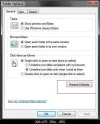
Many thanks for your suggestion, which I have tried. Unfortunately, it does not seem to be the answer to my problem, maybe because the Folder Options box I get is slightly different from yours, showing 'Browse Folders',' Click Items' and 'Navigation Pane'.
Let's see:
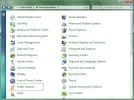
me said:Control Panel > Folder options > General tab > Restore defaults
Link Removed due to 404 Error
me said:Control Panel > Folder options > General tab > Restore defaults
Link Removed due to 404 Error
royf said:The fundamental problem appears to be that the system does not want to accept a different view setting for my list of picture folders from the view setting for pictures within each folder. I managed this with XP, and my wife's Vista PC allows it. Yet W 7 is supposed to be progress!
The view I set for my folder yesterday stays fine today, believe me this feature works in 7. Did you upgrade your 7 system from Vista or XP ?
many thanks for your continued help with this issue.
I have:
-- reset folder options to 'restore defaults'. (Only change is switch to double click to open-tiresome)
-- opened Pictures. Titles of picture folders shown.. Set View to 'List' sorted by name, ie alphabetical.
-- opened a picture folder. View same as that set for list of folder titles. Not what I want, so changed 'View' to large icons, sorted by date (ascending).
-- closed folder.
-- reopened Pictures. Found 'View' of folder titles changed to that set for individual picture folder, as described above.
-- gnashed teeth!!
In answer to your query, I have just bought a new PC which came with W7, and transferred files etc from my old XP machine.
Regards, royf
I have:
-- reset folder options to 'restore defaults'. (Only change is switch to double click to open-tiresome)
-- opened Pictures. Titles of picture folders shown.. Set View to 'List' sorted by name, ie alphabetical.
-- opened a picture folder. View same as that set for list of folder titles. Not what I want, so changed 'View' to large icons, sorted by date (ascending).
-- closed folder.
-- reopened Pictures. Found 'View' of folder titles changed to that set for individual picture folder, as described above.
-- gnashed teeth!!
In answer to your query, I have just bought a new PC which came with W7, and transferred files etc from my old XP machine.
Regards, royf
