📎 AI Summary: The thread discusses a user's difficulty in finding the "Burn" option to create a CD and DVD with pictures in Windows 10. After some guidance, the user successfully burned the discs by dragging files into the drive and selecting "Burn to Disk" via File Explorer, with help from a helpful contributor. Overall, the user expresses gratitude and satisfaction with the solution, indicating a positive outcome.

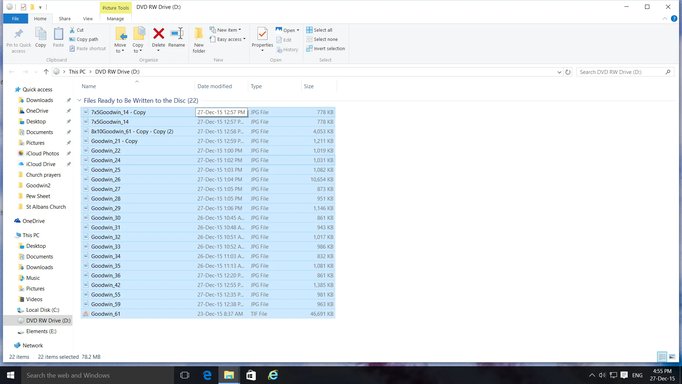
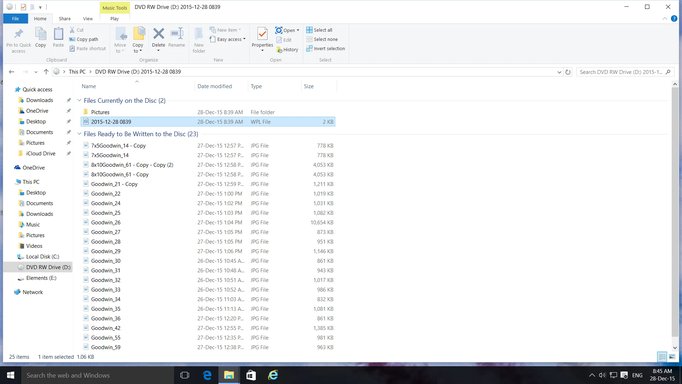
I have selected a batch of pictures to burn to a CD and also a DVD (see attachment). I cannot find the button to "Burn" them. Obviously I am doing something wrong, perhaps I should be using another method, can anyone help me please??
Try right clicking on the drive in the Left Pane and see if there is a "Burn to Disk" option there.
I haven't done this in so long that I'm not sure, but I seem to remember that, that's one way to do it.
It would seem that there should be a obvious "Burn" button someplace but I guess that would be to simple.
I have gone into Windows Media Player but can find no trace of a "Burn" button. You would think that in 2015, it would be a simple thing to burn pictures to a disc, especially when they have gone to all the trouble of making Windows10!!! There must be a more simple method of burning pics? Looks like you have to have a university degree in computers to understand how it all works. Is there anyone out there that can help me please?
Success!! It worked. I was able to burn both a CD and a DVD, no problem. Thanks very much indeed for all your help, very much appreciated. Best wishes for a very Happy, healthy and prosperous New Year when it comes.
The thread discusses a user's difficulty in finding the "Burn" option to create a CD and DVD with pictures in Windows 10. After some guidance, the user successfully burned the discs by dragging files into the drive and selecting "Burn to Disk" via File Explorer, with help from a helpful contributor. Overall, the user expresses gratitude and satisfaction with the solution, indicating a positive outcome.