knoho

New Member
Joined
Jul 25, 2019
Messages
9
Hi,

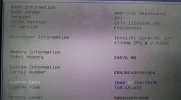
I have an ASUS G56JK. I purchased 2x16GB DDR3L (Crucial). If I install just one or both memories, Windows won't start. However, I've tried combining one that the laptop brought originally with one of the memories I just bought. In the BIOS it says 24GB, but in Windows 8GB. I already un-clicked the max memory, but still doesn't work.

Any ideas/suggestions?

Thanks!!

Miguel
 

Attachments

  • 67272596_2098962783738617_3067009079189700608_n.webp
    67272596_2098962783738617_3067009079189700608_n.webp
    51.7 KB · Views: 253
Solution
thanks so much thanks .
Maybe this should be a different question?i updated this HP-625 / kb4505903 and the machine started to slow down the page / translator to google / now it is open 3 pages and heats 50cels. and 2gb ram on the machine. There would be 2gb hymp125S64CP8-S6 AB-C left on 1 other machine. I think I'll put it here if the machine is livening up. Anything else to suggest? Rapaaja
2GB RAM is extremely low. I hope this is not the case.
Hi,

I have an ASUS G56JK. I purchased 2x16GB DDR3L (Crucial). If I install just one or both memories, Windows won't start. However, I've tried combining one that the laptop brought originally with one of the memories I just bought. In the BIOS it says 24GB, but in Windows 8GB. I...

Neemobeer

Windows Forum Team
Staff member
Joined
Jul 4, 2015
Messages
8,995
In task manager > Performance > Memory how much is being hardware reserved? Also have you updated the firmware?
 

knoho

New Member
Joined
Jul 25, 2019
Messages
9
Hi Neemobeer,

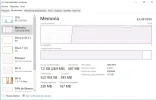
Thanks for your response. As I have the system in Spanish, I'm not sure where to look at "hardware reserved". I've attached a screen. And when you suggest to update the firmware, from what precisely?

Thanks!
 

Attachments

  • performance.webp
    performance.webp
    51.2 KB · Views: 253

Neemobeer

Windows Forum Team
Staff member
Joined
Jul 4, 2015
Messages
8,995
Reservada para hardware. So it's only 110MB ish which is pretty normal and not the issue.
 

knoho

New Member
Joined
Jul 25, 2019
Messages
9
I contacted to ASUS support and they said my motherboard supports the 32GB. And if it's detected in the BIOS I'm guessing it should be a problem with Windows configuration?
 

knoho

New Member
Joined
Jul 25, 2019
Messages
9
Sorry Neemobeer, maybe it's a silly question, but the firmware from what precisely?
 

knoho

New Member
Joined
Jul 25, 2019
Messages
9
The laptop came with Windows 8 and I have Windows 10 Pro at the moment.
 

Neemobeer

Windows Forum Team
Staff member
Joined
Jul 4, 2015
Messages
8,995
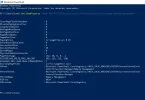
Open a Powershell prompt and type
Get-ItemProperty -Path "HKLM:\SYSTEM\CurrentControlSet\Control\Session Manager\Memory Management"
Post the output
 

Rapaaja

Active Member
Joined
Feb 18, 2019
Messages
280
Neemobeer
Open a Powershell prompt and type
Get-ItemProperty -Path "HKLM:\SYSTEM\CurrentControlSet\Control\Session Manager\Memory Management"
Did it work? On all devices that command?
 

knoho

New Member
Joined
Jul 25, 2019
Messages
9
Hi Rapaaja,

Thanks, but I'm sorry, I'm not sure what you mean. I made what Neemobeer suggested and I posted the result. Anything else I could do about it?

Thanks
 

knoho

New Member
Joined
Jul 25, 2019
Messages
9
Hi Neemobeer, I also updated the firmware from the BIOS, still windows does not recognize the new RAM...any ideas/suggestions?
 

Neemobeer

Windows Forum Team
Staff member
Joined
Jul 4, 2015
Messages
8,995
From an elevated command prompt run bcdedit /enum and post the results.
 

Rapaaja

Active Member
Joined
Feb 18, 2019
Messages
280
Sorry Neemobeer
I had to interrupt my question / presence in the forum for another event sorry! did i mean that command command does it also work in win 7/8 versions? .
Thank you for reminding me that this was open Rapaaja