
📎 AI Summary:
The user is experiencing issues with upgrading RAM on an ASUS G56JK laptop, where installing new modules prevents Windows from starting, and Windows only recognizes 8GB despite BIOS detecting 24GB. The user has confirmed BIOS shows the correct memory and contacted ASUS support, which indicated the motherboard supports up to 32GB. The discussion suggests verifying BIOS/UEFI firmware updates to resolve potential compatibility or recognition issues, but no definitive solution is provided, and the overall tone indicates troubleshooting is ongoing.

knoho

New Member
Member details
Joined
Jul 25, 2019
Messages
9
Thread Author #1
Hi,

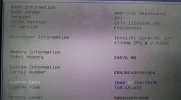
I have an ASUS G56JK. I purchased 2x16GB DDR3L (Crucial). If I install just one or both memories, Windows won't start. However, I've tried combining one that the laptop brought originally with one of the memories I just bought. In the BIOS it says 24GB, but in Windows 8GB. I already un-clicked the max memory, but still doesn't work.

Any ideas/suggestions?

Thanks!!

Miguel
 

Attachments

  • 67272596_2098962783738617_3067009079189700608_n.webp
    67272596_2098962783738617_3067009079189700608_n.webp
    51.7 KB · Views: 253
Solution
thanks so much thanks .
Maybe this should be a different question?i updated this HP-625 / kb4505903 and the machine started to slow down the page / translator to google / now it is open 3 pages and heats 50cels. and 2gb ram on the machine. There would be 2gb hymp125S64CP8-S6 AB-C left on 1 other machine. I think I'll put it here if the machine is livening up. Anything else to suggest? Rapaaja
2GB RAM is extremely low. I hope this is not the case.
Hi,

I have an ASUS G56JK. I purchased 2x16GB DDR3L (Crucial). If I install just one or both memories, Windows won't start. However, I've tried combining one that the laptop brought originally with one of the memories I just bought. In the BIOS it says 24GB, but in Windows 8GB. I...

Neemobeer

Windows Forum Team
Staff member
Member details
Joined
Jul 4, 2015
Messages
8,995
Yes works on Windows versions back to Vista
 

Rapaaja

Active Member
Member details
Joined
Feb 18, 2019
Messages
280
thanks so much thanks .
Maybe this should be a different question?i updated this HP-625 / kb4505903 and the machine started to slow down the page / translator to google / now it is open 3 pages and heats 50cels. and 2gb ram on the machine. There would be 2gb hymp125S64CP8-S6 AB-C left on 1 other machine. I think I'll put it here if the machine is livening up. Anything else to suggest? Rapaaja
 

Last edited:

Mike

Windows Forum Admin
Staff member
Premium Supporter
Member details
Joined
Jul 22, 2005
Messages
9,269
thanks so much thanks .
Maybe this should be a different question?i updated this HP-625 / kb4505903 and the machine started to slow down the page / translator to google / now it is open 3 pages and heats 50cels. and 2gb ram on the machine. There would be 2gb hymp125S64CP8-S6 AB-C left on 1 other machine. I think I'll put it here if the machine is livening up. Anything else to suggest? Rapaaja
2GB RAM is extremely low. I hope this is not the case.
Hi,

I have an ASUS G56JK. I purchased 2x16GB DDR3L (Crucial). If I install just one or both memories, Windows won't start. However, I've tried combining one that the laptop brought originally with one of the memories I just bought. In the BIOS it says 24GB, but in Windows 8GB. I already un-clicked the max memory, but still doesn't work.

Any ideas/suggestions?

Thanks!!

Miguel
Its possible the memory is incompatible with this system? Have you considered checking both chips in Memtest MemTest86 - Official Site of the x86 Memory Testing Tool

Also, maybe save the bios when you see it updated to 24 (not discard changes). Maybe even reset the BIOS as a troubleshooting step to factory defaults or optimized defaults. And go from there.
 

Solution

Rapaaja

Active Member
Member details
Joined
Feb 18, 2019
Messages
280
Hi Mike the stiffness / slowness of that HP-625 was due to the corrup files checker this one found / repaired: https://support.microsoft.com/en-us/help/929833use-the-system-file-checker-tool-to -repair-missing-or-corrupted-system.
And that Ram I am wondering does not work when the machine has a 2gt Single-Chanel DDR3 532MHZ (7-7-7-20) and I am writing on this machine now. Thank you for your answer / thought. I look at the web if something from a constructor happens to be suitable. VERSION Win 10 Pro/1903 / 18362.267 . Rapaaja
 

Last edited: