
Solution

It's rather lengthy, you can try [URL="http://www.blogsdna.com/2016/how-to-install-windows-7-from-usb-drive-without-windows-7-iso-dvd.htm"]How to Install Windows 7 From USB Drive without Windows 7 ISO DVD[/URL]
Or if that's too difficult, just do a Google search for install Windows 7 with USB drive
Or if that's too difficult, just do a Google search for install Windows 7 with USB drive

reghakr
Essential Member
- Joined
- Jan 26, 2009
- Messages
- 14,185
Hello and welconme,
Hello and welcome,
Sorry for all the questions, but........
In order to troubleshoot your problem we need to know more detailed specs of your system hardware.
1. Go to Start > Run, and type msinfo32, look under the Components section for hardware identification
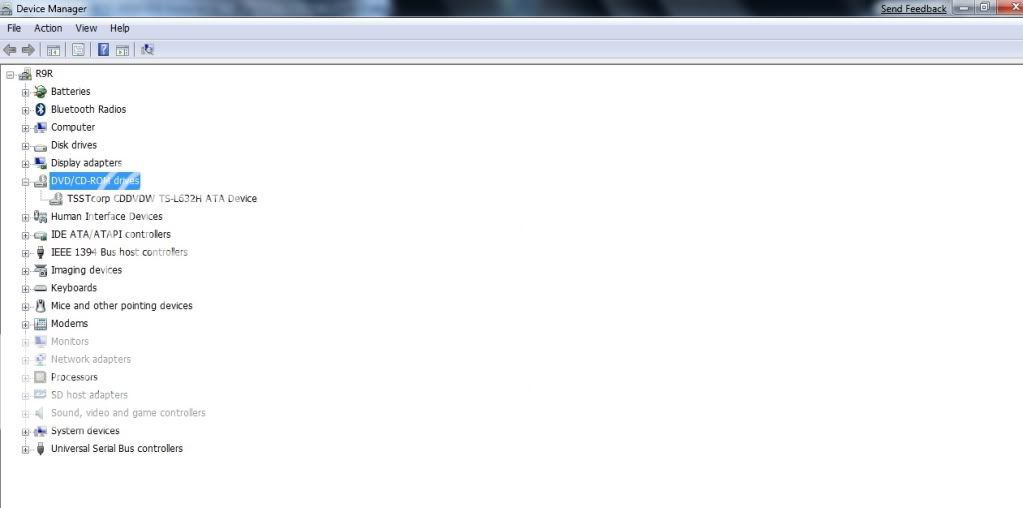
2. Go to Control Panel > Device Manager and look for any entry that has a yellow flag beside it
3. The manufacturer name and model number of your PC, if applicable
4 Please fill out your computers specs in the User Control Panel here on the site as well. It will then appear next to your name. look at my posting and you'll see the drop-down arrow.
Did you use this drive to install Windows 7?
Are you using the 32-bit or 64-bit version?
Was it a "clean" install or an upgrade?
Are you dual-booting?
Are you suing the official RC directly from Microsoft?
Did this occur immediately after install?
Do you recall installing any software that may have caused the problem?
Hello and welcome,
Sorry for all the questions, but........
In order to troubleshoot your problem we need to know more detailed specs of your system hardware.
1. Go to Start > Run, and type msinfo32, look under the Components section for hardware identification
2. Go to Control Panel > Device Manager and look for any entry that has a yellow flag beside it
3. The manufacturer name and model number of your PC, if applicable
4 Please fill out your computers specs in the User Control Panel here on the site as well. It will then appear next to your name. look at my posting and you'll see the drop-down arrow.
Did you use this drive to install Windows 7?
Are you using the 32-bit or 64-bit version?
Was it a "clean" install or an upgrade?
Are you dual-booting?
Are you suing the official RC directly from Microsoft?
Did this occur immediately after install?
Do you recall installing any software that may have caused the problem?
- Thread Author
- #3
msinfo32
Link Removed - Invalid URL
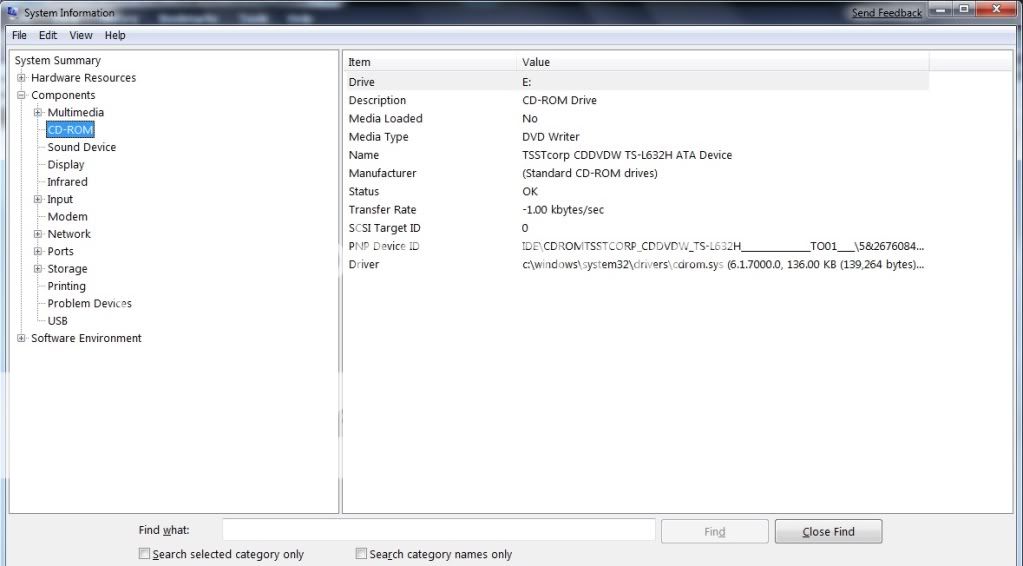
device manage
Link Removed - Invalid URL
Did you use this drive to install Windows 7?
yes
Are you using the 32-bit or 64-bit version?
32-bit
Was it a "clean" install or an upgrade?
yes
Are you dual-booting?
Are you suing the official RC directly from Microsoft?
Did this occur immediately after install?
Do you recall installing any software that may have caused the problem?
what should i do next?i am beginner.so help me fully.thx so much.
Link Removed - Invalid URL
device manage
Link Removed - Invalid URL
Did you use this drive to install Windows 7?
yes
Are you using the 32-bit or 64-bit version?
32-bit
Was it a "clean" install or an upgrade?
yes
Are you dual-booting?
Are you suing the official RC directly from Microsoft?
Did this occur immediately after install?
Do you recall installing any software that may have caused the problem?
what should i do next?i am beginner.so help me fully.thx so much.
Last edited:
reghakr
Essential Member
- Joined
- Jan 26, 2009
- Messages
- 14,185
Did this occur immediately after install?
Do you recall installing any software that may have caused the problem?
You may have to open the case and change the jumpers on the DVD Rom. If it's set to Cable select, set it to Master or Slave. If it's set as Slave, set it to Master. If it's set as Master, set it to Slave.
Is this an older computer?.
Please look at the bottom of this page for similar threads that may help.
Do you recall installing any software that may have caused the problem?
You may have to open the case and change the jumpers on the DVD Rom. If it's set to Cable select, set it to Master or Slave. If it's set as Slave, set it to Master. If it's set as Master, set it to Slave.
Is this an older computer?.
Please look at the bottom of this page for similar threads that may help.
- Thread Author
- #5
i buy this computer just 3months.computer is new.
Did this occur immediately after install?
when i installed vista ultimate CDROM are working.
when i installed window 7 CDROM are not working.
i wanna change window but cannot change.
when i insert disc window, window are hange.
CDROM are loading.but window cannot start.
Do you recall installing any software that may have caused the problem?
i think no.
Did this occur immediately after install?
when i installed vista ultimate CDROM are working.
when i installed window 7 CDROM are not working.
i wanna change window but cannot change.
when i insert disc window, window are hange.
CDROM are loading.but window cannot start.
Do you recall installing any software that may have caused the problem?
i think no.

reghakr
Essential Member
- Joined
- Jan 26, 2009
- Messages
- 14,185
It's rather lengthy, you can try [URL="http://www.blogsdna.com/2016/how-to-install-windows-7-from-usb-drive-without-windows-7-iso-dvd.htm"]How to Install Windows 7 From USB Drive without Windows 7 ISO DVD[/URL]
Or if that's too difficult, just do a Google search for install Windows 7 with USB drive
Or if that's too difficult, just do a Google search for install Windows 7 with USB drive
Similar threads
- Replies
- 8
- Views
- 9K


- Solved
- Replies
- 1
- Views
- 6K

- Replies
- 7
- Views
- 10K
- Solved
- Replies
- 1
- Views
- 6K
- Question
- Replies
- 1
- Views
- 28K