📎 AI Summary:
The original poster is seeking help to locate a circular shape tool in Adobe Photoshop CS6 for creating DVD covers, after noticing a circle in a YouTube tutorial. Responders clarify that the dotted circle tool is located within the shape options under the shape tool, emphasizing that keeping the mouse over the icon and clicking reveals multiple shape choices. The overall tone is collaborative, with the original poster expressing relief after understanding how to access the circle tool.

NettleWarbler

Banned
Joined
Mar 25, 2016
Messages
636
Thread Author #1
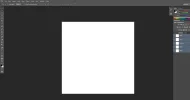
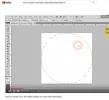
Morning all , I bought an edition of Adobe Photoshop CS6 , what I downloaded . I was going to try and make my own Dvd covers and Dvd labels . I was watching someone on YouTube , he had a circle on his version mine does not . Does anyone know where its based or is mine missing .There are 2 versions Adobe Photoshop CS6 on my computer they are probably just the same . They look the same one says 64bit. Thank you .
 

Attachments

  • label.webp
    label.webp
    34.7 KB · Views: 172
  • no circle tool.webp
    no circle tool.webp
    24.2 KB · Views: 153
  • 64bit.webp
    64bit.webp
    12 KB · Views: 174
  • other.webp
    other.webp
    19.6 KB · Views: 190
Solution
Neemobeer , It is there . i was sure I tried that area thinking it might be there but couldn't find it , the trick is to keep your mouse pointer over the square area .If you put the mouse pointer over the square icon and keep the left mouse button pressed ( held down ) you get 4 options including the circle . Easy when you now how . Thank you .

Neemobeer

Windows Forum Team
Staff member
Joined
Jul 4, 2015
Messages
8,995
He's using the dotted circle tool to create the circle. That would be under the dotted square. There should be other shapes under that.
 

NettleWarbler

Banned
Joined
Mar 25, 2016
Messages
636
Thread Author #3
Neemobeer , It is there . i was sure I tried that area thinking it might be there but couldn't find it , the trick is to keep your mouse pointer over the square area .If you put the mouse pointer over the square icon and keep the left mouse button pressed ( held down ) you get 4 options including the circle . Easy when you now how . Thank you .
 

Attachments

  • circle tool.webp
    circle tool.webp
    12.5 KB · Views: 163
Solution