


CalebOConnell
New Member
Member details
- Joined
- May 3, 2017
- Messages
- 3
I have a dell optiplex 755 usff with an intel core 2 duo and a copy of windows 7 ultimate and the disks for x32 and x64 bit. I can install the 32 bit version of windows but not the x64 bit version to take advantage of my intel core 2 duos x64 bit compatibility with windows. How can I make the system read the x64 disc to install the x64 bit of windows 7. PC specs in photos w/error message.
Attachments
-
Microsoft Defender: No threats detected Scan detailsHOME-PC.txt44.9 KB · Views: 442
-
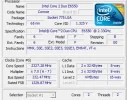 Microsoft Defender: No threats detected Scan detailsCPUZ 1.webp27.6 KB · Views: 784
 -
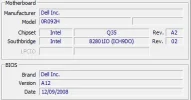 Microsoft Defender: No threats detected Scan detailsCPUZ 2.webp8.6 KB · Views: 769
 -
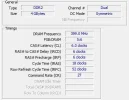 Microsoft Defender: No threats detected Scan detailsCPUZ 3.webp15.8 KB · Views: 745
 -
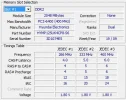 Microsoft Defender: No threats detected Scan detailsCPUZ 4.webp21.4 KB · Views: 701
 -
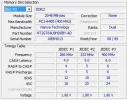 Microsoft Defender: No threats detected Scan detailsCPUZ 5.webp21.9 KB · Views: 665
 -
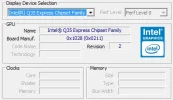 Microsoft Defender: No threats detected Scan detailsCPUZ 6.webp12.1 KB · Views: 732
 -
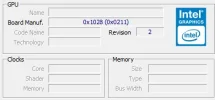 Microsoft Defender: No threats detected Scan detailsCPUZ 7.webp7.1 KB · Views: 666
 -
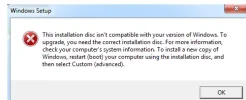 Microsoft Defender: No threats detected Scan detailsError.webp15.2 KB · Views: 461
Last edited:


