

Hello there. I'm trying to get a retail version of an old game running. The game runs, but I have a problem. I've searched around a bit, and the solution seems to be turning directplay on. I go to control panel, and to my surprise directplay isn't there, nor the legacy folder it's contained in. What's going on here? I thought direct play comes with 8.1
📎 AI Summary:
The thread discusses a user’s difficulties in enabling DirectPlay on Windows 8.1 to run an old game, with the user unable to find it in Windows features or legacy components. A forum member suggests installing DirectX and copying game files locally, but the user still faces issues running setup programs from CD. Overall, the conversation reflects troubleshooting efforts for compatibility problems with vintage games on Windows.
The thread discusses a user’s difficulties in enabling DirectPlay on Windows 8.1 to run an old game, with the user unable to find it in Windows features or legacy components. A forum member suggests installing DirectX and copying game files locally, but the user still faces issues running setup programs from CD. Overall, the conversation reflects troubleshooting efforts for compatibility problems with vintage games on Windows.
Solution

Ok I've seen this before, go to Link Removed and download and install directx and then aftr a reboot check there 🙂

nmsuk
Essential Member
Member details
- Joined
- Sep 7, 2009
- Messages
- 4,328
See Turn on direct play to use older games... windows 8, 8.1.1 and 10 by our @ussnorway
Welcome to the forum.
Welcome to the forum.
The problem I'm having is that it isn't there at all. I'm looking in the correct h place.See Turn on direct play to use older games... windows 8, 8.1.1 and 10 by our @ussnorway
Welcome to the forum.
nmsuk
Essential Member
Member details
- Joined
- Sep 7, 2009
- Messages
- 4,328
In windows features look for legacy components its in there.
 Microsoft Defender: No threats detected
Scan details
Microsoft Defender: No threats detected
Scan details
Last edited by a moderator:
? Sorry for the photo with my mobile, I'm in features, although it's in another language, it's not there.
Attachments
-
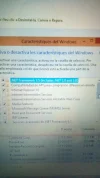 Microsoft Defender: No threats detected Scan detailsIMG_20180505_135258.webp520.6 KB · Views: 676
Last edited by a moderator:
Okay cool, thanks man. The next time i have access to the internet I'll try it out. I'm trying to get several games that aren't running properly, such as Cossacks Anthology and Blade and Sword. I may as well ask here to not flood the forum with posts. I also have another issue installing a game, I put the cd in, and it reads just fine. The problem comes about when i try to run the setup.exe from the cd. In task manager the 32bitsetup just sits there hanging about, never actually executing. I've tried setting admin privilege, and even compatability mode nonw of which actually get the exe to run.Ok I've seen this before, go to Link Removed and download and install directx and then aftr a reboot check there 🙂

I've been trying to find an update on microsoft's page but can't find it.I'm guessing this must be a windows 8 thing, have you tried upgrading to 8.1
