

📎 AI Summary:
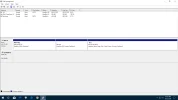
The user Peterr asked why Disk 0 appears as Partition(2) and whether it should be fixed. Neemobeer explained that this is normal behavior due to the lack of a label on the boot partition, which is just a descriptive identifier for humans. The overall sentiment is helpful and informational, with Peterr expressing gratitude and the community sharing useful insights.
The user Peterr asked why Disk 0 appears as Partition(2) and whether it should be fixed. Neemobeer explained that this is normal behavior due to the lack of a label on the boot partition, which is just a descriptive identifier for humans. The overall sentiment is helpful and informational, with Peterr expressing gratitude and the community sharing useful insights.
Solution

It's because the boot partition isn't typically assigned a label hence the disk/partition # to id it in disk management. This is normal behavior.

I should not have been in the BIOS but needed to boot. I did also work with some flash drives. I was afraid I did something to that disk partition.
If it needs a label and I am told how I will be glad to do so, but if you feel it is functional as far as updates go and is ok, I will just thank you.
Peter
If it needs a label and I am told how I will be glad to do so, but if you feel it is functional as far as updates go and is ok, I will just thank you.
Peter

blackmagicislam
Well-Known Member
Member details
- Joined
- Jan 18, 2018
- Messages
- 185
the information is really useful.
Last edited by a moderator:
