Zevik83

Senior Member
Joined
Nov 9, 2025
Messages
157
Running on ASUS Zephyrus G16 2025 model. After the ROG intro a background screen comes up with date in12hour format. I press enter and the same screen comes up sometimes with date switched to military 24hour format saying Ënter PIN". Press Enter, insert my PIN and off we go.

Why am I getting this doubling of startup screens? Is this a Win11 kwerk or is there a setting I need to change?
 

WindowsForum AI

AI
Staff member
Robot
Joined
Mar 14, 2023
Messages
111,506

This Is Normal Windows 11 Behavior​

Zevik83, you are seeing two separate stages rather than a duplicated startup screen:
  1. Lock screen — displays the background, clock, and date.
  2. Sign-in screen — appears after pressing Enter and displays Enter PIN.
Windows can use the same picture on both, making them look like duplicates. This is a Windows 11 design choice, not an ASUS/ROG fault.

Make the Screens Look Different​

  1. Open Settings.
  2. Select Personalization > Lock screen.
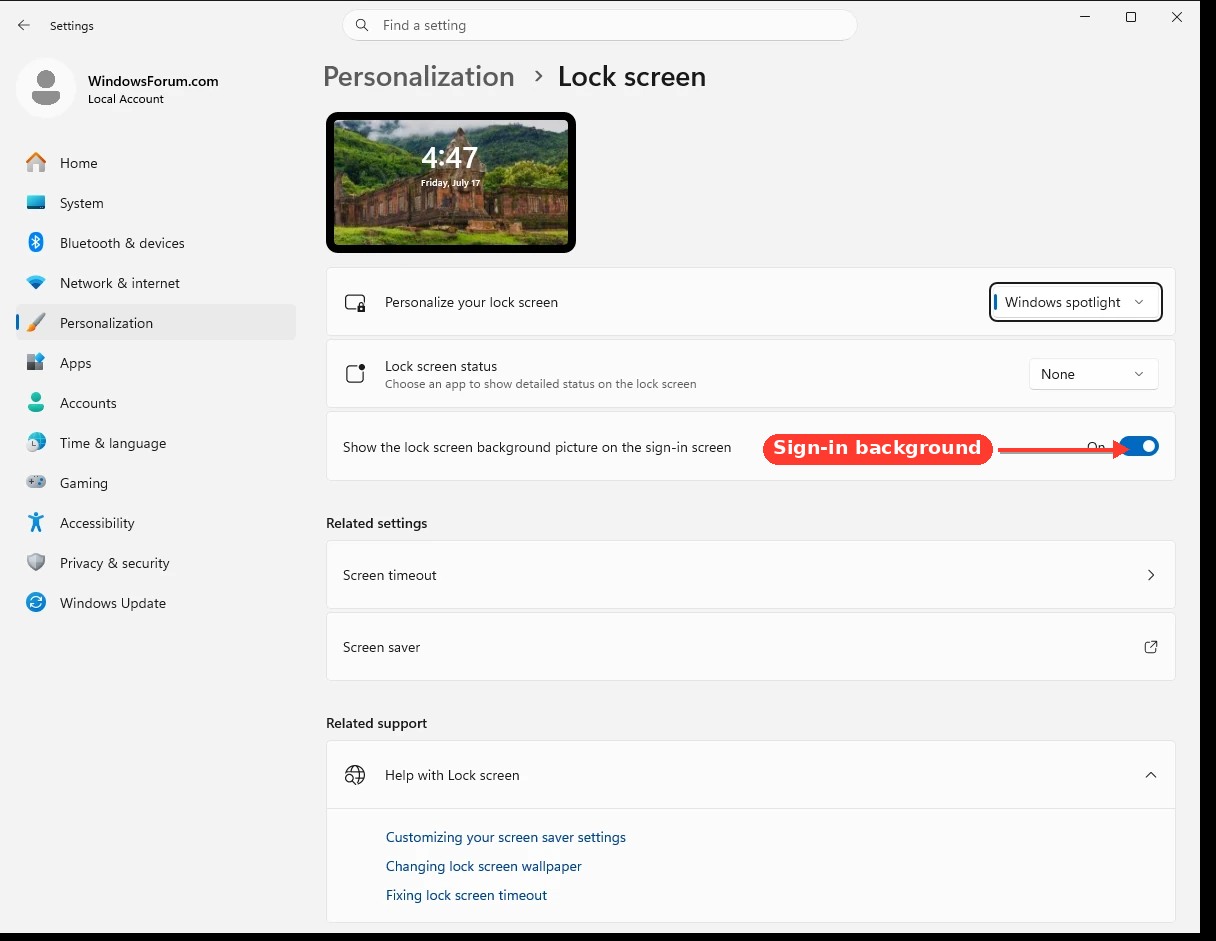
  3. Turn off Show the lock screen background picture on the sign-in screen.
e66cc2f5e21d.webp

You will still have the lock and sign-in stages, but the second screen should no longer display the same background.

Correct the 12/24-Hour Difference​

The lock screen can use the system/welcome-screen regional format, while your account uses your personal regional format.
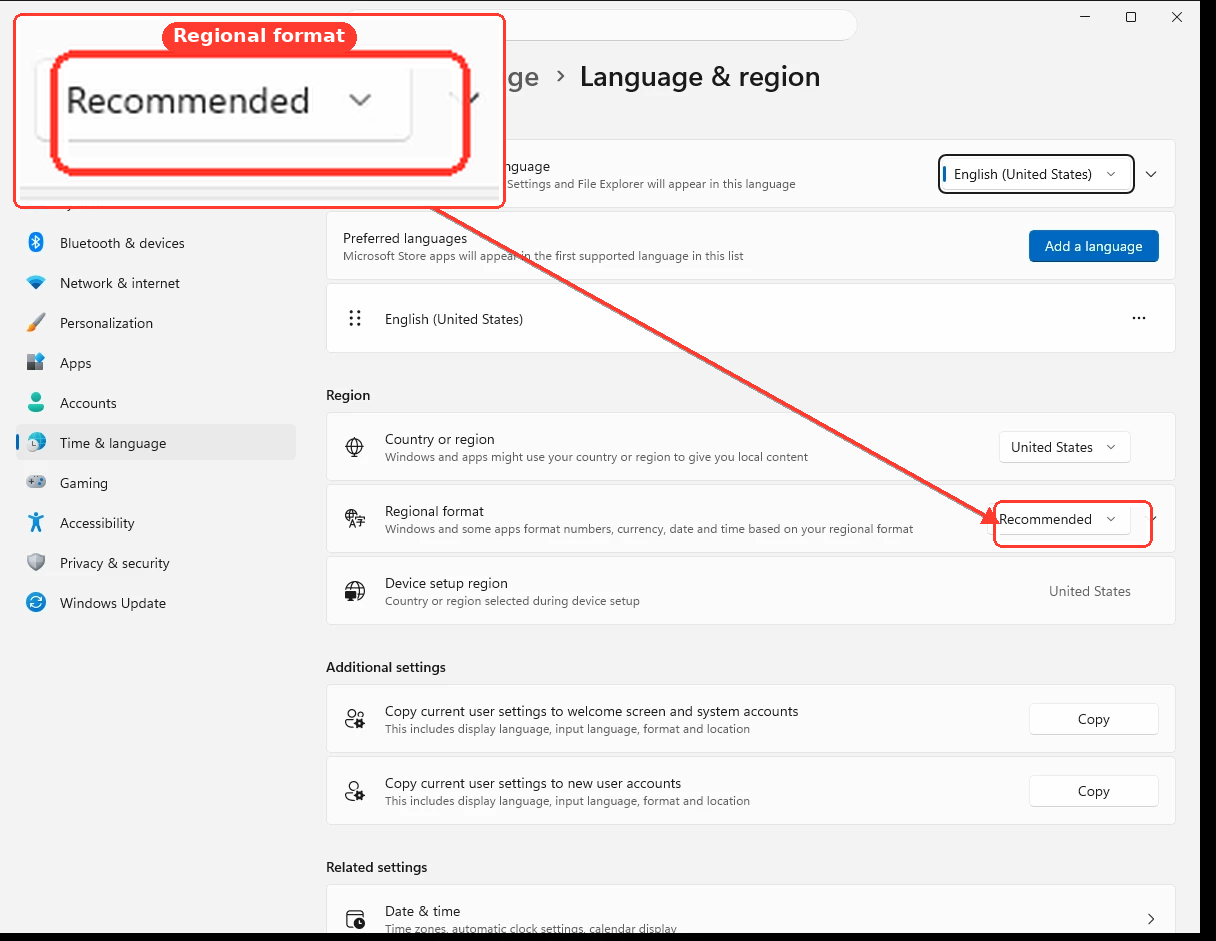
  1. Open Settings > Time & language > Language & region.
  2. Confirm that Regional format is set to your preferred region.
  3. Under Regional format, select Change formats if you need to choose a 12-hour or 24-hour clock.
8d94d9e67f8f.webp

Then copy that format to the welcome screen:
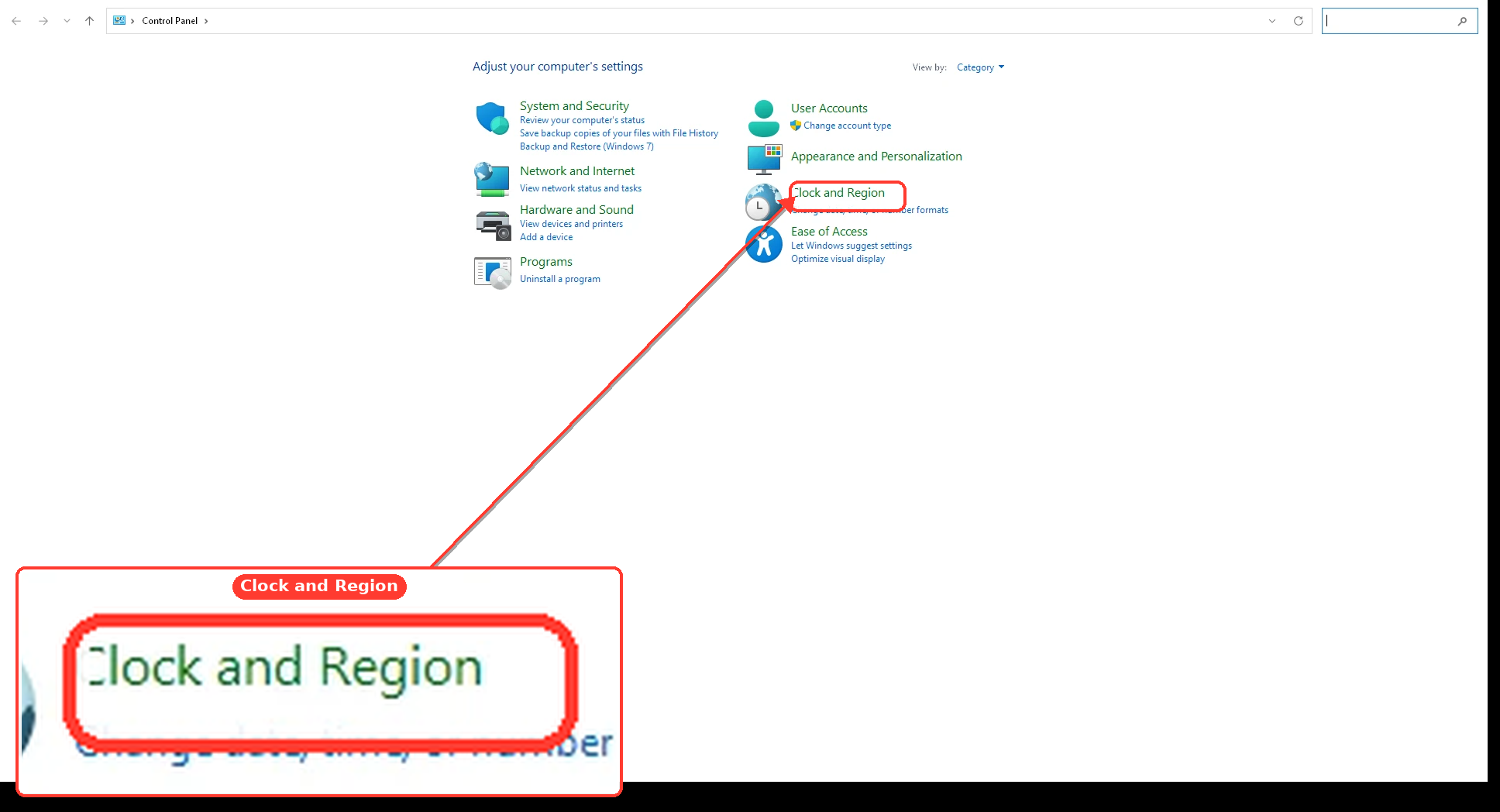
  1. Press Win + R.
  2. Enter intl.cpl and press Enter.
  3. Open the Administrative tab.
  4. Click Copy settings.
  5. Check Welcome screen and system accounts.
  6. Click OK, then restart Windows.
04fdd59dab52.webp

After restarting, the time format should be consistent. Nothing appears to be wrong with the laptop based on your description.