📎 AI Summary:
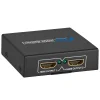
The thread discusses issues with connecting two monitors to a Lenovo laptop via a Belkin Thunderbolt 3 docking station, with the main concern being why both HDMI ports do not display simultaneously. Several contributors suggest that the Belkin device is not a video splitter but a port replicator, which means both HDMI ports cannot be used independently for dual monitors. The original poster concludes that using splitters or adapters might be necessary, but the current setup with the docking station isn't supporting dual HDMI connections simultaneously.
Solution
So I cannot run two HDMIs into the Belkin even though it has two HDMI ports... correct?
Monitor 1 - HDMI
Monitor 2 - DisplayPort /w HDMI adapter
Is this correct?
Yes thats correct.
Nylo
Well-Known Member
- Joined
- Sep 13, 2019
- Messages
- 13
Here's my set-up.
- Belkin Thunderbolt 3 mini docking station.
- Lenovo T480s laptop
- Two Dell 21" monitors. Both have HDMI, DisplayPort, multiple USB's
I plug each monitor into their separate HDMI connects on the docking station. Then connect it to the T480s.
Both monitors and cables are tested and working, but I still cannot get both to work at the same time. Windows 10 will not detect the second monitor. I've updated all Win10 drivers that are related to this setup, but I still cannot get them both to run at the same time. What am I doing wrong?
I also have a T460s with a push and click Lenovo docking station. With this setup I can get both monitors to work, but I have only one HDMI so I have to use a DisplayPort connect as well.
Thanks for replying. Link Removed
- Belkin Thunderbolt 3 mini docking station.
- Lenovo T480s laptop
- Two Dell 21" monitors. Both have HDMI, DisplayPort, multiple USB's
I plug each monitor into their separate HDMI connects on the docking station. Then connect it to the T480s.
Both monitors and cables are tested and working, but I still cannot get both to work at the same time. Windows 10 will not detect the second monitor. I've updated all Win10 drivers that are related to this setup, but I still cannot get them both to run at the same time. What am I doing wrong?
I also have a T460s with a push and click Lenovo docking station. With this setup I can get both monitors to work, but I have only one HDMI so I have to use a DisplayPort connect as well.
Thanks for replying. Link Removed
Last edited:
Nylo
Well-Known Member
- Joined
- Sep 13, 2019
- Messages
- 13
So I cannot run two HDMIs into the Belkin even though it has two HDMI ports... correct?Plug one in hdmi and the other display port via an adapter if needed.
Monitor 1 - HDMI
Monitor 2 - DisplayPort /w HDMI adapter
Is this correct?
livix07
Honorable Member
- Joined
- Feb 19, 2018
- Messages
- 585
I have two monitors both running HDMI cables to a port replicator then to a laptop. I can get each monitor running but not at the same time.
The fact that only one monitor works when both are connected to HDMI ports makes me believe your device is not a splitter.
In that case of course you should connect Monitor 1 to HDMI and Monitor 2 to DisplayPort.
nmsuk
Essential Member
- Joined
- Sep 7, 2009
- Messages
- 4,328
So I cannot run two HDMIs into the Belkin even though it has two HDMI ports... correct?
Monitor 1 - HDMI
Monitor 2 - DisplayPort /w HDMI adapter
Is this correct?
Yes thats correct.
Nylo
Well-Known Member
- Joined
- Sep 13, 2019
- Messages
- 13
I didnt work.Yes thats correct.
I still dont know why my Belkin docking station with two HDMI ports does not work. Those two HDMI ports are for two monitors. This thing is driving me nuts, but I appreciate the help.
Nylo
Well-Known Member
- Joined
- Sep 13, 2019
- Messages
- 13
Fixed it.
Try another docking station and I worked. It's still glitchy. On boot 1st monitor comes on. What I do is simply pull out the HDMI hookup from the station and put it back in. Poof, 2nd monitor kicks in.
Thanks again for all your help I really do appreciate it.
Try another docking station and I worked. It's still glitchy. On boot 1st monitor comes on. What I do is simply pull out the HDMI hookup from the station and put it back in. Poof, 2nd monitor kicks in.
Thanks again for all your help I really do appreciate it.