📎 AI Summary:
The thread discusses issues related to managing a USB to VGA extended display on a Windows 7 machine, specifically when the computer is locked, as the extended screen either goes blank or shows the lock screen. The original poster seeks a way to keep applications visible on the extended screen even when locked. Responders suggest using third-party software like DisplayFusion or UltraMon to better manage multi-monitor setups, with one emphasizing that the default Windows options include duplicate and extend modes, but not persistent display of applications during lock. Overall, the exchange guides the user towards third-party solutions to achieve their desired functionality.
Joined
May 8, 2014
Messages
1
Thread Author #1
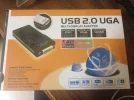
We are working on a Windows 7 machine and using a USB to VGA adapter device which extends the output to another screen. I am attaching the image of the product we are using. Now What happens is that when the computer is locked , the extended screen goes either blank or starts showing locked screen. Our Requirement is that it should show whatever application is shown on the extended screen. Is there a way to achieve this.
 

Attachments

  • USB to VGA.webp
    USB to VGA.webp
    111.5 KB · Views: 282
Solution
Our Requirement is that it should show whatever application is shown on the extended screen. Is there a way to achieve this.

I quite don't understand what you are trying to say. If you want a mirrored display, you need to choose "Duplicate" mode. If you want an extended mode with it's own taskbar, download a 3rd party app like the one Bassfisher posted above. I am using Ultramon.

Jimbo22

Essential Member
Joined
Aug 27, 2008
Messages
5,036
Since the screen is extended, it essentially is on big screen with two halves. This allows you to move open applications from monitor to monitor. Natively in windows you only have 4 choices with multiple monitors; PC screen only, duplicate, extend or second screen only. To accomplish what you are wanting to do you'll need some 3rd party software that allows this.

https://www.displayfusion.com/

http://lifehacker.com/5519833/five-best-tools-for-managing-your-multi-monitor-setup
 

badrobot

Senior Member
Joined
Jun 14, 2012
Messages
1,008
Our Requirement is that it should show whatever application is shown on the extended screen. Is there a way to achieve this.

I quite don't understand what you are trying to say. If you want a mirrored display, you need to choose "Duplicate" mode. If you want an extended mode with it's own taskbar, download a 3rd party app like the one Bassfisher posted above. I am using Ultramon.
 

Solution