

📎 AI Summary:
The WindowsForum thread discusses a user’s experience with a problematic external HD encrypted with BitLocker. The user reports that the `repair-bde` process has been running for about 16 hours on a 2TB drive after encryption failure and subsequent freezing issues, especially following an improper disconnect. Contributors suggest that unplugging the drive might have caused data corruption, recommend using recovery options like `manage-bde -off` or `-unlock`, and advise trying data recovery software, but no definitive solution is provided. Overall, the tone indicates frustration and uncertainty about the best recovery approach.
The WindowsForum thread discusses a user’s experience with a problematic external HD encrypted with BitLocker. The user reports that the `repair-bde` process has been running for about 16 hours on a 2TB drive after encryption failure and subsequent freezing issues, especially following an improper disconnect. Contributors suggest that unplugging the drive might have caused data corruption, recommend using recovery options like `manage-bde -off` or `-unlock`, and advise trying data recovery software, but no definitive solution is provided. Overall, the tone indicates frustration and uncertainty about the best recovery approach.

Solution

When you unplugged it you most likely hosed it. You can try
manage-bde -off <driveletter:>
or
manage-bde -unlock <driverletter:> -RecoveryKey <path to bek key file>
manage-bde -off <driveletter:>
or
manage-bde -unlock <driverletter:> -RecoveryKey <path to bek key file>

Is your drive encrypted?
So this is what happened:
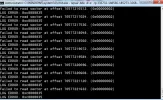
Plugged in an external HD ran bitlock to go and it failed at 2%. So I stopped the encryption by unplugging the USB cable. When I plug the HD back it asks for the bitlocker password and when I enter it, it just freezes. I read some where to use the repair-bde command which is what I am doing now. But the process is still going and I was curious how long it should take on 2 TB drive. Here is the latest screen shot
Attachments

XAOS
Member
Member details
- Joined
- Apr 27, 2016
- Messages
- 43
Follow these instructions and see if they help.
BitLocker Drive Encryption - Unlock a Locked OS Drive - Windows 7 Help Forums
BitLocker Drive Encryption - Unlock a Locked OS Drive - Windows 7 Help Forums
Follow these instructions and see if they help.
BitLocker Drive Encryption - Unlock a Locked OS Drive - Windows 7 Help Forums
No this doesn't help, but thank you. Both Recovery key and Password freeze Bitlocker 2 Go when i enter them.
