📎 AI Summary:
The thread involves a user experiencing issues with password recovery and access, initially related to NordVPN, with difficulties getting help through support channels. A responder suggests the problem might be networking-related on the user's device, recommending troubleshooting steps like checking DNS settings and disabling IPv6. The original poster reports continued loading problems and seems frustrated, indicating the issue persists and may be tied to their network configuration. Overall, the discussion centers on diagnosing network issues impacting access, with a sense of frustration from the original poster.

NettleWarbler

Banned
Member details
Joined
Mar 25, 2016
Messages
636
Thread Author #1
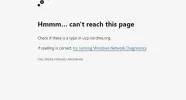
Thats what i get when i click on forgot password on nordvpn , i emailed nord from my email add . It said a complaint had been raised , it used to answer me from here too . It won't now , I tried a live help on there complaints page that was no help they just said make it plainer .

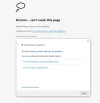
I try to enter the password on another hard drive it says false information . This is what i get . I don't even get a chance to alter the password . How much plainer can you get .
 

Attachments

  • Capture.webp
    Capture.webp
    10.2 KB · Views: 55
  • 7 mins after windows network diagnostics test.webp
    7 mins after windows network diagnostics test.webp
    24.6 KB · Views: 52
Solution
I will suggest you try a few steps and check-
  • At first, you need to run the Network Troubleshooter
  • Secondly, Check DNS Settings or change the DNS and check if webpages load.
  • Thirdly, Remove the Proxy server.
  • Fourthly, you can try with Disable Ipv6
I think those steps can help you to solve this problem.

Neemobeer

Windows Forum Team
Staff member
Member details
Joined
Jul 4, 2015
Messages
8,995
This a networking problem on your computer. This isn't an issue with nord.
 

nathanricker01

New Member
Member details
Joined
Jan 11, 2022
Messages
10
I will suggest you try a few steps and check-
  • At first, you need to run the Network Troubleshooter
  • Secondly, Check DNS Settings or change the DNS and check if webpages load.
  • Thirdly, Remove the Proxy server.
  • Fourthly, you can try with Disable Ipv6
I think those steps can help you to solve this problem.
 

Solution

NettleWarbler

Banned
Member details
Joined
Mar 25, 2016
Messages
636
Thread Author #4
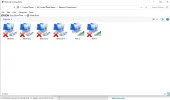
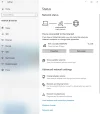
nathanricker01 , i go in settings and this is what i get .
 

Attachments

  • 0 bytes · Views: 0
  • change adpter settings.webp
    change adpter settings.webp
    30 KB · Views: 45