billyc99

Honorable Member
Joined
Apr 28, 2009
Messages
107
Needing to resize digital photos i have recently taken. WinXP had a great little tweaker toy for this...i can't seem to find it in Win7. Is there a small program to do this. In WinXP all one had to do was right click on the image and voila, one could instantly resize an image. Cheers and beers and Happy Holidays:beer_mug:
 

Solution
Trouble, thanks for the tip. Downloaded the tool...maybe i am slow, unable to figure out how to use. Clicked on the File Menu>Settings and Docs...but nothing unable to locate my pics. What am i missing.
Not sure what exactly the issue is that you are having. The resizer doesn't actually have any of those menu items.
You just use the right click context menu and choose Resize Pictures.
This launches the resizer and you choose the size from the list of set a custom size.
You evoke the program by first select the picture or pictures you wish to resize and right clicking to get the context menu.

whs

Extraordinary Member
Joined
Sep 17, 2009
Messages
1,526
There is a ton of picture resizer on the web - have a look. Hard to tell which one you used previously.
 

Trouble

Noob Whisperer
Joined
Nov 30, 2009
Messages
13,714
The former Power Toys / TweakUI Image Resizer is no longer compatible with Windows 7 (not even as a standalone application). You may want to take a look at something like this and see if it fills the bill.
Link Removed
Seems to work OK on my Windows 7 Ultimate 64bit Install. Of course I'm not exactly sure what you are looking for, but it does launch from a right click context menu, similar to what you have mentioned above.
 

Last edited:

billyc99

Honorable Member
Joined
Apr 28, 2009
Messages
107
Trouble, thanks for the tip. Downloaded the tool...maybe i am slow, unable to figure out how to use. Clicked on the File Menu>Settings and Docs...but nothing unable to locate my pics. What am i missing.
 

Trouble

Noob Whisperer
Joined
Nov 30, 2009
Messages
13,714
Trouble, thanks for the tip. Downloaded the tool...maybe i am slow, unable to figure out how to use. Clicked on the File Menu>Settings and Docs...but nothing unable to locate my pics. What am i missing.
Not sure what exactly the issue is that you are having. The resizer doesn't actually have any of those menu items.
You just use the right click context menu and choose Resize Pictures.
This launches the resizer and you choose the size from the list of set a custom size.
You evoke the program by first select the picture or pictures you wish to resize and right clicking to get the context menu.
 

Solution

OldTimer

Banned
Joined
Jul 19, 2010
Messages
798
Quite a while back, my friend and software Guru put me on to a little FREE program called "Photo Filtre". (it's French)
I set it up as the default viewer for all my picture types.
It a full featured picture editor, to resize, rotate, add brighness or contrast, add text, change picture type, etc.
I even use it for quick and faultless "Screen Capture" and 'Screen Print'.

I put the shortcut to Photo Filtre in the Quick Launch Toolbar for ease of access.

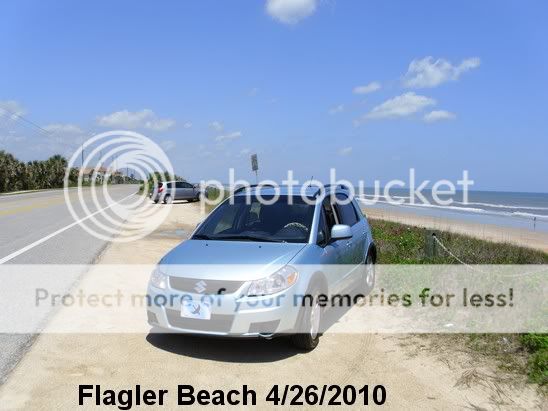
FlaglerBeach.jpg


This picture of my Suzuki SX4, has been cropped, and text added, all with Photo Filtre.

Did I mention it's FREE?

For easy download......
Link Removed due to 404 Error

Happy Holidays!
:cool: