Joshin Joy
New Member
Member details
- Joined
- Mar 28, 2014
- Messages
- 2
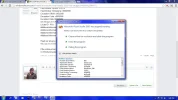
please help me why is it showing "Microsoft Visual Studio 2005 has stopped working". while opening visual studio in my pc. i get the following error.
Problem signature:
Problem Event Name: BEX
Application Name: devenv.exe
Application Version: 8.0.50727.42
Application Timestamp: 4333e699
Fault Module Name: StackHash_a38c
Fault Module Version: 0.0.0.0
Fault Module Timestamp: 00000000
Exception Offset: d1f22268
Exception Code: c0000005
Exception Data: 00000008
OS Version: 6.1.7600.2.0.0.256.48
Locale ID: 1033
Additional Information 1: a38c
Additional Information 2: a38c8c35e1e9de533cf2136e8bf7ff92
Additional Information 3: 97d1
Additional Information 4: 97d155ac1dc64991a969b5413c163b79
Read our privacy statement online:
http://go.microsoft.com/fwlink/?linkid=104288&clcid=0x0409
If the online privacy statement is not available, please read our privacy statement offline:
C:\Windows\system32\en-US\erofflps.txt
Problem signature:
Problem Event Name: BEX
Application Name: devenv.exe
Application Version: 8.0.50727.42
Application Timestamp: 4333e699
Fault Module Name: StackHash_a38c
Fault Module Version: 0.0.0.0
Fault Module Timestamp: 00000000
Exception Offset: d1f22268
Exception Code: c0000005
Exception Data: 00000008
OS Version: 6.1.7600.2.0.0.256.48
Locale ID: 1033
Additional Information 1: a38c
Additional Information 2: a38c8c35e1e9de533cf2136e8bf7ff92
Additional Information 3: 97d1
Additional Information 4: 97d155ac1dc64991a969b5413c163b79
Read our privacy statement online:
http://go.microsoft.com/fwlink/?linkid=104288&clcid=0x0409
If the online privacy statement is not available, please read our privacy statement offline:
C:\Windows\system32\en-US\erofflps.txt