📎 AI Summary:
The thread discusses methods for recovering or resetting a Windows 10 password, focusing on tools like Ophcrack and NT Offline Password Utility, with advice that for local accounts, these tools can be effective. The original poster seeks guidance after struggling to find Windows 10 Live CD options, and participants recommend using Hiren Boot CD with NT Offline Password Utility or Lazesoft Recovery Suite. Overall, the conversation highlights solutions for local account password recovery, noting that PIN or Microsoft account passwords require different approaches.

gnatys27

New Member
Joined
Jul 29, 2018
Messages
4
Thread Author #1
I need to recover my lost password on unused laptop that comes with Windows 10. I searched a bit and a lot of people recommending Ophcrack. Unfortunately, I can't find the Live CD for Windows 10. Any suggestion?

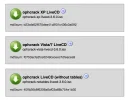
An image from 'Ophcrack Live CD for Windows 10?'. Three Ophcrack LiveCD download options with corresponding MD5 checksums.
 

Attachments

  • 97E087DD-E2CC-43E9-9CBB-387C791C3F2B.webp
    97E087DD-E2CC-43E9-9CBB-387C791C3F2B.webp
    42.2 KB · Views: 539
Last edited by a moderator:

Neemobeer

Windows Forum Team
Staff member
Joined
Jul 4, 2015
Messages
8,995
If it's a local account just use hiren boot disc and NT Offline password utility you can just blank out the password.
 

Solution

Neemobeer

Windows Forum Team
Staff member
Joined
Jul 4, 2015
Messages
8,995
It's actually pretty easy. Should only take a minute or 2.
 

Neemobeer

Windows Forum Team
Staff member
Joined
Jul 4, 2015
Messages
8,995
The structure of the SAM database hasn't changed in Windows 10, so if you're using a local account the NT offline tool works fine. Hiren live boot also comes with a GUI based tool that works called Lazesoft Recovery Suite. If you're using a pin or MS account they are not stored the same and the tools won't work.