

unknownzhou
New Member
Member details
- Joined
- Jan 22, 2014
- Messages
- 1
Hi, I observed a problem on my new pc with windows 7.
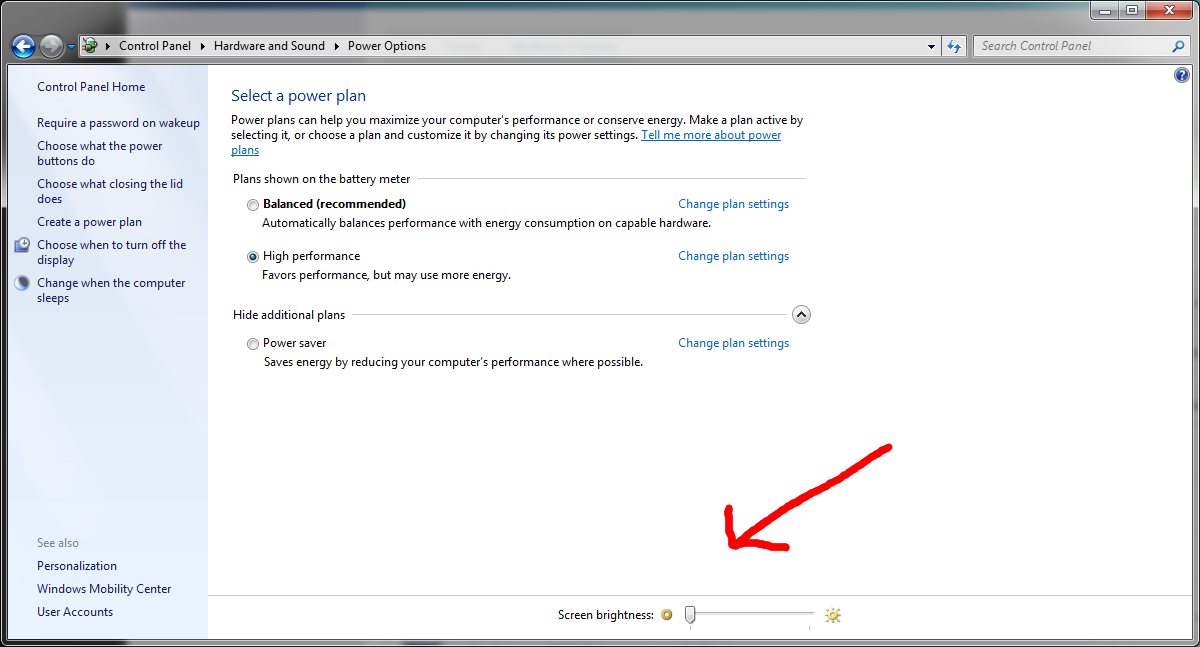
When I try to adjust the screen brightness, the adjustment slider is always in minimum in Control panel>Hardware and Sound>Power Option, as shown in this picture
but once I go to the "Edit Plan Settings", the slider is in maximum position, as shown in this picture
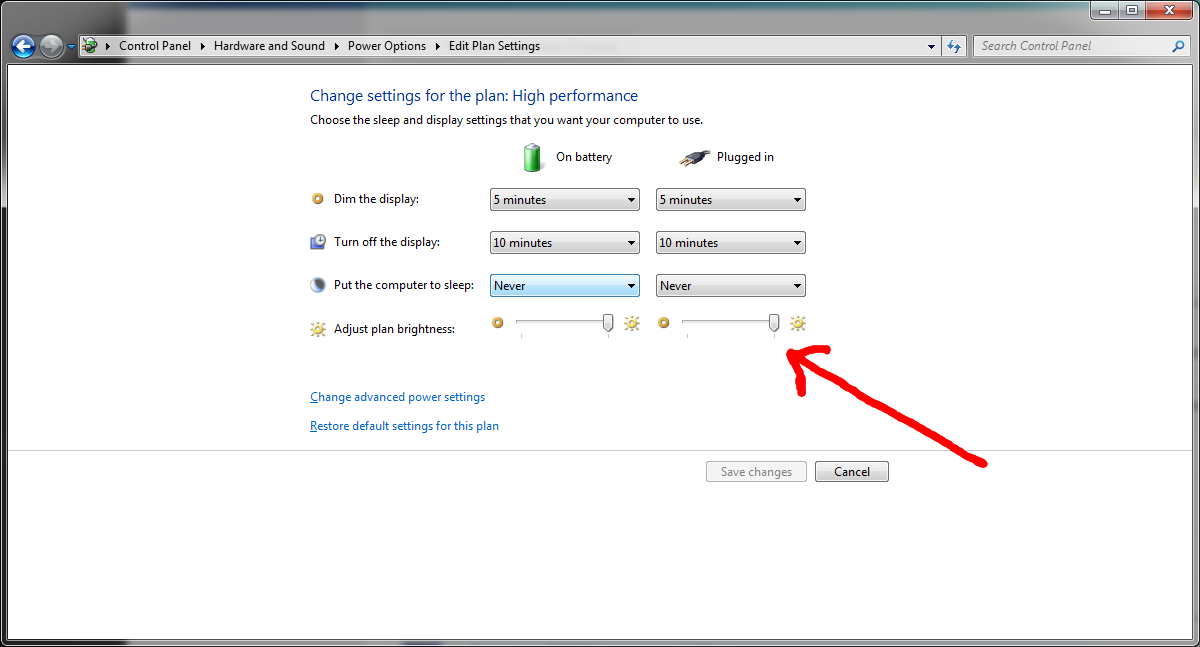
I can adjust the brightness under the "Edit Plan Settings" but not in the "Power option". Something must be wrong here, does anyone know how to fix this? Many thanks!
When I try to adjust the screen brightness, the adjustment slider is always in minimum in Control panel>Hardware and Sound>Power Option, as shown in this picture
but once I go to the "Edit Plan Settings", the slider is in maximum position, as shown in this picture
I can adjust the brightness under the "Edit Plan Settings" but not in the "Power option". Something must be wrong here, does anyone know how to fix this? Many thanks!