Solution
Games Explorer Folder - Delete a Game
1. Make sure Game Explorer Folder (GEF) is closed.
2. In the start menu type regedit and then press enter.
3. Find the game you don't want to be display in GEF.
5. Open GEF and the game should be gone.
Link Removed: If I want to delete Hidden & Dangerous 2 from my registry, I just need to delete this key.
{3F29E50B-538D-48A0-9F69-A632B5AA5308}.

1. Make sure Game Explorer Folder (GEF) is closed.
2. In the start menu type regedit and then press enter.
3. Find the game you don't want to be display in GEF.
- should be in: HKEY_LOCAL_MACHINE\SOFTWARE\Microsoft\Windows\CurrentVersion\GameUX\
5. Open GEF and the game should be gone.
Link Removed: If I want to delete Hidden & Dangerous 2 from my registry, I just need to delete this key.
{3F29E50B-538D-48A0-9F69-A632B5AA5308}.
zvit
Honorable Member
- Joined
- Nov 3, 2009
- Messages
- 2,443
אליקו אהלן וברוך הבא לפורומים!
(Eliko, welcome to the forums - In Hebrew
You can delete or hide games. Scroll down to the bottom part of this page to see how:
Delete a game
(Eliko, welcome to the forums - In Hebrew
You can delete or hide games. Scroll down to the bottom part of this page to see how:
Delete a game
zvit
Honorable Member
- Joined
- Nov 3, 2009
- Messages
- 2,443
Delete the game directory, Start menu shortcut and any saved games it may have saved in My Documents, and then clear all references to that game from your registry (if you need help doing so, let us know.)
You can also use 3rd party software like Revo Uninstaller, which have a 30 day free trial that is fully functional.
zvit
Honorable Member
- Joined
- Nov 3, 2009
- Messages
- 2,443
Games Explorer Folder - Delete a Game
1. Make sure Game Explorer Folder (GEF) is closed.
2. In the start menu type regedit and then press enter.
3. Find the game you don't want to be display in GEF.
5. Open GEF and the game should be gone.
Link Removed: If I want to delete Hidden & Dangerous 2 from my registry, I just need to delete this key.
{3F29E50B-538D-48A0-9F69-A632B5AA5308}.
1. Make sure Game Explorer Folder (GEF) is closed.
2. In the start menu type regedit and then press enter.
3. Find the game you don't want to be display in GEF.
- should be in: HKEY_LOCAL_MACHINE\SOFTWARE\Microsoft\Windows\CurrentVersion\GameUX\
5. Open GEF and the game should be gone.
Link Removed: If I want to delete Hidden & Dangerous 2 from my registry, I just need to delete this key.
{3F29E50B-538D-48A0-9F69-A632B5AA5308}.
cybercore
New Member
- Joined
- Jul 7, 2009
- Messages
- 15,641
אליקו אהלן וברוך הבא לפורומים!
(Eliko, welcome to the forums - In Hebrew
You can delete or hide games. Scroll down to the bottom part of this page to see how:
Delete a game

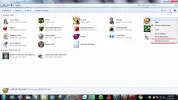
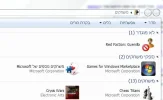
Should be no problem at all, right click a game item >> Remove From List. Then right click on an empty spot in the game folder >> Refresh.
Similar threads
- Article
- Replies
- 1
- Views
- 1K
- Article
- Replies
- 24
- Views
- 7K
- Solved
- Replies
- 3
- Views
- 5K
- Solved
- Replies
- 1
- Views
- 1K